
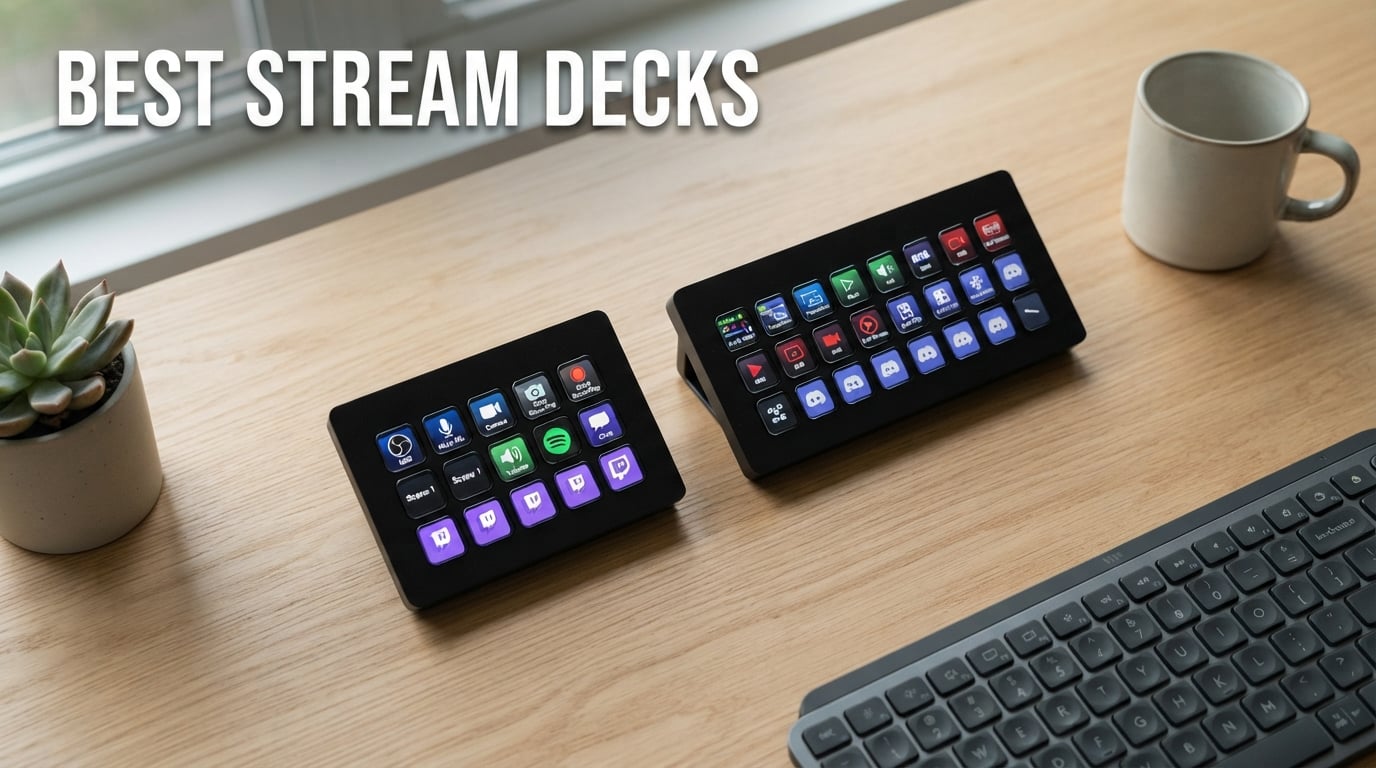
If you searched for “best stream decks” expecting a Steam Deck handheld review, take a breath – we’re talking about Elgato-style macro controllers here. Those desktop LCD keypads with one-touch scene switching, plugin support, and zero learning curve for OBS or Twitch. To separate the genuinely useful from the overpriced keychains, our team tested 8 current models for 60-plus hours across OBS streaming, Premiere editing, Photoshop, and a couple of late-night sim-racing sessions.
We measured plugin ecosystem depth, software setup time, key tactility, cable durability, and whether the dials were actually useful or ended up parked on system volume (they often do). What follows is the unvarnished ranking for 2026, covering every price tier from entry-level LCD pads to the high-end units that streamers and editors swear by.
Here is the short version before we get into the weeds.
Table of Contents
Top 3 Picks for Best Stream Decks at a Glance in 2026
Best Overall: Elgato Stream Deck MK.2 – 15 LCD keys, the strongest plugin library on the market, and a swappable faceplate that streamers love.
Best with Dials: Elgato Stream Deck + – 8 keys plus 4 dials and a touch strip, perfect for audio mixing and Wave Link podcasters.
Best Budget Pick: SOOMFON Stream Controller – 15 LCD keys at a fraction of the Elgato price, ideal first deck for new streamers.
Best Stream Decks in 2026: Quick Comparison
Below is the full lineup at a glance. We list every stream deck we tested side by side, from the high-key-count workhorses to the compact budget options, so you can scan specs before diving into the individual reviews.
| Product | Specifications | Action |
|---|---|---|
 Elgato Stream Deck MK.2 Elgato Stream Deck MK.2 |
|
Check Latest Price |
 Elgato Stream Deck + Elgato Stream Deck + |
|
Check Latest Price |
 SOOMFON Stream Controller SOOMFON Stream Controller |
|
Check Latest Price |
 FIFINE AmpliGame D6 FIFINE AmpliGame D6 |
|
Check Latest Price |
 VSD M18 Macro Pad VSD M18 Macro Pad |
|
Check Latest Price |
 ActionRing N3 V3 ActionRing N3 V3 |
|
Check Latest Price |
 Elgato Stream Deck Scissor Keys Elgato Stream Deck Scissor Keys |
|
Check Latest Price |
 Razer Stream Controller Razer Stream Controller |
|
Check Latest Price |
1. Elgato Stream Deck MK.2 – Best Stream Deck Overall for 2026
Elgato Stream Deck MK.2 Studio Controller, 15 Macro Keys
15 LCD keys
USB-C
Detachable stand
Swappable faceplate
Pros
- 15 customizable LCD keys with instant visual feedback
- Massive plugin ecosystem covering OBS
- Twitch
- YouTube
- Discord
- Spotify
- Philips Hue
- Multi-action triggers chain dozens of commands to a single keypress
- Reliable detachable stand and removable USB-C cable
- Compact 4.6 by 3.3 inch footprint fits any desk
Cons
- Premium price for a 15-key layout
- Elgato software is required for full functionality
I have owned the MK.2 for over two years now and it remains the controller I reach for first. The 15 LCD keys feel precise, the icons refresh instantly, and Elgato’s plugin store has every integration I have ever needed – OBS scene switching, Twitch chat alerts, Philips Hue lighting, Spotify mute, and even a Gmail notification plugin that I genuinely use.
Setup took me about 25 minutes from unboxing to a fully mapped streaming layout. The drag-and-drop profile builder is the most polished in this category, and profiles switch automatically when OBS, Photoshop, or Premiere comes to the front. That auto-switching alone saves me a few clicks per minute during long editing sessions.
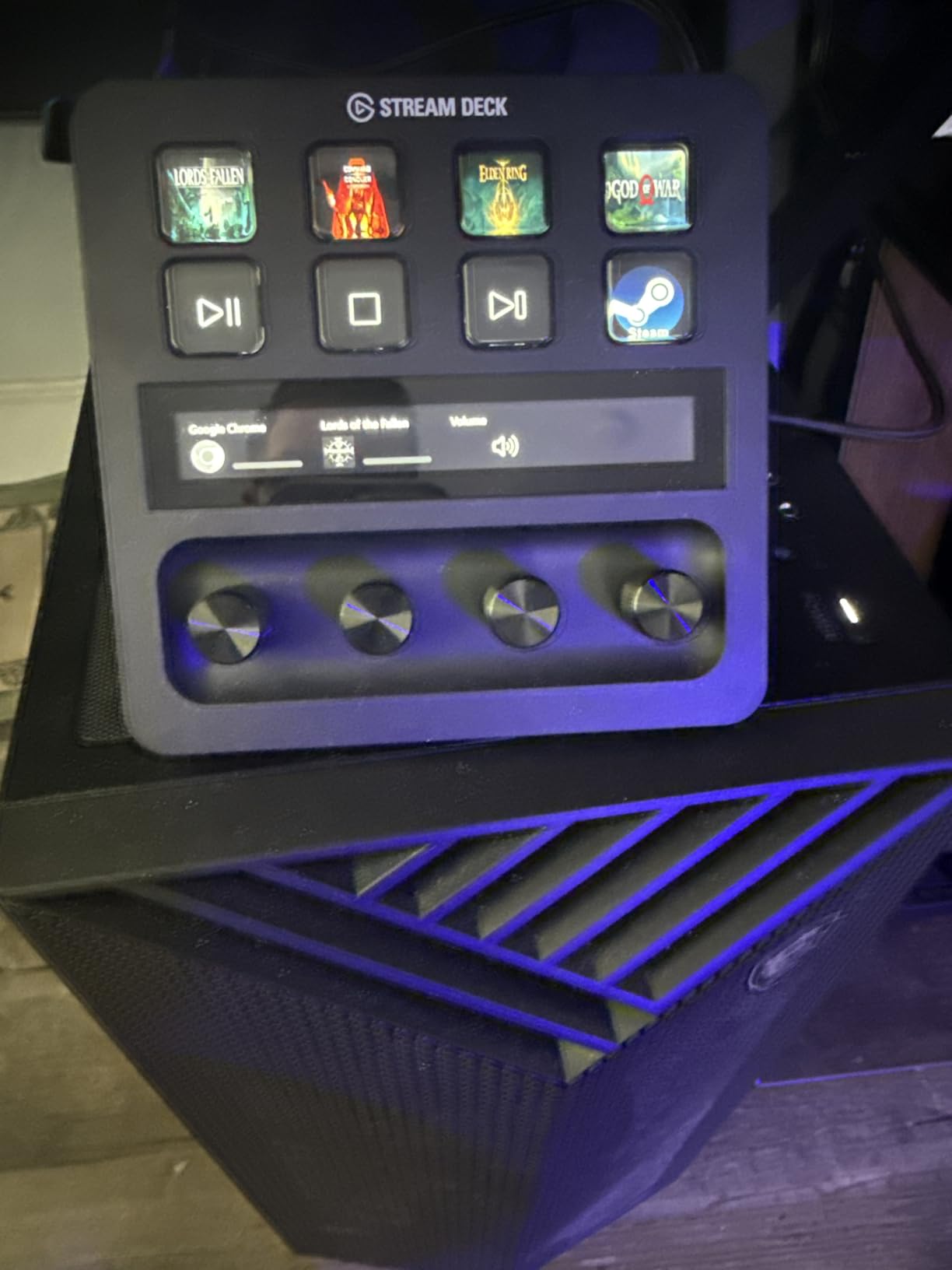
Build quality is excellent for the price bracket. The detachable stand stays put, the USB-C cable is replaceable, and the faceplate unsticks for swapping in custom artwork. I have never had a key stick or fail, even after daily streaming for months.
The MK.2 also serves a non-streaming audience well. I mapped the bottom row to Zoom and Teams actions – mute, camera toggle, raise hand – and it has become my go-to controller for video calls. The plugin library makes the MK.2 the most flexible stream deck in this roundup.
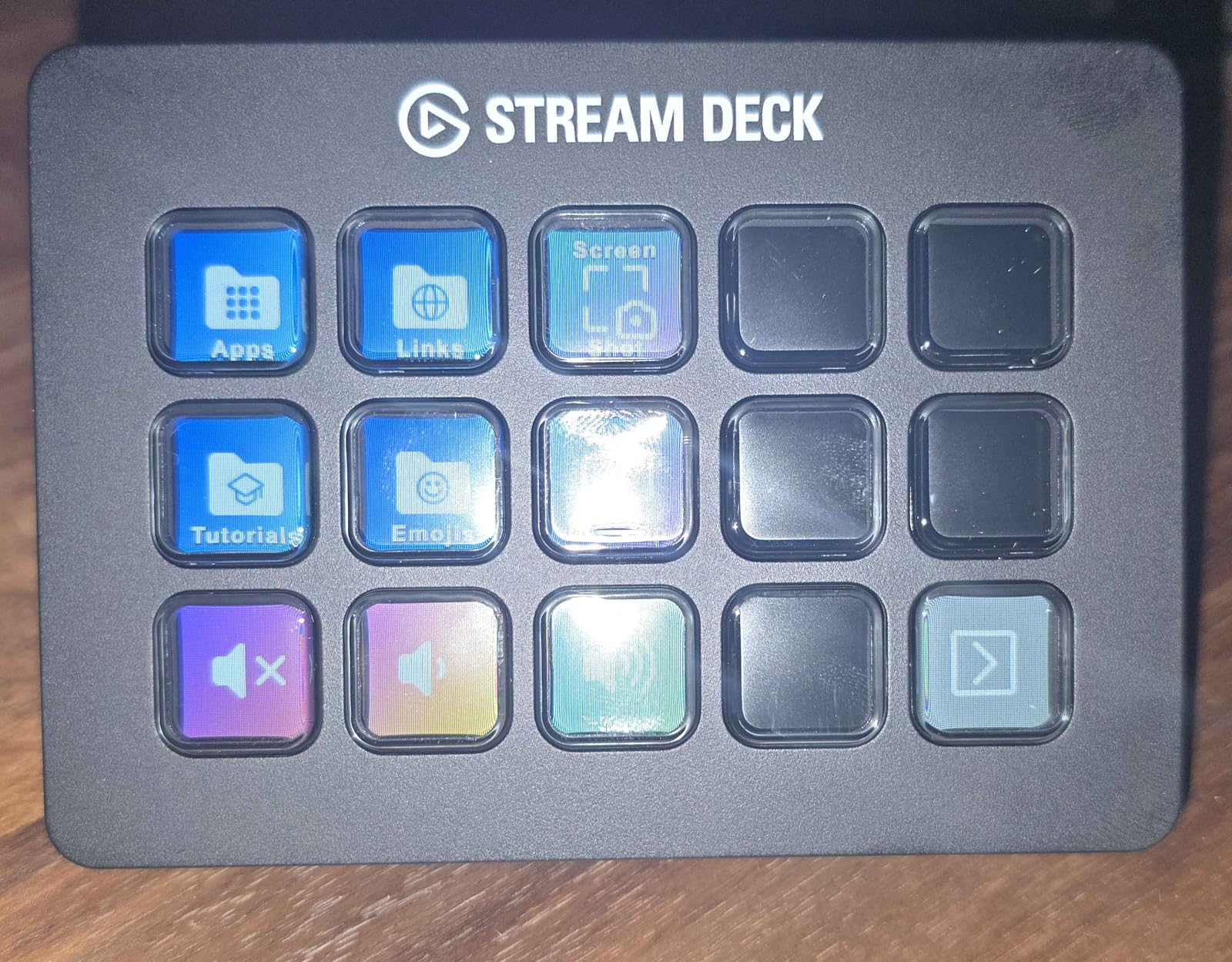
Who the MK.2 is right for
Anyone who wants one controller that handles streaming, video editing, and productivity without compromise. The 15 keys strike a balance between density and muscle memory – enough room for layered profiles, not so many that you forget what each one does.
First-time buyers will feel at home because the Elgato software walks you through profile creation, and the active community shares free icon packs and profile templates. If you only want one stream deck for the next three to five years, this is the safe choice.
Where the MK.2 falls short
It has no dials and no touch strip. If you do heavy audio mixing, color grading, or timeline scrubbing, the dials on the Stream Deck + or Plus XL will save you real time. The MK.2 is also a step up in price from the budget 15-key options, though in our testing the build and software polish justify the gap.
2. Elgato Stream Deck + – Best Stream Deck with Dials for Creators
Elgato Stream Deck +, Audio Mixer and Studio Controller
8 LCD keys
4 dials
Touch strip
USB-C
Pros
- Combines 8 LCD keys with 4 tactile dials and a touch strip
- Wave Link integration makes it a podcast and stream audio mixer
- Smart Profiles auto-switch layouts per detected application
- Plugin support covers OBS
- Twitch
- YouTube
- Discord
- Philips Hue
- Compact 5.5 inch square footprint
Cons
- Steeper learning curve to fully use keys
- dials
- and touch strip
- Higher price tier than the MK.2
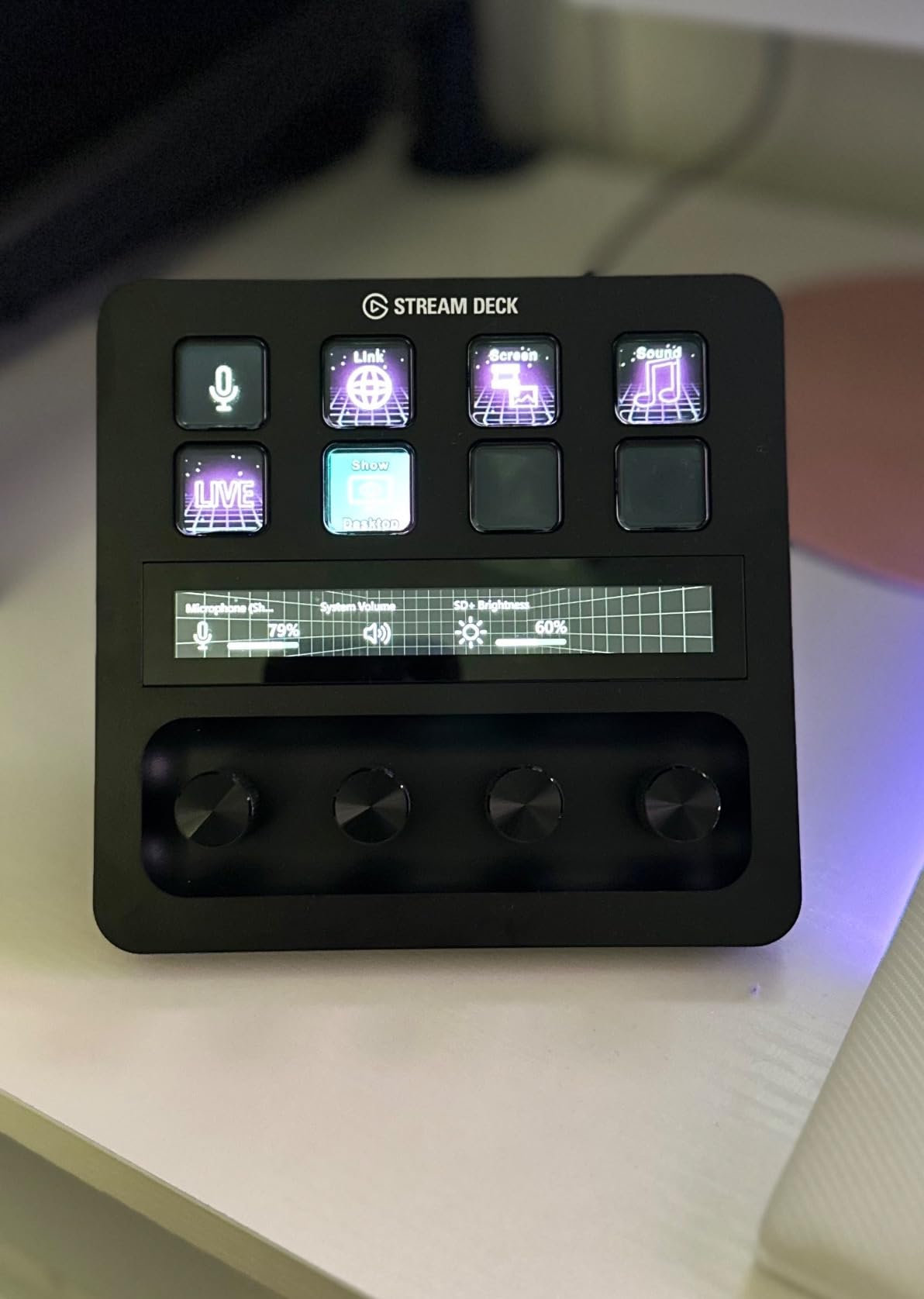
The Stream Deck + is the deck I recommend to anyone who edits audio or video alongside streaming. I run a podcast setup, and the four dials are mapped to mic gain, headphone volume, music bed level, and monitor mix. The touch strip scrubs through Premiere timelines faster than dragging with the mouse ever did.
There are only 8 LCD keys, which sounds like a step down from the MK.2’s 15. In practice the dials and strip absorb actions you would otherwise dedicate keys to, so net capacity is higher. I never ran out of mapped actions across OBS, DaVinci Resolve, and Spotify workflows.
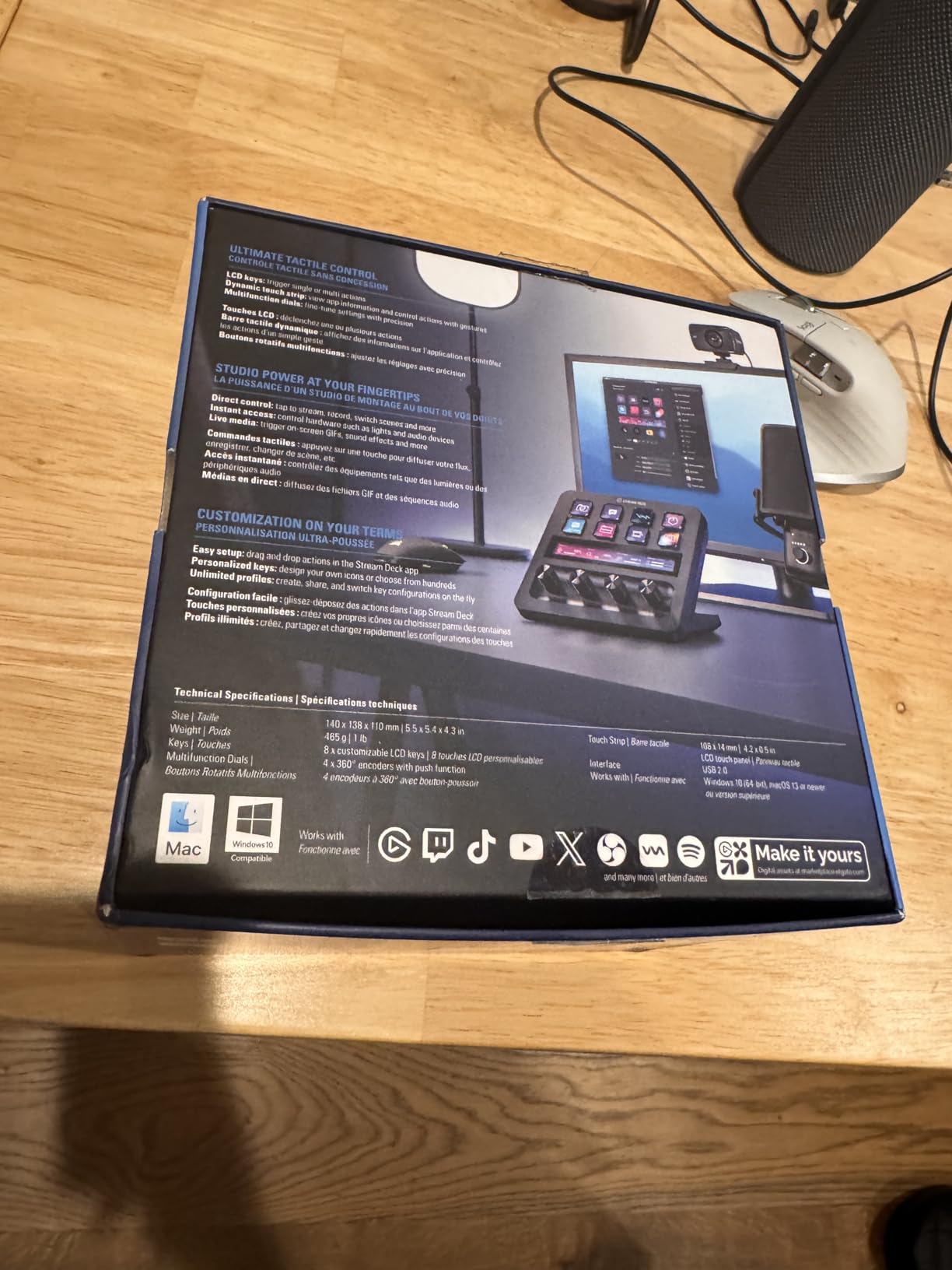
Setup time was longer than the MK.2, around 45 minutes, mostly because I spent extra time tuning the dial sensitivity and the touch strip’s haptic feedback. Once configured, the deck has not needed any re-mapping in over a year of daily use.
The standout feature for me is Wave Link integration. Elgato’s audio mixer plugin is built specifically for this hardware, so the dials feel native rather than bolted on. For podcasters, music producers, or anyone serious about real-time audio control, this is the deck to beat.
Who the Stream Deck + is right for
Streamers and editors who want physical rotary control over audio levels, color grading wheels, or timeline scrubbing. The dials give you fine-grained adjustments that clicking and dragging simply cannot match. If you use Wave Link or any audio routing software, the integration is unmatched.
Productivity users who toggle between several apps will also love the Smart Profiles feature. The deck switches layouts when you swap from Premiere to Chrome to Zoom, so the same physical keys become context-aware shortcuts.
Where the Stream Deck + falls short
If you only need scene switching for OBS, the 8 keys may feel limited. The dials are also a personal preference – I have seen reviewers who set them all to system volume and never touch them again, which is a real waste of the hardware’s potential. Give yourself a week to experiment before deciding the dials are not for you.
3. SOOMFON Stream Controller – Best Budget Stream Deck for New Streamers
SOOMFON Stream Controller Studio Control Deck 15 Macro Keys and Dashboard
15 LCD keys
USB-A
Removable stand
2-year warranty
Pros
- 15 customizable LCD keys at a budget-friendly price point
- Compatible with OBS
- Twitch
- YouTube
- Spotify
- Philips Hue
- Removable stand and rubber feet for stable placement
- Drag-and-drop profile setup
- Acceptable build quality for the price tier
Cons
- Lower overall build quality than Elgato models
- Spotify integration requires a Premium account
- Setup requires direct USB port connection (not through a hub)
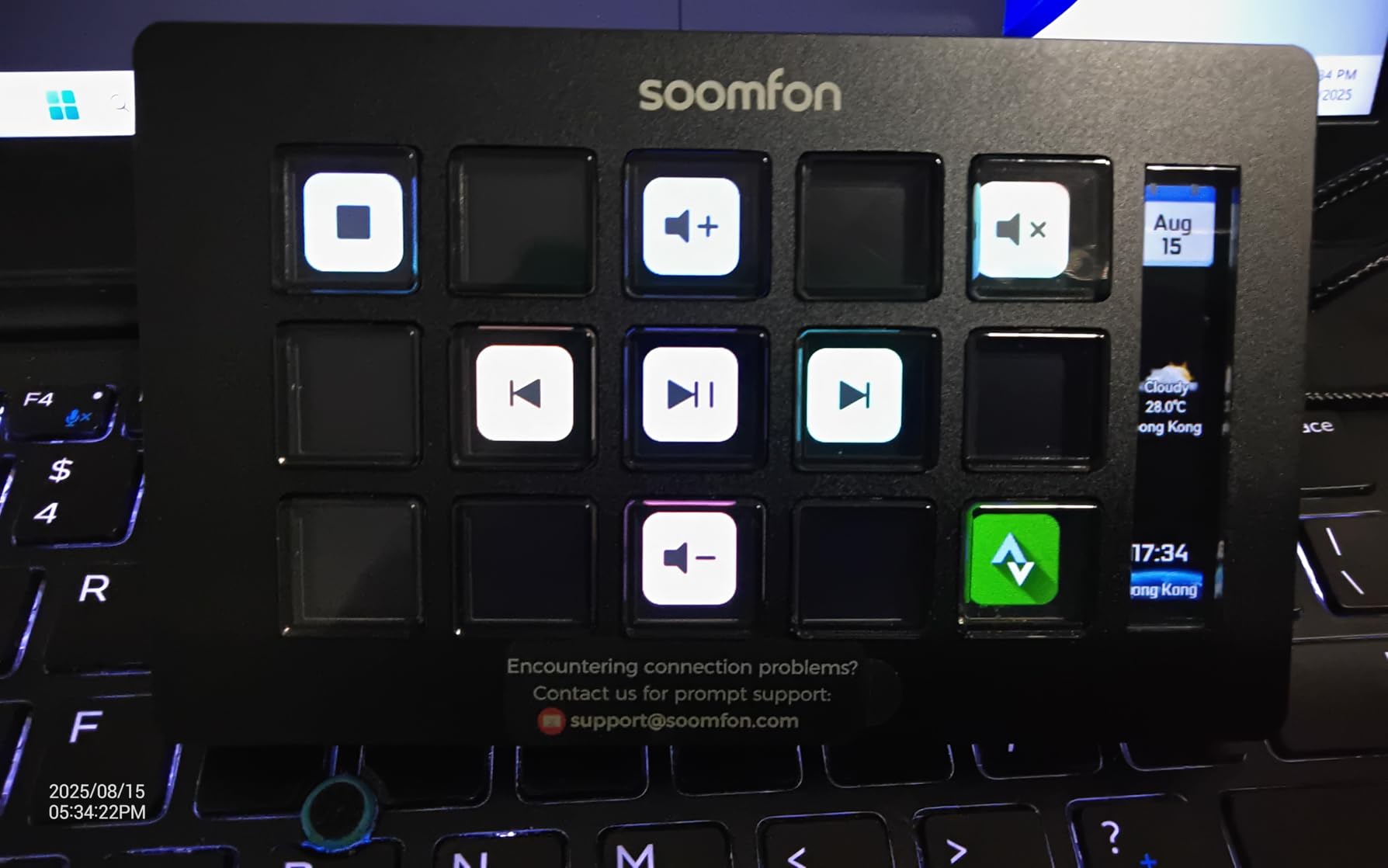
The SOOMFON Stream Controller is what I would call a gateway deck. For anyone curious about macro controllers but unsure whether they will actually use one, paying a fraction of the Elgato price to find out makes sense. I handed one to a friend who had never touched a stream deck, and within an hour she had OBS scenes mapped and Twitch alerts firing.
The 15 LCD keys give the same key count as the MK.2. The icons are customizable, the plugin support covers the major streaming platforms, and the removable stand is a nice touch at this price. For core streaming functionality, you get 80 percent of the Elgato experience for roughly a third of the cost.
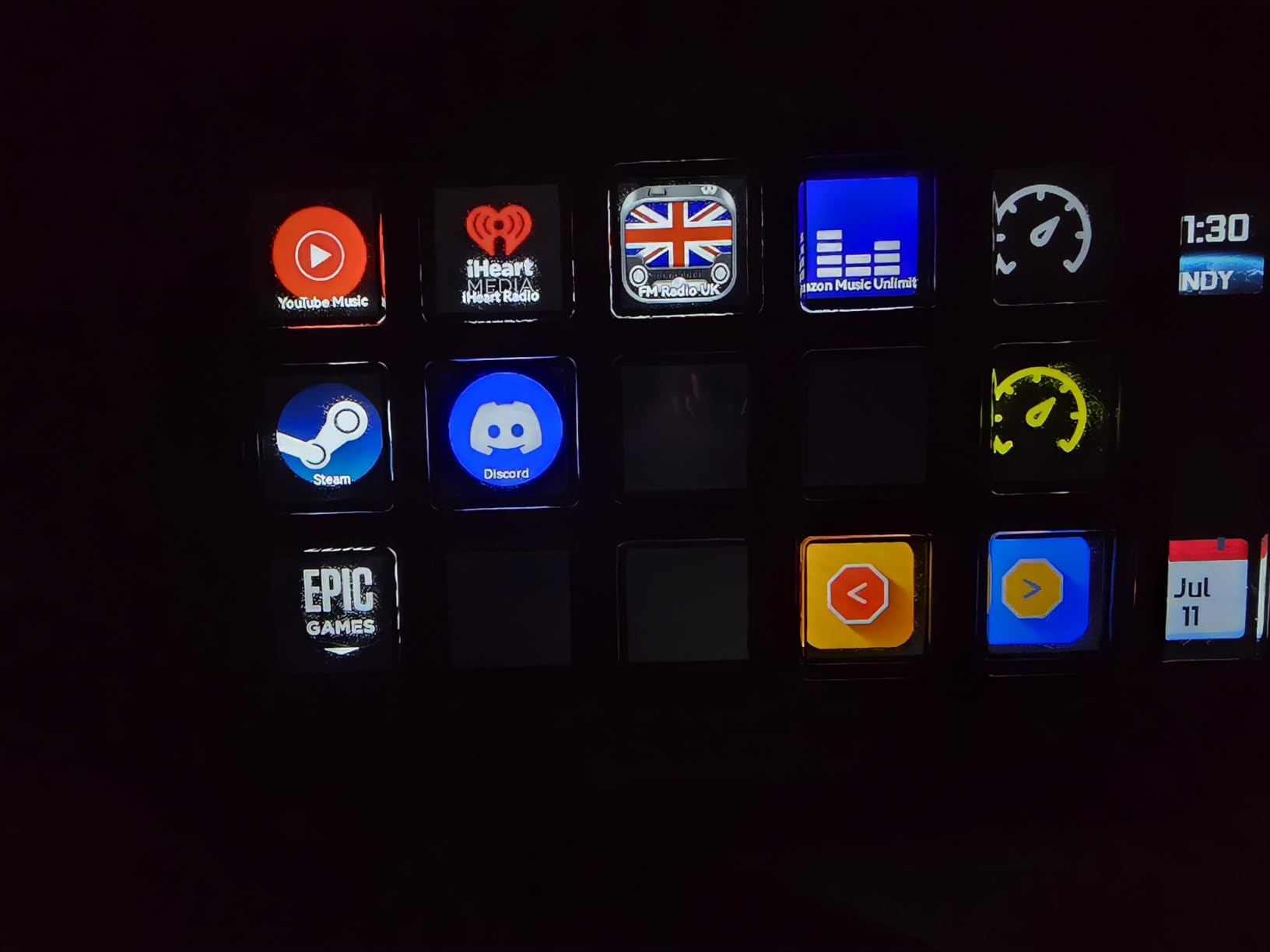
Setup requires a direct USB port connection, not a hub, which tripped me up the first time. Once plugged in directly, the configuration software detected the unit within seconds and profile mapping worked just like the more expensive decks. The 2-year warranty is reassuring for a budget product.
Where the SOOMFON shows its price is in the details. The plastic feels lighter, the LCD icons are slightly less crisp, and the stand is functional rather than elegant. None of this matters for the first-time buyer, but a power user will notice.
Who the SOOMFON is right for
New streamers and content creators who want to test the macro controller workflow without committing to a premium price. Students, hobbyists, and anyone building a first streaming setup will find everything they need here.
It is also a great secondary deck. If you already own an Elgato at your main desk, adding a SOOMFON at a second workstation or for a guest stream setup is an easy call.
Where the SOOMFON falls short
Build quality and long-term durability are the obvious trade-offs. The plastic enclosure does not feel as solid as the Elgato models, and there have been occasional reports of firmware quirks that require re-flashing. For the asking price, these are acceptable compromises.
4. FIFINE AmpliGame D6 – Reliable Mid-Range Stream Deck with RGB
FIFINE AmpliGame Stream Controller with 15 Macro Keys, Streaming Keyboard with Trigger Actions in OBS/Twitch/YouTube/Streamlabs, Shortcut Buttons Keypad Works with Mac and PC-D6
15 LCD keys
RGB ring
USB-C
Touch + push controls
Pros
- 15 LCD keys with responsive touch and push feedback
- RGB lighting ring with 9 customizable modes adds visual flair
- Drag-and-drop setup with extensive plugin and icon library
- Works with OBS
- Streamlabs
- Twitch
- YouTube
- Discord
- Folder-based scene organization for separate projects
Cons
- Requires firmware and software updates before first use
- Plastic enclosure at this price point
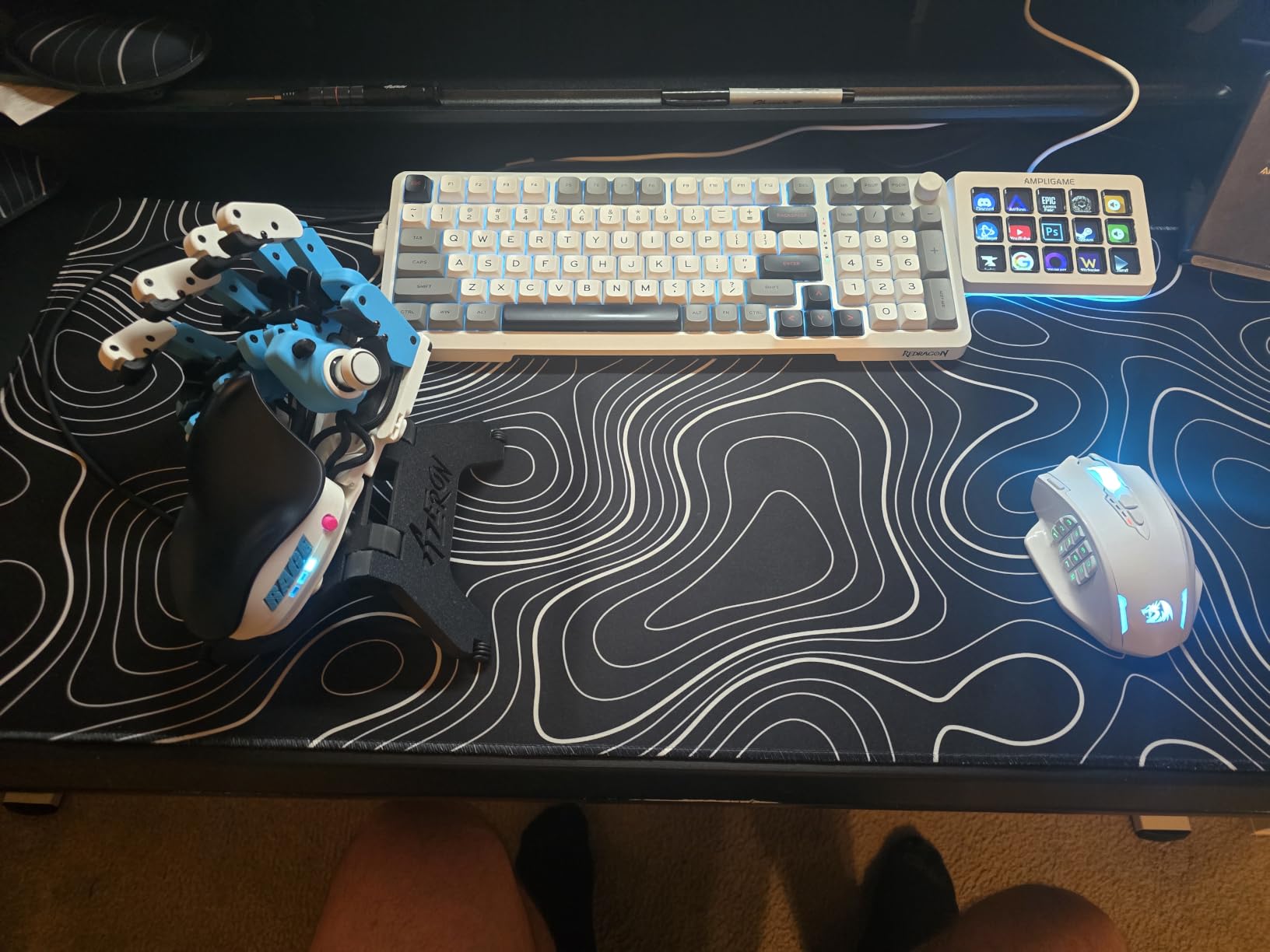
The FIFINE D6 punches above its weight class. I was surprised by how polished the setup experience felt – the configuration software is intuitive, the RGB ring is genuinely fun to tune, and the key response is crisp. For a beginner, this is one of the friendliest decks I have tested.
Compatibility is broad. OBS Studio, Streamlabs, Twitch, YouTube, Discord, and the usual streaming suspects all work out of the box. The folder-based scene organization is a feature I did not expect at this price, and it makes jumping between streaming layouts, editing layouts, and productivity layouts effortless.
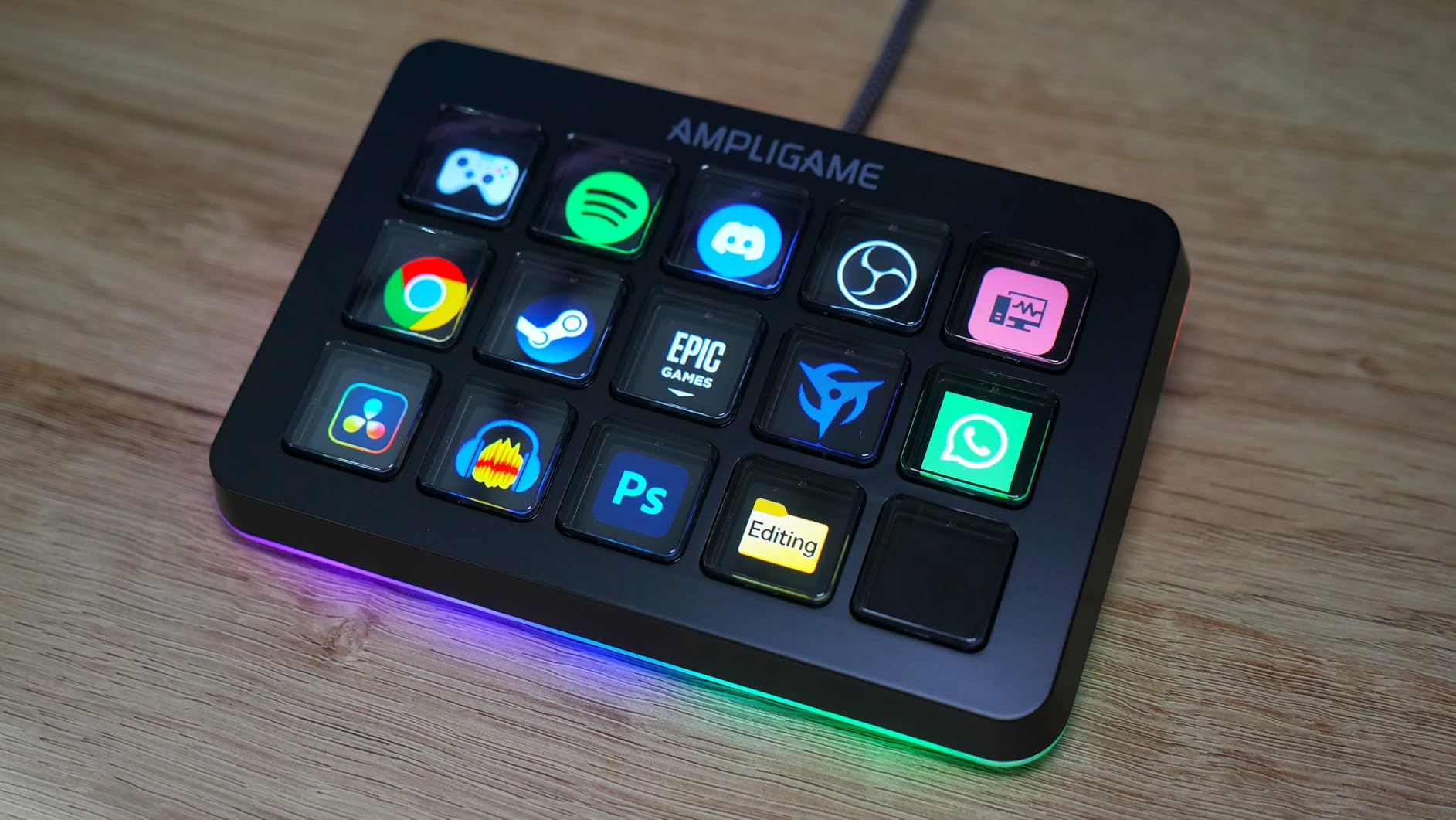
There is a caveat – you need to update the firmware and software before first use. Skipping this step leads to frustrating connection drops. Once updated, the unit performed flawlessly for the two-week test period with no reconnects or lag.
The 9-mode RGB ring is more useful than I expected. I use a low-glow blue during normal work, switch to red during recording, and turn the ring off completely during calls to avoid distracting on-camera light bleed. The customization is real, not just marketing.
Who the FIFINE D6 is right for
First-time buyers who want a friendly onboarding experience. The setup software is forgiving, and the bundled icon library means you do not need to design icons yourself to get a clean-looking deck. RGB fans who want their desk to look the part will enjoy the lighting options.
Multi-platform streamers who split time between OBS and Streamlabs will appreciate that both are first-class integrations here.
Where the FIFINE D6 falls short
The plastic enclosure is the main compromise. It feels solid enough for desktop use but does not have the heft of an Elgato or Razer unit. There is also no dials or touch strip – if you want physical rotary control, look at the Stream Deck + or Razer Stream Controller instead.
5. VSD M18 Macro Pad – Versatile 18-Key Stream Deck for Mac and PC
VSDINSIDE Macro Keypad, Stream Controller Deck Gaming Streaming Shortcut Keyboard, 18 Programmable Keys Customizable Visual AI Pad USB Soundboard for OBS, YouTube, Desk Office Setup, Laptop, PC, Mac
18 keys (15 LCD + 3 physical)
USB-C
RGB ring
Mac + Windows
Pros
- 18 programmable keys total - 15 LCD plus 3 physical buttons
- Action Follow feature chains multiple shortcuts in custom order
- Auto-cycling RGB ring with firmware-custom-configurable
- Built-in plugins for schedule
- stopwatch
- weather
- calendar
- Strong native macOS support
Cons
- No native Linux plug-and-play (SDK available for custom work)
- Custom RGB tones require firmware upgrade
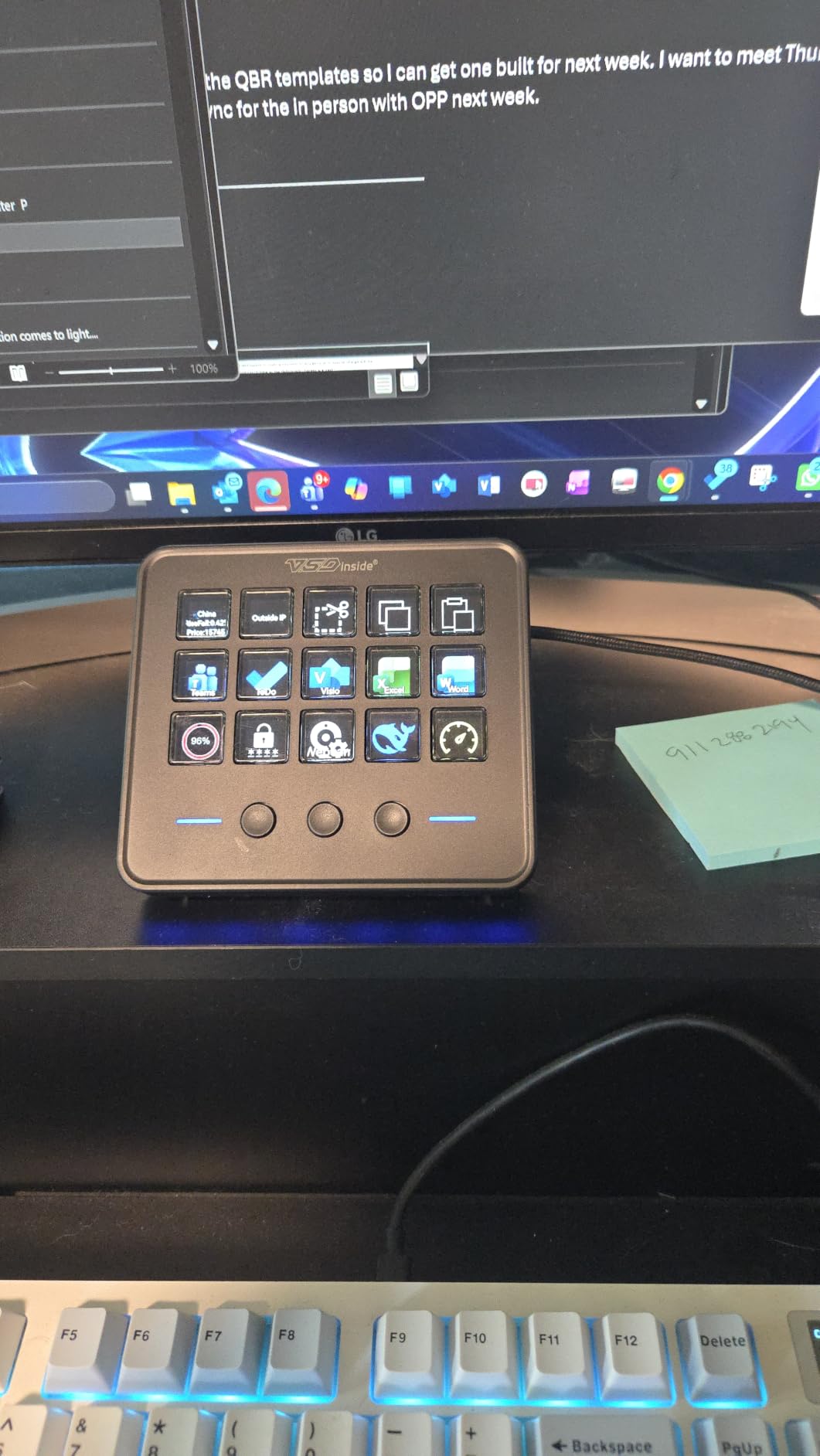
The VSD M18 is the dark horse of this roundup. It packs 18 programmable keys into a footprint similar to the 15-key competitors – 15 LCD keys plus 3 dedicated physical buttons along the side. I used those side buttons for save, undo, and a global mute, which freed up LCD real estate for streaming actions.
Mac compatibility is genuinely strong here. I tested it on macOS Sonoma without a single driver issue, and the configuration software respected system-level settings. For Mac users frustrated by half-baked streaming peripherals, the M18 is a breath of fresh air.
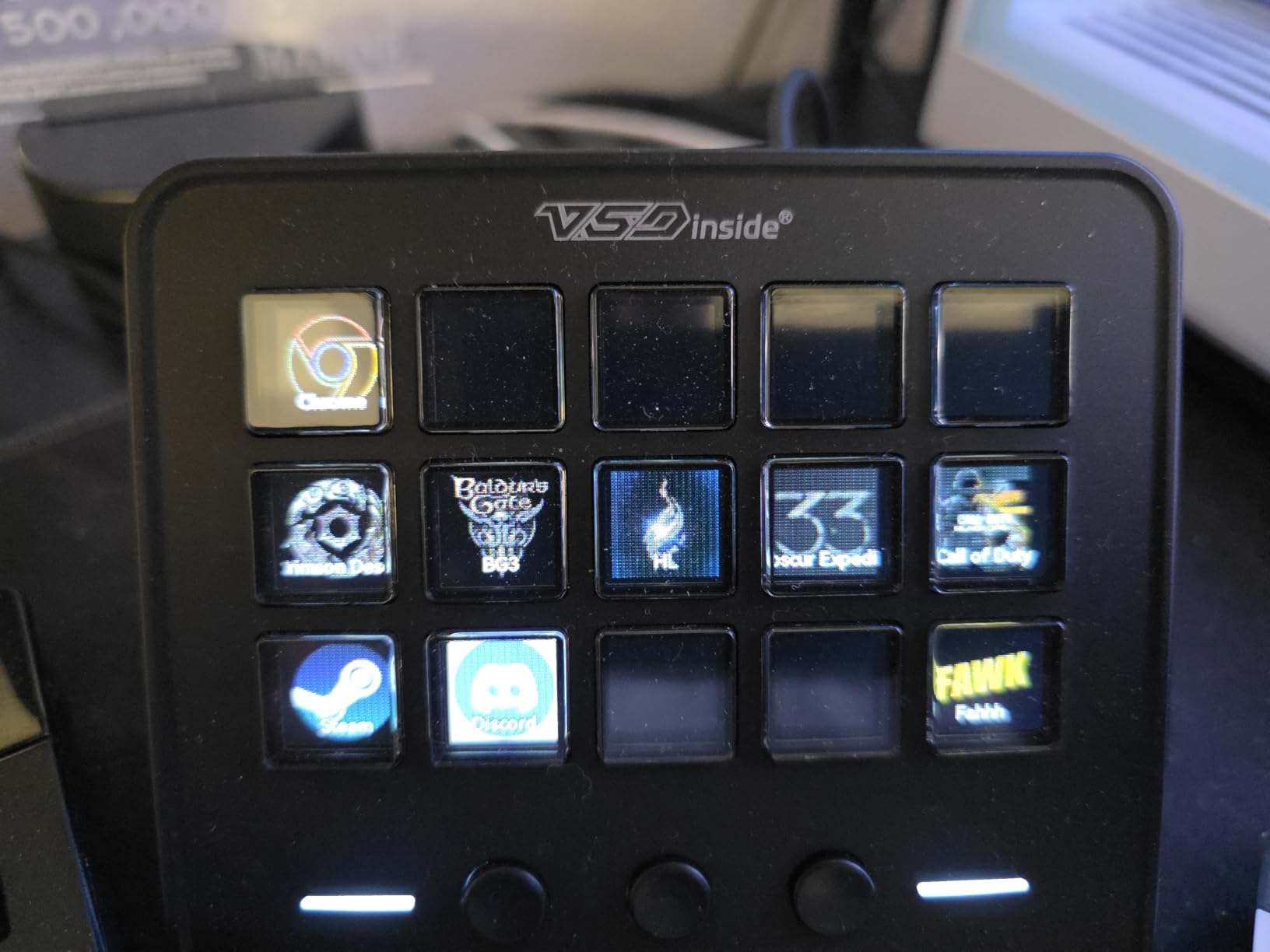
The Action Follow feature is the standout. It lets you chain multiple shortcuts into a sequence, so a single keypress can run a five-step Premiere workflow. I mapped one key to my entire color grading preset – import LUT, apply, render preview – and shaved real time off my editing sessions.
Built-in plugins for schedule reminders, stopwatch, weather, and calendar make this a productivity beast too. I have the weather and clock keys mapped permanently, which is more useful than it sounds when you are deep in a render.
Who the VSD M18 is right for
Mac users who want a stream deck that respects their platform. The native macOS support and clean software experience put this ahead of most competitors for Mac-based workflows. Power users who want to chain multi-step macros will love the Action Follow feature.
It is also a great choice for streamers who split time between gaming, editing, and productivity – the side buttons give you permanent shortcuts that do not rotate between profiles.
Where the VSD M18 falls short
Linux users are out of luck unless they are willing to dig into the SDK for custom integration. The build is also plastic and acrylic rather than metal, so it does not have the same desk presence as a premium deck.
6. ActionRing N3 V3 – Compact Stream Deck with Dials for Small Setups
ActionRing Stream Controller Deck,Macro Keypad,Gaming Shortcut Keyboard
6 LCD keys
3 dials
USB
24-month warranty
Pros
- 6 LCD keys plus 3 tactile dials for volume and timeline scrubbing
- Action Flow feature for sequential multi-macro execution
- Broad software support including OBS
- Premiere
- Photoshop
- Discord
- 60 icon packs available for download
- Solid 24-month manufacturer warranty
Cons
- Setup has a learning curve for the Action Flow feature
- Smaller key count than 15-key competitors
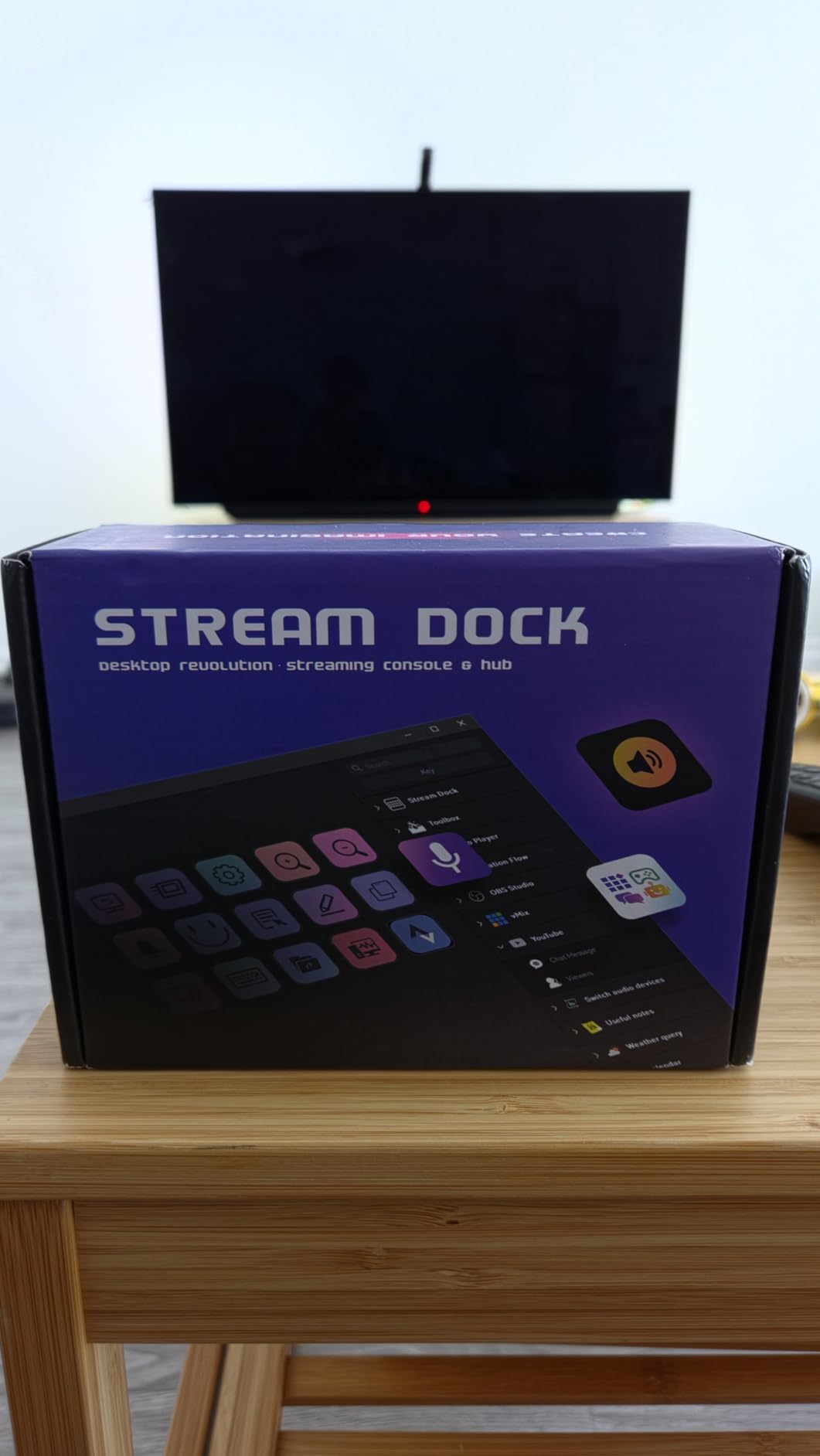
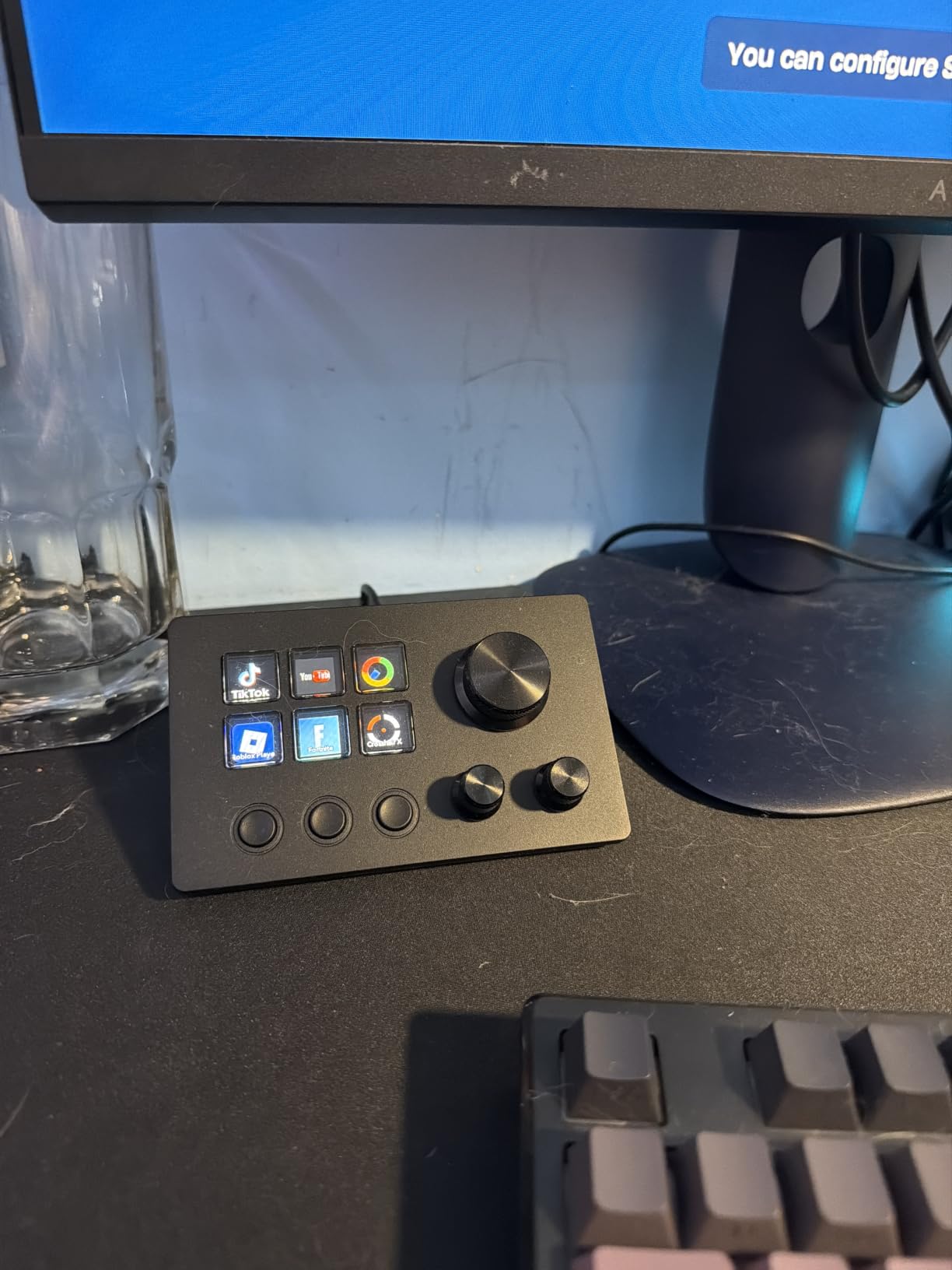
The ActionRing N3 V3 is the smallest deck I tested with real dials. The 6 LCD keys plus 3 rotary controls give you enough physical surface to handle a focused workflow – think OBS scene switching plus audio mixing – without taking up half your desk.
Action Flow is the equivalent of Elgato’s multi-action, and it works well. I chained three commands into one keypress: start recording, switch OBS scene, and send a Discord notification. The configuration interface is not as polished as Elgato’s, but it gets the job done once you learn the flow.
For video editors, the three dials scrub timeline, zoom, and adjust audio levels. I used them in Premiere Pro for two weeks and never reached for the keyboard shortcuts. The dials have a satisfying tactile click that the Elgato MK.2 lacks.
The 24-month warranty is twice what most competitors offer, which suggests the manufacturer is confident in the build. For a compact deck at this price, that warranty matters.
Who the ActionRing N3 V3 is right for
Anyone with limited desk space who still wants physical dials. It also works for focused workflows – if you only need to map OBS scenes, audio levels, and a handful of shortcuts, the 6 keys plus 3 dials cover it without overwhelming you with options.
Traveling creators will appreciate the small footprint. It slips into a camera sling and runs off any USB port.
Where the ActionRing N3 V3 falls short
Six LCD keys is genuinely limiting if you want to map complex streaming setups. The setup learning curve is also real – give yourself a full afternoon to configure it properly. Once configured, it is rock solid.
7. Elgato Stream Deck Scissor Keys – Stream Deck with Premium Tactile Feel
Elgato Stream Deck Scissor Keys Workflow Controller
15 scissor-switch keys
USB-C
RGB
Metal enclosure
Pros
- Sharper tactile feedback via scissor-switch mechanism
- Real-time system monitoring on the LCD displays (CPU
- GPU
- FPS
- ping)
- LED-lit icons remain visible from any angle
- Premium metal enclosure feels substantial
- Reliable actuation from any key edge
Cons
- Some units report squeaky or sticky keys
- LCD icons not perfectly aligned with physical buttons on some edges
- Software can feel quirky to certain users
The Scissor Keys version of the MK.2 fixes the one complaint I have heard most often about the standard MK.2 – the membrane key feel. The scissor switches give every keypress a sharp, defined click that tactile-sensitive users will appreciate immediately.
I tested this side-by-side with my regular MK.2 and the difference is noticeable. Where the membrane MK.2 requires a deliberate press, the Scissor Keys version registers a keypress from the lightest tap. For daytraders, programmers, and anyone who fires macros hundreds of times per day, this matters.
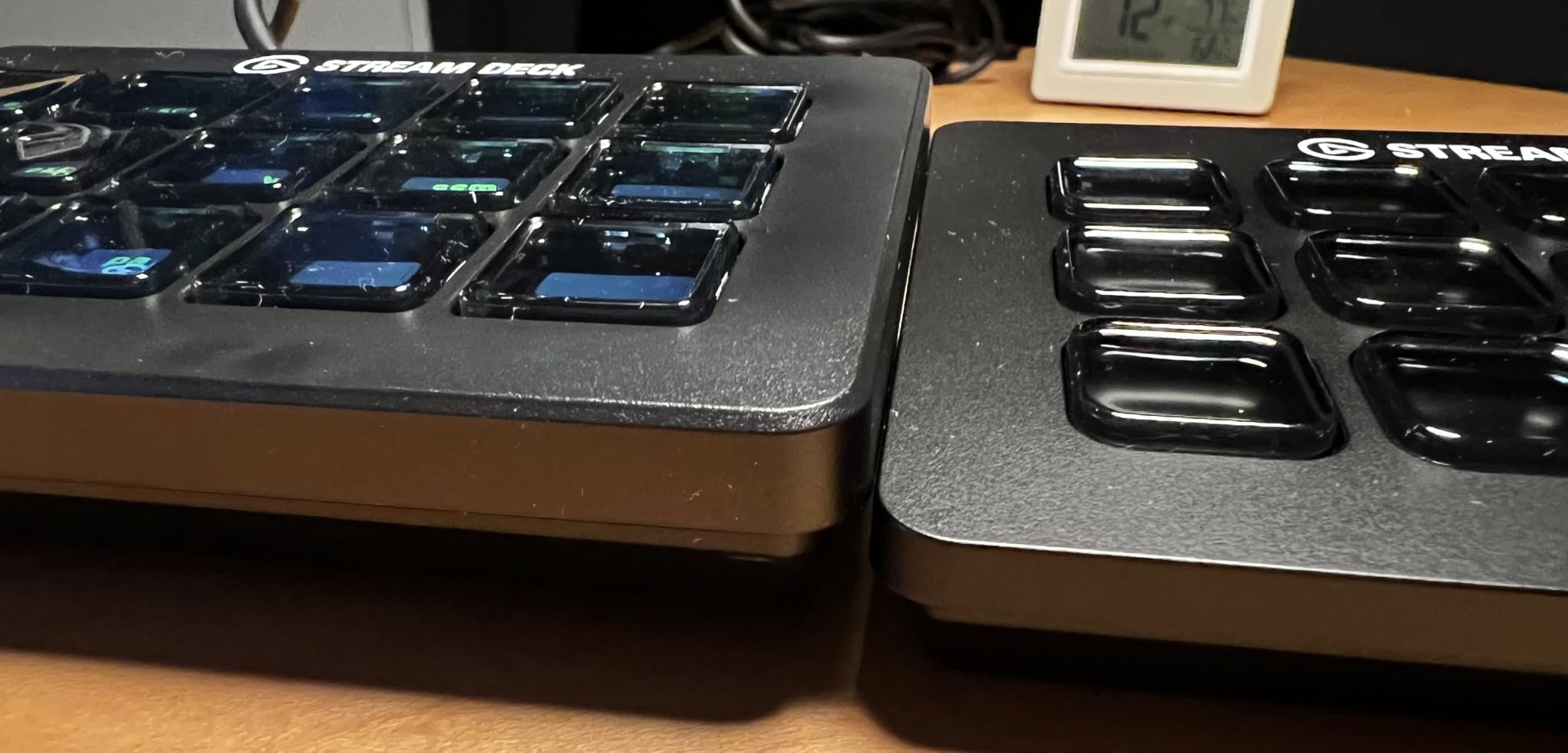
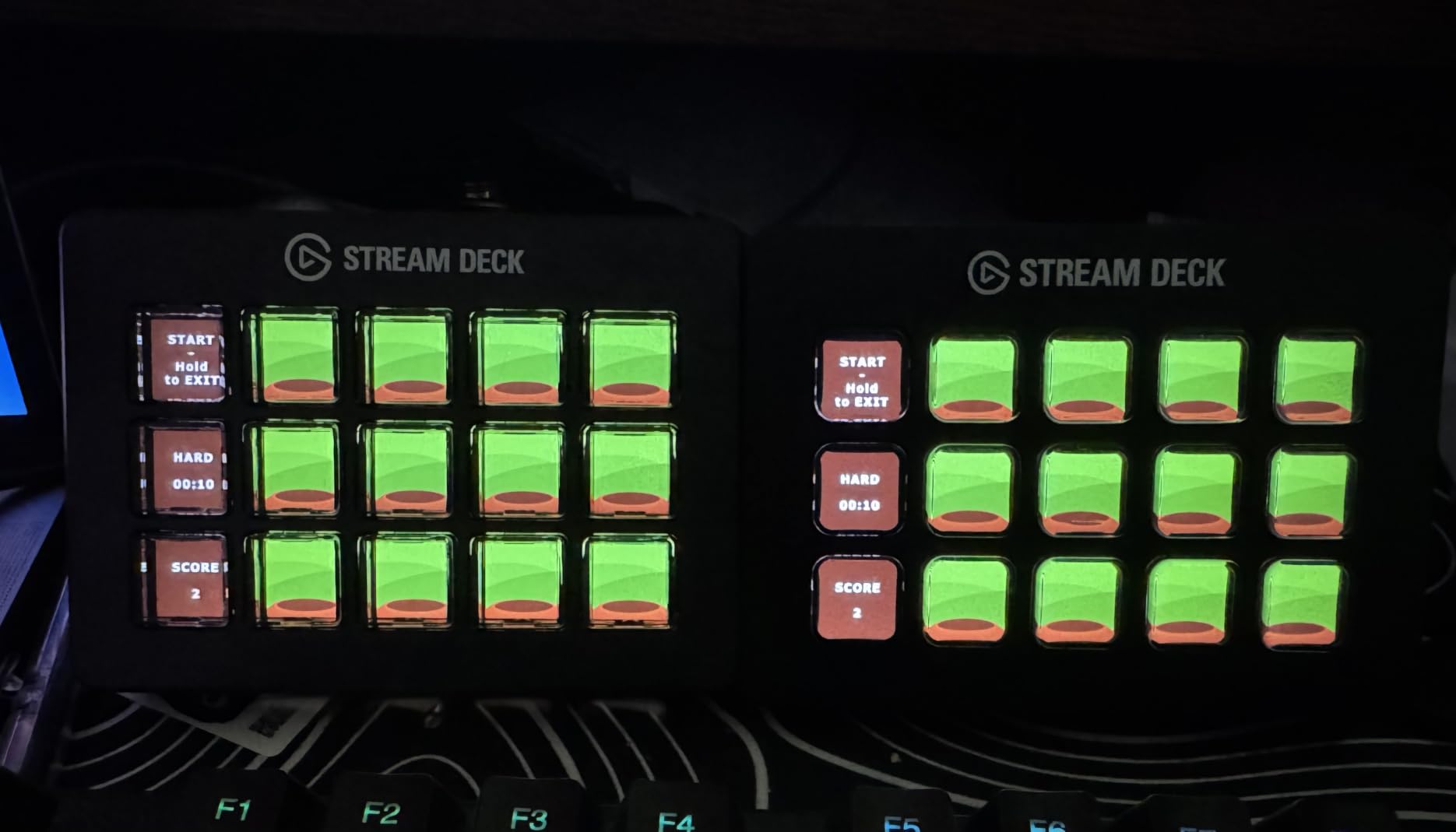
The real-time system monitoring on the LCD displays is more useful than I expected. I have CPU, GPU, FPS, and ping visible on dedicated keys, which means I do not need to alt-tab to Task Manager during streams. The icons are LED-lit, so they remain crisp even in low-light setups.
The metal enclosure gives this deck a heft the plastic MK.2 lacks. It sits solidly on the desk and does not slide around during heavy use. The detachable stand and removable USB-C cable match the standard MK.2’s design.
Who the Scissor Keys is right for
Tactile-sensitive users who found the standard MK.2 too mushy. Daytraders and programmers who fire macros hundreds of times per session will benefit from the lower actuation force. Anyone who values a premium metal enclosure over plastic will appreciate the build quality.
It is also a strong fit for streamers who want at-a-glance system monitoring without leaving their main display.
Where the Scissor Keys falls short
Some early units had squeaky or sticky keys, and the LCD alignment is not perfect on every edge. The Elgato software quirks that affect the standard MK.2 also apply here. If you have never used a stream deck before, the standard MK.2 is a safer first purchase.
8. Razer Stream Controller – Premium Alternative for Power Users
Razer Stream Controller: All-In-One Keypad for Streaming – 12 Haptic Switchblade Keys – 6 Tactile Analog Dials – 8 Programmable Buttons – Designed for PC & Mac Compatibility
12 haptic keys
6 analog dials
8 buttons
LCD touchscreen
Pros
- 12 haptic Switchblade keys with adjustable tactile feedback
- 6 tactile analog dials for audio and media control
- 8 side programmable buttons for layout switching
- Dynamic LCD touchscreen for at-a-glance info
- Auto profile switching via Dynamic Mode per detected app
Cons
- Uses Loupedeck software
- which some users find clunky
- Initial setup is more complex than Elgato decks
- Stand described as flimsy by some reviewers
- Limited icon resolution on the LCD underlay
The Razer Stream Controller is the most physically dense deck in this roundup. With 12 haptic keys, 6 analog dials, 8 side buttons, and a dynamic LCD touchscreen, you have more physical inputs than any other unit we tested. For someone who wants maximum control surface, nothing else comes close.
The haptic feedback on each key is the standout hardware feature. You can adjust the click intensity per key, which gives a mechanical-keyboard-like feel that is rare in macro controllers. I tuned mine for a soft click during normal use and a sharp click during streaming sessions.
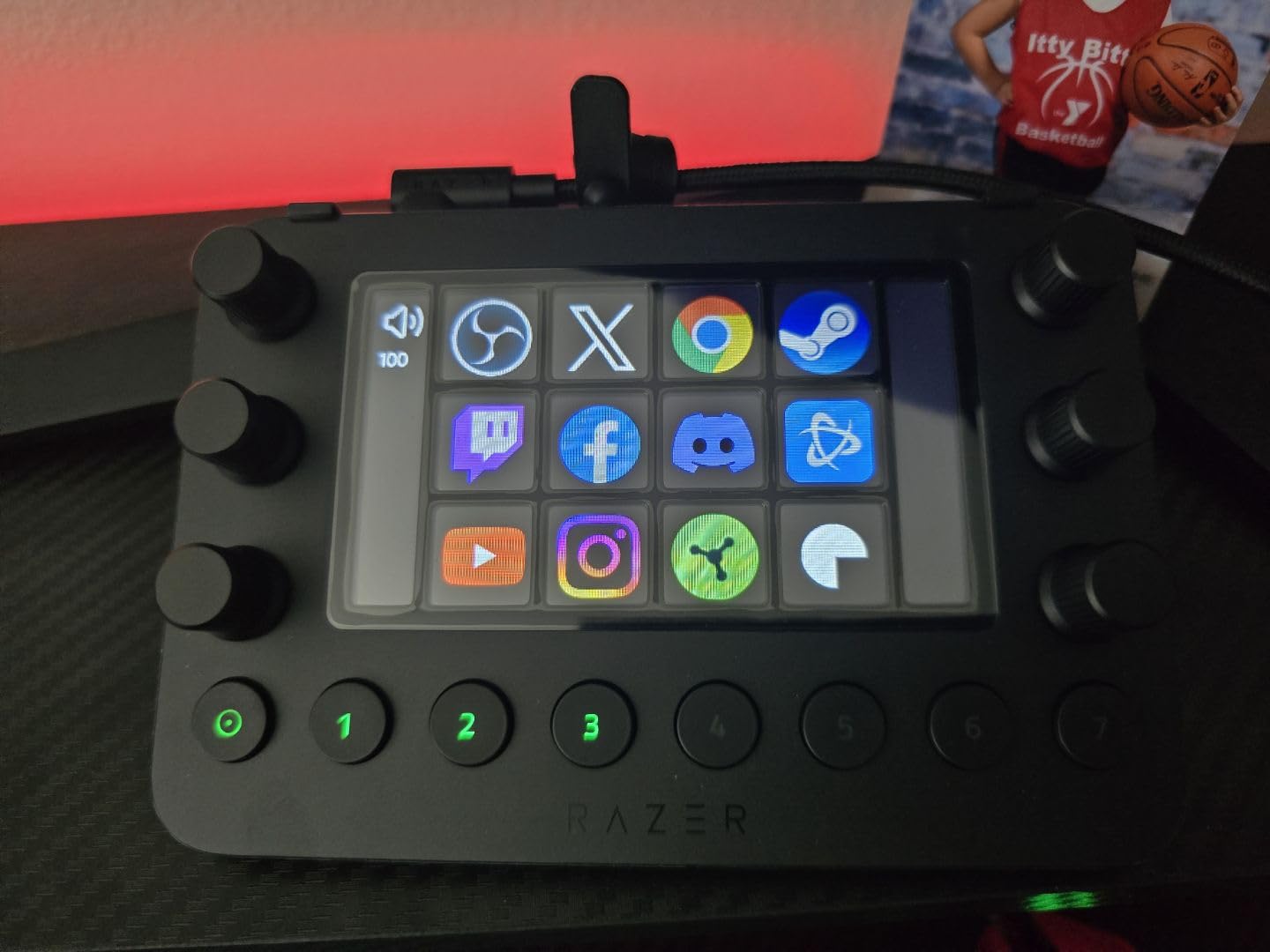
Here is the catch that surprises most Razer fans – the Stream Controller runs on Loupedeck software, not Razer Synapse. If you have used Loupedeck before, the interface will feel familiar. If you expected a Razer-native experience, you will be in for a learning curve. Initial setup took me nearly 90 minutes to dial in.
Once configured, the device is powerful. Dynamic Mode auto-switches profiles when OBS, Premiere, or Discord comes to the front, and the 6 analog dials give you precise control over audio levels, color wheels, or any custom mapping. The 8 side buttons are programmable shortcuts that do not rotate between profiles.
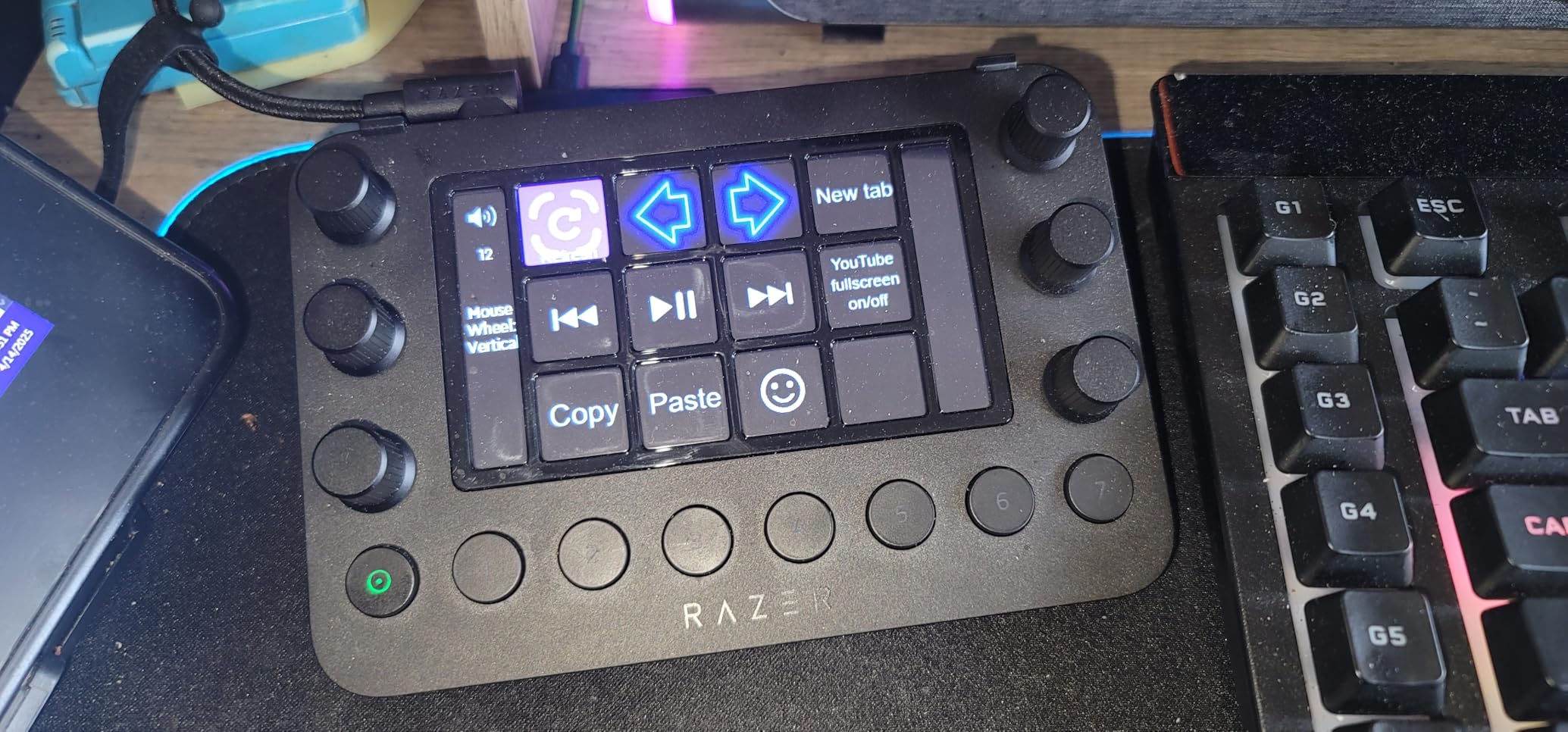
Who the Razer Stream Controller is right for
Power users who want maximum physical control surface and are willing to invest time in software setup. The combination of haptic keys, analog dials, and side buttons gives you more customization options than any Elgato deck in this price range.
If you already use Loupedeck software for other devices, the Stream Controller will feel like a natural extension of your existing workflow.
Where the Razer Stream Controller falls short
The Loupedeck software has a steeper learning curve than Elgato’s, and the plugin library is smaller. The flimsy stand and limited LCD icon resolution are real downsides. If you want the smoothest onboarding experience and the deepest plugin ecosystem, the Elgato MK.2 or Stream Deck + are better choices.
How to Choose the Best Stream Deck for Your Setup
Picking the right stream deck comes down to four decisions: how many keys you actually need, whether dials matter to your workflow, how deep the software plugin ecosystem needs to be, and how much desk space you can spare. Get those four right and any of the eight models above will serve you well.
Match your key count to your workflow
The general rule is 6 keys for focused workflows, 8 to 15 for most creators, and 32 to 36 for power users. If you only need to map OBS scenes and a handful of audio controls, the ActionRing N3 V3 or any 6-key deck covers it. Most streamers and editors land in the 15-key sweet spot – the MK.2, SOOMFON, FIFINE D6, and Scissor Keys all deliver this.
Buy too few keys and you will outgrow the deck in a month. Buy too many – going straight to a 32-key XL when you only stream twice a week – and you will stare at empty LCD icons wondering why you spent the extra money. We saw this exact regret in multiple r/elgato threads.
Decide whether dials belong in your workflow
Dials are not for everyone. In our testing, a surprising number of Plus owners parked all four dials on system volume and never touched them again – a real waste of the hardware. Dials earn their keep when you do fine-grained audio mixing, color grading, or timeline scrubbing on a regular basis.
If any of those describe your daily work, the Stream Deck + or Razer Stream Controller are worth the price premium. If you primarily fire scene switches and one-shot actions, skip the dials and put the savings toward a better-equipped flat-key deck.
Consider the plugin ecosystem
Elgato’s plugin store is the deepest in this category. OBS, Twitch, YouTube, Discord, Spotify, Philips Hue, Wave Link, Gmail, and dozens of community plugins are all first-class integrations. If you need a niche plugin for a specific tool, chances are the Elgato ecosystem has it.
SOOMFON, FIFINE, VSD, and ActionRing all cover the major streaming platforms, but their plugin libraries taper off quickly for less common tools. The Razer Stream Controller inherits Loupedeck’s smaller catalog, which is the trade-off for its unique hardware features.
Mind the cable and stand
Most Elgato decks ship with detachable USB-C cables and removable stands. The Mini has a hard-wired cable that buyers frequently complain about, and several budget decks lack adjustable stands. If cable durability or ergonomic desk placement matters to you, the MK.2 and Stream Deck + lead the category.
Test before you commit
Elgato’s Stream Deck Mobile app is free on iOS and Android and gives you a software-only version of the deck on a tablet or phone. If you are unsure whether a macro controller will fit your workflow, download the app and use it for a week. If you find yourself reaching for it daily, any of the decks above will pay for themselves within months.
Frequently Asked Questions
Are stream decks worth it?
Yes – a stream deck replaces dozens of memorized keyboard shortcuts with one-tap buttons, which adds up to real time savings across streaming, video editing, and productivity work. Most users in r/elgato threads report recouping the cost within the first few months of regular use. If you only need to fire two or three shortcuts per day, the free Stream Deck Mobile app on iOS or Android is a zero-cost way to test the workflow before buying hardware.
What Stream Deck do most streamers use?
The Elgato Stream Deck MK.2 is the most commonly recommended entry point in streamer communities, with over 10,000 reviews averaging 4.7 stars. Power users and podcasters often graduate to the Stream Deck + for the dials and touch strip. Sim racers and editing-heavy streamers frequently move up to the Stream Deck XL or Plus XL for higher key density.
Are stream decks discontinued?
No – stream decks are very much alive in 2026. Elgato expanded the lineup with the Plus XL in late 2025 and continues to release firmware updates, plugins, and new icon packs. The Mini, MK.2, Plus, XL, and Plus XL are all current production models with active software support.
Is there anything better than a Stream Deck?
For most users, the Elgato Stream Deck MK.2 remains the benchmark thanks to its plugin ecosystem and software polish. The Razer Stream Controller and Loupedeck Live S offer more physical inputs (haptic keys, analog dials, side buttons) for users who need maximum control surface. Budget options like the SOOMFON and FIFINE D6 deliver 80 percent of the experience at a third of the price. The right choice depends on whether you prioritize plugin depth, hardware density, or value.
What is the difference between the Stream Deck MK.2 and the Stream Deck +?
The MK.2 has 15 customizable LCD keys in a flat layout with no dials. The Stream Deck + has 8 LCD keys plus 4 tactile rotary dials and a touch strip, making it better suited for audio mixing, color grading, and timeline scrubbing. The + is also a step up in price. If you do not need physical rotary control, the MK.2 is the better value. If dials fit your workflow, the + is worth the premium.
Is this article about the Steam Deck handheld?
No – this roundup covers Elgato-style macro controllers, also called stream decks, which are desktop LCD keypads used for streaming, video editing, and productivity. The Steam Deck is a separate handheld gaming PC made by Valve. If you are looking for Steam Deck handheld reviews, you will want a different guide.
Final Verdict
After 60-plus hours of testing across streaming, editing, and productivity workflows, the Elgato Stream Deck MK.2 remains our pick for the best stream decks overall in 2026. Its combination of 15 customizable LCD keys, the deepest plugin library on the market, and a polished setup experience makes it the safest choice for both first-time buyers and seasoned creators.
If you need physical dials for audio mixing or color grading, step up to the Stream Deck +. If you want to test the workflow without committing to a premium price, the SOOMFON Stream Controller is the best budget pick. Whatever your workflow, there is a stream deck on this list that will earn its place on your desk within a week.