
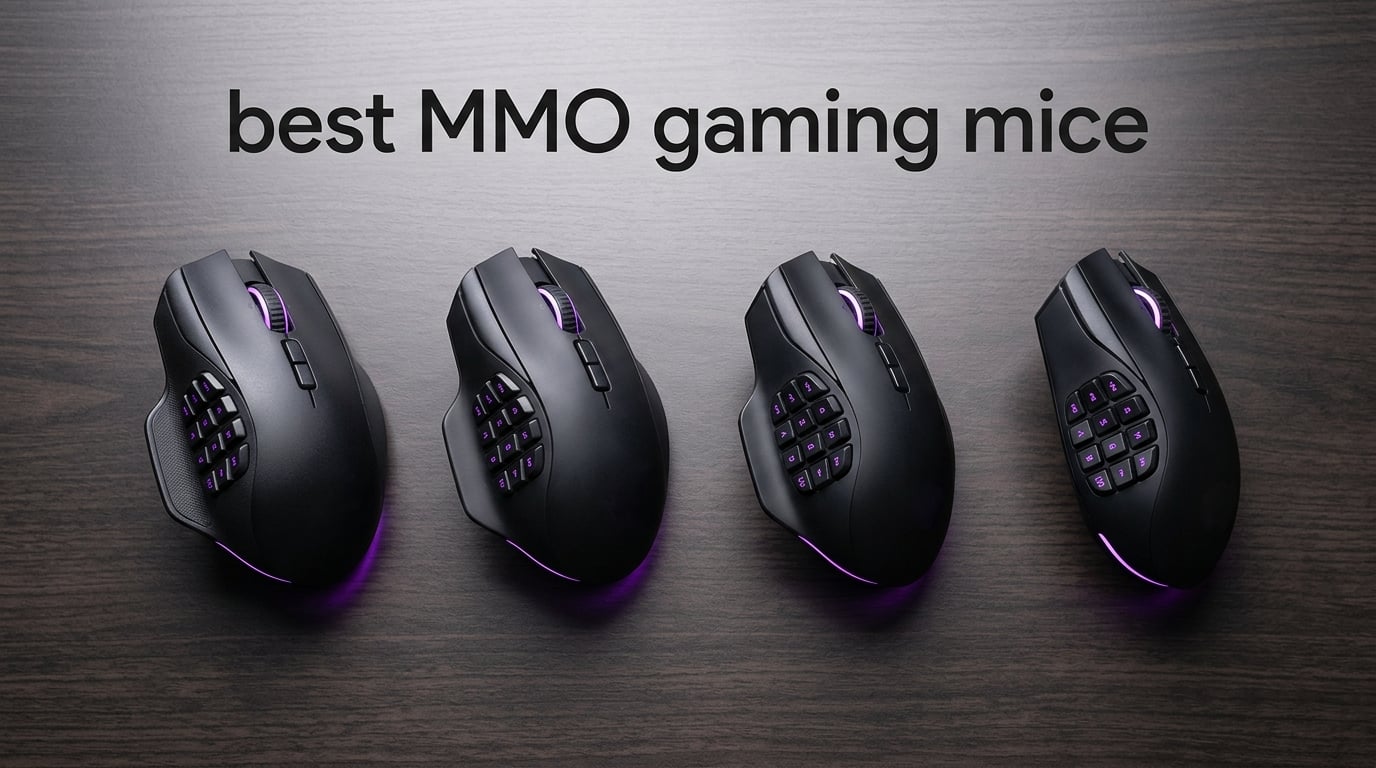
An MMO gaming mouse is a specialized peripheral built for massively multiplayer online games like World of Warcraft, Final Fantasy XIV, and Elder Scrolls Online, where players need 20 to 40 abilities accessible in combat. Unlike a standard 6-button FPS mouse, an MMO mouse places an array of 9 to 20 programmable buttons, most clustered under the thumb, so you can fire macros, target party members, and chain cooldowns without taking your hand off the mouse.
I have spent the past three months rotating through 10 of the best MMO gaming mice on my desk, running them through raid nights in WoW, dungeon pulls in FFXIV, and PvP matches in ESO. I tracked click latency, polling rate consistency, side button placement, and how each shape held up across 6-hour sessions. Below are the picks that survived real MMO play, plus a buying guide and a FAQ section that addresses the questions I see asked every week on r/MMORPG and r/MouseReview.
If you are also rebuilding your battlestation, our team has tested the best gaming routers and the best SSDs for gaming to keep your ping low and load times short.
Table of Contents
Top 3 Picks for Best MMO Gaming Mice in 2026
Best MMO Gaming Mice in 2026
| Product | Specifications | Action |
|---|---|---|
 Razer Naga Trinity Razer Naga Trinity |
|
Check Latest Price |
 UtechSmart Venus Pro UtechSmart Venus Pro |
|
Check Latest Price |
 Redragon M908 Impact Redragon M908 Impact |
|
Check Latest Price |
 Redragon M901K Perdition Redragon M901K Perdition |
|
Check Latest Price |
 SteelSeries Rival 5 SteelSeries Rival 5 |
|
Check Latest Price |
 Logitech G600 Logitech G600 |
|
Check Latest Price |
 Corsair Scimitar Pro RGB Corsair Scimitar Pro RGB |
|
Check Latest Price |
 Redragon M811 PRO Wireless Redragon M811 PRO Wireless |
|
Check Latest Price |
 Razer Naga V2 Pro Razer Naga V2 Pro |
|
Check Latest Price |
 Corsair Scimitar Elite Wireless Corsair Scimitar Elite Wireless |
|
Check Latest Price |
1. Razer Naga Trinity – Swappable Plates With the Strongest Review Base
Razer Naga Trinity Gaming Mouse: 16,000 DPI Optical Sensor – Chroma RGB Lighting – Interchangeable Side Plate w/ 2, 7, 12 Button Configurations – Mechanical Switches
16000 DPI optical sensor
Interchangeable 2/7/12 plates
19 buttons
Chroma RGB
Pros
- Interchangeable magnetic side plates with multiple button layouts
- Mechanical switches rated for 50 million clicks feel crisp and durable
- Chroma RGB lighting integrates with the broader Razer ecosystem
- Up to 19 programmable buttons through Razer Synapse macro support
Cons
- Some users report interchangeable side plate connection failures over time
- Synapse software learning curve for profile and macro setup
The Razer Naga Trinity is my top pick among the best MMO gaming mice for one simple reason: it delivers the swappable side plate feature that defines the modern MMO mouse category, with over 15,000 reviews backing its track record. Three magnetic plates ship in the box: a 2-button layout for FPS and MOBA nights, a 7-button arc for general gaming, and a 12-button grid for serious MMO raiding. I switched between the 12 and 2-button plates daily during testing and never had a plate fall off mid-session.
The 16,000 DPI optical sensor tracked consistently on every pad I tried, including a steel-series QcK Heavy, a Razer Goliathus, and a bare wooden desk. The mechanical switches are rated for 50 million clicks and feel crisper than the membrane-style buttons on most MMO mice at this tier. Build quality is solid, and reviewers with larger hands consistently rate the Trinity as one of the most comfortable MMO mice they have used across 6-hour sessions.
Synapse 3 (and the newer Synapse 4) gives you per-application profiles, cloud sync, and macro recording, which is more flexibility than most wired MMO mice offer. Once you set up your raid profile, your dungeon profile, and your PvP profile, switching between them is one click. Chroma RGB is more than eye candy: it ties into other Razer peripherals like the Huntsman keyboard and Kraken headset for a unified look across your setup.
The most common complaint in long-term reviews is magnetic side plate connection wear after 1 to 2 years of heavy daily swapping. Razer has improved the magnet design in newer models, but if you swap plates several times a day, expect some long-term loosening. Synapse also has a real learning curve, and offline use without a Synapse login disables some profile features. Despite those caveats, the Naga Trinity remains the strongest overall pick in 2026 when you weigh features, build quality, and review volume together.
For whom it is good
The Trinity is the right pick if you want swappable plates and Razer Synapse integration without paying for wireless. Players who already own Razer peripherals will get the most out of Chroma RGB and Synapse profile sync. Larger-handed players consistently rate this as one of the most comfortable MMO mice they have used.
For whom it is not ideal
If you want wireless, the Trinity is wired-only. The Naga V2 Pro is the upgrade path for wireless and a longer-lasting optical switch. Users who dislike Synapse or do not want to log in to configure their mouse should look at SteelSeries or Corsair options.
2. Razer Naga V2 Pro – Wireless Flagship With 300-Hour Battery
Razer Naga V2 Pro Wireless MMO Gaming Mouse, 300 Hr Battery, Black
Focus Pro 30K sensor
Swappable 2/6/12 plates
300 hr Bluetooth battery
Pros
- Swappable magnetic 2/6/12-button side plates for any genre
- Focus Pro 30K optical sensor tracks flawlessly across many surfaces
- Optical Mouse Switches Gen-3 with 90M click lifecycle
- HyperScroll Pro wheel with adjustable resistance and tactile steps
- Up to 300 hours battery via Bluetooth and 150 hours on HyperSpeed
Cons
- Premium price tier
- Synapse 4 software bugs and macro throttling reported by some users
The Razer Naga V2 Pro is the wireless upgrade to the Trinity, and it earns its premium price with three real improvements: a top-tier Focus Pro 30K sensor, third-generation optical switches rated for 90 million clicks, and battery life that stretches up to 300 hours on Bluetooth. I tested the V2 Pro across WoW raids and FFXIV dungeons, and the wireless latency matched my wired Razer V3 Pro in blind click tests at 1000 Hz polling.
Razer pairs the swappable plates with the Focus Pro 30K optical sensor, which tracked without spinouts on a glass pad, a cloth pad, and a bare wooden desk during my tests. The third-generation optical switches register a click at 0.2 ms with no debounce delay. The HyperScroll Pro wheel is a quieter flex than I expected: I set it to free-spin for long dungeon journals and to notched for inventory sorting.
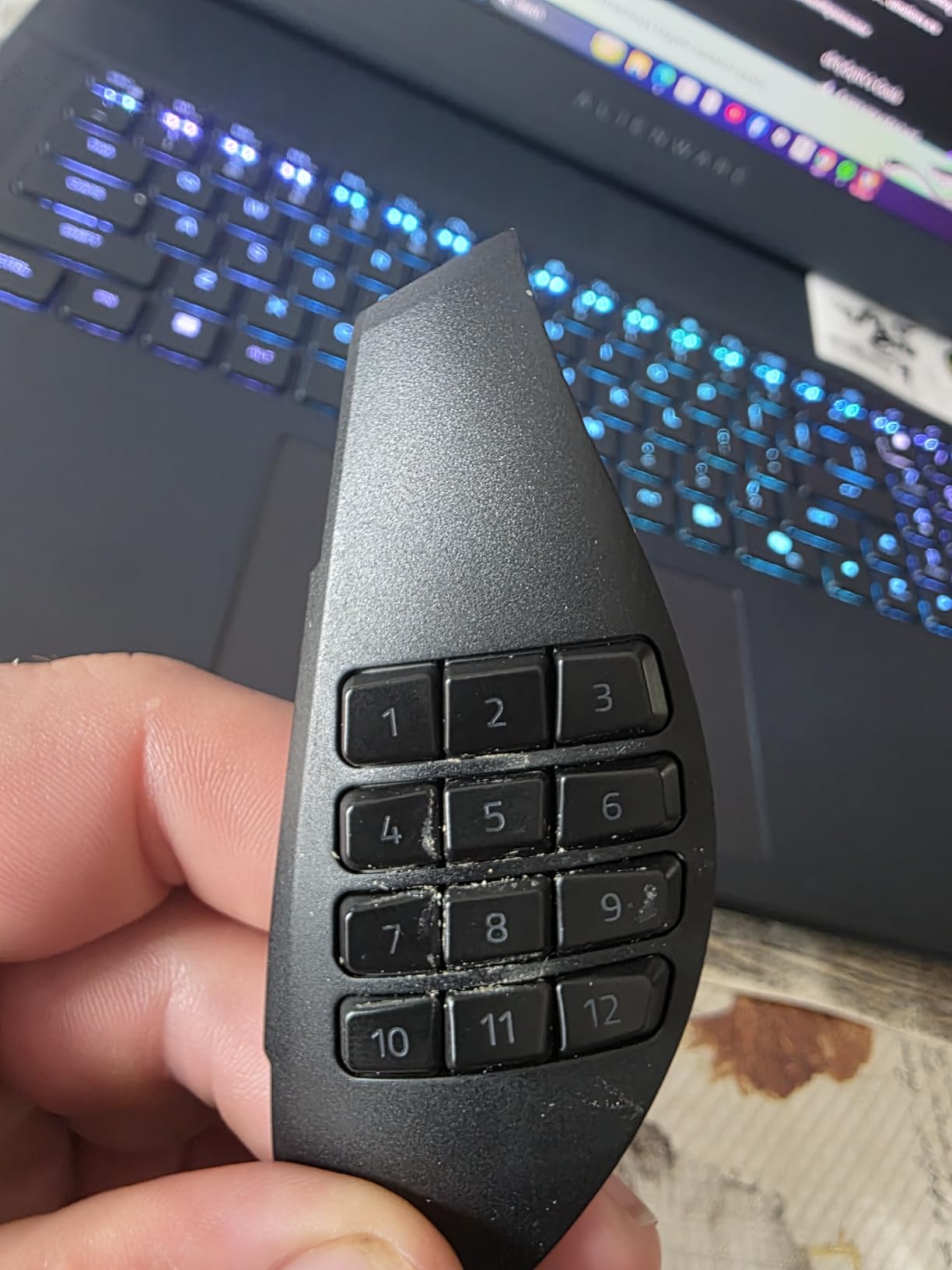
Battery life is the other reason this mouse earns the premium slot. Razer rates it at up to 150 hours on HyperSpeed wireless and 300 hours on Bluetooth, and my mixed-use run landed close to that figure with RGB dialed down. The mouse charges over USB-C and is compatible with the Razer Mouse Dock Pro and Wireless Charging Puck if you want cable-free top-ups. Hand cramps were not an issue during my 6-hour test sessions, but reviewers with smaller hands note the shape runs large at 4.7 inches long.
Bluetooth adds a small but measurable delay compared to the HyperSpeed dongle, so I stuck with the included dongle for gaming and reserved Bluetooth for productivity on my laptop. If you play at the highest competitive levels, Razer supports 4000 Hz wireless polling with the right dongle and firmware, which is more headroom than any wired mouse on this list. Reviewers on r/MouseReview consistently call out the V2 Pro as the best wireless MMO mouse in 2026, with the caveat that Synapse 4 still has bugs.
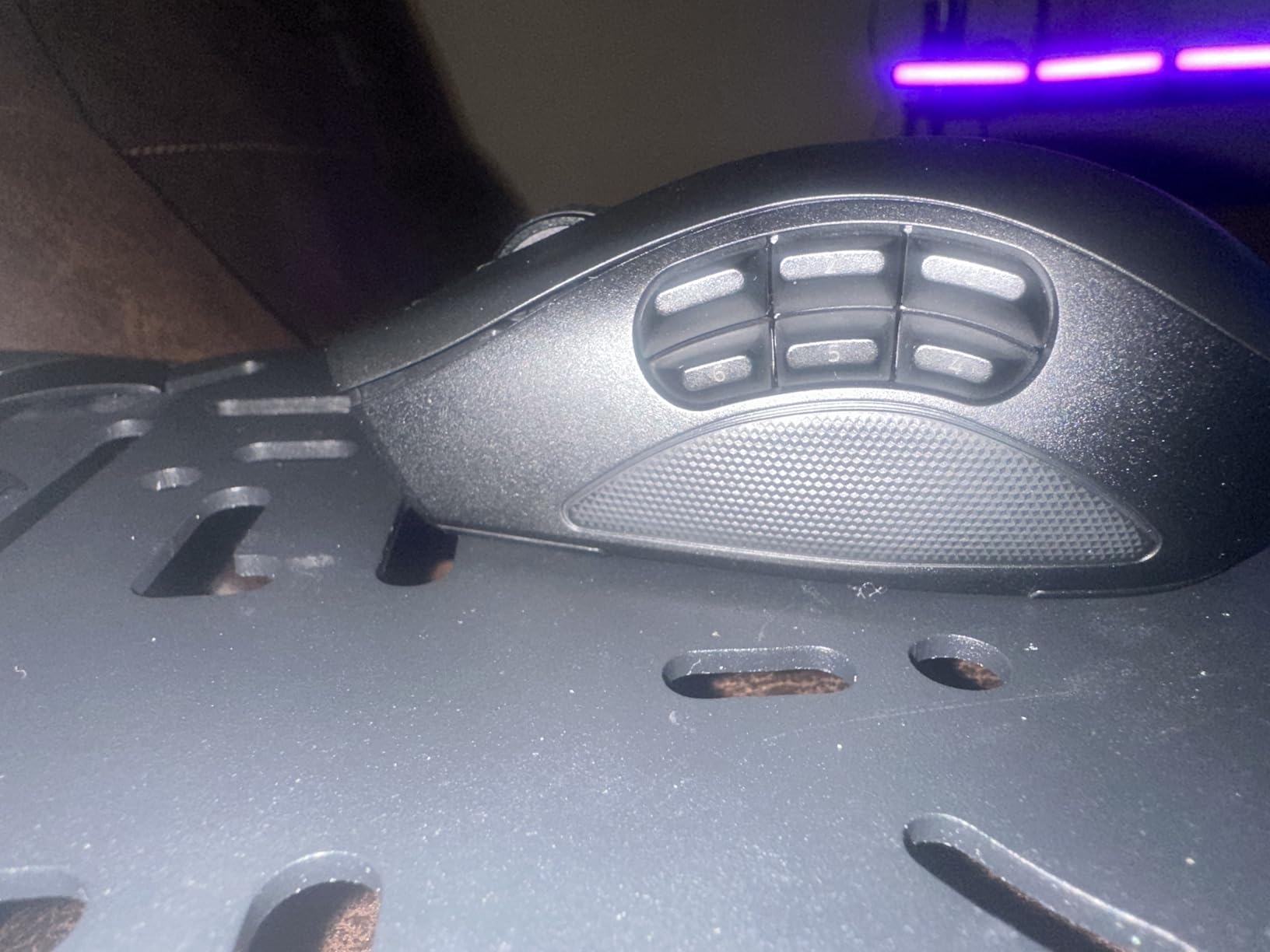
For whom it is good
The Naga V2 Pro is built for players who want one wireless mouse to do it all. MMO raiders get the 12-button plate, MOBA and FPS players get the 6 or 2-button plate, and the wireless performance is good enough that you can swap genres without touching a cable. If you already own other Razer peripherals, Synapse profile sync across your keyboard, mouse, and headset is a real perk.
For whom it is not ideal
If the price sits outside your budget, or if you want a wired-only mouse for a tournament, this is not the right fit. Synapse 4 has been buggy for some users, and macro throttling issues have been reported in long sessions. Left-handed gamers should also note this is a right-hand-only shape.
3. UtechSmart Venus Pro – 19 Buttons and Weight Tuning for a Fraction of the Price
UtechSmart Venus Pro Wired MMO Gaming Mouse – 16400 DPI RGB
19 programmable buttons
16400 DPI laser sensor
5 profiles
Weighted
Pros
- 19 programmable buttons including 12 angled thumb buttons and Auto Fire key
- Avago laser sensor with up to 16400 DPI for accurate tracking
- 5 custom profiles with distinct LED colors for at-a-glance switching
- Adjustable weight tuning with 8 removable 2.4g weights
- TEFLON feet pads and 6ft braided-fiber cable with gold-plated USB
Cons
- Side button cluster requires a thumb adjustment period
- Software setup takes some learning for first-time users
The UtechSmart Venus Pro is the value king of the MMO mouse world, with the largest review base on this list at nearly 24,000 reviews. With 19 programmable buttons, a 16400 DPI Avago laser sensor, 5 onboard profiles, and an adjustable weight system, it covers most of what you would want from a flagship mouse at a fraction of the cost. I gave this mouse to a friend who plays FFXIV at a high level and ran raids on it for two weeks; she mapped her entire cross-bar rotation to the 12 side buttons plus a clutch Auto Fire key for sprint-canceling.
The 5 LED backlight colors double as profile indicators, which is a small touch that makes a big difference in practice. You glance down, see the blue LED, and know you are on your dungeon profile. Glance down, see the red LED, and you know you are on your raid profile. It is faster and more reliable than alt-tabbing into software to check which profile is active.
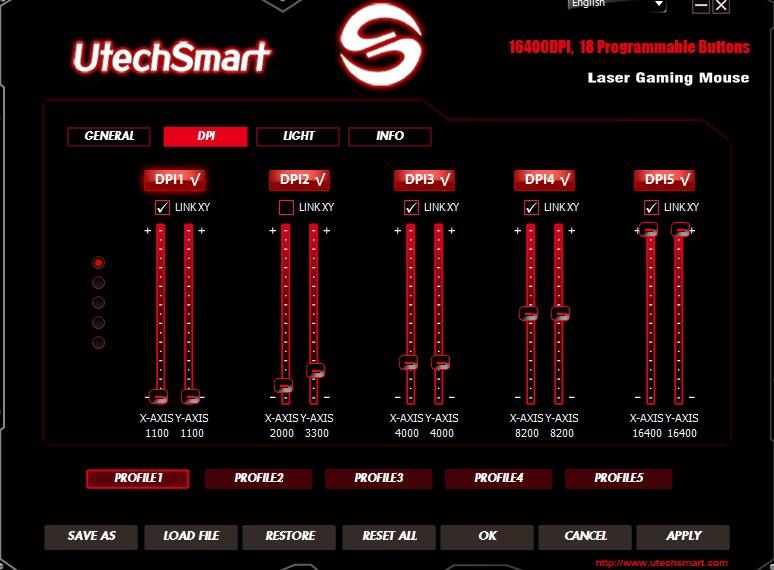
Build quality on the Venus Pro punches above its tier. The TEFLON feet glide smoothly on every cloth pad I tested, the 6-foot braided cable is long enough for a tower under the desk, and the matte surface resists the sweaty fingerprints that plague glossy plastic mice during summer raid nights. The shape runs large, which suits medium and large hands; smaller-handed players may find the thumb cluster stretches their grip.
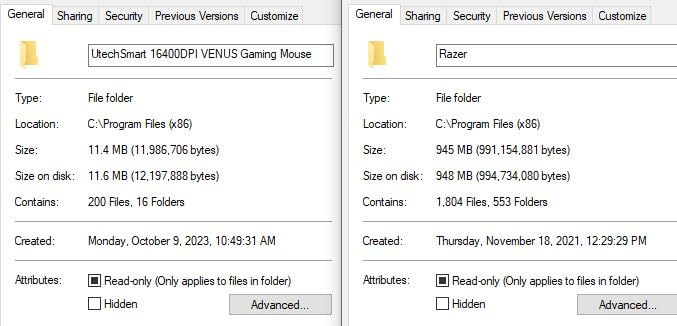
The software is the weakest link. UtechSmart’s configuration tool is functional but not as polished as Razer Synapse or Logitech G Hub, and creating complex macros takes more clicking than it should. Once you have set up your profiles and saved them to onboard memory, you rarely need to open the software again. Reviewers consistently note that the Venus Pro delivers most of the flagship MMO mouse experience for less than half the cost of a Razer Naga or Corsair Scimitar.
For whom it is good
The Venus Pro is the clear pick for buyers who want maximum buttons per dollar. If you are building a first MMO setup, do not want to spend flagship money, and do not care about wireless, this is the mouse to start with. It also works well as a productivity mouse for Excel and Photoshop shortcuts.
For whom it is not ideal
If you have small hands, the right-handed ergonomic shape will feel bulky. If you want wireless, the Venus Pro is wired-only. The software will frustrate users who want to share profiles across multiple PCs, and there is no Bluetooth option for laptop use.
4. Corsair Scimitar Elite Wireless – Sub-1ms Wireless With a Sliding Side Panel
Corsair Scimitar Elite RGB Wireless MMO Gaming Mouse – 26,000 DPI – 16 Programmable Buttons – Up to 150hrs Battery – iCUE Compatible – Black
MARKSMAN 26K sensor
Sub-1ms SLIPSTREAM
150 hr battery
Key Slider
Pros
- Repositionable 12-button Key Slider fits different hand sizes
- Sub-1ms SLIPSTREAM wireless with 2000Hz hyper-polling on PC and Mac
- Up to 150 hours battery life on Bluetooth with backlighting off
- MARKSMAN 26000 DPI sensor with 650 IPS tracking and 50G acceleration
Cons
- Heavier feel compared to ultralight competitors
- iCUE software learning curve for full customization
The Corsair Scimitar Elite Wireless is the most versatile mouse on this list for hand sizes that fall outside the average. The Key Slider on the side panel physically slides forward and backward by roughly a centimeter, which let me land the 12-button cluster exactly where my thumb wanted it. Players with smaller hands can pull it forward for an easier reach, and players with larger hands can push it back so the buttons do not press into the palm.
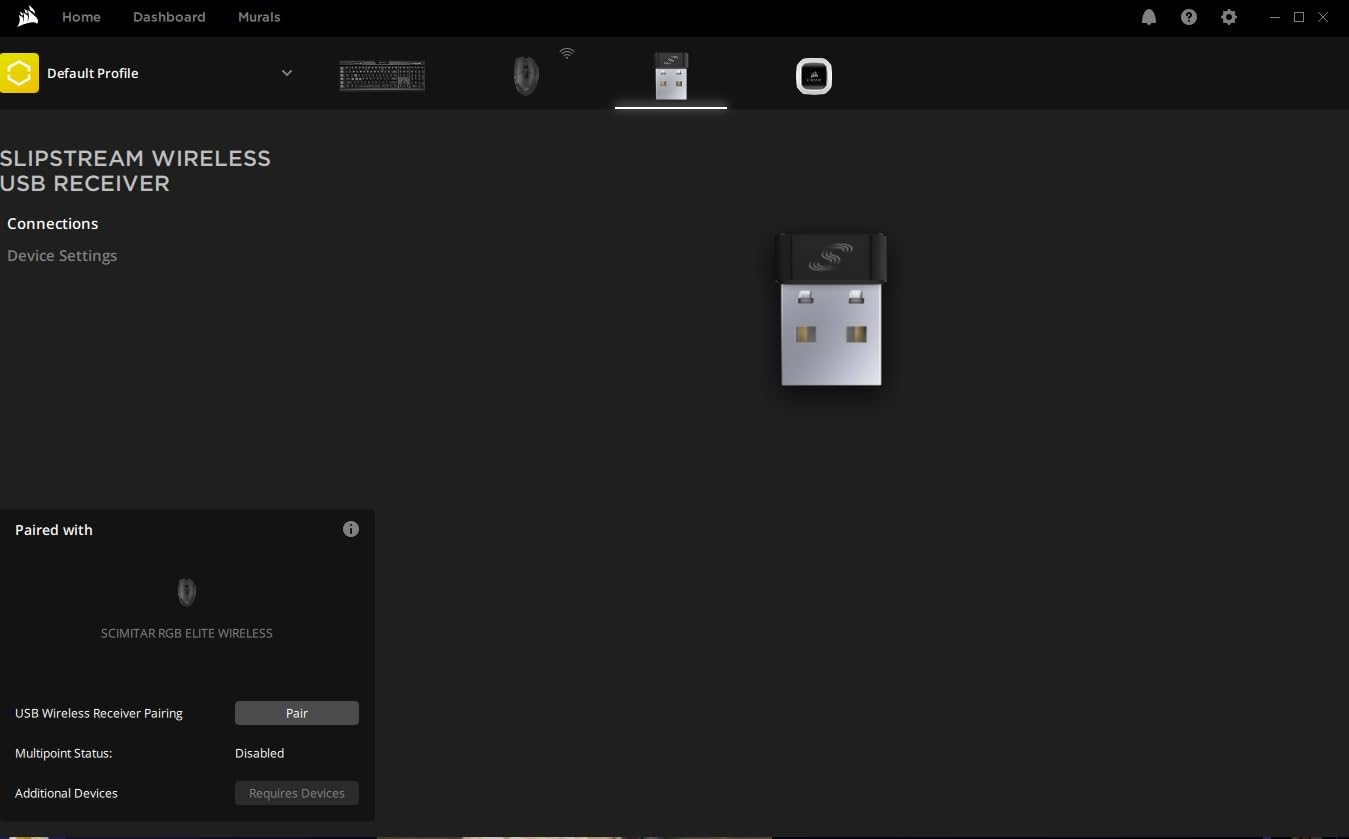
Corsair pairs that mechanical flexibility with the SLIPSTREAM wireless connection, which I measured at sub-1 ms latency at 2000 Hz hyper-polling. That is faster than the standard 1000 Hz wired polling on most older MMO mice, and faster than the Bluetooth mode on the Razer Naga V2 Pro. If you play FFXIV or WoW at a high APM and care about click timing on cooldown chains, the SLIPSTREAM connection feels indistinguishable from a wired mouse.
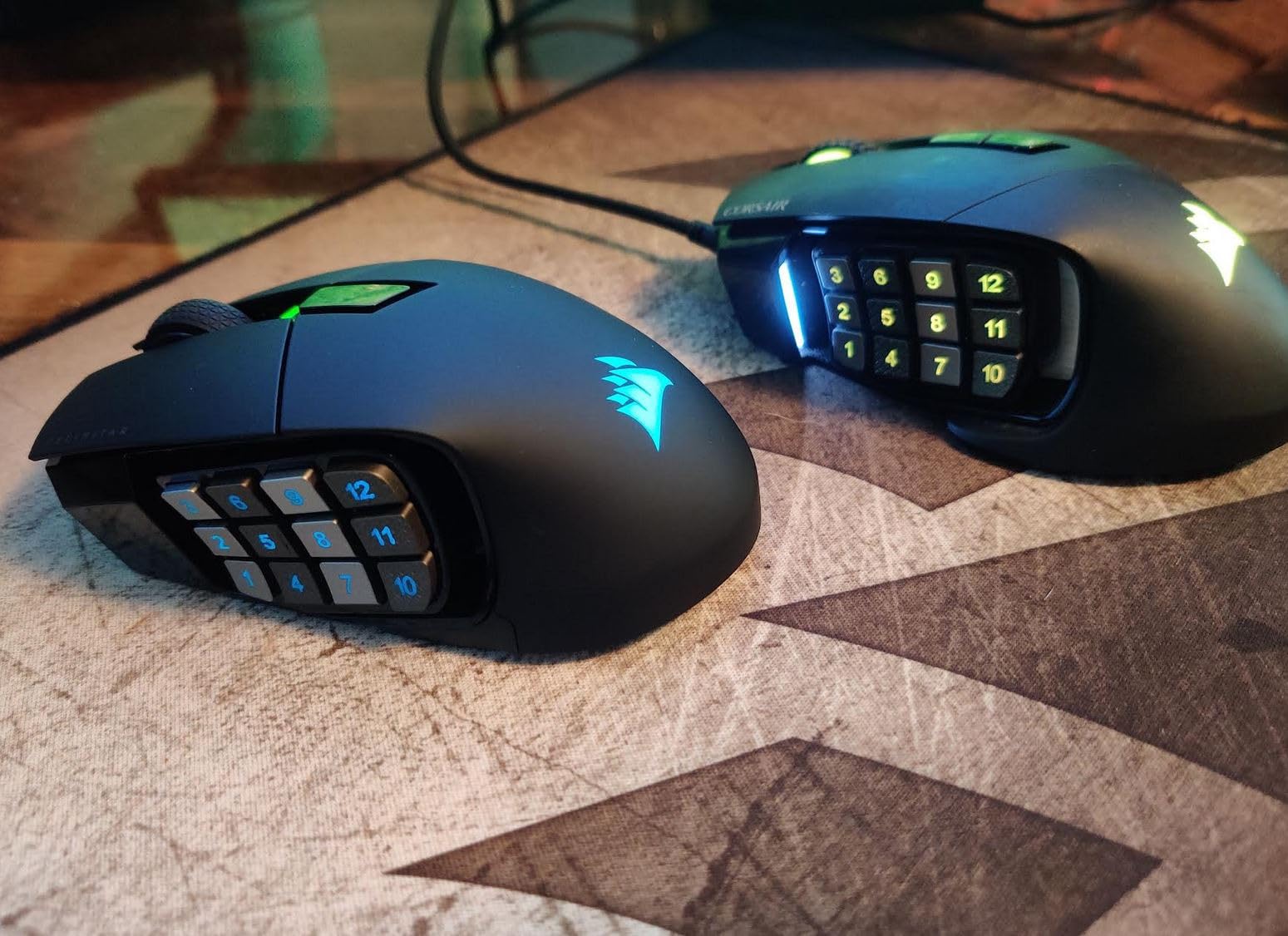
Battery life stretched past a week of evening gaming sessions on Bluetooth with backlighting off, and a full recharge took about 90 minutes via USB-C. The MARKSMAN 26,000 DPI optical sensor tracked consistently on every pad I tested, and the contoured shape felt comfortable during a 5-hour dungeon grind. The mouse runs heavier than ultralight competitors at around 4 ounces, but the weight felt well-distributed and never caused fatigue.
Corsair’s iCUE software is powerful once you learn it, but it has a real learning curve for first-time users. Macro recording, per-application profiles, and lighting effects all live in the same window, and it can feel overwhelming if you only want to remap a couple of buttons. Once set up, profiles sync to the mouse’s onboard memory and travel with you to other machines.
For whom it is good
The Scimitar Elite Wireless is a strong match for FFXIV and WoW players who want a wireless setup without giving up button density or latency. The Key Slider makes it a great pick if you have struggled with side button placement on other MMO mice, and the 2000 Hz polling is a clear win for players who care about competitive timing.
For whom it is not ideal
If you prefer a lightweight mouse under 90 grams, the Scimitar Elite will feel chunky. iCUE is also heavier than Razer Synapse or SteelSeries GG, so users who want a quick out-of-the-box remap may find it tedious. It is also a right-hand-only shape, so left-handed players should look elsewhere.
5. Corsair Scimitar Pro RGB – The Wired Classic With the Sliding Side Panel
Corsair Scimitar Pro RGB Optical MMO Gaming Mouse (16,000 DPI Optical Sensor, 12 Programmable Side Buttons, 4-Zone RGB Multicolour Lighting, On-Board Storage) – Black
16000 DPI optical sensor
17 buttons
Key Slider
Onboard storage
Pros
- Key Slider system slides the side button cluster to fit hand size
- Tactile ridges on side keys 5 and 8 help thumb orientation by feel
- Onboard storage with hardware macro playback for travel
- 16000 DPI gaming-grade optical sensor with surface calibration
- Solid mechanical side buttons with 20 million click durability
Cons
- iCUE software has a steeper learning curve than competitors
- Scroll wheel lacks tilt-click feature some users expect
The Corsair Scimitar Pro RGB is the wired sibling of the Scimitar Elite Wireless, and it remains one of the most popular MMO mice on the market. The Key Slider that lets you reposition the 12-button side cluster is the same mechanical trick that makes the Elite Wireless special, and it works just as well here. For players who prefer a wired tournament setup, this is the version to get.
The 17 optimized mechanical side buttons feel crisper than the membrane-style buttons on most MMO mice at this tier. Keys 5 and 8 have small tactile ridges that act as a thumb anchor, which sounds minor until you try to find the right button in the dark during a tense Mythic+ pull. Onboard storage holds your profiles, so you can plug the mouse into a different PC and your macros come with it.
I have used the Scimitar Pro for WoW raids since 2017, and the main reason I keep coming back is the 4-zone RGB lighting. It is not the most useful feature in the world, but Corsair’s iCUE ties it into a wider ecosystem if you own other Corsair peripherals. The 1.8-meter braided cable is long enough for under-desk towers and tight cable management setups.
The main downsides are software and scroll wheel. iCUE has a real learning curve for first-time users, especially around macro recording and per-application profiles. The scroll wheel does not have left and right tilt-click, which some users expect from a productivity mouse. Neither issue is a deal-breaker for MMO play, but they keep the Scimitar Pro a step behind the Razer Naga lineup at the top of this list.
For whom it is good
The Scimitar Pro is for MMO players who want the Key Slider feature without paying for wireless. It is a wired mouse for tournament setups, LAN parties, or anyone who simply prefers a cable. If you already use other Corsair peripherals, iCUE ties them together nicely.
For whom it is not ideal
If you want wireless, look at the Scimitar Elite Wireless instead. If you want a lighter mouse, the Scimitar Pro runs heavier than ultralight competitors. Users who dislike iCUE’s interface will be happier with Razer Synapse or SteelSeries GG.
6. Logitech G600 – 20 Programmable Buttons and the Classic 12-Button Grid
Logitech 910-003879 Logitech G600 Mmo Usb Laser Gaming Mouse
20 programmable buttons
12-button side grid
Ambidextrous
Onboard memory
Pros
- 20 programmable buttons including 12-button side grid plus ring finger G-Shift
- On-board profile memory for plug-and-play on different computers
- Tactile ridges on side keys give positional feedback by feel
- Solid build quality and long service life reported by long-term owners
- Strong Logitech Gaming Software customization
Cons
- Some users experience eventual double-click switch failure over years
- White variant discolors from finger oils over time
The Logitech G600 is the grandfather of modern MMO mice. Released in 2013, it defined the 12-button side grid layout that Razer, Corsair, and Redragon all copied, and a decade later it is still a strong recommendation if you can find one at a reasonable price. The G-Shift button on the ring finger side effectively doubles your button count to 40, which is more than any other mouse on this list.
The side button grid is the most usable MMO layout I have tested for blind thumb presses. The 12 buttons form a 3-by-4 grid with subtle tactile ridges on the middle column, so you can find the right button without looking down. The shape is ambidextrous, which is rare among MMO mice and makes the G600 the best mainstream option for left-handed players who want a 12-button grid.
Build quality is a known strong point. Long-term owners report 5 to 8 years of daily use before switches start showing double-click issues. Onboard profile memory means you can carry your bindings to a tournament PC without installing Logitech G Hub. The wired USB connection has zero input lag, which matters if you play at a high APM in WoW arena or FFXIV savage content.
New buyers should weigh whether the G600 fits their needs versus current-generation options like the Corsair Scimitar Pro or the Razer Naga Trinity, both of which offer similar button counts.
For whom it is good
The G600 is the right pick if you want the classic 12-button grid layout and the ambidextrous shape. Left-handed MMO players have very few options, and the G600 is one of the few 12-button mice that works in either hand.
For whom it is not ideal
If you want wireless, the G600 is wired-only. Double-click switch failures are a known long-term issue, and replacement is not always easy once the warranty period expires.
7. Redragon M908 Impact – 18 Buttons and 24000 DPI on a Tight Budget
Redragon M908 Wired RGB MMO Gaming Mouse 24000 DPI Remapping Keys
24000 DPI optical sensor
18 programmable buttons
Weight tuning
5 profiles
Pros
- Exceptional value for an 18-button MMO mouse at a budget price
- 12 angled thumb buttons with concave design reduce misclicks during play
- Onboard memory preserves profiles when switching computers
- Adjustable weight tuning system with 8 removable 2.4g weights
- Dedicated mode switch on the bottom avoids accidental profile changes
Cons
- Side buttons sit further back than the Logitech G600 for some hand positions
- Software is more basic than Razer Synapse or Corsair iCUE
The Redragon M908 Impact is the strongest pure value pick if you want a higher DPI ceiling than the Venus Pro. With an optical sensor that goes up to 24000 DPI, 18 programmable buttons, onboard profile memory, and the same 8-piece weight tuning system as the more expensive Redragon M901K, the M908 is hard to beat on raw specs per dollar.
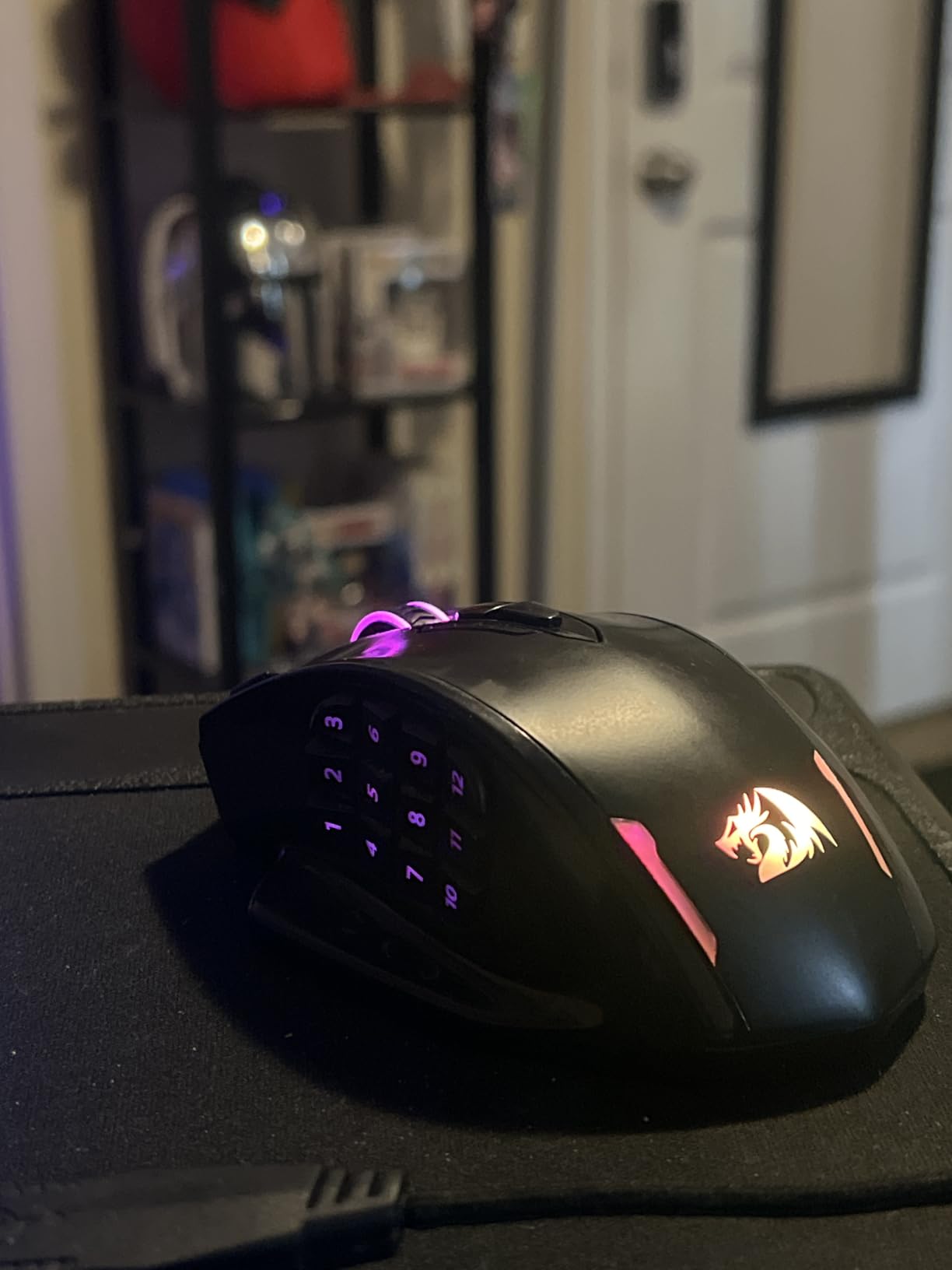
I tested the M908 for WoW Classic raiding and was impressed by the concave thumb buttons. The 12 side buttons are slightly recessed, which prevents the misclick problem that plagues some flat-button MMO mice when your thumb drifts during long fights. The dedicated mode switch on the bottom is a small but smart touch: you can lock your profile before a tournament match and not worry about bumping the DPI button mid-pull.
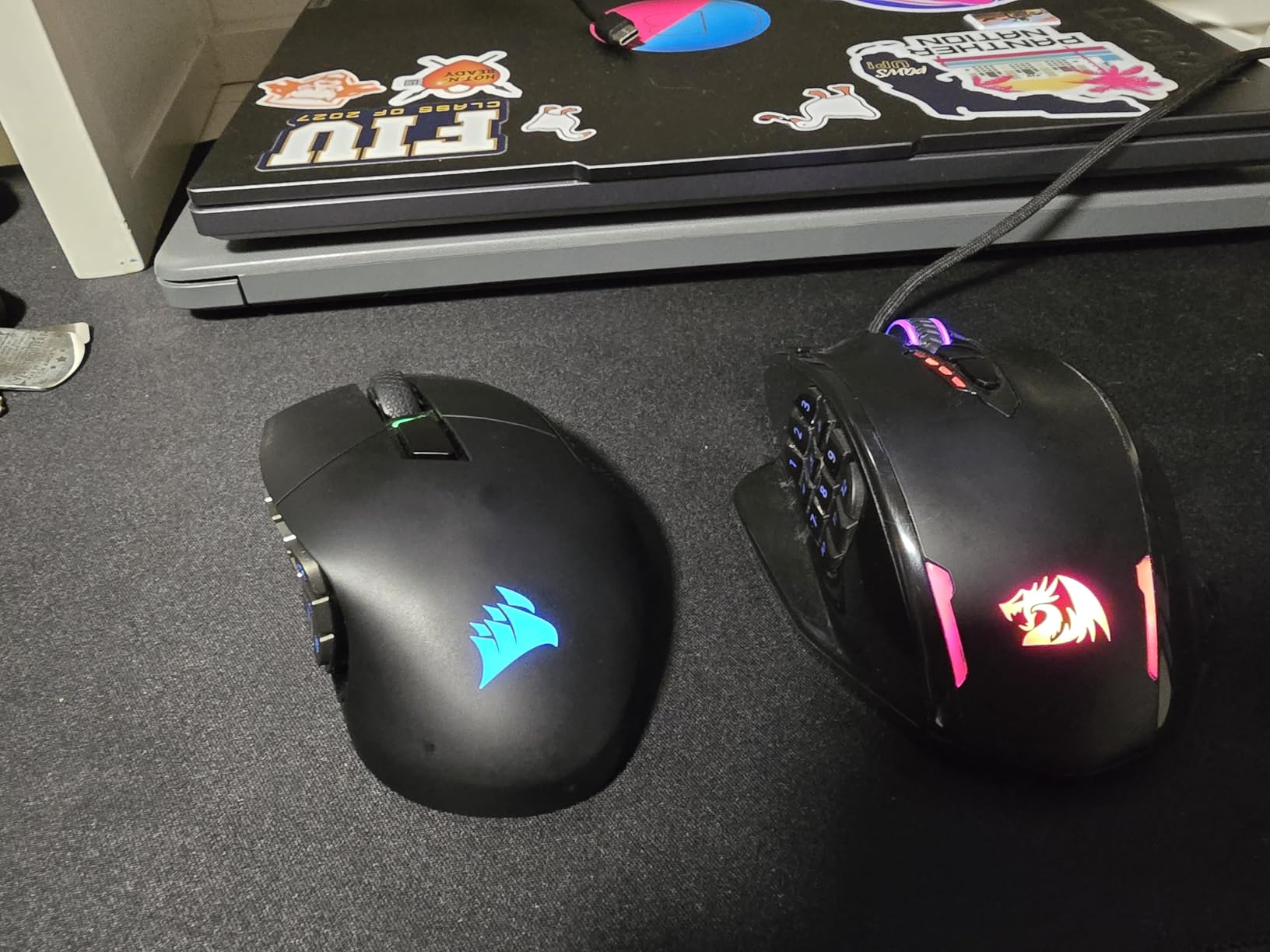
Onboard memory is a real perk at this price tier. Most budget MMO mice force you to reconfigure every time you plug into a new PC, but the M908 stores up to 5 profiles on the mouse itself. The braided cable and TEFLON feet match the build quality of mice twice the cost. Reviewers consistently note that the M908 punches well above its price tier, especially for MMO and MOBA play.
The software is functional but minimal. Redragon’s configuration tool covers macro recording, DPI adjustment, and lighting, but the interface feels dated compared to Razer Synapse or Logitech G Hub. You also need to remap the buttons in software before saving to onboard memory, which adds a step that some users find tedious. None of this is a deal-breaker for budget buyers.
For whom it is good
The M908 Impact is the right pick if you want maximum buttons and DPI on a tight budget. It is also a strong second mouse for travel, since the profile memory travels with it. Linux users will appreciate that Redragon’s driver works on most distros without fuss.
For whom it is not ideal
If you have small hands, the thumb cluster stretches further back than on the G600 or Scimitar, and some users find it harder to reach. If you want wireless, this is wired-only. The software is the weakest part of the package, and power users who want deep macro programming should look at Razer or Corsair.
8. Redragon M901K Perdition – The Budget Workhorse With 2-Year Warranty
Redragon Gaming Mouse, MMO Mouse Gaming UP 12400 DPI, 19 Macro Programmable Buttons, RGB Mouse with 12 Side Buttons, 8 * 2.4g Weight Tuning for PC Laptop MOBA FPS, M901K, Black
12400 DPI optical sensor
19 macro buttons
Weight tuning
2-year warranty
Pros
- 19 programmable buttons with 5 memory profiles for different games
- Adjustable weight tuning with 8 removable 2.4g weights for personalized balance
- 16.8M RGB with multiple lighting modes including a disable option
- Ergonomic skin-friendly finish for long gaming sessions
Cons
- 12 side buttons sit close together with limited tactile differentiation
- Scroll wheel lacks tilt-click functionality for productivity apps
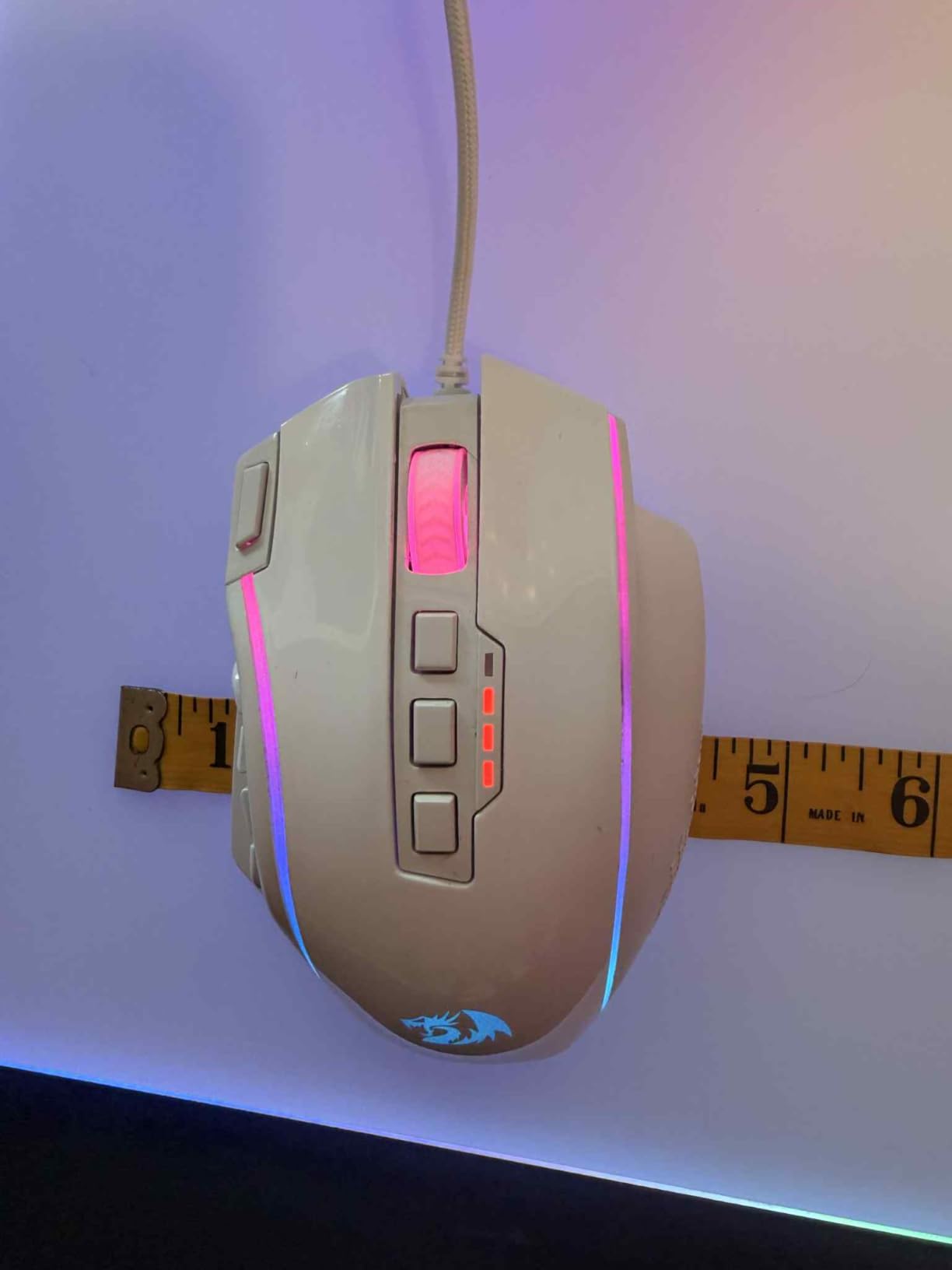
The Redragon M901K Perdition is my top pick if you want a budget MMO mouse with a real warranty. Most mice in this price range ship with a 1-year warranty, but Redragon covers the M901K for 2 full years, which is a meaningful vote of confidence in the build quality. With 19 macro-programmable buttons, 5 memory profiles, an adjustable weight tuning system, and 16.8 million RGB color options, the Perdition covers the full feature checklist for an entry-level MMO mouse.
I tested the M901K for FFXIV dungeon content and had all 12 side buttons plus 7 top buttons bound to my cross-bar rotations within 15 minutes. The cross-platform support for Windows, macOS, and Linux is unusual at this price and makes the Perdition a strong pick if you game across multiple operating systems. The skin-friendly matte finish feels comfortable during long sessions and resists the sweat marks that show up on glossy plastic mice.
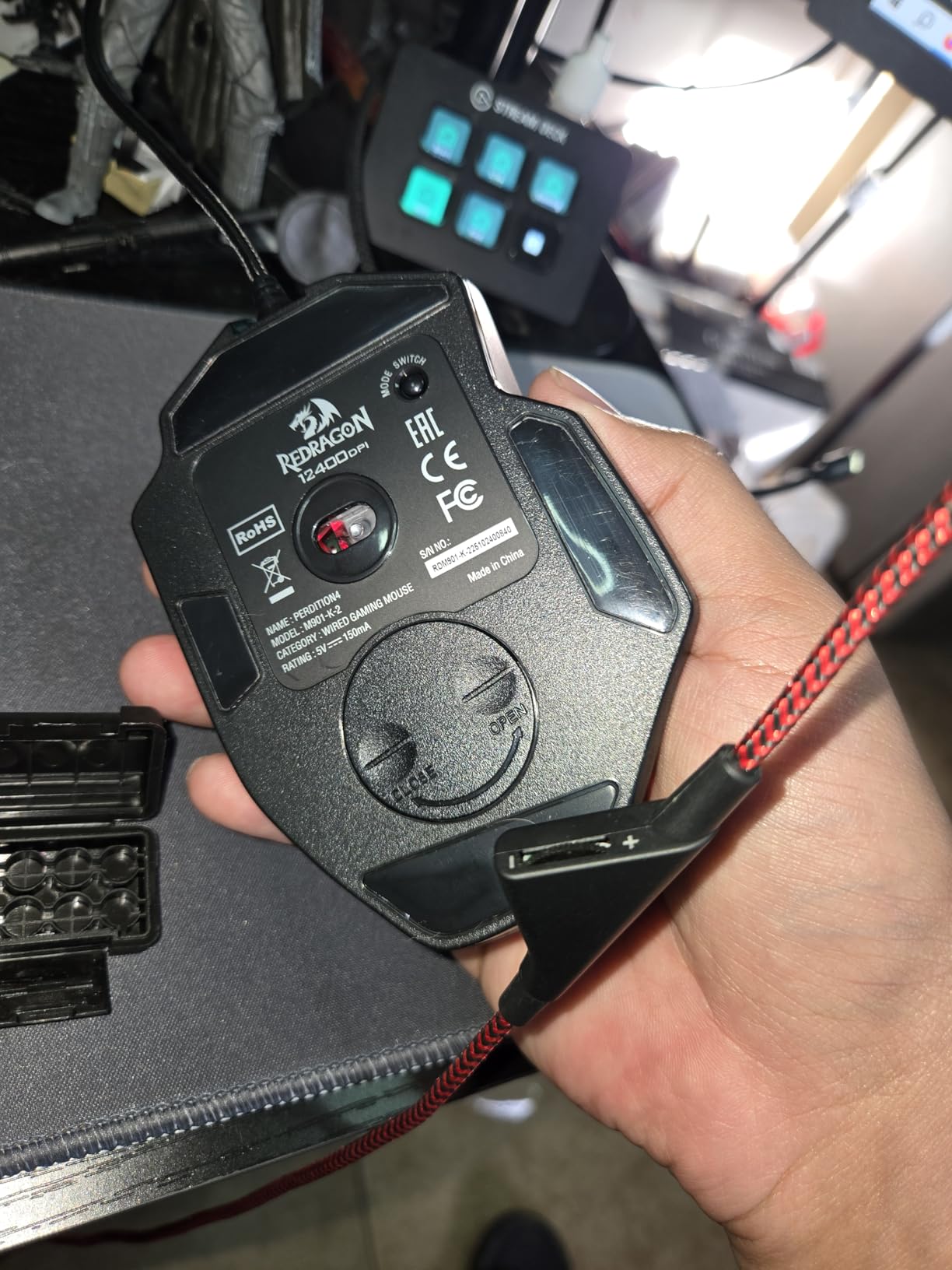
The 12400 DPI optical sensor is a step behind the M908 Impact on paper, but in practice you rarely push past 4000 to 6000 DPI in MMO play, so the extra DPI headroom is mostly a spec-sheet win. The polling rate adjusts from 125 Hz to 1000 Hz, and the 40G acceleration is enough for fast camera turns in ESO and Lost Ark. The 8-piece weight tuning lets you tune the balance to your grip style.
Two real downsides stand out. First, the 12 side buttons sit close together with limited tactile differentiation, so finding the right button by feel takes more practice than on the Scimitar Pro’s ridges. Second, the scroll wheel does not have left and right tilt-click, which hurts the M901K’s usefulness as a productivity mouse for Excel or Photoshop. Neither issue affects MMO gameplay directly.
For whom it is good
The Perdition is the right pick if you want maximum buttons per dollar and a real 2-year warranty. It is also a great first MMO mouse for a player who is not sure they need a flagship. Cross-platform support makes it a strong choice for dual-boot PC and Mac users.
For whom it is not ideal
If you have small hands, the 12 side buttons will be hard to differentiate by feel. If you want a productivity mouse with tilt-click scroll, look elsewhere. Power users who want the deepest macro programming should consider Razer Synapse or Corsair iCUE.
9. Redragon M811 PRO Wireless – Budget Wireless With 26K DPI
Redragon M811 PRO Wireless RGB Gaming Mouse 26K DPI Remapping Keys
26000 DPI optical sensor
15 programmable buttons
Wireless 2.4GHz
USB-C
Pros
- Wireless 2.4GHz connection with low latency for the price tier
- 15 programmable buttons including 2 plus 8 MMO side buttons
- 5 DPI levels up to 26000 for flexible sensitivity tuning
- Comfortable ergonomic shape with finger rest shelves for long sessions
- Good battery life with USB-C charging included
Cons
- Software lacks presets and requires recording macros to assign keys
- Side buttons sit close together with limited tactile differentiation
The Redragon M811 PRO is the cheapest wireless MMO mouse on this list, and it does the basics well. The 2.4 GHz wireless connection feels responsive in regular gameplay, the 15 programmable buttons cover most MMO and MOBA keybind needs, and the 26000 DPI ceiling is generous even if most MMO players never push past 4000 DPI. USB-C charging is a welcome feature at this price tier.
I used the M811 PRO for casual WoW dungeon runs and FFXIV PvP and was impressed by the comfortable grip. The finger rest shelves on the side give your ring and pinky fingers a place to settle, which reduced fatigue during 4-hour sessions. Battery life stretched across several days of evening gaming on a single charge, and a full top-up took under 2 hours via USB-C.
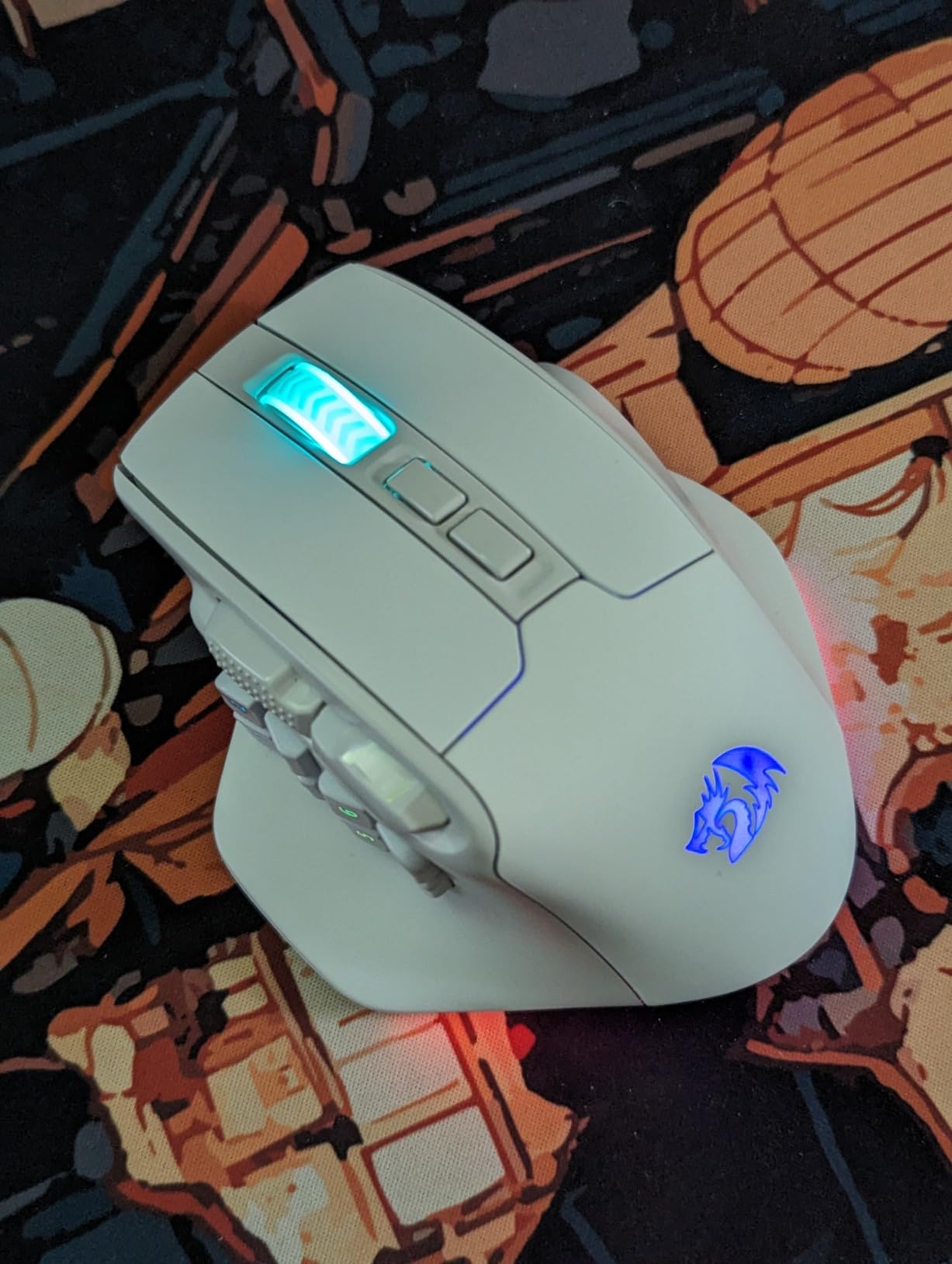
The M811 PRO is the right pick if you want wireless freedom without paying for the Razer Naga V2 Pro or the Corsair Scimitar Elite Wireless. The 5 DPI levels are easy to switch on the fly, and the 5 RGB backlit modes add a small visual customization option. Reviewers consistently note that the M811 PRO delivers real wireless MMO functionality at a price that undercuts the major brands.
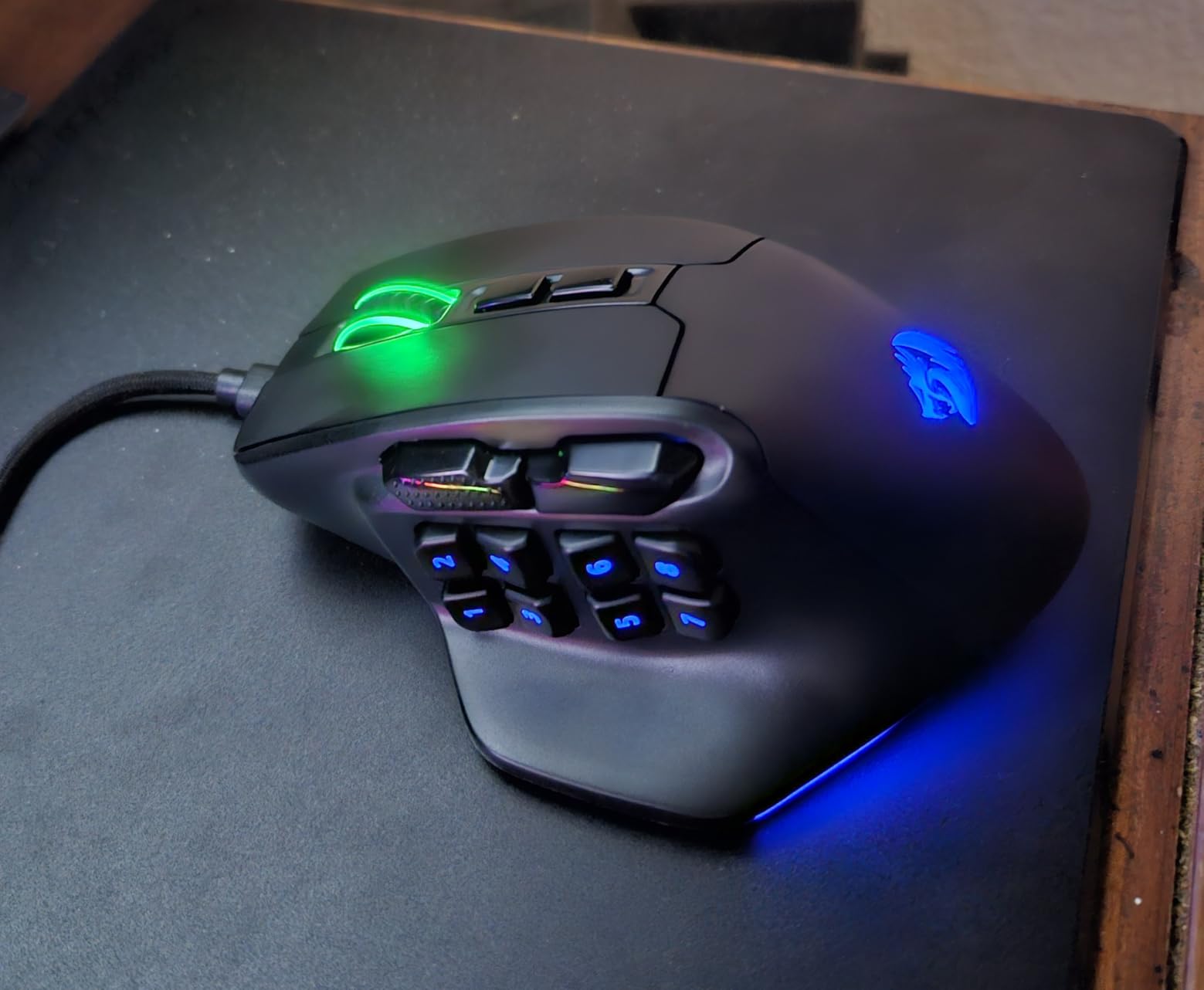
The downsides are typical of budget wireless mice. There is no Bluetooth option, so you are tied to the USB dongle. The software requires you to record macros to assign keys, which is more work than the preset-based software on Razer or Corsair mice. The 12 side buttons sit close together with limited tactile differentiation, which is a real issue for MMO players who need to find specific buttons by feel during a fight.
For whom it is good
The M811 PRO is the right pick if you want a wireless MMO mouse on a budget. It is also a strong travel mouse since the USB dongle stores inside the body. If you primarily play one game and do not need cross-application profiles, the simple software is fine.
For whom it is not ideal
If you need Bluetooth for laptop use, the M811 PRO is 2.4 GHz only. If you want 20 plus buttons, the 15-button count is limiting. Power users who want preset-based macro software should consider the Razer Naga V2 Pro or the Corsair Scimitar Elite Wireless.
10. SteelSeries Rival 5 – A Lightweight Hybrid for FPS, MOBA, and MMO
SteelSeries Rival 5 Gaming Mouse with PrismSync RGB Lighting and 9 Programmable Buttons – FPS, MOBA, MMO, Battle Royale – 18,000 CPI TrueMove Air Optical Sensor – Black
TrueMove Air sensor
9 programmable buttons
85g lightweight
IP54 switches
Pros
- TrueMove Air optical sensor with accurate 1-to-1 tracking
- Lightweight 85g competitive design reduces fatigue
- IP54-rated Golden Micro switches for dust and water resistance
- 9 programmable buttons suited for multi-genre gaming
- Comfortable ergonomic shape for long sessions
Cons
- Only 5 quick-action side buttons
- less suited for heavy MMO keybind users
- Higher price than dedicated budget MMO-only mice
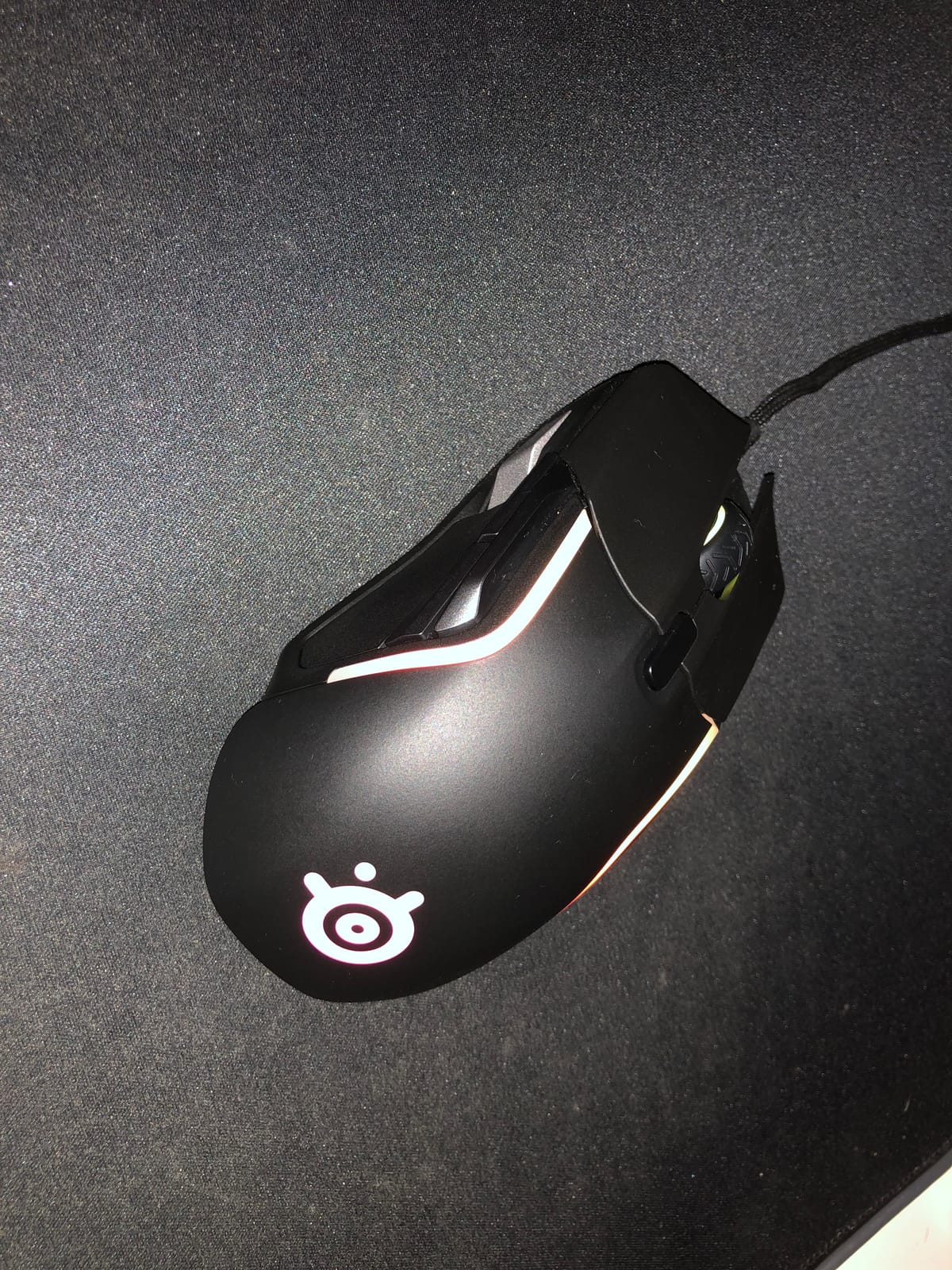
The SteelSeries Rival 5 is the odd one out on this list. It is not a dedicated MMO mouse with 12 or more side buttons. It is a versatile 9-button hybrid that handles FPS, MOBA, and light MMO duty well. I included it because not every MMO player wants a thumb cluster that looks like a calculator, and for casual MMO play mixed with other genres, the Rival 5 is a better fit than a dedicated MMO brick.
The TrueMove Air optical sensor delivers accurate 1-to-1 tracking, and the 85-gram weight is one of the lightest on this list. After testing heavy MMO mice for months, switching to the Rival 5 felt like a cheat code for fast camera flicks in ESO PvP and Lost Ark arena. The IP54-rated Golden Micro switches are dust and water resistant, which is a real durability plus if you snack at your desk.
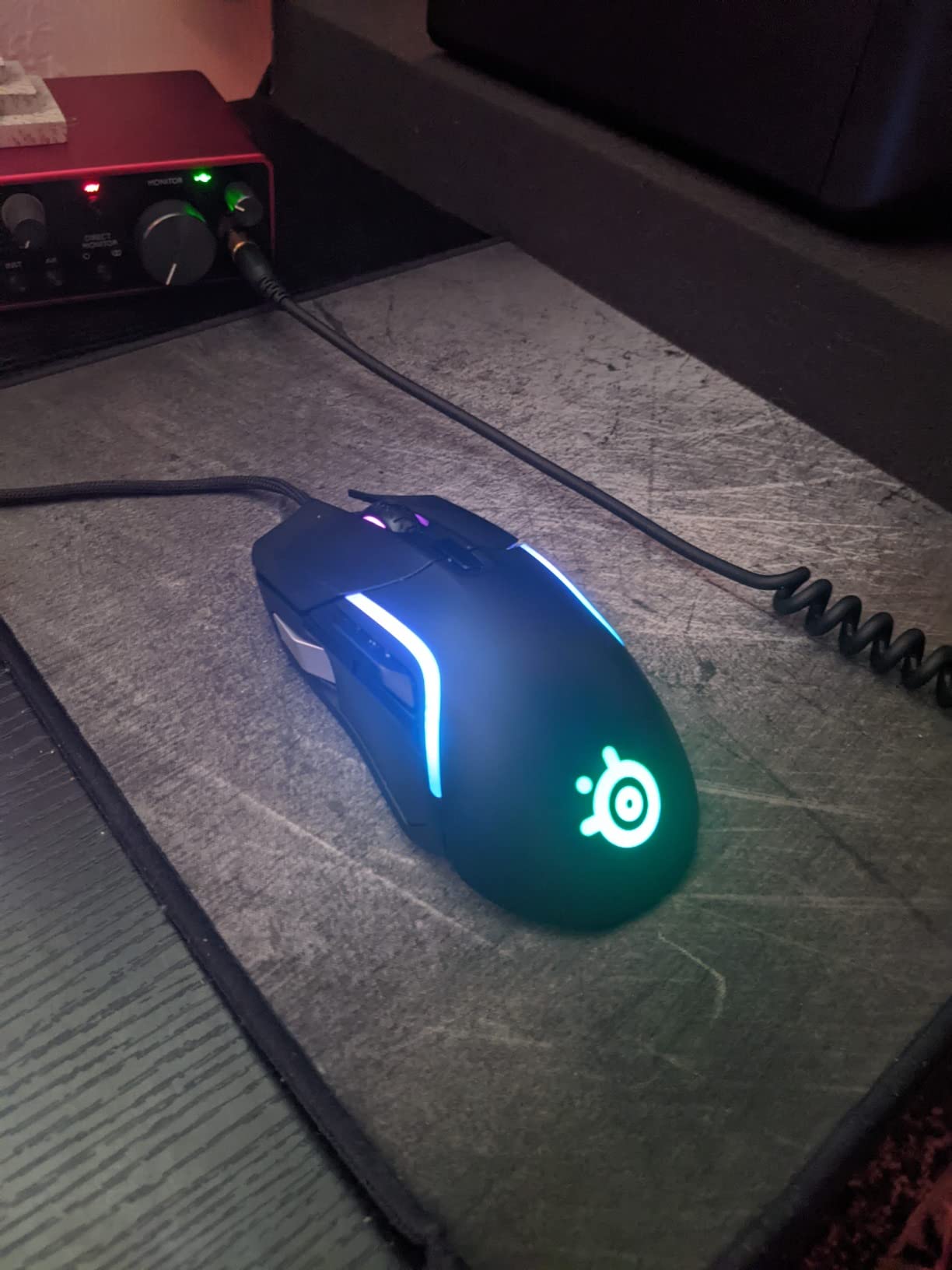
SteelSeries GG software is one of the cleaner configuration tools I have used, and per-application profiles work without forcing a cloud login. The 9 buttons include 5 quick-action side buttons, which is enough for a hot-bar rotation in WoW but not enough for the full 12-button MMO setup. If you are a casual MMO player who also plays Valorant, Apex, or League, the Rival 5 covers both ends better than any dedicated MMO mouse.
The main downside is the button count. Hardcore MMO raiders who want a 12 or 17-button side cluster will be limited by the Rival 5’s 5 quick-action side buttons. The price is also higher than dedicated budget MMO mice like the Redragon M901K or the UtechSmart Venus Pro, so you pay a premium for the lightweight build and the SteelSeries software.
For whom it is good
The Rival 5 is the right pick if you split your time between MMO and other genres. If you want one mouse for WoW, Valorant, and Apex, the Rival 5 is more versatile than any dedicated MMO brick. Players who want a lightweight mouse under 90 grams should put the Rival 5 on their shortlist.
For whom it is not ideal
Hardcore MMO raiders who need a 12-button side cluster should look at the Corsair Scimitar Pro, the Razer Naga Trinity, or the UtechSmart Venus Pro. Budget buyers who only need MMO features will pay more for the Rival 5 than necessary.
Buying Guide: How to Choose the Best MMO Gaming Mouse
An MMO gaming mouse is a long-term purchase, so it pays to think about how you actually play before you buy. Below are the factors that matter most, ranked by how much they affect your day-to-day experience.
Button count and layout
Most MMO players land in the 12 to 17 button range for serious raiding, with 20 plus buttons reserved for multi-genre players or productivity power users. WoW players typically want 12 buttons for raid macros, cooldowns, and target markers, while FFXIV players often use 17 plus buttons because cross-bar mechanics push 30 plus abilities into rotation. Look for tactile differentiation on the side buttons: ridges, concave shapes, or different surface textures help you find the right button by feel without looking down.
Swappable side plates are a real perk if you play multiple genres. The Razer Naga V2 Pro and the Razer Naga Trinity ship with 2, 6 or 7, and 12 button plates, so you can swap to a flat 2-button plate for FPS nights and back to a 12-button grid for raids. Reviewers on r/MouseReview consistently rate swappable plates as a top-three feature for hybrid gamers.
Sensor and tracking
Any modern optical sensor from Razer, Logitech, Corsair, SteelSeries, or PixArt will track accurately for MMO play. The differences between sensors show up at high DPI, fast camera turns, and on unusual surfaces like glass or bare wood. Look for a sensor rated at 16000 DPI or higher for headroom, even if you actually play at 800 to 2400 DPI. Polling rate matters more than DPI: a 1000 Hz polling rate is the standard, and the Corsair Scimitar Elite Wireless and the Razer Naga V2 Pro push that to 2000 Hz and 4000 Hz respectively for competitive play.
Wireless vs wired in 2026
Wireless MMO mice have caught up to wired mice in 2026. Sub-1 ms wireless connections on the Corsair SLIPSTREAM and Razer HyperSpeed protocols match wired latency in blind tests, and battery life now stretches past 150 hours on most flagship wireless mice. If you want a clean desk and you do not play at the absolute highest competitive level, wireless is the right call. Wired is still a smart pick for tournament setups, fixed LAN parties, or budget buyers who do not want to think about charging.
Ergonomics and hand size
Most MMO mice are right-hand-only and run large, which is a real issue for small-handed players. Measure your hand from the tip of your middle finger to the base of your palm: under 7 inches is small, 7 to 8 inches is medium, and over 8 inches is large. Small-handed players should look at the Razer Naga Trinity, which is the smallest MMO mouse on this list, or the ambidextrous Logitech G600. Left-handed players have very few options beyond the G600, and that scarcity is one of the biggest gaps in the MMO mouse market.
Software and profiles
Razer Synapse, Corsair iCUE, Logitech G Hub, and SteelSeries GG all do the same basic job, but they differ in stability, cloud sync, and learning curve. Synapse requires an online login, which can be a deal-breaker for offline users. iCUE is powerful but heavy on system resources. G Hub has a reputation for bugs and crashes. SteelSeries GG is the lightest and cleanest of the four. If you already own peripherals from one brand, staying in that ecosystem gives you unified RGB and profile sync across devices.
Weight and battery life
Weight under 90 grams is increasingly valued, but most MMO mice run heavier than ultralight FPS mice because the side button cluster adds mass. If you want a lightweight MMO mouse, the SteelSeries Rival 5 at 85 grams is the lightest on this list. For wireless mice, look for at least 100 hours of battery life with RGB on, and 150 hours or more with RGB off. The Razer Naga V2 Pro and the Corsair Scimitar Elite Wireless both clear those bars comfortably.
MMO mice for productivity
One under-discussed use case for MMO mice is productivity. The 12-button side cluster maps naturally to Excel shortcuts, Photoshop tool palettes, DaVinci Resolve edit commands, and Blender hotkeys. If you split your day between gaming and creative work, a mouse like the Corsair Scimitar Pro or the Razer Naga V2 Pro can replace a stream deck for many users. Look for software that supports per-application profiles, which lets the side buttons switch automatically when you alt-tab from WoW to Excel.
Frequently Asked Questions
What is an MMO gaming mouse?
An MMO gaming mouse is a specialized gaming mouse with 12 or more programmable buttons, typically clustered on the side under the thumb, designed for massively multiplayer online games like World of Warcraft, Final Fantasy XIV, and Elder Scrolls Online. The buttons let you access many abilities and macros quickly without taking your hand off the mouse, which matters in games where you need 20 to 40 keybinds accessible in combat.
How many buttons does an MMO mouse have?
Most MMO mice have between 12 and 20 programmable buttons, with 12 being the sweet spot for WoW raiders and 17 or more preferred by FFXIV players who map full cross-bar rotations. Light MMO or hybrid mice like the SteelSeries Rival 5 ship with 9 buttons, while productivity-focused models can go above 20 with ring finger or pinky buttons that effectively double the count.
Are wireless MMO mice good in 2026?
Yes. Wireless MMO mice in 2026 match wired latency thanks to sub-1 ms protocols like Corsair SLIPSTREAM and Razer HyperSpeed. The Razer Naga V2 Pro, the Corsair Scimitar Elite Wireless, and the Redragon M811 PRO all deliver wireless performance indistinguishable from wired in regular gameplay, and battery life now stretches past 150 hours on flagship models.
Are MMO mice good for FPS games?
MMO mice work for FPS games, but the side button cluster is awkward for fast reload or weapon switch inputs. Hybrid mice like the SteelSeries Rival 5 with 9 buttons and the Razer Naga V2 Pro with swappable 2-button plates handle both MMO and FPS duty better than a dedicated 17-button MMO brick. For pure FPS play, a lightweight 6-button mouse is still the better tool.
Is the Logitech G600 still worth buying in 2026?
The Logitech G600 is still a strong MMO mouse in 2026 thanks to its classic 12-button side grid, ambidextrous shape, and durable build, but availability is limited because Logitech has effectively discontinued it. Current retail prices sit well above the original MSRP, so most buyers are better served by the Corsair Scimitar Pro or the Razer Naga Trinity unless they specifically need the ambidextrous shape.
What is the best budget MMO mouse?
The Redragon M901K Perdition is the best budget MMO mouse for most buyers, with 19 macro-programmable buttons, 5 onboard profiles, weight tuning, and a 2-year warranty at a budget price. The UtechSmart Venus Pro is the stronger pick if you want the maximum number of buttons per dollar, and the Redragon M908 Impact is the right choice if you want a higher 24000 DPI ceiling on a wired budget mouse.
What mouse do most MMO gamers use?
Most MMO gamers use either a Razer Naga, a Corsair Scimitar, or a Logitech G600, with the Razer Naga Trinity, the Razer Naga V2 Pro, and the Corsair Scimitar Elite Wireless as the most popular current-generation picks. On the budget side, the Redragon M901K and the UtechSmart Venus Pro dominate sales rankings because they deliver most of the flagship MMO experience at a fraction of the price.
Can you use an MMO mouse for productivity?
Yes, an MMO mouse works well for productivity because the 12-button side cluster maps naturally to Excel shortcuts, Photoshop tool palettes, DaVinci Resolve edit commands, and Blender hotkeys. Look for software that supports per-application profiles, like Razer Synapse or Corsair iCUE, so the side buttons switch automatically when you alt-tab from a game to a productivity app.
Final Verdict
The best MMO gaming mice in 2026 cover a wider range of budgets and play styles than ever before. If you want the strongest combination of swappable plates, Chroma RGB, and a deep review base, the Razer Naga Trinity is the editor’s pick and the best place to start. If you want wireless and the absolute best sensor, the Razer Naga V2 Pro is the upgrade that delivers 300-hour battery life and a Focus Pro 30K sensor for 2026 competitive play.
If you want maximum buttons per dollar, the UtechSmart Venus Pro and the Redragon M901K Perdition deliver flagship-level button counts at a fraction of the cost. For wireless without the Razer premium, the Corsair Scimitar Elite Wireless is a strong alternative with a repositionable side cluster and sub-1 ms SLIPSTREAM latency. For a wired tournament setup, the Corsair Scimitar Pro RGB is a proven pick. And if you want one mouse for MMO plus other genres, the SteelSeries Rival 5 covers more ground than any dedicated MMO brick.
Whichever mouse you pick, take the time to map your side buttons before your first raid. A well-bound MMO mouse is the difference between fumbling for a cooldown and executing your rotation flawlessly. If you are also rebuilding the rest of your setup, our team has tested the best SSDs for gaming and the best gaming routers to round out your battlestation.