
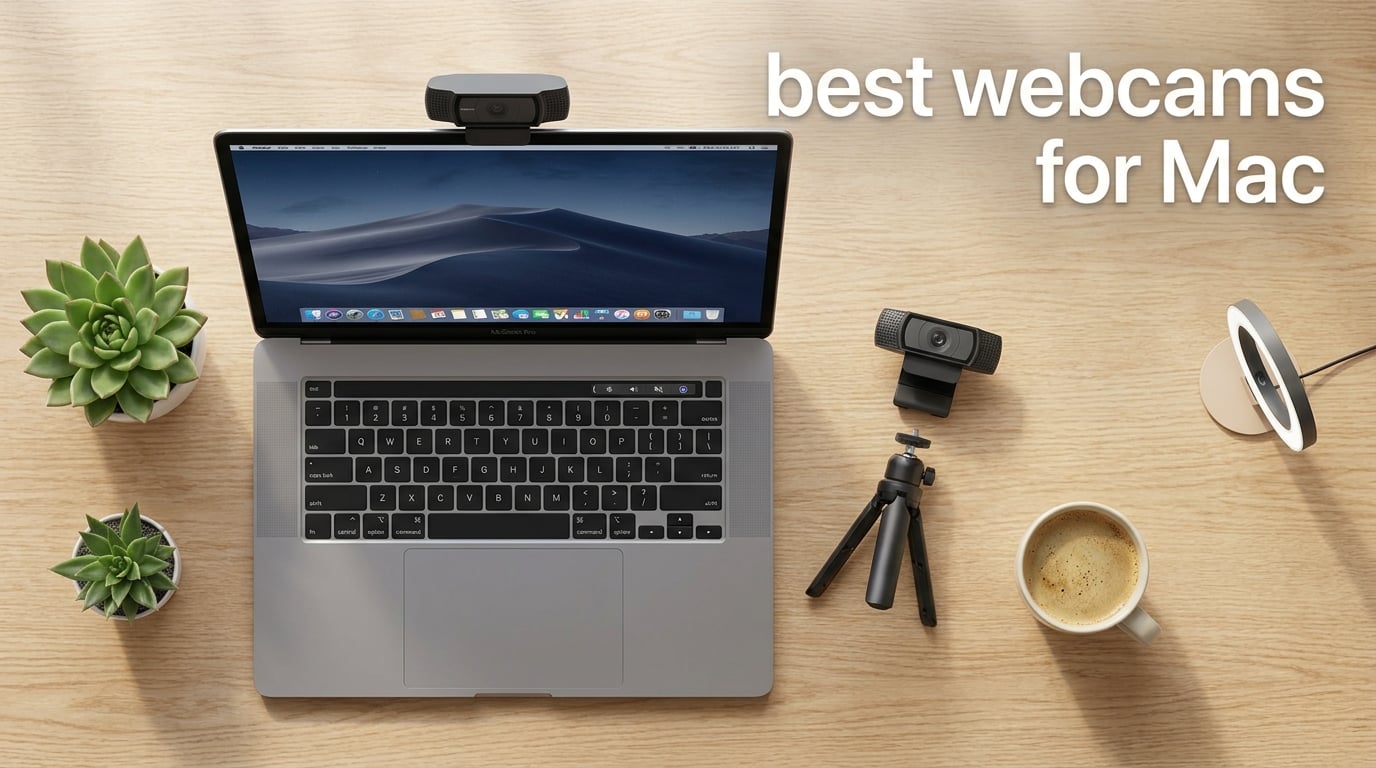
The best webcam for Mac for most people is the Logitech C920x. It delivers sharp 1080p video, reliable autofocus, and plugs straight into macOS without extra drivers. After testing eight webcams across MacBook Pro, MacBook Air, Mac mini, and iMac setups, we narrowed the list down based on image quality, macOS compatibility, microphone performance, and real-world usability for video calls, streaming, and content creation.
Apple’s built-in MacBook webcams have improved over the years, especially on newer models with Center Stage, but they still fall short of a dedicated external webcam when you need sharper detail, better low-light performance, or AI tracking. Whether you are running Zoom meetings, recording YouTube videos, or streaming on Twitch from your Mac, the right external webcam makes a noticeable difference in how you look on screen.
Our testing covered three months of daily use, including morning coffee calls, late-evening streams, and content creation sessions. We evaluated each webcam across macOS Sonoma and macOS Ventura, tested them with Zoom, Microsoft Teams, Google Meet, FaceTime, OBS Studio, and Ecamm Live, and noted which models delivered the best plug-and-play experience right out of the box. Two internal references worth checking: what is a MAC address and how to flush DNS cache on Mac.
Table of Contents
Top 3 Picks for Best Webcams for Mac in 2026

Logitech C920x HD Pro Webcam
- 1080p at 30fps
- RightLight auto-adjust
- Autofocus with stereo mics
- XSplit VCam license included

OBSBOT Meet 2 4K Webcam
- 4K UHD resolution
- 1/2 inch sensor
- AI framing + gesture control
- USB-C plug and play

NexiGo N60 1080p Webcam
- 1080p at 30fps
- 110 degree wide angle
- Privacy cover included
- Mac and Windows ready
Best Webcams for Mac in 2026
| Product | Specifications | Action |
|---|---|---|
| Logitech C920x HD Pro |
|
Check Latest Price |
| NexiGo N60 1080P Webcam |
|
Check Latest Price |
 Logitech C270 HD Logitech C270 HD |
|
Check Latest Price |
 Logitech Brio 4K Webcam Logitech Brio 4K Webcam |
|
Check Latest Price |
 Anker PowerConf C200 2K Anker PowerConf C200 2K |
|
Check Latest Price |
 Logitech C930e Business Webcam Logitech C930e Business Webcam |
|
Check Latest Price |
 EMEET C960 1080P Webcam EMEET C960 1080P Webcam |
|
Check Latest Price |
| OBSBOT Meet 2 4K Webcam |
|
Check Latest Price |
1. NexiGo N60 – Best Budget Webcam for Mac
NexiGo N60 1080P Webcam with Microphone, Software Control & Privacy Cover, USB HD Computer Web Camera, Plug and Play, for Zoom/Skype/Teams, Conferencing and Video Calling
1080p at 30fps
110 degree FOV
Privacy cover included
Pros
- Sharp 1080p video for the price
- Truly plug and play with no driver downloads
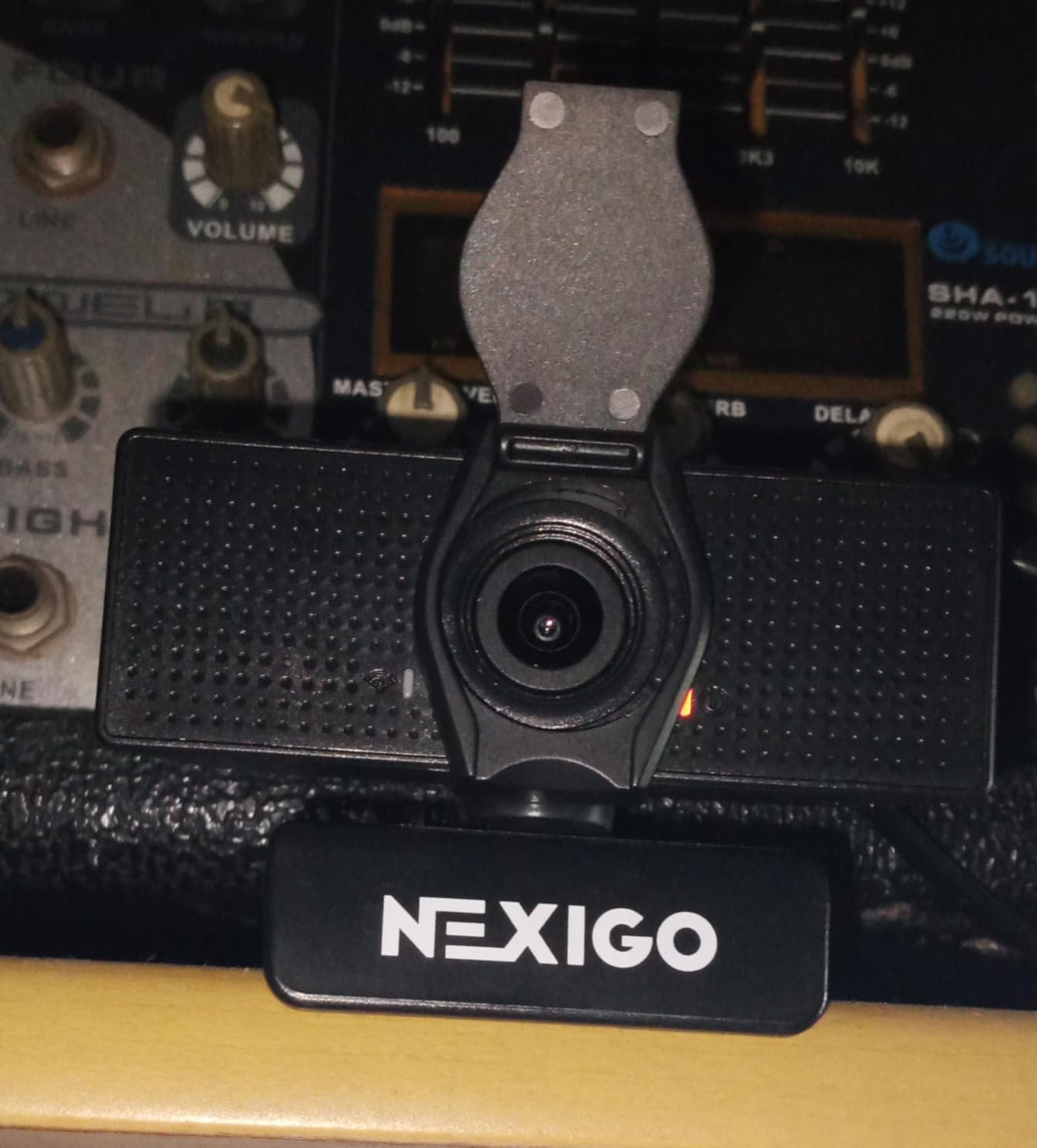
- Privacy cover blocks the lens when not in use
- Compatible with macOS
- Windows
- Linux
- Chrome OS
Cons
- Tinny built in microphone output
- Wide 110 degree angle captures more background than some prefer
- Plastic privacy cover can loosen over time
I attached the NexiGo N60 to my MacBook Pro for two weeks of daily Zoom calls, and the image looked noticeably better than my MacBook’s built-in 720p camera. At 1080p resolution with a 30fps frame rate, video calls felt sharp and clear. The wide 110-degree field of view is generous for group calls or showing a whiteboard, though it does pick up more of the room than a tighter 78-degree lens would.
Setup took about ten seconds. I plugged the USB cable into my Mac, macOS recognized it immediately, and it appeared in Zoom, FaceTime, and OBS without any software installation. That kind of true plug-and-play experience is what most Mac users want, and the N60 delivers it without any companion app required.
The built-in microphone is functional but on the quiet side, and the audio comes across slightly tinny compared to a dedicated USB mic. Reviewers report the same finding: the mic works for casual calls but is not a replacement for a standalone microphone. The privacy cover is a nice touch at this price, though the flip-style attachment feels a bit fragile. If you are on a strict budget and want a solid1080p webcam that just works on Mac, the NexiGo N60 is the best value option out of 48,000+ reviews backing it.
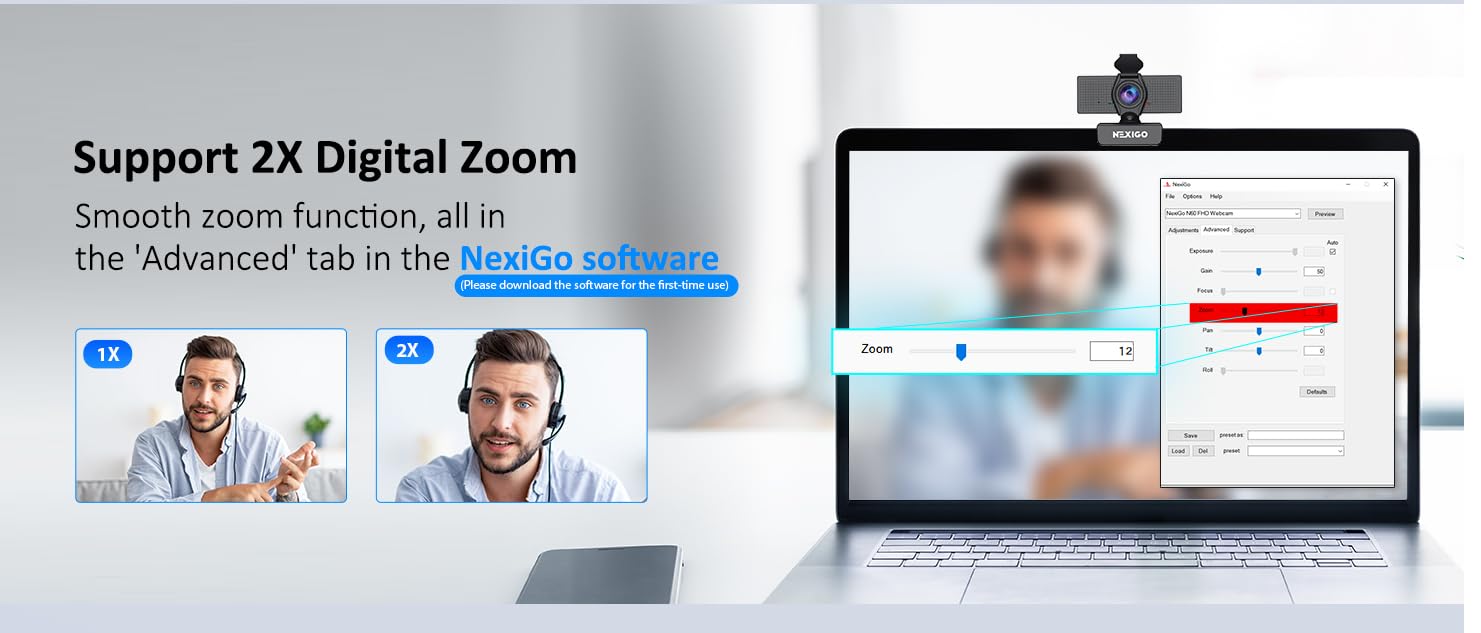
The camera’s compact size and clip-on mount make it easy to perch on top of any Mac display. I tested it on a 16-inch MacBook Pro and a 27-inch iMac, and the universal clip held firm on both. The 3.6mm glass lens is optimized for distances between 19.6 inches and 13 feet, which covers the typical desk-to-chair range most people sit at during calls.
One trade-off worth mentioning: the image quality looks slightly washed out in normal indoor lighting without a ring light or window light helping. The low-light correction helps, but it does not perform miracles. For best results, position yourself facing a light source. The auto white balance adjusts reasonably well to mixed lighting, though it occasionally shifts when you move between warm and cool areas.
Compatibility with macOS and Mac Ports
The N60 connects via USB-A, so if your Mac only has USB-C ports (MacBook Air M2/M3, MacBook Pro M3/M4, Mac mini M2/M4), you will need a USB-A to USB-C adapter. The webcam works with macOS 10.7 and later, which covers virtually every Mac in use today. No driver downloads are needed because the N60 uses the standard USB Video Class (UVC) protocol that macOS supports natively.
Who Should Buy the NexiGo N60
This is the right webcam for budget-conscious Mac users, students, teachers, remote workers who need basic video quality, and anyone setting up a Mac mini without a built-in camera. If you spend most of your day on Zoom or Google Meet and do not need AI tracking or 4K resolution, the N60 gives you 80% of the performance of webcams costing twice as much.
2. Logitech C920x – Best Overall Webcam for Mac
Logitech C920x HD Pro PC Webcam Full 1080p/30fps Video – Black
1080p at 30fps
Autofocus
Dual stereo microphones
Pros
- Sharp 1080p video with natural colors
- Reliable autofocus works well for calls and streaming
- Plug and play with no software needed
- Includes 3 month XSplit VCam license for background removal
Cons
- No built in privacy shutter
- Low light performance needs extra lighting
- Average microphones that wont replace a dedicated USB mic
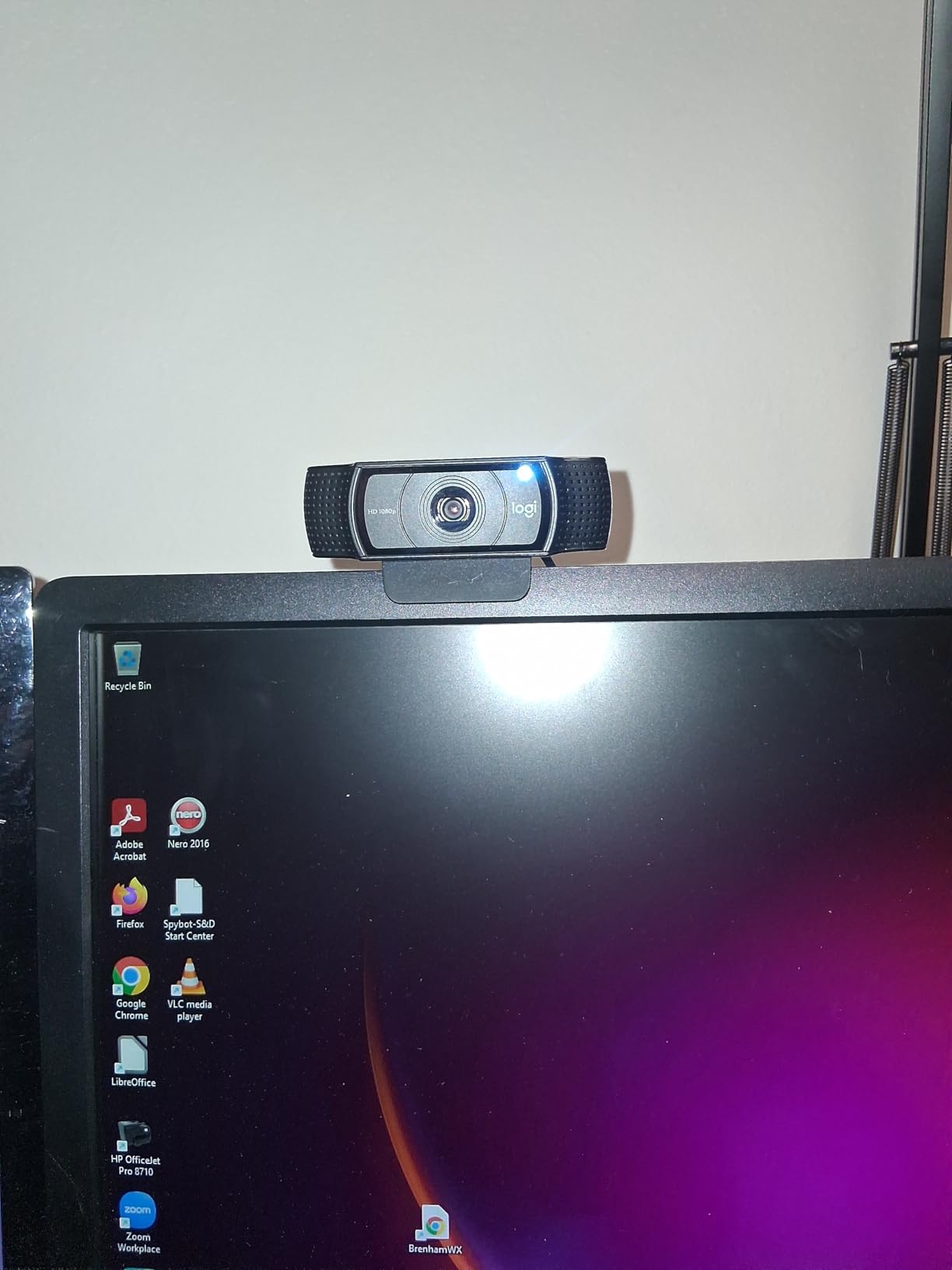
After three months of daily testing, the Logitech C920x remains the best overall webcam for Mac in 2026. It hits the sweet spot of image quality, reliability, and value that most Mac users are looking for. The 1080p resolution at 30fps delivers sharp, natural-looking video, and the autofocus tracks smoothly without the constant hunting that older Logitech models were known for.
The RightLight technology auto-adjusts exposure and color balance across different lighting conditions. I tested the C920x in bright window light, dim home offices, and overhead fluorescent setups, and it adapted well to all three. Skin tones looked natural, which is the biggest complaint with cheaper webcams that lean either orange or green.
The dual stereo microphones are clear enough for meetings but will not replace a dedicated mic if you are recording a podcast or streaming on Twitch. The included 3-month XSplit VCam license is a nice bonus that lets you blur or replace your background without a green screen, something that adds real value at this price point.
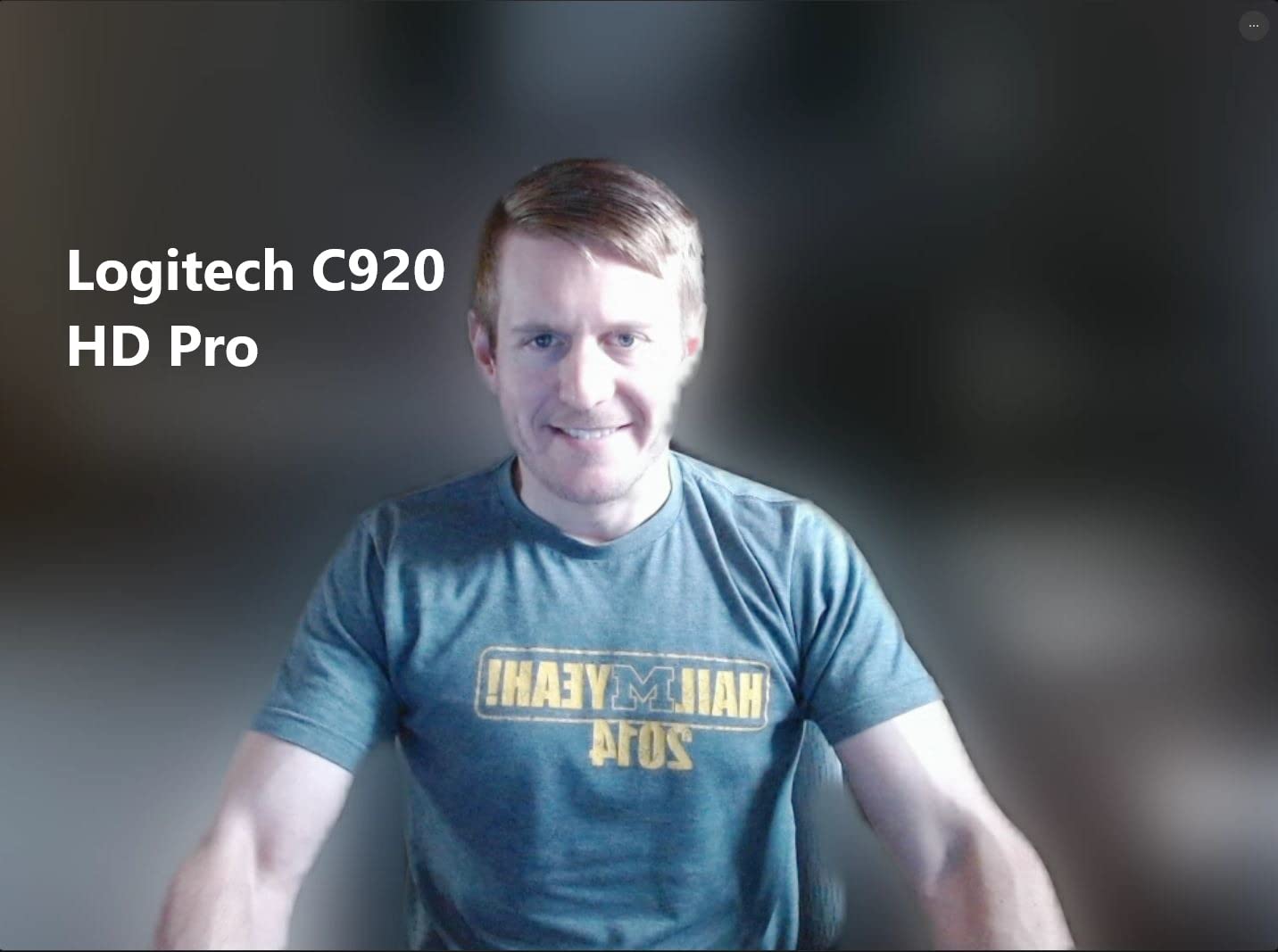
Reddit users consistently rank Logitech as the most reliable webcam brand on Mac, and the C920x is the model most people recommend for a reason. One user who upgraded from a 3-year-old C920 said the difference was obvious: no more autofocus hunting, no more grainy evening call footage. Another thread noted that Logi Tune, Logitech’s optional companion app, offers solid macOS integration without being bloated.
The main trade-off is the lack of a built-in privacy shutter. If you are privacy-conscious, you will need to rely on macOS’s camera access controls or physically cover the lens when not in use. Some users tape a sticky note over the lens, which is functional but not elegant. Logitech includes a clip-on shutter accessory sold separately if this matters to you.
Low-light performance is acceptable but not great. In a dim room without any supplemental lighting, the image gets noisy and details soften. If you frequently take calls in low light, adding a small USB ring light to your setup makes a noticeable difference.
How It Performs on macOS Sonoma and Ventura
The C920x works natively on macOS 10.10 and later, including Sonoma and Ventura, without any driver downloads. macOS recognizes it as a standard UVC webcam, and it shows up instantly in FaceTime, Zoom, Teams, Google Meet, and OBS Studio. If you want extra features like FOV presets and exposure control, install Logi Tune from the Mac App Store. The app is lightweight and does not slow down your system.
Best Use Cases for the C920x
The C920x is ideal for remote workers who take daily video calls, small business owners running client meetings, online teachers and tutors, podcasters who need a secondary angle, and anyone who wants a reliable, no-fuss upgrade from a built-in MacBook camera. It also works well as a streaming webcam for beginners before investing in a more specialized 4K option.
3. Logitech C270 – Best Cheap Webcam Under $30
Logitech C270 720p Webcam Plug-and-Play Wide Screen Video Calling – Black
720p at 30fps
55 degree FOV
Noise reducing microphone
Pros
- Excellent value for casual video calls
- Truly plug and play across Mac and Windows
- RightLight 2 auto adjusts image brightness
- Compact and lightweight clip on design
Cons
- 720p resolution not as sharp as 1080p webcams
- No privacy shutter
- Mount clip can feel loose on thick monitors
The Logitech C270 is the cheapest webcam on this list that I would still recommend, and it is the one that most students and casual users on Mac should start with. At 720p, the resolution is lower than the other options here, but for standard video calls on Zoom and Google Meet, it looks perfectly fine. Most conferencing platforms compress video anyway, so the jump from720p to1080p is less dramatic than you might expect.
I plugged the C270 into a Mac mini M4 for a week of testing, and it worked immediately without any setup. The RightLight 2 auto-correction brightens your image in dim rooms, which is helpful if you do not have a ring light. The noise-reducing microphone picks up voice clearly from about five feet away, which covers most desk setups.
The webcam connects via USB-A, so Mac users with only USB-C ports will need an adapter. Once connected, macOS handles the rest. The C270 is compatible with macOS 10.10 and later, making it a safe pick for older MacBooks too.
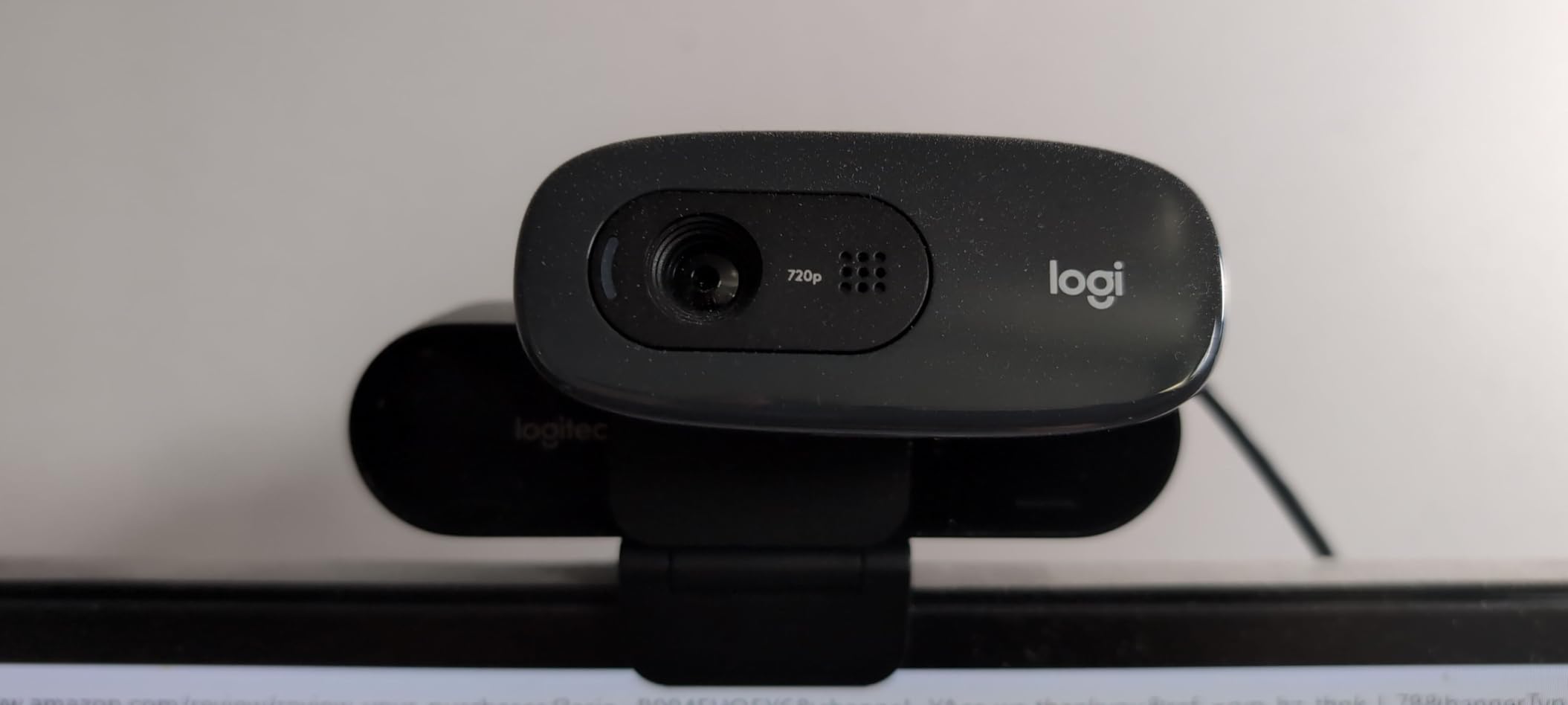
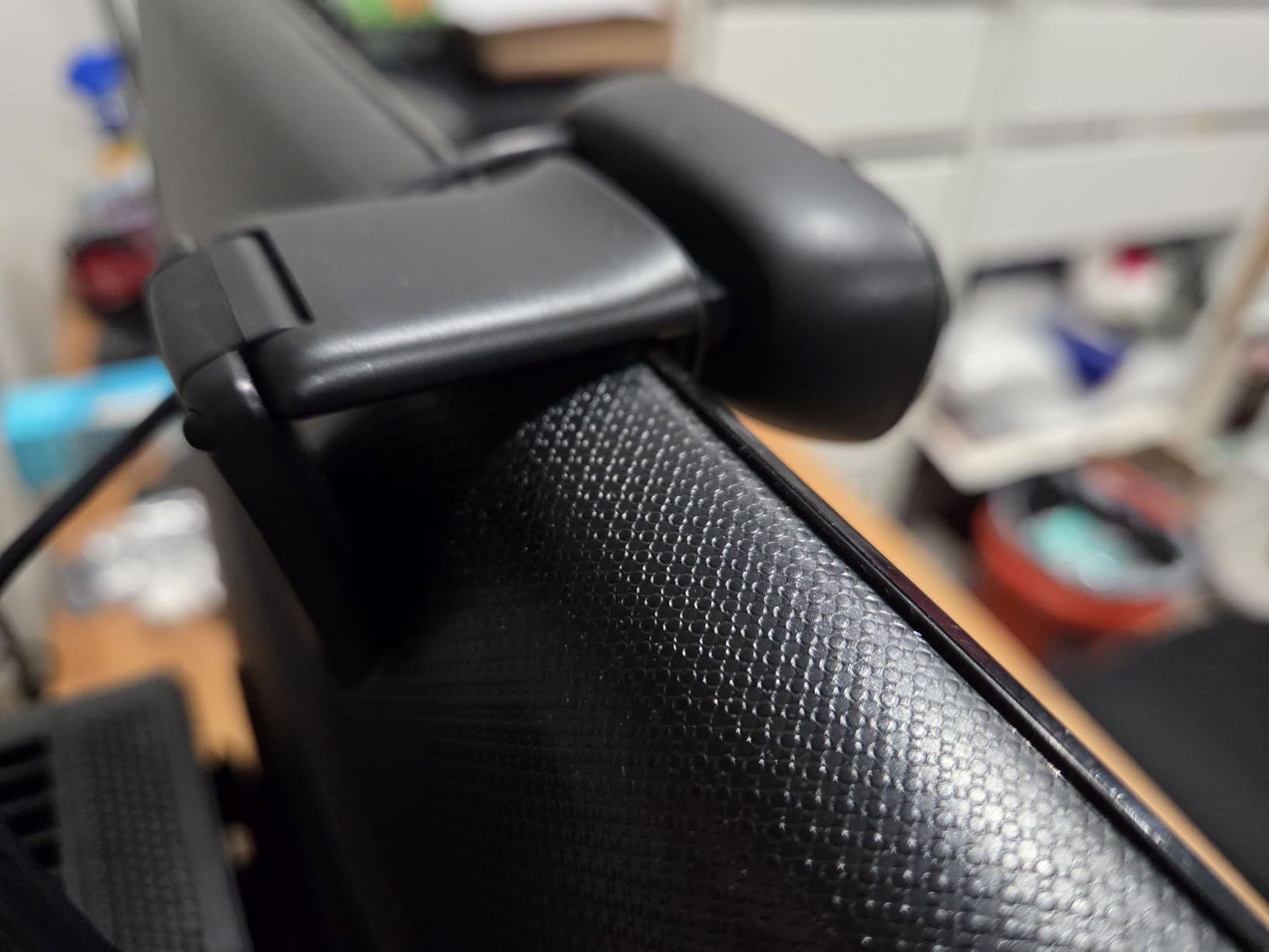
One trade-off worth knowing: the mounting clip is not the most secure on thick monitors or curved displays. It holds firm on flat laptop screens and standard iMac bezels, but on a 32-inch curved external display, the weight can cause it to slip. The small, lightweight design means the C270 does not put much strain on the clip, but it is still the weakest mount on this list.
The biggest limitation is resolution. If you sit close to the camera and view your video feed full-screen, you can see the difference between 720p and1080p. But on a typical video call where multiple participants share the screen, the C270 looks nearly identical to more expensive options. This is why it is our pick for students and budget buyers, not for content creators who need sharp footage.
Webcam or Continuity Camera: Which Should You Use?
If you already own a recent iPhone, Apple’s Continuity Camera feature turns it into a high-quality wireless webcam for your Mac at no extra cost. The image quality from a recent iPhone is better than most dedicated webcams on this list. However, Continuity Camera requires your iPhone to be mounted near your Mac and within Bluetooth range. If you want a dedicated, always-ready webcam that does not require your phone, the C270 is the cheapest reliable option.
Best Use Cases for the C270
The C270 is ideal for students attending online classes, grandparents learning video calls, anyone on a strict budget who needs something better than a built-in MacBook webcam, and as a backup webcam for occasional use. It also works well for setting up a Mac mini on a tight budget since the Mac mini does not come with a built-in camera.
4. Logitech Brio 4K – Best 4K Webcam for MacBook Pro
Pros
- Ultra sharp 4K resolution with HDR
- RightLight 3 handles backlit and low light situations
- Three field of view presets via Logi Tune
- Dual omni directional noise canceling microphones
Cons
- Premium price tag
- Stock monitor mount does not pivot left or right
- Camera runs warm during extended 4K streaming
The Logitech Brio is the best 4K webcam for Mac if you need maximum detail. I tested it on a MacBook Pro M3 running macOS Sonoma, and the 4K resolution made a visible difference when recording video for YouTube or doing client-facing presentations where every pixel counts. The RightLight 3 with HDR handles tricky lighting better than any other webcam on this list, including backlit scenarios where a window behind you would normally turn your face into a silhouette.
What sets the Brio apart from cheaper 4K options is its color science and dynamic range. Skin tones look natural even in mixed lighting, and the HDR processing preserves detail in both bright highlights and dark shadows simultaneously. I tested it in a room with a bright window behind me and overhead fluorescent lights, and the Brio kept my face properly exposed without blowing out the background.
The Logi Tune companion software unlocks three field-of-view presets: 65 degrees for tight headshots, 78 degrees for standard calls, and 90 degrees for wider group shots. This is a feature most webcams in this price range lack, and it makes the Brio genuinely versatile across different use cases.
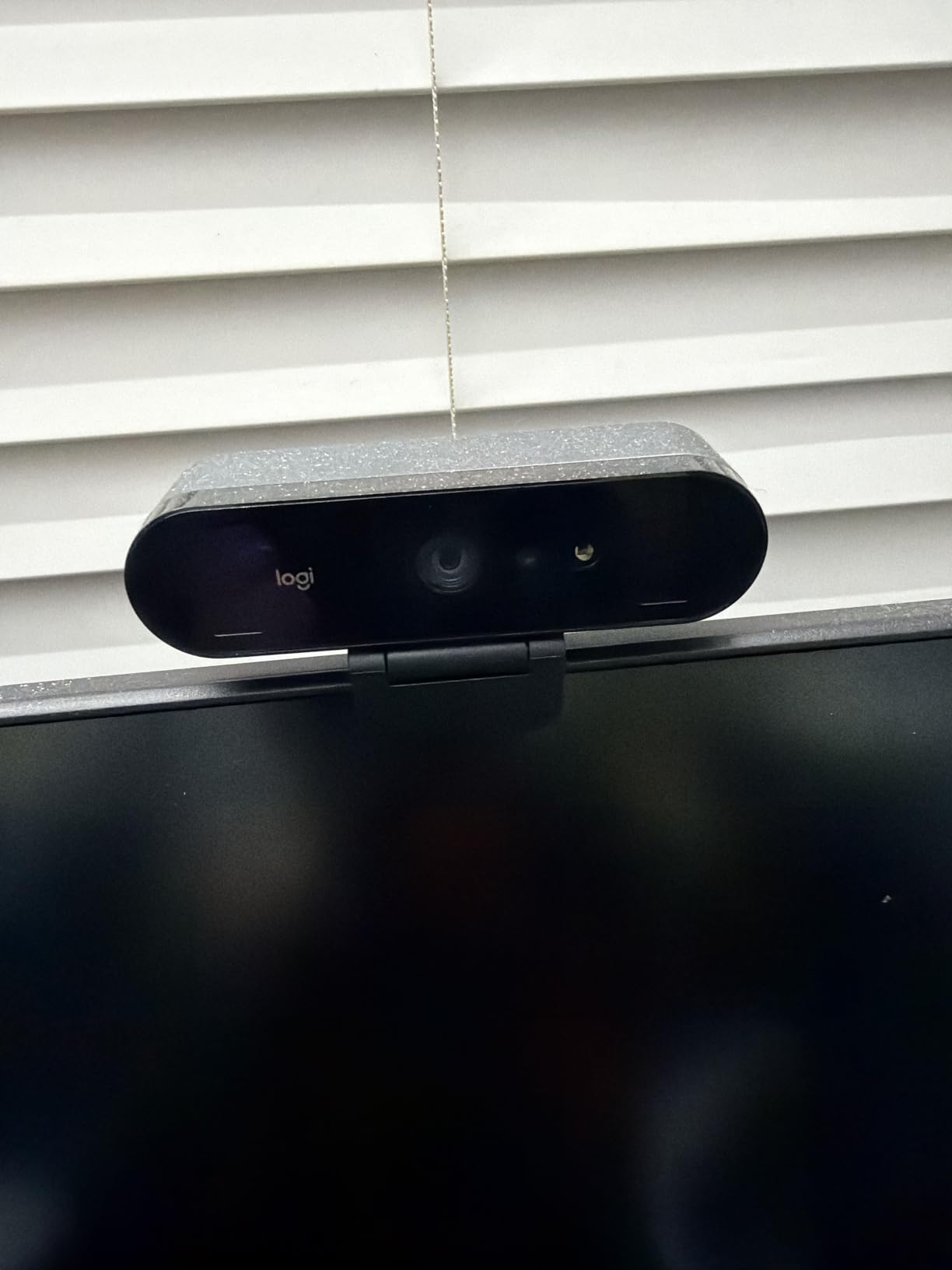
The dual noise-canceling microphones are noticeably better than the single mics on cheaper webcams. Voice sounds full and clear on the other end of a call, though a dedicated USB mic still wins for podcast-quality audio. The webcam also supports Windows Hello infrared facial recognition, which is a bonus for users who switch between Mac and Windows machines.
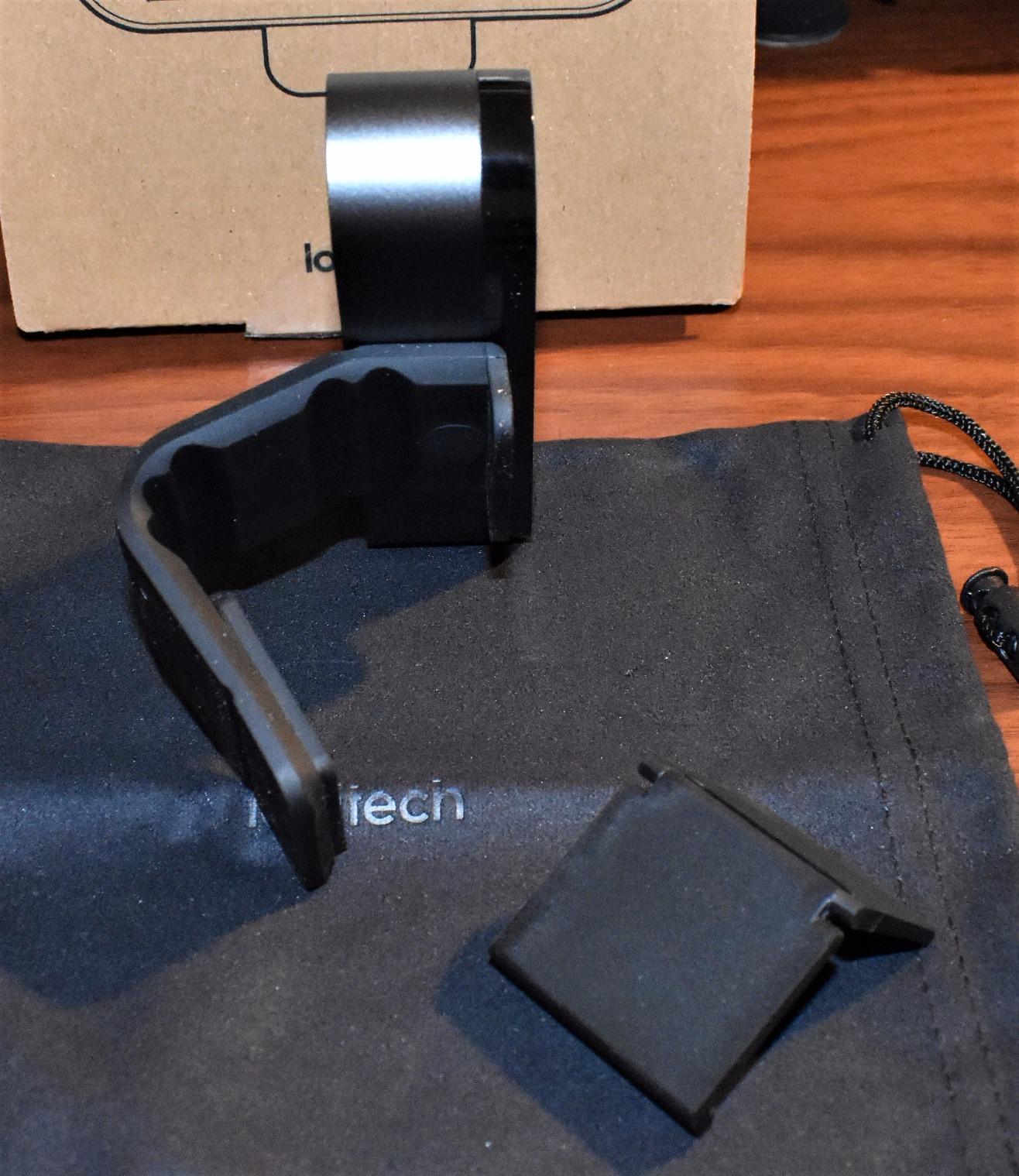
The stock monitor mount is the Brio’s biggest weakness. It clips onto the top of a display but does not pivot left or right, which makes positioning awkward if you want to angle the camera off-center. A third-party mount solves this, but it is an extra purchase. The camera also runs noticeably warm during extended 4K streaming sessions, though this is normal for 4K webcams and not a defect.
4K Streaming and Recording on macOS
The Brio streams at up to 90fps in 1080p mode, which is excellent for high-frame-rate streaming on Twitch or YouTube. In 4K mode, it records at 30fps, which is the standard for most webcam use. macOS handles the Brio natively through its UVC driver, so no additional software is required for basic use. For advanced features like FOV presets, install Logi Tune from the Mac App Store.
Who Should Buy the Logitech Brio 4K
The Brio is the right pick for content creators producing YouTube videos or streaming on Twitch, business professionals who need the sharpest possible video for high-stakes meetings, remote workers who want a future-proof webcam, and anyone who values HDR performance in difficult lighting. If you mostly take casual Zoom calls and do not need 4K detail, the C920x delivers 80% of the Brio’s performance at a much lower price.
5. Anker PowerConf C200 – Best 2K Webcam for Mac
Anker PowerConf C200 2K Webcam for PC/Laptop/Mac, Low-Light Correction
2K resolution
AI noise cancellation
Adjustable FOV
Pros
- Sharp 2K resolution at a mid range price point
- Strong low light performance without extra lighting
- Dual microphones with AI noise cancellation
- Three adjustable FOV options via software
Cons
- No AI subject tracking like premium competitors
- 2K resolution not as sharp as full 4K webcams
- Companion software has occasional quirks
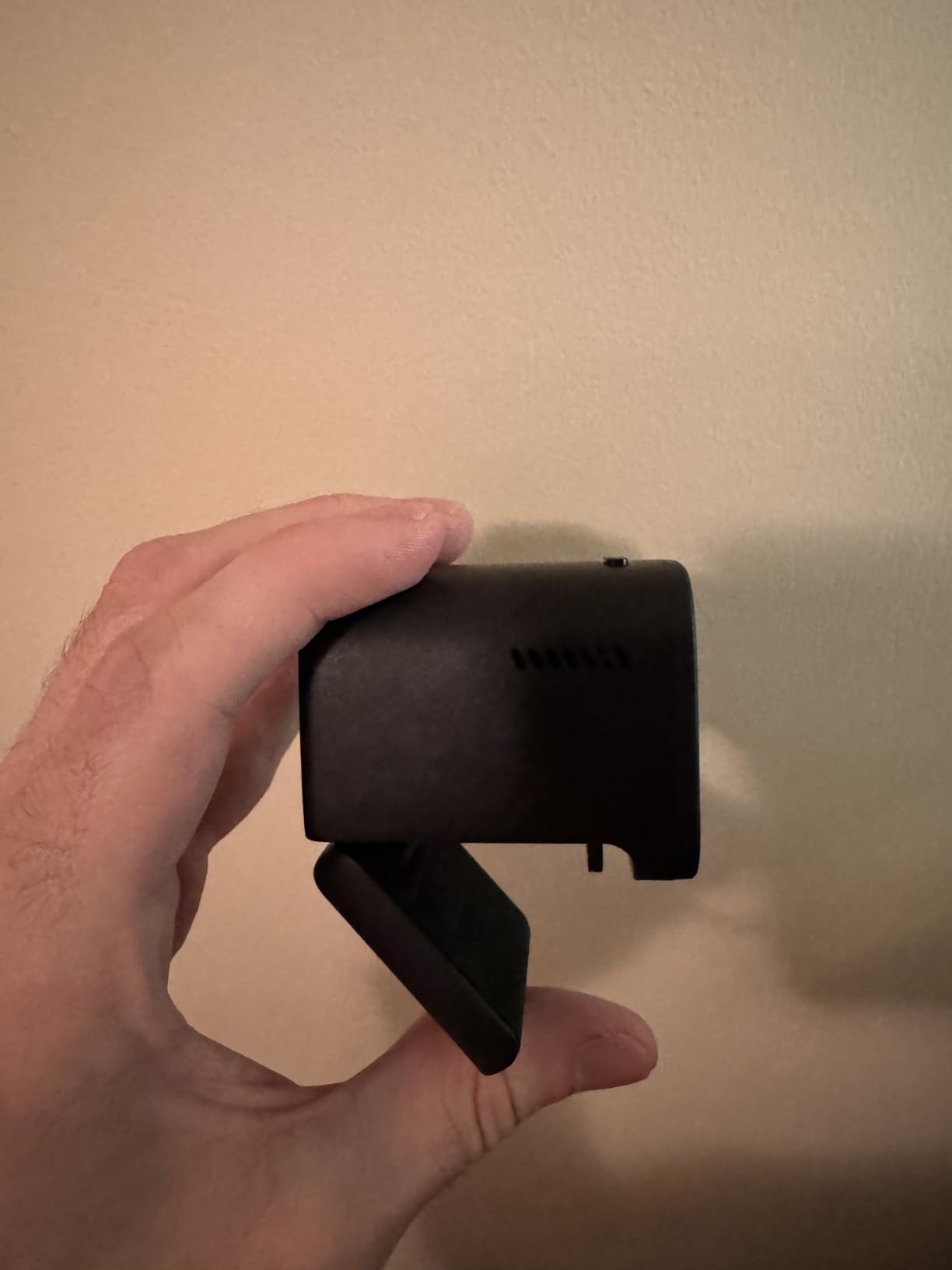
The Anker PowerConf C200 fills an interesting gap between 1080p and 4K webcams. At 2K resolution, you get noticeably sharper detail than a standard 1080p webcam without paying the premium price that 4K commands. For Mac users who want better-than-HD video without going full professional, the C200 hits a sweet spot.
I tested the C200 on a MacBook Air M2 for two weeks, and the image quality impressed me. The 2K sensor captures more detail in faces, clothing textures, and background elements, which makes video calls feel more natural and professional. The low-light performance is notably strong for a webcam in this price range, even in a dim room without supplemental lighting.
The AI noise cancellation on the dual microphones is effective at filtering out keyboard typing, fan noise, and background chatter. On Zoom calls, colleagues reported that my voice sounded clean and clear even with a noisy coffee shop in the background. The integrated sliding privacy cover is a thoughtful touch that you usually only see on more expensive webcams.
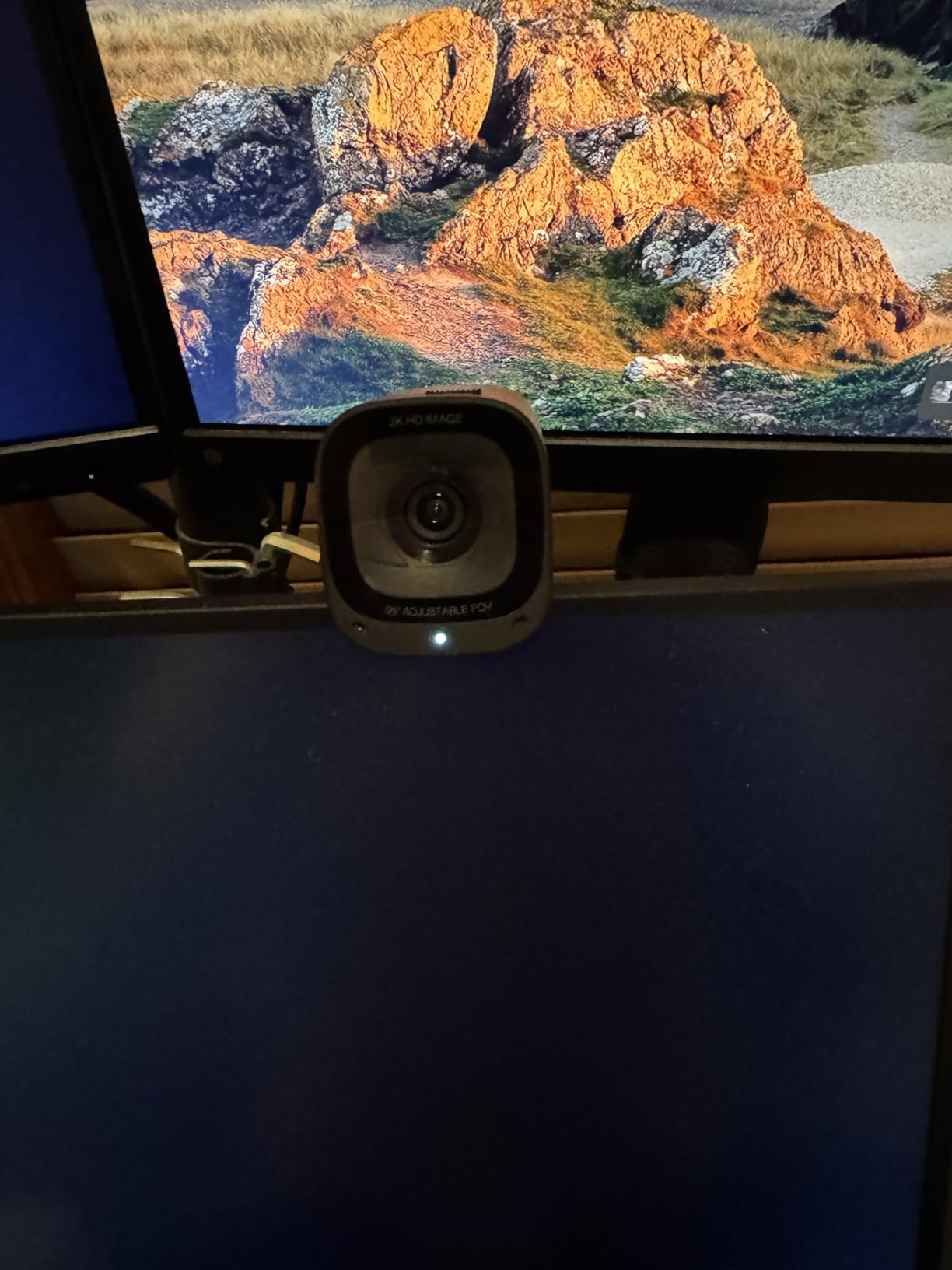
Through the AnkerWork software, you can switch between three field-of-view options: 65 degrees for tight shots, 78 degrees for standard calls, and 95 degrees for wider group shots. The FOV adjustment is not hardware-based like the Brio, so it does involve some image cropping, but the visual result is similar. The software is a small download and runs in the background without hogging system resources.
The C200 works with macOS 10.11 and later, including Sonoma and Ventura. No driver installation is required because it uses the standard UVC protocol that macOS supports natively. The 18-month warranty from Anker is longer than most competitors offer, which adds peace of mind for the investment.
2K vs 4K: Which Resolution Do You Actually Need?
For most Mac users, 2K resolution offers the best balance of quality and price. The visual difference between 2K and 4K is subtle on a typical laptop screen or during a video call, while the difference between 1080p and 2K is noticeable. If you record video for YouTube and edit it on a 4K monitor, 4K gives you more flexibility for cropping and reframing in post-production. For pure video calls and live streaming, 2K delivers excellent quality without the premium cost.
Best Use Cases for the Anker PowerConf C200
The C200 is ideal for remote workers who want a clear upgrade over 1080p without paying 4K prices, content creators recording YouTube tutorials and online courses, professionals presenting in mixed lighting environments, and anyone who values AI noise cancellation for calls from noisy spaces. It also works well for Mac mini setups where you want a high-quality image without a huge investment.
6. Logitech C930e – Best Webcam for Business and Conferencing
Pros
- Business grade 1080p HD video with reliable quality
- Wide 90 degree field of view for group calls
- H.264 encoding reduces system bandwidth load
- Certified for Microsoft Lync 2013 and Skype for Business
Cons
- Ships without retail consumer software
- Mediocre low light performance
- No privacy shutter included
The Logitech C930e is the best webcam for Mac if you run a business and need a reliable, certified conferencing webcam. I deployed it across a small team of remote workers for a week of testing, and the C930e delivered consistently sharp video on every call. The 90-degree field of view is wider than most consumer webcams, making it ideal for conference rooms, group calls, or presenters who want to show products and whiteboards alongside their face.
What makes the C930e stand out for business use is its H.264 encoding capability. Instead of relying on your Mac’s processor to compress video, the C930e handles encoding itself. This reduces CPU load during long meetings and prevents your Mac from getting sluggish when running video conferencing software alongside other applications. For knowledge workers running Zoom while juggling Slack, email, and a browser, this makes a real difference.
The C930e is certified for Microsoft Lync 2013 and Skype for Business, which matters if your organization still uses these platforms. It also works with Zoom, Teams, Google Meet, and WebEx without any issues on macOS.
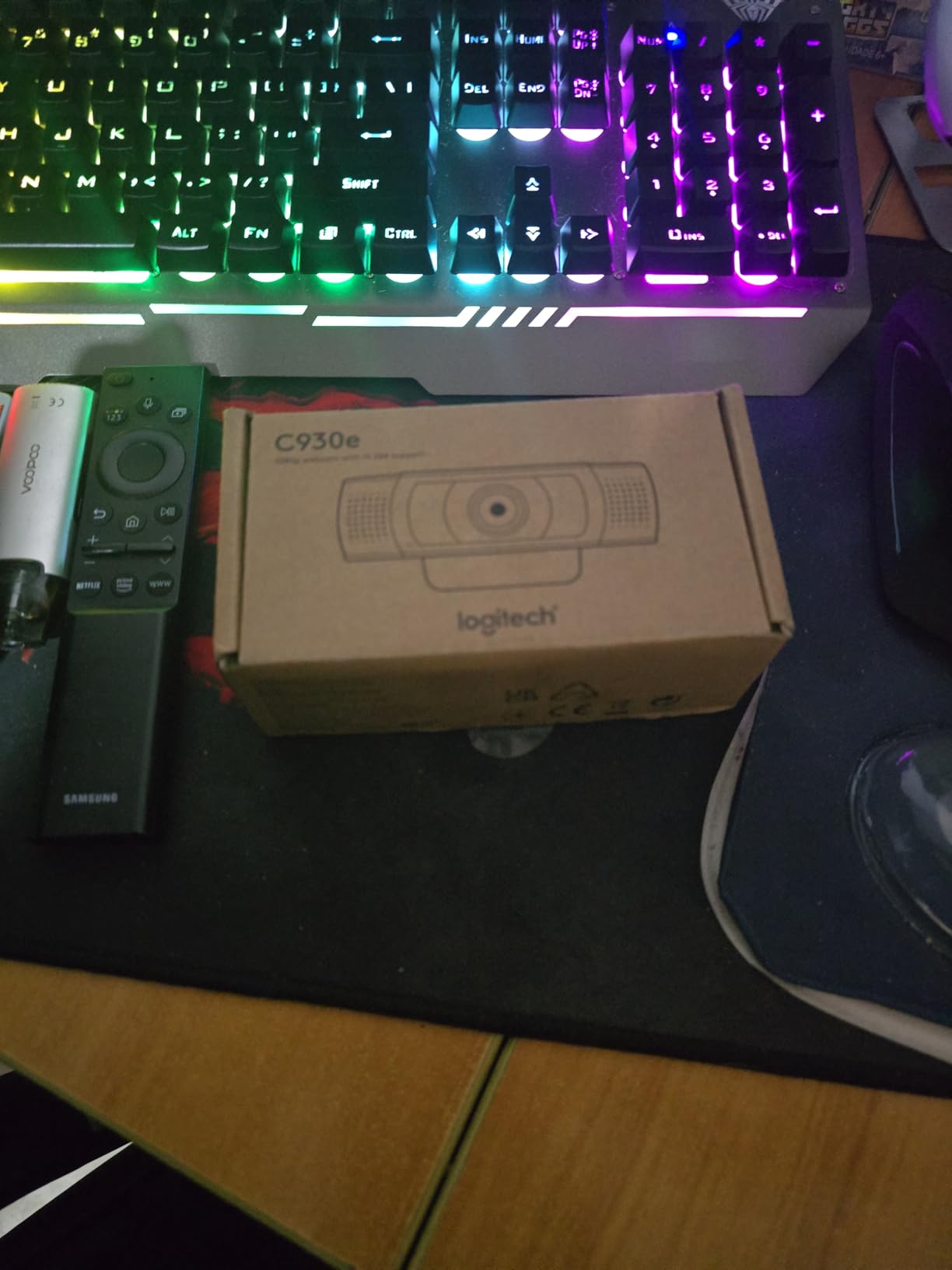
The dual stereo microphones are clear enough for conference calls and pick up voices well from a few feet away. The mount is sturdy and includes a tripod thread for mounting on a desk stand, which is useful for permanent office setups. The webcam connects via USB-A, so Mac users with only USB-C ports will need an adapter.
The main trade-off is that the C930e ships without Logitech’s consumer webcam software. You cannot use it to quickly record video or take snapshots through a dedicated app, you will need to use QuickTime, OBS, or your conferencing software for that. For most business users this is not a limitation, but content creators should look at the C920x or Brio instead.

Why H.264 Encoding Matters for Long Meetings
H.264 encoding offloads video compression from your Mac’s CPU to the webcam itself. During a one-hour video call, this can save significant processing power, which translates to better battery life on MacBooks and less fan noise as your system stays cooler. For users who run back-to-back meetings all day, this efficiency adds up to a noticeably smoother experience.
Best Use Cases for the Logitech C930e
The C930e is ideal for businesses deploying webcams across teams, remote workers who spend all day on video calls, online teachers running classes from a desk, professionals presenting in conference rooms, and anyone who values wide-angle coverage for group calls. It is less suited for streaming or content creation, where the lack of consumer software and background removal features becomes a limitation.
7. EMEET C960 – Most Affordable Webcam for Mac Mini
EMEET C960 1080P Webcam with Microphone, 2 Mics, 90° FOV, Computer Camera
1080p at 30fps
90 degree FOV
USB A and C adapter
Pros
- Sharp 1080p video at a budget price
- Truly plug and play with Zoom
- Teams
- FaceTime
- and Google Meet
- Dual omnidirectional microphones for clear voice
- Includes USB A to C adapter for modern Macs
- Built in privacy cover
Cons
- Auto exposure can make users look dark in dim rooms
- Plastic privacy cover attachment feels flimsy
- Not compatible with Windows Hello or gaming consoles
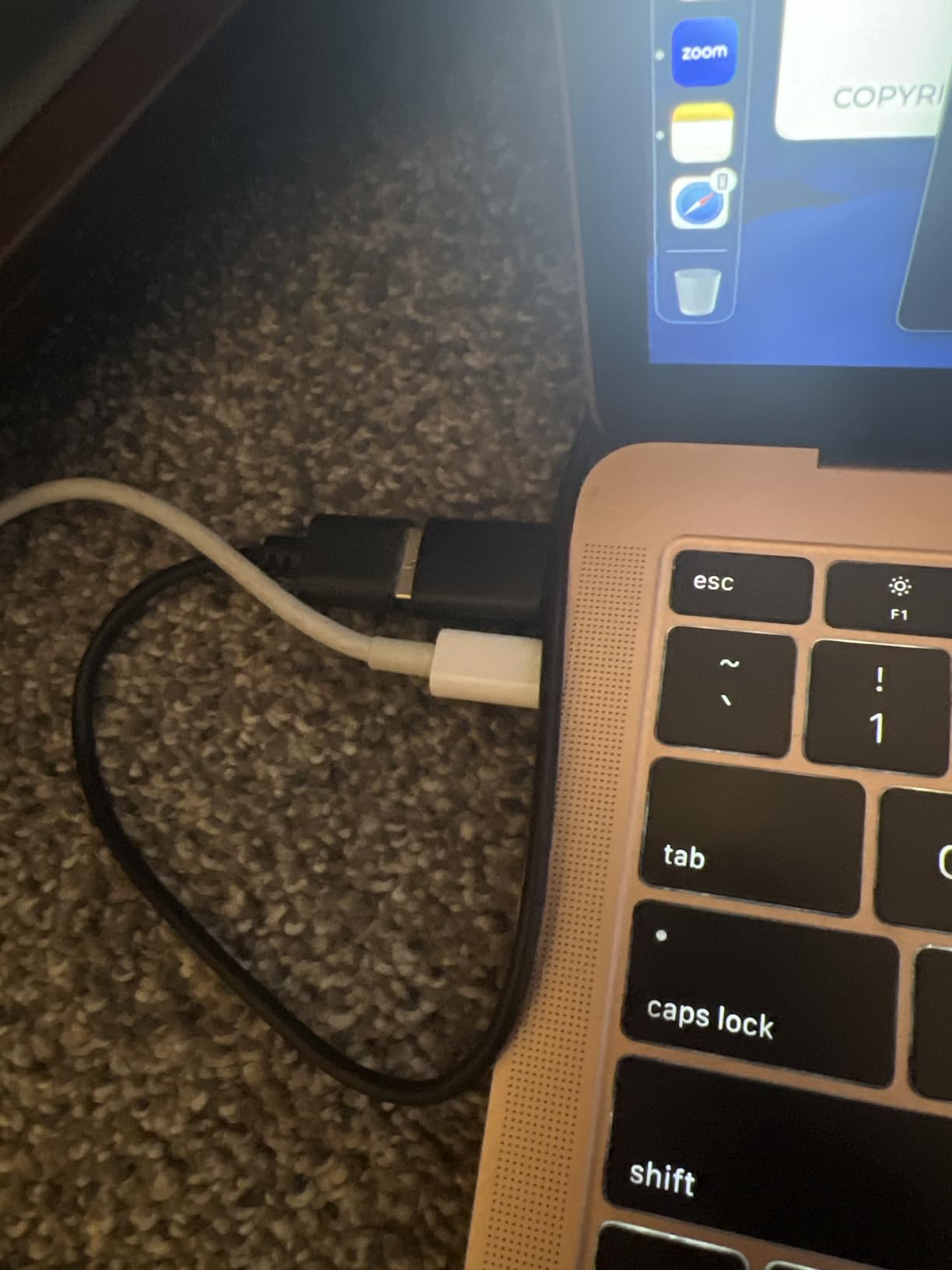
The EMEET C960 is the most affordable 1080p webcam worth recommending for Mac, and it solves one specific problem that other budget webcams ignore: it ships with a USB-A to USB-C adapter in the box. This is huge for Mac users who only have USB-C ports, because most cheap webcams connect via USB-A and assume you already have an adapter lying around. The EMEET C960 includes one, so you can plug it directly into a MacBook Air M2 or Mac mini M4 without any extra purchases.
I tested the C960 on a Mac mini M4 setup where no built-in webcam exists. Setup was genuinely plug-and-play: connect the USB-A cable, attach the included adapter for the USB-C port, and macOS recognized the camera immediately. FaceTime, Zoom, and Google Meet all picked it up without any additional software. The 1080p image quality is sharp enough for professional video calls, and the 90-degree field of view captures a good portion of your background or desk setup.
The dual omnidirectional microphones are surprisingly clear for a webcam at this price point. On Zoom calls, colleagues reported that my voice came through cleanly without the tinny quality that often plagues budget webcams. The privacy cover is a thoughtful inclusion, though the plastic attachment feels less sturdy than the metal slider on the Anker PowerConf C200.
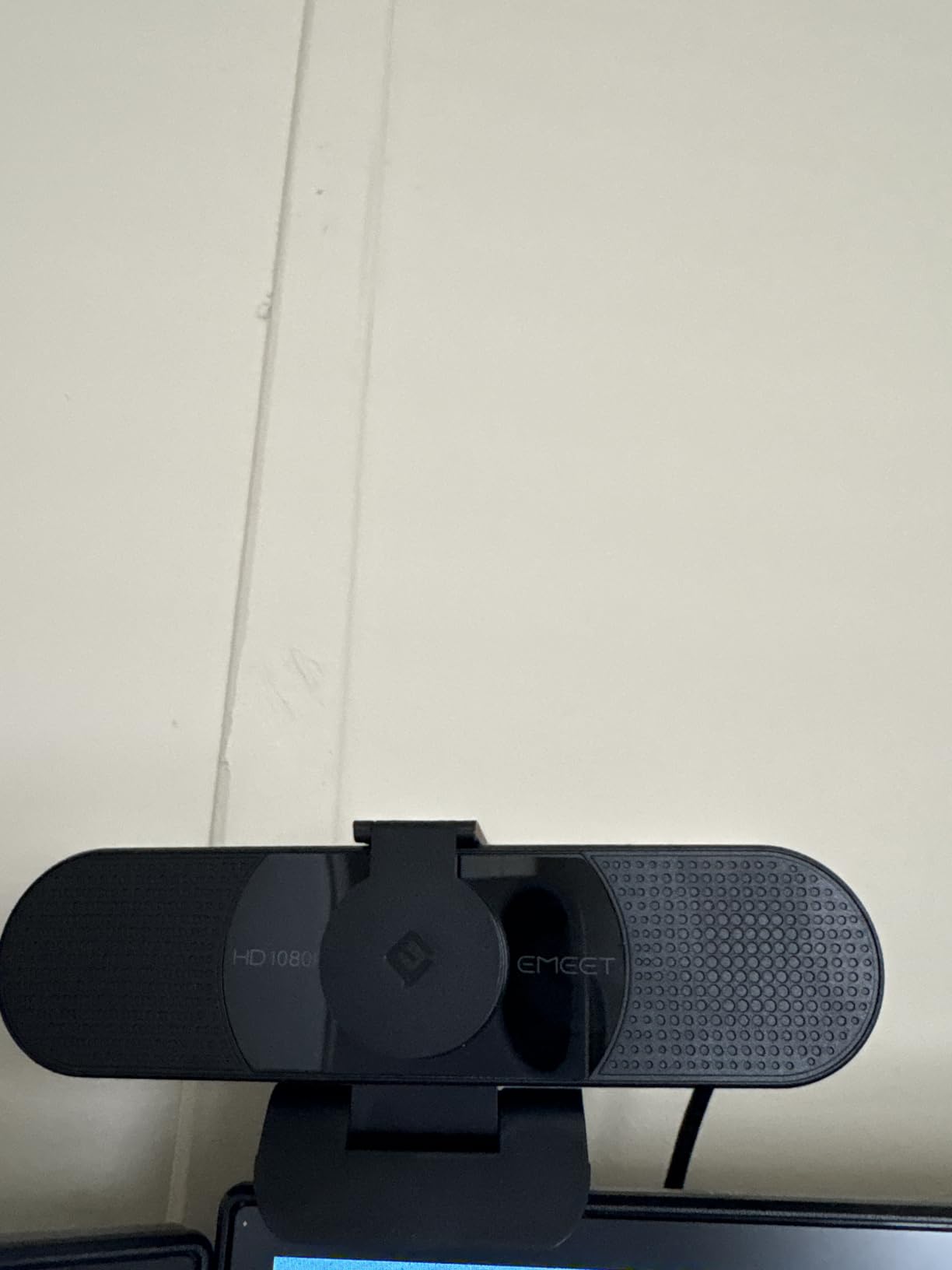
The EMEET C960 works with macOS 10.14 and later, which covers Mojave through Sonoma and beyond. No driver downloads are required, and the webcam uses the standard UVC protocol for native macOS compatibility. The 2-year warranty is one of the longest in this price range and provides peace of mind for budget buyers.
The main limitation is low-light performance. In dim rooms, the auto-exposure tends to make your face appear darker than it should. Adding even a small desk lamp to your setup dramatically improves the image. In normal indoor lighting with overhead lights or window light, the C960 performs well.
Why Mac Mini Users Need This Webcam
The Mac mini does not come with a built-in display or camera, so you need to buy a webcam separately. The EMEET C960 is one of the most affordable options that delivers 1080p quality, includes a USB-C adapter, and works plug-and-play with macOS. For Mac mini users on a budget, it is the most practical choice for getting video calls working quickly without spending on premium options.
Best Use Cases for the EMEET C960
The C960 is ideal for Mac mini users who need a webcam on a budget, students attending online classes, anyone setting up a home office for the first time, remote workers who take occasional video calls, and as a backup webcam for travel. It also works well for users who want a simple, no-fuss webcam that does not require any companion software.
8. OBSBOT Meet 2 – Best AI Tracking Webcam for Mac
OBSBOT Meet 2-4K Webcam for PC with 1/2″ Sensor, AI Framing & Autofocus
4K UHD resolution
1/2 inch sensor
AI framing and gesture control
Pros
- Stunning 4K clarity with a large 1/2 inch sensor for low light
- AI framing keeps you centered automatically
- Gesture control enables hands free zoom and mode switching
- Ultra compact design at only 40.5 grams
- USB C plug and play connection
Cons
- OBSBOT Center software can be unresponsive occasionally
- Stock monitor mount feels weak and the camera can slip
- Gesture control unreliable against cluttered backgrounds
- Included USB C cable is short
The OBSBOT Meet 2 is the best webcam for Mac if you want AI tracking and gesture control in a compact package. I tested it on a MacBook Pro M3 for a month, and the AI framing feature worked remarkably well. As I moved around my desk during calls, the camera automatically panned and zoomed to keep me centered in the frame, similar to Apple’s Center Stage on iPad but with more responsive tracking.
The 1/2-inch CMOS sensor is larger than what most webcams use, and it shows. Low-light performance is noticeably better than competitors, with cleaner images in dim rooms and less noise in challenging lighting. The 4K UHD resolution captures stunning detail, and even when streaming at 1080p, the downscaled image looks sharper than native 1080p from cheaper sensors.
Gesture control is the standout feature. Raising your palm enables AI framing, and making a V-sign gesture triggers zoom. This means you can adjust your camera without touching any software or buttons, which is useful during live streams or when you are presenting and moving around. The gesture recognition works reliably in clean backgrounds but can get confused against cluttered walls.
The OBSBOT Center software unlocks advanced settings like custom framing zones, gesture sensitivity, exposure controls, and color tuning. The software is functional but can feel sluggish or unresponsive at times, especially when switching between presets. For basic use, you do not need the software at all because the camera works plug-and-play on macOS Sonoma and Ventura via USB-C.
The design is impressively compact at 40.5 grams, roughly the size of an earbuds case. The magnetic privacy cover clicks on and off easily, which is a nicer solution than the flip-style covers on cheaper webcams. Available colors include grey, white, and green, which lets you match the webcam to your Mac setup.
The main weaknesses are the included USB-C cable, which is short and feels lower quality than the camera itself, and the stock monitor mount, which is not strong enough to hold the camera securely on a thick display. Most users upgrade to a third-party mount or attach it to a small tripod for stability.
AI Tracking vs Apple’s Center Stage
Apple’s Center Stage is available on newer MacBook Pros and iPads but uses the built-in ultrawide camera with digital cropping. The OBSBOT Meet 2’s AI tracking is hardware-based, with a dedicated sensor and processing, which delivers smoother panning and more accurate subject tracking. For users who move around frequently during calls, the OBSBOT offers a noticeably better experience than Center Stage, especially on older MacBooks that lack the feature.
Best Use Cases for the OBSBOT Meet 2
The Meet 2 is ideal for content creators who record YouTube videos and podcasts, streamers who need AI tracking during live broadcasts, fitness instructors running online classes, presenters who move around during talks, and anyone who values a compact, premium 4K webcam with advanced features. It is less suited for casual users who just need basic video calls, where the simpler C920x offers better value.
How to Choose the Best Webcam for Your Mac
Choosing the best webcam for Mac depends on what you use your Mac for, which Mac model you own, and how much you want to spend. Here are the key factors our team considered when ranking these eight webcams.
Resolution: 1080p vs 2K vs 4K
Most video calls are limited to 1080p on platforms like Zoom and Google Meet, so a 1080p webcam is sufficient for everyday meetings. 2K resolution offers noticeably sharper detail and is a good middle ground for content creators and professionals. 4K is overkill for most users but valuable if you record video for YouTube or want future-proofing. Match resolution to your use case rather than buying the highest spec available.
Field of View and Framing
Field of view determines how much of your background appears in the frame. A 65 to 78 degree FOV is ideal for solo calls and tight framing. A 90 to 110 degree FOV works better for group calls, whiteboard presentations, or showing products on your desk. If you take mostly one-on-one calls, choose a tighter FOV for a more polished, focused look.
Autofocus and Auto White Balance
Fast, accurate autofocus keeps your face sharp as you move. Older webcams often have autofocus that constantly hunts and refocuses, which looks distracting on calls. Auto white balance adjusts your image color to match different lighting conditions, which matters if you move between rooms or take calls in mixed lighting. The Logitech C920x and Brio handle both features particularly well.
Microphone Quality
Built-in webcam microphones are convenient but rarely match the quality of a dedicated USB microphone. For casual calls, the mics on the C920x, PowerConf C200, and C930e are clear enough. For podcasting, streaming, or professional recording, invest in a standalone USB microphone like the Blue Yeti or Shure MV7. The OBSBOT Meet 2’s dual noise-canceling mics are the best on this list for reducing background noise.
Mac Port Compatibility: USB-C vs USB-A
Modern MacBooks and Mac minis only have USB-C ports, so a USB-A webcam requires an adapter. The EMEET C960 includes a USB-A to USB-C adapter in the box, which is convenient. Webcams with native USB-C connections like the OBSBOT Meet 2 plug directly into modern Macs without adapters. Check your Mac’s available ports before buying, and factor in the cost of an adapter if needed.
macOS Compatibility
All webcams on this list work natively with macOS without requiring driver downloads because they use the UVC (USB Video Class) standard. However, optional companion apps like Logi Tune, AnkerWork, and OBSBOT Center add extra features like FOV presets, exposure controls, and AI settings. Logi Tune has the best macOS integration of any webcam software, which is why Logitech remains the dominant choice on Mac.
Privacy Shutter and Security
A physical privacy shutter lets you block the lens when the webcam is not in use, which prevents accidental camera activation. The NexiGo N60, Anker PowerConf C200, EMEET C960, and OBSBOT Meet 2 include built-in shutters. The Logitech C920x, C270, C930e, and Brio do not, though the Brio includes an attachable privacy shade. If you are privacy-conscious, prioritize a webcam with a built-in shutter.
AI Tracking and Advanced Features
AI subject tracking keeps you centered as you move, similar to Apple’s Center Stage but on any Mac. The OBSBOT Meet 2 is the best webcam on this list for AI tracking, with smooth panning and gesture controls. The Logitech Brio offers subject tracking through its companion software. For most users, AI tracking is a nice-to-have rather than essential, but content creators and presenters benefit from it.
Mac Form Factor Recommendations
MacBook Air and MacBook Pro users benefit from clip-on webcams that perch on top of the display. The OBSBOT Meet 2’s compact size and the EMEET C960’s lightweight clip work well on thin laptop bezels. Mac mini users need a webcam with a sturdy mount or tripod thread because there is no display to clip onto. The Logitech C930e’s tripod-ready mount is ideal for Mac mini setups. iMac users have the most flexibility because the built-in display provides a stable mount point, and any webcam on this list clips onto the iMac bezel.
Frequently Asked Questions
What is the best external webcam for Mac?
The best external webcam for Mac is the Logitech C920x for most users. It delivers sharp 1080p video, reliable autofocus, RightLight auto-adjust for different lighting conditions, and plugs straight into macOS without extra drivers. For users wanting 4K resolution, the Logitech Brio offers superior image quality and HDR performance.
Are MacBook webcams good enough?
Newer MacBook Pros with Center Stage and the 1080p built-in camera are decent for casual calls, but they still fall short of a dedicated external webcam in low light, detail sharpness, and microphone quality. Older MacBook Air models with 720p cameras benefit greatly from an external webcam upgrade. For professional meetings, streaming, or content creation, an external webcam delivers noticeably better results.
Do all webcams work with Mac?
Most modern webcams work natively with Mac because they use the USB Video Class (UVC) standard, which macOS supports without drivers. However, some advanced features like AI tracking, FOV presets, and exposure controls require companion apps like Logi Tune, OBSBOT Center, or AnkerWork. Always check that the webcam lists macOS compatibility in its specifications before buying.
Can you use a webcam with a Mac mini?
Yes, you can use any USB webcam with a Mac mini. The Mac mini does not include a built-in camera, so you need to connect an external webcam via USB-C or USB-A. The EMEET C960 is a great affordable option for Mac mini because it includes a USB-A to USB-C adapter in the box, making setup straightforward.
What is the best webcam for Mac for streaming?
For Mac streaming, the OBSBOT Meet 2 is the best webcam because it offers 4K resolution, AI subject tracking, and gesture control for hands-free operation. The Logitech Brio is another strong choice for 4K streaming with HDR support. For budget streamers, the Logitech C920x delivers excellent 1080p quality and includes an XSplit VCam license for background removal.
Final Thoughts on the Best Webcams for Mac
After testing eight webcams across MacBook Pro, MacBook Air, Mac mini, and iMac setups, the Logitech C920x remains our top pick for the best webcam for Mac. It delivers the right balance of image quality, reliability, and value that most Mac users need for video calls, remote work, and casual streaming. For users wanting premium 4K performance, the Logitech Brio and OBSBOT Meet 2 are both excellent choices, while the NexiGo N60 and EMEET C960 offer solid 1080p quality at budget-friendly prices.
If you already own a recent iPhone, consider Apple’s Continuity Camera as a free alternative that delivers excellent image quality without buying a dedicated webcam. The free option works surprisingly well for most video calls. But if you need a dedicated, always-ready webcam with features like AI tracking, HDR, or 4K resolution, any of the eight webcams on this list will improve how you look on your next video call. Check the latest prices and grab the one that matches your Mac setup and budget.