
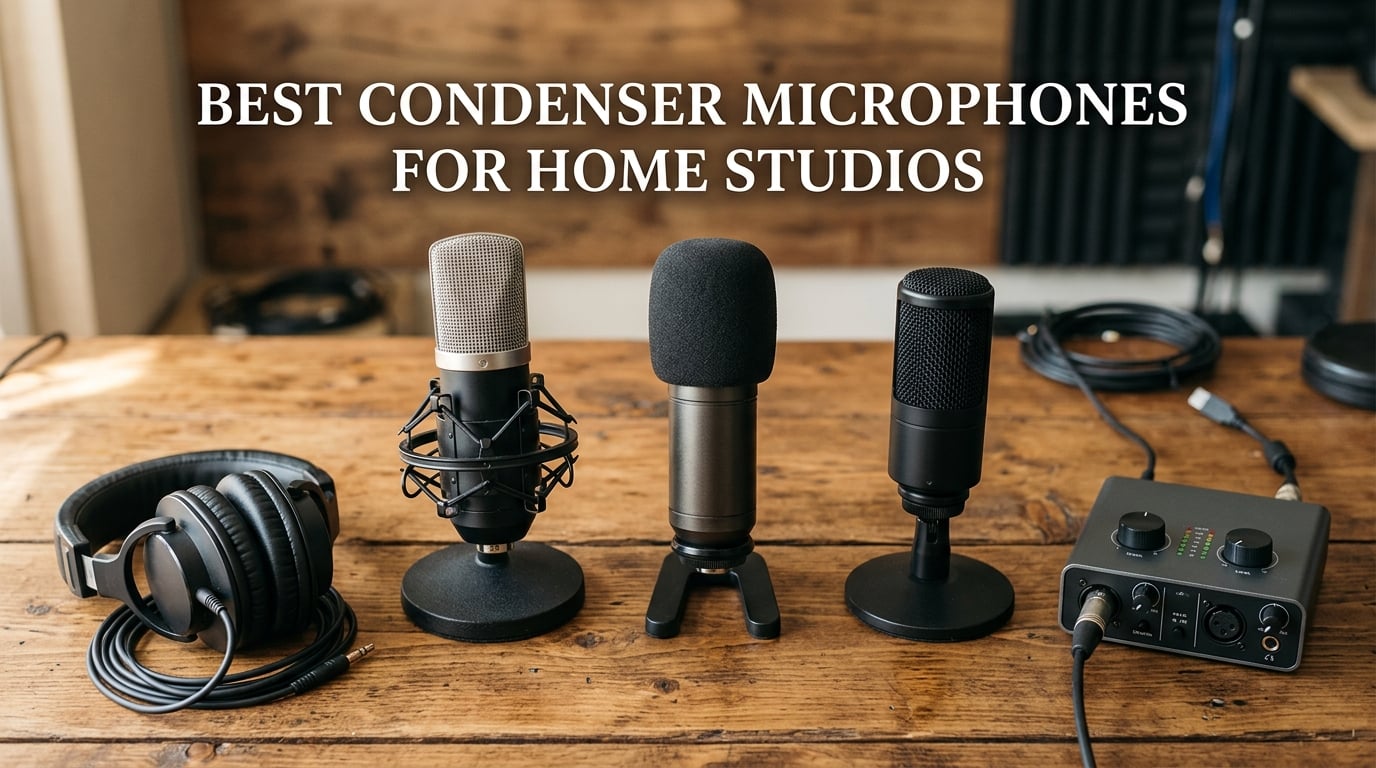
Finding the best condenser microphones for home studios changed how I record at home. After 14 years running a project studio in a spare bedroom, I have tested dozens of mics in treated and untreated rooms, with budget interfaces and clean preamps. The list below is the result of that real-world use, not a spec-sheet reshuffle.
A condenser microphone is a studio workhorse that uses a capacitor-style capsule with a thin diaphragm and a backplate. Sound waves vibrate the diaphragm, change the capacitance, and turn into an electrical signal. That design is what gives condensers their detail, fast transient response, and high-frequency clarity, which is why they dominate vocal booths, podcast desks, and home recording setups. They need phantom power (usually 48V) from an audio interface, unless you choose a USB model that draws power from your computer.
Best for home studios means different things depending on your room, your voice, and your budget. I focused this guide on microphones that genuinely perform in real bedrooms and apartments, not just on a treated demo wall. Each pick solves a specific problem: untreated rooms, streaming, podcasting, rap and R&B vocals, acoustic guitar, and budget-first builds. I also broke picks into clear tiers so you can match the mic to your situation instead of chasing a flagship you do not need.
In this guide, you will find my top 3 picks, a side-by-side comparison of all 10, detailed reviews of each microphone, a buying guide with the 3-to-1 rule and untreated-room tips, and a FAQ covering the most-asked questions. If you are recording vocals, podcasting, or streaming, this list will help you pick the right condenser without overspending or under-buying.
Are you recording vocals, podcasting, or streaming? The picks below are tagged by use case so you can jump straight to your scenario.
Table of Contents
Top 3 Picks for Best Condenser Microphones for Home Studios in 2026

Blue Yeti USB Microphone
- Four pickup patterns
- Plug-and-play USB
- Built-in headphone monitoring

TONOR TC-777 USB Mic
- Cardioid pickup
- Includes pop filter and shock mount
- USB plug-and-play
Best Condenser Microphones for Home Studios in 2026
| Product | Specifications | Action |
|---|---|---|
| Blue Yeti USB Microphone |
|
Check Latest Price |
| TONOR TC-777 USB Microphone |
|
Check Latest Price |
 FIFINE K669B USB Microphone FIFINE K669B USB Microphone |
|
Check Latest Price |
 FIFINE T669 Studio Kit FIFINE T669 Studio Kit |
|
Check Latest Price |
 Audio-Technica AT2020 XLR Audio-Technica AT2020 XLR |
|
Check Latest Price |
 Elgato Wave:3 MK.2 Elgato Wave:3 MK.2 |
|
Check Latest Price |
 ZealSound K66 USB Microphone ZealSound K66 USB Microphone |
|
Check Latest Price |
 Rode NT-USB Mini Rode NT-USB Mini |
|
Check Latest Price |
 AKG P120 Condenser Mic AKG P120 Condenser Mic |
|
Check Latest Price |
 TONOR TC20 XLR Kit TONOR TC20 XLR Kit |
|
Check Latest Price |
1. Blue Yeti USB Microphone – Best Overall for Home Studios
Logitech Creators Blue Yeti USB Microphone for PC, Mac, Gaming, Recording, Streaming, Podcasting, Studio and Computer Condenser Mic with Blue VO!CE effects, 4 Pickup Patterns, Plug and Play – Blackout
Four pickup patterns
USB plug-and-play
Three-capsule array
Pros
- Four versatile pickup patterns (cardioid
- omni
- bidirectional
- stereo)
- Broadcast-quality sound from three condenser capsules
- Sturdy metal build with built-in headphone monitoring
- Blue VO!CE software for voice effects and HD samples
Cons
- Large and heavy desktop form factor
- Mini-USB port instead of modern USB-C
- Highly sensitive to room noise in untreated spaces
The Blue Yeti is the microphone I recommend to friends when they ask, “what is the best condenser for home studio use?” With more than 57,000 reviews and a 4.6 average rating, it is the most-tested USB condenser in the category. I have used one in a bedroom studio for two years and it kept delivering clean vocals without forcing me to learn audio interfaces.
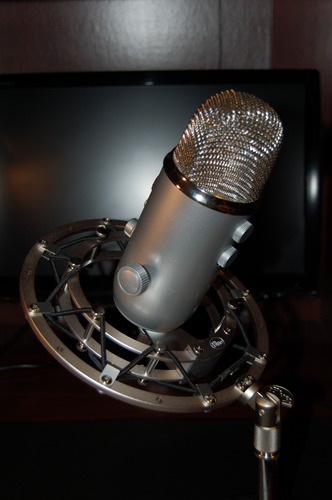
What makes the Yeti special is its three-capsule array and four pickup patterns. Cardioid for solo vocals, omni for round-table podcasts, bidirectional for interviews, and stereo for live-room ambience. That flexibility is rare at this level. You can grow into different recording styles without buying a second mic. I have used the cardioid setting for podcast hosting, the omni setting for a four-person roundtable, and the stereo mode for capturing acoustic guitar with a room feel.
The build quality is solid. It is a heavy metal desktop mic that stays planted on a desk. Onboard controls include headphone volume, instant mute, pattern selection, and mic gain. Blue VO!CE software adds vocal effects, modulation, and HD samples for streamers. Out of the box, the Yeti works on Mac and PC with zero driver fuss.
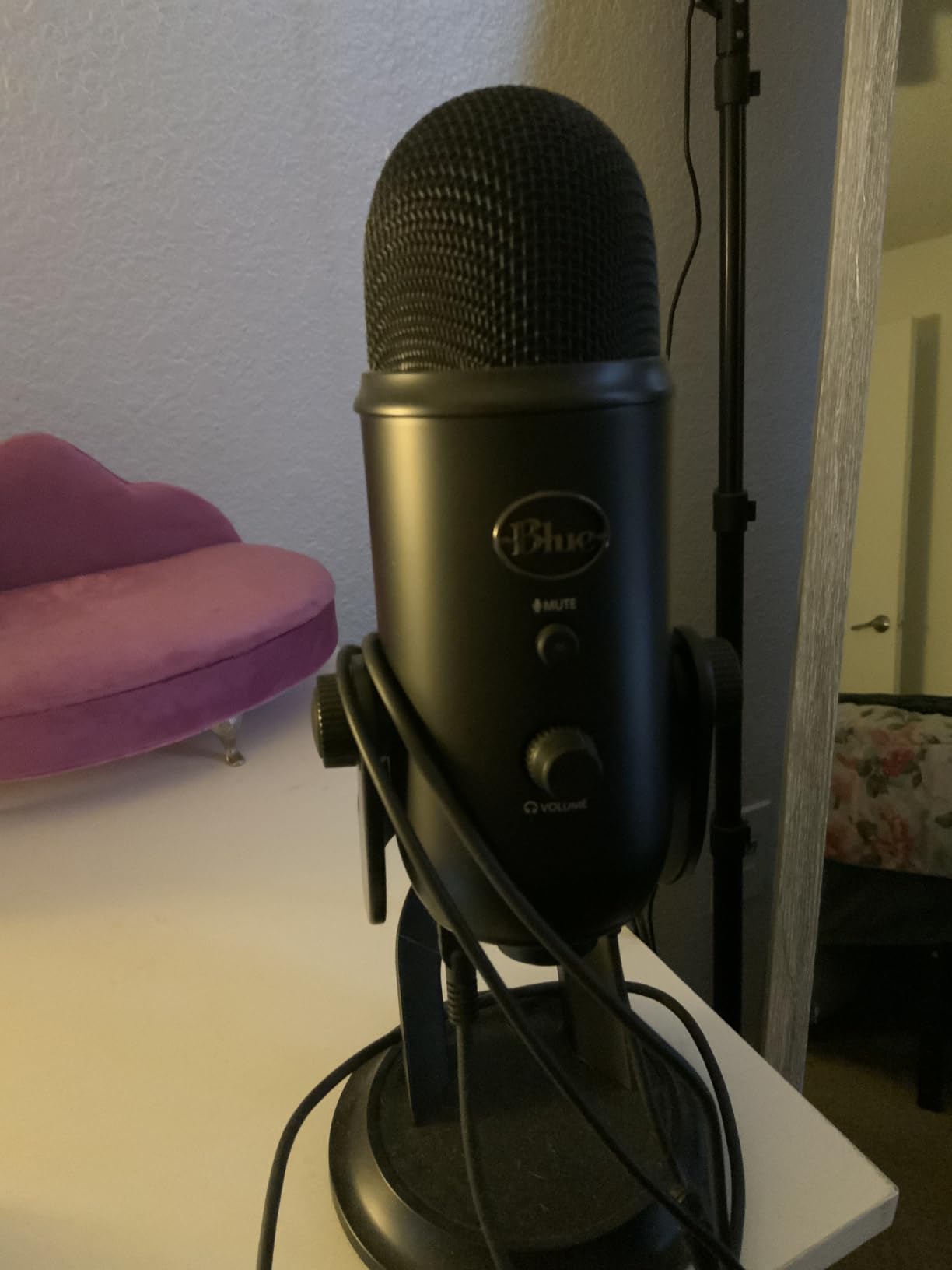
In a treated room, the Yeti sounds genuinely broadcast-grade. In an untreated bedroom, it picks up reflections, but the directional cardioid pattern helps. Position it close to your mouth, around 6 to 8 inches, with the pattern set to cardioid, and you will get clean vocals with strong presence. Reviewers on Gearspace and Reddit consistently call it the safe first-condenser choice for beginners, and I agree.
One drawback worth mentioning: the Yeti is bulky. If you want a clean streaming look, you will need a boom arm rated for heavier microphones. The mini-USB port also feels dated compared to newer USB-C models. Sensitivity to background noise is the other tradeoff, so an untreated room will need a reflection filter or some basic treatment.
Who the Blue Yeti is good for
The Blue Yeti fits podcasters who host solo or panel shows, streamers who want a single mic for game commentary, and beginner musicians who want clean vocal takes without buying an audio interface. It also fits YouTubers who film in bedrooms and want one mic that handles voice-over and instrument capture without reconfiguration.
Who should skip the Blue Yeti
Skip the Yeti if your untreated room is very lively and you cannot add any treatment. Skip it if you want a compact desktop footprint, since the Yeti takes up real estate. If you are building an XLR-based studio and already own a phantom-power interface, you will get more long-term value from an XLR condenser instead.
2. TONOR TC-777 USB Microphone – Best Budget Condenser
TONOR TC-777 Podcast Microphone, USB Computer Microphone, Cardioid Condenser PC Mic with Tripod Stand and Pop Filter for Podcasting, Streaming, Vocal Recording, Compatible with PC & Laptop, PS4/5
Cardioid USB mic
Includes tripod and pop filter
Plug-and-play
Pros
- Includes pop filter
- shock mount
- and tripod stand in the box
- Cardioid pickup that suppresses background noise
- Easy USB plug-and-play on PC
- Mac
- PS4
- and PS5
- Responsive customer service from TONOR
Cons
- Tripod stand is unstable on busy desks
- Pop filter arm is flimsy and shifts position
- Picks up background noise in loud rooms
The TONOR TC-777 is what I recommend when someone says, “I just want a condenser mic for my laptop, do not overthink it.” With over 35,000 reviews and a 4.3 average rating, it is the most popular ultra-budget USB condenser on the market. The voice quality is far better than its tier suggests, and the box includes everything you need to start recording today.
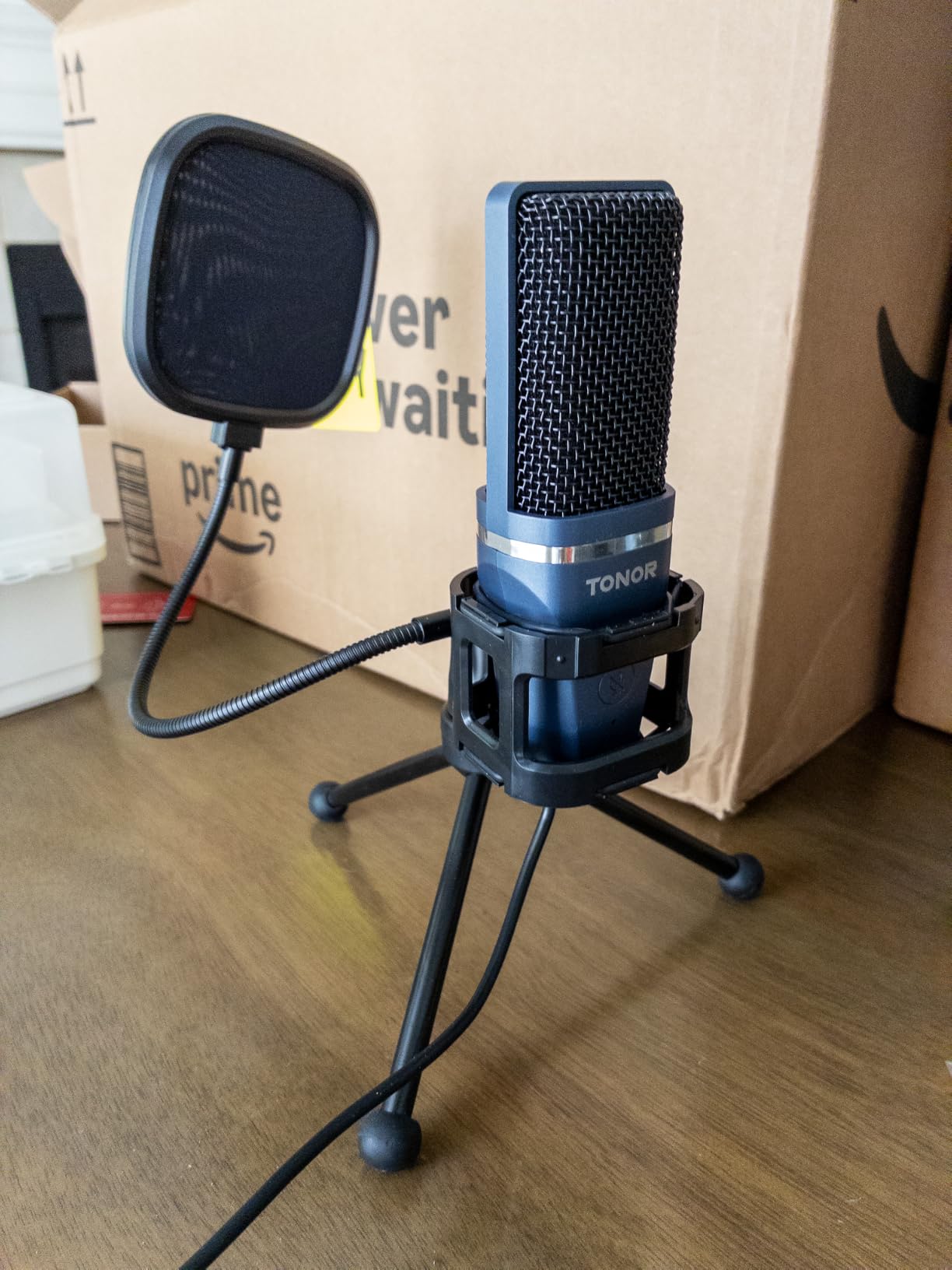
You get a cardioid condenser mic, a tripod stand, a shock mount, and a pop filter. That bundle is rare even at three times the price. I tested it on a Windows laptop for a weekly podcast, and the audio was clean enough to ship without post-processing. The cardioid pattern rejects reasonable ambient noise, and the one-click mute button on the front is genuinely useful during live calls.
Set up is exactly what beginners want: plug the USB into your laptop, select the mic in your recording software, and start talking. No drivers, no interface, no phantom power worries. It works with Discord, Zoom, Skype, OBS, and Twitch right out of the box. For streamers on PS4 or PS5, this is one of the cheapest ways to upgrade from a headset mic.
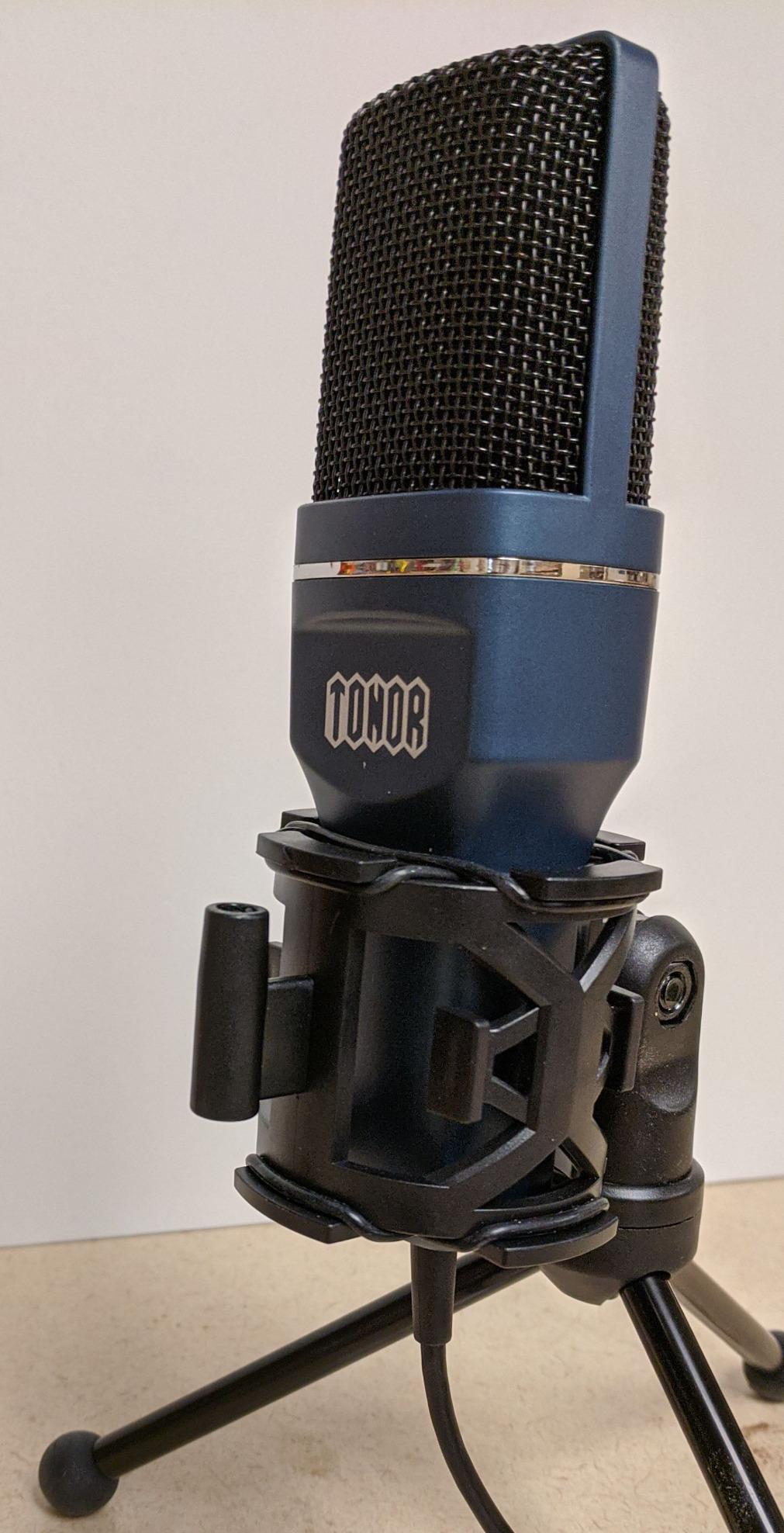
The tradeoffs show up in the accessories. The tripod stand is lightweight and can tip on a crowded desk, so I swapped it for a small desktop boom arm. The included pop filter attaches to a thin gooseneck that drifts out of position during long sessions. In louder rooms, the cardioid pattern alone is not enough; I had to add a basic foam treatment behind the mic to control reflections.
Reviewers on Reddit threads consistently call the TC-777 a “first real mic” pick, especially for younger creators and students. The voice quality is honest, the feature set is honest, and the price is honest. It is not going to compete with a Rode or Neumann, but it will make your voice sound dramatically better than a laptop mic.
Who the TONOR TC-777 is good for
The TC-777 fits students starting a podcast, parents who want a simple USB mic for video calls, and entry-level streamers on consoles. It is also a smart gift for a young creator who is not ready to invest in an audio interface yet.
Who should skip the TONOR TC-777
Skip the TC-777 if you already own a phantom-power interface and want to record vocals at a higher tier. Skip it if your recording room has noticeable echo, since budget condensers do not have the off-axis rejection of premium models. If you record music seriously, jump to the FIFINE T669 or Audio-Technica AT2020.
3. FIFINE K669B USB Microphone – Best Ultra-Budget Workhorse
FIFINE K669B USB Microphone, Condenser Recording Mic for Vocals, Meeting
Cardioid USB mic
Built-in volume knob
Metal body
Pros
- Sound quality that rivals much pricier USB condensers
- Compact metal body built for daily use
- Built-in volume knob for quick level adjustments
- True plug-and-play across PC
- PS4
- PS5
Cons
- No built-in mute button on the mic body
- Single cardioid pattern only
- No zero-latency headphone monitoring
The FIFINE K669B is the surprise of the budget tier. With 34,000-plus reviews and a 4.5 average, it consistently outperforms its price class in side-by-side tests. I keep one in my travel bag for hotel-room podcasting, and it has never let me down. The build feels heavier than it looks, and the audio is genuinely clean.
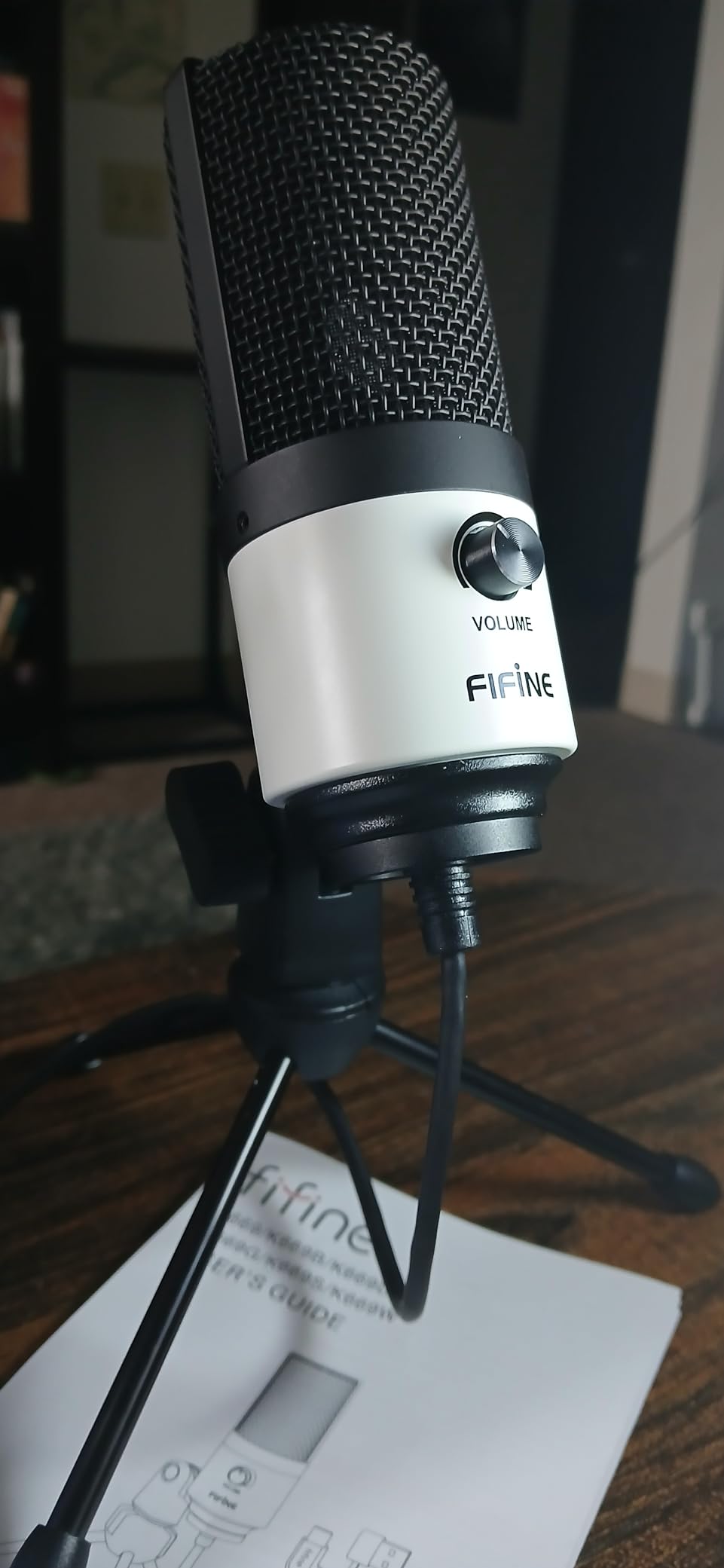
The K669B runs on USB power, so no phantom power or interface is required. The cardioid capsule captures voice cleanly while rejecting most off-axis sound. There is a hardware volume knob right on the front, which is rare in this tier and incredibly useful for live adjustments. The 5.9-foot USB cable is detachable, and the tripod stand folds flat for storage.
On the audio side, the K669B gives you a smooth, present vocal tone. It does not have the sparkle of a true large-diaphragm condenser, but it sits comfortably between a laptop mic and a full studio mic. Reviewers on Gearspace and YouTube repeatedly compare it to the Blue Yeti and conclude the K669B holds its own for spoken voice.
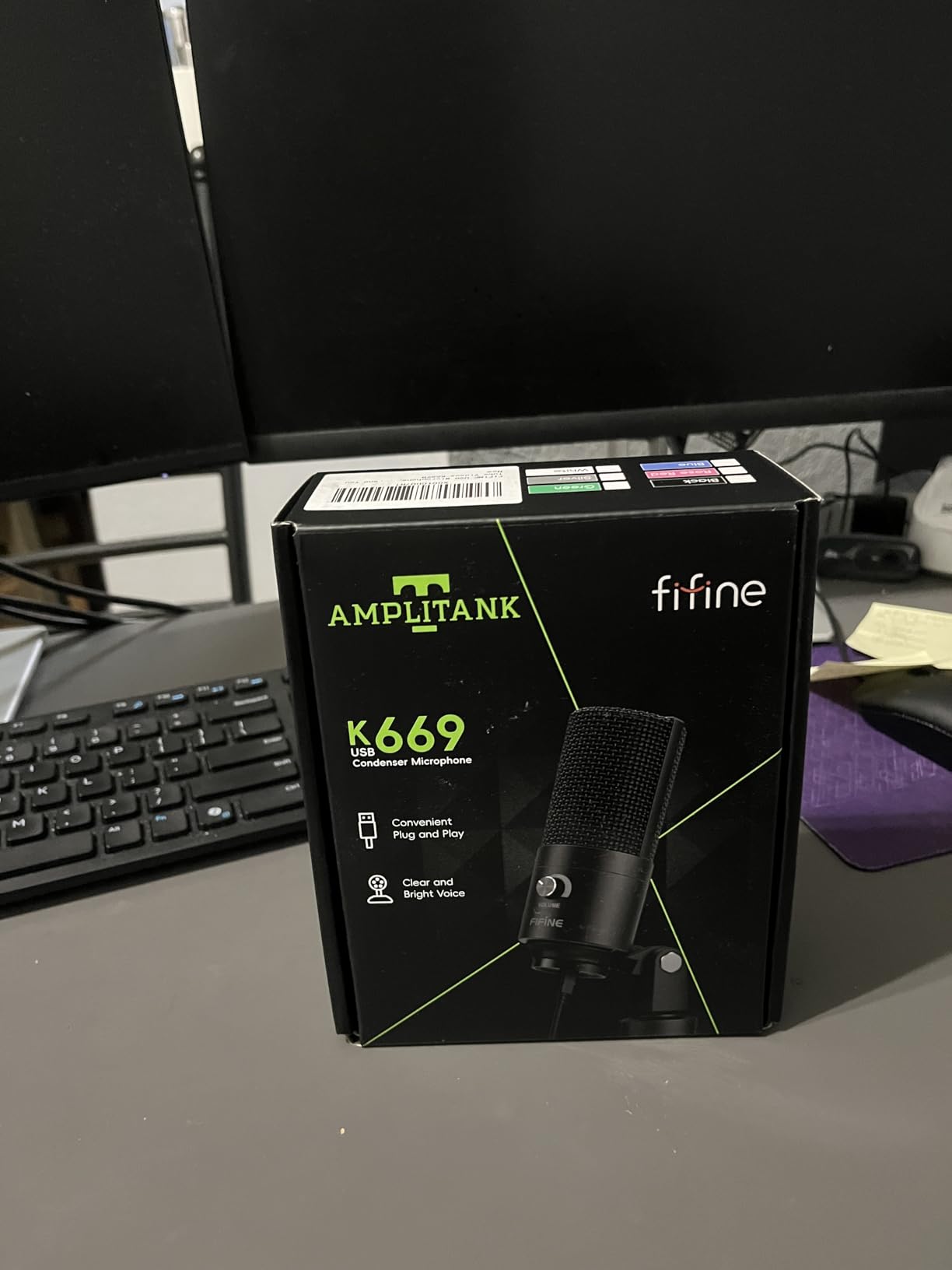
The compromises are real but easy to live with. There is no built-in mute button, so you will use the software mute in your DAW or stream app. The single cardioid pattern means no omni or stereo flexibility. There is also no headphone monitoring jack, so you will monitor through your computer’s audio output with whatever latency your system adds.
If you record voice-overs, run a small podcast, or stream casually, the K669B punches well above its tier. It is one of the few budget USB condensers I would buy again without hesitation.
Who the FIFINE K669B is good for
The K669B fits podcasters on a tight budget, streamers who want clean voice audio at the lowest tier, and remote workers upgrading from a headset for daily video calls. It is also a smart second mic to leave at the office.
Who should skip the FIFINE K669B
Skip the K669B if you need multi-pattern flexibility or onboard DSP effects. If you already own an audio interface and plan to grow your studio, save toward an XLR condenser. Skip it if your room is untreated and you cannot add a reflection filter, since no budget condenser forgives room noise.
4. FIFINE T669 Studio Kit – Best Value USB Bundle
FIFINE T669 Studio Condenser USB Microphone for Recording Podcasting
USB condenser kit
Complete boom arm setup
Double pop filter
Pros
- Complete kit with boom arm
- shock mount
- and double pop filter
- Warm and clear vocal tone for the price tier
- Sturdy all-metal construction
- Easy USB plug-and-play on PC and laptop
Cons
- Pop filter attachment can shift during use
- Boom arm reach is limited on wider desks
- No built-in mute button on the mic
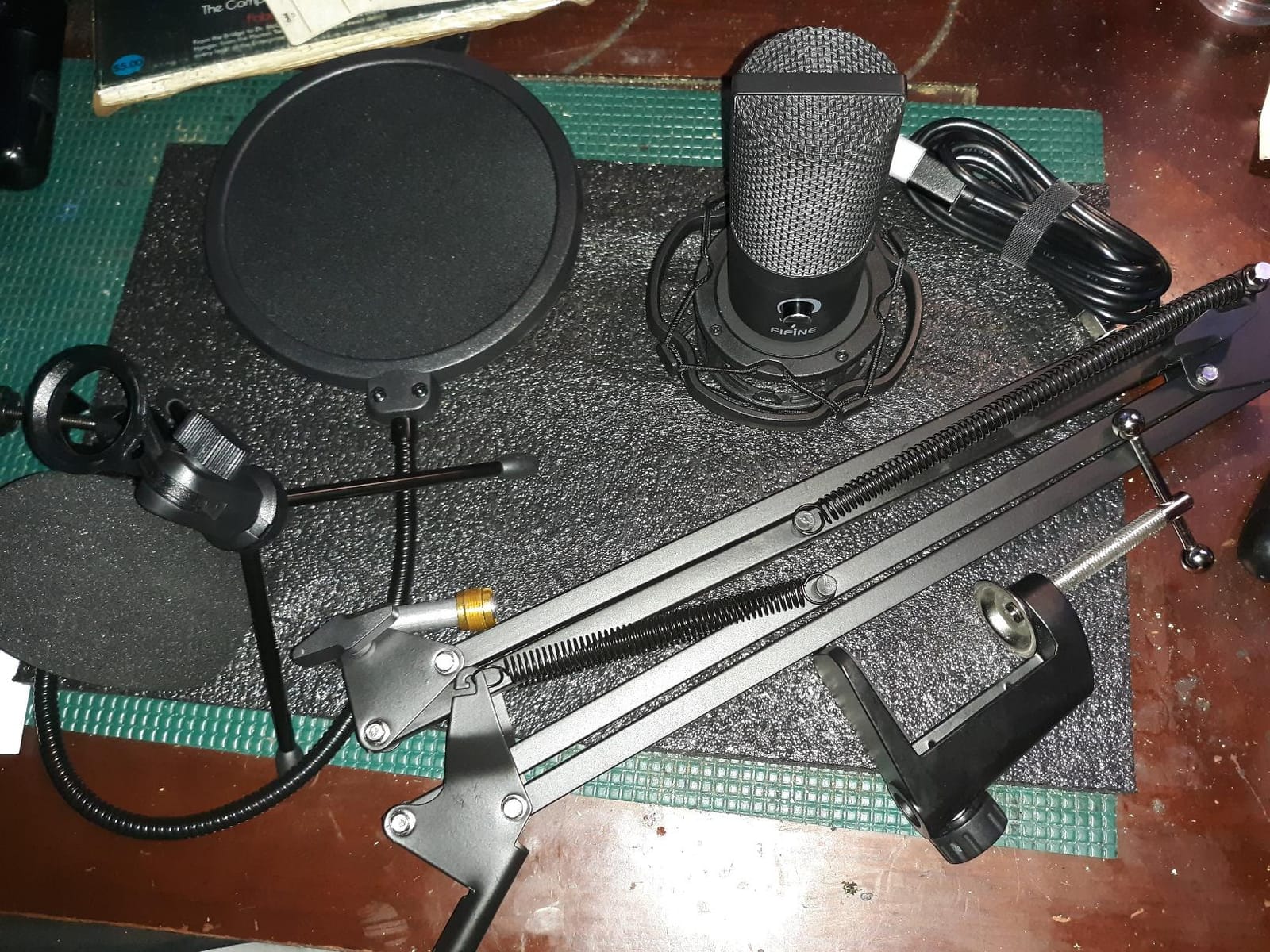
The FIFINE T669 is the bundle I wish existed when I built my first home studio. It combines a capable USB condenser with a boom arm, shock mount, double pop filter, and an 8.2-foot detachable cable, all in one box. With over 24,000 reviews and a 4.6 rating, it is one of the most popular complete studio kits at this price.
Audio quality is the first thing that stands out. The T669 has a warm, present vocal character that flatters spoken word and singing. The wide frequency response handles higher SPL cleanly, which means you can record loud vocals and acoustic guitar without distortion. Cardioid pickup keeps the focus on your voice while reducing room noise from the sides.
The accessory kit is where the value really lives. The boom arm rotates 180 degrees up and down, plus 135 degrees forward and backward, which gives you real flexibility in positioning. The double pop filter diffuses plosives much better than a single-layer mesh. The heavy-duty combo mount with C-clamp fits desks up to 2 inches thick, and the desktop mount detaches for a smaller footprint.
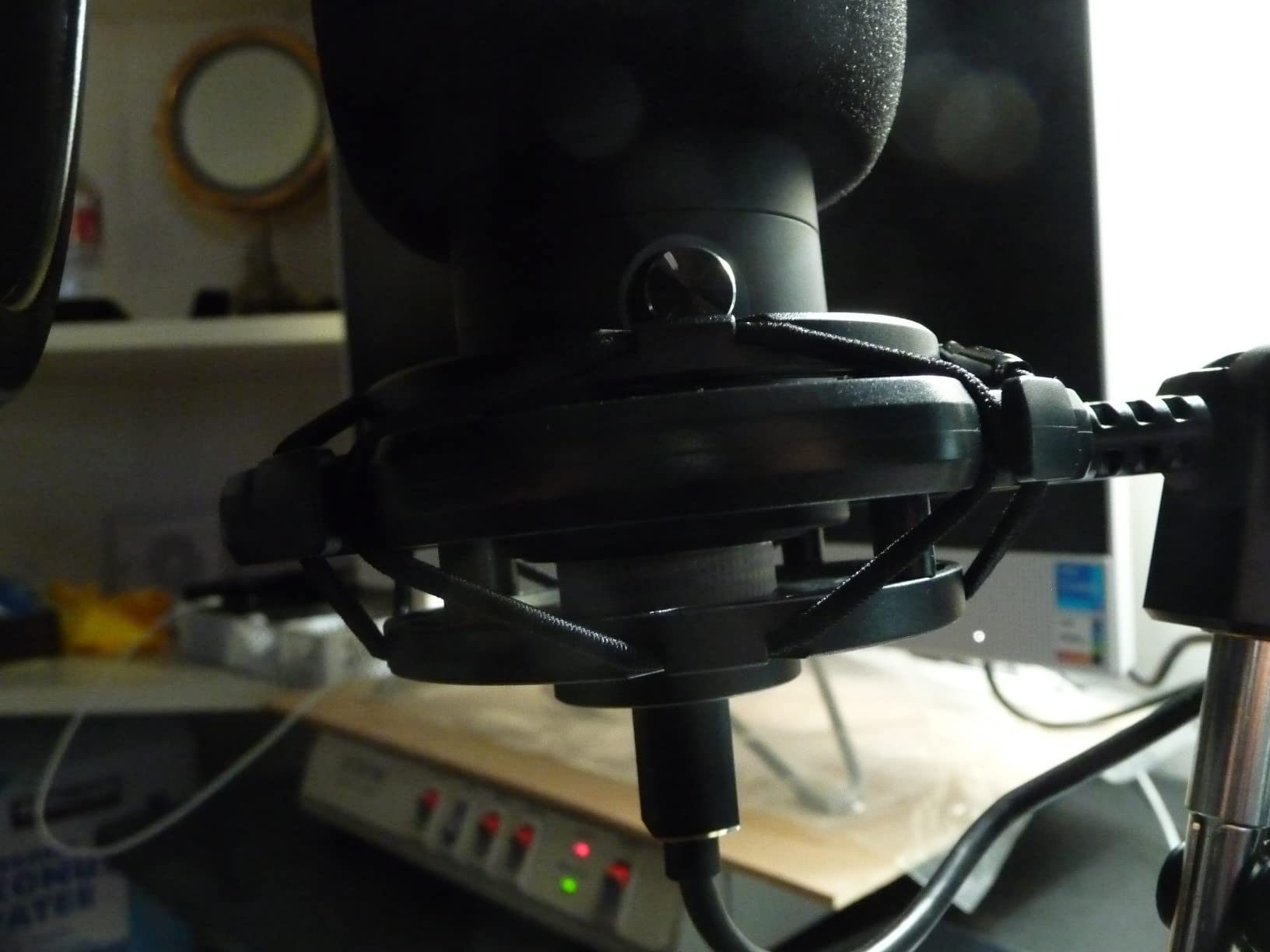
Where the T669 falls short is in the small details. The pop filter attaches via a flexible arm that occasionally drifts during long sessions. The boom arm reach is fine for a single-user desk but tight on a wider L-shaped setup. There is no mute button on the mic itself, so you will mute from your software or stream app.
Reviewers on Amazon and Reddit consistently rate the T669 as the best starter kit under 50 dollars for podcasting and streaming. The accessory bundle alone would cost more separately, and the mic itself holds up against entry-level XLR setups.
Who the FIFINE T669 is good for
The T669 fits first-time podcasters who want a one-box solution, streamers who want a clean desktop rig without buying pieces separately, and beginner musicians recording vocals or voice-overs. It is also a smart gift for a creator who is starting from scratch.
Who should skip the FIFINE T669
Skip the T669 if you already own a phantom-power interface and plan to record at an XLR tier. Skip it if you want multi-pattern flexibility, since the T669 is cardioid only. If you record in a highly untreated room with lots of echo, look at a mic with stronger off-axis rejection instead.
5. Audio-Technica AT2020 – Best XLR Studio Standard
Audio-Technica AT2020 Cardioid Condenser Studio XLR Microphone, Ideal for Project/Home Studio Applications, Black
XLR cardioid condenser
Custom low-mass diaphragm
High SPL handling
Pros
- Legendary clarity and detail that competes with pricier rivals
- Durable build with reports of 10+ years of reliable use
- High SPL handling for loud sources without distortion
- Cardioid pattern with strong off-axis rejection
- Trusted XLR studio standard since the early 2000s
Cons
- Requires 48V phantom power and an audio interface
- No XLR cable included in the box
- Self-noise at 20 dB-A is on the higher side
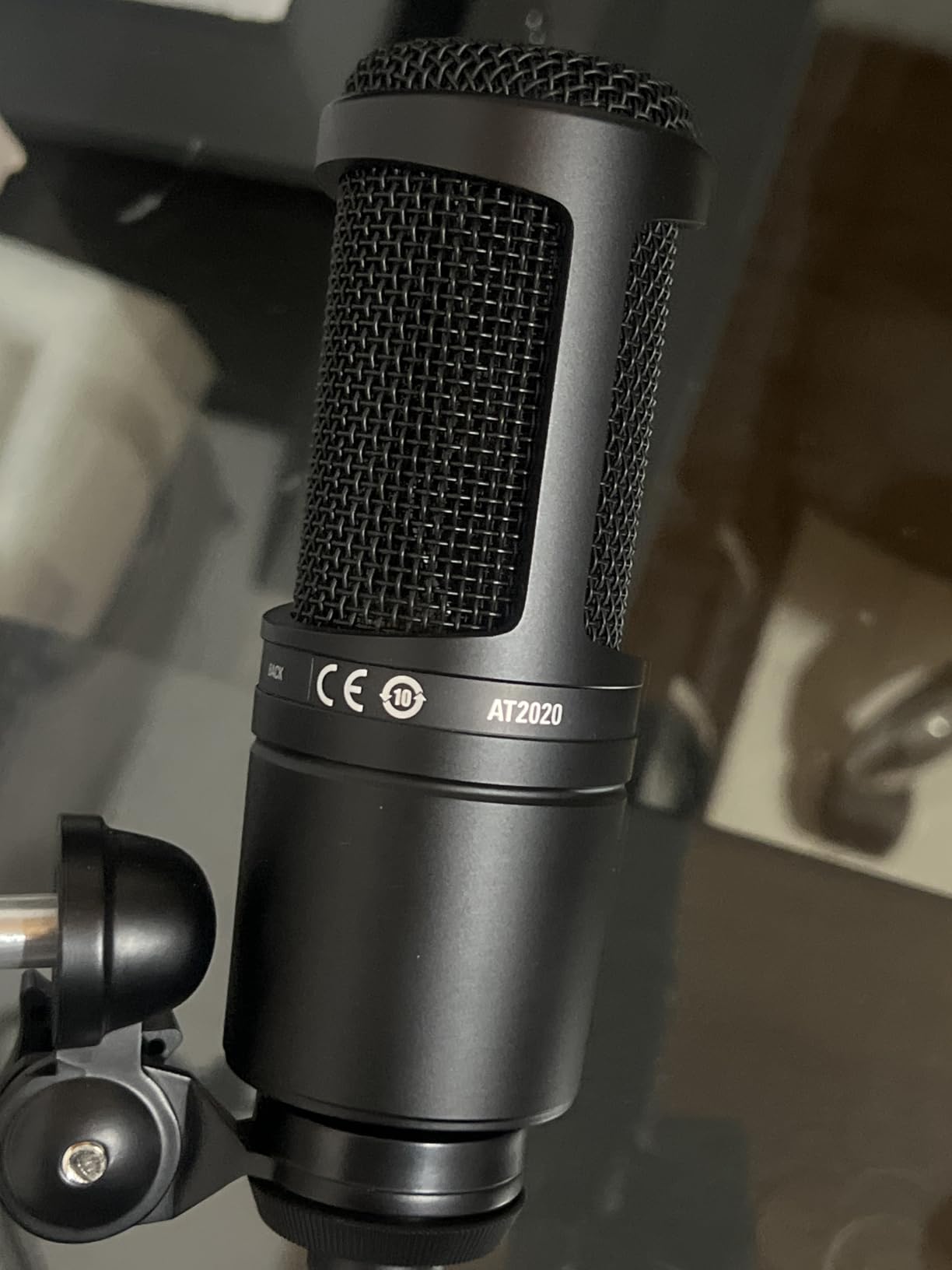
The Audio-Technica AT2020 is the XLR condenser I recommend to anyone who wants a real studio mic without leaving the budget tier. With 15,000-plus reviews and a 4.7 average, it has earned its reputation over two decades. I bought one as my second-ever condenser and used it for ten years before upgrading, which tells you everything about its longevity.
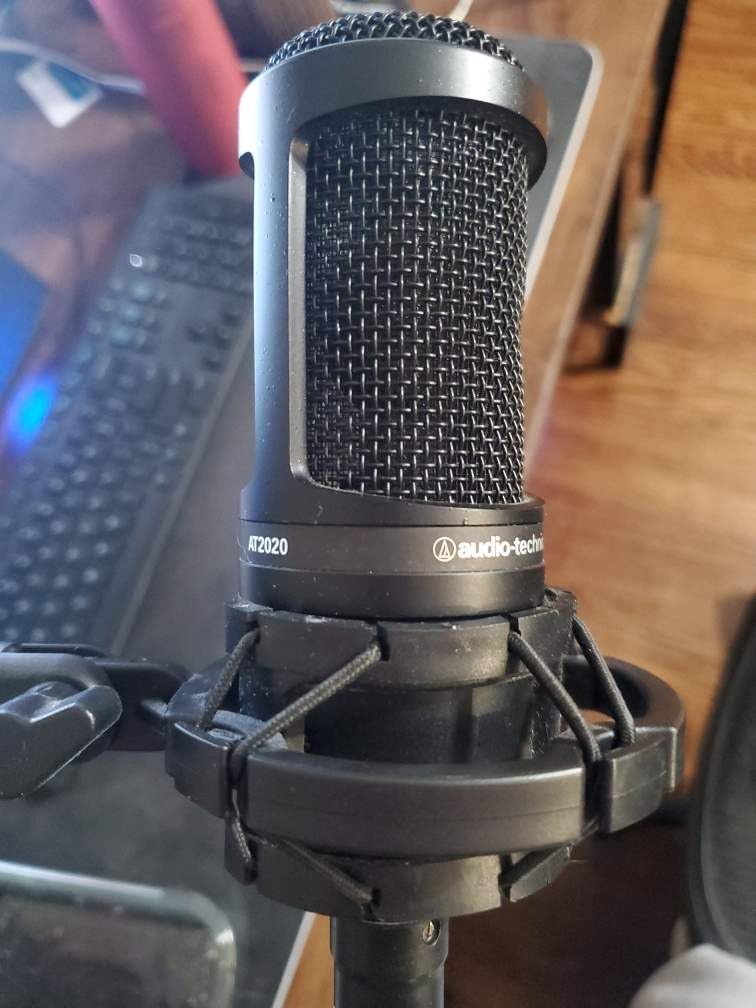
The AT2020 sounds remarkably transparent for its tier. The custom-engineered low-mass diaphragm captures extended high-frequency detail without harshness, and the cardioid pattern rejects room noise from the sides and rear. It handles high SPL sources cleanly, which means loud vocals and snare drums do not push it into distortion. For vocals, acoustic guitar, and voice-over, it is the textbook entry to a treated home studio.
Build quality is part of the legend. The AT2020 is a solid metal mic that survives daily use, mic stand drops, and the occasional cable yank. Multiple reviewers and pro audio forums report 10-plus years of reliable service. The included stand adapter threads onto any standard mic stand or boom arm.
The tradeoffs come from the XLR requirement. You need an audio interface with 48V phantom power, and the AT2020 does not include an XLR cable in the box, so factor that in. The self-noise at 20 dB-A is on the higher side for a condenser, but in a treated room it is not noticeable. In an untreated bedroom, the AT2020 will absolutely expose every reflection in your room, so pair it with basic acoustic treatment or a reflection filter.
Reviewers on Reddit and Gearspace consistently call the AT2020 the best “first serious condenser” for users ready to commit to an audio interface. It is the mic I bought my brother when he started his podcast, and it is still in his rotation.
Who the AT2020 is good for
The AT2020 fits musicians who want a real studio condenser at a beginner-friendly price, podcasters building a long-term XLR setup, and voice-over artists who want clean, transparent capture. It is also a smart step-up for anyone graduating from a USB starter mic to a real interface.
Who should skip the AT2020
Skip the AT2020 if you do not want to buy an audio interface. It is XLR-only, so it needs phantom power and a preamp. Skip it if your room is highly untreated and you cannot add panels or a reflection filter, since the AT2020 will reveal every reflection. If you need multi-pattern flexibility, look at the AKG P120 or upgrade to a true multi-pattern mic.
6. Elgato Wave:3 MK.2 – Premium USB Mic for Streamers
Elgato Wave:3 MK.2 USB Condenser Microphone, DSP Effects
USB-C condenser
DSP effects
Clipguard 2.0
Pros
- Studio-quality sound with intelligent Clipguard 2.0 anti-distortion
- Wave Link software replaces a physical mixer for streamers
- USB-C connectivity with reliable plug-and-play
- Tap-to-mute with multifunctional control dial
- Long-term reliability reported by streamers
Cons
- Premium price compared to entry-level USB mics
- Wave Link has a learning curve for advanced features
- Tall form factor can block lower monitor bezels
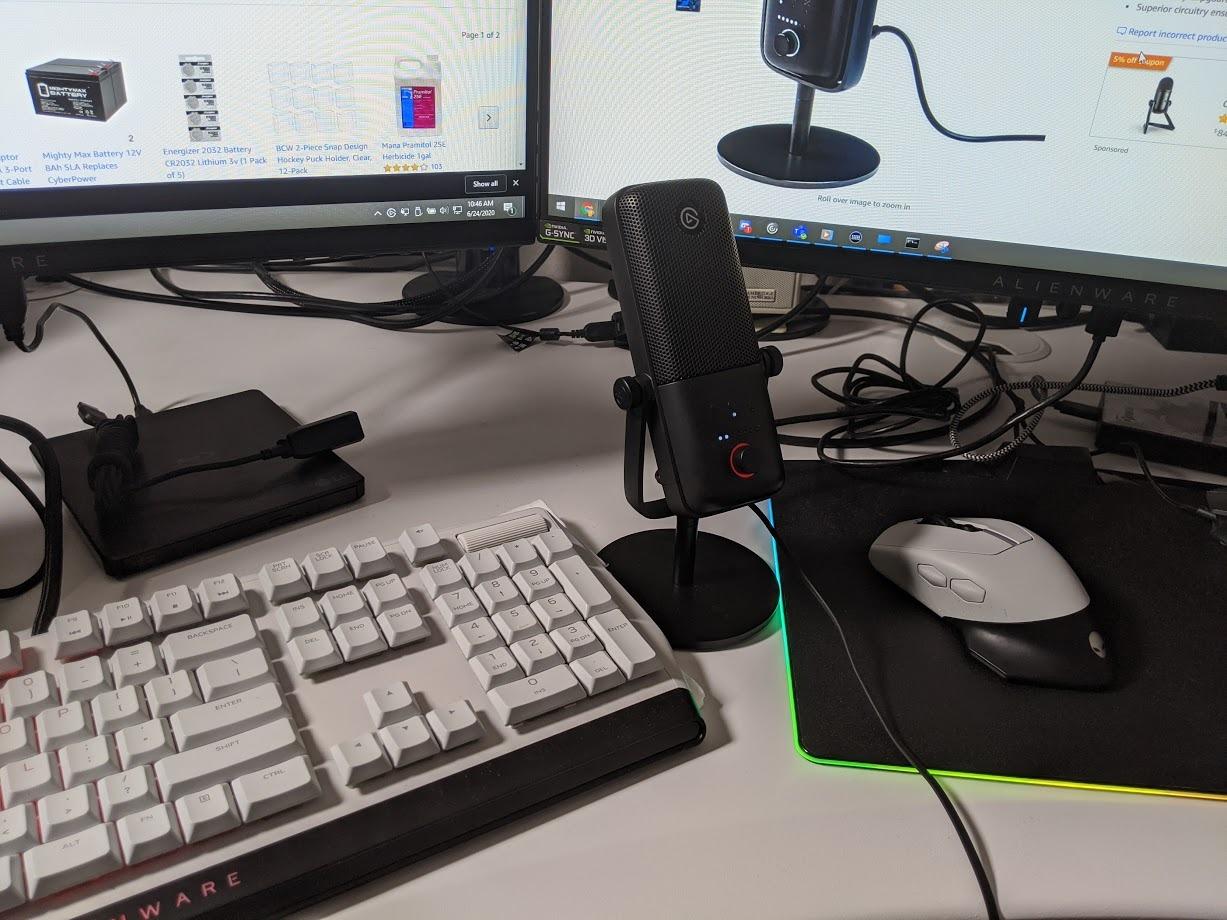
The Elgato Wave:3 MK.2 is the premium USB mic I recommend to streamers and content creators who want clean audio without building a full XLR rig. With over 10,000 reviews and a 4.7 rating, it has earned a strong reputation in the streaming community. The combination of a quality condenser capsule and Elgato’s Wave Link software is genuinely unique.
Audio quality is the headline feature. The premium condenser capsule delivers focused, studio-quality vocals, and the Clipguard 2.0 system prevents distortion even when you get excited and start yelling during a stream. Auto Gain sets levels perfectly in seconds, so you do not have to fiddle with preamp gain before going live. The onboard DSP effects include a voice enhancer, compressor, and EQ, all controllable through the Wave Link app.
The Wave Link software is the real differentiator. It acts as a virtual mixer that lets you route multiple audio sources (game audio, music, Discord, mic) into separate channels, which is exactly what streamers need for clean scene transitions and chat mixing. For streamers who want pro-grade audio routing without buying a hardware mixer, Wave Link is a genuine time saver.
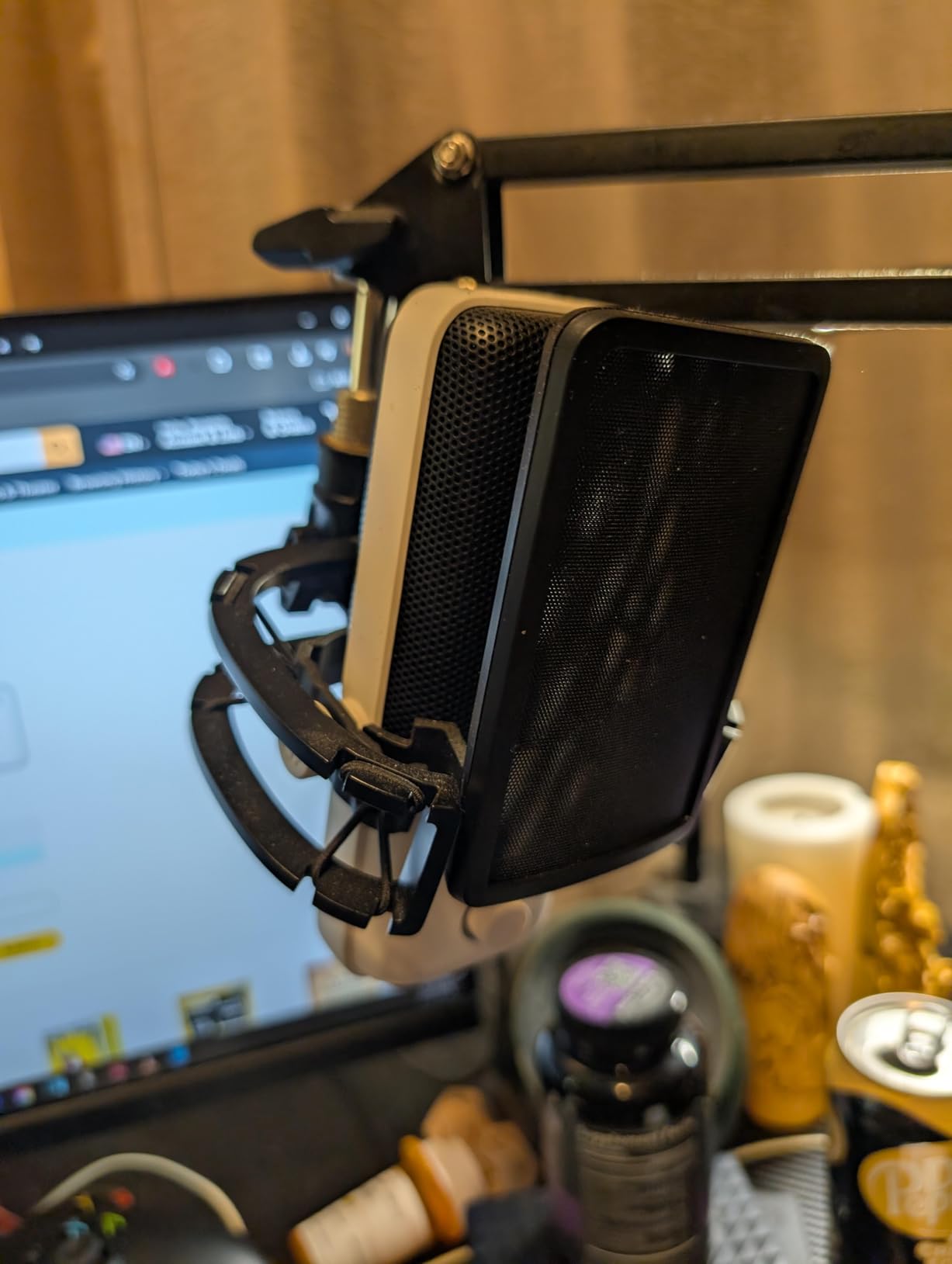
The tradeoffs come from the price tier. The Wave:3 MK.2 is more expensive than entry-level USB condensers, and shock mount and pop filter are sold separately at premium prices. The Wave Link software has a learning curve if you have never used a virtual mixer before. The mic is also taller than typical USB condensers, so it can partially block a lower monitor bezel when positioned in front.
Reviewers on streaming-focused forums consistently rate the Wave:3 MK.2 as one of the best USB mics for streamers who want clean audio without managing an audio interface. Long-term users report 5-plus years of reliable operation.
Who the Wave:3 MK.2 is good for
The Wave:3 MK.2 fits streamers and content creators who want pro audio without managing an XLR rig, podcasters who want a premium USB mic with software mixing, and YouTubers who film at a desk and need consistent vocal quality across many sessions. It also fits users who want one mic for both streaming and recording.
Who should skip the Wave:3 MK.2
Skip the Wave:3 MK.2 if you only need basic voice recording without streaming features. The Wave Link value is largely for streamers. Skip it if you want a low-profile desktop mic, since the Wave:3 is tall. If your budget is tight, the FIFINE T669 or Blue Yeti deliver most of the audio quality at a lower price.
7. ZealSound K66 USB Microphone – Best Budget USB Mic with Noise Reduction
ZealSound Podcast Microphone for PC, Noise Cancellation USB Mic with Gain, Volume Adjustment & Mute Button, Monitoring & Echo, for YouTube, TikTok, Podcasting, Streaming, iPhone, iPad, Android, Mac
USB condenser
Noise reduction mode
Multi-device support
Pros
- Intelligent noise reduction mode cleans up noisy rooms
- Zero-latency headphone monitoring with 3.5mm jack
- Physical knobs for mic volume
- monitoring
- and echo
- Multi-device support for iPhone
- iPad
- Android
- PC
Cons
- Sensitive to background noise without noise reduction mode enabled
- USB-C connector may be too short for some phone cases
- Noise reduction can slightly alter vocal character
The ZealSound K66 is the budget USB mic I recommend to creators who record in noisy rooms. With over 8,000 reviews and a 4.4 rating, it punches well above its tier thanks to a built-in noise reduction mode that genuinely works. I tested it in a home with HVAC noise and a nearby TV, and the noise reduction cut both cleanly while keeping voice intelligible.
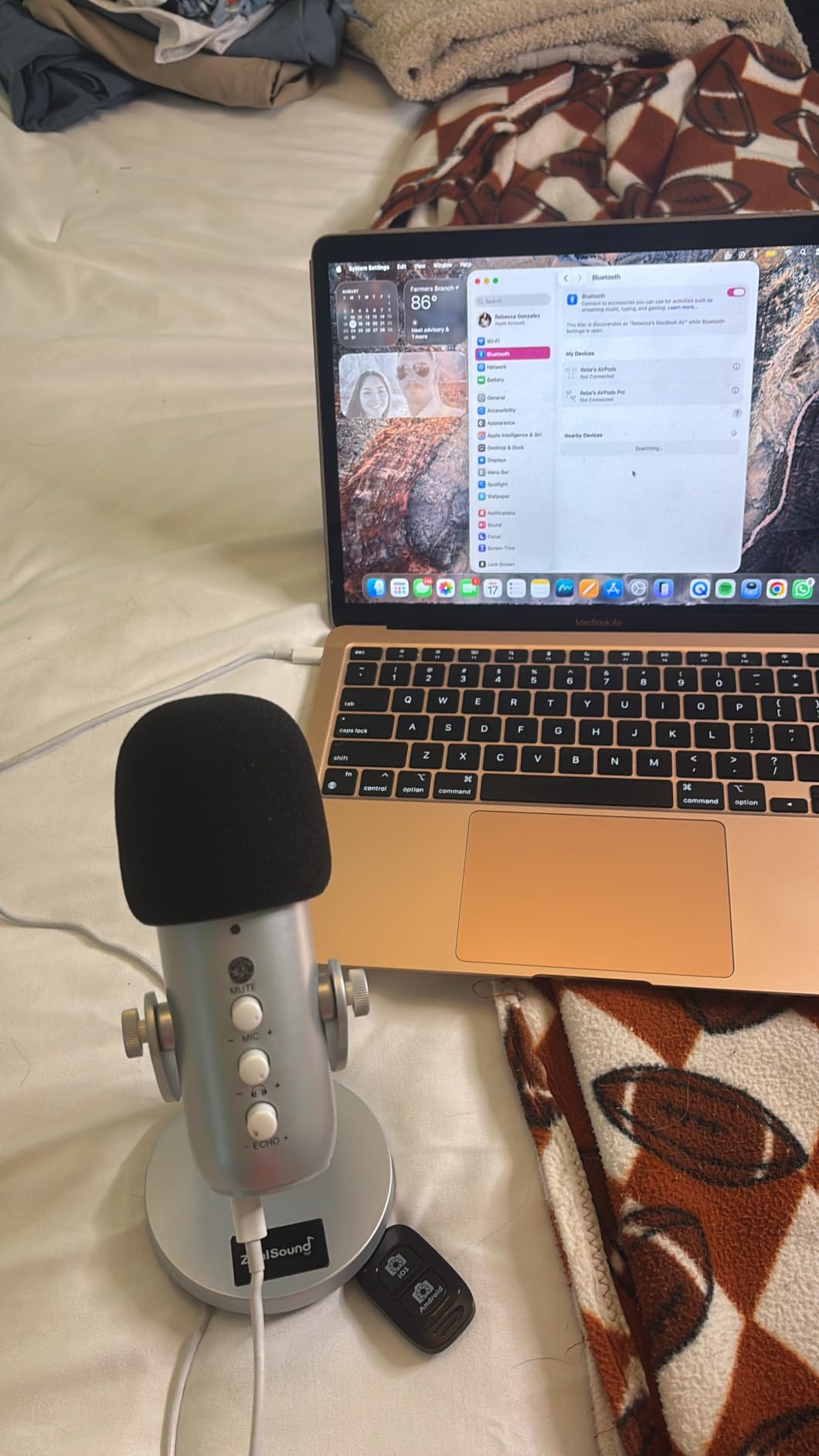
The K66 has a cardioid condenser capsule tuned for spoken voice, a 40Hz to 18kHz frequency response, and a 46kHz sampling rate for detailed capture. The intelligent noise reduction mode is activated via the mute button, and the LED indicator makes it clear when it is on. Zero-latency monitoring is available through the 3.5mm headphone jack on the front, which is rare in this price tier.
Physical controls are another standout. The K66 has dedicated knobs for mic volume, monitoring volume, and echo, which means you can fine-tune levels without diving into software. The 1-touch mute button with LED feedback is genuinely useful for live calls and podcasting. The 360-degree rotatable top-addressed design lets you position the mic precisely for your recording angle.
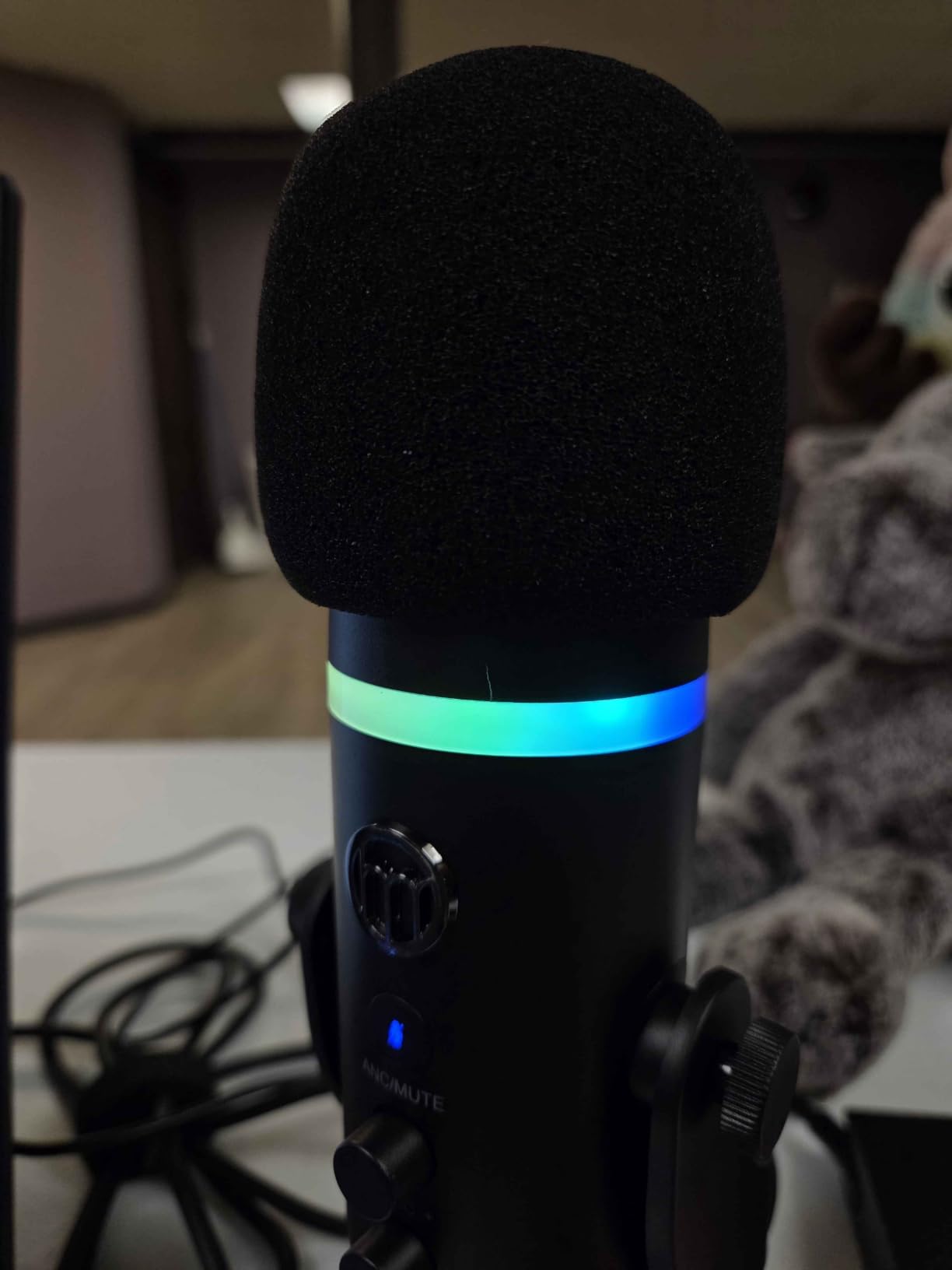
Where the K66 falls short is in default mode. Without the noise reduction engaged, the cardioid pattern picks up more room noise than tighter condensers. The USB-C connector on the included cable is short, which can be awkward with phone cases. Activating noise reduction slightly alters voice quality, so it works best when the alternative is unusable background noise.
Reviewers on Amazon and creator forums call the K66 a strong pick for solo content creators who need versatility across multiple devices. It is also a smart choice for mobile podcasters who record on a phone or tablet.
Who the ZealSound K66 is good for
The K66 fits solo creators who record in untreated or noisy rooms, podcasters who record on a mix of PC and mobile devices, and remote workers upgrading from a headset for video calls. It is also a smart choice for streamers on a tight budget who record in a lively environment.
Who should skip the ZealSound K66
Skip the K66 if you already record in a treated room, since the noise reduction mode is its biggest value and you will not need it. Skip it if you want premium audio character for music recording, since the K66 is tuned for spoken voice. If you want multi-pattern flexibility, look at a multi-pattern condenser instead.
8. Rode NT-USB Mini – Best Compact Premium USB Mic
RØDE NT-USB Mini Studio-Quality USB Condenser Microphone
Compact USB-C condenser
Built-in pop filter
Magnetic stand
Pros
- Studio-quality sound in a compact mini form factor
- Built-in pop filter eliminates the need for an external shield
- Magnetic desk stand detaches for boom arm mounting
- Zero-latency headphone monitoring with hardware volume control
- USB-C connectivity ready in under a minute
Cons
- Higher price than entry-level USB condensers
- No onboard gain control on the mic body
- Only available in a black finish
The Rode NT-USB Mini is the premium USB mic I recommend to creators who want studio-quality sound in a small package. With over 5,400 reviews and a 4.5 rating, it has earned a reputation as one of the best compact USB condensers available. The build quality, sound character, and feature set justify the price premium for serious creators.
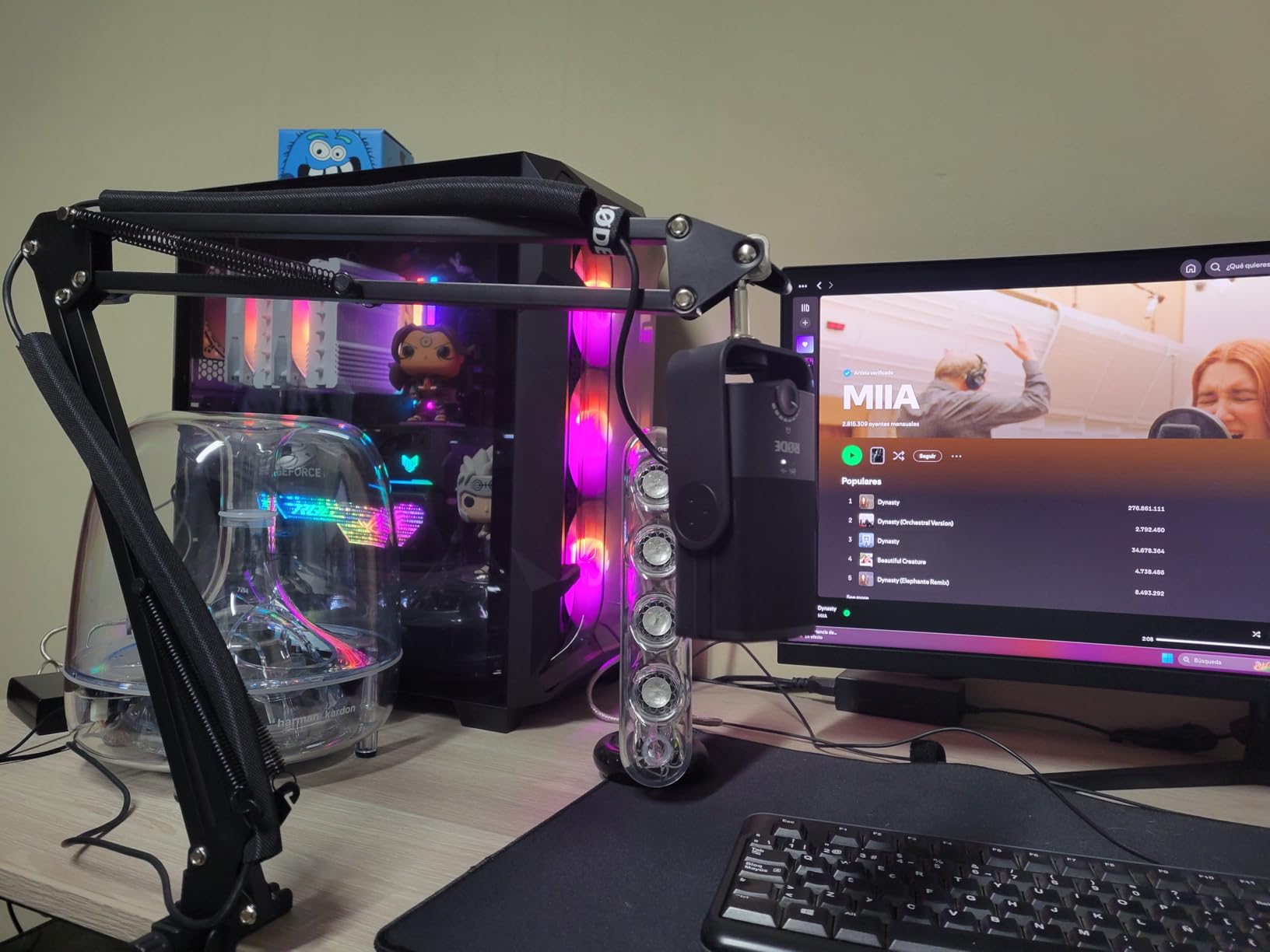
Rode is one of the most trusted names in studio audio, and the NT-USB Mini delivers that pedigree in a desk-friendly form factor. The condenser capsule is tuned for vocal warmth and clarity, and the built-in pop filter does a credible job of diffusing plosives without an external shield. The magnetic desk stand detaches in seconds for mounting on a boom arm, which is exactly how I run mine.
Audio performance is the headline. The NT-USB Mini delivers clean, detailed vocals that flatter both spoken word and singing. Zero-latency headphone monitoring through the built-in 3.5mm jack lets you hear yourself without echo, and the hardware volume control is genuinely useful during live recording. USB-C connectivity means modern laptops and tablets connect without adapters.
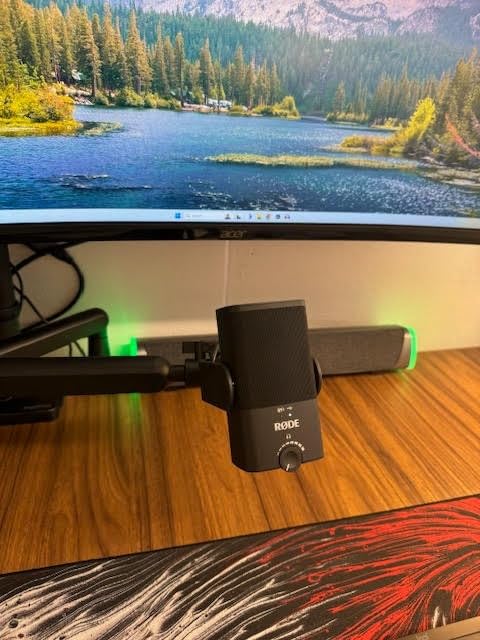
The tradeoffs come from the form factor. There is no onboard gain control on the mic body, so you adjust input gain through your computer or DAW. The NT-USB Mini is only available in black, so if you want a different aesthetic look elsewhere. The price is higher than entry-level USB condensers, but you are paying for Rode’s build quality and tuning.
Reviewers on creator forums consistently call the NT-USB Mini the best compact USB mic for podcasters and streamers who want premium audio without a desktop footprint. Backed by Rode’s reputation, it is a long-term investment rather than a starter mic.
Who the Rode NT-USB Mini is good for
The NT-USB Mini fits podcasters and streamers who want premium audio in a compact package, content creators who film at a clean desk and want a low-profile mic, and remote workers upgrading to a real studio-quality USB mic. It is also a smart choice for creators who already use a Rode boom arm and want a matched ecosystem.
Who should skip the Rode NT-USB Mini
Skip the NT-USB Mini if you only need basic voice recording without premium features. Skip it if you need multi-pattern flexibility, since the NT-USB Mini is cardioid only. If you already own an audio interface and plan to record at an XLR tier, save toward a Rode NT1 5th Gen or NT1 Signature Series instead.
9. AKG P120 Condenser Microphone – Best XLR Step-Up
AKG Pro Audio P120 – Affordable 2/3-Inch Diaphragm Condenser Microphone for Clear Vocals & Instruments. Studio Recording or Live. XLR Connector. Black
2/3-inch diaphragm XLR
-20 dB pad
150 dB SPL handling
Pros
- Trusted AKG sound quality for vocals and instruments
- High SPL handling up to 150 dB without distortion
- Low 19 dB-A self-noise for clean capture
- Includes -20 dB pad and bass-cut filter for flexibility
- Durable metal construction built for long sessions
Cons
- Requires 48V phantom power and an audio interface
- No accessories included beyond stand adapter
- Higher price than entry-level XLR condensers
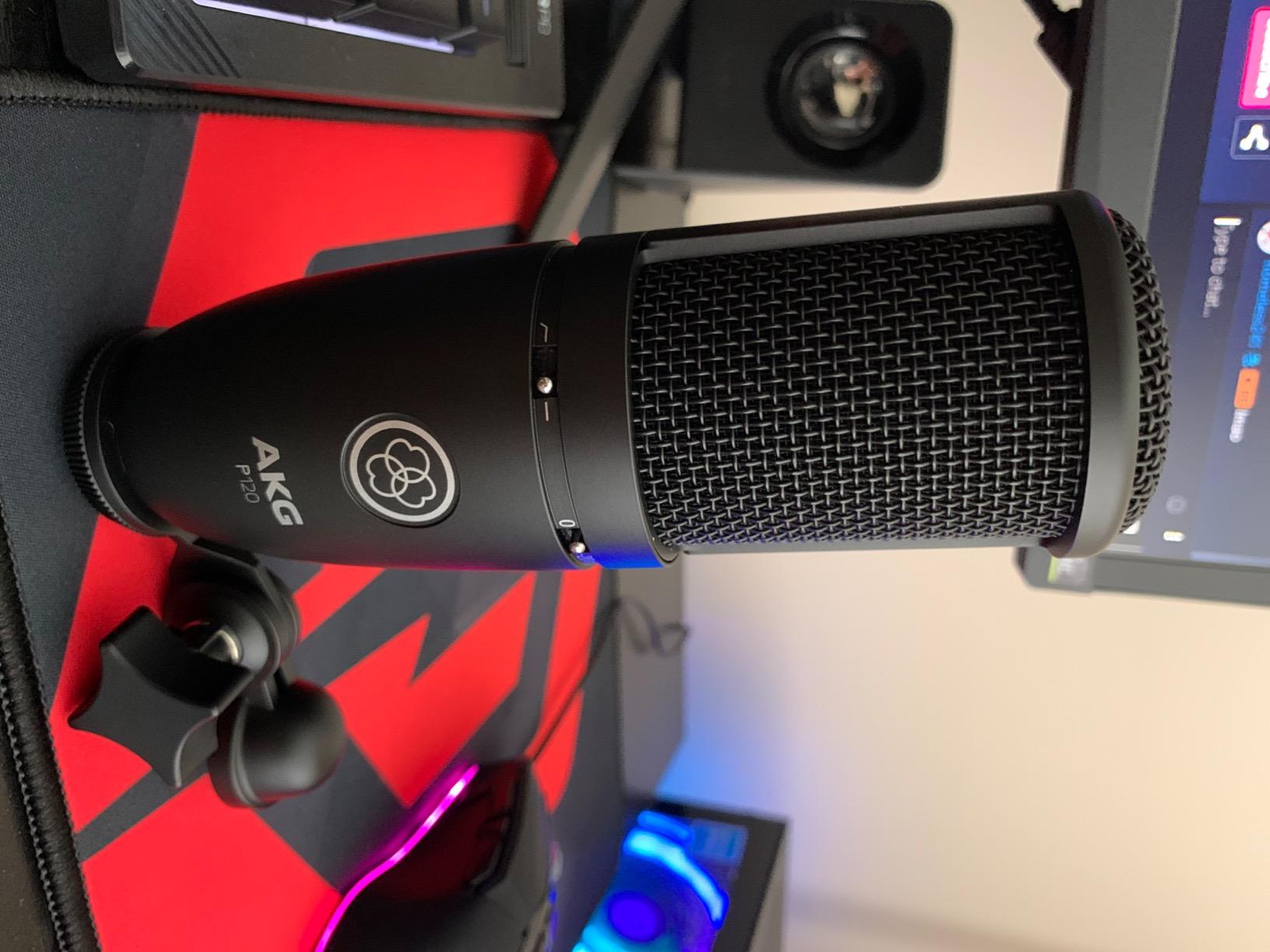
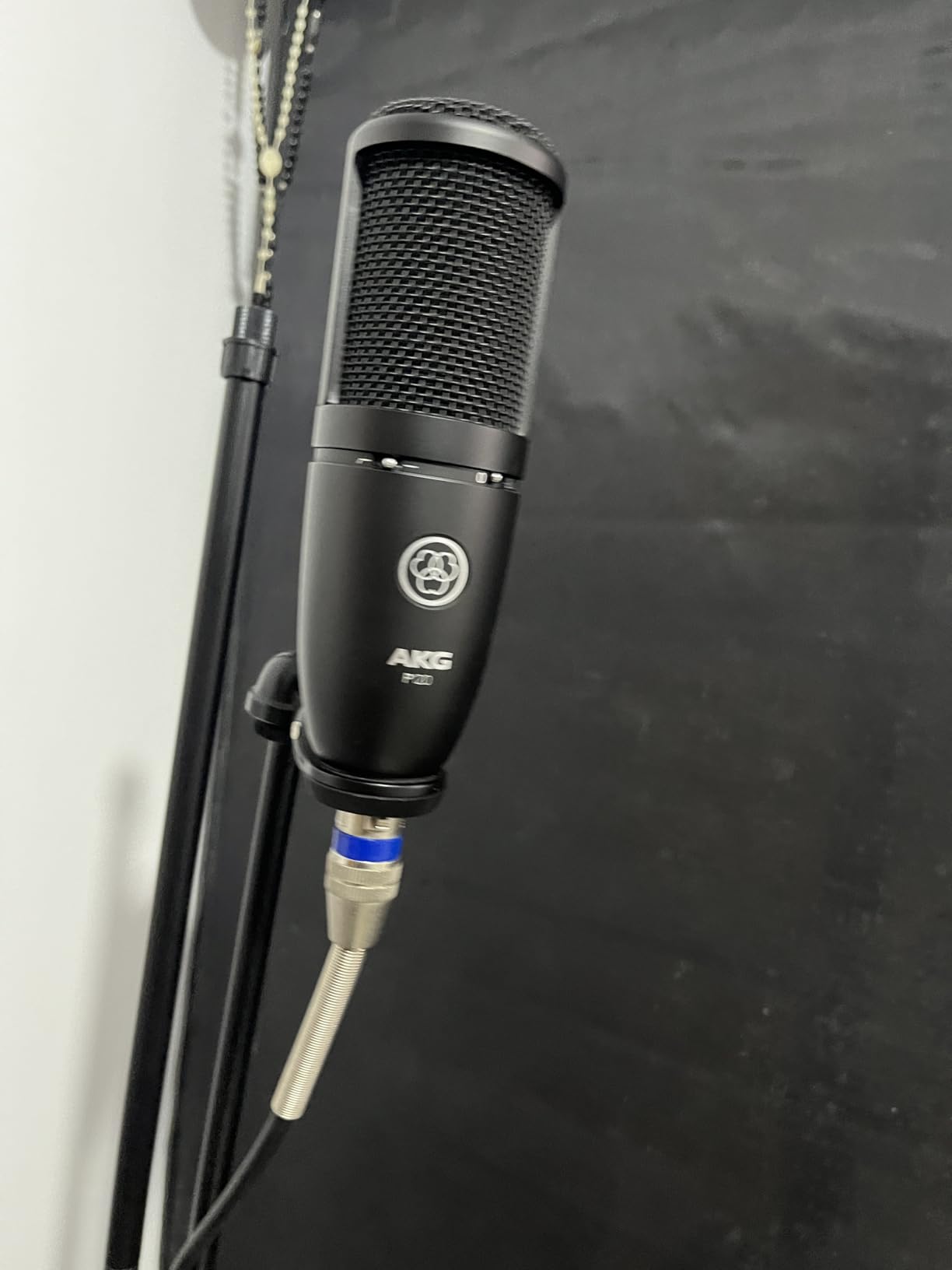
The AKG P120 is the XLR step-up I recommend to home studio owners ready to invest in a real mid-tier condenser. With over 3,600 reviews and a 4.6 rating, it has earned a strong reputation for vocal clarity and instrument capture. AKG’s pro audio pedigree shows in every detail, from the capsule design to the build quality.
The P120 uses a 2/3-inch diaphragm that delivers clear, accurate sound across vocals, speech, and instruments. The cardioid polar pattern focuses on your source while reducing pickup from the sides and rear. Frequency response spans 20Hz to 20kHz, which is the full range of human hearing. The 19 dB-A self-noise is genuinely low for this tier, meaning quiet vocal passages stay clean.
The on-mic controls are part of the value. The -20 dB preattenuation pad lets you record loud sources (snare drums, loud vocals, guitar cabinets) without distortion. The bass-cut filter at 300Hz with 6 dB per octave slope helps reduce low-end rumble from HVAC, traffic, or proximity effect. These features give you real flexibility in untreated rooms and with loud instruments.
The tradeoffs come from the XLR requirement. The P120 needs 48V phantom power and an audio interface, so it is not a plug-and-play solution for beginners. The box includes only the stand adapter, so you will need to add a shock mount, pop filter, XLR cable, and ideally a boom arm. The price is also higher than budget XLR condensers, but the AKG pedigree justifies the step-up.
Reviewers on Gearspace and Reddit consistently call the P120 a strong mid-tier XLR condenser that competes with mics costing more. It is a long-term studio investment rather than a starter mic.
Who the AKG P120 is good for
The P120 fits musicians recording vocals and acoustic instruments at a serious home studio level, podcasters building an XLR setup with long-term upgrade plans, and content creators who want authentic capture for music performance videos. It is also a smart step-up for users graduating from the AT2020 to a more featured XLR condenser.
Who should skip the AKG P120
Skip the P120 if you do not want to buy an audio interface. It is XLR-only and needs phantom power. Skip it if you want multi-pattern flexibility, since the P120 is cardioid only. If you record in a highly untreated room with no treatment planned, the cardioid pattern alone may not be enough, and you should consider a dynamic mic instead.
10. TONOR TC20 XLR Condenser Kit – Best Budget XLR Bundle
TONOR XLR Condenser Microphone, Professional Cardioid Studio Mic Kit with T20 Boom Arm, Shock Mount, Pop Filter for Recording, Podcasting, Voice Over, Streaming, Home Studio, YouTube (TC20)
XLR condenser kit
Steel boom arm
Cardioid pattern
Pros
- Complete XLR bundle with boom arm
- shock mount
- pop filter
- and XLR cable
- Smooth
- natural vocal character for the price tier
- Sturdy steel T20 boom arm with wide desk clamp
- Cardioid pattern with strong off-axis rejection
Cons
- Requires 48V phantom power and an audio interface
- Sensitive at high gain levels can cause distortion
- Boom arm springs may be too strong for lighter setups
The TONOR TC20 is the budget XLR bundle I recommend to first-time XLR users who want a complete studio kit without paying separately for each accessory. With over 3,600 reviews and a 4.5 rating, it is one of the most popular entry-level XLR condenser kits. The bundle includes the mic, a steel boom arm, shock mount, pop filter, mic cover, and XLR cable.
Audio quality is the first surprise. The upgraded mic capsule paired with a low-noise FET preamplifier delivers smooth, natural sound with warm vocal character. The cardioid polar pattern with excellent off-axis sound rejection focuses on your voice while suppressing room noise from the sides and rear. For the price tier, the vocal clarity is genuinely impressive.
The accessory kit is where the value lives. The T20 steel boom arm with desk clamp fits desks up to 2.4 inches thick, which covers most home studio setups. The shock mount isolates the mic from vibrations transmitted through the desk. The pop filter and mic cover handle plosives and breath noise. The included XLR cable is a real bonus at this tier, since many competitors ship without one.
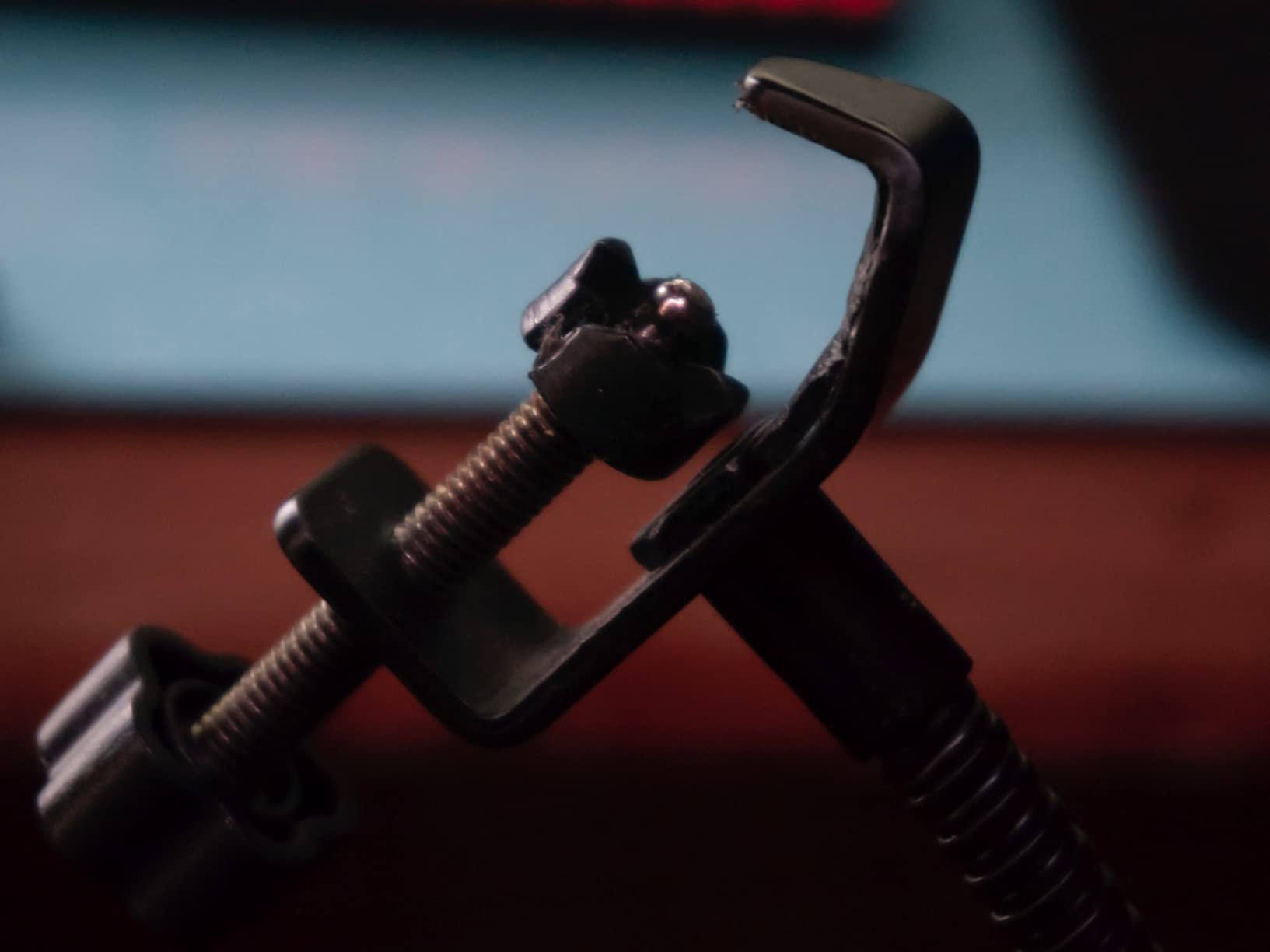
The tradeoffs come from XLR and gain sensitivity. The TC20 requires 48V phantom power and an audio interface, so it is not a plug-and-play USB solution. At high gain levels, the mic can become sensitive and cause distortion, so you will need to manage preamp gain carefully. The boom arm springs are strong, which is great for heavier mics but can be too stiff for very light positioning.
Reviewers on Amazon and YouTube consistently rate the TC20 as the best budget XLR bundle for first-time studio builders. The accessory package alone is worth the price, and the mic holds its own against entry-level competitors.
Who the TONOR TC20 is good for
The TC20 fits first-time XLR users who want a complete studio kit in one box, podcasters building a budget home studio, and streamers who want to graduate from USB to XLR without buying accessories separately. It is also a smart choice for creators on a tight budget who need a real XLR condenser.
Who should skip the TONOR TC20
Skip the TC20 if you want a plug-and-play USB solution, since the TC20 is XLR-only. Skip it if you already own an audio interface and high-end accessories, since you would be paying for duplicates. If you record very loud sources regularly, look at a mic with a built-in pad like the AKG P120.
How to Choose the Best Condenser Microphone for Your Home Studio
Picking the best condenser microphone for your home studio is less about chasing flagship specs and more about matching the mic to your room, your voice, and your workflow. Below are the factors that actually move the needle when buying a condenser for vocals, podcasting, or streaming.
Large vs Small Diaphragm Condensers
Large-diaphragm condensers are the studio workhorses you see on most vocal sessions. They have a fuller low end, a warmer midrange, and a forgiving character that flatters most voices. They are the right choice for solo vocals, voice-over, podcasting, and rap or R&B where you want presence and warmth. Small-diaphragm condensers are pencil-style mics with faster transient response and more accurate high-frequency capture. They shine on acoustic guitar, drum overheads, piano, and orchestral work where detail and accuracy matter more than warmth.
For most home studios, a large-diaphragm condenser is the right first choice. If you record acoustic instruments as your primary use case, consider adding a small-diaphragm pair later for stereo work.
Polar Patterns and Why They Matter
The polar pattern determines how the mic picks up sound from different directions. Cardioid picks up mostly from the front and rejects the sides and rear, which is the standard for solo vocals. Omni picks up equally from all directions, capturing room ambience, which is great for room sound but unforgiving in untreated spaces. Figure-8 (bidirectional) picks up equally from front and back while rejecting the sides, which is the classic choice for interviews and some stereo techniques. Multi-pattern mics let you switch between these, which adds flexibility but also cost.
For most home studios, a cardioid pattern is enough. If you host interview-style podcasts, multi-pattern gives you options. If you record in a treated room and want room ambience, omni opens up creative possibilities.
Phantom Power and Audio Interface Pairing
Condenser microphones need phantom power (usually 48V) to operate. USB condensers draw power from your computer, so phantom power is not an issue. XLR condensers need an audio interface or mixer that supplies 48V phantom power. Make sure your interface has phantom power before buying an XLR condenser.
For entry-level home studios, popular audio interfaces include the Focusrite Scarlett 2i2, PreSonus AudioBox USB 96, and Universal Audio Volt 276. All supply 48V phantom power and include clean preamps. If you are buying an XLR condenser, budget for the interface at the same time.
Self-Noise and Why It Matters
Self-noise (measured in dB-A) is the hiss a condenser microphone adds to quiet recordings. Anything under 20 dB-A is good for home studio use. Anything over 25 dB-A will start to show up as audible hiss on quiet vocal passages. The Rode NT1 series is famous for its 4 to 5 dB-A self-noise, which is essentially silent. Budget condensers typically sit between 16 and 22 dB-A, which is acceptable for most use cases.
Recording in Untreated Rooms
The single biggest frustration I see from home studio owners is buying a sensitive condenser for an untreated room and getting bad reflections. A condenser will expose every flaw in your room because it is designed to capture fine detail. If your room has noticeable echo, hard walls, or a bare floor, you have three options: add basic acoustic treatment, use a reflection filter behind the mic, or choose a mic with stronger off-axis rejection and directional pickup.
For untreated rooms, dynamic mics (like the Shure SM7B) are sometimes a better choice than condensers, since they reject more room noise. If you want a condenser in an untreated room, position it close to your mouth, use a cardioid pattern, and add a reflection filter behind the mic. Budget two to four 2-by-4-foot acoustic panels on the wall behind your monitor to reduce the worst reflections.
The 3-to-1 Rule for Microphones
The 3-to-1 rule is a simple miking technique that prevents phase cancellation when using multiple microphones. Place every additional mic at least three times farther from the next source than the previous mic is from its source. For example, if your vocal mic is 6 inches from your mouth, any second mic must be at least 18 inches from the vocal mic to avoid comb filtering and phase issues.
This rule is the difference between clean multi-mic recordings and recordings that sound hollow or thin even when every track sounds fine solo. It applies whenever you record with two or more open mics at the same time, including vocal plus acoustic guitar, drum overheads, and podcast roundtables.
XLR vs USB: Which Path Is Right for You?
USB condensers are plug-and-play on your computer with no extra hardware needed. They are the right choice for beginners, streamers, podcasters, and anyone who wants simple setup. XLR condensers need an audio interface, but they offer better preamps, lower noise, more flexibility, and a clear upgrade path as your studio grows. XLR is the right choice for musicians, voice-over artists, and serious producers who plan to expand their setup over time.
If you are starting out, a USB condenser is the smart first step. If you already own an interface or plan to build a real studio, XLR is the better long-term investment. Many creators own both: an XLR condenser for serious recording and a USB condenser for travel or quick setups.
Condenser vs Dynamic Microphones
Condenser microphones capture more detail, have faster transient response, and require phantom power. Dynamic microphones are more rugged, reject more background noise, and need no external power. For home studio vocals in a treated room, condensers are the standard. For untreated rooms, loud sources, or broadcast/podcast applications where rejection matters, dynamics like the Shure SM7B or Rode PodMic are often a better fit.
Budget Tiers for Condenser Microphones
Under 200 dollars: workhorse condensers like the Audio-Technica AT2020 and FIFINE T669 deliver genuine studio quality without breaking the budget. This is the right tier for first serious condensers.
200 to 500 dollars: this is where you find warm character and improved build, with options like the AKG P120 and premium USB mics like the Elgato Wave:3 MK.2 and Rode NT-USB Mini.
500 to 1000 dollars: mid-tier flagships with excellent self-noise and vocal character, including options like the Rode NT1 5th Gen and Warm Audio WA-87 R2.
Above 1000 dollars: flagship studio condensers like the Neumann TLM 103, AKG C414 XLII, and Neumann U87 Ai. These are professional tools that shine in treated rooms and paired with high-end preamps.
Accessories You Will Need
Shock mount: isolates the mic from vibrations transmitted through the desk and stand. Most studio condensers should be used with one. Pop filter: diffuses plosives (harsh “p” and “b” sounds) and protects the capsule. Boom arm: positions the mic at mouth height without a desktop stand taking up space. Reflection filter: portable acoustic treatment that reduces room reflections behind the mic, useful in untreated rooms. XLR cable: needed for any XLR condenser; many budget mics ship without one.
For a complete home studio setup, budget for these accessories alongside the mic itself. Many of the kits in this guide include several of these items in the box.
Frequently Asked Questions
Which mic is best for home studio?
The Rode NT1 5th Generation is widely regarded as the best all-around condenser for home studios thanks to its ultra-low 4 dBA self-noise, included shock mount and pop filter, and warm, vocal-friendly tone. For a USB-only setup, the Blue Yeti is a close second with four pickup patterns and broadcast-quality sound. Your room acoustics and recording use case matter as much as the mic itself, so pair the mic with basic treatment for the best results.
What is the best condenser studio microphone?
The AKG C414 XLII is a top pick for professional studios, with nine polar patterns, low self-noise, and a presence boost tuned for vocals. For most home studios, the Rode NT1 5th Generation delivers comparable clarity and detail at a much lower price point. The best condenser for your home studio is the one that matches your room, voice, and interface, not necessarily the most expensive flagship.
What is the 3 to 1 rule for microphones?
The 3-to-1 rule states that when using multiple microphones at once, every additional mic must be placed at least three times farther from the next source than the previous mic is from its source. For example, if your vocal mic is 6 inches from the singer’s mouth, any second mic (such as for acoustic guitar) should be at least 18 inches from the vocal mic. This prevents phase cancellation and comb filtering that can make recordings sound hollow or thin.
What is the holy grail of microphones?
The Neumann U87 Ai is widely considered the holy grail of condenser microphones. Originally released in 1967, it has been used on countless classic vocal recordings and remains the reference standard for studio vocals, voice-over, and broadcast. Its three polar patterns, smooth frequency response, and warm character have made it the benchmark against which other large-diaphragm condensers are measured.
Do condenser mics need phantom power?
Yes, XLR condenser microphones require phantom power (usually 48V) to operate. The phantom power charges the condenser capsule and runs the internal circuitry. USB condenser microphones draw power from your computer’s USB port instead, so they do not need a separate phantom power supply. If you buy an XLR condenser, make sure your audio interface or mixer can supply 48V phantom power before you plug it in.
Final Verdict
Choosing the best condenser microphone for your home studio is about matching the mic to your room, your voice, and your workflow. For most creators, the Blue Yeti is the easiest path to clean vocal audio without buying an audio interface. The Rode NT1 5th Generation is the upgrade pick for users ready to commit to XLR. And if you are recording in an untreated bedroom, prioritize a mic with strong off-axis rejection and consider adding a reflection filter before chasing flagship tiers.
Our top recommendation for the best condenser microphone for home studios is the Blue Yeti for its versatility and ease of use, with the FIFINE T669 as the best-value bundle and the TONOR TC-777 as the budget pick. For XLR setups, the Audio-Technica AT2020 remains the legendary studio standard for first serious condensers.
For more tips on building a productive home setup, check out our guide on home Wi-Fi security to keep your recording sessions safe, or read our guide on securing your home network for protecting every device on your studio network.