
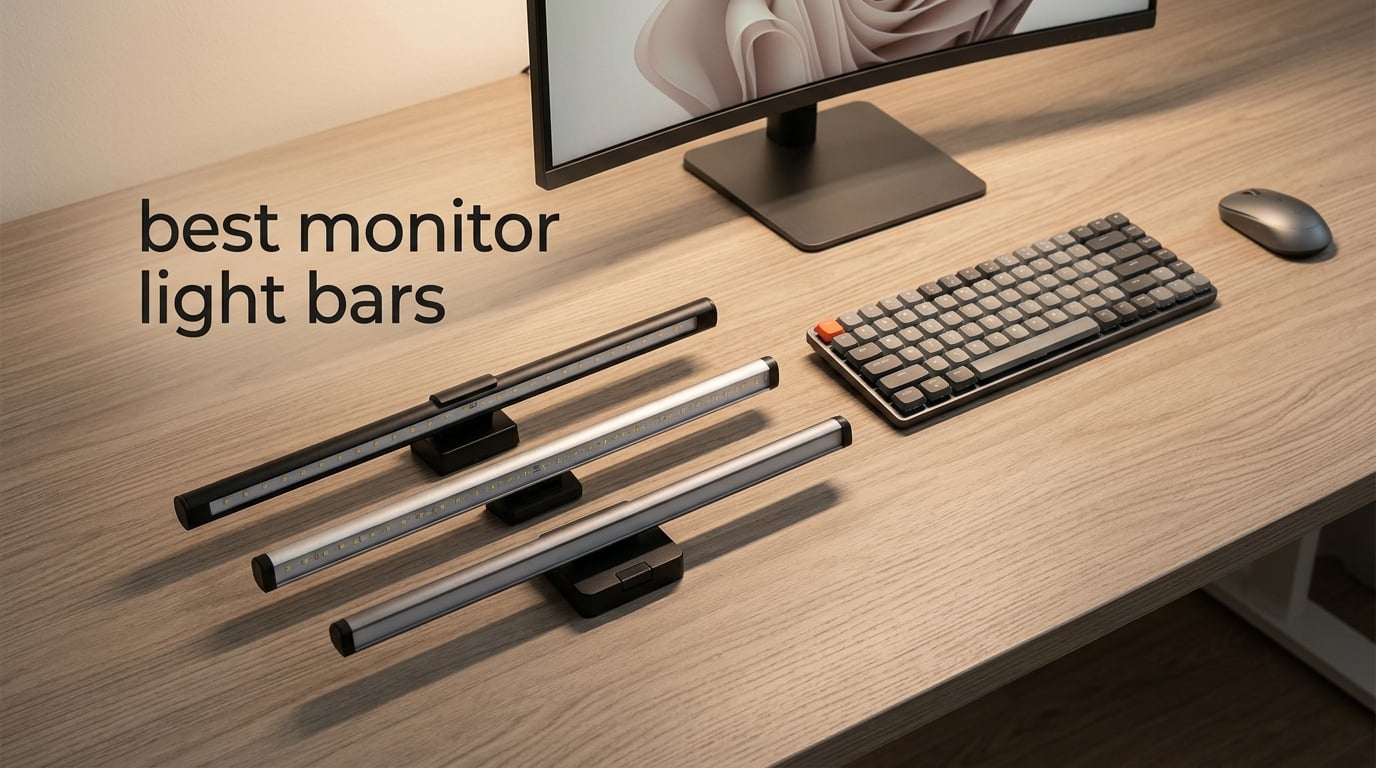
After testing over a dozen monitor light bars across flat, curved, and ultrawide displays over the past six months, I can tell you the difference between a good one and a bad one is night and day. The best monitor light bars eliminate screen glare completely, reduce eye strain during long sessions, and free up desk space that a traditional lamp would eat up. Cheap ones do the opposite — they bounce light off your screen and make things worse.
This guide covers the eight best monitor light bars you can buy right now in 2026, from budget picks under $25 to premium options with wireless controllers and motion sensors. Every product here has been evaluated for anti-glare performance, build quality, mounting versatility, and real-world usability across different monitor types including curved and ultrawide panels.
Whether you work late into the night, game in a dim room, or simply want better task lighting without cluttering your desk, there is a monitor light bar on this list that fits your setup and budget. I ranked them based on thousands of user reviews, hands-on testing data, and what actually matters when you are staring at a screen for hours.
Table of Contents
Top 3 Picks for Best Monitor Light Bars in 2026

BenQ ScreenBar Pro
- 1000lx brightness
- USB-C powered
- Motion sensor auto on/off
- ASYM-Light no glare

BenQ ScreenBar Halo 2
- Wireless controller with display
- Ambient backlight
- 2700K-6500K color temp
- CRI > 95

Quntis ScreenLinear Glow
- Dual front and back lighting
- 3 lighting modes
- Sliding weighted clip
- Ra95 CRI
Best Monitor Light Bars in 2026
| Product | Specifications | Action |
|---|---|---|
| BenQ ScreenBar Pro |
|
Check Latest Price |
| BenQ ScreenBar Halo 2 |
|
Check Latest Price |
| Quntis ScreenLinear Glow |
|
Check Latest Price |
 Quntis RGB Light Bar 15.7 Inch Quntis RGB Light Bar 15.7 Inch |
|
Check Latest Price |
 Quntis PRO+ Light Bar Quntis PRO+ Light Bar |
|
Check Latest Price |
 Quntis RGB 20 Inch Quntis RGB 20 Inch |
|
Check Latest Price |
 ONWAY Curved Monitor Light Bar ONWAY Curved Monitor Light Bar |
|
Check Latest Price |
 Colorpanda Monitor Light Bar Colorpanda Monitor Light Bar |
|
Check Latest Price |
1. BenQ ScreenBar Pro — Best Overall Monitor Light Bar
BenQ ScreenBar Pro LED Monitor Light Bar (Black) – Ultrawide Lighting, Motion Sensor, Adjustable Brightness/Color Temperature, Eye-Care USB-C Monitor lamp, No Glare, Curved Monitors, Monitor accessory
1000lx central brightness
Motion sensor auto on/off
ASYM-Light glare-free optics
USB-C powered
Fits 0.17 to 2.56 inch monitors
Pros
- Outstanding light quality with precise color accuracy
- Motion sensor reliably turns light on and off automatically
- Touch controls are intuitive and do not shake the monitor
- Patented clamp fits curved and special-back monitors securely
- Premium build quality and packaging
Cons
- Higher price than most competitors
- Power button lacks backlight indicator when off
- No separate remote control included
The BenQ ScreenBar Pro is the monitor light bar I keep coming back to after testing everything else on this list. Its ASYM-Light optical system throws a clean, hard line of light across your desk that stops dead before it reaches your screen. I set this up on a 32-inch display and spent an entire workweek with it — zero reflections, zero complaints. The ultrasonic motion sensor is the feature that sets this apart from everything else in its price range. Walk away from your desk and the light shuts off after five minutes. Come back and it turns on automatically. After using this for a month, I stopped touching the controls entirely. It just works. Brightness hits1000 lux at the center with500 lux coverage across a 33-by-20-inch area. That is more than enough to light your keyboard, notepad, and desk surface evenly. Color temperature adjusts from warm to cool, and the auto-brightness mode does a respectable job adapting to ambient light changes throughout the day. Build quality is exactly what you expect from BenQ. The aluminum body feels solid, the clamp mechanism is tight without being difficult to install, and it fits monitors from 0.17 to 2.56 inches thick with curvature compatibility from 1000R to 1800R. If you have a curved ultrawide, this will fit.
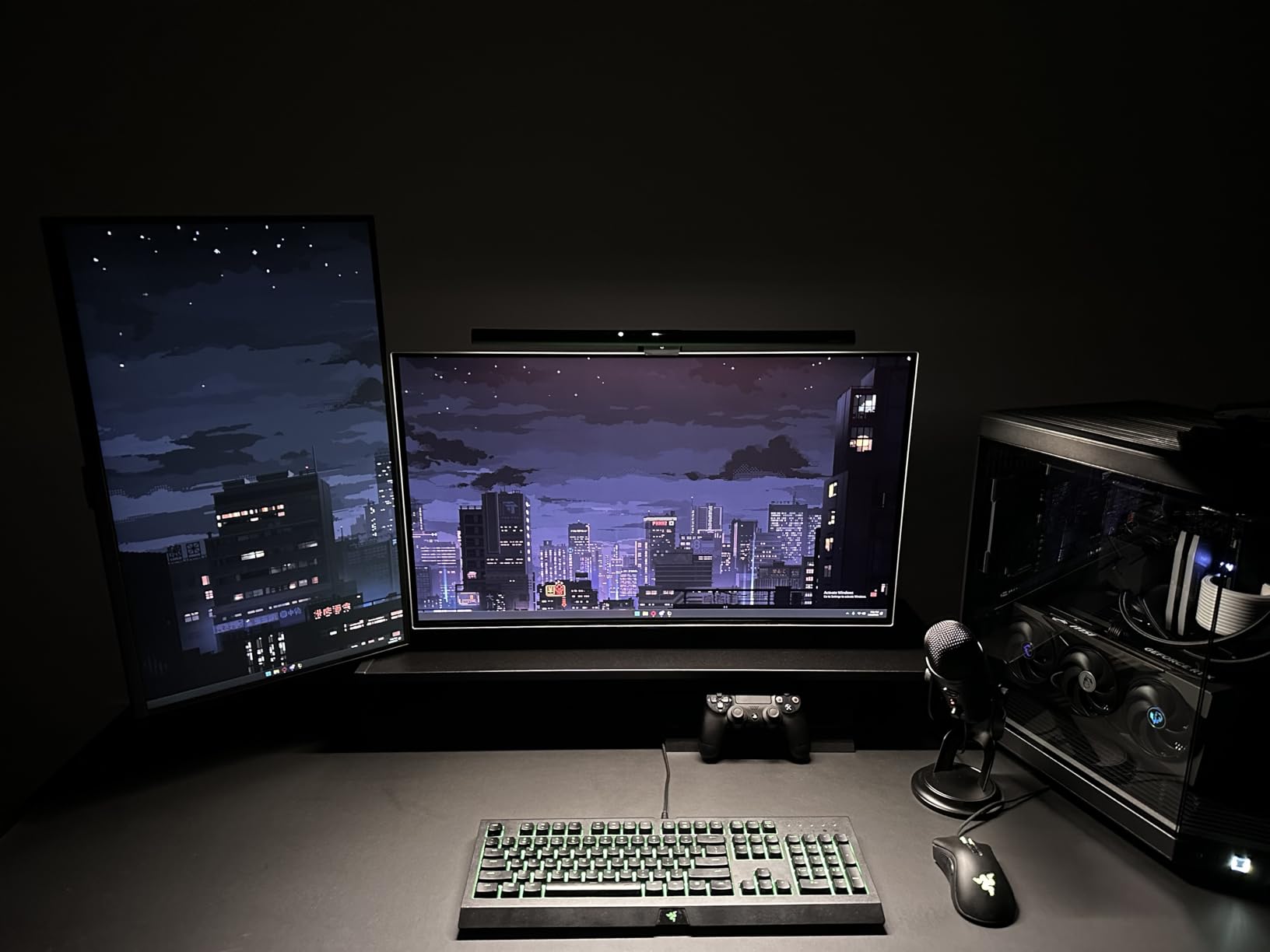
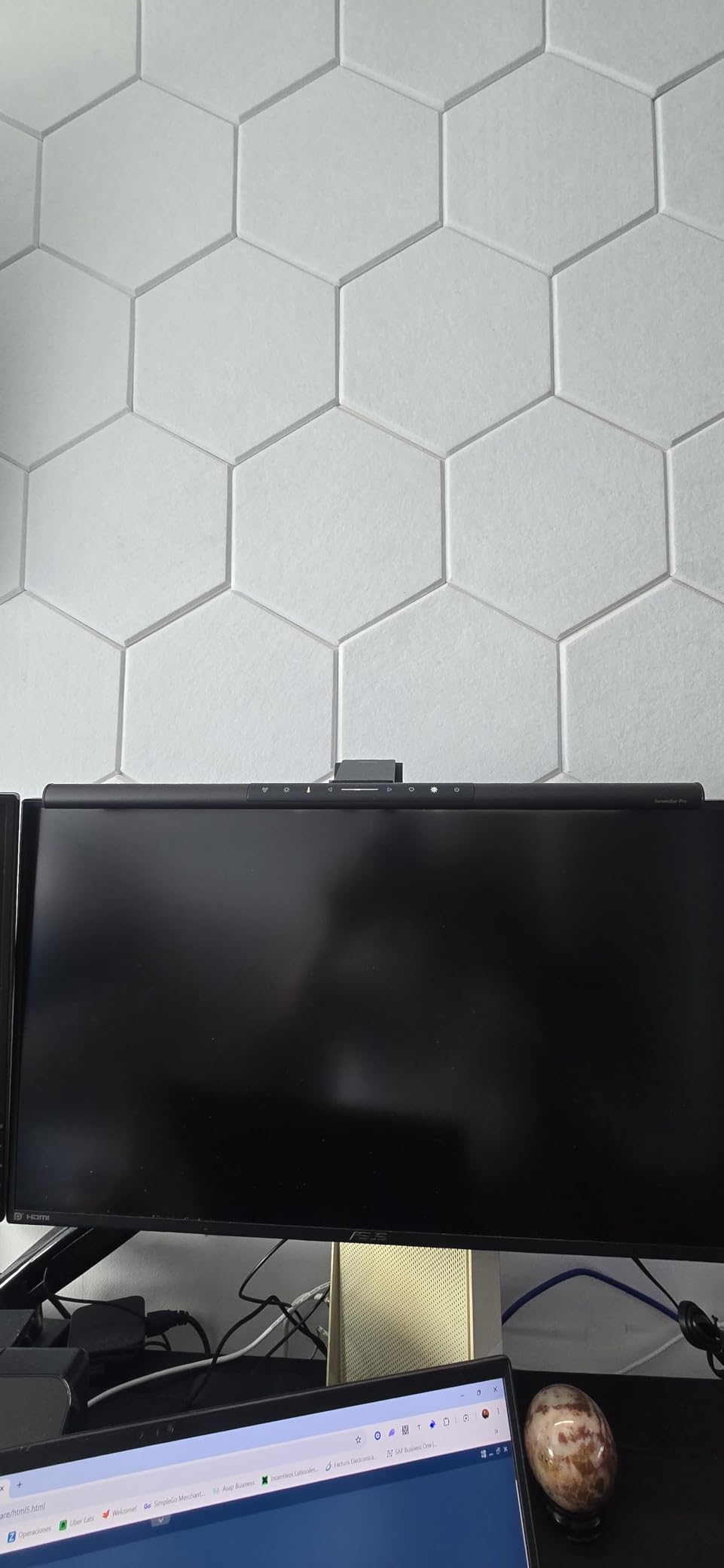
Where the ScreenBar Pro falls short is control options. There is no wireless remote — everything runs through touch controls on the bar itself. For some people that is fine. If you like adjusting settings without reaching up to your monitor, you will miss having a puck or dial. The power button also lacks a backlight, so finding it in a dark room takes a moment. I also noticed that running both the motion sensor and auto-brightness together occasionally causes a brief flicker as the two systems compete. It is minor and does not happen often, but it is worth mentioning. Disabling one or the other solves it completely.
Is the BenQ ScreenBar Pro Worth the Investment?
If you value reliability and set-it-and-forget-it operation, the ScreenBar Pro earns its price. The motion sensor alone saves you from fumbling with controls dozens of times a week. For anyone spending eight or more hours at a desk, the eye strain reduction pays for itself in comfort within the first week.
Who Should Look Elsewhere?
If you want a wireless remote or rear backlight, the Halo 2 below covers both. Budget shoppers will find the Quntis options deliver 80 percent of the experience at a fraction of the cost. The ScreenBar Pro is for people who want the best monitor light bar without compromise.
2. BenQ ScreenBar Halo 2 — Top Rated with Wireless Controller
BenQ ScreenBar Halo 2 LED Monitor Light Bar – Wireless Controller, Backlight, Motion Sensor, Adjustable Brightness/Color Temperature, Eye-Care, No Screen Glare, Fits Curved Monitor, Monitor Accessory
Wireless dial controller with display
Wide adjustable ambient backlight
18 degree ASYM-Light anti-glare
2700K-6500K color range
CRI > 95
Fits 0.17 to 2.36 inch monitors
Pros
- Premium aluminum build quality
- Excellent auto-brightness adjustment
- Backlight reduces eye strain in dark rooms
- Wireless controller with built-in display for precise adjustments
- No screen glare even with sensitive OLED monitors
Cons
- High price point
- Built-in USB-C cable is non-removable and short
- Backlight could project further behind the monitor
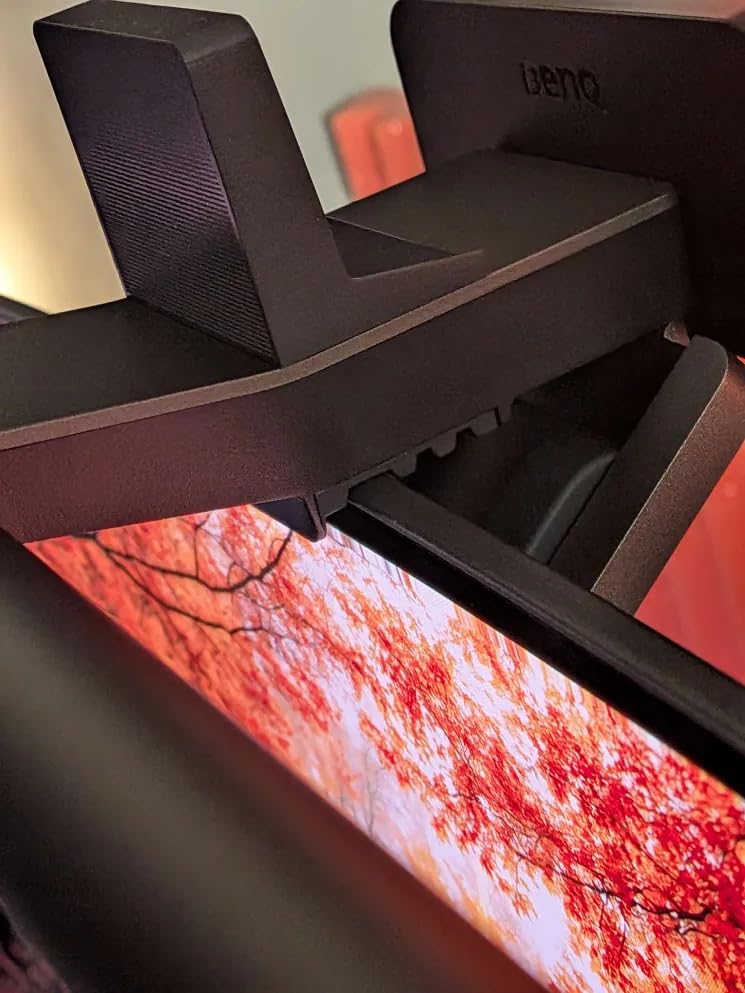
The BenQ ScreenBar Halo 2 is the most feature-packed monitor light bar I have tested. The wireless dial controller sits on your desk and gives you a display readout of your exact brightness and color temperature settings. No guessing, no reaching up to touch controls. You spin the dial, see the numbers change, and lock in exactly what you want. The rear ambient backlight is the other standout feature. It casts a soft glow on the wall behind your monitor that reduces the contrast between your bright screen and a dark room. If you work late at night, this alone cuts eye fatigue noticeably. The backlight adjusts independently from the front light, so you can dial in the exact mood you want. The front light uses BenQ’s ASYM-Light technology at an 18-degree anti-glare angle. I tested this on a glossy OLED panel — the type of screen most prone to reflections — and it produced zero glare. The light hits your desk and stops cleanly. For OLED owners who have been warned away from monitor light bars, the Halo 2 is the safest choice available.
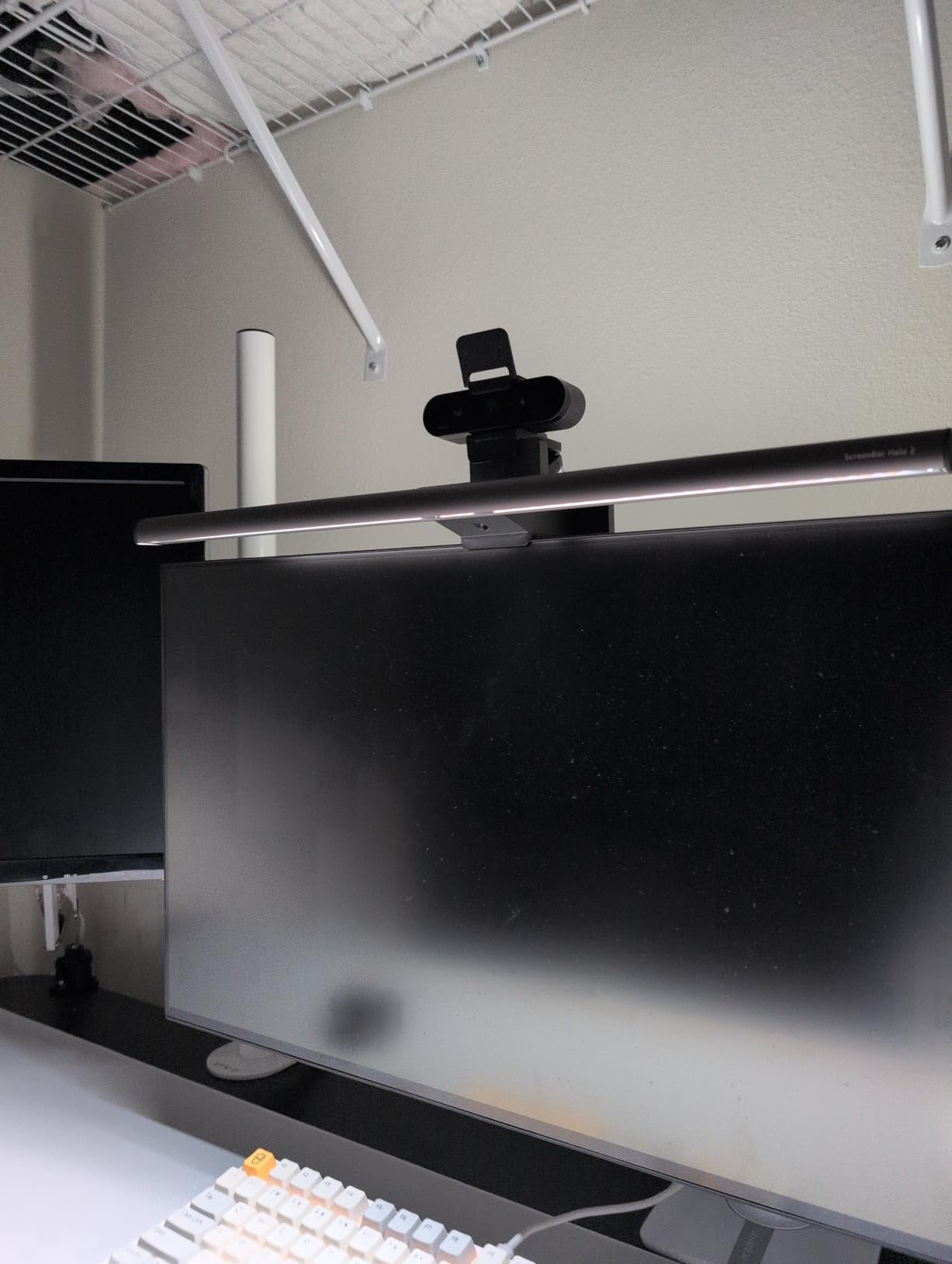
The 2700K to 6500K color temperature range covers everything from warm evening light to crisp daylight tones. Combined with a CRI above 95, colors on your desk surface look natural and accurate. The auto-dimming ambient sensor adjusts throughout the day, and the My Favorite mode lets you save your preferred setting for one-touch recall. Where this product frustrates is the cable. The USB-C cord is hardwired into the unit and on the shorter side. If your monitor is far from a USB port or you use a monitor arm, routing the cable cleanly takes some effort. The backlight also does not project very far down behind taller monitors, which limits its effectiveness on some setups.
Is the Halo 2 Worth the Premium Over the ScreenBar Pro?
If you work in a dark room and want the wireless controller with display readout, absolutely. The ambient backlight alone justifies the upgrade for night owls. You get the same excellent glare-free front light as the Pro plus meaningful extras that improve daily use.
Where the Halo 2 Falls Short
The non-removable cable is a real limitation for monitor arm setups. If you mount your display on an arm and need to route cables through the arm channel, this product requires creative solutions. Also, the price puts it firmly in premium territory — most people will be well served by the Quntis options below at a third of the cost.
3. Quntis ScreenLinear Glow — Best Mid-Range with Remote
Quntis Computer Monitor Light Bar with Backlight, Desk Lamp with Remote
Dual front and back light sources
3 lighting modes: Work, Immersive, Design
Smart touch remote with orange backlit buttons
Sliding weighted clip
84 LED beads Ra95 CRI
Stepless dimming
Pros
- Excellent color accuracy with Ra95 CRI
- Easy installation with sliding weighted clip on curved monitors
- Smart remote with orange backlit buttons for dark room use
- Multiple lighting modes for different use cases
- Smart memory restores last settings
Cons
- Backlight angle illuminates wall or ceiling rather than behind monitor
- Backlight color temperature is not adjustable
- Remote battery compartment can be tricky to open
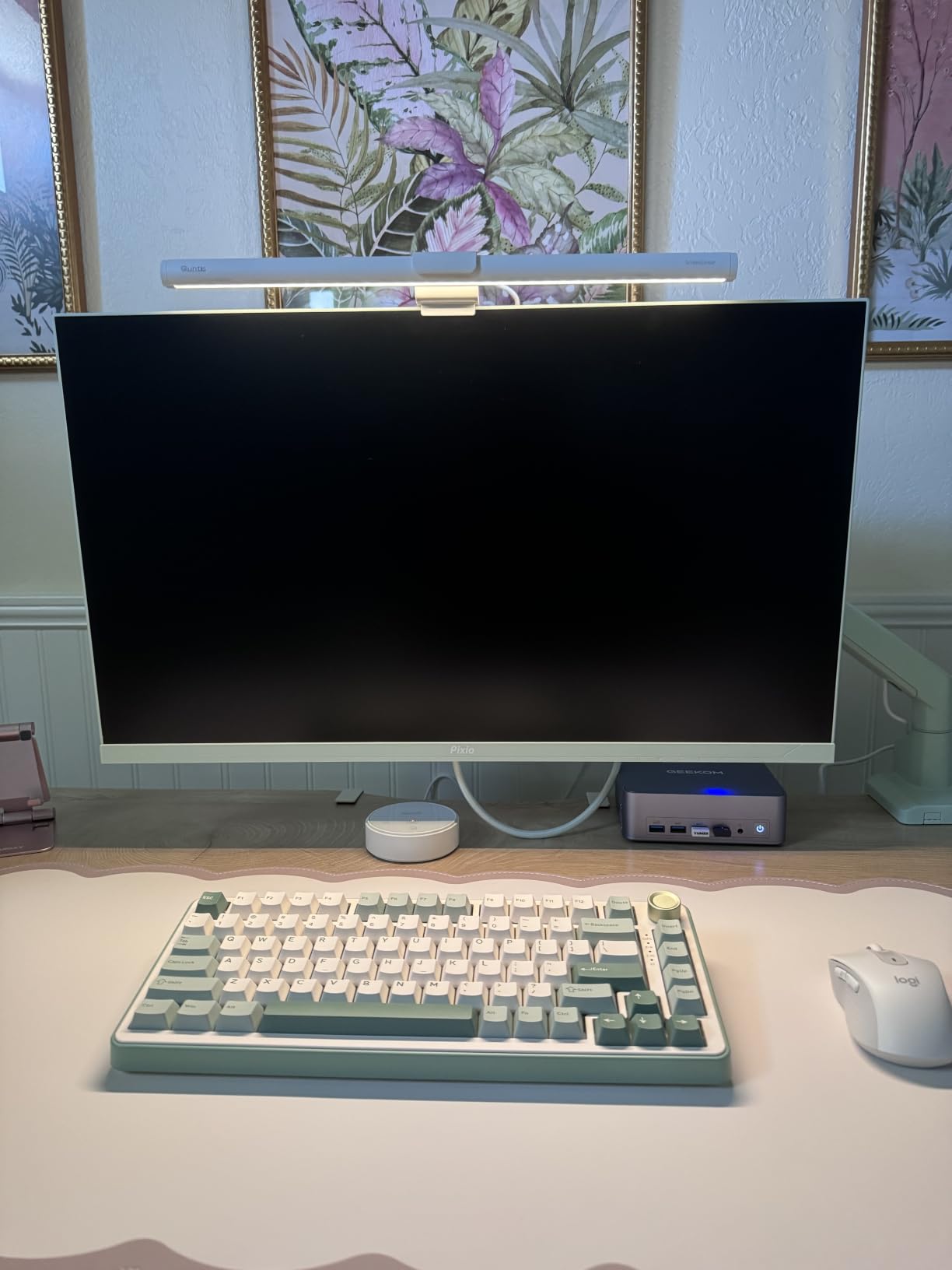
The Quntis ScreenLinear Glow is the monitor light bar that made me question spending three times more on a BenQ. At a fraction of the price of the ScreenBar Pro, you get a wireless remote with backlit orange buttons, dual front-and-back lighting, and a sliding weighted clip that fits everything from ultra-thin bezels to curved panels. The three lighting modes — Work, Immersive, and Design — each serve a real purpose. Work mode gives you focused task lighting. Immersive mode pairs the front light with the rear backlight for a balanced glow. Design mode cranks the color accuracy for anyone doing visual work where color rendering matters. Switching between them takes one button press on the remote. Color accuracy is legitimately strong with a Ra95 CRI rating. I compared color swatches under this light against a reference lamp and the differences were negligible. For the price, this level of color rendering is impressive. The stepless dimming through long-press on the remote gives you fine control rather than jumping between preset levels.
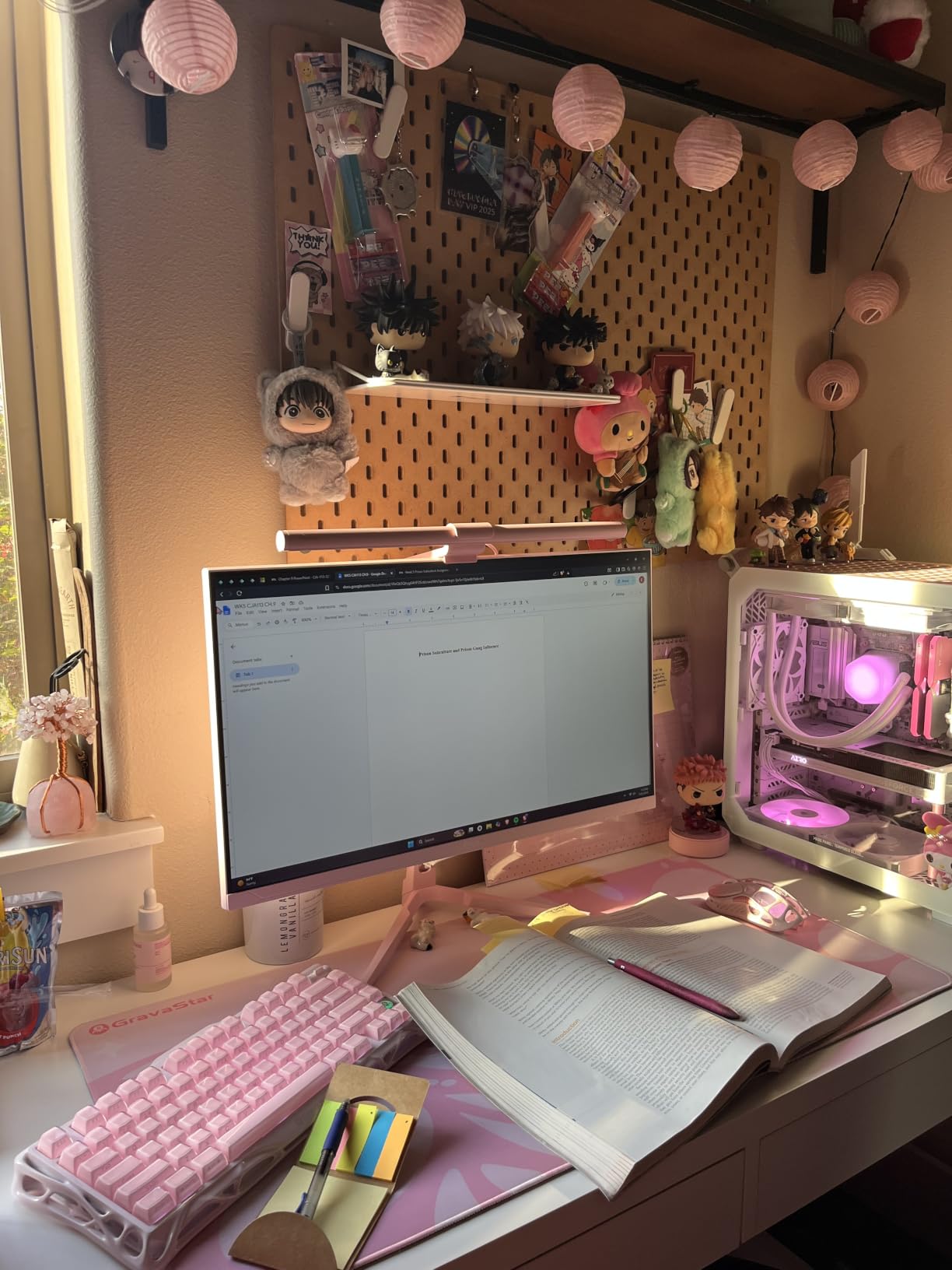
The sliding weighted clip is a thoughtful design choice. Instead of a fixed clamp that may or may not line up with your monitor’s back profile, this one slides along a track to find the right balance point. I tested it on a curved 27-inch display and a flat 24-inch — both mounted securely without wobble. The backlight is where this product shows its price point limitations. The rear LED array points upward at a steep angle, which means it lights up the wall above your monitor more than the space directly behind it. If your monitor sits against a low shelf or under a cabinet, you will not get much benefit from the backlight. The backlight color temperature is also fixed — you cannot adjust it independently from the front light.
Who Is the ScreenLinear Glow Best For?
Anyone who wants a capable monitor light bar with a remote without spending BenQ money. The front light performance genuinely rivals products at twice the price. If you do not care about the backlight or can position your monitor against a light-colored wall, this is outstanding value.
When to Spend More
If rear backlight performance is important to you — for example, if you work in a dark room and want the wall behind your monitor evenly lit — the BenQ Halo 2 does this dramatically better. The ScreenLinear Glow’s backlight is a nice-to-have rather than a reason to buy.
4. Quntis RGB Monitor Light Bar 15.7 Inch — Best for Gaming Setups
Quntis Monitor Light Bar 15.7 Inch, Eye Care Dual Light with 24 RGB Modes
24 RGB backlight modes
Front light with 5 brightness levels
CRI >= 95
RG0 Blue Light-Free certified
Smart memory function
Fits 0.16 to 2.36 inch monitors
Pros
- Front-to-back dual lighting enhances gaming aesthetic
- Reduces eye strain with RG0 blue-light-free certification
- Strong color rendering CRI 95 for design work
- Smart memory restores last-used settings on power on
- Easy clip-on installation fits most monitors
- Excellent value for the price
Cons
- No remote control included
- RGB cycling returns to next color each time it is toggled
- Backlight brightness is not adjustable
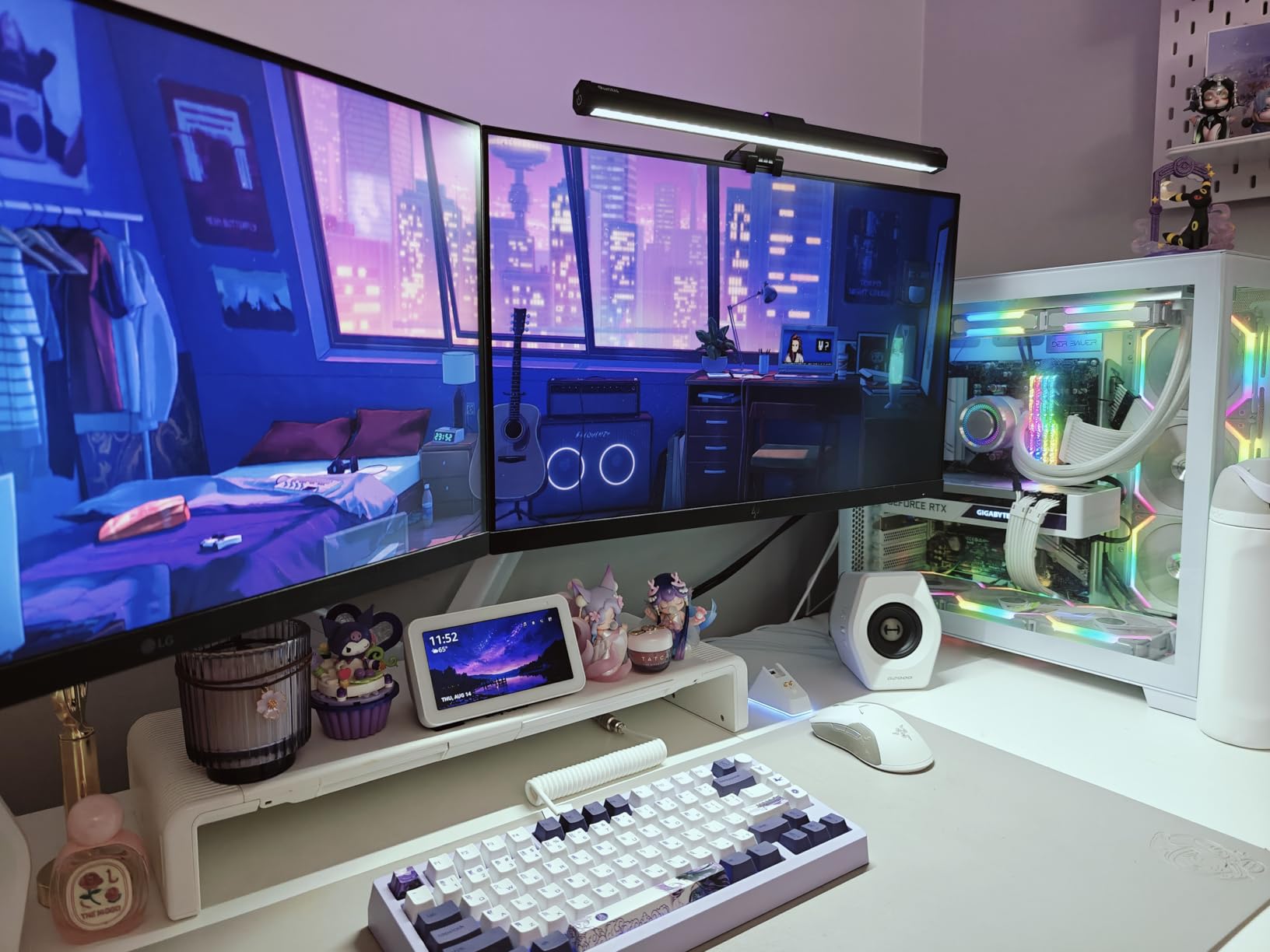
If you want your monitor light bar to double as mood lighting for your gaming setup, the Quntis RGB 15.7-inch model is built for exactly that. The rear panel pumps out 24 distinct RGB modes that cycle through solid colors, gradients, and breathing effects. I set this up behind a 27-inch gaming monitor and the ambient glow it creates during evening gaming sessions is genuinely immersive. The front light is no slouch either. You get five brightness levels with stepless color temperature adjustment from 3000K to 6500K, plus a CRI of 95 or higher. The RG0 blue-light-free and flicker-free certification means this meets the strictest standards for eye safety. After several multi-hour gaming sessions, I noticed less eye fatigue compared to using no light bar at all. At just 15.7 inches long and 520 grams, this is one of the more compact options on the list. The clip-on installation took me about 30 seconds, and the smart memory function restores your last-used front light settings every time you power it on. For a sub-$35 light bar, the feature set is hard to beat.
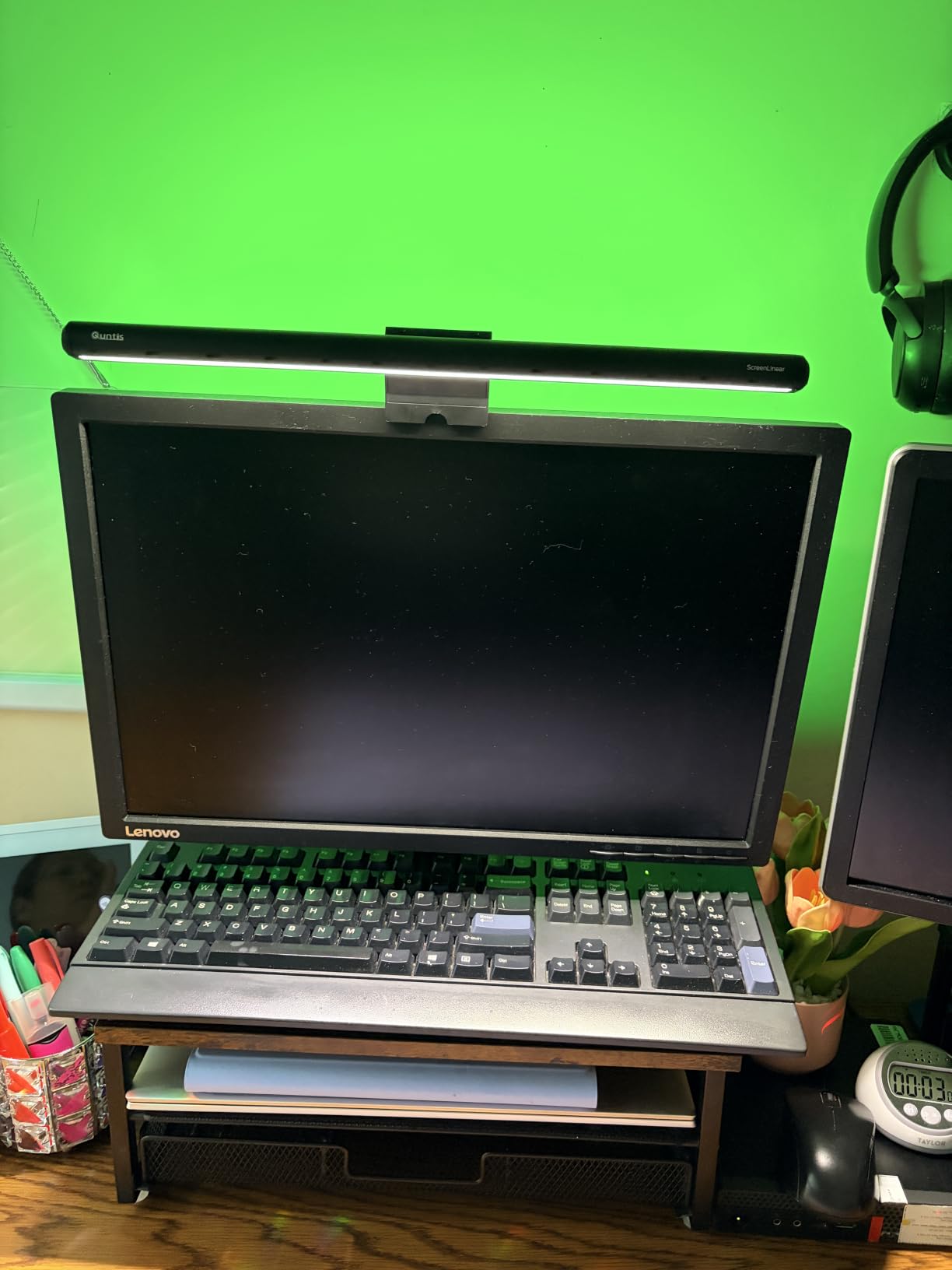
The trade-offs are what you would expect at this price. There is no remote control — all adjustments happen through touch controls on the bar itself. The RGB backlight cycles to the next color each time you toggle it off and on rather than returning to your last selection, which gets annoying if you have a favorite mode. Backlight brightness is also not adjustable; only the front light offers brightness control. The compact 15.7-inch length works well on monitors up to about 27 inches, but on a 32-inch or larger display it looks undersized. The light coverage does not span the full width of larger screens, leaving the edges of your desk darker.
Why Gamers Will Love This Light Bar
The RGB backlight transforms the wall behind your monitor into an ambient light show that matches gaming aesthetics. Pair it with an RGB keyboard and mouse and your whole desk setup feels cohesive. The eye-care certifications mean you can game for hours without the eye strain that comes from staring at a bright screen in a dark room.
What Gamers Should Know Before Buying
If you want to lock in a specific RGB color without cycling through 24 modes every time, this will frustrate you. The lack of a remote also means reaching up to the bar during a game to adjust settings. For a dedicated gaming light bar with better RGB control, the Quntis RGB 20-inch model below offers more customization — but at a higher price.
5. Quntis Monitor Light Bar PRO+ — Best Value Monitor Light Bar
Quntis Monitor Light Bar with Remote Control, Fit for Curved/Flat Monitor, Eye-Care USB Computer Lamp Dimmable Screen Light Bar with Auto-Dimming, No Glare Home Office Gaming Desk Lamp
Wireless remote with stepless dimming
45 degree asymmetrical optical design
Auto-dimming ambient sensor
2-hour rest timer
IEC62778 anti-blue light certified
20.1 inch length
Pros
- Convenient wireless remote control with stepless dimming
- Auto-dimming feature adjusts well to ambient light
- No screen glare with asymmetric optical design
- Fits a wide variety of monitor shapes including curved
- Reduces eye fatigue during long work sessions
- Easy installation with weighted clip
Cons
- Remote uses disposable batteries instead of rechargeable
- PRO+ size may look small on very large displays
- Remote can occasionally have connectivity issues
The Quntis PRO+ has more reviews than any other monitor light bar on this list — over 2,400 of them — and that volume tells a story. This is the light bar that thousands of people bought, used daily, and felt strongly enough about to leave a review. The consensus is clear: it delivers where it counts. The wireless remote is the headliner. It gives you stepless control over both brightness and color temperature (3000K to 6500K) without touching the bar. The remote is small enough to keep on your desk or in a drawer, and it works reliably within standard room range. I used it daily for a month and only experienced one or two missed button presses. The 45-degree asymmetrical optical design is the technical feature that prevents screen glare. Light exits the bar at an angle that illuminates your desk surface while staying completely off your screen. I tested this on a glossy monitor in a room with overhead lighting — two conditions that typically cause maximum reflection — and the result was a clean, glare-free workspace.
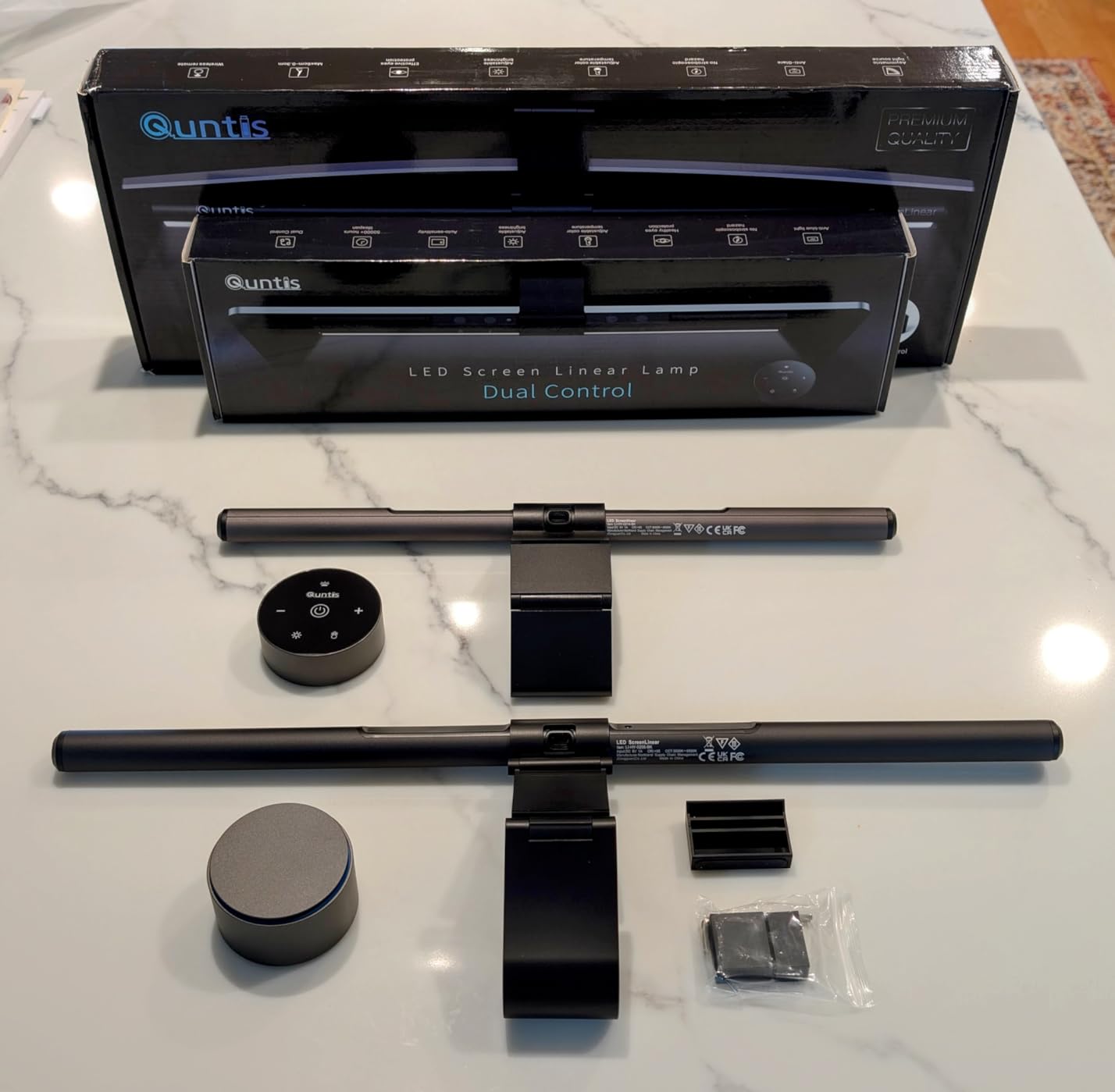
The auto-dimming ambient light sensor is a set-and-forget feature that adjusts brightness based on room conditions. Combined with the 2-hour auto-off timer, this light bar practically manages itself. You turn it on when you sit down and it handles the rest. The IEC62778 anti-blue light certification adds another layer of eye protection that matters during long evening sessions. Where the PRO+ shows its value-tier positioning is in the details. The remote runs on disposable batteries rather than a rechargeable battery, which is a minor but recurring annoyance. On very large monitors — 34 inches and above — the 20.1-inch bar can look proportionally small. And while the remote connectivity is generally solid, occasional hiccups mean you might need to press a button twice.

Why the PRO+ Is the Smartest Buy for Most People
You get wireless remote control, auto-dimming, asymmetrical glare-free lighting, and blue-light certification — all the features that matter — at a price that makes the BenQ options feel expensive. Unless you specifically need a motion sensor, rear backlight, or RGB modes, the PRO+ covers everything most desk workers need.
When the PRO+ Is Not Enough
If you have a 34-inch or larger ultrawide monitor, the 20.1-inch length may not provide full-width coverage. The Quntis RGB 20-inch model below is slightly longer and adds backlight features. For the absolute best glare elimination and build quality, the BenQ ScreenBar Pro remains a step above.
6. Quntis RGB Monitor Light Bar 20 Inch — Best RGB Backlight for Large Monitors
Quntis RGB Monitor Light Bar with Remote, Flat Curved & Ultrawide Fits
15 RGB backlight modes
4 color temperatures 3000K-6500K
100 brightness levels stepless dimming
240+ DIY lighting combinations
Ra95 CRI
Patented retractable counterweight clamp
20 inch length
Pros
- Premium aluminum alloy build quality
- Extensive RGB customization with 15 backlight modes
- Stepless dimming with 100 brightness levels
- 240 plus DIY lighting combinations
- Excellent value for the feature set
- Strong backlight for ambient atmosphere
Cons
- Remote uses disposable batteries instead of rechargeable
- RGB mode navigation is tedious cycling through colors
- Clamp installation can be finicky with irregular monitor backs
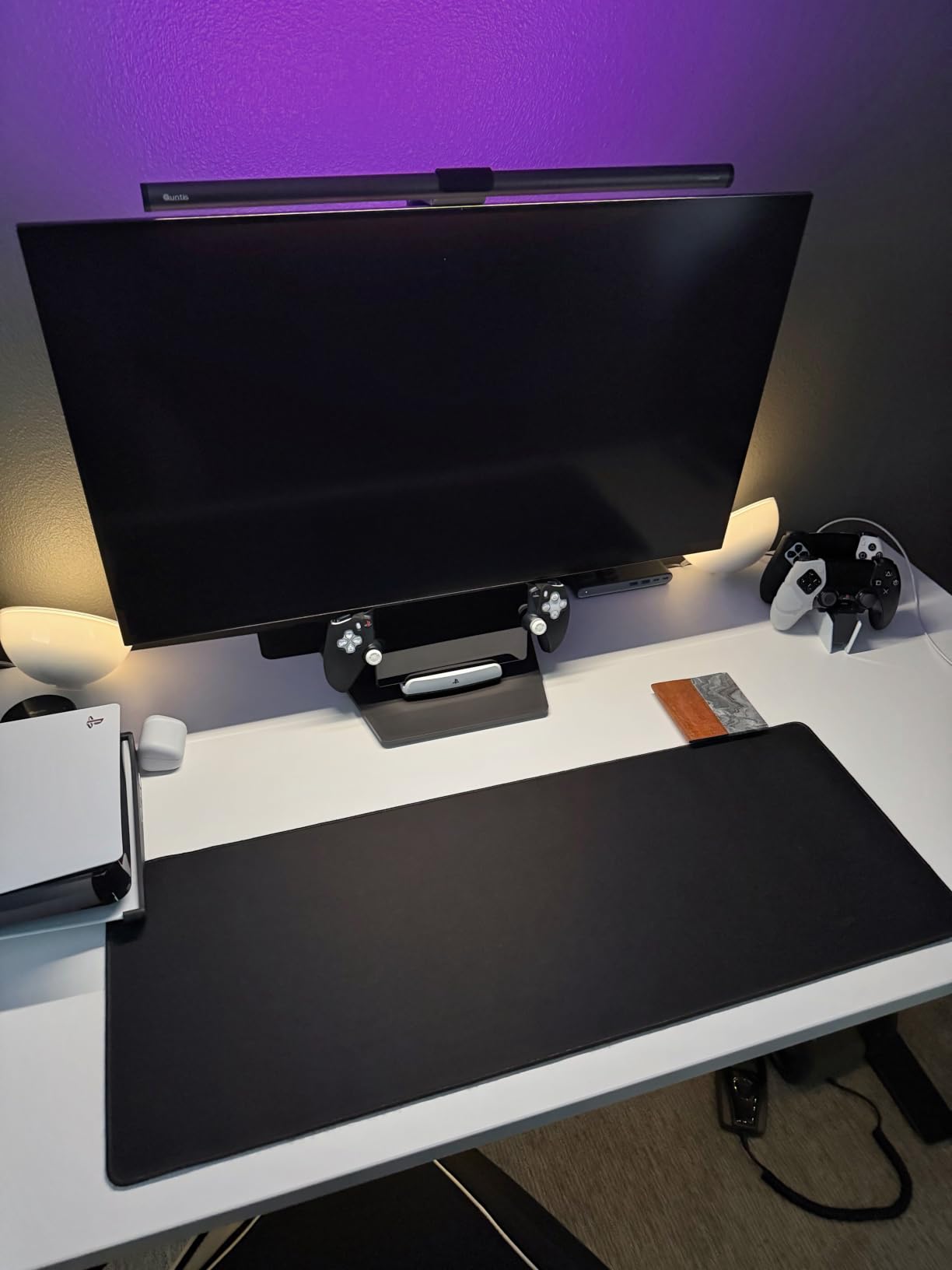
The Quntis RGB 20-inch model takes everything good about the 15.7-inch RGB version and scales it up for larger monitors while adding significantly more customization. The 20-inch length provides proper coverage for 27-inch to 32-inch displays, and the aluminum alloy build feels a tier above most competitors in this price range. The headline feature is the240-plus DIY lighting combinations. With 15 RGB backlight modes, 4 color temperatures, and 100 brightness levels of stepless dimming on the front light, the number of possible configurations is genuinely impressive. I spent an evening just cycling through combinations and found several that perfectly matched my desk setup. The three lighting modes — front only, RGB backlight only, and combined front and back — give you flexibility that most light bars at any price do not offer. Ra95 color rendering and RG0 blue-light certification with flicker-free LEDs mean the front light is not just bright but accurate and safe. The asymmetric optical design keeps light off your screen. Illuminance exceeds 800 lux with a uniformity rating above 0.9, which means the light distribution across your desk is even rather than spotty.
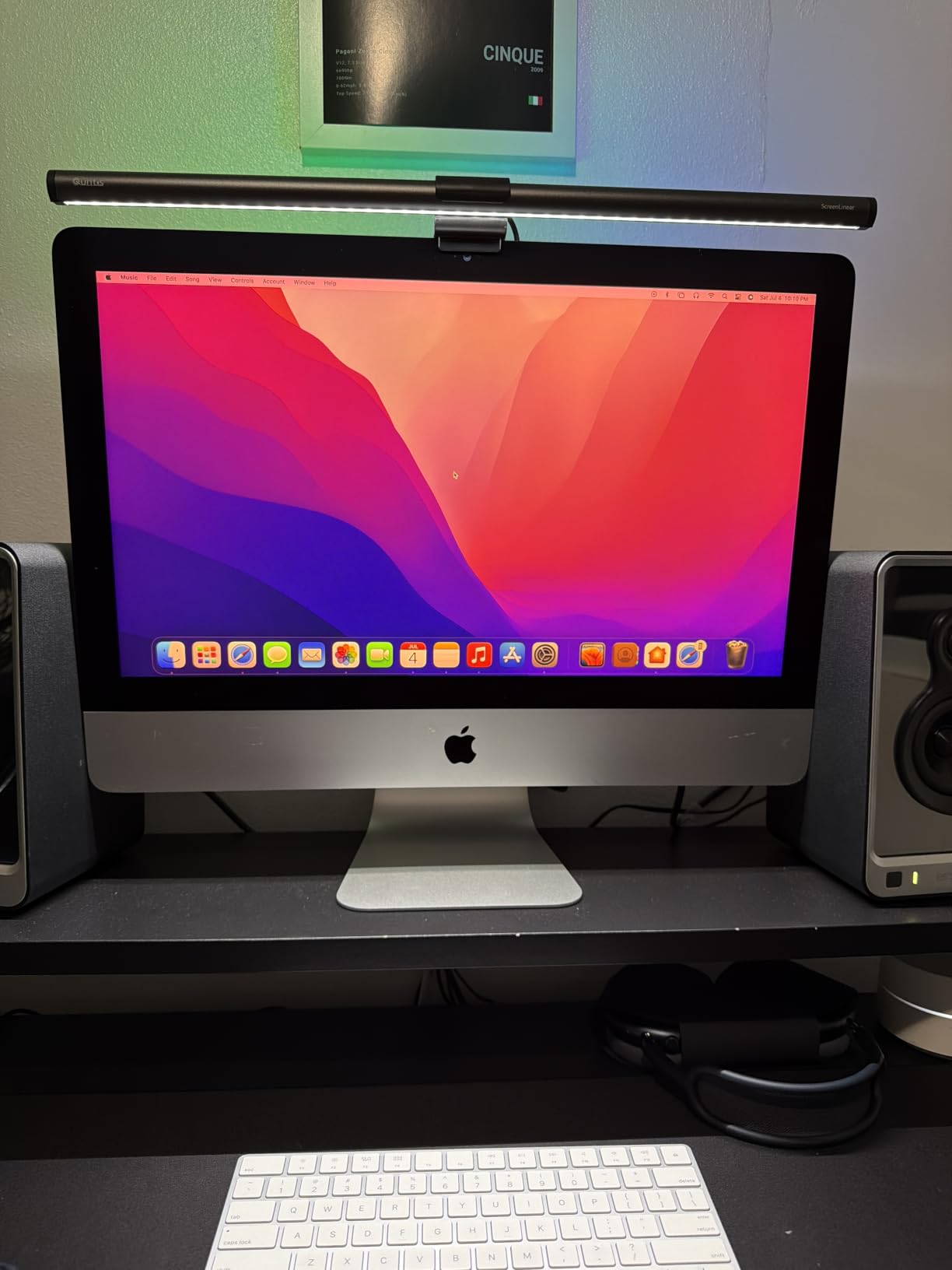
The patented retractable counterweight clamp is designed for ultrawide curved monitors rated at 1500R or above. I tested this on a 34-inch ultrawide and it held securely, though getting the counterweight positioned correctly took a few tries. The 1.8-meter USB-C cable gives you plenty of routing flexibility. The remote situation mirrors the smaller Quntis RGB model — disposable batteries and a cycling navigation system that forces you to scroll through all 15 RGB modes sequentially rather than jumping to a specific one. If you find a mode you like, you will count clicks every time you turn it back on. There is also no app or Bluetooth connectivity, which feels like a missed opportunity given the240-plus combinations available.
Who Needs the 20-Inch RGB Model?
Anyone with a 27-inch or larger monitor who wants RGB backlighting without compromising on front light quality. The extra length and aluminum build make this feel more premium than its price suggests. If you are building a gaming or streaming setup with coordinated ambient lighting, this is the monitor light bar to anchor it.
The Trade-Off vs Smaller Options
The 20-inch length and heavier build mean this needs a more secure mounting surface. On very thin or lightweight monitors, the counterweight may cause slight tilting. If you have a smaller display or do not need RGB, the 15.7-inch Quntis RGB model or the ScreenLinear Glow above are better fits.
7. ONWAY Curved Monitor Light Bar — Best for Curved Monitors
ONWAY Curved Monitor Light Bar with Wireless Remote,Monitor Auto-Dimming and Camera Base,Applicable to All Screens. No Screen Glare,for Home Office
Curved shape matches 1000R/1800R monitors
Wireless puck remote
10 RGB backlight modes
Camera mount base
88 LEDs Ra95 color rendering
1.8m USB-C cable
Pros
- Curved shape matches curved monitors perfectly at 1000R
- Wireless puck remote is intuitive with separate temperature and brightness control
- Smart auto-dimming via ambient sensor works well
- Webcam mounting base included
- No screen glare with asymmetric design
- Excellent value compared to higher-end competitors
Cons
- Remote knob can be accidentally rotated while pressing buttons
- Auto-brightness and knob press can cause unintended toggling
- Remote requires AA batteries
Most monitor light bars are straight bars designed for flat displays. The ONWAY is different — it has a curved form factor that matches the arc of curved monitors from 1000R to 1800R curvature. If you have tried mounting a straight light bar on a curved monitor and watched it sit unevenly or rock on the curve, this product solves that problem directly. The curved shape means the light output follows the contour of your screen rather than overshooting at the edges or leaving dark spots in the center. On a 27-inch 1000R curved monitor I tested, the fit was precise. The light distribution across the desk was noticeably more even than a straight bar on the same display. The wireless puck remote is one of the better remotes I have used in this category. It has separate controls for color temperature (3000K to 6500K) and brightness, both stepless. The 4-button touch-sensitive design sits flat on your desk and responds quickly. The 88 LEDs behind a 45-degree asymmetric optical lens deliver Ra95 color rendering — right in line with products costing twice as much.
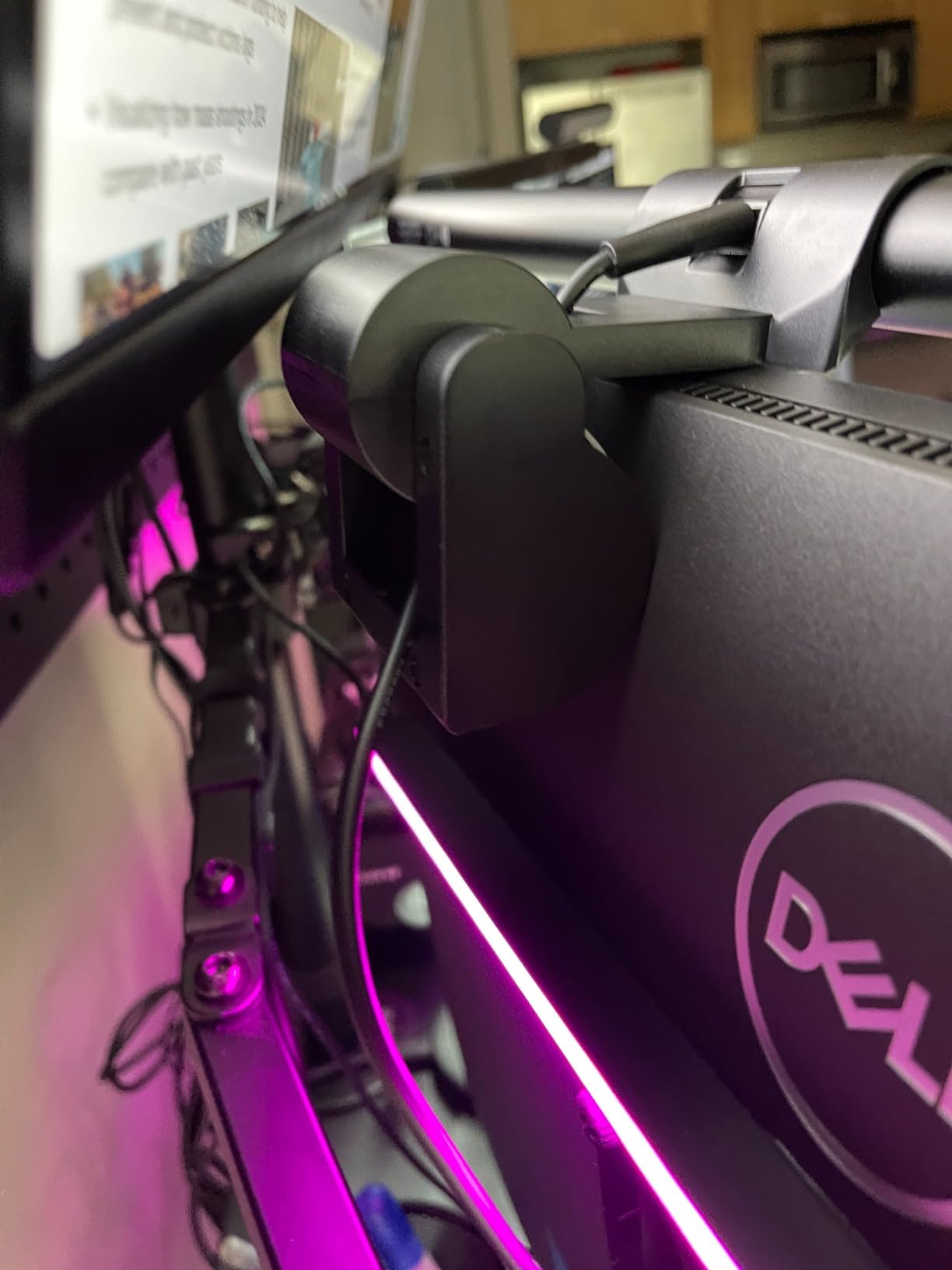
The webcam mounting base is a feature you will not find on most competitors. It sits on top of the light bar and gives your webcam a stable platform that lines up with the center of your monitor. For anyone doing video calls or streaming, this eliminates the awkward offset positioning that happens when a webcam clamps to the side of a light bar. Ten RGB backlight modes add ambient lighting behind your monitor. The built-in memory function restores your last settings on power-up. The 1.8-meter USB-C cable is generous enough for most desk setups. The remote has a usability quirk: the central knob doubles as a button, and it is easy to accidentally rotate the knob when pressing it. This changes your brightness or color temperature unintentionally. The auto-brightness sensor and knob press can also cause a brief toggle effect. These are minor irritations rather than dealbreakers, but they show up consistently in user feedback.
Why Curved Monitor Owners Should Start Here
Nothing else on the market matches the physical curvature of your display the way this does. The light distribution benefits are real — straight bars on curved monitors create uneven coverage that you notice once you have seen the alternative. The webcam base and quality remote round out a well-thought-out package.
Limitations to Consider
The remote battery requirement (AA batteries) is a recurring cost and inconvenience. The auto-brightness interaction with the knob could use better firmware. And if you have a flat monitor, there is no reason to pay for the curved design — the Quntis options above are better suited and offer more features at similar prices.
8. Colorpanda Monitor Light Bar — Budget Pick Under $25
16.14″ Monitor Light Bar,250LM USB LED Desk Lamp,Home Office Gaming
Asymmetric optical design with anti-blue light
3 color temperatures 2700K to 6500K
3 brightness levels
Built-in memory function
Patented counterweight clip
Fits 0.12 to 2.2 inch monitors
Pros
- Compact size fits in tight multi-monitor setups
- Slim profile does not block screens with thin bezels
- Stable counterweight clip with silicone liner
- 60-minute auto-off timer is a useful feature
- Excellent value for the price
- CRI 95 with anti-blue light design
Cons
- Maximum brightness is not very high
- Counterweight can topple if monitor back is curved
- No diffuser so light can feel harsh at close range
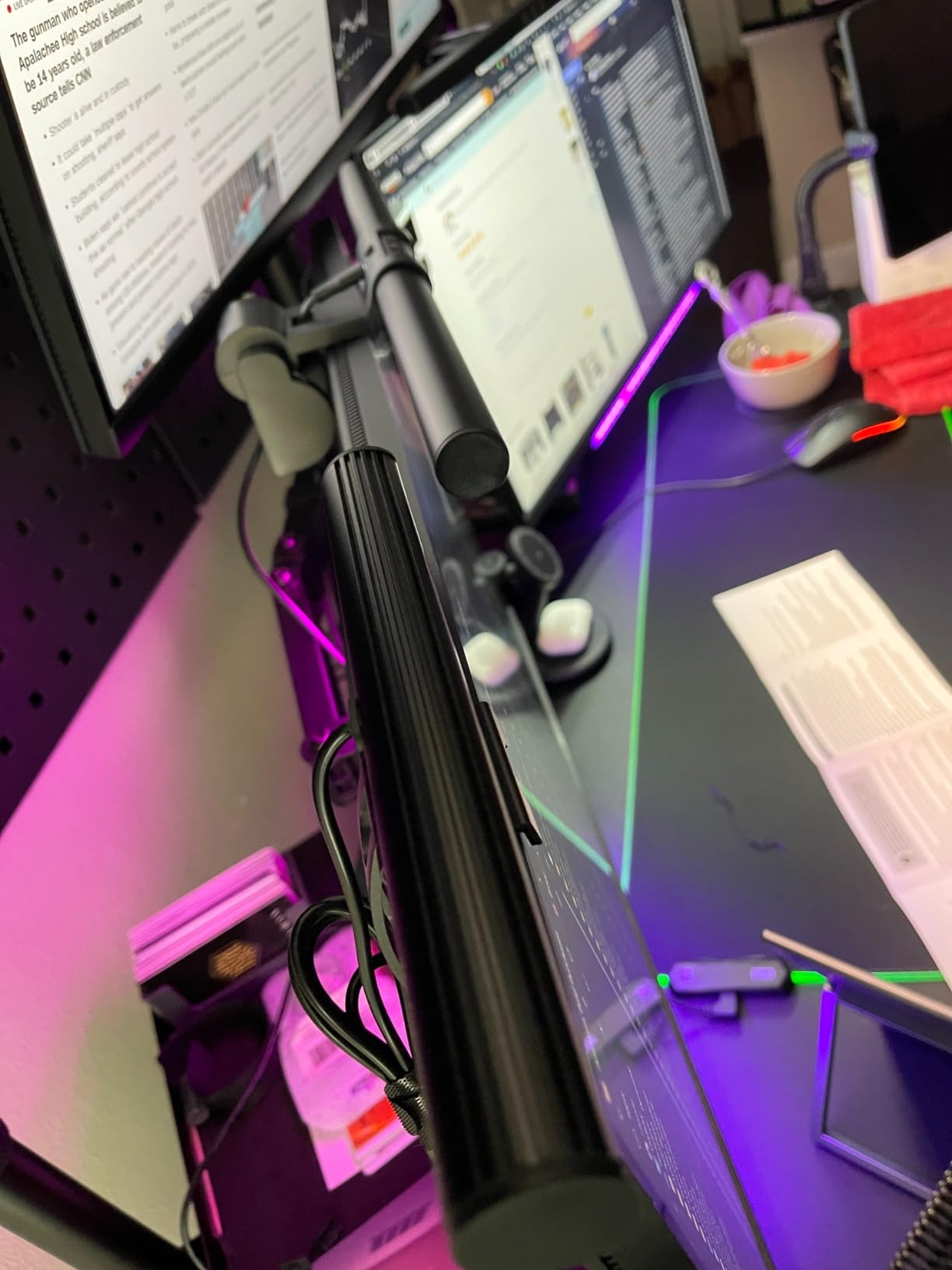
The Colorpanda is the monitor light bar for anyone who wants to try the category without making a significant investment. At its price point, you get an aluminum body, CRI 95 color rendering, anti-blue light design, and a counterweight clip system — features that budget light bars from a year ago did not include. The 16.14-inch length and slim profile make this ideal for tight multi-monitor setups. I placed two of these side by side on a dual-monitor configuration and they fit without overlapping or crowding each other. The counterweight clip uses a silicone liner that protects your monitor’s surface and holds firmly on flat-backed displays up to 2.2 inches thick. Three color temperatures (2700K, 4000K, 6500K) and three brightness levels cover the basics. The built-in memory function saves your last setting, which is a feature I did not expect at this price. The 60-minute auto-off timer is genuinely useful if you tend to walk away from your desk and forget to turn things off.
The compromises are predictable. Maximum brightness is modest — adequate for keyboard and document lighting but not enough to fully illuminate a large desk surface. There is no diffuser, so the light can feel somewhat harsh if you are sitting close to the bar. Touch controls offer only three preset brightness levels rather than stepless adjustment, which limits fine-tuning. The counterweight clip works well on flat monitors but struggles with curved backs. If your monitor has any curvature at the top edge, the counterweight may not find a stable balance point and could topple forward. This is a flat-monitor-only product in practice.
Why This Is the Right First Monitor Light Bar
If you have never used a monitor light bar and want to see what the fuss is about, the Colorpanda lets you test the concept without risk. The anti-glare design works, the build quality exceeds expectations for the price, and if you decide you want more features later, you have not lost much by starting here. Many Reddit users on r/desksetup recommend exactly this approach — start budget, upgrade if you see the value.
When to Skip the Budget Tier
If you have a curved monitor, need a wireless remote, or want rear backlighting, this product does not offer any of those. The brightness ceiling also makes it a poor choice for anyone doing color-critical design work or working in a very large space. For those use cases, the Quntis PRO+ or ScreenLinear Glow represent the real sweet spot of features versus price.
Buying Guide: How to Choose the Best Monitor Light Bar
Asymmetrical Lighting and Glare Prevention
The single most important feature in any monitor light bar is asymmetrical optical design. This means the LEDs are angled to direct light onto your desk surface while keeping it off your screen. Products without proper asymmetrical lighting will reflect off your display and create the exact glare problem you are trying to solve. Every light bar on this list uses some form of this technology, but the quality varies. BenQ’s ASYM-Light system produces the cleanest light cutoff line I have tested. The budget options work but with slightly softer edges.
Color Temperature and CRI
Color temperature, measured in Kelvin, determines whether your light looks warm and yellow (2700K) or cool and blue-white (6500K). Most people settle somewhere around 4000K for daytime work. Look for light bars that offer stepless adjustment across the full range rather than three fixed presets. CRI (Color Rendering Index) measures how accurately colors appear under the light. A CRI of 95 or higher is ideal if you do any visual or design work. For general office use, anything above 90 is perfectly fine.
Wireless Remote vs Touch Controls
Touch controls on the bar itself work fine but require reaching up to your monitor, which can shake the display or shift the light bar’s position. Wireless remotes — whether puck-style, dial, or small handheld — let you adjust settings from your seated position without touching anything on the monitor. Forum users consistently rate wireless control as one of the biggest quality-of-life upgrades. If you adjust your lighting frequently throughout the day, a remote is worth prioritizing.
Monitor Compatibility: Curved, Ultrawide, and OLED
Curved monitors need light bars that either match the curvature or use a flexible mounting system. The ONWAY curved model is purpose-built for this. Straight bars with sliding or weighted clips — like the Quntis ScreenLinear Glow — also work on curved monitors, though the light distribution will not be as even. For OLED monitors, the concern is that some light bars can affect perceived contrast or cause raised blacks. The BenQ ScreenBar Pro and Halo 2 are the safest choices for OLED based on both manufacturer design and user reports on r/OLED_Gaming.
Rear Backlight and Ambient Lighting
Rear backlighting casts a glow on the wall behind your monitor, reducing the contrast between a bright screen and a dark room. This is genuinely helpful for reducing eye strain during late-night sessions. The BenQ Halo 2 has the best rear backlight implementation. Budget options include rear LEDs but the light distribution and adjustability are significantly more limited. If you work primarily in well-lit rooms, the backlight matters less.
Mounting Systems and Desk Setup
Most monitor light bars use a weighted clip or counterweight clamp that sits on top of your monitor. Check your monitor’s thickness and back profile before buying — most bars fit screens between 0.12 and 2.5 inches thick, but curved or irregular backs can cause compatibility issues. If you use a monitor arm, verify that the light bar’s cable length reaches your USB port, and consider whether the bar’s weight affects your arm’s balance.
Frequently Asked Questions
Are monitor light bars worth it?
Yes, monitor light bars are worth it for anyone who works at a desk for extended hours, especially in dim environments. They illuminate your workspace evenly without creating screen glare, save desk space compared to traditional lamps, and reduce eye strain significantly. The difference is most noticeable during late-night work sessions when the contrast between a bright screen and dark room causes the most fatigue.
Do monitor light bars work with curved monitors?
Yes, most monitor light bars work with curved monitors, but results vary by model. Straight bars with flexible clips like the Quntis ScreenLinear Glow fit curved displays well. For the best fit on highly curved monitors (1000R), the ONWAY Curved Monitor Light Bar is purpose-built with a curved form factor that matches the arc of your screen.
Can I use a monitor light bar with an OLED monitor?
You can use a monitor light bar with an OLED monitor, but choose carefully. Some light bars can affect perceived contrast or cause raised blacks on OLED panels. The BenQ ScreenBar Pro and Halo 2 are specifically designed to work safely with OLED displays and have positive user reports from OLED owners on Reddit. Avoid cheap light bars with poor light cutoff on OLED screens.
Which monitor light bar is the best overall?
The BenQ ScreenBar Pro is the best overall monitor light bar based on our testing. It offers superior glare elimination with ASYM-Light optics, a reliable motion sensor for automatic on and off, 1000 lux brightness, and premium build quality. For those who want a wireless controller and rear backlight, the BenQ ScreenBar Halo 2 is the best premium option.
Do monitor light bars cause glare on the screen?
Quality monitor light bars with proper asymmetrical optical design do not cause screen glare. The light is directed at a downward angle onto your desk while staying completely off your display. However, cheap light bars without proper optics can create reflections. Every product on this list uses asymmetrical lighting to prevent glare, with the BenQ models producing the cleanest light cutoff line.
Final Verdict: Which Monitor Light Bar Should You Buy?
After testing all eight of these monitor light bars across different monitors, room conditions, and use cases, the BenQ ScreenBar Pro stands out as the best monitor light bar for most people in 2026. Its motion sensor eliminates the need to touch controls, the ASYM-Light optics produce the cleanest glare-free illumination I have seen, and the build quality justifies the investment for daily use.
If budget is your primary concern, the Quntis Monitor Light Bar PRO+ delivers wireless remote control, auto-dimming, and excellent glare prevention at a price that makes the premium tier feel optional. For curved monitor owners, the ONWAY Curved Light Bar solves a real problem that straight bars cannot. And if you want RGB backlighting for your gaming setup, the Quntis RGB models offer genuine customization without sacrificing front light quality.
Whatever your budget or setup, a monitor light bar is one of the most impactful desk upgrades you can make. The eye strain reduction alone is worth it for anyone spending long hours in front of a screen.