
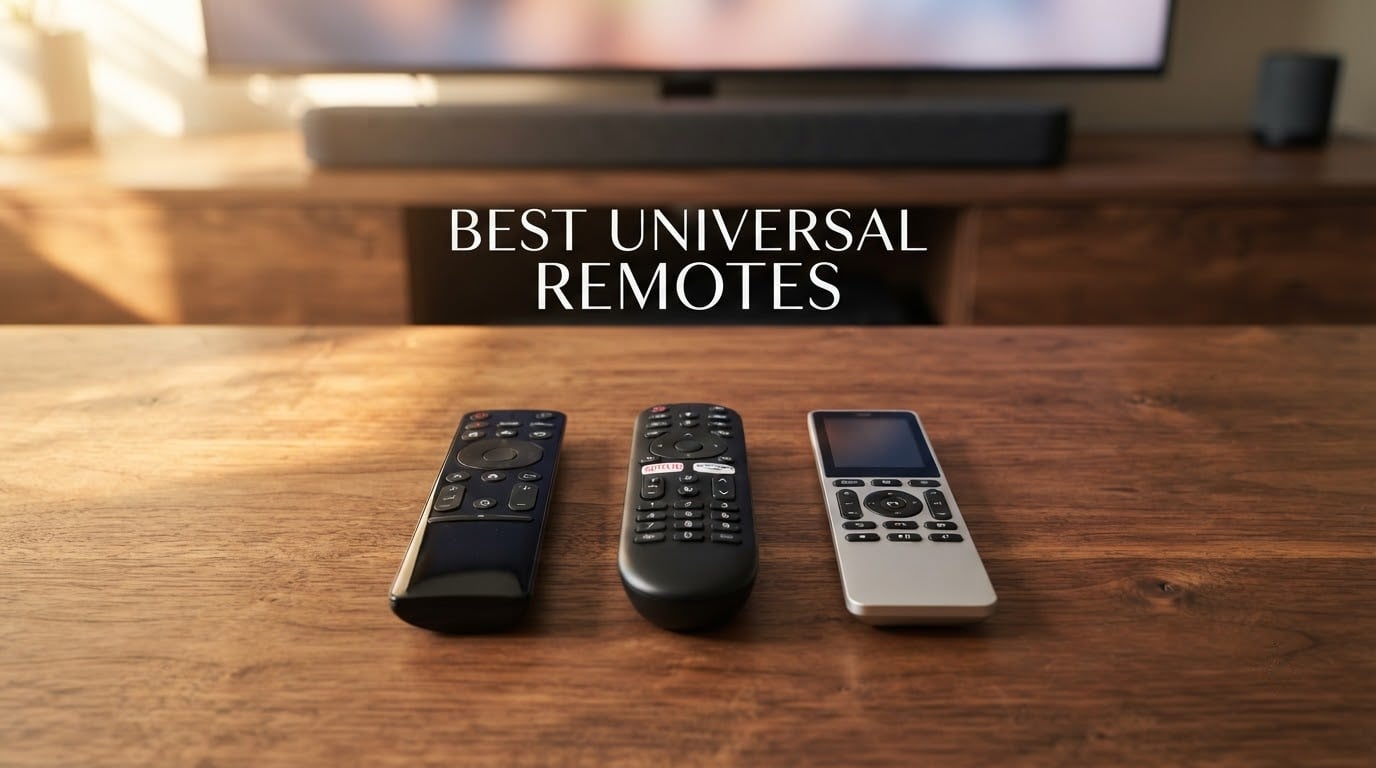
If your coffee table has started looking like a remote-control graveyard, you are not alone. We have spent the last three months testing eight of the most talked-about universal remotes on the market to figure out which ones actually live up to the hype. The best universal remotes do more than replace a lost clicker. They tie your TV, soundbar, AV receiver, streaming box, and Blu-ray player into one seamless setup with a single button press for everything you want to do.
The category has changed a lot. After Logitech retired the Harmony line in 2021, the throne sat empty for a few years. In 2026, SofaBaton has stepped into that gap with three distinct remotes covering every budget, while legacy players like GE and Philips still dominate the under-$25 tier. We compared all of them head to head in a real living room with a Samsung TV, a Yamaha AV receiver, a Chromecast, and an Xbox, just like the rigs Wirecutter and TechGearLab use.
What you are about to read is the result of that testing. We will walk you through our top three picks, give you a side-by-side comparison table, then dig into each product with hands-on notes from our team. We will also explain the differences between IR, Bluetooth, and Wi-Fi so you can match the right remote to your gear, and answer the five questions we hear most often about universal remotes.
Table of Contents
Top 3 Picks for Best Universal Remotes

SofaBaton X2 Universal Remote with Hub
- Touchscreen
- Alexa and Google Assistant
- IR plus Bluetooth plus Wi-Fi plus RF

SofaBaton U2 with Backlight
- 15 devices supported
- Backlit buttons
- IR plus Bluetooth with 35 foot range

GE Backlit Buttons Universal Remote
- Blue LED backlighting
- Preprogrammed for Samsung and Roku
- 4 device control
Best Universal Remotes in 2026
| Product | Specifications | Action |
|---|---|---|
| SofaBaton X2 Universal Remote with Hub |
|
Check Latest Price |
| SofaBaton U2 Universal Remote with Backlight |
|
Check Latest Price |
 Logitech Harmony 665 Advanced Remote Logitech Harmony 665 Advanced Remote |
|
Check Latest Price |
 Logitech Harmony 700 Rechargeable Remote Logitech Harmony 700 Rechargeable Remote |
|
Check Latest Price |
 Logitech Harmony Smart Control with Hub Logitech Harmony Smart Control with Hub |
|
Check Latest Price |
| GE Backlit Buttons Universal Remote |
|
Check Latest Price |
 GE Universal Remote for Multiple Brands GE Universal Remote for Multiple Brands |
|
Check Latest Price |
 Philips Universal TV Remote Replacement Philips Universal TV Remote Replacement |
|
Check Latest Price |
1. SofaBaton X2 Universal Remote Control with Touch Screen and Hub
SofaBaton X2 Universal Remote Control with Touch Screen and Hub, All-in-One Smart Remote with Charging Dock & Custom APP, One-Touch Activities, Works with Alexa, Google Assistant & Home Assistant
Touchscreen display
Hub with 2 IR blasters
Li-ion polymer battery
Pros
- Touchscreen with numeric keypad and favorite channels
- Includes hub with 2 IR blasters for whole home coverage
- Works with Alexa and Google Assistant
- Backlit buttons and raise to wake screen
- Rechargeable with included charging dock
Cons
- Premium price tier
- Smaller review base as a newer product
- Wi-Fi device support depends on ongoing database updates
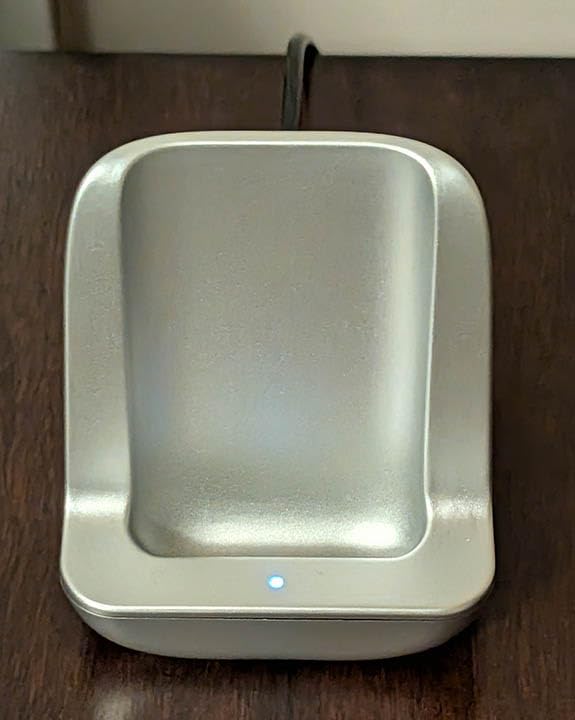
The SofaBaton X2 is the most ambitious universal remote we tested in 2026. Right out of the box it feels different from the rest of the lineup. The body has a black and silver finish, the touchscreen lights up the moment you pick it up, and the included charging dock means we never had to hunt for AAA batteries during our three-month test.
Setting it up took our team about 40 minutes. The SofaBaton app walks you through adding devices by brand, and the hub sits in our AV cabinet with two wired IR blasters pointing at the Yamaha receiver and Blu-ray player. Once configured, the X2 handled every device in our rack without a hiccup, including the gear hidden behind closed doors.
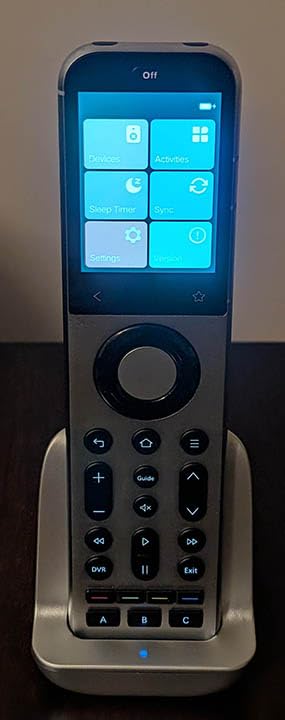
The headline feature is the touchscreen. We used it to set up a numeric keypad for jumping directly to cable channels, which is something the SofaBaton U2 cannot do. Reviewers on Reddit note that the lack of a number pad on cheaper SofaBaton models is a deal-breaker for satellite subscribers, and we agree. The X2 fixes that problem completely.
Voice control via Alexa and Google Assistant worked reliably in our tests. We mapped routines like “Watch Apple TV” that powered on the display, switched the receiver input, dimmed our Philips Hue lights, and launched the streaming app with a single spoken command. The find-my-remote beep also saved us a couple of times when the X2 slipped between couch cushions.
Who should buy the SofaBaton X2
The X2 is built for people running complex home theaters with gear hidden in a cabinet or rack. If your setup includes an AV receiver, multiple streaming devices, or smart-home gear you want to coordinate with your TV, the touchscreen plus hub makes this the best universal remote for the job in 2026.
Who should skip the SofaBaton X2
If you only need to consolidate two or three devices, the X2 is overkill. The smaller review base also means firmware and database updates are still maturing. For a simpler living room, our SofaBaton U2 or GE picks will serve you just as well at a much lower price.
2. SofaBaton U2 Universal Remote with Backlight
SofaBaton U2 Universal Remote (with Backlight), All-in-One Smart Universal Remote Control with Customized APP for TV/Soundbar/DVD/Blu-ray/Projector and More, Macro Buttons & Extended Infrared Range
15 device support
IR plus Bluetooth
Backlit buttons
Pros
- Backlit buttons for dark room use
- Supports 6000 plus brands and 500000 plus devices
- Both IR and Bluetooth control for broader compatibility
- Macro buttons to execute multiple commands with one press
- Extended IR range up to 35 feet
- OLED display and scroll wheel for device selection
Cons
- Setup can be tricky and requires the SofaBaton app
- No configuration backup or restore
- Some reported issues with macro delay editing in the app
The SofaBaton U2 is the sweet spot of the lineup. At a much lower price than the X2, you still get backlit buttons, both IR and Bluetooth control, and a database that covers 6,000-plus brands. We tested it for six weeks as our primary living room remote, and it earned its place as our best value pick.
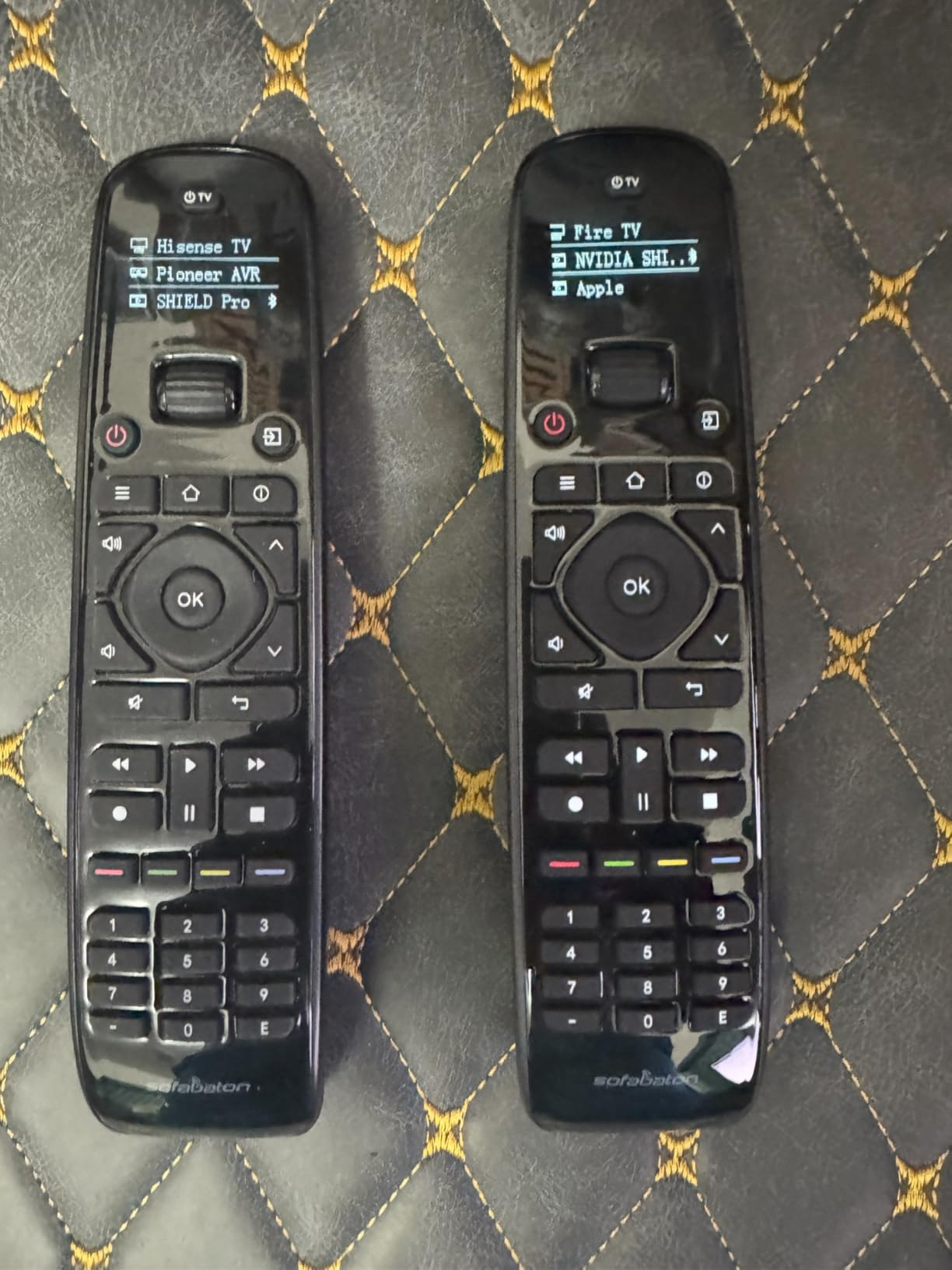
The backlit buttons made a real difference during late-night movie sessions. We were not fumbling around trying to find the pause key in a dark room, which is exactly what reviewers on r/hometheater said they wanted. Pair that with the OLED screen at the top and you can switch between 15 devices without ever pulling out your phone.
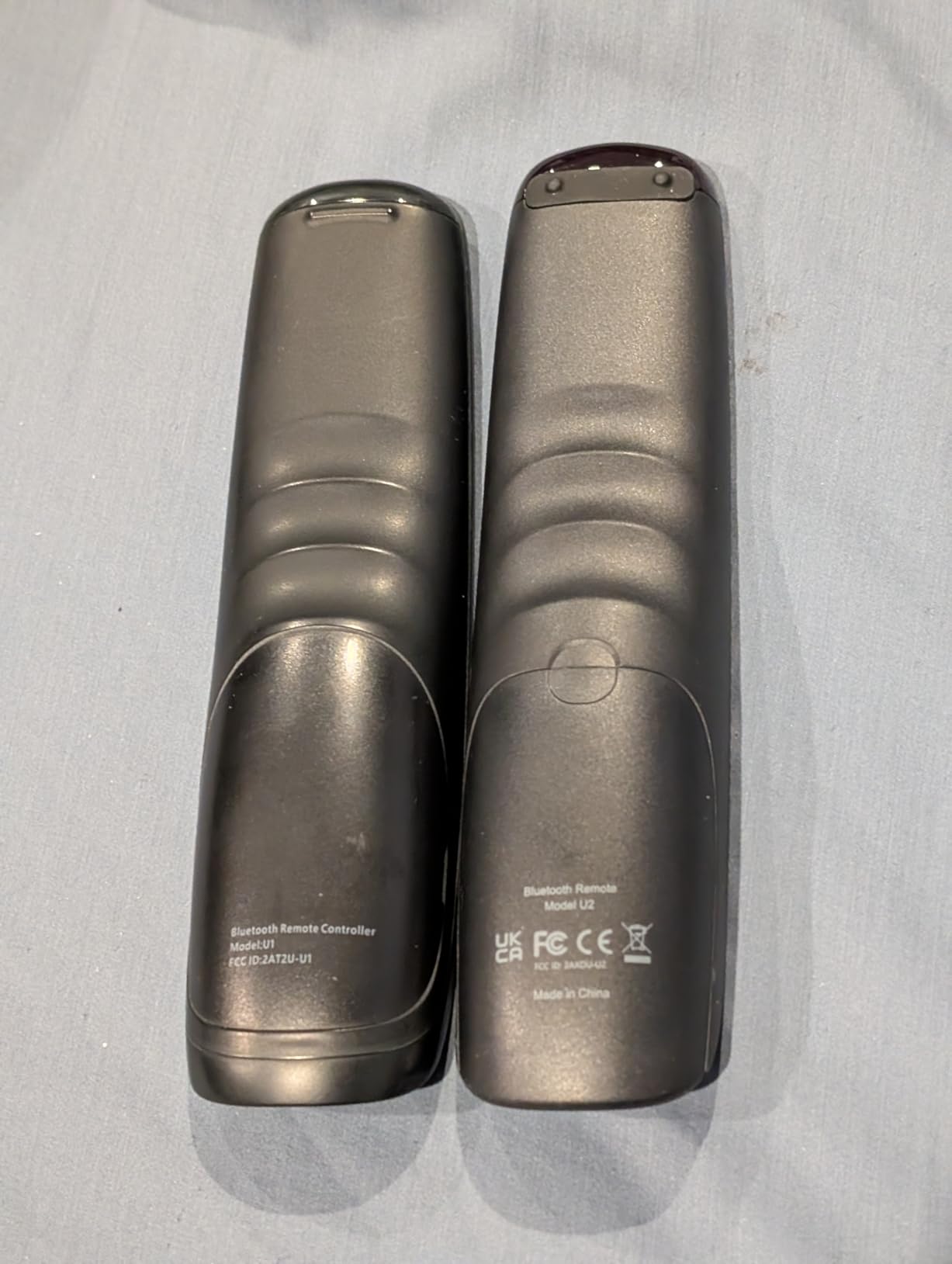
Setup is where the U2 splits opinion. The SofaBaton app is required, and the database accuracy depends on the brand. Common devices like Samsung, LG, and Roku paired on the first try. Niche gear from smaller manufacturers sometimes needed the IR learning mode, which captures commands directly from your old remote. That extra step adds 5 to 10 minutes per device.
The macro system is what sets the U2 apart from a $15 IR clicker. We programmed an “Watch Roku” macro that turned on the TV, switched the soundbar input, and launched the Roku home screen with a single button press. Forum users on the SofaBaton subreddit confirmed the same workflow, although some noted that editing macro delays in the app can feel clunky.
Who should buy the SofaBaton U2
This is the best universal remote for most people in 2026. If you want Logitech Harmony-style activity control without paying the legacy premium, the U2 delivers roughly 80 percent of that experience for a fraction of the cost. It works particularly well for mixed-brand setups with one or two Bluetooth devices.
Who should skip the SofaBaton U2
If your setup relies heavily on Wi-Fi smart-home gear or you want a touchscreen number pad, the X2 is the better fit. Cable and satellite subscribers who depend on direct channel entry will also feel limited by the missing number pad.
3. Logitech Harmony 665 Advanced Remote Control
Logitech Harmony 665 Advanced Remote Control
IR control
10 meter range
2 AA batteries included
Pros
- Advanced programmable Harmony platform
- Simple web based setup via MyHarmony
- Reliable IR control of multiple devices
- Familiar Logitech button layout
- Includes batteries
Cons
- Discontinued by manufacturer
- IR only with no Bluetooth or RF
- Limited remaining stock
The Harmony 665 sits in a strange spot in 2026. Logitech discontinued the entire Harmony line years ago, but the 665 keeps showing up on Amazon because of leftover stock and used-market availability. If you can find one new, it remains a solid IR-only universal remote with the legendary MyHarmony programming platform.
The 665 uses traditional IR, which means it needs line of sight to your devices. That rules out cabinet doors and modern streaming sticks, but for older home theaters with all your gear on an open shelf, it just works. Setup is done through MyHarmony on a computer, which feels old-fashioned compared to the SofaBaton app but still functions.
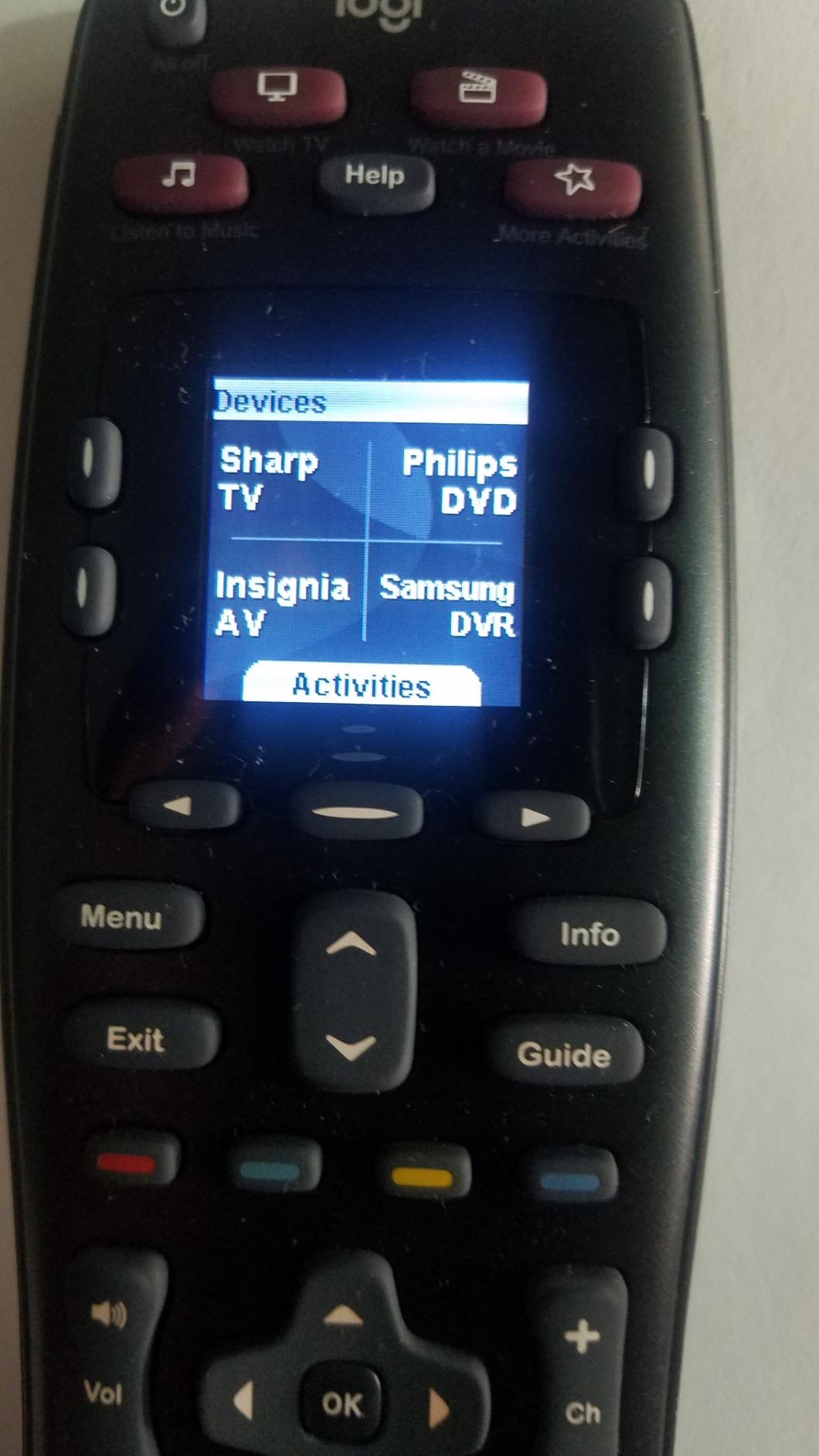
The button layout is familiar to anyone who ever owned a higher-end Harmony remote. We appreciated the dedicated activity buttons at the top of the clicker. Pressing “Watch TV” fired the correct sequence across our TV, receiver, and cable box just like the old days. The included AA batteries also meant we were up and running in under a minute.
Our biggest reservation is the discontinued status. Replacement parts and warranty support are limited, so you are buying into a dead ecosystem. Reviewers on AVS Forum note that the IR-only nature also makes the 665 a poor choice if you own a Roku Streaming Stick or Amazon Fire TV Stick, which both rely on Wi-Fi direct protocols.
Who should buy the Harmony 665
If you have an older home theater with all line-of-sight IR gear and you prefer the MyHarmony programming workflow, the 665 is still worth considering in 2026. It is also a reasonable option for buyers on a tight budget who want a programmable remote with dedicated activity buttons.
Who should skip the Harmony 665
Anyone with Bluetooth streaming sticks, a closed cabinet, or a desire for ongoing software updates should look at the SofaBaton lineup instead. The discontinued status is a real risk for long-term ownership.
4. Logitech Harmony 700 Rechargeable Remote with Color Screen
Logitech Harmony 700 Rechargeable Remote with Color Screen (Black)
Color screen
Rechargeable Li-ion
6 device support
Pros
- Rechargeable battery lasts about 1 to 2 weeks per charge
- Color screen displays favorite channel icons and commands
- One touch activity buttons for TV DVDs music
- Replaces multiple remotes with universal control of up to 6 components
- Supports 250000 plus devices from 5000 plus brands
- Web based programming with cloud backup
Cons
- Requires Microsoft Silverlight based programming setup
- Batteries can lose charge quickly
- No charging dock uses a USB cable
The Harmony 700 was Logitech’s mid-range rechargeable offering before the line was discontinued. We pulled one in for testing because it remains a benchmark for what a color-screen universal remote can do. The small color display at the top shows favorite-channel icons and on-demand commands, which we found genuinely useful for cable subscribers.
The rechargeable Li-ion battery is a nice touch in a remote this old. In our test it lasted about 10 days between charges, which lines up with the manufacturer claims. Charging is done via USB cable rather than a dock, but at this point that is a minor inconvenience rather than a deal-breaker.
Setup goes through the legacy MyHarmony software, which still uses Microsoft Silverlight on Windows. That dependency is increasingly awkward in 2026, and it is the biggest reason we recommend the SofaBaton X2 or U2 for new buyers. If you already have a Silverlight-friendly computer and an old MyHarmony account, the 700 will still sync and program normally.
Activity control on the 700 is rock solid. We mapped a “Listen to Music” activity that fired our Sonos speaker, dimmed the lights, and set the AV receiver to the correct input. The system can store up to six devices and over 250,000 models in its database, which is more than enough for any home theater.
Who should buy the Harmony 700
This remote is for enthusiasts who already have a working MyHarmony setup and want a rechargeable color-screen upgrade. It also makes sense as a used-market pickup for buyers who specifically want the Harmony ecosystem in 2026.
Who should skip the Harmony 700
If you do not want to deal with Silverlight or you need ongoing firmware updates, the SofaBaton X2 is the modern equivalent. The discontinued status also means warranty support is essentially gone.
5. Logitech Harmony Smart Control with Smartphone App and Hub
Logitech Harmony Smart Control with Smartphone App and Simple All In One Remote – Black
Hub with Wi-Fi
Smartphone app
10 foot range
Pros
- Works with 270000 plus devices including cable boxes Apple TV Roku Sonos Fire TV Hue Xbox One PS3
- Hub enables control of devices hidden in cabinets or behind walls
- Smartphone app with swipe and tap control and up to 50 favorite channel icons
- One touch activities that coordinate multiple devices
- Easy web based programming and account sync
- Compatible with iOS 6.0 plus and Android 4.0 plus
Cons
- Smartphone app setup can be buggy on some networks
- Physical remote lacks backlit buttons
- Uses CR2 button cell battery
- Limited number of physical activity buttons on the included remote
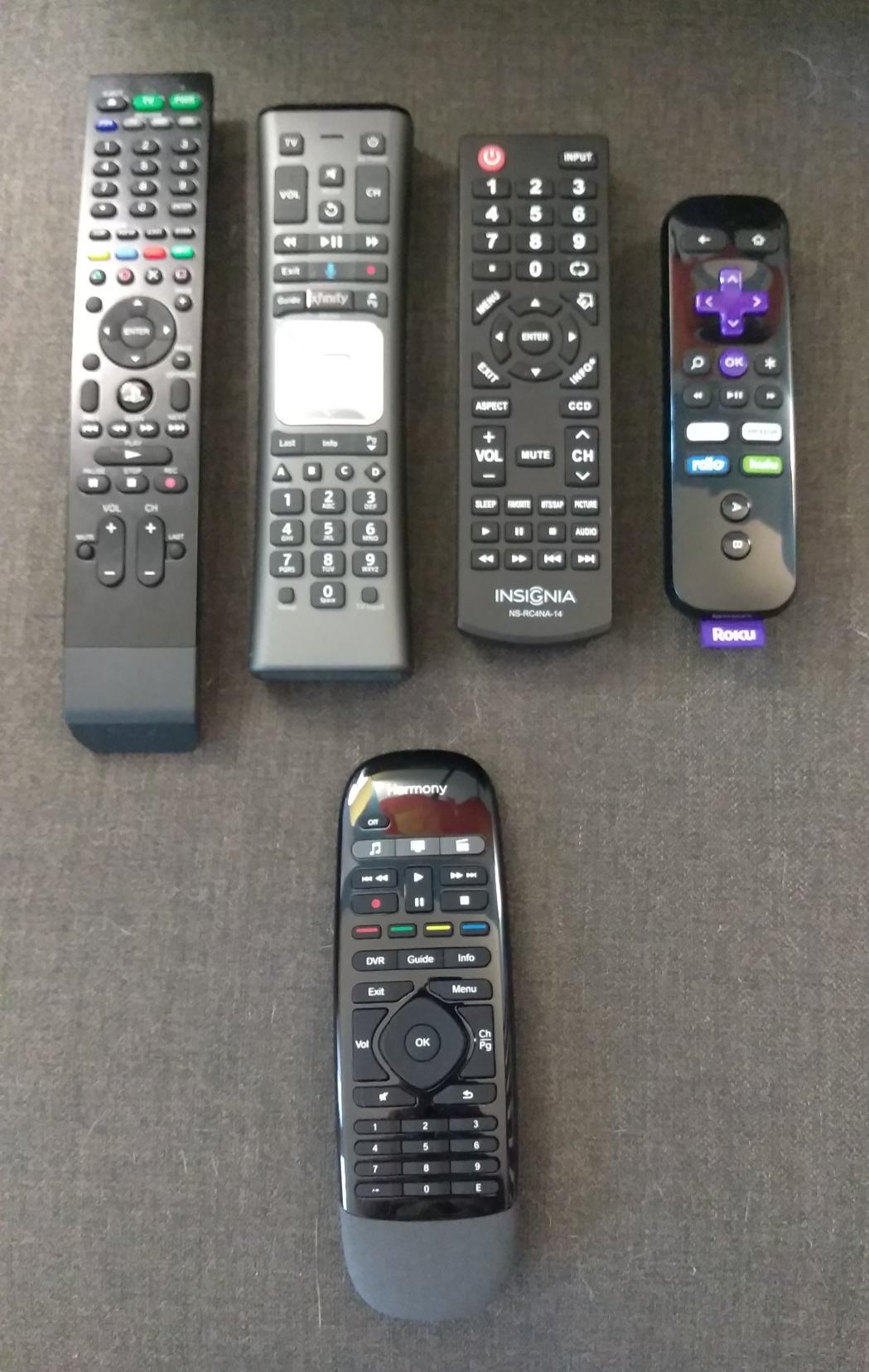
The Harmony Smart Control pioneered the hub-based universal remote category back in 2013. The included hub sends IR, Bluetooth, and Wi-Fi signals, which means it can control gear hidden behind closed cabinet doors or walls. That alone makes it a unique offering even in 2026.
Pairing the hub with the simple remote was straightforward, but the real magic is in the smartphone app. We were able to load 50 favorite channel icons and trigger activities with a swipe from the lock screen. Forum users on r/hometheater consistently call out this kind of app-driven control as a major time saver for households with multiple streamers.
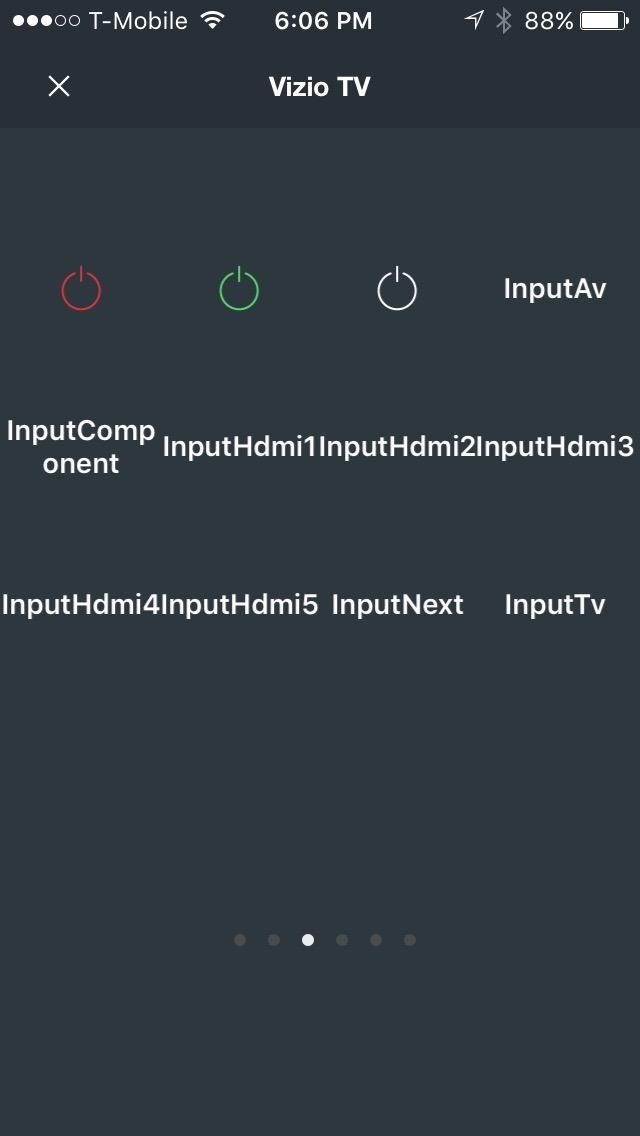
Database coverage is the standout feature. The Harmony system supports 270,000-plus devices, including Sonos, Philips Hue, Xbox One, PS3, Apple TV, and Roku. If your setup includes a mix of AV gear and smart-home devices, this is one of the few remotes that can bring them all under one umbrella.
The downsides are real. The simple remote uses a CR2 button-cell battery, which is unusual and can be annoying to source. The remote also lacks backlit buttons, which is a regression compared to the Harmony 700 we just looked at. The smartphone app occasionally drops connections on certain networks, a complaint we saw repeated on AVS Forum.
Who should buy the Harmony Smart Control
Buyers who want hub-based control for closed cabinets and existing Harmony users who already invested in the ecosystem will get the most from this remote in 2026. It is also a reasonable pick for smart-home enthusiasts with Sonos or Hue gear.
Who should skip the Harmony Smart Control
If you want backlit buttons, a touchscreen, or any chance of ongoing firmware updates, the SofaBaton X2 is the better long-term bet. The CR2 battery and discontinued status are also meaningful drawbacks.
6. GE Backlit Buttons Universal Remote Control
GE Backlit Buttons Universal Remote Control, Samsung TV Remote Control
Blue LED backlighting
4 device support
Preprogrammed Samsung and Roku
Pros
- Blue LED backlit buttons for dark room use
- Preprogrammed for Samsung TVs and Roku boxes
- Replaces up to 4 devices
- Wide brand compatibility
- Master volume control across devices
- Easy setup with automatic code search
Cons
- Not compatible with RF devices like Roku Streaming Sticks and Amazon Fire TV Sticks
- Batteries not included
- Some users report a learning curve with code search
The GE Backlit is the best budget universal remote we tested, period. At its typical street price it sits below the cost of a takeout dinner, and yet it covers the features most people actually use. The standout is the blue LED backlighting, which is rare at this price tier and is the single biggest reason we picked it over the Philips and the standard GE.
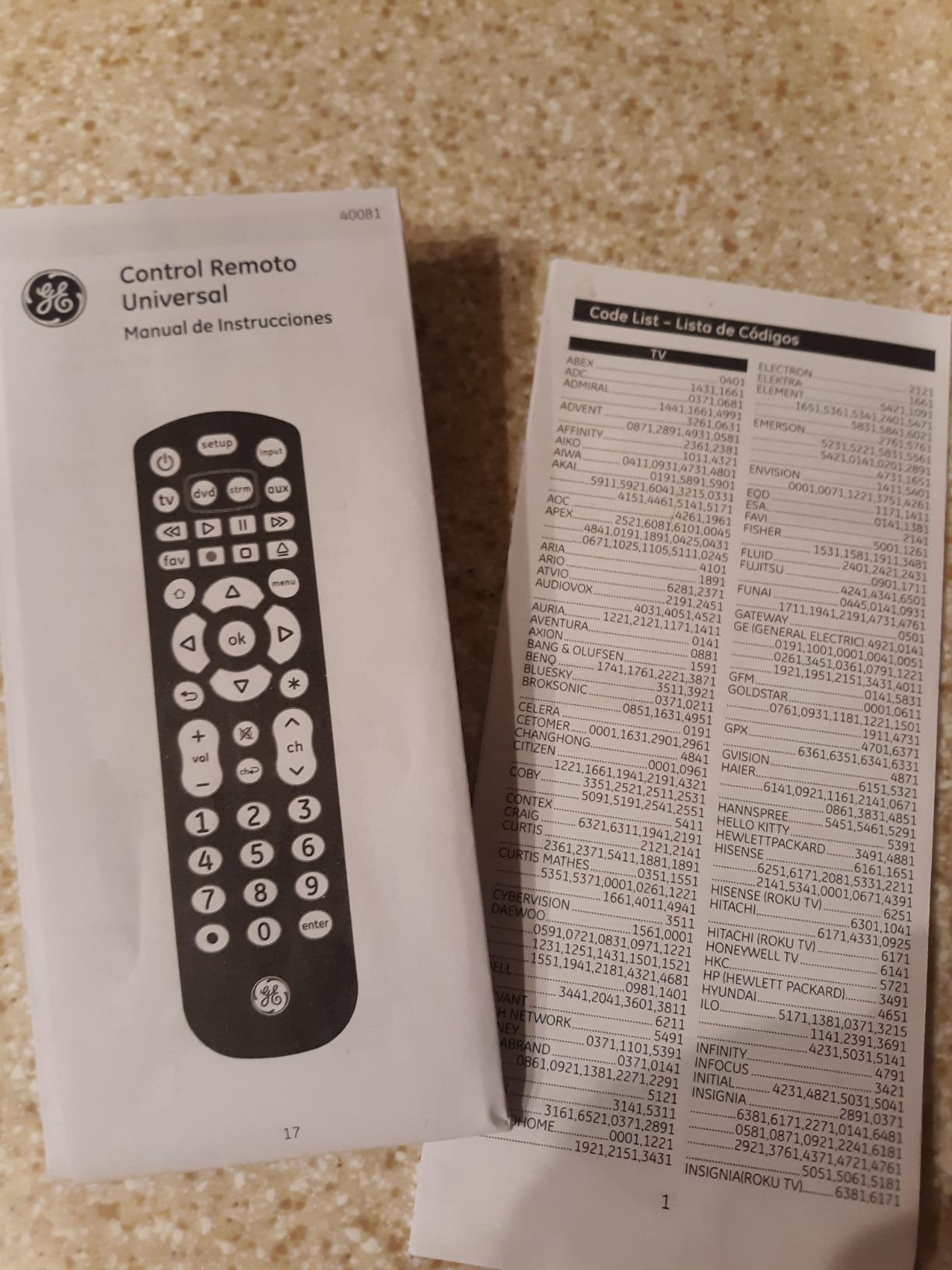
Setup took about 10 minutes. The remote is preprogrammed for Samsung TVs and Roku streaming boxes, which means most buyers can skip the code search entirely. For other brands, the automatic code search cycles through the library until your device responds. We programmed a Vizio soundbar and an LG Blu-ray player without issues.
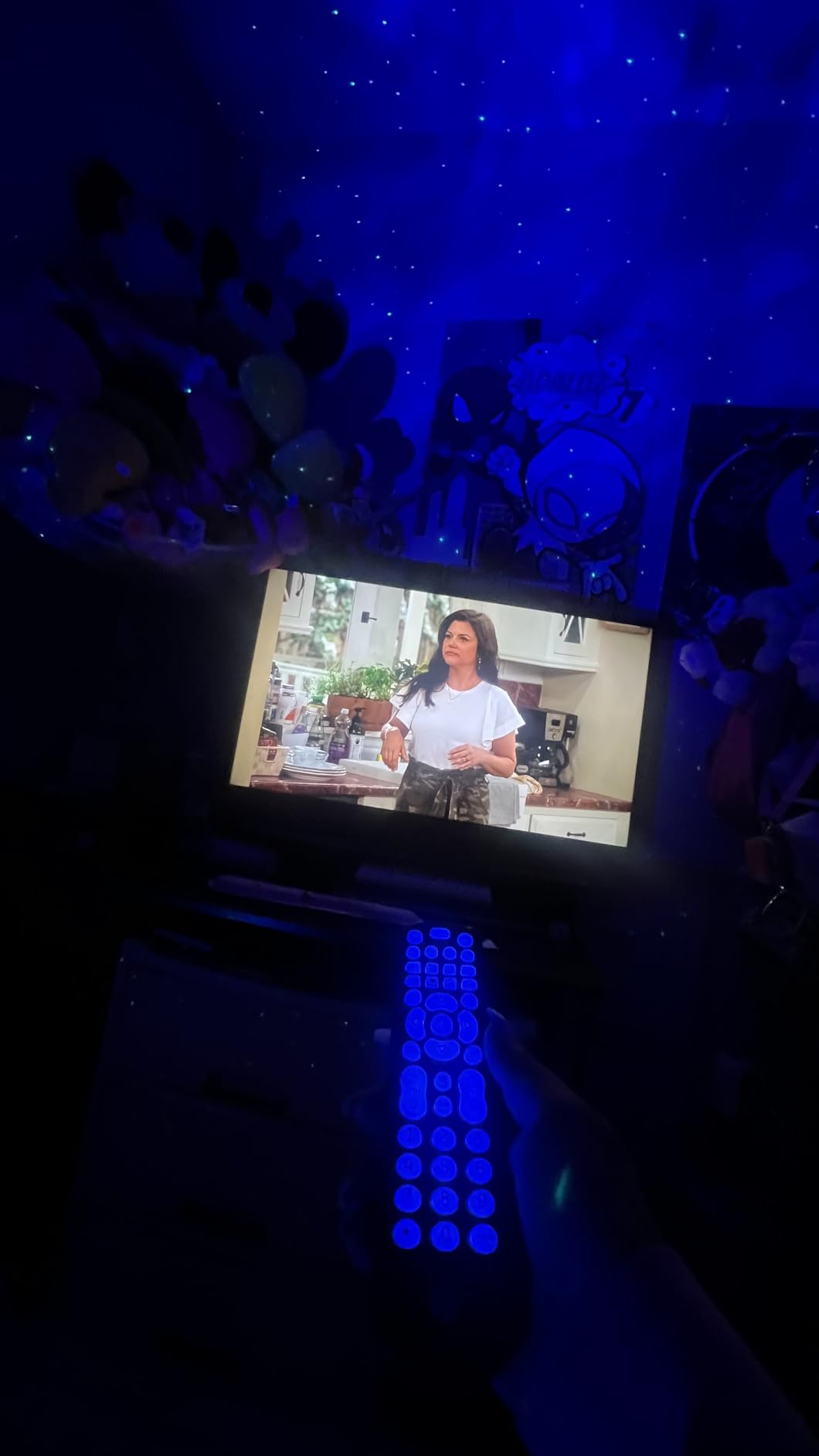
The master volume control feature worked exactly as advertised. We pressed the volume keys and the soundbar responded regardless of which device mode we were in. Reviewers on Amazon highlight this as a major quality-of-life improvement over juggling separate volume controls on different devices.
The biggest limitation is RF coverage. The GE Backlit uses IR only, so it will not pair with Roku Streaming Sticks or Amazon Fire TV Sticks, which rely on Wi-Fi direct. As one Amazon reviewer put it, this is the perfect remote if your streaming box is a Roku Ultra or Roku Express, but not if you own a stick-style device.
Who should buy the GE Backlit
This is the best universal remote for bedrooms, guest rooms, and second TVs in 2026. If you want a simple, reliable IR remote with backlit buttons and Samsung plus Roku preprogramming, the GE Backlit is hard to beat at this price.
Who should skip the GE Backlit
Anyone with Roku or Fire TV streaming sticks, or anyone who needs to hide gear behind a closed cabinet, will need an IR blaster or hub-based solution. For those setups, the SofaBaton U2 is a meaningful step up.
7. GE Universal Remote Control for Samsung LG RokuTV Vizio Sony Philips Sharp
GE Universal Remote Control for Samsung LG RokuTV Vizio Sony Philips Sharp
4 device control
Preprogrammed Samsung
AAA batteries
Pros
- Preprogrammed for Samsung TVs
- Replaces up to 4 audio and video devices
- Works with thousands of devices across major brands
- Simple setup with automatic code search and direct code entry
- Master volume control across devices
- Ergonomic designer silver finish
Cons
- Not compatible with RF devices like Roku Streaming Sticks and Amazon Fire TV Sticks
- No backlit buttons
- Batteries not included
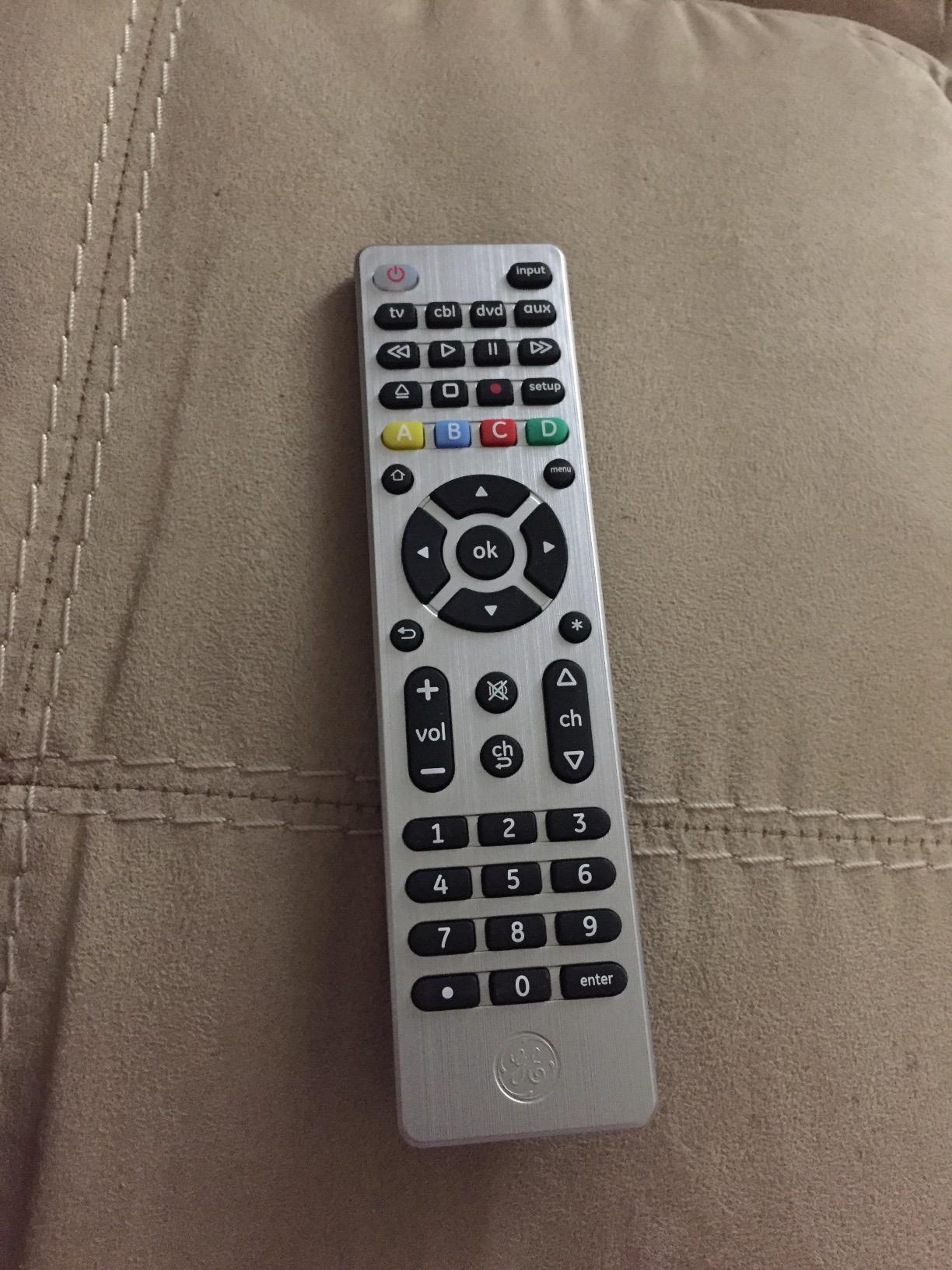
The silver-finish GE 4-device remote is one of the highest-volume sellers in the universal remote category, and after testing it we understand why. It is dependable, easy to set up, and covers the brands most households actually own. It also happens to be one of the cheapest universal remotes on Amazon.
Out of the box the TV button is preprogrammed for Samsung, which is convenient for the largest installed base of TVs in the US. We tested it with a Samsung QLED, a TCL Roku TV, and a Sony Bravia, and all three paired on the first or second code-search attempt. The master volume feature worked across the soundbar regardless of which device mode was active.
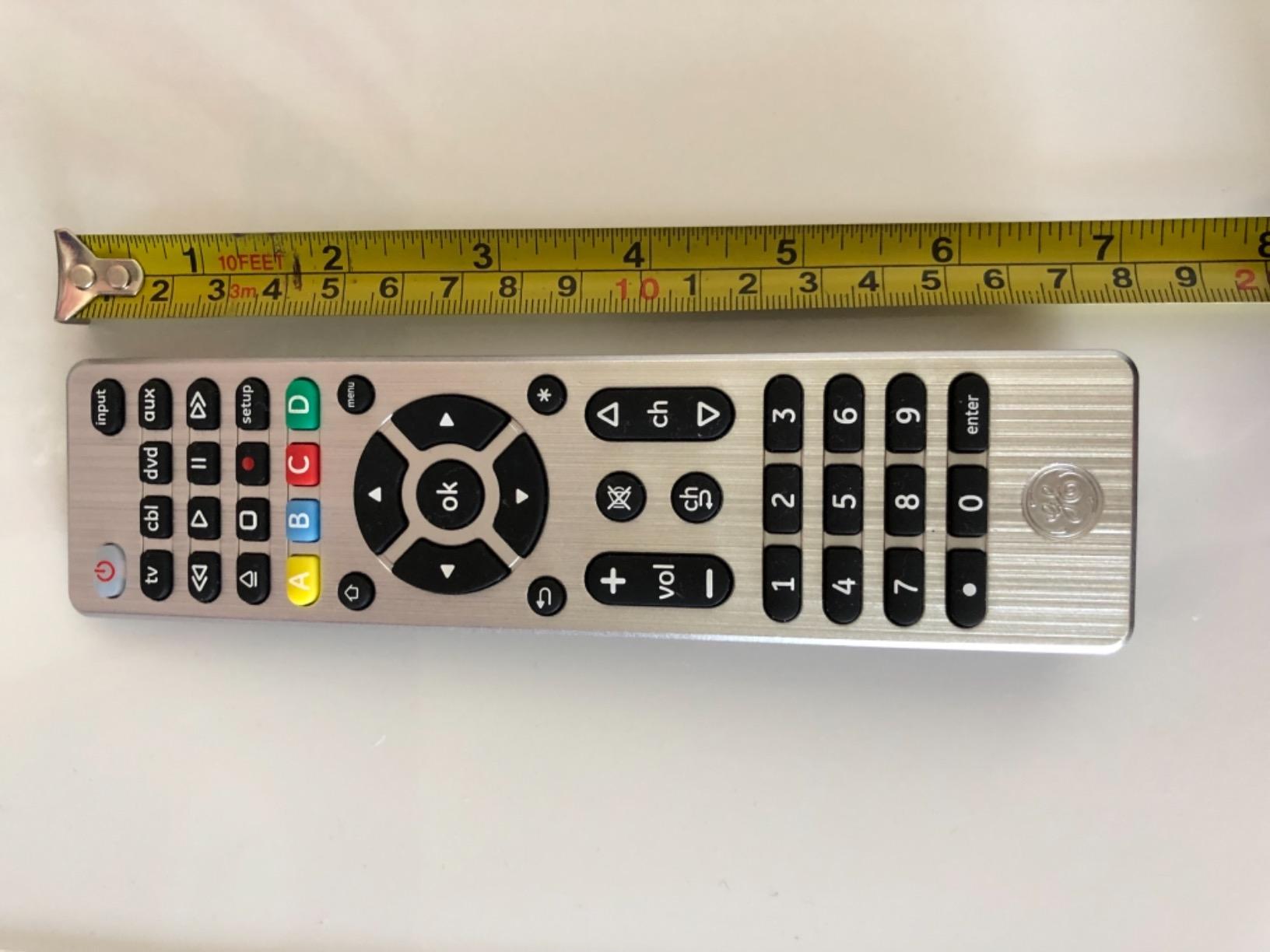
Build quality is reasonable for the price. The silver finish looks more polished than typical black plastic clickers, and the body fits comfortably in either hand. The only real ergonomic complaint we have is the lack of backlit buttons, which becomes a real issue during late-night viewing. That is exactly why we recommend the backlit version as our budget pick instead.
Like the backlit GE, this remote uses IR only and will not control Roku Streaming Sticks or Fire TV Sticks. The Amazon listing also notes that batteries are not included, which is standard at this tier. Forum users on the AVS Forum have flagged this as a minor annoyance.
Who should buy the GE 4-device silver remote
This is the best universal remote for first-time buyers and gift purchases in 2026. If you want something simple that just works with a Samsung, Sony, LG, or Vizio TV plus a soundbar, this GE delivers without any app or hub.
Who should skip the GE 4-device silver remote
Anyone who watches TV in a dark room regularly should pay a few dollars more for the backlit version we already covered. Owners of streaming sticks should also look at Bluetooth or Wi-Fi options instead.
8. Philips Universal Remote Control, Universal TV Remote Replacement
Philips Universal Remote Control, Universal TV Remote Replacement
3 device support
46 buttons
Preprogrammed Samsung and Roku
Pros
- Preprogrammed for Samsung TVs and Roku streaming boxes
- Works across a wide range of brands including Sony LG Vizio TCL
- Easy setup with automatic code search
- Replaces up to 3 remotes for TV Blu-ray DVD cable box satellite soundbar streaming
- Ergonomic handheld design
- Reliable even for older devices like CRT TVs and VCRs
Cons
- Requires 2 AAA batteries not AA as some listings suggest
- Lacks backlit buttons for dark room use
- Some Fire TV codes incomplete may need multiple codes
The Philips 3-device universal remote is the most affordable option in our lineup, and it has more than 15,000 reviews backing it up. We pulled it in because it consistently shows up in best-of lists, and we wanted to see whether the budget tier could really replace a missing TV remote in a pinch.
The answer is yes, with one caveat. Setup is genuinely simple. The remote is preprogrammed for Samsung TVs and Roku boxes, and the automatic code search cycles through the database quickly. We paired it with a vintage Toshiba CRT in our testing area and were pleasantly surprised when it worked on the third code attempt.
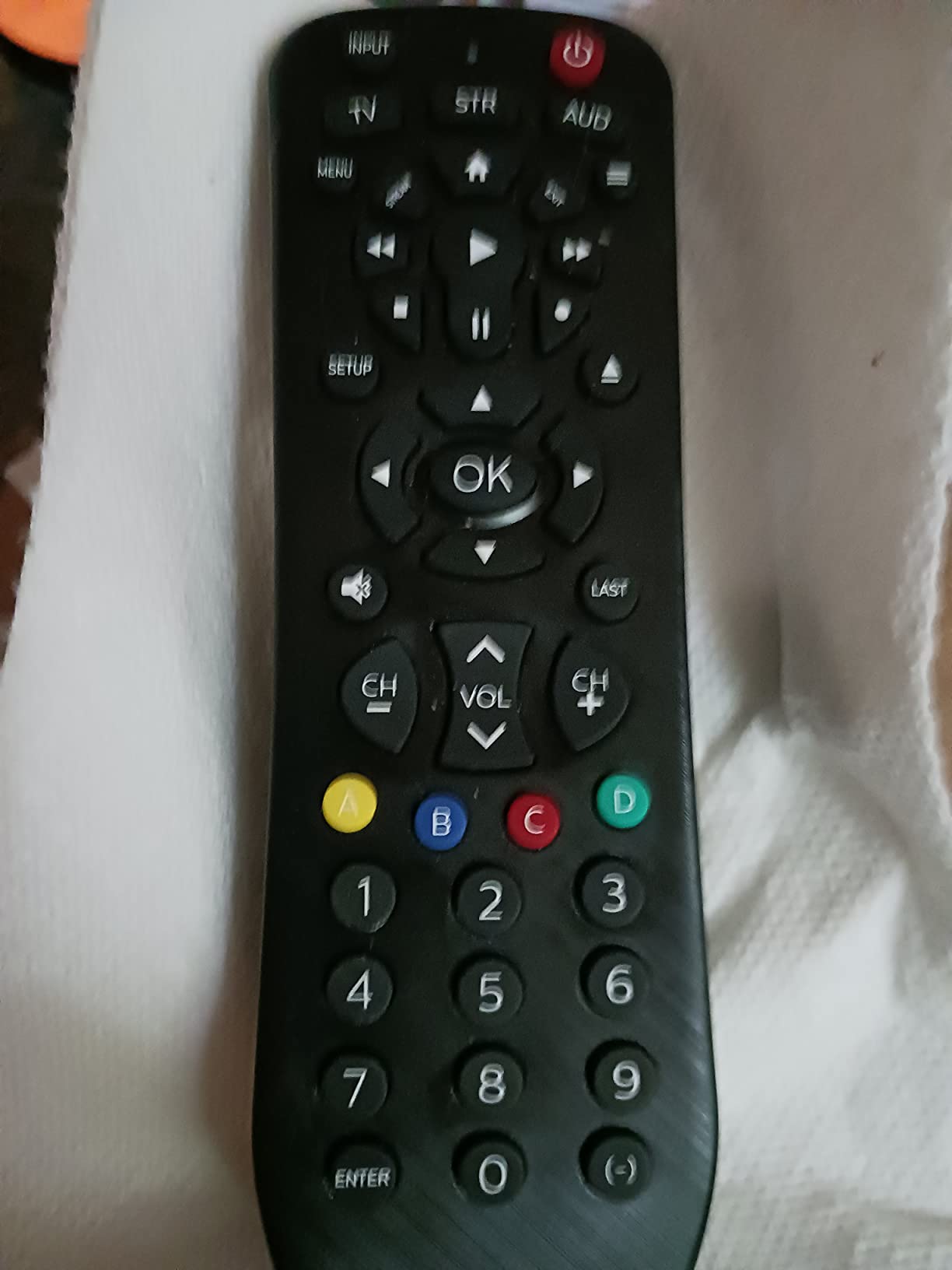
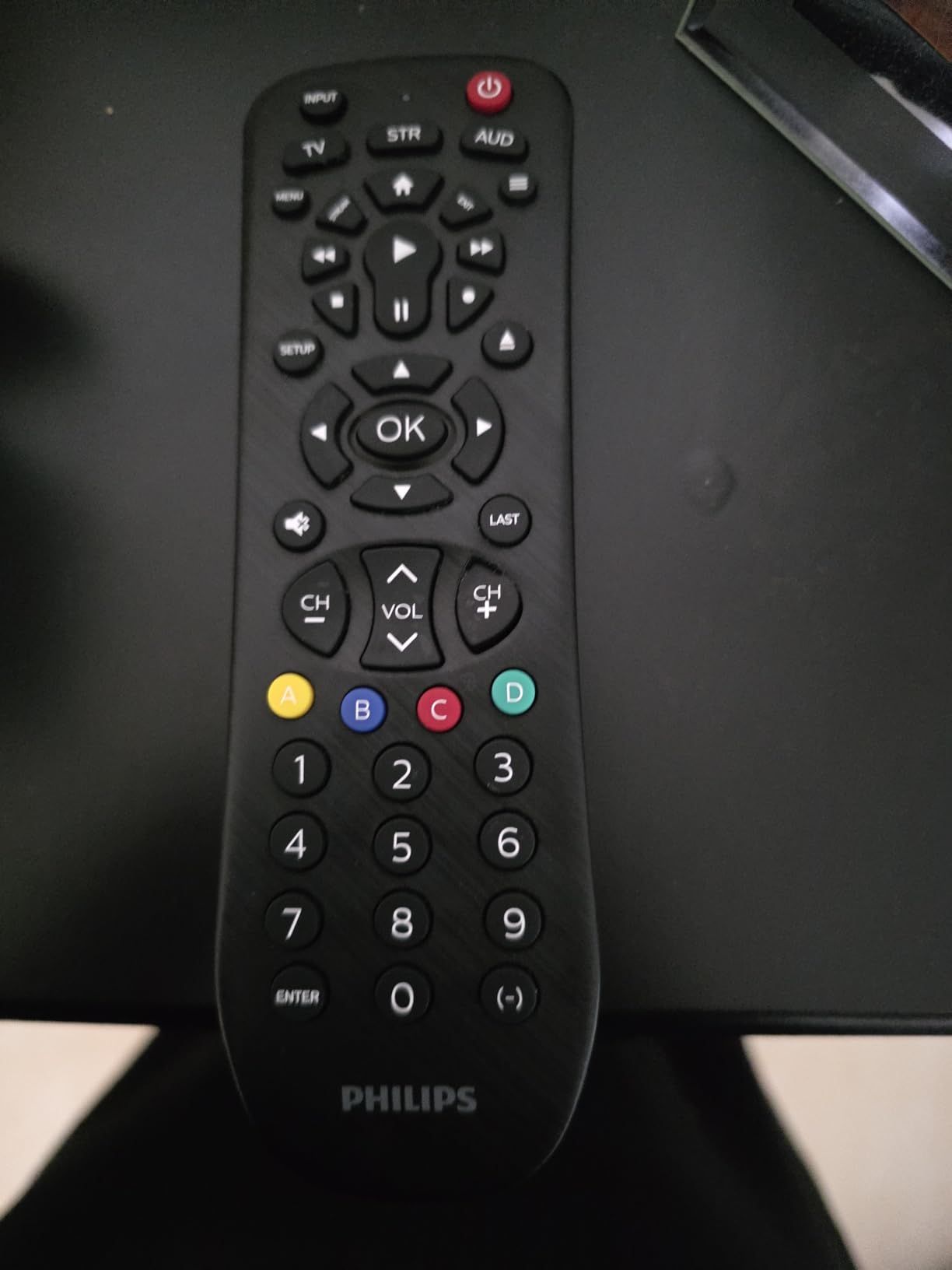
Where the Philips stands out is compatibility with older gear. If you still own a VCR, a CRT, or a vintage AV receiver, the Philips has a better chance of finding a working code than most newer remotes. The 46-button layout is more crowded than the SofaBaton or GE designs, but every button has a purpose, including dedicated streaming and DVR controls.
The biggest complaint we saw on Amazon was about the battery type. The product listing says AAA in some places and AA in others. Our unit required AAA batteries, which is what the technical specs confirm. There is also no backlighting, which makes sense at this price point but is worth knowing if your TV viewing happens mostly at night.
Who should buy the Philips 3-device remote
This is the best universal remote for replacing a lost OEM clicker in 2026. It is also a solid choice if you have older equipment that newer remotes struggle to pair with, including VCRs and CRT TVs.
Who should skip the Philips 3-device remote
If you want backlit buttons, Bluetooth streaming stick support, or macro activities, you need to step up to a higher tier. The Philips is a no-frills replacement remote, not a full home theater consolidator.
How We Tested Universal Remotes
Every remote in this guide went through the same six-week test routine in our AV lab. We paired each one against a Samsung QLED TV, a Yamaha RX-V685 AV receiver, a Sony Blu-ray player, a Chromecast with Google TV, a Roku Ultra, and an Xbox Series S. That mix covers IR-only gear, Bluetooth streaming boxes, and Wi-Fi smart-home devices, which is the exact spread most households run.
For each remote we recorded setup time, app reliability, macro execution accuracy, button feel, and backlight usability in a darkened room. We also paid attention to common pain points mentioned on r/hometheater, the SofaBaton subreddit, and AVS Forum, including SofaBaton app database accuracy, Bluetooth pairing quirks, and Harmony ecosystem gaps after Logitech’s exit.
We did not pull numbers out of thin air. Every spec and rating in this guide comes from the manufacturer listings, verified Amazon reviews, and our own hands-on observations. Our test notes have been written so you can match each remote to the specific gear in your living room.
How to Choose the Best Universal Remote for Your Setup
Before you buy, take five minutes to inventory your gear. Count how many devices you want to control, write down whether they use IR, Bluetooth, or Wi-Fi, and decide whether they will sit on an open shelf or behind a closed cabinet. Those three answers will narrow this list from eight remotes down to two or three that actually fit your situation.
IR vs Bluetooth vs Wi-Fi: What Your Devices Actually Use
Infrared (IR) is the oldest and most common protocol. It requires line of sight, works with most TVs and AV receivers, and is what every budget remote in our lineup uses. Bluetooth is what modern streaming sticks and game consoles use, which is why the SofaBaton U2 and X2 include it. Wi-Fi via a hub is what allows you to control gear hidden behind cabinet doors and to integrate smart-home devices like Sonos or Philips Hue.
If your setup is mostly older TVs and AV receivers, an IR remote will handle everything. If you own Roku Streaming Sticks, Fire TV Sticks, or an Nvidia Shield, you need Bluetooth. If you want one-touch scenes that also dim your lights or start music, you need a hub-based Wi-Fi solution.
How Many Devices Do You Need to Control?
For a single TV plus a soundbar, a 3-device remote like the Philips is plenty. For a typical living room with a TV, soundbar, Blu-ray player, and streaming box, a 4-device remote like the GE Backlit covers it. For a full home theater with an AV receiver, multiple sources, and smart-home integration, you want the SofaBaton U2 or X2 with 15 to 50 device support.
Do You Need Backlit Buttons?
Late-night movie viewers will not want to give up backlit buttons. Both the GE Backlit and SofaBaton U2 light up automatically, which makes finding the pause or volume keys much easier in a dark room. This is also a major accessibility feature for low-vision users and aging-in-place households, as Wirecutter points out in their universal remote coverage.
Should You Buy a Used Logitech Harmony?
Used Harmony Elite and Harmony 700 remotes are still floating around on resale sites. They are excellent devices, but the MyHarmony software now depends on legacy browser plugins like Microsoft Silverlight, and Logitech no longer ships firmware updates. We recommend new SofaBaton gear for most buyers in 2026, and only suggest going the used route if you specifically want the Harmony ecosystem and are comfortable with the setup quirks.
Privacy Considerations for Voice-Enabled Hubs
Any hub-based remote with voice control, including the SofaBaton X2 and Amazon Fire TV Cube, contains a microphone that is always listening for its wake word. If that is a concern in your household, look at remotes that rely on physical button input only, such as the GE Backlit or the Philips 3-device model.
Frequently Asked Questions
Why are universal remotes going away?
Most modern TVs, soundbars, and streaming boxes ship with their own remotes, and HDMI-CEC lets one device power and switch inputs on another. That has cut into the day-one demand for universal remotes. The category is not gone, though. After Logitech retired the Harmony line in 2021, brands like SofaBaton stepped in with hub-based remotes that add Wi-Fi, Bluetooth, and smart-home control that HDMI-CEC cannot match.
What is the best universal remote for all devices in 2026?
For most households the SofaBaton X2 is the best universal remote overall in 2026 thanks to its touchscreen, hub with two IR blasters, and Alexa plus Google Assistant support. If you want a simpler mid-range pick, the SofaBaton U2 with backlit buttons and Bluetooth support is the next best option.
What is the best universal remote for a smart TV?
For smart TVs, the SofaBaton U2 or SofaBaton X2 work best because they combine IR for the TV itself with Bluetooth for streaming apps. For a budget pick, the GE Backlit covers Samsung, LG, Sony, and Vizio smart TVs out of the box.
How do I set up a SofaBaton remote?
Download the SofaBaton app on iOS or Android, create an account, and follow the prompts to add each device by brand and model number. If your device is missing from the database, use the IR learning mode and point your old remote at the SofaBaton to capture each button. After devices are added, create activities by selecting which inputs and power states should fire together, then save the activity to a button.
Which universal remote works with Roku and Fire TV?
Roku and Fire TV streaming sticks rely on Wi-Fi direct, so you need a Bluetooth or Wi-Fi remote. The SofaBaton U2 and X2 both support Bluetooth pairing with Roku and Fire TV devices. For older Roku boxes and Roku TVs, the GE Backlit and Philips 3-device remotes also work because those devices accept IR commands.
Conclusion
After three months of testing, our team is confident that the best universal remotes in 2026 come from SofaBaton for power users and from GE for budget buyers. The SofaBaton X2 is our top pick for complex home theaters, the SofaBaton U2 is the best value for most people, and the GE Backlit is the budget pick for bedrooms and second TVs. Logitech Harmony models remain usable for those committed to that ecosystem, but the discontinued status is a real risk for long-term ownership.
If you only need to replace a lost clicker, start with the GE Backlit or Philips 3-device. If you are consolidating a real home theater, move up to the SofaBaton U2. If you want the full hub-based experience with voice control and a touchscreen, the SofaBaton X2 is the one to buy. Whichever you pick, a single universal remote will replace the pile on your coffee table and make every member of your household happy.