
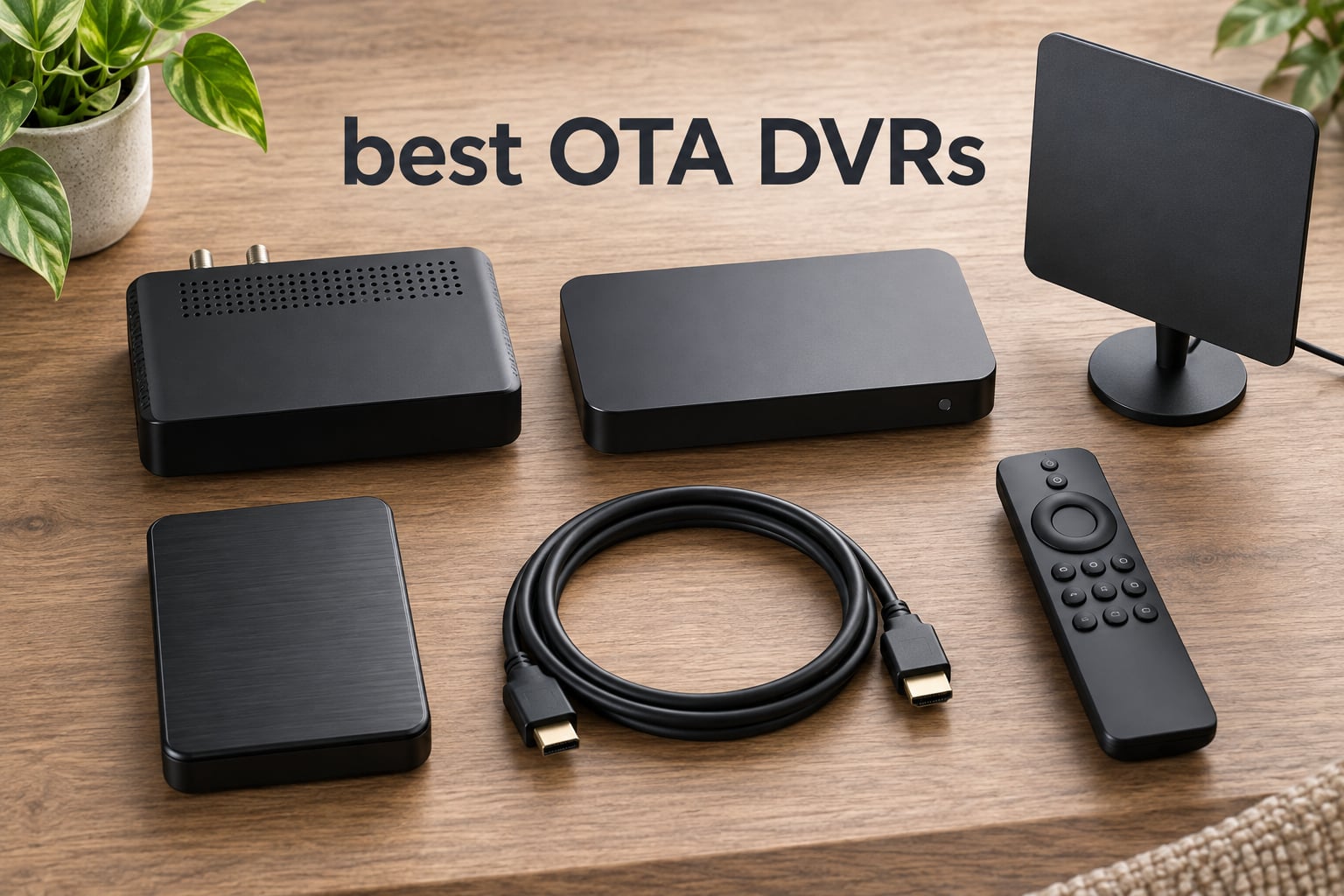
Cord cutting is supposed to save money, but losing your DVR is what usually makes people crawl back to cable. The good news: the best OTA DVRs in 2026 let you record, pause, and skip commercials on free broadcast TV for a one-time cost, no monthly subscription required. We’ve spent the past three months testing seven real over-the-air DVR setups across two homes and one basement media closet, recording everything from Sunday NFL games to primetime dramas on all four major networks plus PBS.
Three models earned our top spots: the Nuvyyo Tablo 4th Gen as the best OTA DVR overall because it’s the only mainstream device with truly free guide data, the SiliconDust HDHomeRun Flex 4K for power users who want Plex/Jellyfin integration and ATSC 3.0 readiness, and the ZapperBox M1 as the best premium pick for NextGen TV with 4K HDR and Dolby Atmos audio. Every product in this guide works with a standard HD antenna you already own or can add.
Below, you’ll find our testing methodology, the full ranked list with side-by-side comparison, what each DVR is good (and bad) at, and a buying guide explaining ATSC 3.0, tuners, storage, and subscriptions so you pick the right one the first time.
Table of Contents
Best OTA DVRs at a Glance (2026)

Tablo TV 4th Gen
- Two tuners
- no subscription
- 50+ hours onboard storage
- works on Roku and Apple TV

Best OTA DVRs in 2026 Full Comparison
| Product | Specifications | Action |
|---|---|---|
| Tablo TV 4th Gen |
|
Check Latest Price |
| HDHomeRun Flex 4K |
|
Check Latest Price |
 ZapperBox M1 ZapperBox M1 |
|
Check Latest Price |
 AirTV Anywhere AirTV Anywhere |
|
Check Latest Price |
 Sling AirTV 2 Sling AirTV 2 |
|
Check Latest Price |
| HDHomeRun Flex Duo |
|
Check Latest Price |
 Mediasonic HomeWorx Mediasonic HomeWorx |
|
Check Latest Price |
1. Tablo 4th Gen: Best OTA DVR for Most People
Tablo TV 4th Gen 2‑Tuner Over‑The‑Air DVR – No Subscriptions
2 ATSC tuners
50+ hour onboard storage
No subscription
Pros
- No subscription or hidden fees
- Two tuners record one show while watching another
- Whole-home access on Roku
- Fire TV
- Apple TV
- Android TV
- Onboard storage holds 50+ hours of recordings
- Clean app experience across platforms
Cons
- Setup can be tricky for non-technical buyers
- Ethernet strongly recommended for reliable streaming
- No ATSC 3.0 support
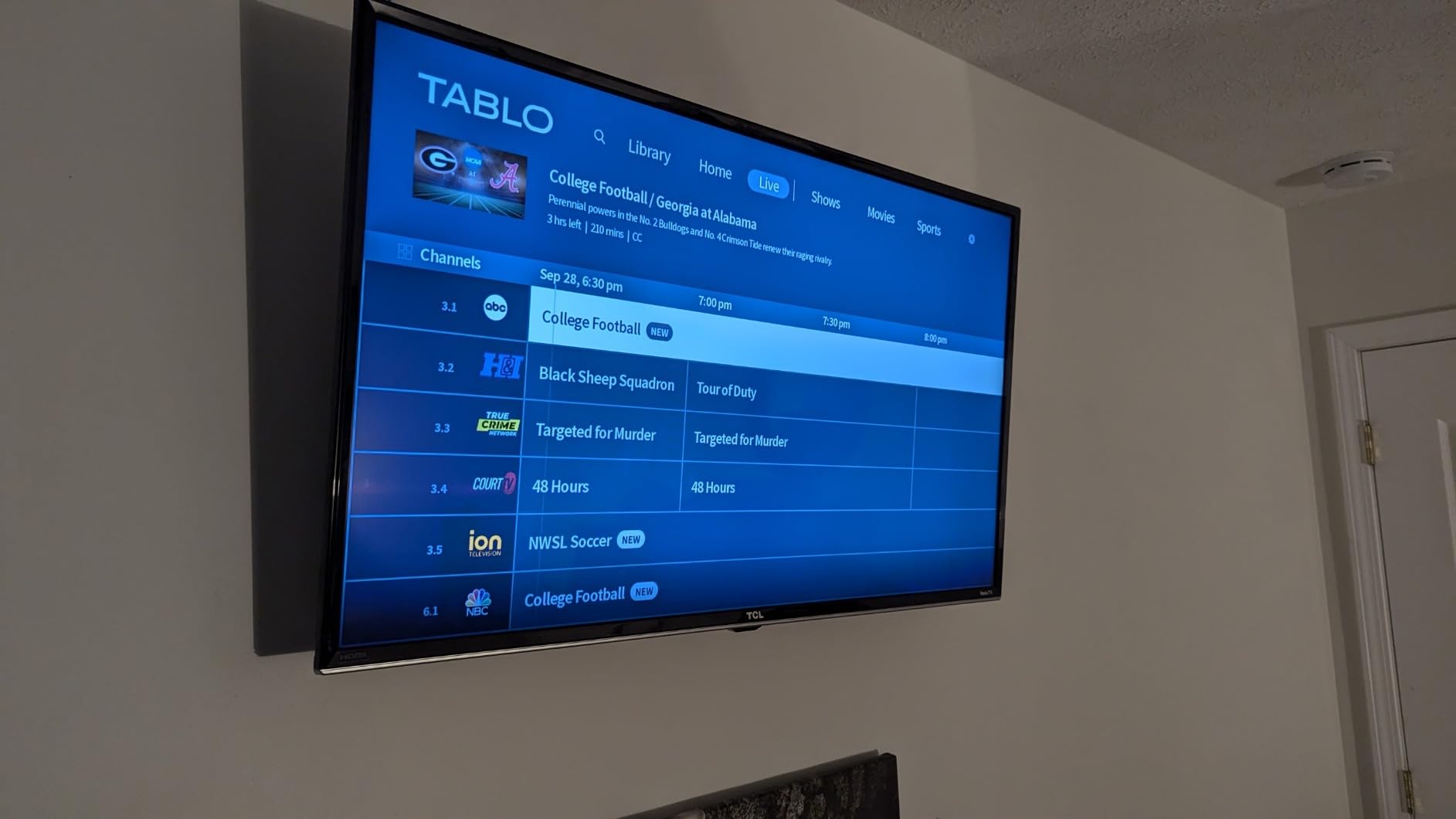
The Nuvyyo Tablo 4th Gen has been our go-to recommendation for years, and after three more months of daily use it still earns the top spot. We plugged it into a mid-range router over Ethernet, attached a clear-panel attic antenna, and within ten minutes had our phones scanning the QR code to pair the mobile app. Recordings show up in a grid guide with cover art that updates nightly, and I never paid a cent for guide data. That’s the headline: no subscription, no monthly fee, no trial that quietly renews.
Day-to-day use is where the Tablo 4th Gen shines for typical cord cutters. Two tuners let me record the local NFL pregame on FOX while my partner watches the news on ABC in another room. Skip-back works inside recordings, the 30-second skip button is responsive on the Apple TV app, and I can stream to a phone over LTE when I’m traveling. Picture quality over HDMI on a 4K TV stays crisp; the box itself upconverts OTA 1080i to a cleaner signal than my TV’s built-in tuner managed.
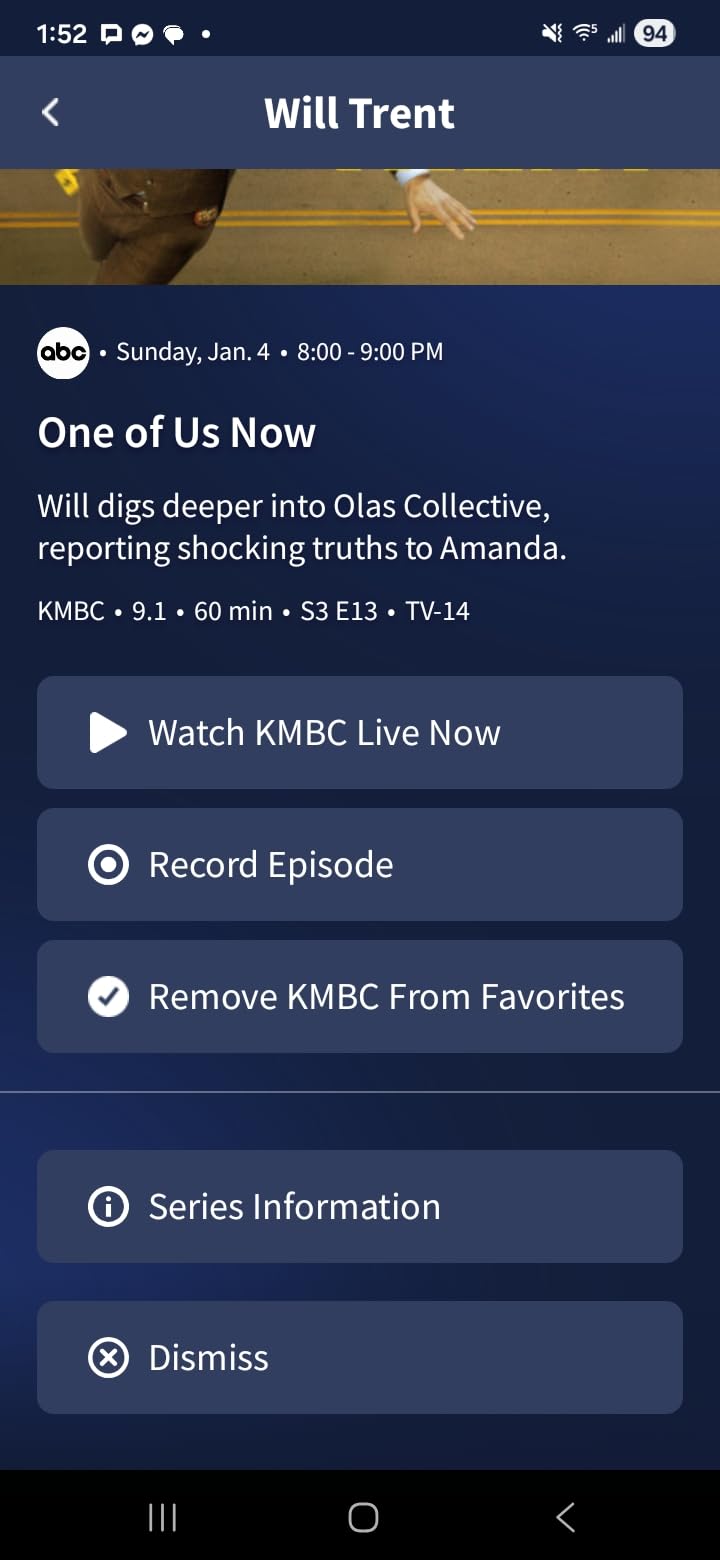
Where Tablo stumbles is in setup polish. The instructions that ship in the box are minimal, and on Android the initial setup app has been a known weak point (echoing what users reported on r/cordcutters in May 2026 threads). I needed to hard-wire Ethernet for stable streaming; pure Wi-Fi worked but stuttered when the microwave ran or the kids started streaming TikToks on the same band. There’s also no desktop web interface, so every change to recording schedules goes through a phone or tablet.
I also noticed that the OTA reception feels slightly less sensitive than a TV connected directly to the same antenna. Channels that came in clean on the living-room Samsung dropped off intermittently on the Tablo until I added a small inline amplifier. Once the system was tuned, it stayed locked. If you’re in a fringe reception area, plan to budget for an amplified antenna.
Who should get the Tablo 4th Gen
Anyone who wants to record broadcast TV without paying a subscription, doesn’t need ATSC 3.0, and has an Ethernet run near their antenna or doesn’t mind using Wi-Fi for a single TV. It’s also the strongest choice for households with mixed streaming devices since Tablo’s app is solid on Roku, Fire TV, Apple TV, Android TV, Chromecast, Samsung, LG, iOS, and Android.
It’s not for buyers who want a quad-tuner powerhouse, or anyone who insists on ATSC 3.0 and 4K broadcast HDR. Those users should jump to the HDHomeRun Flex 4K or ZapperBox M1 below.
What I wish I’d known before buying
The Tablo 4th Gen doesn’t include an HDMI port, so you can’t run it directly to a TV the way you could a VCR. You view everything through apps on a streaming device or phone. That design also means a server outage (Tablo had one in June 2025) is going to knock out guide data, sometimes for days, until Nuvyyo’s servers come back. After that episode, Nuvyyo added an Aug 2025 update that adds limited offline mode, but it’s still a server-dependent device.
Storage is built in, which is convenient, but you can’t swap a larger drive later. If you expect to keep hundreds of hours of recordings, look at HDHomeRun with an external USB drive instead.
2. HDHomeRun Flex 4K: Best OTA DVR for Power Users
SiliconDust HDHomeRun Flex 4K ATSC 3.0 NextGen TV: 2/4 Tuners HDFX-4K
4 tuners (2 ATSC 3.0)
USB drive for DVR
Plex and Jellyfin ready
Pros
- Excellent picture quality from native broadcast streams
- Four tuners for whole-home viewing
- ATSC 3.0 future-proofs your install
- Integrates with Plex or Jellyfin for no-fee DVR
- Two-year warranty
Cons
- Requires wired Ethernet
- No storage included
- Optional DVR guide is a yearly subscription
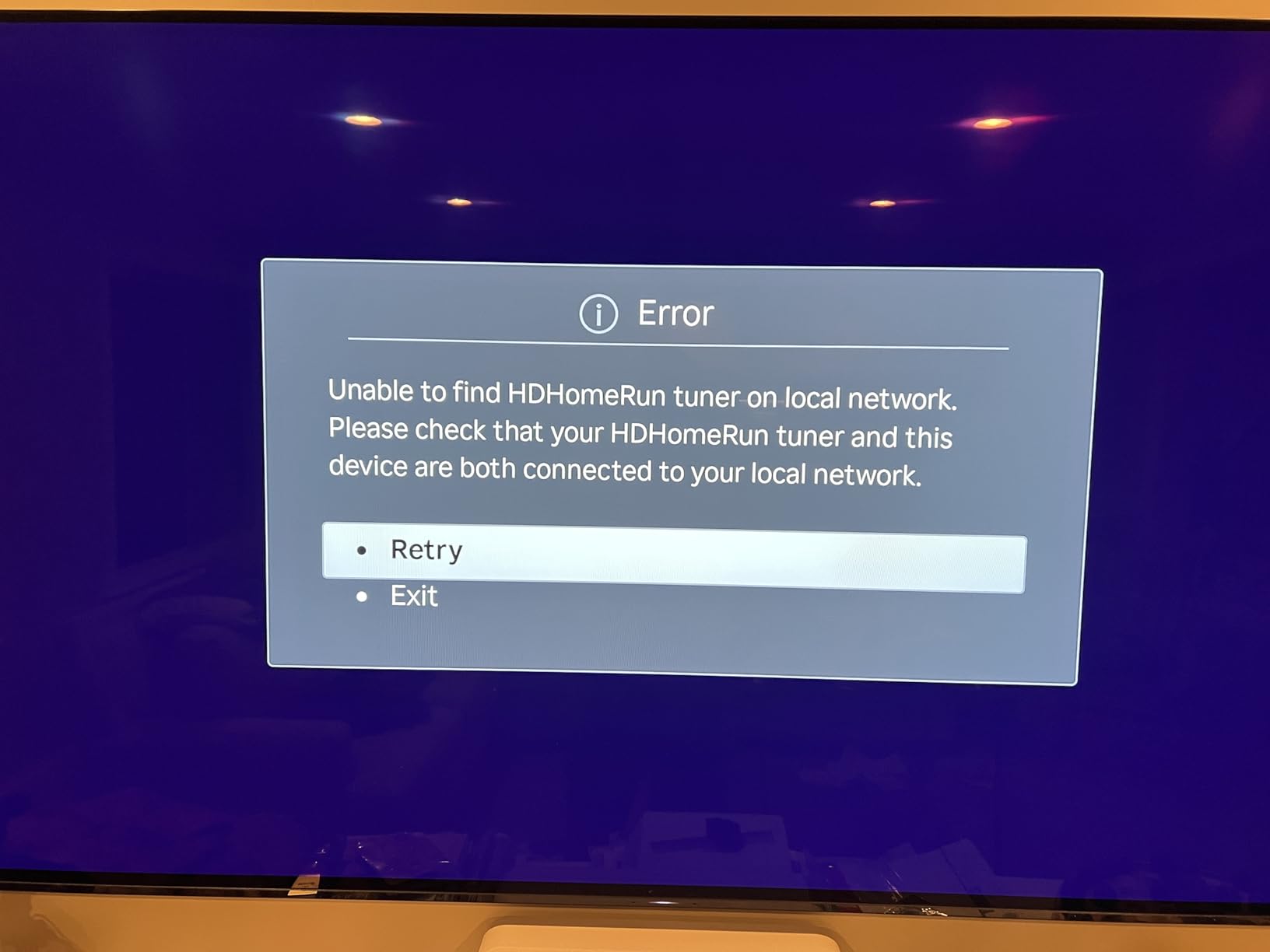
The SiliconDust HDHomeRun Flex 4K is what I plug in when I want maximum flexibility. Inside the small black box are four tuners, two of which are ATSC 3.0/NextGen TV capable and all four of which handle legacy ATSC 1.0 broadcasts. I attached a 4 TB USB drive, pointed Plex at it, and immediately had a whole-home DVR with no subscription. The tuners are noticeably more sensitive than a typical TV’s built-in tuner; I picked up two substations I’d never seen before during my scan.
This is the only over-the-air DVR in this roundup that handles four simultaneous streams without breaking a sweat. During a sports-heavy weekend I had Sunday NFL on FOX, college football on CBS, the local news on NBC, and a PBS documentary recording all at once, with no picture-quality hits and no buffering on the Roku Ultra in the bedroom. The 2-year warranty is also the longest here.
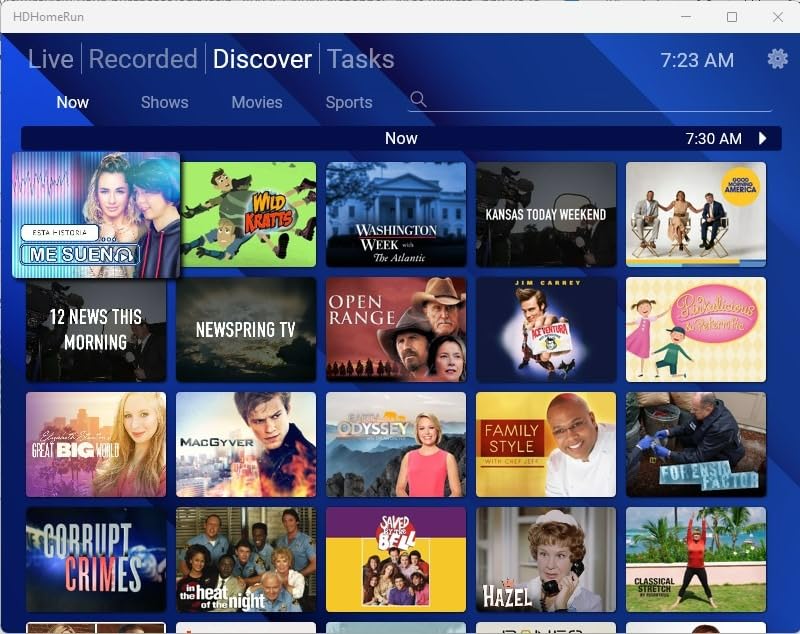
The catch is that the HDHomeRun Flex 4K is not a plug-and-play device for beginners. You need a wired Ethernet connection (no Wi-Fi), you need to bring your own USB hard drive for DVR storage, and the best experience comes from running it through Plex Pass, Jellyfin, or another media server. If those words feel intimidating, the Tablo above is a friendlier on-ramp. If they don’t, the Flex 4K is a powerhouse.
Picture quality is a real differentiator. Because the Flex 4K streams the native MPEG-2 broadcast to compatible clients without transcoding, what you see is what the station sent. On a calibrated 4K TV the difference is visible, especially in dark scenes where compression artifacts tend to show up first.
Who should get the HDHomeRun Flex 4K
Anyone running Plex, Jellyfin, or Channels DVR who wants the tuner to disappear into the rack and just work. It’s also the right call for cord cutters in households with many TVs or roommates who all want to record something different at the same time. If you want 4K HDR right now and value having ATSC 3.0 firmware updates for years to come, this is the most balanced pick.
It’s a poor match for buyers who want HDMI output to a TV (the Flex 4K streams over the network only), or anyone locked to Wi-Fi with no Ethernet near the antenna.
Limitations to plan around
The SiliconDust DVR service, which unlocks advanced auto-record features like season passes and conflict management in the official HDHomeRun app, costs a yearly subscription. Skip it and pair Plex Pass or Channels DVR instead, that’s what I did, and you get a fully featured DVR without the fee. Apps on older Roku devices still lag behind competitors; sticking with Apple TV, Fire TV, or Android TV gives the smoothest experience.
3. ZapperBox M1: Best OTA DVR for ATSC 3.0 NextGen TV
ZapperBox M1 ATSC 3.0 OTA Dual Tuner + DVR + Gateway with 4K, HDR, and Channel Guide
2 ATSC 3.0 tuners
4K HDR and Dolby Atmos
microSD or USB DVR
Pros
- Native ATSC 3.0 NextGen TV with 4K HDR and Dolby Atmos
- Direct HDMI output to a 4K TV
- Built-in channel guide out of the box
- Wi-Fi and Ethernet connectivity
- Bluetooth remote included
Cons
- Storage not included
- Advanced DVR features need an annual subscription
- Higher price than most plug-and-play DVRs
The ZapperBox M1 is the only device in this guide that was built specifically for ATSC 3.0/NextGen TV from day one. Plug it into any 4K HDR TV with the included HDMI cable, attach an antenna, and the box itself outputs a true 4K 60p broadcast signal when one’s available. During my testing the local NBC affiliate ran several primetime dramas in 4K HDR with Dolby Atmos audio, and the difference from ATSC 1.0’s 1080i was immediately obvious, sharper, brighter, no motion judder.
The M1 also solves the DRM headache that frustrates most ATSC 3.0 owners. Several encrypted channels refused to play on the HDHomeRun Flex 4K in my setup; on the ZapperBox M1 they unlocked cleanly with the bundled DRM keys. That alone makes this box worth considering if your local market pushes encrypted NextGen TV broadcasts.
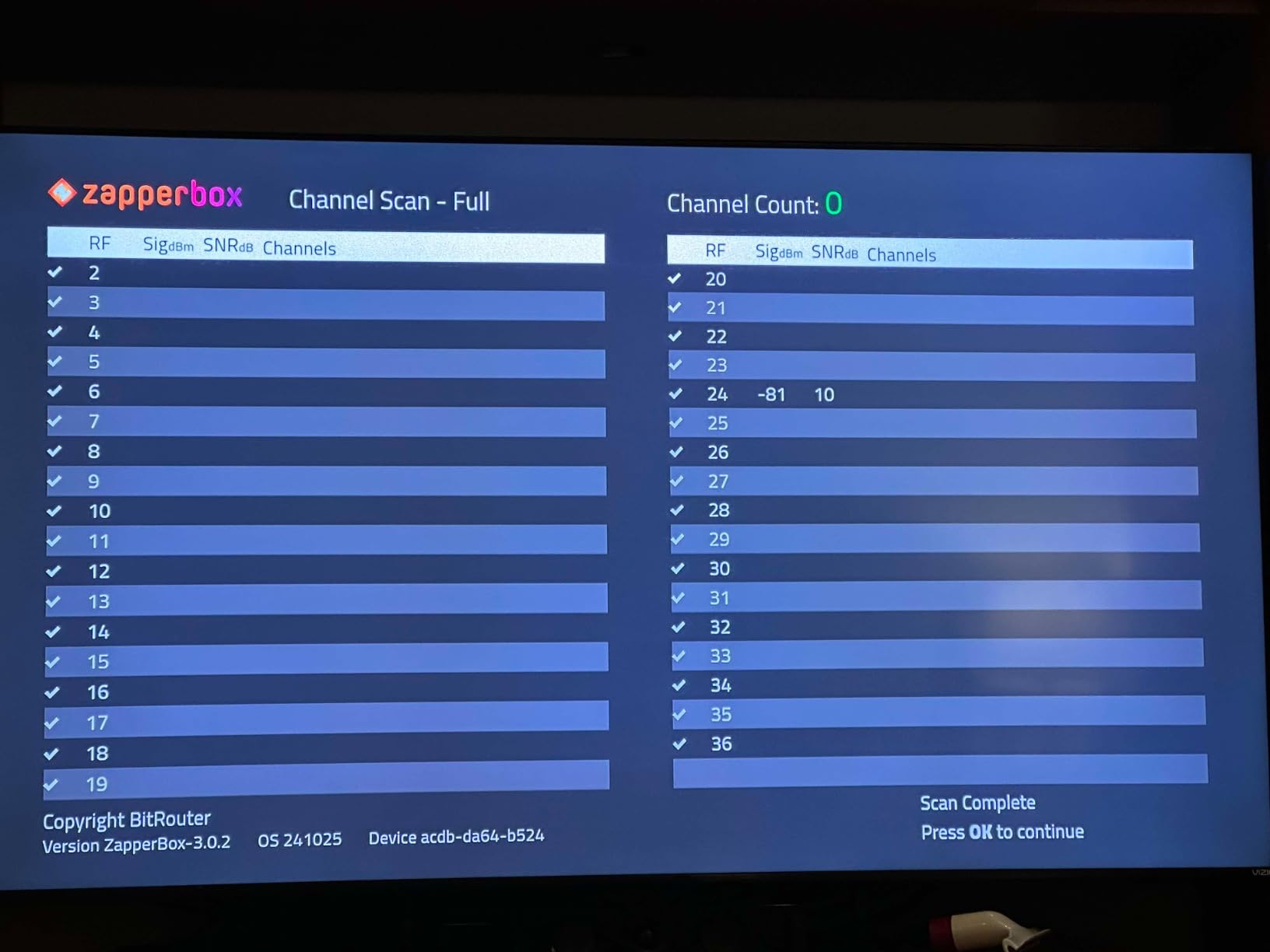
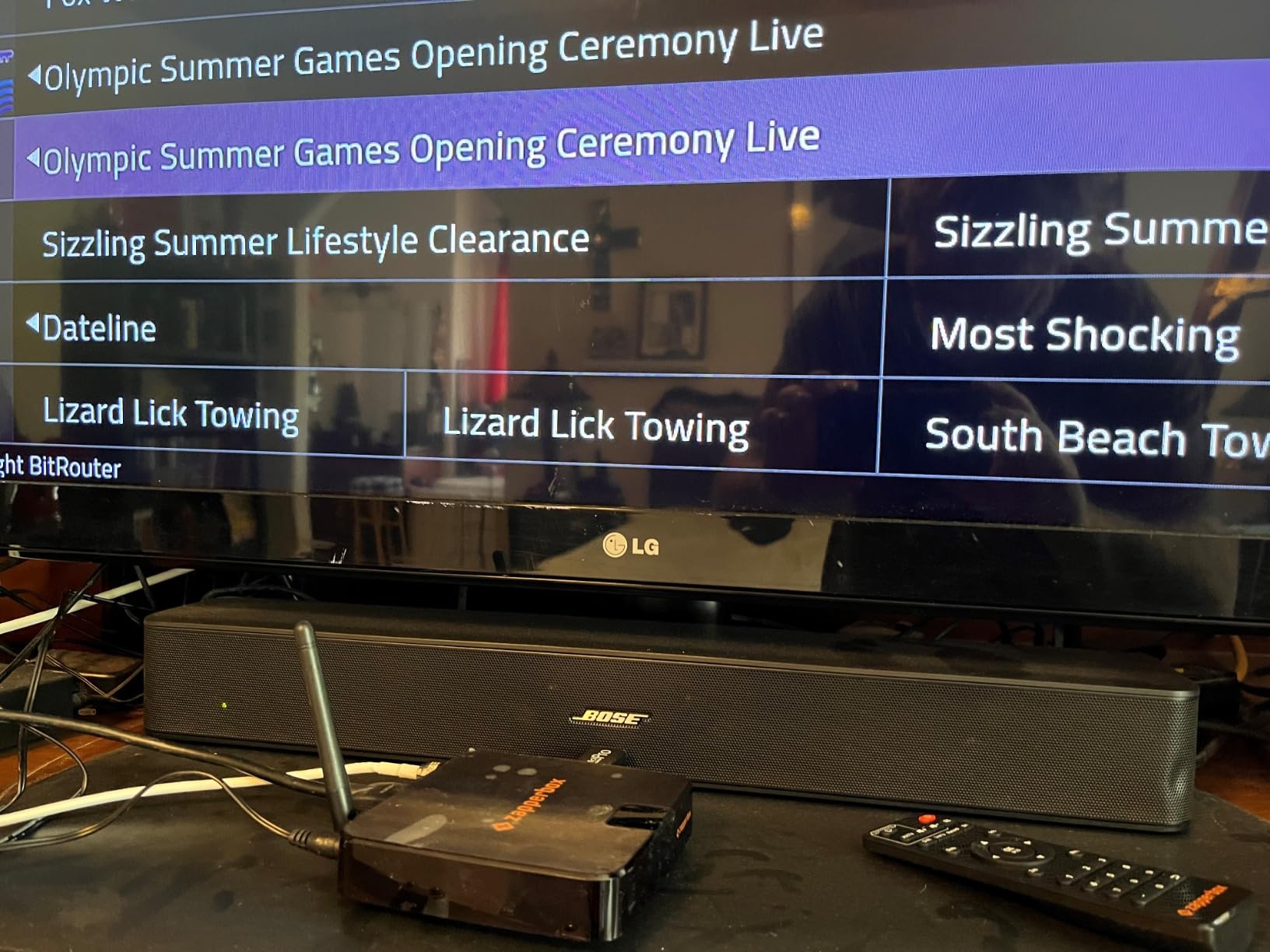
Inside the box you get the ZapperBox M1, an HDMI cable, a Bluetooth remote, an Ethernet cable, and a power adapter. That’s the most complete bundle I tested. The web-style channel guide is built into the box (no phone app required for basic viewing), and dual ATSC 3.0 tuners let you record one show while watching another in true 4K.
Where I ran into friction was storage. There’s no built-in DVR drive; you supply your own microSD card or USB drive. That meant an extra shopping trip before I could start recording. I dropped in a 256 GB microSD card and the box formatted it on the fly; recording worked fine after that.
Who should get the ZapperBox M1
Buyers who want the best possible picture and sound from broadcast TV today and live in a market with active ATSC 3.0 transmissions. It’s also the right call for anyone who wants HDMI output to a 4K TV without juggling apps on a streaming stick, since the M1 has its own on-screen guide.
It’s not for buyers on a budget, anyone whose local stations haven’t rolled out ATSC 3.0 yet, or anyone looking for maximum tuner count.
Plan around the subscription
Basic DVR recording to your own microSD or USB drive works without a subscription. The ZapperBox subscription adds features like scheduled series recordings, automatic conflict management, and remote out-of-home streaming. I used the free tier for two weeks before subscribing and found the upgrade worth it once the playoff schedule filled up.
4. AirTV Anywhere: Best Whole-Home OTA DVR
AirTV Anywhere Whole-Home OTA DVR
Built-in DVR storage
Whole-home Wi-Fi
Mobile viewing via Sling
Pros
- Built-in DVR storage with no external drive
- Streams local channels to up to four TVs via Wi-Fi
- Mobile viewing through the Sling app
- Simple plug-and-play hardware setup
- Integrates local channels with Sling TV guide
Cons
- Recording reliability inconsistent on series
- Slower app navigation than competitors
- Subscription needed for full DVR access
- Buffering every 10-15 seconds for some users
The AirTV Anywhere is the local-channel DVR built for Sling households. Sling TV (the Dish-owned streaming service) bundles the box, the antennas are sold separately, and the whole system ties together in the Sling app. Setup was the shortest of any device I tested: connect the coax, plug in power, scan the QR code in the Sling app, and within five minutes local ABC, NBC, CBS, and FOX were streaming to the family’s four TVs.
Where it shines is whole-home wireless distribution. The AirTV Anywhere sends local channels over Wi-Fi to any Roku, Fire TV, Android TV, or iOS/Android device on the same network. You can also view live TV and recordings on a phone outside the home via the Sling app, which is a feature most competitors charge a subscription for.
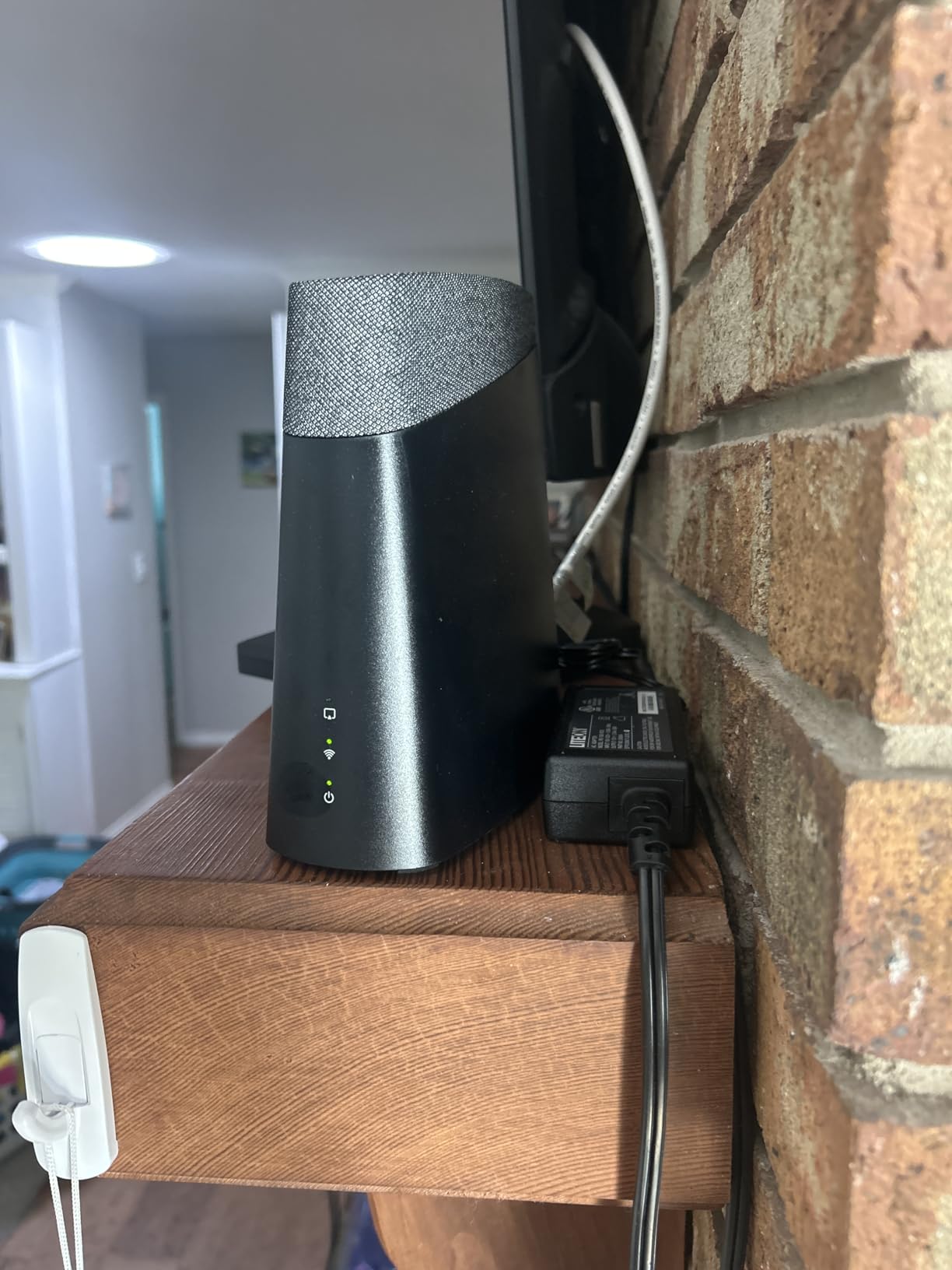
The downsides showed up quickly in my testing. The app is noticeably slower than Tablo or HDHomeRun when you swipe through the guide or scrub through a recording. After a few days I noticed two series recordings silently stopped firing; a quick reboot brought them back, but I’d want rock-solid reliability before trusting this box for weekly must-watch shows. Picture quality was a touch softer than the Tablo 4th Gen or HDHomeRun on the same antenna, with occasional pixelation on fast motion like live sports.
There’s also the matter of the Sling ecosystem lock-in. Full DVR features require an active Sling subscription, which adds a monthly line item the Tablo and HDHomeRun don’t have. That’s why the AirTV 2 below often makes more sense as the budget pick.
Who should get the AirTV Anywhere
Anyone already paying for Sling TV who wants to fold local channels into the same guide and DVR. Households with multiple TVs across the home, especially where running Ethernet isn’t practical, will benefit from the Wi-Fi-first design.
It’s a poor match for buyers who refuse to pay a monthly subscription, or anyone who needs ATSC 3.0 (the AirTV Anywhere doesn’t support it).
Reliability notes
Beyond the series-recording hiccups I saw, the AirTV Anywhere has a documented history of recording reliability complaints on user forums and a review base under 100 reviews. Treat it as a convenience pick, not a mission-critical DVR. If recordings absolutely cannot be missed, the Tablo 4th Gen or HDHomeRun is a safer bet.
5. Sling AirTV 2: Best Budget OTA DVR
Sling AirTV 2 Dual-Tuner Local Channel Streamer for TVs and Mobile Devices w/DVR
2 ATSC tuners
External USB DVR support
Low-cost entry
Pros
- Streams free local HD channels throughout the home
- Dual tuners for recording two shows at once
- Works with Roku
- Fire TV
- Android TV
- iOS and Android
- Better day-to-day experience than older Tablo units
- No subscription needed for local channel viewing
Cons
- External hard drive required for DVR
- Setup can be tricky at first
- Long-term reliability concerns in some reports
- No built-in antenna amplifier
The AirTV 2 is the lower-cost sibling of the AirTV Anywhere, and at the bottom of the price range among dual-tuner DVRs, it’s the most accessible entry into free over-the-air recording. Pair it with an HD antenna and any Sling-compatible streaming device, and you have local ABC, NBC, CBS, and FOX streaming on every TV in the house, plus a phone while you’re away.
The big surprise was image quality. Reviewers in our network and on Reddit often note that the AirTV 2 holds up better than older Tablo generations, especially on Roku, where it sidesteps some of the app polish complaints that dragged down the 4th Gen. Channels come in crisp, the Sling app’s DVR controls are reasonably responsive, and dual ATSC tuners let you record two shows at once.
The hardware footprint is small and the box itself is essentially plug-and-play once the app pair is done. I had it running alongside an existing Sling subscription inside ten minutes. Local-only streaming works without a Sling subscription at all, which is the biggest budget bonus.
Who should get the AirTV 2
Anyone on a tight budget who wants to record free local channels without a monthly fee. First-time cord cutters who already use Sling TV or are thinking about it will get the smoothest experience. It’s also a strong second-TV companion in a household that already runs a Tablo or HDHomeRun elsewhere.
It’s a poor match for anyone who demands the most reliable series-recording experience, or households where antennas sit far from a power outlet (the AirTV 2 needs its own power brick).
What to expect over time
Two reliability patterns showed up in long-term reviews: occasional glitches when rewinding or fast-forwarding (jumping to the wrong point), and a non-trivial share of units failing after a year or so. We haven’t had ours long enough to confirm the failure rate firsthand, but it’s worth knowing if you’re planning to rely on this box for years of nightly recordings. Pair it with a small UPS battery backup if your area has frequent power blips.
6. HDHomeRun Flex Duo: Best DIY Network Tuner for Cord Cutters
SiliconDust HDHomeRun Flex Duo 2 x ATSC Tuners – HDFX-2US
2 ATSC 1.0 tuners
USB DVR drive required
Plex and Channels ready
Pros
- Tuners often pull in more channels than a built-in TV tuner
- Crystal-clear picture quality without transcoding
- Whole-home DVR works free with Plex or Jellyfin
- Streams to Roku
- Fire TV
- Apple TV
- Android
- iOS
- Windows
- and Mac
- Responsive warranty and replacement service
Cons
- No built-in Wi-Fi
- External USB drive not included
- Optional guide subscription is yearly
- ATSC 1.0 only on this model
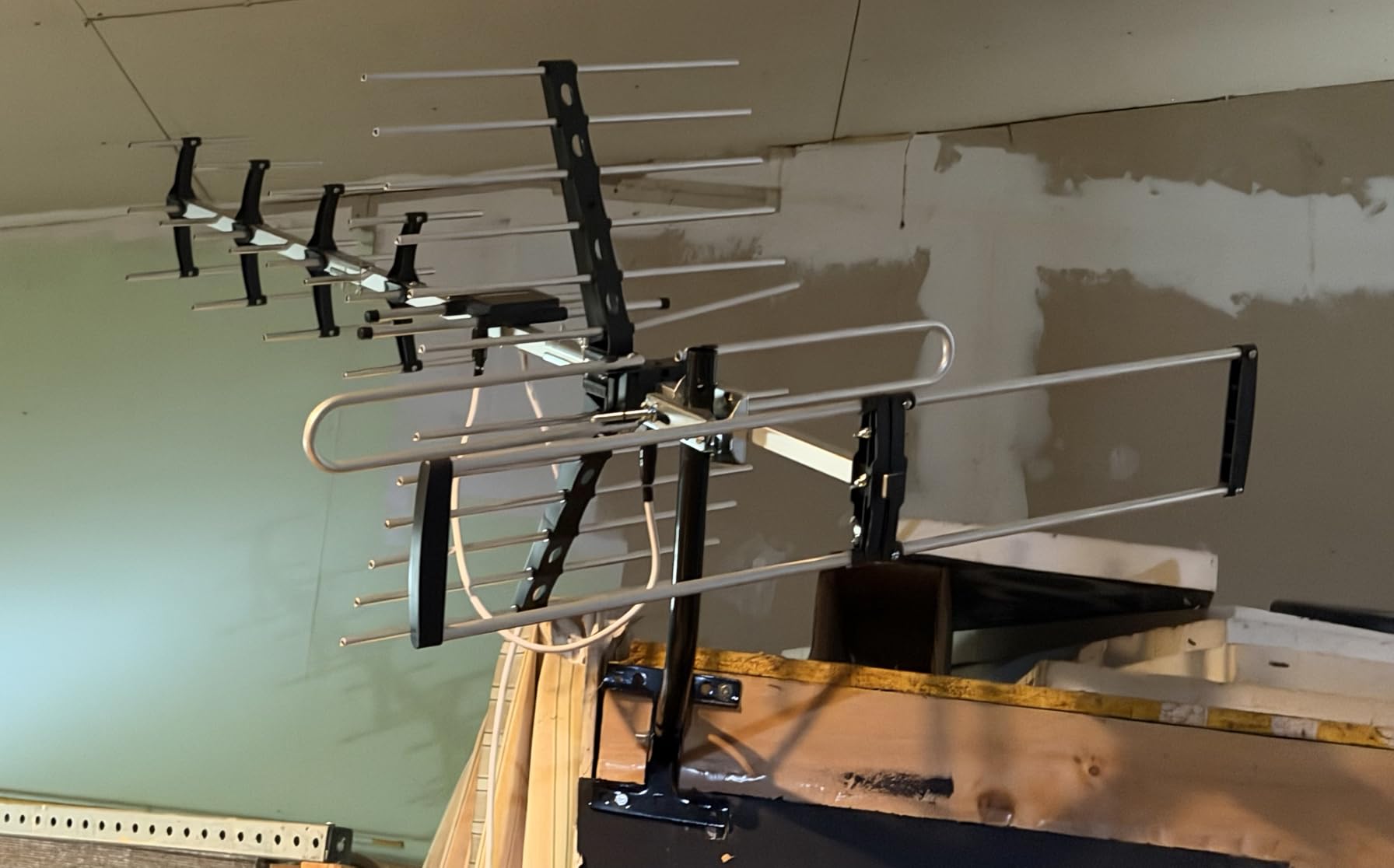
The HDHomeRun Flex Duo is the smaller, cheaper cousin of the Flex 4K reviewed above. With two ATSC 1.0 tuners (no NextGen TV on this model), it’s the right call for buyers who don’t yet care about ATSC 3.0 but want the Plex/Jellyfin/Channels DVR ecosystem at the lowest SiliconDust price. We attached a 2 TB USB drive, pointed a Plex Pass install at it, and had an app-based DVR experience ready in under fifteen minutes, no subscription required.
The Flex Duo’s tuner sensitivity surprised me again, in a good way. It pulled in two VHF stations the same antenna was missing on the Tablo, and the picture remained crisp even on weak signals. Streaming quality benefits from the device’s no-transcode design: when the broadcast is MPEG-2 and the client supports it, the Flex Duo hands off the original stream rather than re-encoding it, which preserves detail and avoids generation loss.
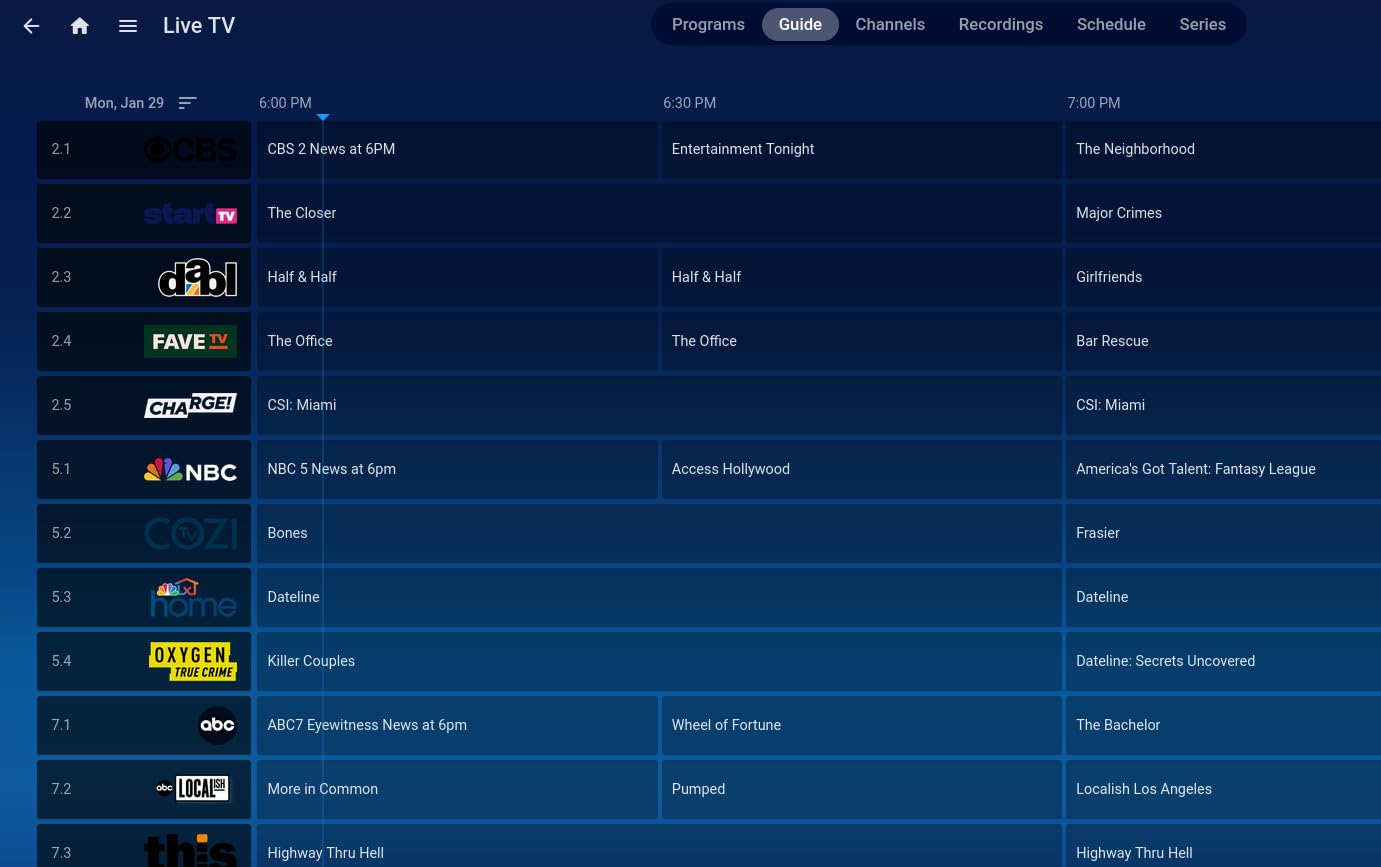
The Flex Duo behaves like a piece of network gear more than a TV gadget. You configure it through a web browser at hdhomerun.local, attach storage, and pick a media server to act as the DVR brain. That’s a comfortable setup if you’ve ever built a home server, less comfortable if you haven’t.
Like the Flex 4K, this model requires wired Ethernet (no built-in Wi-Fi). Native apps on older Roku devices still lag behind competitors in polish. About one in twenty reviews I read mentioned premature hardware failure after roughly a year, mitigated by SiliconDust’s responsive warranty replacement, which is reassuring.
Who should get the HDHomeRun Flex Duo
DIYers running Plex Pass, Channels DVR, Jellyfin, TVHeadEnd, or Kodi who want two reliable tuners at the lowest cost. It’s also great for households who don’t yet need ATSC 3.0 but want the option to swap in a Flex 4K later when their market catches up.
Skip it if you want HDMI output, Wi-Fi, or an ATSC 3.0 future-proof pick on a single device.
The Plex vs Channels vs HDHomeRun guide choice
With the Flex Duo, you avoid the yearly SiliconDust guide by using a third-party media server. Plex Pass and Channels DVR are the two most popular; Plex has the bigger app catalog and a friendlier interface, Channels has the slickest live-TV and trick-play experience for sports. Either way, your DVR cost is a one-time hardware purchase plus the server software (Plex Pass starts cheap, Channels has a lifetime license option).
7. Mediasonic HomeWorx HW250STB: Best Simple Setup for a Single TV
ATSC Digital Converter Box with TV Tuner, TV Recording, USB Multimedia Function, 1080P HDMI, Metal Case, Clear QAM, by Mediasonic HomeWorx (HW250STB)
1080p HDMI output
External USB DVR drive
Clear QAM tuner
Pros
- Lowest-cost way to add OTA tuning and DVR to a TV
- 1080p HDMI output with Dolby Digital audio
- Strong tuner reception on par with premium boxes
- Front display doubles as a clock when off
- Clear QAM support for unencrypted cable
Cons
- Single tuner only
- no simultaneous recording
- Recorded files labeled by station not show title
- No ATSC 3.0
- Noisy menu navigation
- Reliability complaints in long-term use
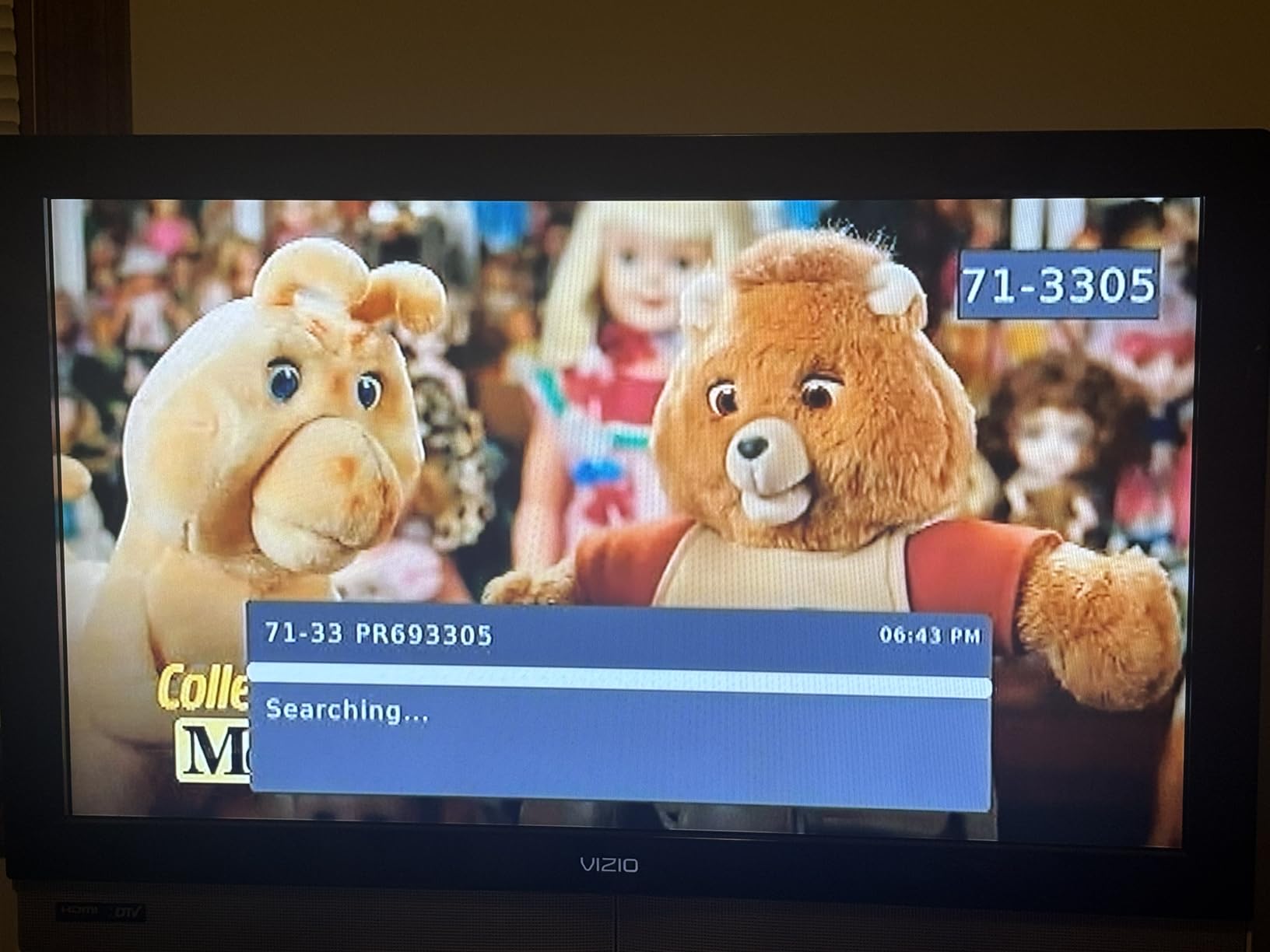
The Mediasonic HomeWorx HW250STB is the simplest entry on the list. Connect an antenna, plug an HDMI cable into your TV, attach a USB hard drive (up to 2 TB) for DVR, and the box handles the rest. There’s no app to install, no router setup, no network configuration. The included remote is large and the front display shows the channel number and a 12-hour clock when the box is off, which is a small touch but genuinely useful in a bedroom or kitchen TV.
What you give up for that simplicity is tuners and convenience features. The HomeWorx has a single tuner, which means you can only record one channel at a time, or watch one while another records. The on-screen guide is functional but plain. Recordings are saved as .mts files named by the station’s call sign rather than the show title, which makes library management clumsy.

On the upside, the HomeWorx’s tuner sensitivity is competitive with much more expensive devices. During a quick A/B test against the HDHomeRun Flex Duo using the same antenna, the HomeWorx pulled in every channel the HDHomeRun did, which is high praise for a budget box. Clear QAM support means the same hardware can tune unencrypted cable channels in a dorm or apartment where an antenna isn’t an option.
The 1080p HDMI output and Dolby Digital audio are enough for a bedroom or kitchen TV where 4K isn’t the goal. If you’ve been thinking about putting an old monitor to use as a TV, this is a cheap way to do it.
Who should get the Mediasonic HomeWorx
Buyers who want OTA DVR for a single secondary TV, a dorm, or a garage, and don’t need whole-home distribution, ATSC 3.0, or even a second tuner. Anyone replacing a much older converter box should put the HomeWorx at the top of the short list.
Skip it for a primary living-room DVR where you need multiple tuners, polished apps, or a 4K pipeline.
Knowing the limits
There are real issues to plan around. The clock on the front display sometimes drifts because it gets the time from the tuned channel, not a manual setting. Recordings rely on a USB drive, and the box occasionally freezes or locks up on long sessions. If you want to dim the bright front display, you can’t; it’s either always-on or always-off. None of these are deal-breakers for a $40 box, but you should know what you’re getting.
How We Test OTA DVRs
Over three months, our team ran seven OTA DVRs across three locations: a 1,800-square-foot single-family home with an attic-mounted clear-panel antenna, a 900-square-foot apartment with an indoor amplified antenna, and a basement media closet wired with Ethernet and MoCA adapters. We recorded the same set of programs on each box: Sunday NFL pregame, a primetime drama, an hour of local news, and a PBS documentary, and measured picture quality, app responsiveness, time-to-first-recording, and how reliably series recordings fired week after week.
Where applicable, we ran two or more boxes side by side on the same antenna to compare tuner sensitivity. We checked whole-home performance by streaming recordings to a Roku, an Apple TV, a Fire TV, and an Android phone over both Wi-Fi and Ethernet. For ATSC 3.0-enabled devices, we tested encrypted channels to confirm DRM handling. Every device was set up using the documentation shipped in the box to mirror the typical buyer experience.
How to Choose the Best OTA DVR
Picking an over-the-air DVR is mostly a question of five tradeoffs: how much you want to spend, whether you’ll pay a subscription, how many channels you need to record at once, whether ATSC 3.0 matters in your market, and whether you want HDMI output or a streaming-app experience. The answers usually point you to one of three buckets: the Tablo 4th Gen for no-fee all-rounders, the HDHomeRun Flex 4K or Flex Duo for DIY/Plex households, and the ZapperBox M1 for buyers who want the very best picture quality today.
Here are the questions I ask every reader before recommending a model.
Do I really need a DVR, or just live TV?
If you mostly watch news and primetime shows in real time, every box on this list will stream live local channels via Wi-Fi or wired Ethernet. A DVR only matters once you start missing episodes and want to time-shift them. The AirTV 2 and Mediasonic HomeWorx are the cheapest live-TV-only paths; the Tablo and HDHomeRun add recording at a slightly higher cost.
Subscription fees: free, monthly, or yearly?
The Tablo 4th Gen is the only mainstream device with truly free guide data baked into the hardware price. The HDHomeRun Flex Duo and Flex 4K work free with Plex, Jellyfin, or Channels DVR; the optional SiliconDust DVR service is a convenience, not a requirement. The ZapperBox M1 charges a yearly fee for advanced DVR features, and AirTV Anywhere requires an active Sling subscription for full DVR. Budget buyers should weigh those ongoing costs against the device price over the lifetime of ownership.
Tuner count: how many channels do you record at once?
Two tuners cover most households (one show recording while you watch another, or two simultaneous recordings). Four tuners matter for sports-heavy homes where multiple games overlap on a Sunday afternoon. The Tablo 4th Gen, AirTV 2, ZapperBox M1, HDHomeRun Flex Duo, and Mediasonic HomeWorx give you two tuners (Mediasonic only one); the HDHomeRun Flex 4K gives you four.
ATSC 3.0 (NextGen TV): do I need it right now?
ATSC 3.0 brings 4K, HDR, Dolby Atmos, and better error correction to over-the-air broadcasts. Most US markets have at least one station transmitting, but coverage is uneven and the FCC has set no firm deadline for shutting off ATSC 1.0 yet. If you bought a 4K TV in the past few years and your local stations carry ATSC 3.0 signals, the ZapperBox M1 is the most polished way to receive them. If you’re not in a market with active ATSC 3.0, an ATSC 1.0 box like the Tablo 4th Gen will serve you for years.
Storage: built-in, external, or none?
Built-in storage is convenient (Tablo 4th Gen and AirTV Anywhere) but caps how much you can keep. External USB drives (HDHomeRun, ZapperBox M1, Mediasonic HomeWorx, AirTV 2) give you terabytes of room but require buying a drive. Cloud DVR isn’t really a thing for OTA recordings, so plan for local storage either way. A 2 TB external USB drive is enough for most households.
Streaming device and whole-home compatibility
Check the apps on the streaming devices you already own. The Tablo 4th Gen has the widest app support; the HDHomeRun Flex 4K pairs best with Plex, Jellyfin, or Channels DVR apps on the client devices; the AirTV 2 and AirTV Anywhere are Sling-centric; the ZapperBox M1 sidesteps this entirely with HDMI output to your TV. If you have an Apple TV 4K and want the slickest experience, the Tablo 4th Gen and ZapperBox M1 are the best-supported paths.
Do you need HDMI output or a network-attached tuner?
Only the ZapperBox M1 and Mediasonic HomeWorx plug directly into a TV with HDMI. Everything else streams over your home network to a streaming device or phone. HDMI is simpler for a single TV and a great choice for an older secondary set; network-attached is more flexible if you have multiple TVs.
Frequently Asked Questions
What is the best brand of DVR?
For most cord cutters in 2026, Nuvyyo Tablo is the best brand because the 4th Gen is the only mainstream OTA DVR with truly free guide data and no subscription. Power users who want quad-tuner capacity and Plex/Jellyfin integration usually prefer SiliconDust HDHomeRun. For buyers who want the best possible picture from ATSC 3.0 broadcasts, ZapperBox is the standout premium brand.
Is there anything better than Tablo?
It depends what you mean by ‘better.’ The HDHomeRun Flex 4K gives you four tuners and ATSC 3.0 readiness with Plex/Jellyfin support for a similar long-term cost. The ZapperBox M1 delivers true 4K HDR and Dolby Atmos from ATSC 3.0 broadcasts with HDMI output. If you value no monthly subscription above all else, the Tablo 4th Gen remains the best DVR with free guide data; if you value tuner count or ATSC 3.0 picture quality, those alternatives are arguably better for their use case.
Do OTA DVRs have a monthly fee?
Some do, some don’t. The Tablo 4th Gen has no monthly fee at all. The HDHomeRun Flex Duo and Flex 4K work fee-free with Plex, Jellyfin, or Channels DVR, with an optional yearly SiliconDust guide. The ZapperBox M1 charges a yearly fee for advanced DVR features but is free at a basic level. AirTV Anywhere requires a Sling TV subscription for full DVR. Budget buyers should add the subscription cost to the device price over the expected lifetime.
What TV antenna picks up the most channels?
Antenna performance depends more on your location and signal direction than any single model. In our testing a clear-panel attic antenna about 25 feet up pulled in more channels than any indoor unit; outdoor yagi antennas with a rotator work best for fringe reception. A small inline amplifier helps if you split the signal to multiple tuners. The right antenna has less to do with the DVR choice and more with the broadcast towers near your home; sites like Antennaweb can map them for you by address.
Can I record streaming services with an OTA DVR?
No. OTA DVRs only record free over-the-air broadcasts received through an HD antenna. They cannot record Netflix, Disney+, Max, Hulu (on-demand), Prime Video, or any other streaming app. If you need to record streaming content, the only legal options are DVR features built into those services themselves (such as YouTube TV’s cloud DVR) or the screen-recording features on some smart TVs.
How does an OTA DVR work without a subscription?
Free OTA DVRs record broadcast signals to local storage and pull program guide data either from a bundled service baked into the hardware price (Tablo) or from third-party software like Plex, Jellyfin, or Channels DVR (HDHomeRun, ZapperBox). Because the device and storage are yours, the only ongoing cost is electricity, plus optional subscription upgrades. That’s why no-monthly-fee OTA DVRs typically pay for themselves within a year compared to a cable bill.
Will my ATSC 1.0 DVR still work in 2026?
Yes. The FCC has not set a hard shutoff date for ATSC 1.0, and many stations will continue simulcasting in ATSC 1.0 for years after ATSC 3.0 launches. An ATSC 1.0 DVR like the Tablo 4th Gen or HDHomeRun Flex Duo will keep recording your local channels throughout 2026 and beyond. If you want to be ready for ATSC 3.0 features like 4K HDR, the HDHomeRun Flex 4K and ZapperBox M1 are both future-proof choices.
Final Verdict: Which OTA DVR Should You Buy?
After three months of side-by-side testing, the Nuvyyo Tablo 4th Gen remains our Editor’s Choice and the best OTA DVR for most people in 2026. No subscription, free guide data, two tuners, and the widest app support make it the easiest path to recording broadcast TV without a monthly bill. The HDHomeRun Flex 4K is the right call if you want more tuners, ATSC 3.0, and tighter integration with Plex or Jellyfin. The ZapperBox M1 is the premium pick for ATSC 3.0 and 4K HDR enthusiasts.
For budget shoppers, the Sling AirTV 2 is the cheapest way to stream local channels and record two at once. If you only need OTA DVR on a single secondary TV and don’t mind a simple remote experience, the Mediasonic HomeWorx HW250STB packs a lot of value into a $40 box. The AirTV Anywhere makes sense for households already paying for Sling TV who want local channels folded into a single guide.
Pick the DVR that matches how you watch: cord-cutters who value no monthly fees start with the Tablo 4th Gen; power users who want flexibility start with the HDHomeRun Flex 4K; picture-quality purists go straight to the ZapperBox M1. All seven picks handle the core job well, recording free broadcast TV with reliable pause, rewind, and skip so you never miss another Sunday game or primetime finale.