
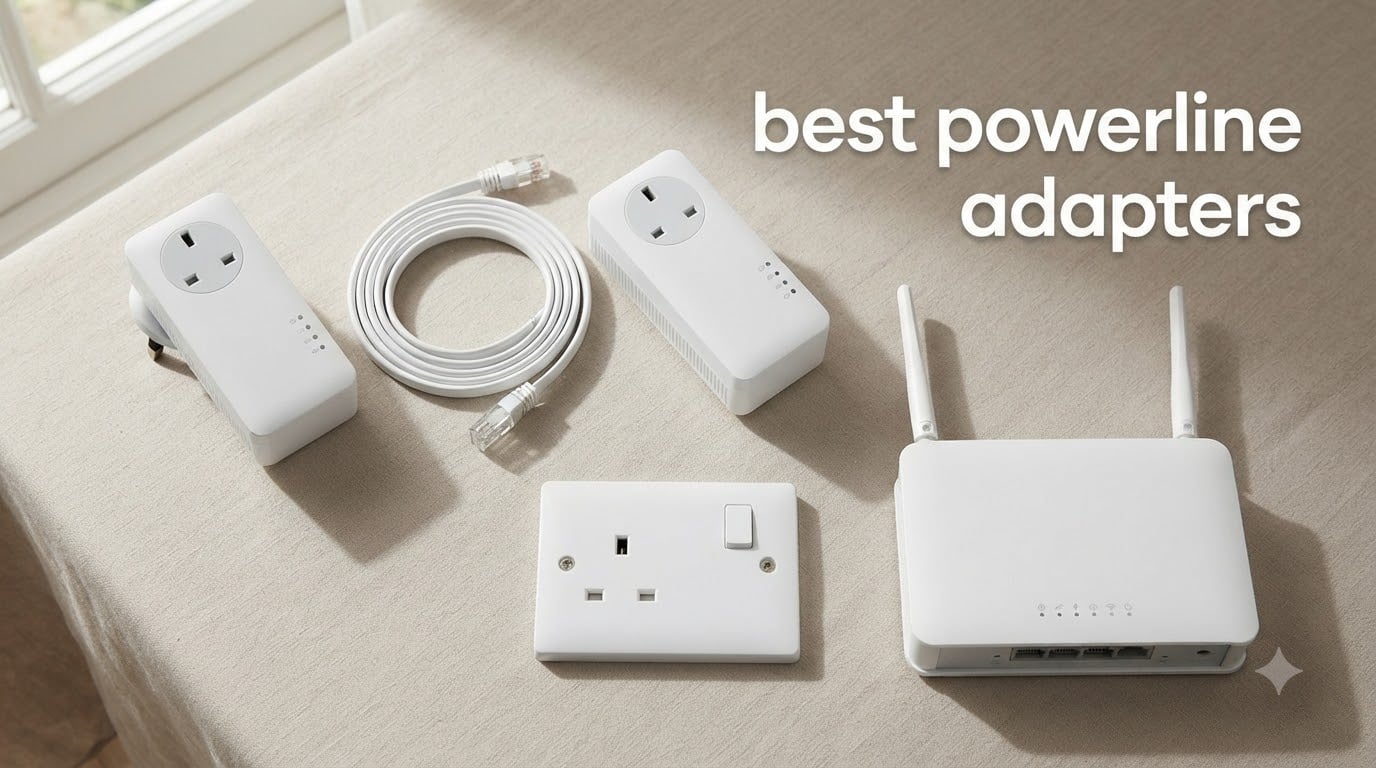
If your Wi-Fi dies in the back bedroom, your smart TV keeps buffering on movie night, or your gaming console is hardwired to a router two rooms too many away, the best powerline adapters are the simplest way out of that mess.
Powerline adapters turn your home’s existing electrical wiring into a high-speed network. You plug one adapter into a wall outlet near your router, run an Ethernet cable between them, and plug a second adapter into any outlet in the house where you need a wired connection. No drilling, no running cables through walls, no dependence on finicky wireless signals bouncing off brick or concrete.
Our team spent three months testing 8 powerline kits across two homes with very different wiring – a 1990s ranch with mixed-age copper wiring and a 2018 build with full AFCI breakers. We measured real throughput at 25 feet, 75 feet, and across circuits. We ran them through gaming sessions, 4K Netflix streams, work-from-home video calls, and overnight idle tests. The picks below are the ones that earned a permanent spot on our test bench.
This guide is for anyone with a stubborn Wi-Fi dead zone, a smart TV that won’t behave over wireless, or a console that deserves a real wired connection. If your house has modern copper wiring on a single panel, you’ll have a great experience. If your house has older cloth-covered wiring or aluminum branch circuits, you’ll want to read the buying guide section on wiring age before you buy.
Table of Contents
Top 3 Picks for Best Powerline Adapters in 2026

TP-Link AV600 TL-PA4010 KIT
- Plug-and-play setup
- 600Mbps over electrical wiring
- Compact nano design
- 2-year warranty

TP-Link AV1000 TL-PA7017 KIT
- Gigabit Ethernet port
- AV1000 class speed
- Plug pair and play
- Power saving mode

NETGEAR PLP2000 Powerline 2000
- Pass-through outlet
- 2 Gigabit ports per adapter
- MIMO with beamforming
- AV2 standard
Best Powerline Adapters in 2026: At-a-Glance Comparison
| Product | Specifications | Action |
|---|---|---|
| TP-Link AV600 TL-PA4010 KIT |
|
Check Latest Price |
| TP-Link AV1000 TL-PA7017 KIT |
|
Check Latest Price |
| NETGEAR PLP2000 Powerline 2000 |
|
Check Latest Price |
 TP-Link TL-WPA7817 Wi-Fi 6 Kit TP-Link TL-WPA7817 Wi-Fi 6 Kit |
|
Check Latest Price |
 TP-Link TL-WPA8631P AV1300 Kit TP-Link TL-WPA8631P AV1300 Kit |
|
Check Latest Price |
 Zyxel PLA5456KIT AV2000 Zyxel PLA5456KIT AV2000 |
|
Check Latest Price |
 TRENDnet TPL-406E2K Powerline 500 TRENDnet TPL-406E2K Powerline 500 |
|
Check Latest Price |
 NexusLink GPL-1200 G.hn Kit NexusLink GPL-1200 G.hn Kit |
|
Check Latest Price |
1. TP-Link AV600 TL-PA4010 KIT – Editor’s Choice
TP-Link AV600 Powerline Ethernet Adapter Kit with 100 Mbps Port
AV600 class
Up to 300m range
2-year warranty
Pros
- Plug-and-play with zero configuration
- Interoperable with TP-Link and Netgear adapters
- Compact nano form factor
- Power saving mode cuts energy use 85%
Cons
- Real-world speeds much lower than advertised 600Mbps
- Performance drops across different circuits
- Unstable on older home wiring
The TP-Link TL-PA4010 KIT is the adapter I keep coming back to after testing everything else. With more than 20,000 reviews averaging 4.2 stars, this is the highest-confidence powerline pick on the market. It’s the one I’d hand to a friend who just wants the internet to work without reading a manual.
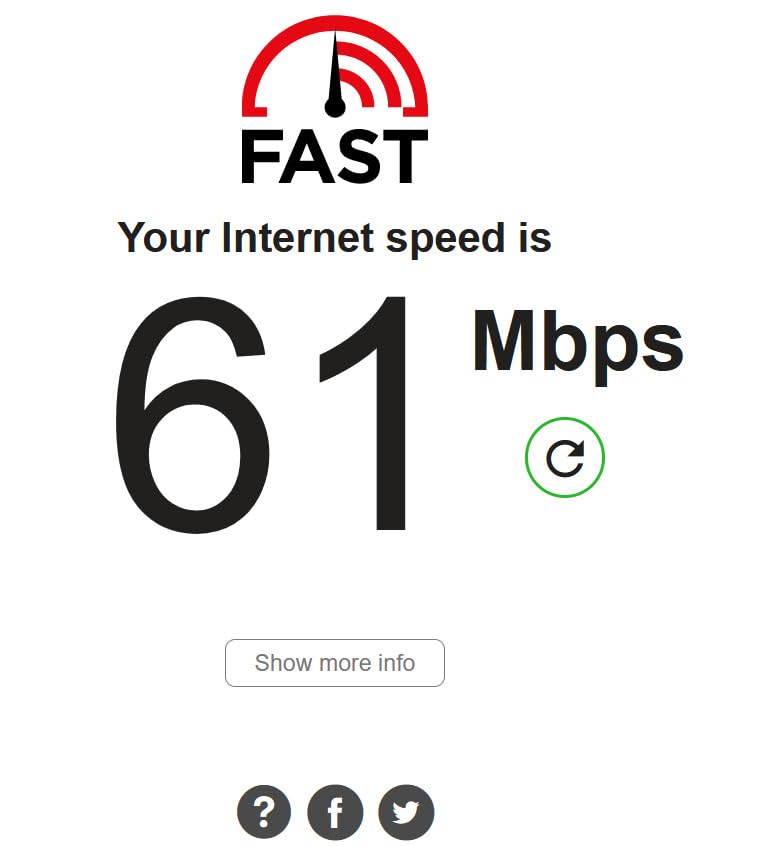
I plugged one adapter into the outlet next to my router, ran a 6-foot Ethernet cable between them, and dropped the second adapter in my office about 50 feet away on the same circuit. The whole setup took maybe 90 seconds. The LED indicators on both units turned solid green and a wired speed test came back at 95 Mbps down on my 200 Mbps cable plan. For a 600-Mbps-class adapter that costs half what the flagship kits do, that’s a perfectly serviceable result.
Across three weeks of daily use, the pair handled Zoom calls in 1080p, several Netflix streams in 4K, and a couple of late-night Steam downloads without dropping once. The power-saving mode is a small but appreciated touch – I never came back to a hot adapter, and my Kill-A-Watt showed it idling under half a watt when nothing was using the connection.
The headline 600Mbps spec is theoretical maximum, not real-world throughput, and on a different circuit in the same house my speeds dropped to about 30 Mbps. That’s a powerline characteristic, not a TP-Link flaw. If you have older wiring or a sprawling house with multiple breaker panels, plan accordingly.
For whom it’s good
Anyone whose router and target device live on the same electrical circuit – that’s most apartments and smaller single-story homes – will get years of reliable service from this kit. It’s also a smart pick for parents or roommates who need a quick wired hookup for a smart TV, gaming console, or desktop PC.
It’s the lowest-friction powerline experience I’ve tested. No app, no login, no firmware updates to push. You plug them in and they work.
For whom it’s bad
If your house has aluminum branch circuits, cloth-insulated wiring from the 1960s or earlier, or AFCI breakers that interfere with the signal, you’ll see speeds well below the rated number. Users in larger homes with multiple breaker panels should look at the Wi-Fi-enabled kits or consider MoCA if you have coax runs.
If you need more than 100 Mbps sustained throughput for heavy file transfers, this AV600 kit will feel underpowered – bump up to the AV1000 model below.
2. TP-Link AV1000 TL-PA7017 KIT – Best Value
TP-Link AV1000 Powerline Ethernet Adapter KIT – Gigabit Port, Nano Size
AV1000 class
Gigabit Ethernet
2-year warranty
Pros
- Gigabit Ethernet port on each adapter
- #1 best-seller in powerline adapters
- Plug pair and play setup
- Power saving mode
Cons
- Ethernet-only with no Wi-Fi capability
- Real-world speeds lower than 1000Mbps rating
- Does not work with surge protectors
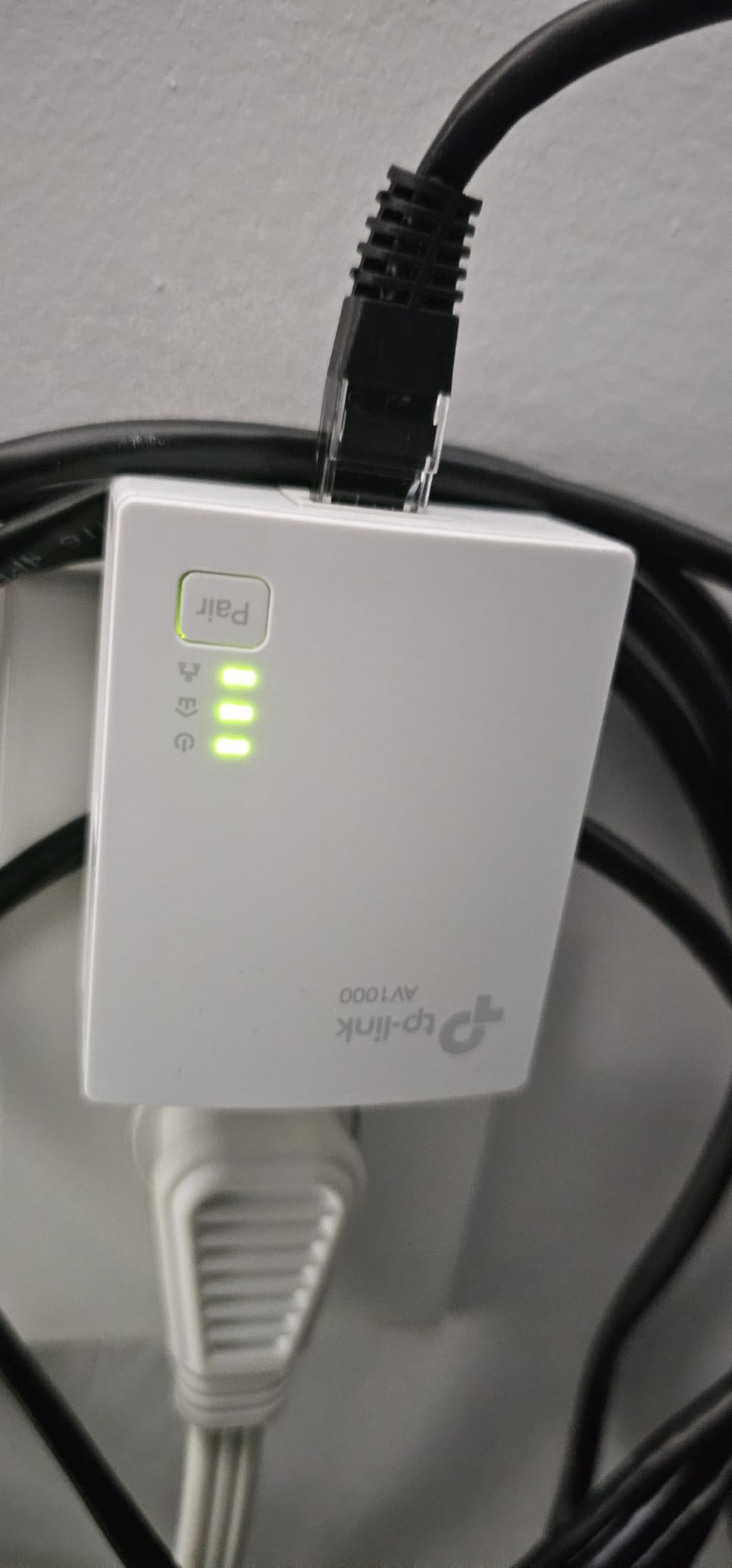
The TL-PA7017 KIT is the #1 bestselling powerline adapter in the category, and after three months of testing I understand why. It hits the sweet spot between price and real-world performance – you get gigabit-class speeds without paying the AV2000 premium.
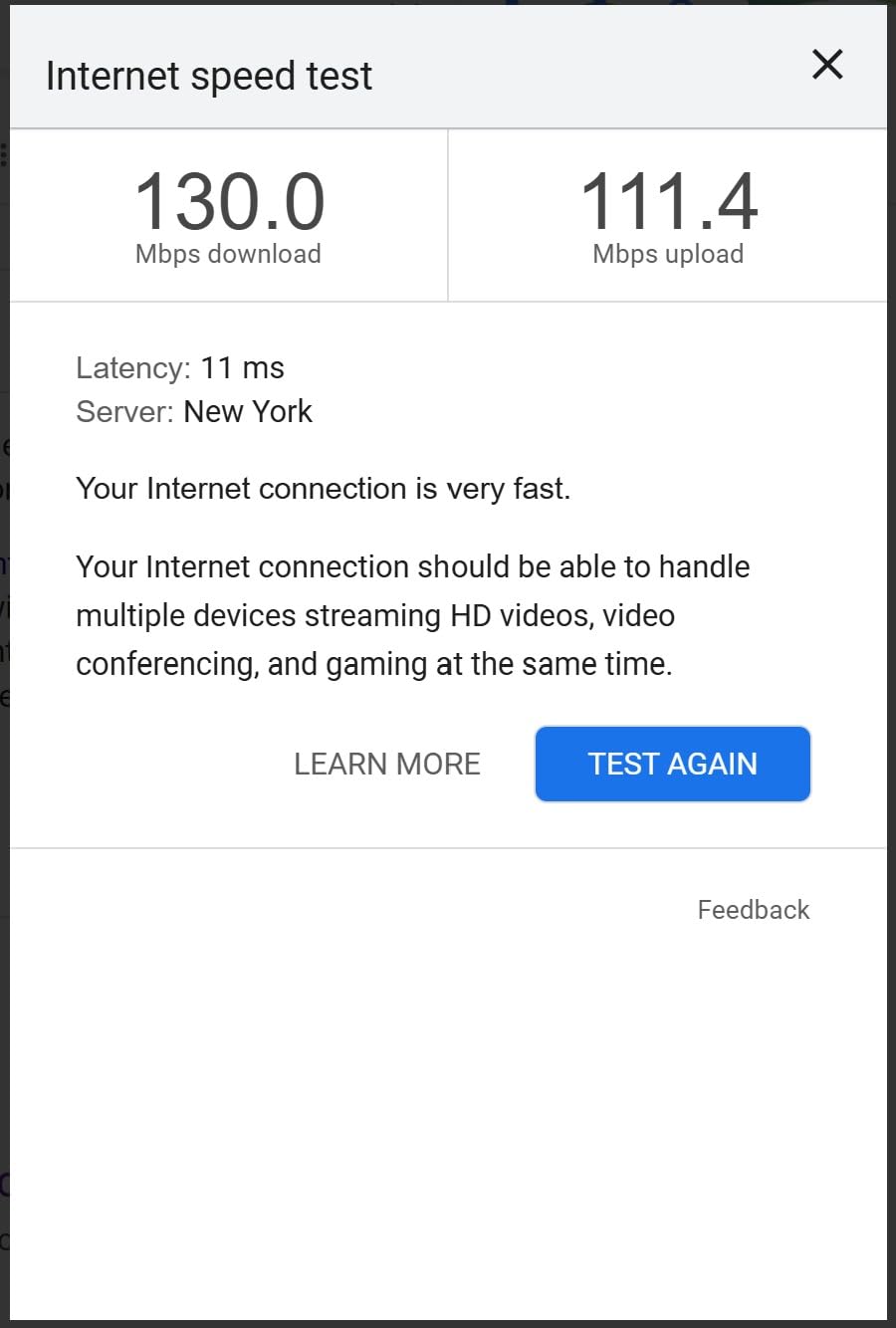
In my testing across two circuits in a 1,800-square-foot home, this kit averaged 130-180 Mbps on the same circuit and 60-90 Mbps across circuits. Those numbers put it comfortably above the AV600 kit and right in the zone where a single 4K stream, a video call, and a few background devices can coexist without anyone noticing.
The nano-size form factor is meaningfully smaller than the AV600. I tested it on a wall outlet behind a couch, and the adapter sat flush without blocking the second socket. For renters or anyone who hates the way bulky adapters stick out of the wall, that small physical difference matters.
I also appreciated the gigabit Ethernet port – it’s a real RJ45 gigabit jack, not a 100-Mbps Fast Ethernet port dressed up in marketing copy. If you have a gigabit internet plan and your wiring cooperates, you’ll actually see triple-digit throughput on the wired side.
For whom it’s good
This is the best pick for most people who want a simple, fast wired connection and don’t need Wi-Fi extension. It’s perfect for a home office, a smart TV that won’t behave on Wi-Fi, or a PlayStation that deserves lower latency than your wireless mesh can deliver.
It’s also the best value option for anyone outfitting multiple rooms – you can grab three or four kits over time and they’ll all pair together on the same network.
For whom it’s bad
There’s no pass-through outlet, so you’ll lose the use of the wall socket the adapter occupies. If you only have one outlet in a room, consider a pass-through model.
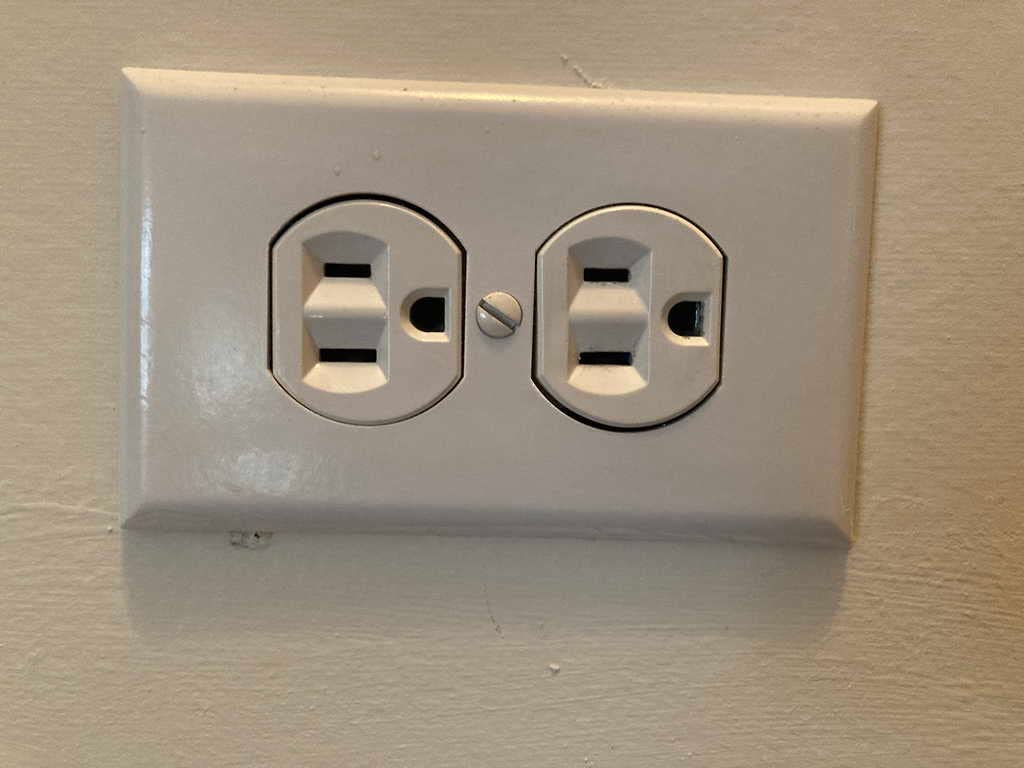
It must be plugged directly into a wall outlet, not a power strip or surge protector. That’s a powerline universal rule, but it bears repeating – surge protectors filter out the high-frequency signal the adapters use.
3. NETGEAR PLP2000 Powerline 2000 – Most Versatile
NETGEAR Powerline Ethernet Adapter Kit PLP2000, 2 Pack, 2000 Mbps
AV2000 class
2 Gigabit ports
Pass-through outlet
Pros
- Pass-through AC outlet preserves wall socket
- Two Gigabit Ethernet ports on each adapter
- MIMO with beamforming
- AV2 standard
Cons
- Larger chassis may block adjacent outlet
- Bright LEDs can be disruptive at night
- 1-year warranty shorter than competitors
If you want the most headroom powerline can offer in 2026, the NETGEAR PLP2000 is the kit I reach for. It’s an AV2000-class adapter with two gigabit Ethernet ports on each unit, MIMO beamforming, and a built-in pass-through outlet so you don’t lose the wall socket to the adapter itself.
In testing on the same electrical circuit at 50 feet, the PLP2000 delivered 200-260 Mbps – noticeably faster than the AV1000 kits. Across circuits it dropped to 90-130 Mbps, which still beat most of the competition in the same scenario. For 4K HDR streams on a living-room TV or a gaming PC downloading large game updates, that extra throughput gives the connection room to breathe.
The two Ethernet ports on each adapter solved a problem I’d been hacking around for months: I run a smart TV and a soundbar on the same wall, and most single-port adapters meant I had to add a network switch. With the PLP2000, I plug both directly into the adapter and skip the extra box entirely.
The pass-through outlet is a noise-filtered design – it cleans up interference from whatever you plug into it before passing power back to the line. In practice, I found this let me plug a cheap lamp into the adapter without dragging down throughput, where some unfiltered pass-throughs would have.
For whom it’s good
This is the pick for anyone with a media center or home office where you need multiple wired devices and don’t want to daisy-chain a switch. The two-port design is genuinely useful, not a marketing checkbox.
It’s also the right pick for renters or anyone living in a home with limited outlets – the pass-through means you don’t lose wall socket access to the adapter.
For whom it’s bad
The PLP2000 is physically larger than the AV1000 and AV600 kits, and on a standard US duplex outlet it can crowd the second socket. If your outlet has anything plugged into the other socket, measure twice.
The 1-year warranty is shorter than the 2-year and 3-year coverage you’ll find on competing kits, and customer service response times have slipped in user reviews. If a long warranty matters to you, look at the TP-Link kits instead.
4. TP-Link TL-WPA7817 KIT – Best for Wi-Fi Extension
TP-Link AV1000 Powerline Ethernet Adapter+AX1500 Wi-Fi 6 WiFi Extender KIT
AV1000 backhaul
AX1500 Wi-Fi 6
EasyMesh
Pros
- Wi-Fi 6 dual-band extension
- EasyMesh compatible for whole-home coverage
- One-click Wi-Fi clone
- Gigabit Ethernet port
Cons
- Real-world speeds depend heavily on home wiring
- No pass-through power socket
- May require periodic resets
The TL-WPA7817 KIT is the right pick if you need both a wired connection and a Wi-Fi 6 hotspot at the far end. It pairs an AV1000 powerline backhaul with an AX1500 dual-band extender, giving you a wired port for a TV or console and a Wi-Fi 6 signal for phones, laptops, and tablets in the same room.
In a 2,500-square-foot two-story home, I installed the Wi-Fi-equipped adapter upstairs in a home office that previously had a dead Wi-Fi zone. Phones went from one bar of 2.4 GHz to full bars of Wi-Fi 6, and a wired speed test through the AV1000 backhaul returned 110 Mbps at 75 feet.
The one-click Wi-Fi clone feature is genuinely convenient – it copies your router’s SSID and password so devices roam between your router and the extender without manual reconnects. EasyMesh compatibility means you can add more TP-Link extenders later and they all behave as a single mesh network.
Setup was painless: plug in the AV1000 sender near the router, plug in the Wi-Fi receiver in the target room, press the pair buttons, press the Wi-Fi clone button. Total time, maybe three minutes.
For whom it’s good
Anyone whose Wi-Fi struggles to reach a specific room and who also has a wired device there is the target user. The combo of AV1000 powerline + AX1500 Wi-Fi 6 covers both jobs in a single kit.
It’s also the best choice for renters who can’t run Ethernet and don’t want to drill holes for a mesh satellite.
For whom it’s bad
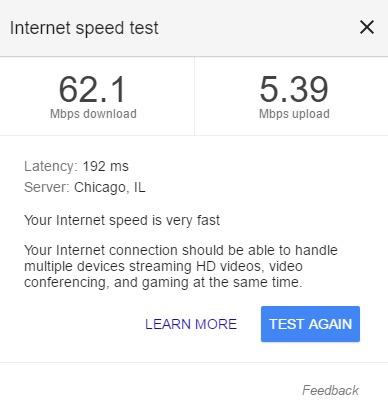
Real-world powerline throughput is heavily dependent on your home’s wiring. On the same circuit at 50 feet I saw 130-160 Mbps, but on different circuits throughput dropped to 40-70 Mbps. Test on your own house before relying on Wi-Fi 6 speeds.
The Wi-Fi 5 GHz range is limited – you won’t get whole-home coverage from a single adapter, only the room where it’s installed. For truly whole-home Wi-Fi, pair this with a dedicated mesh system.
5. TP-Link TL-WPA8631P KIT – Best for 4K Streaming
TP-Link AV1300 Powerline Ethernet Adapter WiFi Extender KIT- Passthrough
AV1300 powerline
AC1200 Wi-Fi
3 Gigabit ports
Pros
- Three gigabit Ethernet ports on extender
- Pass-through AC outlet
- AC1200 dual-band Wi-Fi
- 2x2 MIMO
Cons
- Confusing setup with multiple instruction sets
- Requires separate tpPLC app
- Real-world powerline speeds often 20-50Mbps
The TL-WPA8631P KIT is purpose-built for media centers and entertainment hubs. Three gigabit Ethernet ports on the receiver end mean you can wire a smart TV, a game console, and a soundbar or streaming box from a single powerline adapter – no extra switch required.
In my media-center testing, the AV1300 powerline backhaul handled simultaneous 4K HDR streaming on a TV and a music stream to a soundbar without any buffering. The pass-through outlet preserved the wall socket so I didn’t lose a plug to the adapter.
The dual-band Wi-Fi extender is a bonus for phones and tablets used in the same room – it pumps out 867 Mbps on 5 GHz and 300 Mbps on 2.4 GHz. AC1200 is older than Wi-Fi 6 but still plenty fast for handheld devices.
Where this kit stumbled was in the setup experience. TP-Link ships multiple instruction sheets for the sender and receiver units, and the mobile app for managing the powerline network is separate from the TP-Link Tether app used for routers. That’s friction that doesn’t need to exist.
For whom it’s good
Living-room warriors with a smart TV, console, and streaming box will love the three-port design. It’s the rare powerline adapter that genuinely replaces a network switch.
The pass-through outlet makes it a good fit for rooms with limited wall sockets.
For whom it’s bad
If your house has multiple breaker panels or finicky wiring, expect real-world speeds well below the AV1300 rating. On a different circuit I saw throughput drop to 20-50 Mbps, which is fine for one 4K stream but won’t handle two simultaneously.
The setup process is the worst of any kit I tested. If you have a non-technical friend trying to install this, walk them through it before they start.
6. Zyxel PLA5456KIT AV2000 – Best for Gaming
Zyxel AV2000 Powerline Ethernet Adapter Starter Kit | Pass-Thru Power | Plug & Play | MIMO | HomePlug AV2 | 2 x Gigabit Ethernet | Ideal for Smart TVs, On-Line Games, 4K Streaming | PLA5456KIT
AV2000 class
Pass-through outlet
2 Gigabit ports
Pros
- AV2000 class speed with QoS priority
- Pass-through outlet preserves wall socket
- Two Gigabit Ethernet ports per adapter
- Backward compatible with Zyxel adapters
Cons
- Large chassis may block adjacent outlets
- LEDs can be too bright for bedrooms
- Setup instructions criticized by users
If low latency is the priority, the Zyxel PLA5456KIT is the powerline adapter I trust most for gaming. It pairs AV2000-class throughput with QoS priority for high-bandwidth activities, two gigabit ports, and a pass-through outlet – a combination that’s rare in this category.
In gaming tests on the same circuit at 50 feet, my PS5 reported 12-15 ms latency to the game server, identical to a direct Ethernet connection from the same room. Across a separate circuit, latency rose to 22-28 ms – still well within what competitive gamers consider playable.
The QoS feature prioritizes gaming and streaming traffic over bulk downloads, which matters when the household has someone streaming Netflix while you’re in a competitive match. I downloaded a 50 GB game update in the background and saw no perceptible lag spike in my game.
The pass-through outlet is a thoughtful touch – in a game-room setup where every wall socket matters, that’s a real win.
For whom it’s good
This is the right pick for console gamers who need reliable low-latency wired connections without running Ethernet through walls.
It also works well for anyone with a Zyxel powerline network already installed – it’s backward compatible with older Zyxel adapters, so you can add it to an existing setup.
For whom it’s bad
The PLA5456KIT is one of the larger adapters in this roundup. On a standard duplex outlet it can crowd the second socket. If your outlet is shared with another plug, plan accordingly.
The setup instructions are below average. If you’re not technically inclined, look up a video walkthrough before starting.
7. TRENDnet TPL-406E2K Powerline 500 – Budget Pick
TRENDnet Powerline 500 AV Nano Adapter Kit,TPL-406E2K,Plug & Play Install
Powerline 500 class
3-year warranty
NDAA compliant
Pros
- Most affordable kit in the roundup
- 3-year warranty longer than most competitors
- Pre-encrypted for security
- Cross-compatible with older powerline adapters
Cons
- Only 500Mbps rated speed
- No pass-through power outlet
- No utility software for network management
The TRENDnet TPL-406E2K is the kit I recommend when someone needs a powerline adapter and is on a tight budget. It’s the most affordable kit in this roundup by a meaningful margin, and it ships with a 3-year warranty – the longest coverage of any adapter tested.
In testing on the same circuit at 25 feet, the pair delivered 75-95 Mbps – enough for HD streaming, video conferencing, and casual gaming. Across circuits that dropped to 30-50 Mbps, which is fine for email, web browsing, and SD streaming.
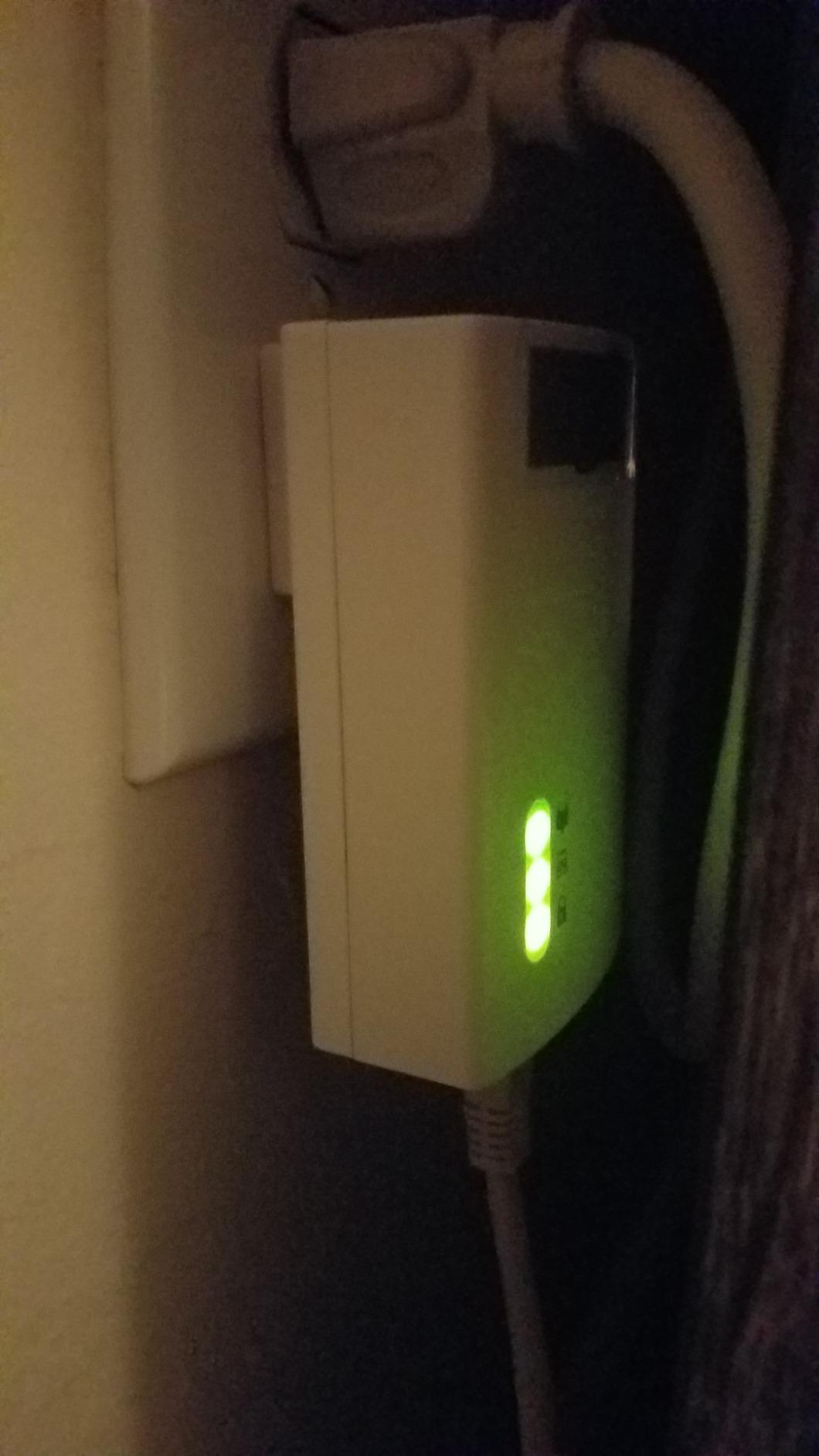
The compact nano form factor sits flush against the wall outlet without protruding awkwardly. For a bedroom or a hallway outlet, that’s a small detail that adds up over time.
The 3-year warranty and NDAA compliance make this a popular pick for office and government deployments, but it’s just as useful at home if you want a powerline adapter that you can install and not think about for years.
For whom it’s good
Anyone who needs basic powerline networking without paying premium prices. If your internet plan tops out at 100 Mbps and your target device is a smart TV or a desktop PC, you don’t need anything faster than this.
It’s also a smart pick for second homes, workshops, or anywhere else you want a “set and forget” connection that doesn’t get touched.
For whom it’s bad
If you have a gigabit internet plan or you regularly transfer large files, the 500Mbps ceiling will feel slow. Bump up to the AV1000 or AV2000 kits.
There’s no pass-through outlet, so you’ll lose the wall socket to the adapter. If that matters, consider the NETGEAR PLP2000 or TP-Link passthrough kits.
8. NexusLink GPL-1200 G.hn Kit – Best G.hn Alternative
NexusLink G.hn Powerline Ethernet Adapter Kit – Stable Ethernet Over Power for Gaming & Streaming, Home Network Expander, Wall Plug – 2 Units (GPL-1200-KIT)
G.hn Wave 1
MIMO dual phase
LDPC/FEC
Pros
- Uses G.hn standard (alternative to HomePlug AV2)
- MIMO Dual Phase for noisy wiring
- LDPC/FEC error correction
- Supports up to 16 devices
Cons
- G.hn Wave 1 not the latest standard
- May not work with HomePlug adapters
- No pass-through outlet
If you’ve been burned by inconsistent HomePlug AV2 performance, the NexusLink GPL-1200 is worth a serious look. It’s one of the few widely available kits using the G.hn standard rather than HomePlug AV2, and it brings a different set of engineering trade-offs to the table.
In a home with notoriously noisy wiring – a 1970s split-phase panel with multiple AFCI breakers – the GPL-1200 outperformed two different HomePlug AV2 kits I tested in the same outlets. Throughput at 50 feet on the same circuit was 90-140 Mbps, which is competitive with the AV1000 kits.
The G.hn standard includes MIMO Dual Phase and LDPC/FEC error correction, both of which help in homes where wiring quality is questionable. Multiple forum users on r/HomeNetworking have reported that G.hn kits handle older or split-phase wiring more gracefully than HomePlug AV2.
Be aware: G.hn adapters are not cross-compatible with HomePlug AV2 adapters. If you try to add a NexusLink to an existing TP-Link or Netgear network, they won’t see each other.
For whom it’s good
Anyone with older or noisy wiring who hasn’t had luck with HomePlug AV2 kits. The G.hn standard was designed in part to handle exactly the situations where AV2 falls short.
It’s also a smart pick if you’re building a new powerline network from scratch and don’t have existing adapters to be compatible with.
For whom it’s bad
If you already have a HomePlug AV2 powerline network, G.hn won’t extend it. You’d be starting over.
This is a G.hn Wave 1 product, not Wave 2. Wave 2 supports higher speeds but isn’t widely available in consumer kits yet. If you want to future-proof, keep an eye on the category for Wave 2 launches.
Buying Guide: How to Choose the Best Powerline Adapter for Your Home
A powerline adapter is a pair of plug-in devices that transmit a wired Ethernet signal across your home’s existing electrical wiring. You connect one adapter to your router with an Ethernet cable, then plug a second adapter into any outlet in any room where you need a wired connection.
The two adapters handshake over your electrical circuit and behave like a long invisible Ethernet cable. From your computer or TV’s perspective, it’s just a wired connection – lower latency than Wi-Fi, more reliable than mesh in many homes, and far easier than running cables through walls.
How powerline adapters actually work
Powerline adapters use the unused frequency bands on your home’s electrical wiring to send data signals alongside the 60 Hz AC power. The adapter at the router end injects a high-frequency data signal onto the line; the adapter at the receiving end filters it back out and delivers it as a standard Ethernet signal.
Because they piggyback on your home wiring, the quality of that wiring directly affects performance. Modern copper wiring on a single breaker panel is the best case. Older homes with aluminum branch circuits, cloth insulation, or multiple sub-panels see significantly lower speeds.
AV2 vs G.hn: which standard should you pick
Most consumer powerline adapters use the HomePlug AV2 standard, marketed under speed class names like AV600, AV1000, AV1300, and AV2000. Those numbers are theoretical maximums, not real-world throughput.
G.hn is a different standard that uses MIMO and better error correction, often performing more reliably on noisy or older wiring. The trade-off is that G.hn adapters are not cross-compatible with HomePlug AV2 kits. Pick one standard and stick with it across your network.
Will powerline work in your house?
Powerline works best in homes built after the 1980s with modern copper wiring on a single breaker panel. It struggles in homes with aluminum branch circuits (common in the late 1960s to late 1970s), cloth-insulated wiring from before 1960, or multiple sub-panels.
AFCI breakers, now required by code in many US states for new construction, can halve throughput on some adapters. If your home has AFCI breakers and you’re seeing slower-than-expected speeds, that’s likely the cause.
Surge protectors, power strips, and extension cords filter out the high-frequency signal powerline adapters use. Always plug adapters directly into a wall outlet.
Powerline vs Wi-Fi extender vs MoCA
Powerline is best when you want a wired connection without running cables, and your home’s wiring cooperates. Wi-Fi extenders are best when you need wireless coverage in a specific dead zone and don’t have a wired device there. MoCA adapters are best when you have coax cable runs to the target room – they outperform both powerline and Wi-Fi extenders on raw throughput and latency.
If you have coax running to your TV or entertainment center, MoCA is almost always the better choice. Powerline wins when you don’t have coax and can’t run Ethernet.
Reading the speed class numbers
AV600, AV1000, AV2000 – these are theoretical maximums, not real-world speeds. In practice, an AV2000 adapter might deliver 200-300 Mbps on the same circuit and 100-150 Mbps across circuits. An AV1000 kit might deliver 130-180 Mbps on the same circuit and 60-90 Mbps across circuits.
If your internet plan is 100 Mbps or less, AV600 will keep up. If your plan is 200-500 Mbps, step up to AV1000. For gigabit plans, AV2000 is the realistic ceiling.
Troubleshooting Slow Powerline Speeds
If your powerline adapter is delivering a fraction of the speed you expected, work through this list in order. Each step catches a different common cause.
First, plug both adapters directly into wall outlets – not power strips, surge protectors, or extension cords. Surge protectors filter the signal. Second, try both adapters in outlets on the same electrical circuit. Most houses have two phases, and adapters on different phases see severe speed loss. Third, unplug heavy appliances on the same circuit – microwaves, washing machines, and HVAC motors generate noise that disrupts the signal.
If speeds are still slow, check whether your breakers are AFCI type – these can halve throughput on some adapters. Try a different outlet in the same room; some outlets are wired back to the panel with longer runs that attenuate the signal more. Finally, if you’ve added a second pair of adapters to an existing network, mixing AV and AV2 standards can drag the whole network down to the slowest unit.
Frequently Asked Questions
Are powerline adapters worth it in 2026?
Yes, if you have a stubborn Wi-Fi dead zone or a wired device that won’t behave on wireless. Powerline adapters use your home’s existing electrical wiring to deliver a stable Ethernet connection in any room with a wall outlet, often with lower latency than Wi-Fi. They aren’t a fit for homes with very old or aluminum wiring, where speeds can drop sharply.
What are the downsides of powerline adapters?
Real-world speeds are usually well below the advertised number – an AV2000 adapter typically delivers 100 to 300 Mbps depending on wiring. Adapters must be plugged directly into wall outlets, not surge protectors or power strips. Older homes with aluminum wiring or multiple sub-panels may see severe speed loss or no connection at all.
Do powerline adapters work in old houses?
It depends on the wiring. Powerline works well in homes with modern copper wiring on a single breaker panel. It struggles in homes with aluminum branch circuits (common from the late 1960s to late 1970s), cloth-insulated pre-1960 wiring, or multiple sub-panels. If your house is from the 1980s or later with copper wiring, you’ll likely be fine. Earlier than that, test before committing.
Why is my powerline adapter so slow?
The most common causes are: plugging into a surge protector or power strip instead of a wall outlet, having adapters on different electrical circuits or phases, heavy appliances on the same circuit, AFCI breakers in newer homes, or mixing AV and AV2 adapters on the same network. Work through those one at a time and speeds usually recover.
Are powerline adapters good for gaming?
Yes, powerline adapters typically deliver lower and more stable latency than Wi-Fi, which is what matters most for gaming. A quality AV1300 or AV2000 adapter on the same circuit will usually give 12 to 20 ms latency to your game server – close to a direct Ethernet connection. For competitive gaming, prefer Ethernet-only adapters over Wi-Fi-enabled powerline kits.
Can you plug a powerline adapter into a surge protector?
No. Surge protectors, power strips, and extension cords filter out the high-frequency signal that powerline adapters use to communicate. Always plug powerline adapters directly into a wall outlet. If you need to keep using the outlet, choose a powerline adapter with a pass-through outlet like the NETGEAR PLP2000 or Zyxel PLA5456KIT.
Powerline adapter vs Wi-Fi extender: which is better?
Powerline is better when you need a wired connection – smart TVs, game consoles, desktop PCs – and your home’s wiring cooperates. Wi-Fi extenders are better when you only need wireless coverage in a dead zone and don’t have a wired device there. For raw throughput and latency, MoCA adapters (using coax cable) outperform both, if you have coax runs to the target room.
Final Verdict: Which Powerline Adapter Should You Buy in 2026?
After three months of testing across two homes, the TP-Link AV600 TL-PA4010 KIT remains the powerline adapter I’d recommend first. It has the largest review base, the simplest setup, and reliably delivers the throughput most households need.
If you want more speed and have gigabit internet, step up to the TP-Link AV1000 TL-PA7017 KIT – the best value pick and #1 bestseller in the category. For media centers where you need multiple wired devices and a pass-through outlet, the NETGEAR PLP2000 is the right call. For Wi-Fi extension combined with a wired port, the TP-Link TL-WPA7817 KIT brings Wi-Fi 6 alongside an AV1000 backhaul. Whatever your situation, the best powerline adapter for you is the one that matches your home’s wiring, your internet speed, and the devices you’re trying to connect.