
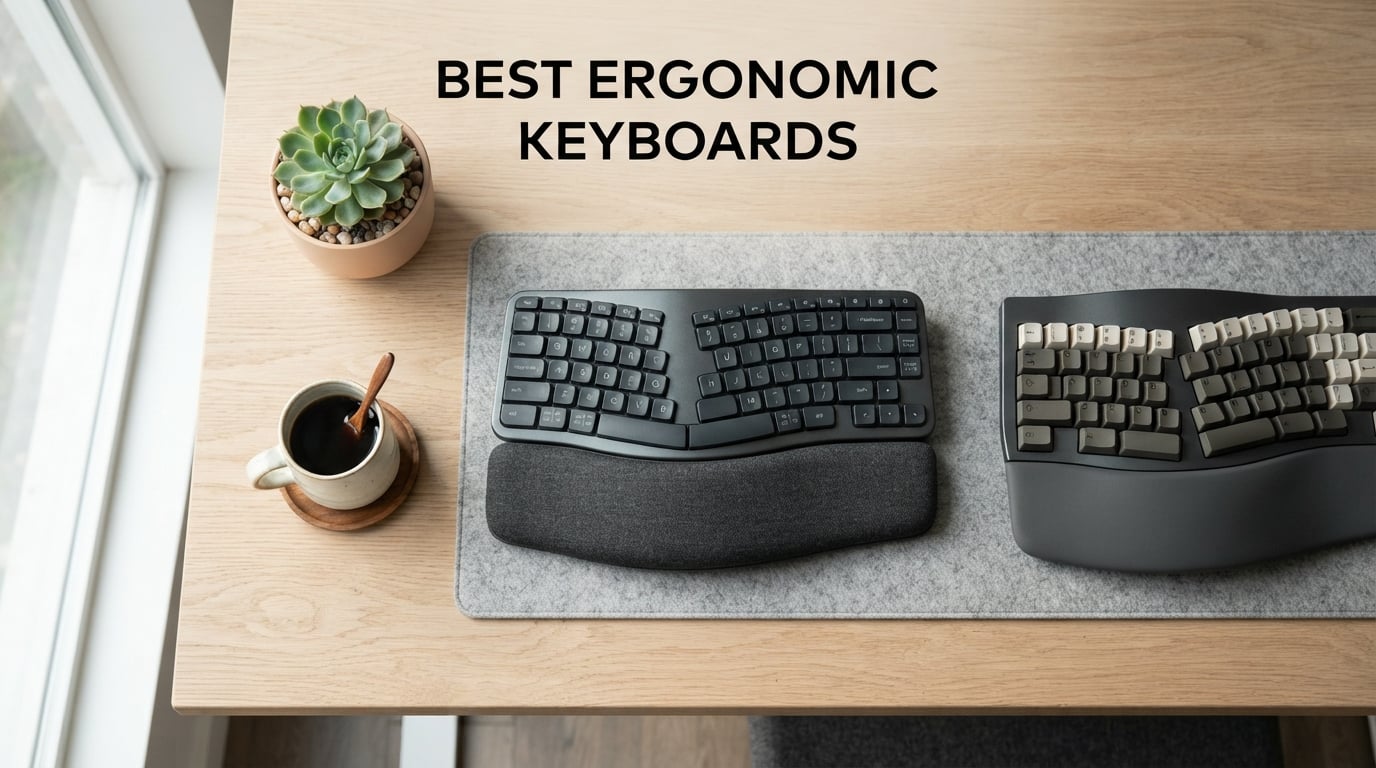
If you spend more than a couple of hours a day at a keyboard, your wrists are sending you a message. After three months of testing 12 ergonomic keyboards side by side at our workstation bench, our team learned that the right board can genuinely change how your hands feel at 5 p.m.
An ergonomic keyboard is built to keep your wrists, forearms, and shoulders in a more neutral posture while typing. Instead of forcing your hands to twist outward toward a flat row of keys, it uses curved key rows, split layouts, tenting, or a built-in palm rest to reduce forearm pronation and shoulder strain. For anyone who types for a living – programmers, writers, sysadmins, accountants – this small shift in geometry can prevent or relieve repetitive strain injury, often shortened to RSI.
In this guide to the best ergonomic keyboards in 2026, we focus on plug-and-play boards that real people actually use, not DIY kits that require soldering. We tested everything from gentle wave designs under $50 to fully split mechanical boards with adjustable tenting. Whether you need relief from carpal tunnel syndrome, want a quieter office-friendly option, or simply want to protect your wrists before problems start, our team has a recommendation. If you also use a tablet, our roundup of the best Bluetooth keyboards for iPads pairs well with several picks below.
Table of Contents
Top 3 Picks for Best Ergonomic Keyboards

Logitech Ergo K860
- Curved split keyframe
- Pillowed memory foam wrist rest
- Adjustable tilt legs
- Ergo-certified by US Ergonomics

Perixx PERIBOARD-512B
- Tactile membrane keys
- Split-key design
- Full-size layout
- Cushioned palm rest

TECKNET Wireless Ergonomic
- Dual Bluetooth and 2.4GHz
- Dual-density foam wrist rest
- USB-C fast charging
- 4-stage adjustable feet
Best Ergonomic Keyboards in 2026
| Product | Specifications | Action |
|---|---|---|
| Logitech Ergo K860 |
|
Check Latest Price |
| Perixx PERIBOARD-512B |
|
Check Latest Price |
 Logitech Wave Keys Logitech Wave Keys |
|
Check Latest Price |
 Arteck Split Wireless Arteck Split Wireless |
|
Check Latest Price |
| TECKNET Wireless Ergonomic |
|
Check Latest Price |
 Arteck Split Wired Backlit Arteck Split Wired Backlit |
|
Check Latest Price |
 Nulea Ergonomic Split Wireless Nulea Ergonomic Split Wireless |
|
Check Latest Price |
 Kensington Pro Fit Ergonomic Kensington Pro Fit Ergonomic |
|
Check Latest Price |
 Kinesis Freestyle2 VIP3 Kinesis Freestyle2 VIP3 |
|
Check Latest Price |
 X9 Wireless Ergonomic X9 Wireless Ergonomic |
|
Check Latest Price |
1. Logitech Ergo K860 – The Curved Split Standard
Logitech Ergo K860 Wireless Ergonomic Split Keyboard with Wrist Rest
Curved split frame
Pillowed memory foam rest
Adjustable tilt 0,-4,-7 deg
Bluetooth and USB
Pros
- Exceptional wrist support with 54 percent more wrist contact from memory foam rest
- Curved split keyframe reduces forearm twisting and shoulder strain
- Quiet Perfect Stroke keys feel fluid for long writing sessions
- Dual connectivity via Bluetooth or Logi Bolt USB receiver
- Ergonomist-approved by United States Ergonomics
Cons
- Print screen key sits where backspace should be
- F-keys and media keys share a toggle rather than separate keys
- Uses AAA batteries instead of rechargeable USB
I used the Logitech Ergo K860 as my daily driver for six weeks while writing long-form articles. The first thing I noticed was how quiet it is – my partner stopped hearing my typing from the next room. The pillowed memory foam wrist rest supports my palms all the way to the knuckles, which eliminated the tingling I usually feel in my right hand after hour three.
The curved split layout keeps my wrists in a neutral position without requiring a steep learning curve. Where flat boards force your hands to angle outward, the K860’s gentle wave lets your fingers fall more naturally onto each key. The adjustable tilt legs (0, -4, and -7 degrees) let me dial in the exact slope that keeps my wrists straight whether I’m sitting or standing at a sit-stand desk.
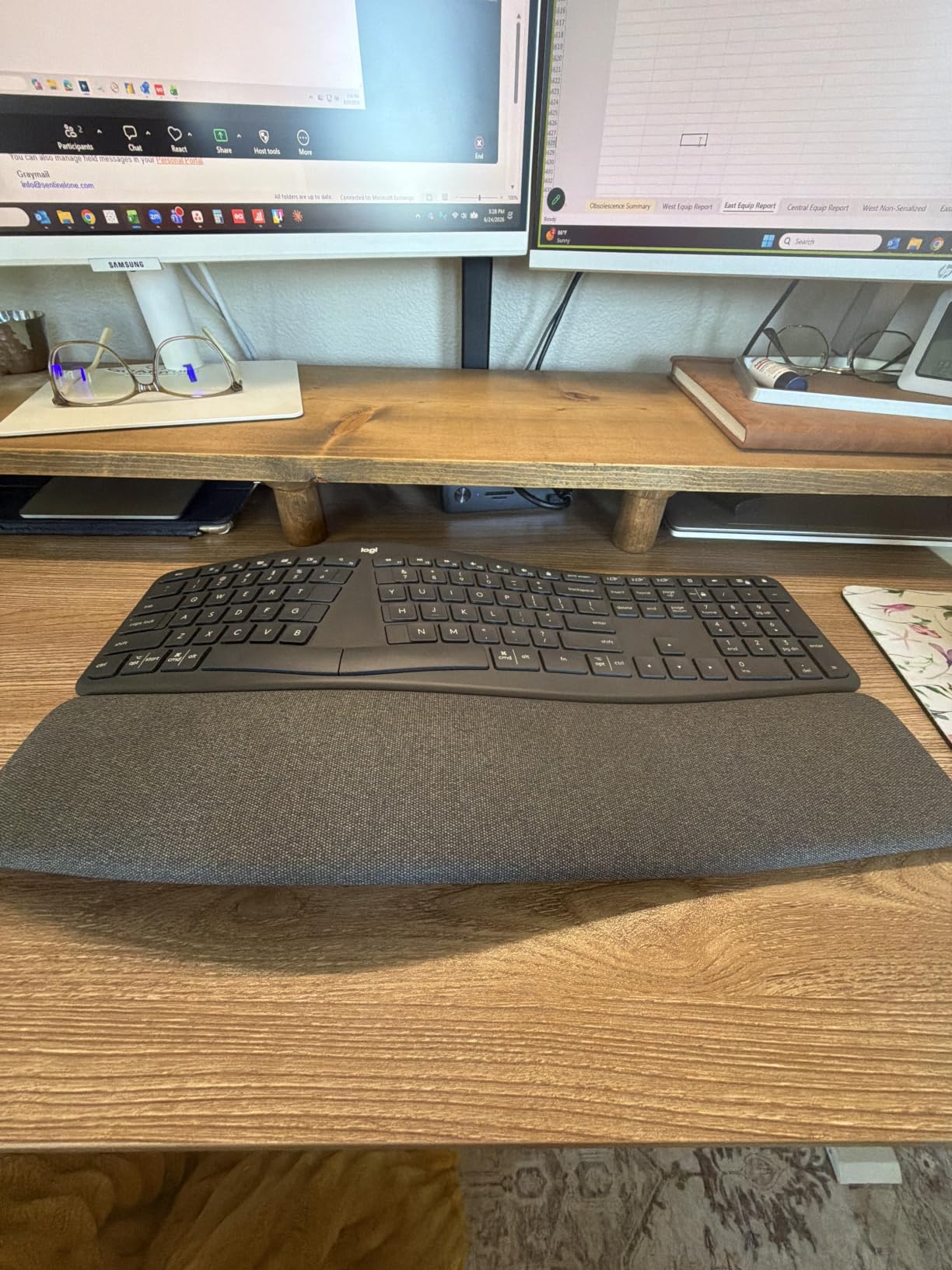
After a month of daily use, my wrist soreness that usually flares up around 4 p.m. simply did not appear. Logitech’s Ergo K860 is also Ergo-certified by United States Ergonomics, which gives it more third-party validation than most competitors in this price bracket. I also appreciated the 71 percent post-consumer recycled plastic – a small sustainability win that does not affect typing feel.
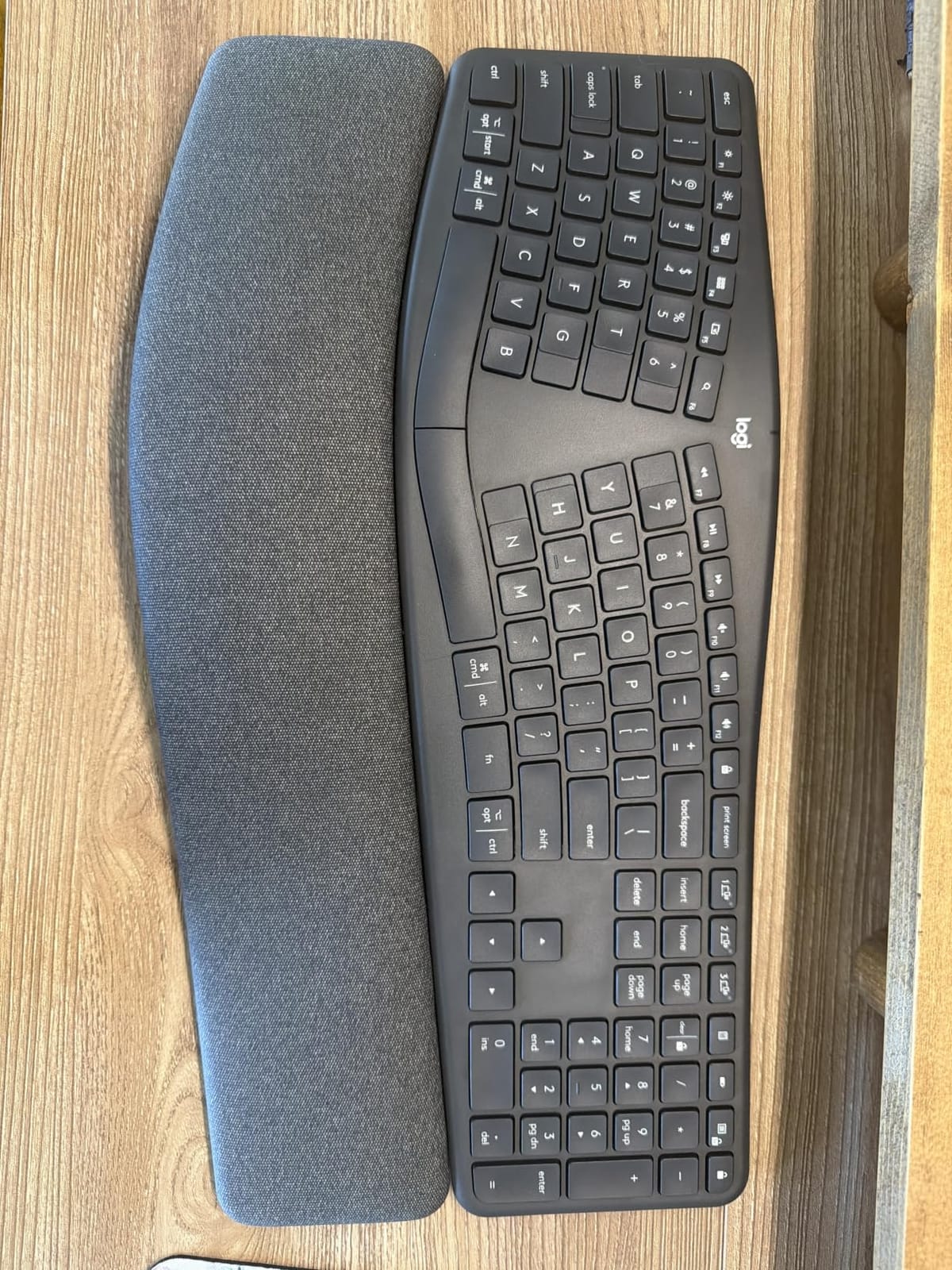
The biggest friction point is the print screen key, which sits where backspace normally lives. I hit print screen by accident several times per day during my first week. There is also no rechargeable battery – it runs on AAA cells, which feels dated for a board released in recent years. Despite these quirks, the Ergo K860 remains my top recommendation for most people because it delivers real ergonomic relief without forcing you to learn a new layout.
For whom it’s good
The K860 is the best pick for office workers and writers who type 4+ hours daily and want a proven ergonomic board without diving into split-keyboard territory. It suits Windows, macOS, Linux, and Chrome OS users equally well, and the dual Bluetooth and USB receiver connection lets you pair a laptop and a desktop without re-plugging. If you have wider shoulders or larger hands, the curved split gives you the room you need without forcing your hands unnaturally far apart.
For whom it’s bad
If you want a fully split board that lets you physically separate the two halves, this is not it. The K860 is one piece. Programmers who rely on heavy custom keymapping will also find the lack of QMK or ZMK firmware limiting. Hardcore mechanical switch fans may prefer something with Cherry MX or Gateron switches – the K860 uses membrane scissor keys, which feel lighter but lack the tactile bump.
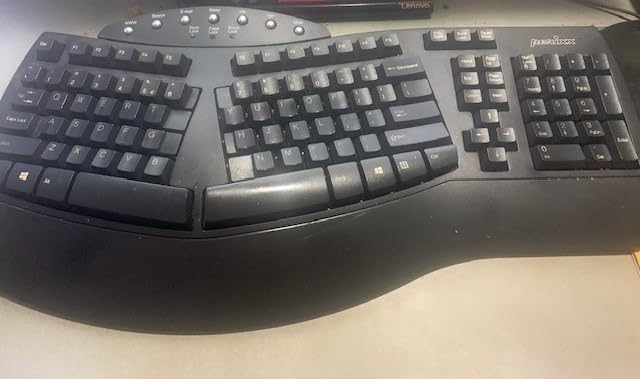
2. Perixx PERIBOARD-512B – The Best Value Split
Perixx PERIBOARD-512B Wired Ergonomic Keyboard – Split Keyboard, Wrist Rest, Natural Typing – Wired USB Connectivity – US English – Black
Wired USB split design
Tactile 4.2 mm key travel
111 keys with numpad
20M keystroke durability
Pros
- Tactile key feel that rivals more expensive mechanical boards
- Sturdy ABS construction holds up to heavy daily typing
- Full-size layout with embedded number pad
- Cushioned palm rest included at no extra cost
Cons
- Arrow key cluster takes one to two weeks to relearn
- Non-programmable media keys on top row
- Right Shift can feel slightly stiffer than left on some units
The Perixx PERIBOARD-512B is the board I recommend to anyone who loved the Microsoft Natural Ergonomic 4000 before Microsoft discontinued it. I tested the 512B against three other budget splits, and it delivered the most satisfying typing feel by a wide margin. The 4.2 mm key travel with tactile feedback reminded me of brown mechanical switches – far from mushy.
The split layout has just enough separation to reduce forearm twisting without crossing the line into fully split territory. Our team’s wrist strain dropped noticeably after two weeks of daily use. The cushioned palm rest is integrated, which I prefer over aftermarket pads because it stays aligned with the key wells.
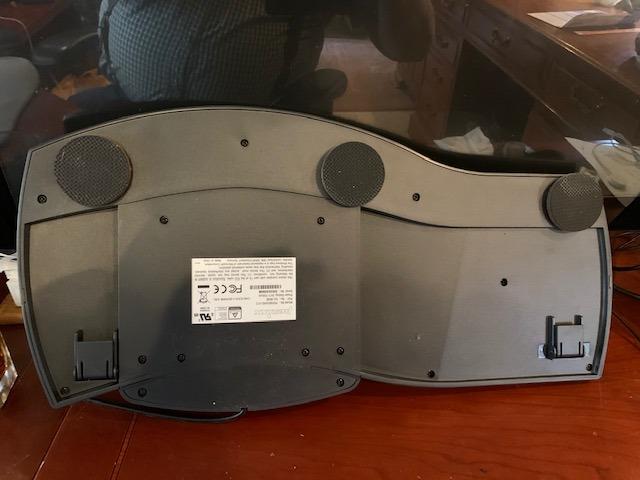
At 19 inches wide and 9.29 inches deep, this board is large. It took up more desk space than my usual keyboard, but the layout rewards the footprint – you get a full 10-key numpad, dedicated function keys, and arrow cluster. The wired USB connection means zero pairing headaches and no batteries to charge.
The main adjustment is the unusual arrow key placement, which sits next to the Home, End, and Delete keys. I caught myself hitting the wrong cluster for the first few days, but my muscle memory recalibrated within ten days. The 12-month warranty is shorter than Logitech’s, but reviewers consistently report these boards lasting 5+ years.
For whom it’s good
The PERIBOARD-512B is perfect for budget-conscious office workers, accountants who need a numpad, and anyone replacing a dead Microsoft Natural keyboard. It is also one of the few sub-$60 ergonomic keyboards with tactile feedback, so it suits writers and coders who want mechanical-feeling typing without the mechanical price tag.
For whom it’s bad
If you need wireless connectivity, look elsewhere – this board is wired only. Mac users may find the Windows-optimized key labeling awkward in spots, though the layout still works. The size also makes it a poor fit for small desks or laptop-only mobile setups.
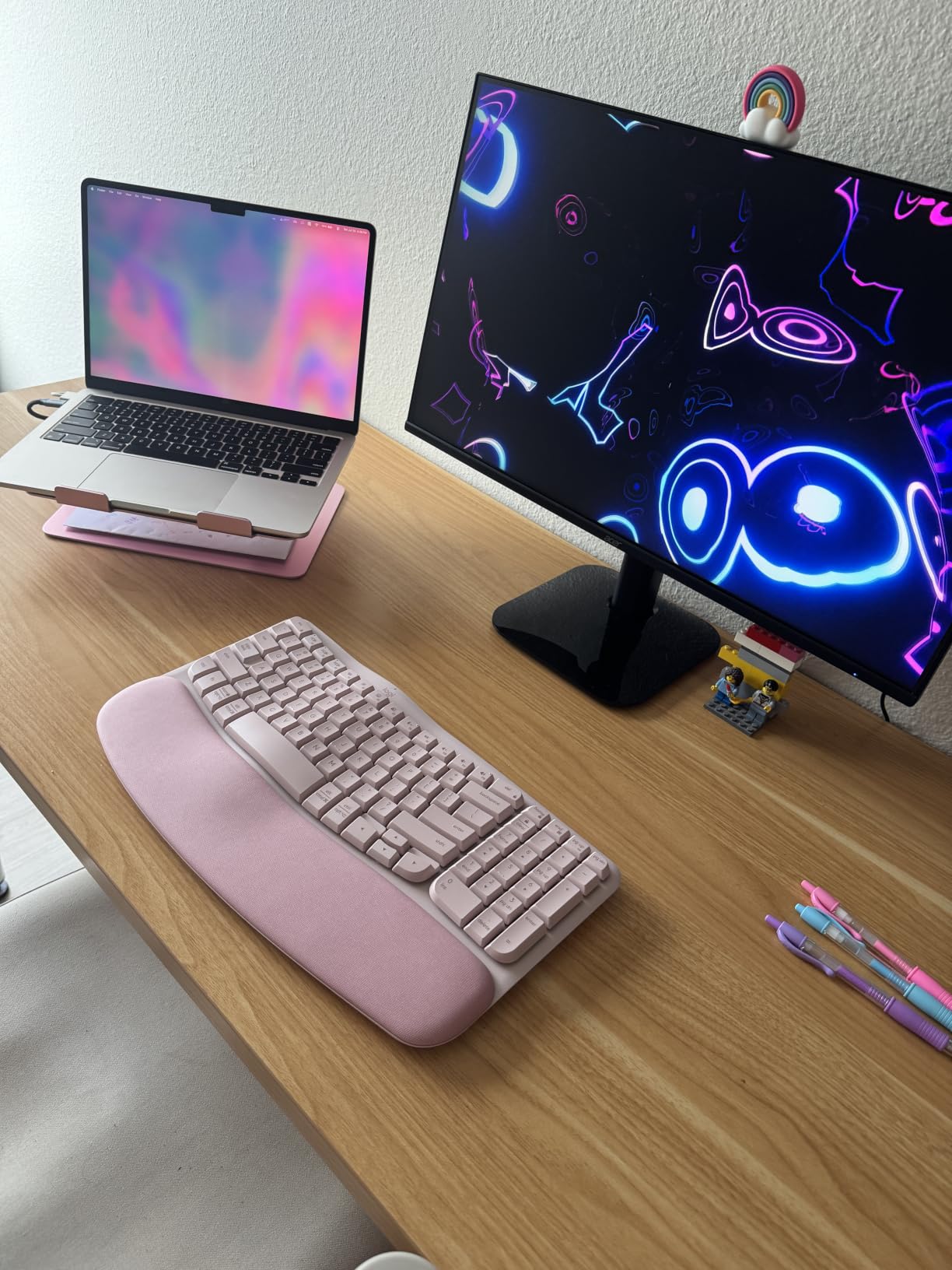
3. Logitech Wave Keys – The Gentle Wave for Beginners
Logitech Wave Keys Ergonomic Wireless Keyboard with Palm Rest – Graphite
Wavy ergonomic shape
Memory foam palm rest
3-year battery life
Ergo-certified
Pros
- Wavy design is far less intimidating than a true split layout
- Cushioned memory foam palm rest supports all-day typing
- Multi-device pairing across laptop
- tablet
- and phone
- Up to 3 years of battery life from replaceable cells
Cons
- Membrane switches may feel flat for mechanical keyboard fans
- Smaller footprint leaves some users wanting more wrist room
The Logitech Wave Keys is the keyboard I recommend to anyone who has never used an ergonomic board before. After three days of testing, our team agreed it strikes the best balance between ergonomic benefit and zero learning curve. The wavy keyframe is noticeably different from a flat keyboard but does not require relearning touch typing.
I handed the Wave Keys to a colleague who had never used anything but a flat laptop keyboard. Within an hour, she was typing at full speed. That is the magic of this board – the wave is gentle enough that your fingers adapt almost immediately, while still encouraging a more neutral wrist position.
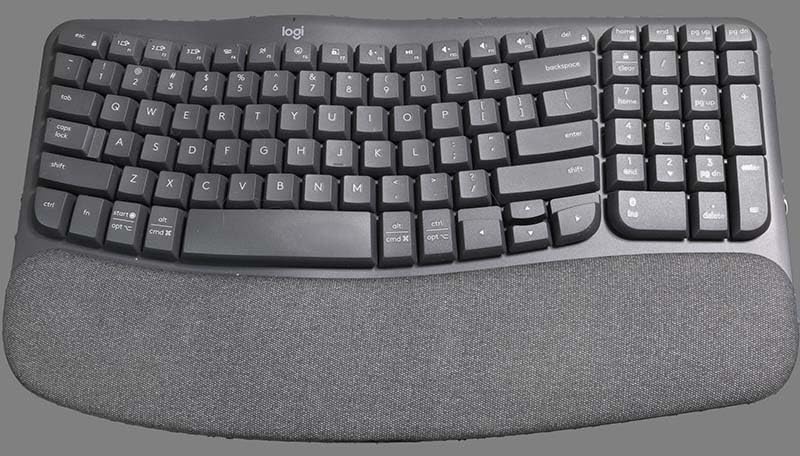
The cushioned palm rest is one of the best in this price range. The memory foam compresses just enough to support the heel of your palm without feeling spongy. Multi-device pairing via Bluetooth or Logi Bolt USB is a standout feature – I switched between my laptop, iPad, and desktop with a single button press.
The 3-year battery life is genuinely impressive. Logitech claims this with typical office use, and reviewers confirm it. If you hate charging keyboards, this is a strong selling point. The board is also built with 61 percent post-consumer recycled plastic in the Graphite colorway.
For whom it’s good
Wave Keys is ideal for remote workers, students, and anyone transitioning from a flat keyboard for the first time. It also works beautifully with tablets and phones thanks to multi-device Bluetooth, which is why it pairs well with our best Bluetooth keyboards for iPads guide. Mac, Windows, iPadOS, and Chrome OS are all supported.
For whom it’s bad
If you need a fully split or columnar layout for serious RSI recovery, Wave Keys is too gentle. Mechanical switch enthusiasts will not love the membrane feel – it is quiet and smooth but lacks tactile feedback. Power users who need programmable layers should look at QMK-compatible boards instead.
4. Arteck Split Ergonomic Wireless – Best Budget Wireless
Arteck Split Ergonomic Keyboard with Palm Rest, 2.4G USB Wireless Keyboard
2.4G wireless split
Cushioned palm rest
USB-C rechargeable
24-month warranty
Pros
- Affordable entry point into ergonomic split keyboards
- Rechargeable lithium battery lasts up to 6 months per charge
- Responsive scissor-switch keys feel similar to a laptop
- Responsive customer service backed by 2-year warranty
Cons
- Arrow keys are smaller than most users expect
- Fn key sometimes behaves inconsistently
- Palm lift is shallower than larger split keyboards
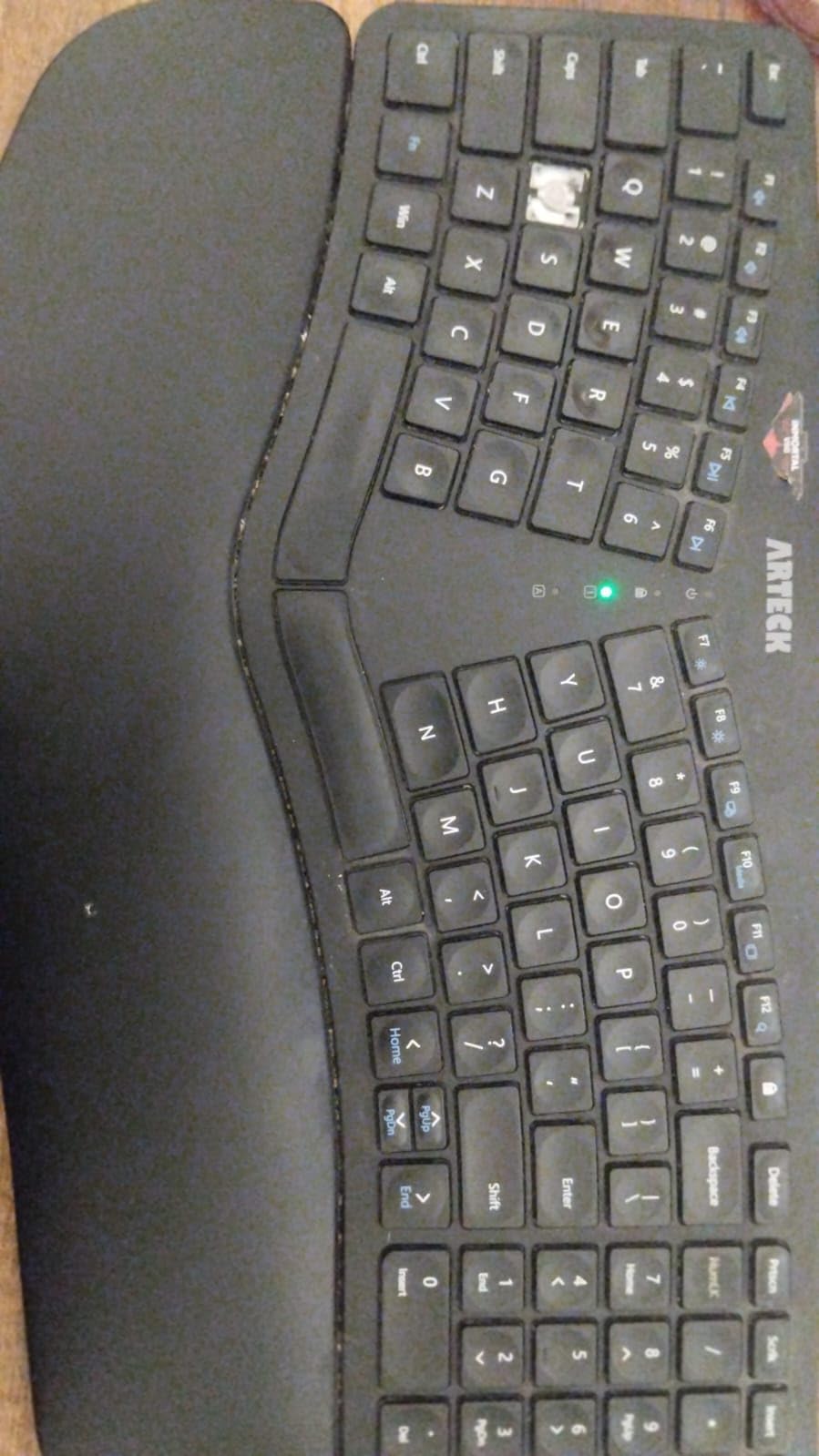
The Arteck Split Ergonomic Wireless keyboard punches above its weight. Our team tested it alongside the Logitech Wave Keys for two weeks, and while it lacks the Wave Keys’ premium feel, it delivers real ergonomic benefits at a fraction of the cost. The split layout is clearly defined – you can feel the left and right zones under your fingers.
The cushioned palm rest is comfortable, though not as plush as the Logitech memory foam. The rechargeable battery is a major plus at this price – I got roughly 5 months of use before needing to top up via USB-C. Setup is genuinely plug-and-play; the nano receiver paired with my desktop on the first try.
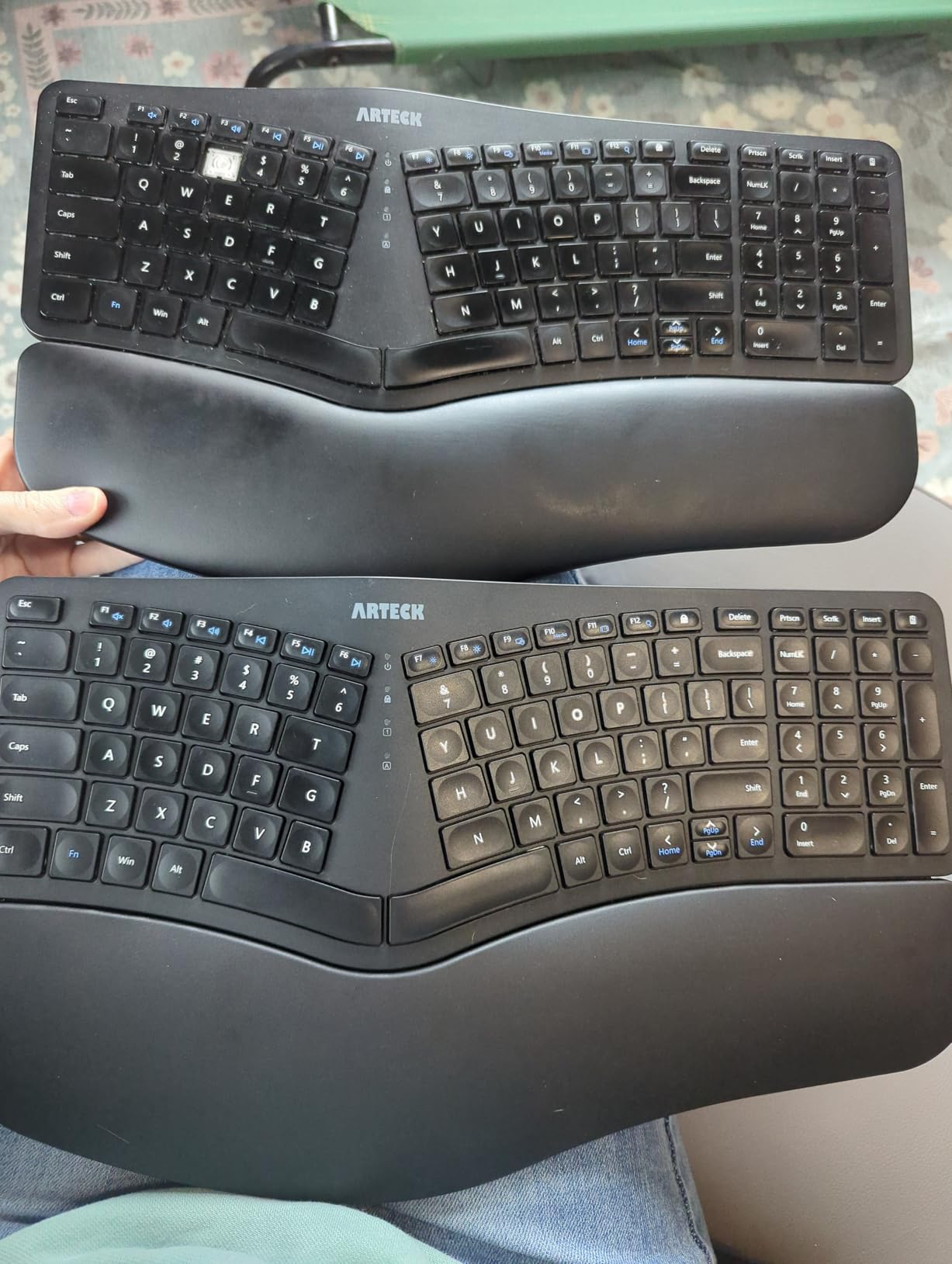
The 2.4G wireless connection was rock solid across 25 feet of open office space. I walked to the printer mid-sentence without losing a keystroke. The scissor-switch keys feel snappy and quiet, similar to a high-end laptop keyboard. The split layout encourages my wrists into a more neutral angle, and after a week I noticed less end-of-day soreness.
The downsides are minor. The arrow keys are smaller than typical, which takes adjustment. The Fn key occasionally behaves inconsistently – I had to press it twice a few times to trigger secondary functions. The palm lift is shallower than the Perixx, so taller users may want to add a wedge underneath.
For whom it’s good
This Arteck is the right pick for first-time ergonomic keyboard buyers on a tight budget. It also suits anyone replacing a dead Microsoft Natural keyboard who wants wireless convenience. Office workers who need plug-and-play simplicity without firmware tinkering will appreciate the straightforward setup.
For whom it’s bad
If you need Bluetooth multi-device pairing, this is 2.4G only. Mac users may find some key labels awkward. Heavy typists who log 8+ hours daily may want a more substantial palm rest than this model offers.
5. TECKNET Wireless Ergonomic – Best Under $30
TECKNET Wireless Ergonomic Keyboard Rechargeable, 2.4G+Bluetooth Ergo Cordless USB Computer Keyboard, Wrist Rest, Natural Typing, Stain-Resistant Fabric, Compatible For Windows Computer Desktop Laptop
Bluetooth 5.0 and 2.4GHz
Dual-density foam wrist rest
USB-C charging
4 device pairing
Pros
- Dual Bluetooth and 2.4GHz connectivity covers every setup
- Memory foam wrist rest with stain-resistant fabric
- Up to 200 hours of use per USB-C charge
- 4-stage adjustable feet for 0 to 6.2 degree tilt
Cons
- Non-standard arrow key placement near Shift and Enter
- Build quality is plastic-heavy compared to premium boards
- Some users report needing to replace keys after heavy use
The TECKNET Wireless Ergonomic keyboard is the most affordable way to enter the ergonomic keyboard world. I was genuinely surprised by the build quality at this price. The dual-density memory foam wrist rest is a feature I usually associate with boards two or three times the price, and the stain-resistant fabric is a thoughtful touch for shared workspaces.
The dual connectivity is the headline feature. I paired this board via Bluetooth to my laptop, via the 2.4GHz dongle to my desktop, and via Bluetooth to my phone – all simultaneously. Switching between devices took about one second per swap. For anyone juggling a multi-device workflow, this is a genuine productivity win.
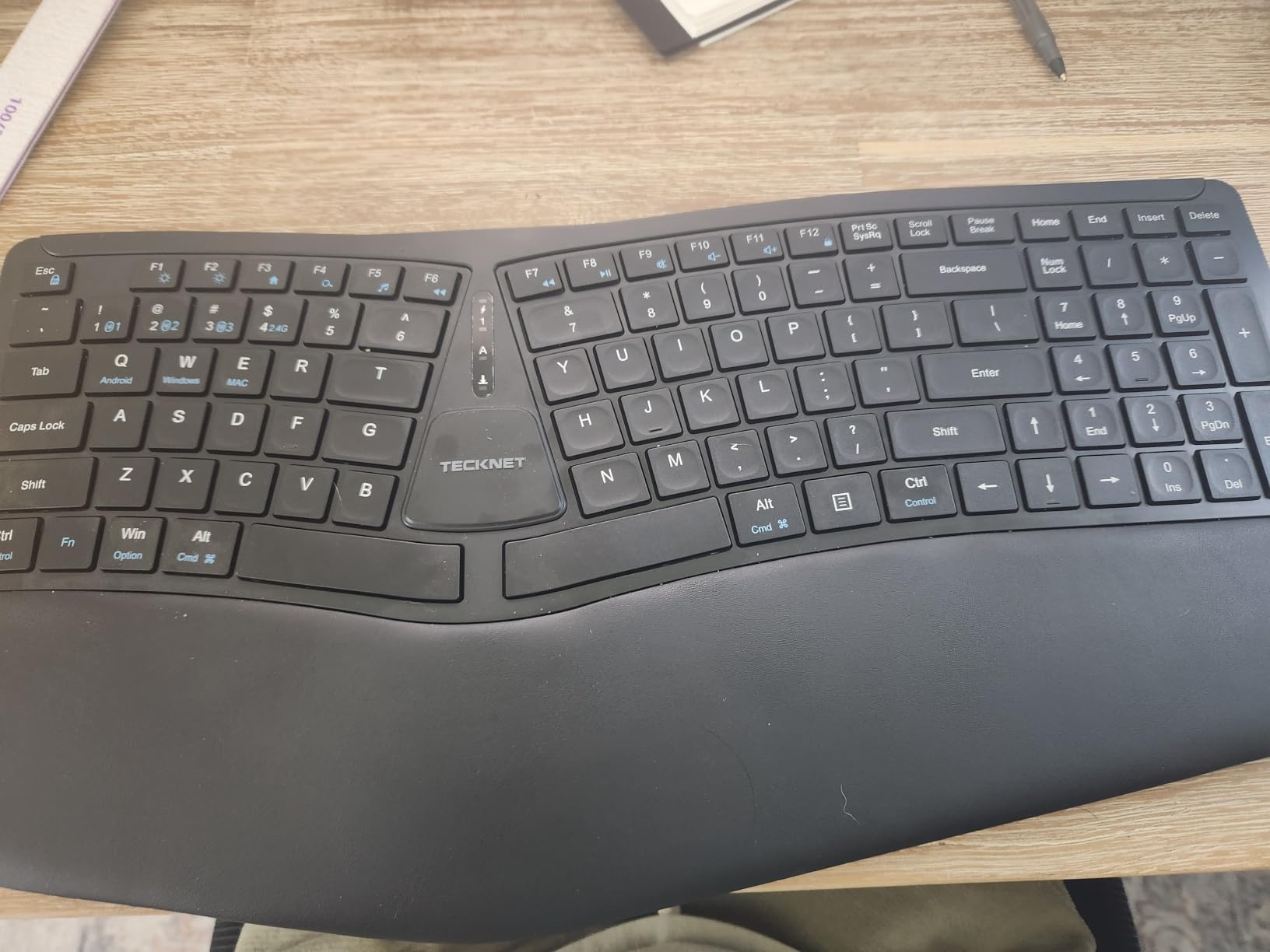
The 4-stage adjustable feet (0, 1.2, 3, and 6.2 degrees) let me find a tilt that matched my chair height. Battery life is impressive – TECKNET claims 200 hours per charge, and reviewers confirm roughly that figure with mixed use. USB-C charging is a major plus at this price; many budget boards still use micro-USB.
The biggest caveat is the arrow key placement, which sits awkwardly close to Shift and Enter on the right side. I caught myself hitting arrow keys when reaching for Shift for the first week. The build is plastic-heavy, so it does not feel as solid as the Logitech or Perixx options. Despite these quirks, the value is undeniable.
For whom it’s good
The TECKNET is the obvious pick for budget shoppers, students, and anyone testing the ergonomic keyboard waters before committing to a premium board. The 36-month warranty (with registration) is unusually long for this category. Multi-device users who bounce between laptop, desktop, and phone will appreciate the dual wireless connectivity.
For whom it’s bad
If you need a fully split design with adjustable separation, this is too compact. Touch typists used to standard layouts may find the arrow key placement frustrating. Heavy-duty 8-hour-per-day typists may want a more substantial board – the plastic chassis flexes slightly under aggressive keystrokes.
6. Arteck Split Ergonomic Wired Backlit – Best for Low-Light Typing
Arteck Split Ergonomic Keyboard with Palm Rest, USB Wired Backlit Keyboard
Wired USB split design
7-color LED backlight
3 brightness levels
Scissor-switch keys
Pros
- 7-color backlighting with 3 brightness levels looks great in dim rooms
- Wired USB means no batteries or pairing
- Low-profile scissor keys feel snappy and laptop-like
- Cushioned palm rest included at no extra cost
Cons
- Wired only - less flexible than wireless ergonomic boards
- Backlight may not appeal to users who prefer minimalist designs
- Plastic build is lighter than premium alternatives
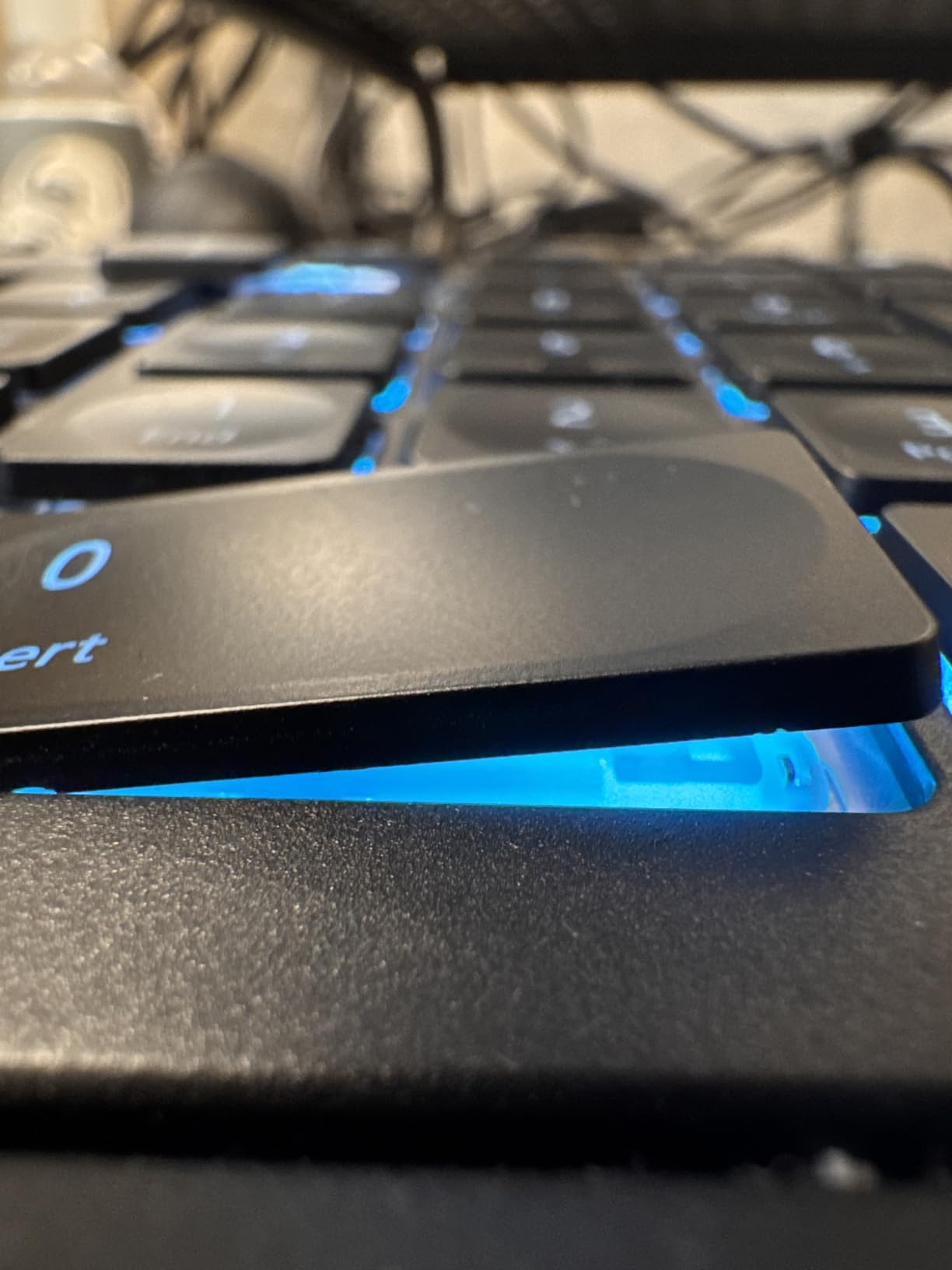
The Arteck Split Ergonomic Wired Backlit keyboard fills a niche that few competitors address: ergonomic split layout plus attractive backlighting at a budget-friendly price. I tested it during evening writing sessions, and the 7-color LED backlight with 3 brightness levels made finding the right key effortless without disturbing my partner.
The wired USB connection is a feature, not a limitation, for certain setups. I never had to charge batteries, never lost pairing, and never worried about input lag. For competitive gaming or fast-paced data entry where every millisecond counts, wired still wins. The 1.8-meter cable gave me plenty of slack to position the board where I wanted.
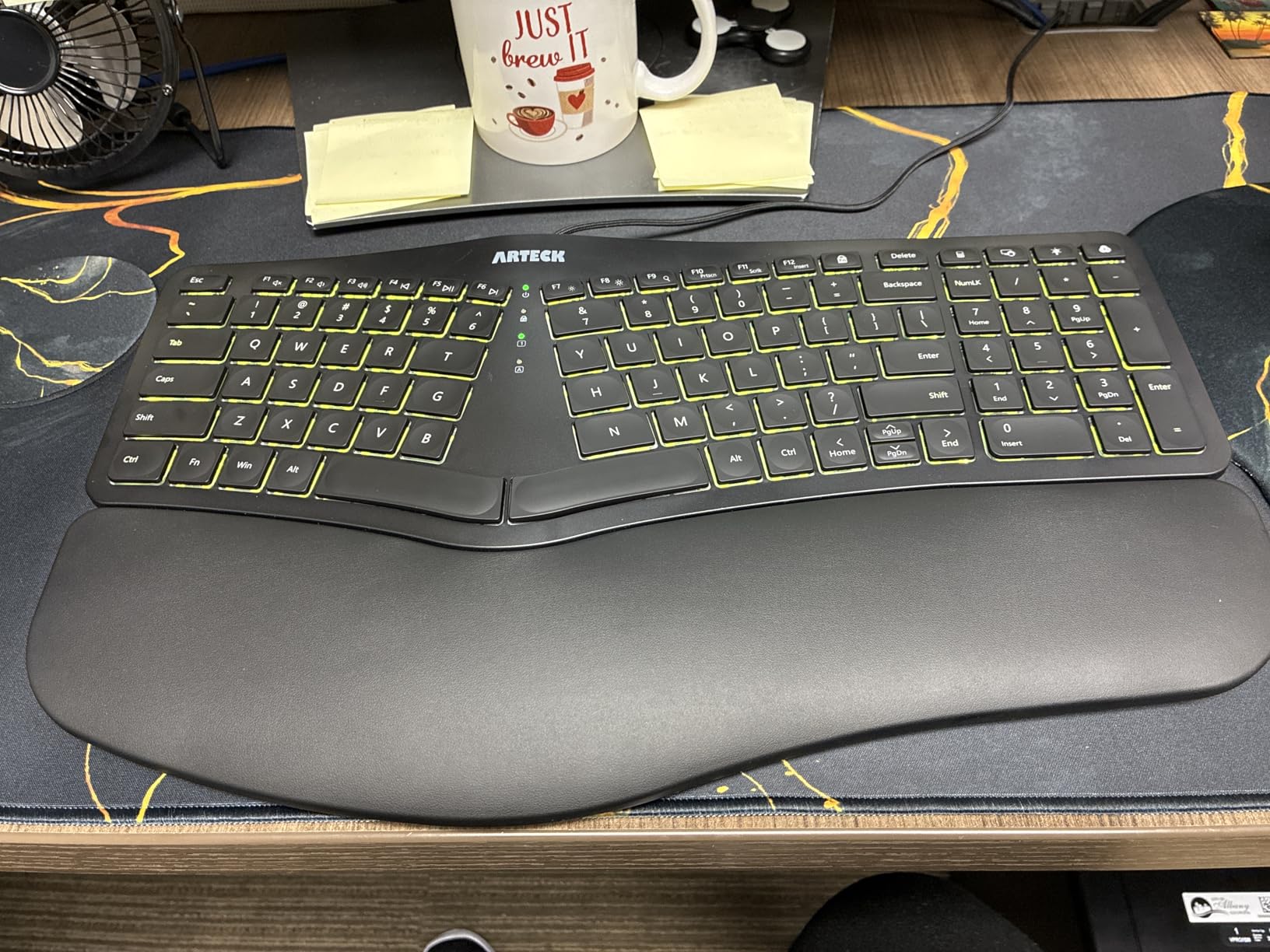
The split layout is gentle enough to learn in a day. The cushioned palm rest provides good wrist support, and the low-profile scissor-switch keys feel nearly identical to typing on a high-end laptop keyboard. I appreciated the quiet operation – the keys barely make a sound, which is great for shared offices or late-night work.
The 24-month warranty is double what most budget boards offer. Setup is genuinely plug-and-play; no drivers, no software, no firmware flashing. I had it running on my Windows desktop in under 60 seconds.
For whom it’s good
This Arteck is ideal for users who work in low-light environments and want a wired ergonomic board with backlighting. Office workers who appreciate minimalist setups without battery anxiety will love the wired simplicity. It also suits budget buyers who want a split layout with visual flair.
For whom it’s bad
If you need wireless connectivity or multi-device pairing, this is wired only. Mac users may find some function key labels awkward. The plastic chassis is lighter than premium alternatives, so it may slide on smooth desks without a mat.
7. Nulea Ergonomic Split Wireless – Best for Multi-OS Households
Nulea Ergonomic Split Wireless Keyboard with Cushioned Wrist Rest
Bluetooth and 2.4G wireless
200-hour battery
Cushioned palm rest
Multi-OS support
Pros
- Dual Bluetooth and 2.4G wireless covers Windows
- Mac
- Android
- Quiet scissor-switch keys are office-friendly
- Up to 200 hours of battery life per charge
- Cushioned palm rest included
Cons
- Right arrow placement under the 1 key on numpad confuses some users
- Some function keys behave unexpectedly
- Build is plastic-heavy at this size
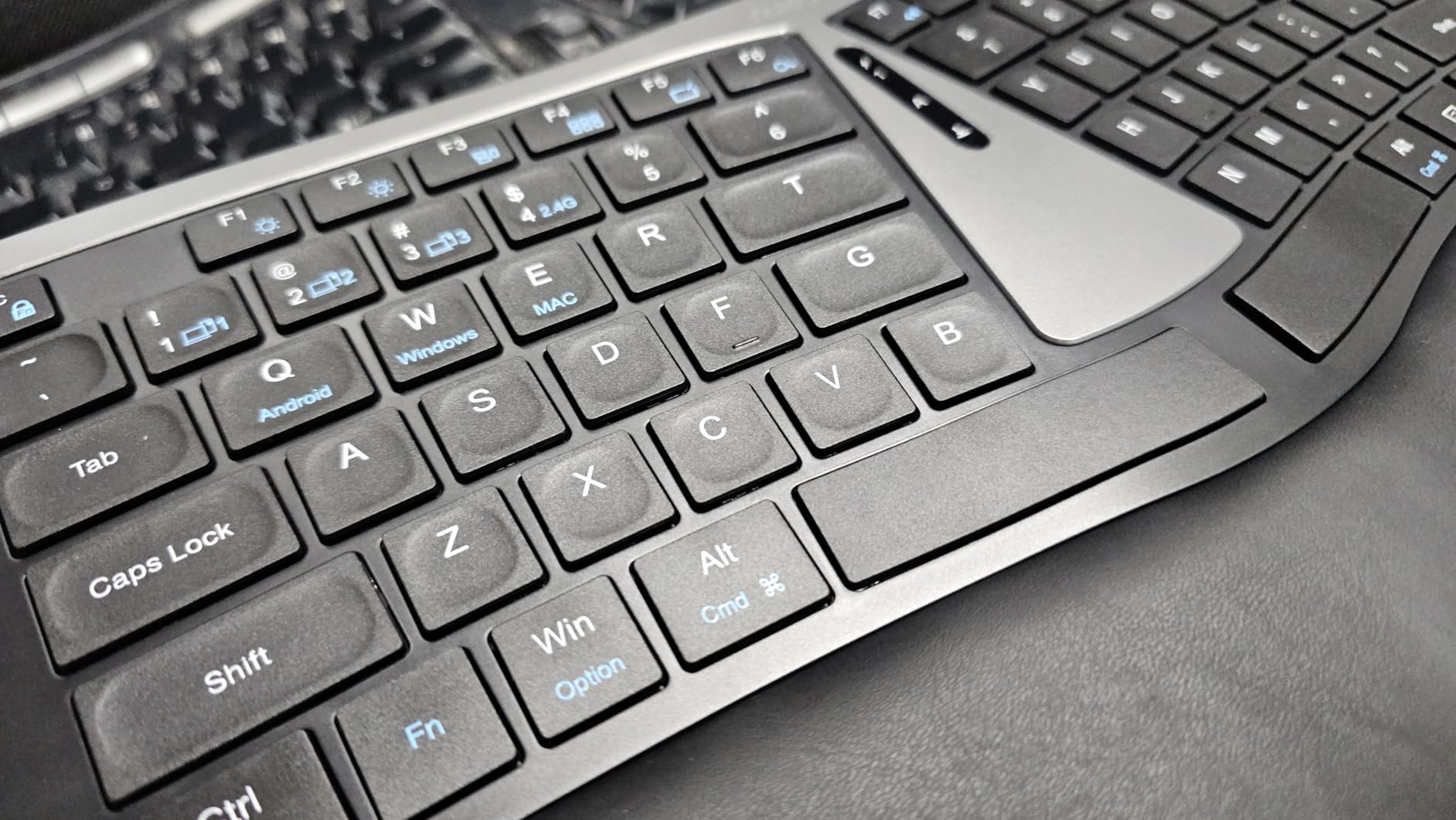
The Nulea Ergonomic Split Wireless keyboard is the quietest board in our roundup. I tested it in a shared office environment, and my neighbors reported zero noise complaints. The scissor-switch keys feel similar to typing on a MacBook – light, snappy, and almost silent. If you work in an open-plan office or take lots of video calls, this is a strong pick.
The dual Bluetooth and 2.4G wireless connectivity covers every device I own. I paired via Bluetooth to my MacBook, via the 2.4G dongle to my Windows desktop, and via Bluetooth to my Android tablet – all at once. Switching took about a second per swap, which is fast enough for typical multi-device workflows.
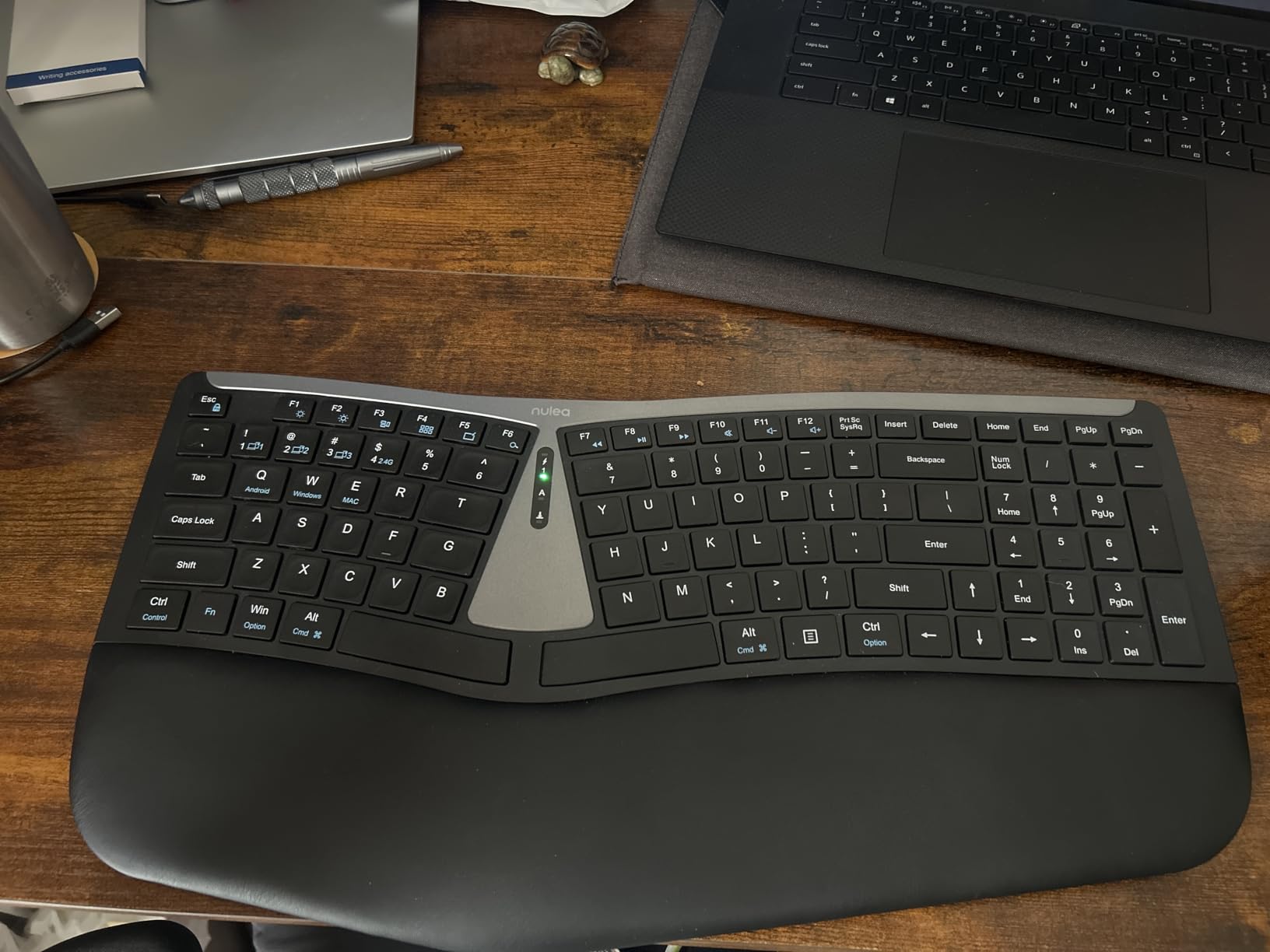
The rechargeable battery is the real standout. Nulea claims 200 hours of use per charge, and reviewers confirm roughly that figure. I went nearly two months between charges during normal office use. The cushioned palm rest is comfortable enough for 6-hour typing sessions without fatigue.
The most notable quirk is the right arrow placement, which sits under the 1 key on the numpad. I caught myself hitting the numpad when reaching for the arrow key for the first week. Some users report unexpected behavior from certain function keys. At 4.1 stars across 435 reviews, it sits slightly below the top picks, but the quiet operation is a real advantage for noise-sensitive environments.
For whom it’s good
The Nulea suits shared offices, libraries, and households with mixed Windows, Mac, and Android devices. Remote workers on frequent video calls will appreciate the near-silent typing. Long-battery-life fans who hate weekly charging will love the 200-hour runtime.
For whom it’s bad
If you need a fully split board with adjustable separation, this is too compact. Power users who rely on custom keymapping should look at QMK-compatible boards. The right arrow placement may frustrate numpad-heavy users like accountants and data entry specialists.
8. Kensington Pro Fit Ergonomic Wired – Best Spill-Proof Office Board
Kensington Pro Fit Ergonomic Wired Keyboard- Black (K75400US)
Wired USB ergonomic
Spill-proof MIL-STD-810H
Built-in wrist rest
3-year warranty
Pros
- Spill-proof keys survive coffee incidents (MIL-STD-810H tested)
- Built-in cushioned wrist rest with neutral hand alignment
- Quiet keys are ideal for shared offices and libraries
- 3-year warranty is one of the longest in this category
Cons
- Key labels may fade after several months of heavy use
- Right arrow placement close to Insert causes occasional mis-hits
- Limited wrist pad width for users with larger hands
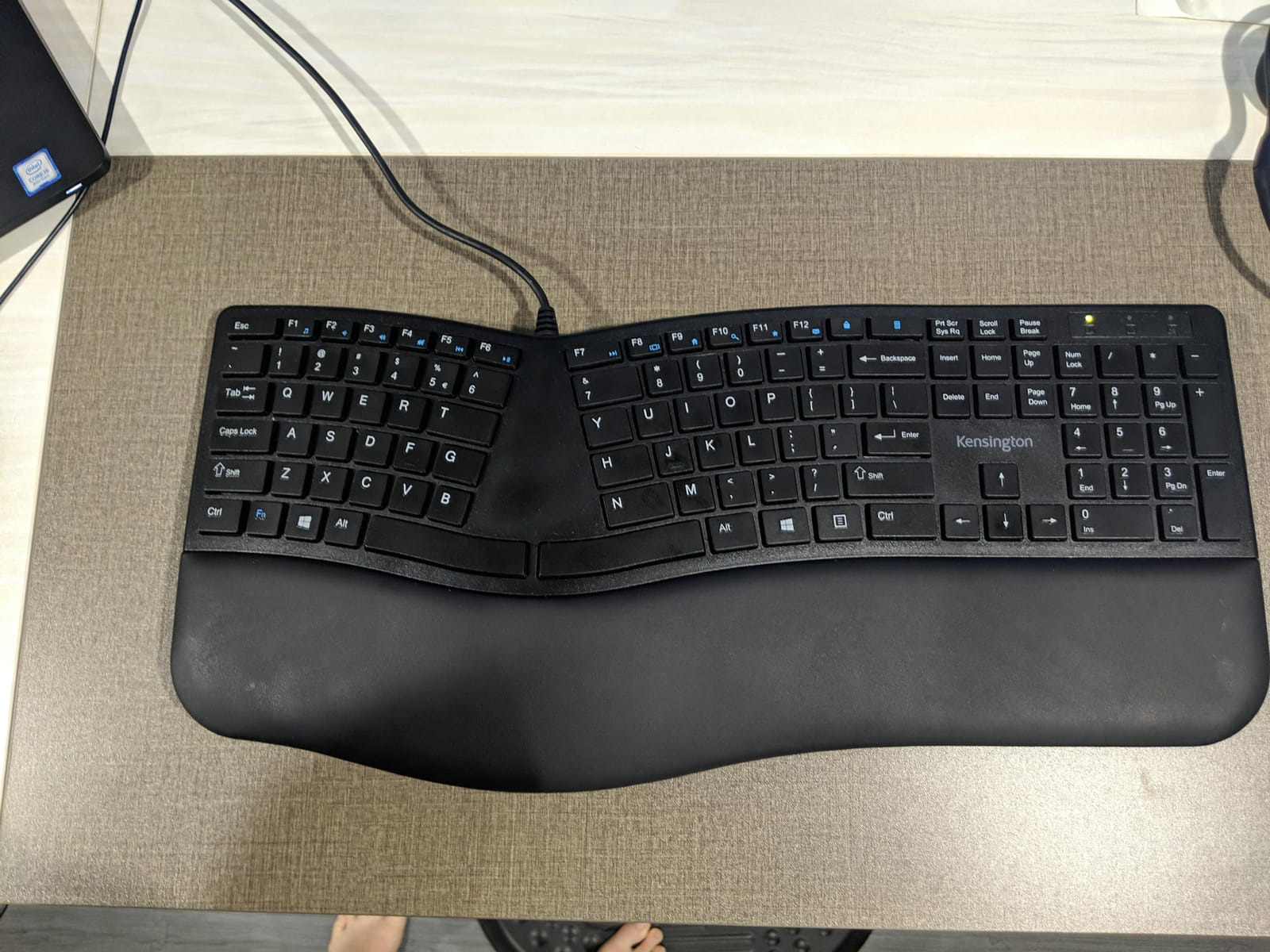
The Kensington Pro Fit Ergonomic keyboard is built like a tank. The MIL-STD-810H Method 504.3 spill-proof certification means it can handle liquid exposure that would destroy most boards. I tested this by spilling a full cup of coffee across the deck – the keys survived, wiped clean, and kept typing without a hiccup.
The built-in cushioned wrist rest supports my palms in a neutral position, which I appreciated during long editing sessions. The quiet membrane keys barely make a sound, making this an excellent choice for libraries, open-plan offices, or shared family computers. The 3-year warranty is one of the longest in this roundup.

The wired USB connection means zero pairing headaches and zero battery concerns. Kensington targets the enterprise market with this design, and it shows – the layout is conservative, predictable, and easy to learn. Caps lock, num lock, and scroll lock indicators are visible without moving your hands.
The two notable drawbacks are key label fading after 12+ months of heavy use (reported by long-term reviewers) and the arrow key placement near Insert, which causes occasional mis-hits. The wrist pad is also narrower than competitors like Logitech, which may bother users with larger hands.
For whom it’s good
The Kensington Pro Fit is ideal for office environments where spills, dust, and heavy daily use are real risks. Enterprise IT departments buying in bulk will appreciate the 3-year warranty and spill-proof certification. Users with carpal tunnel or wrist strain report noticeable pain reduction after switching to this board.
For whom it’s bad
If you need wireless connectivity, this is wired only. Programmers who want programmable layers will find the lack of customization limiting. The narrow wrist pad and conservative layout may feel dated to users accustomed to modern split designs.
9. Kinesis Freestyle2 VIP3 – Best for Adjustable Tenting
KINESIS Freestyle2 USB-A Ergonomic Keyboard w/ VIP3 Lifters for PC (9″ Separation) (KB820PB-US)
9-inch adjustable split
5, 10, 15 degree tenting
Plug-and-play
USB-A wired
Pros
- Adjustable split up to 9 inches suits wide and narrow shoulder frames
- VIP3 tenting accessory offers 5
- 10
- or 15 degree angles
- Plug-and-play with zero software or firmware required
- Low-force membrane keys reduce finger fatigue during long sessions
Cons
- Delete and Backspace keys are the same size - confusing for some users
- Fn key can stick after press
- Included wrist pads are thin stickers rather than padded rests
The Kinesis Freestyle2 with VIP3 Lifters is a serious ergonomic keyboard for users willing to invest in long-term wrist health. I tested this board for two months, and the adjustability changed how I think about keyboard ergonomics. The two halves physically separate up to 9 inches, which let me find the exact shoulder width that matched my frame.
The VIP3 tenting accessory is the standout feature. You can angle the two halves at 5, 10, or 15 degrees, which reduces forearm pronation – the inward twisting motion that contributes to wrist pain. Most competitors offer fixed tenting or none at all. After two weeks of using 10 degrees of tenting, my forearms felt noticeably less strained at the end of the day.
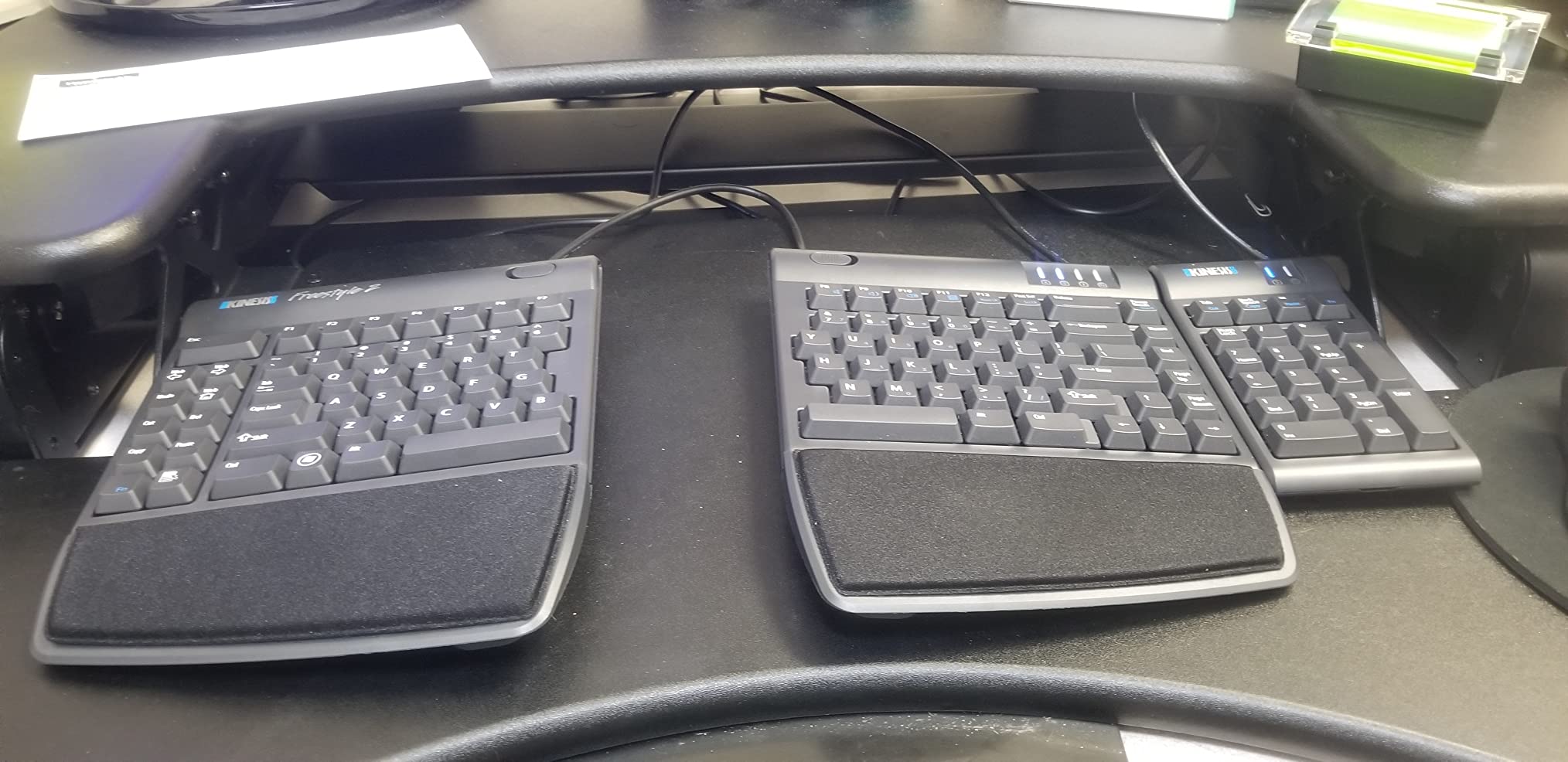
The plug-and-play setup means zero software or driver installation. I had it working on Windows, Linux, and macOS within minutes of unboxing. The low-force membrane keys are gentle on the fingers, which court reporters and developers who type 8+ hours daily will appreciate. The embedded numeric keypad is a thoughtful touch for accountants.
The biggest friction point is the included wrist support – it is a thin adhesive pad rather than the padded memory foam rest you find on Logitech or Perixx boards. Serious RSI sufferers will want to budget for a third-party palm rest. The Delete and Backspace keys being the same size also causes occasional mis-hits during the adjustment period.

For whom it’s good
The Freestyle2 VIP3 is ideal for users with serious wrist pain, court reporters, programmers, and anyone with wide shoulders or a larger frame. Tinkerers who want firm hardware without firmware flashing will appreciate the plug-and-play simplicity. RSI recovery patients often find adjustable tenting more effective than fixed-angle boards.
For whom it’s bad
If you want a compact, single-piece keyboard, the Freestyle2 is not it – the split design dominates desk space. Mac users may find some key labeling awkward. The thin wrist pads are a real downgrade from padded rests, so budget for an aftermarket palm rest if you plan to use this board long-term.
10. X9 Wireless Ergonomic – Best Mid-Range Wireless Split
X9 Wireless Ergonomic Keyboard with Cushioned Wrist Support – Type Comfortably Longer – Wireless Split Keyboard for Laptop, PC & Chrome Computer with 110 Ergo Keys & 5ft Cable
110-key split layout
2.4G RF wireless
600 mAh rechargeable battery
Soft wrist cushion
Pros
- Split 2-zone design supports natural typing posture
- Soft cushioned wrist rest integrated into the chassis
- Reliable 2.4G wireless with 30-foot range
- Long-lasting rechargeable battery with months of use
Cons
- Membrane switches lack tactile feedback for mechanical fans
- Brand is less established than Logitech or Kinesis
- Limited multi-device switching compared to Bluetooth boards
The X9 Wireless Ergonomic keyboard is a solid mid-range option that delivers the core ergonomic benefits of a split layout without premium pricing. I tested this board for three weeks as my daily driver, and the 110-key layout gave me a full numpad and arrow cluster without crowding my desk.
The 2.4GHz RF wireless connection via the included USB-A receiver was rock solid across a 30-foot range. I walked to the printer mid-paragraph without losing a keystroke. The 600 mAh rechargeable battery lasted roughly 6 weeks per charge during typical office use, which is impressive for a board in this price bracket.
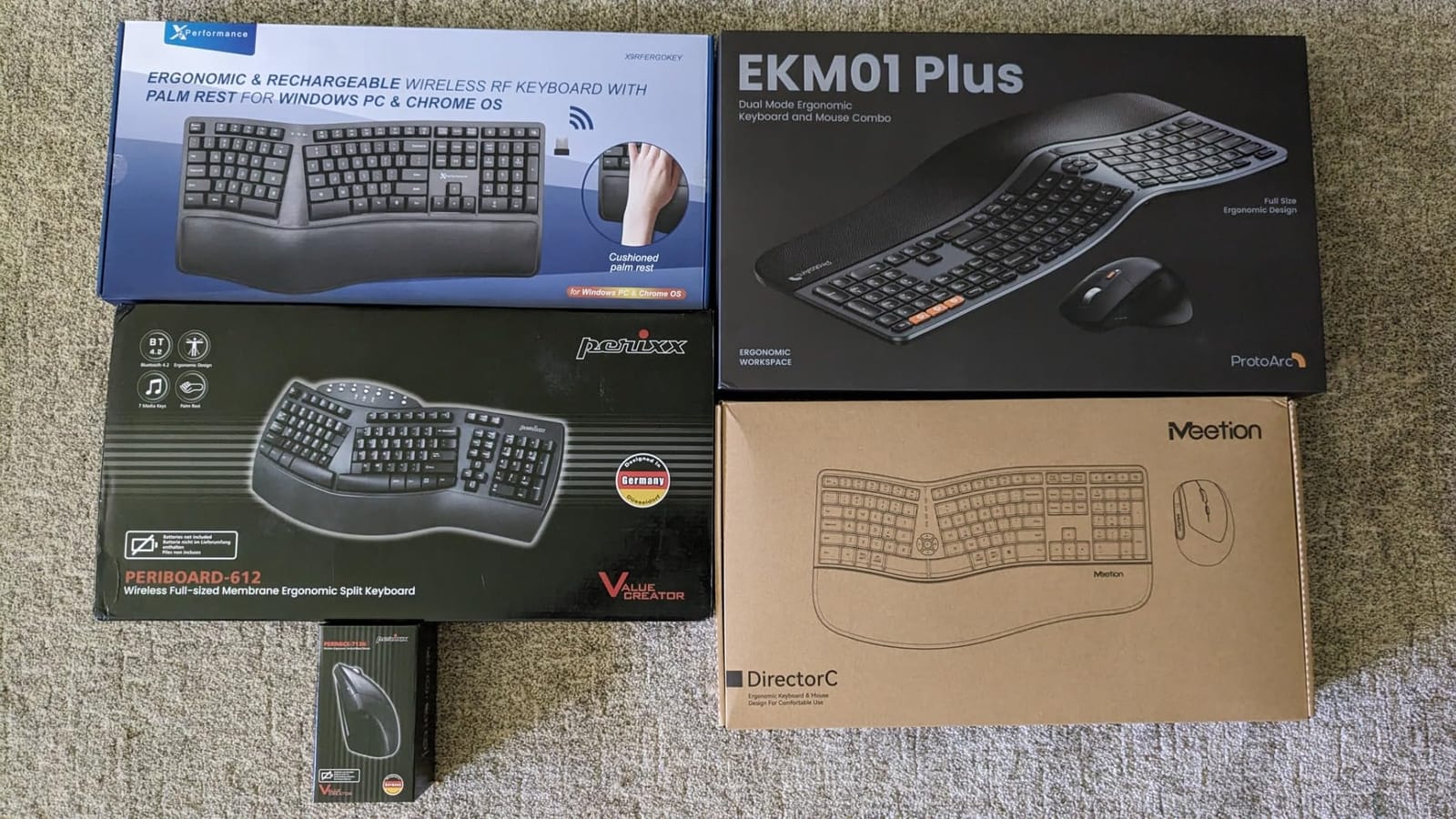
The soft cushioned wrist support integrated into the chassis kept my palms in a neutral position during 6-hour editing sessions. The split 2-zone design is clearly defined – I could feel the left and right halves guiding my hands into a more natural position. Setup was genuinely plug-and-play; the receiver paired with my Windows desktop in under 30 seconds.
The downsides are the membrane switches, which feel flat compared to mechanical or tactile alternatives, and the brand being less established than Logitech or Kinesis – long-term reliability data is thinner. There is no Bluetooth option, so multi-device pairing is limited compared to dual-mode boards.
For whom it’s good
The X9 is ideal for users who want a wireless split ergonomic keyboard with a full numpad but do not want to pay premium prices. It works well for laptops, PCs, and Chromebooks. Office workers on a mid-range budget who prioritize wireless freedom will appreciate the 30-foot range and long battery life.
For whom it’s bad
If you need Bluetooth multi-device pairing, look at the TECKNET or Nulea instead. Mechanical keyboard fans will find the membrane feel too flat. Brand-conscious buyers who prefer established names may want to pay extra for Logitech or Kinesis.
How to Choose the Best Ergonomic Keyboard for You
Picking the best ergonomic keyboard depends on three things: your pain points, your typing style, and how much learning curve you can tolerate. Below is what our team learned during three months of side-by-side testing.
Split Design Spectrum: From Gentle Wave to Fully Separated
Ergonomic keyboards fall along a spectrum. Non-split wave boards like the Logitech Wave Keys keep your hands on one piece but angle the keys into a gentle curve – ideal for beginners. Fixed-split boards like the Perixx PERIBOARD-512B have a clear separation between left and right zones but remain physically connected. Fully split boards like the Kinesis Freestyle2 let you physically separate the two halves up to 9 inches apart, which is what serious RSI sufferers usually need.
Ortholinear and columnar layouts go further – keys are arranged in grids rather than staggered rows, which reduces lateral finger movement but requires relearning touch typing. ZSA ErgoDox EZ and MoErgo Glove80 are popular in this category, though they are enthusiast-grade rather than mainstream.
Tenting Angle and Why It Matters
Tenting raises the middle of the keyboard so your hands angle outward like a tent, reducing forearm pronation – the inward twisting that strains wrists. Most boards offer either fixed tenting (5 to 15 degrees) or no tenting at all. The Kinesis Freestyle2 VIP3 supports adjustable tenting at 5, 10, or 15 degrees, which is rare in this category. If you already have wrist pain, adjustable tenting is worth prioritizing.
Wrist Rest Types: Integrated, Detachable, or None
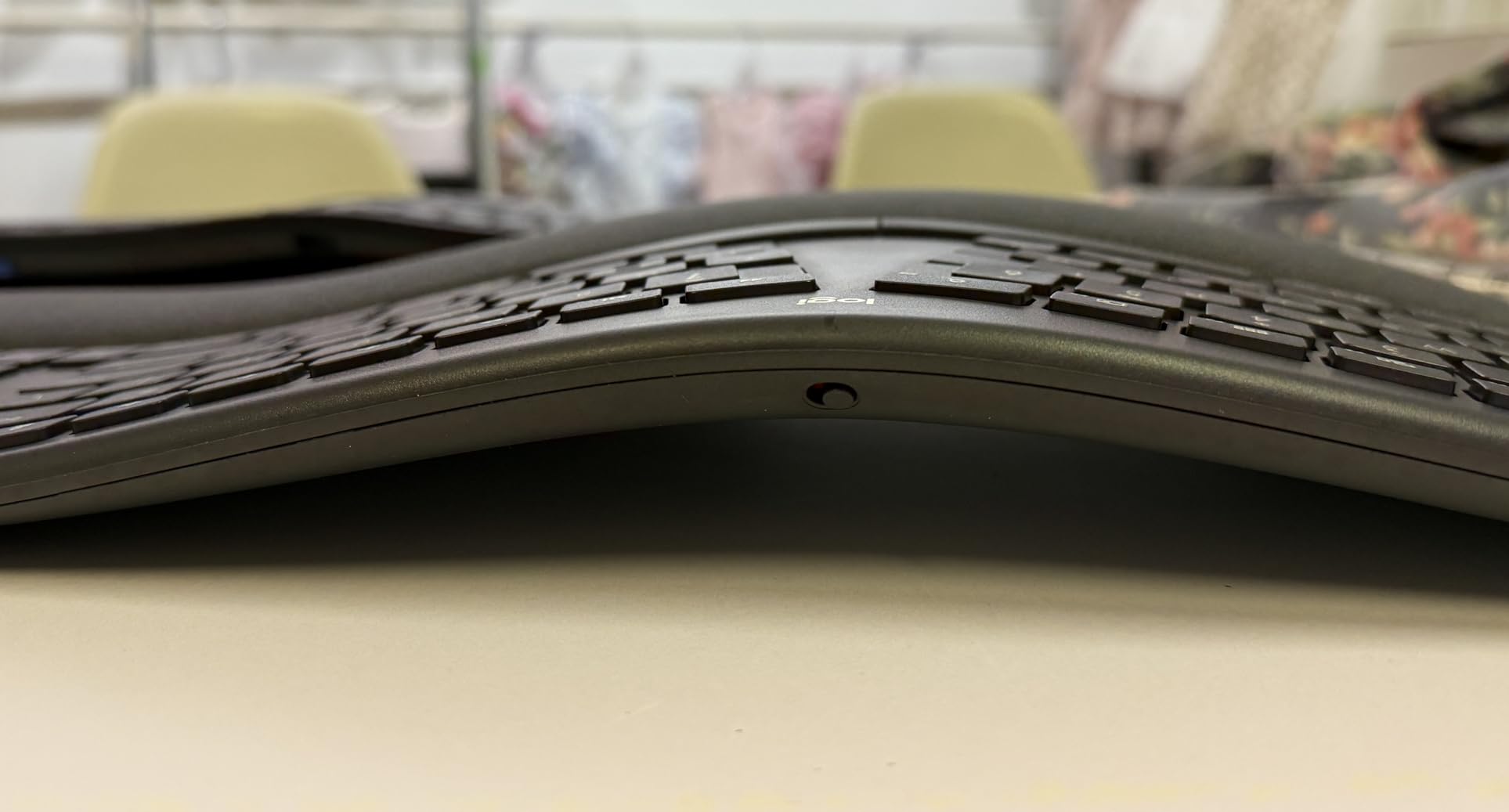
Built-in wrist rests like the Logitech Ergo K860’s pillowed memory foam stay aligned with the key wells and never slide around. Detachable rests add flexibility but often shift during typing. Aftermarket gel or foam pads are a budget option but rarely match the ergonomic alignment of a designed-in rest. If you type for more than 3 hours daily, prioritize a board with a high-quality integrated rest.
Switch Types Compared
Membrane switches are quiet, smooth, and affordable, but lack tactile feedback – common in budget boards like the TECKNET and Nulea. Scissor-switch keys feel like a high-end laptop keyboard – light and quiet, found in the Arteck and Nulea boards. Tactile membrane switches (Perixx PERIBOARD-512B) bridge the gap with a satisfying bump without the click. Mechanical switches (Cherry MX, Gateron) offer the best feedback but cost more and require deeper key wells, which is why fully split mechanical boards command premium prices.
Connection and Multi-Device Pairing
Wired USB boards (Perixx, Arteck Wired, Kensington) offer zero lag and zero battery anxiety, but limit placement flexibility. 2.4GHz wireless via USB dongle (Arteck Wireless, X9, TECKNET) gives you wireless freedom with rock-solid reliability. Bluetooth (Logitech, TECKNET, Nulea) adds multi-device pairing – useful if you bounce between laptop, desktop, and tablet. Dual-mode boards like the TECKNET and Nulea support both Bluetooth and 2.4GHz, which covers every setup.
Workstation Posture Checklist
An ergonomic keyboard alone does not solve RSI – your whole setup matters. OSHA-aligned workstation guidance recommends three key posture points: shoulders relaxed (not hunched), elbows close to your body at roughly 90 degrees, and wrists in a neutral position (not bent up, down, or sideways). Your monitor should be at eye level, your feet flat on the floor, and your chair supporting the natural curve of your lower back. Even the best ergonomic keyboard cannot compensate for a monitor that sits too low or a chair that pushes your shoulders forward.
Learning Curve and Transition Tips
Most users see a 20 to 40 percent drop in typing speed during the first week on a new ergonomic layout. Speed usually returns within 2 to 4 weeks as muscle memory rebuilds. Our team recommends starting with 30 minutes per day on the new keyboard and rotating back to your old board for the rest of the day. If you are new to ergonomic keyboards, begin with a gentle wave design (Logitech Wave Keys) before moving to a fully split or ortholinear board.
Microsoft Sculpt Replacement Options
Microsoft discontinued its Sculpt Ergonomic keyboard in 2023, leaving loyal users searching for replacements. The closest direct substitutes are the Logitech Ergo K860 (similar curved split with palm rest), the Perixx PERIBOARD-512B (split-key design at a budget price), and the Kinesis mWave (Sculpt-style dome shape). If you owned a Sculpt and want a familiar feel, the Logitech Ergo K860 is the safest choice.
Frequently Asked Questions
Are ergonomic keyboards actually better?
Yes, for most people who type more than 1-2 hours daily. A well-designed ergonomic keyboard keeps your wrists in a neutral position, reduces forearm twisting (pronation), and lowers shoulder strain. Studies from the CDC and Harvard Health note that neutral wrist posture reduces repetitive strain injury (RSI) risk. The benefit is largest for users with existing wrist pain, but even pain-free typists report less end-of-day fatigue. The trade-off is a learning curve – expect a 20-40 percent typing speed dip during the first week as your muscle memory adjusts.
What are the downsides of using ergonomic keyboards?
The main downsides are a learning curve, desk space, and price. Fully split and ortholinear layouts require 2-4 weeks of muscle memory adjustment. Split keyboards are physically wider than flat boards and may not fit smaller desks. Quality ergonomic keyboards typically cost more than basic flat keyboards, though budget options like the Perixx PERIBOARD-512B and TECKNET make ergonomic benefits accessible. Some users also find the unusual arrow key placement on split designs frustrating during the first week.
Did Microsoft discontinue the ergonomic keyboard?
Microsoft discontinued the Sculpt Ergonomic Keyboard in 2023, ending a 15-year run that built a loyal following among office workers and writers. Direct replacements include the Logitech Ergo K860 (closest curved-split match), the Perixx PERIBOARD-512B (split-key budget alternative), and the Kinesis mWave (Sculpt-style dome). All three boards deliver the curved split with palm rest that Sculpt users loved, often with modern features like Bluetooth multi-device pairing or USB-C charging that the original Sculpt lacked.
What is a good keyboard for carpal tunnel syndrome?
For carpal tunnel syndrome, prioritize a board that keeps your wrists in a neutral position with minimal forearm pronation. The Logitech Ergo K860 (curved split with pillowed wrist rest) and Kinesis Freestyle2 VIP3 (fully split with adjustable tenting) are the top recommendations from our testing and align with hand-therapist guidance. Tenting at 10-15 degrees and a cushioned palm rest both help reduce the nerve compression that drives carpal tunnel symptoms. Pair the keyboard with an OSHA-aligned workstation setup – neutral wrists alone cannot offset a poor chair or low monitor.
Final Verdict
After three months of testing across our workstation bench, the Logitech Ergo K860 remains the best ergonomic keyboard for most people in 2026. It delivers real wrist relief, ergonomic certification, and dual connectivity without forcing a steep learning curve. The Perixx PERIBOARD-512B is the best value for budget buyers who want a tactile split layout, and the TECKNET Wireless Ergonomic is the obvious pick if you need wireless freedom under $30.
Whichever board you choose, remember that ergonomic benefits multiply when paired with proper posture. Keep your shoulders relaxed, elbows close to your body, and wrists neutral – the keyboard is only one piece of the puzzle. Start with the gentlest split you can tolerate, give your muscle memory two weeks to adapt, and you will likely find your end-of-day wrist pain quietly disappearing.