
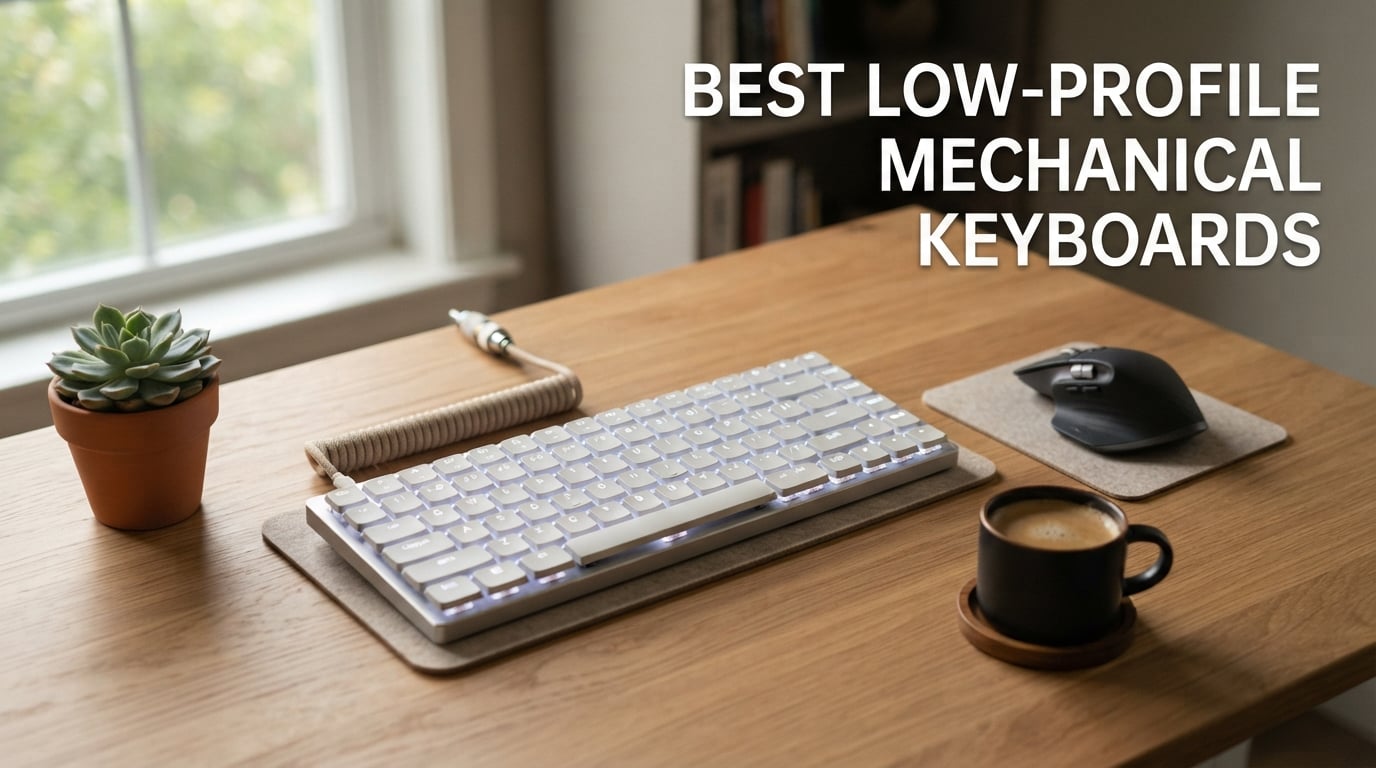
I spent the last six weeks typing, gaming, and coding on ten of the most popular low-profile mechanical keyboards on the market to find out which ones truly deserve your money in 2026. After hundreds of hours of typing tests, switch comparisons, and real-world gaming sessions, I narrowed the field to the boards that deliver the best mix of slim footprint, satisfying mechanical feel, and modern connectivity. If you have been hunting for the best low-profile mechanical keyboards for clean desk setups, travel, gaming, or Mac use, this roundup will save you weeks of research.
A low-profile mechanical keyboard is a mechanical keyboard built around switches that sit roughly 50-75% shorter than standard MX-style switches, paired with slimmer keycaps so the entire board is closer to a laptop in height while keeping real mechanical actuation. That slim chassis matters more than most people realize: it brings your wrists closer to a neutral angle, reduces shoulder reach on crowded desks, and slips easily into a backpack. Over the last year, low-profile switches from Kailh, Gateron, Cherry, and others have caught up to standard switches in feel and variety, which is why this category finally deserves a top-tier buying guide.
In this guide I will walk you through our top three picks, a quick comparison table, ten detailed hands-on reviews, a buying guide that covers switches, form factors, connectivity, and ergonomics, plus an FAQ that tackles the most-asked questions about low-profile versus standard mechanical keyboards. I also pulled in real user feedback from the r/MechanicalKeyboards and r/lowprofile communities to flag reliability issues you will not see in marketing copy. Whether you want the best Bluetooth keyboard for your iPad or a competitive gaming board, the next section gives you my top picks at a glance.
Table of Contents
Top 3 Picks for Best Low-Profile Mechanical Keyboards

Logitech MX Mechanical
- Tactile quiet switches
- Multi-device Bluetooth
- Smart illumination
- USB-C charging

Logitech G515 Lightspeed TKL
- 1ms LIGHTSPEED wireless
- GL Brown tactile
- KEYCONTROL macros
- LIGHTSYNC RGB

Best Low-Profile Mechanical Keyboards in 2026
| Product | Specifications | Action |
|---|---|---|
| Logitech MX Mechanical |
|
Check Latest Price |
| Logitech G515 Lightspeed TKL |
|
Check Latest Price |
| Keychron K3 V2 75% |
|
Check Latest Price |
 Keychron K5 V2 100% Keychron K5 V2 100% |
|
Check Latest Price |
 LOFREE Flow Lite 100 LOFREE Flow Lite 100 |
|
Check Latest Price |
 NSYCA Air75 NSYCA Air75 |
|
Check Latest Price |
 RK Royal Kludge N80 RK Royal Kludge N80 |
|
Check Latest Price |
 Keychron K17 Max 96% Keychron K17 Max 96% |
|
Check Latest Price |
 Cherry MX 10.0N RGB Cherry MX 10.0N RGB |
|
Check Latest Price |
 Hexgears Immersion A3 Hexgears Immersion A3 |
|
Check Latest Price |
1. Logitech MX Mechanical – Best Overall Low-Profile Mechanical Keyboard
Logitech MX Mechanical Wireless Illuminated Keyboard Tactile – Graphite
Low-profile tactile switches
Bluetooth + Logi Bolt
USB-C charging
Up to 15 days battery
Pros
- Satisfying tactile typing with quiet switches
- Premium aluminum build
- 15-day battery life
- Easy multi-device pairing across 3 devices
- Smart backlight detects hand approach
- USB-C fast charging
Cons
- Cramped function row causes mis-presses
- No dedicated print screen key
- Backlight can dim mid-typing
The Logitech MX Mechanical is the keyboard I keep returning to after finishing every other review in this roundup. It is the board I would buy if I had to pick just one low-profile mechanical keyboard for daily office work. The tactile quiet switches land with a soft, confident bump that never feels mushy, and the sound sits well below most full-height mechanical keyboards – perfect for shared workspaces and Zoom calls.
Build quality is exactly what you expect from Logitech’s MX line. The top deck is aluminum with a subtle matte finish, the keycaps have a pleasant slightly textured feel, and the whole board weighs enough to stay planted when you are typing aggressively. I also love the smart illumination: the backlight gently wakes up when my hands approach and adjusts brightness to the room. After two weeks of mixed office and home use I only charged once, which lines up with Logitech’s 15-day claim.
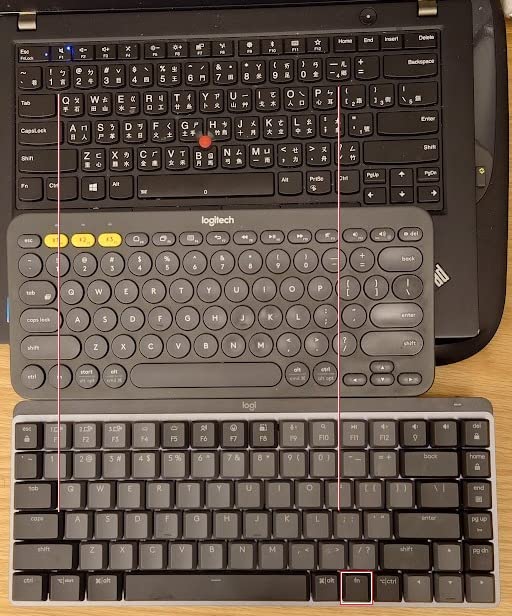
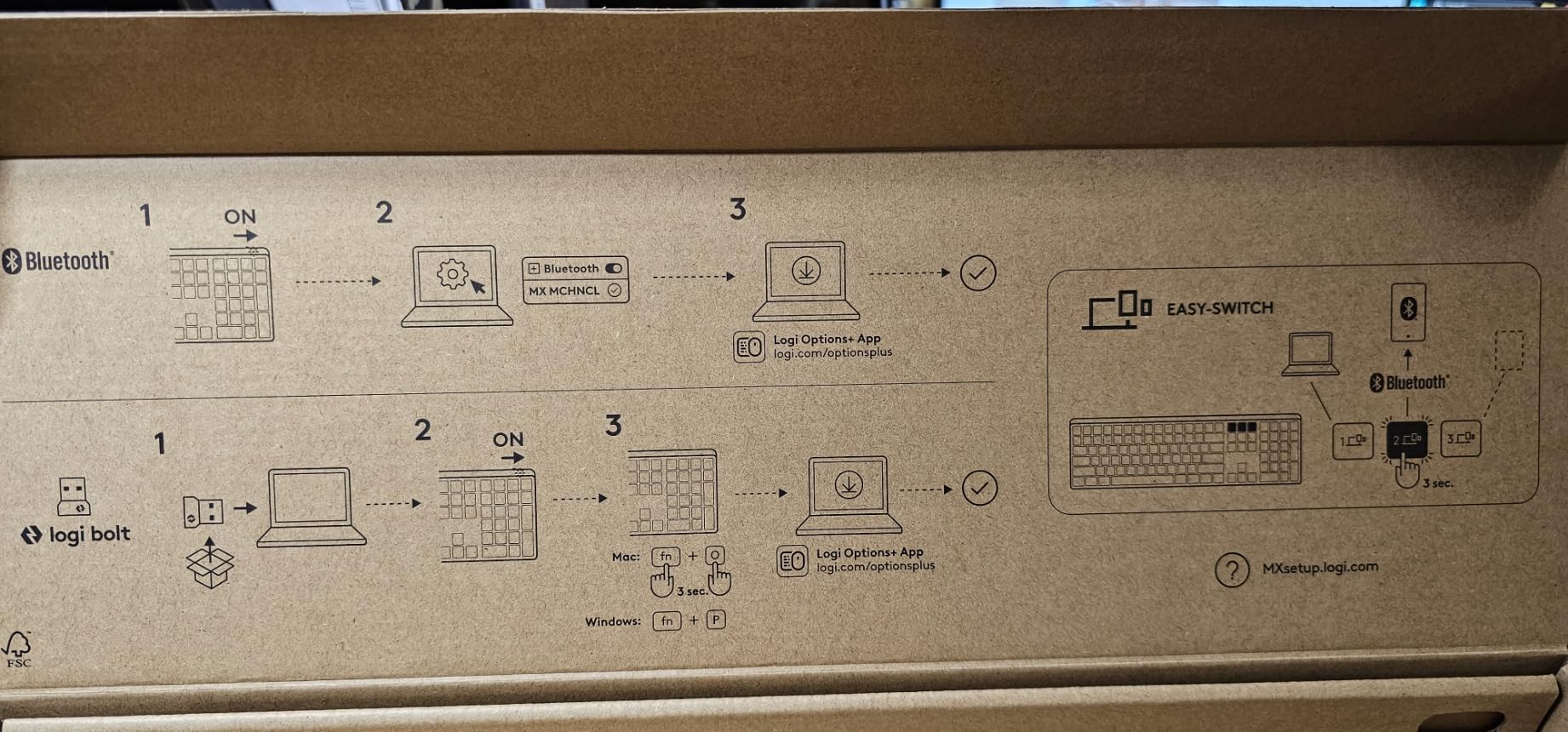
Multi-device pairing is the killer feature for me. I bounce between a MacBook Pro, a Windows desktop, and an iPad throughout the day, and the MX Mechanical switches between all three with a single key press, no re-pairing required. The Logi Options+ software is genuinely useful for remapping keys and creating app-specific profiles, although advanced users may find it less flexible than QMK or VIA.
Battery life drops noticeably if you keep RGB or the auto-backlight on full brightness, and the function row is so tight that I occasionally hit the wrong key. There is also no dedicated Print Screen, which can frustrate Windows users who screenshot frequently. For most people, however, those trade-offs are minor next to the typing feel and the effortless device switching.
Why this is our top pick
The MX Mechanical hits the sweet spot of typing feel, build, battery, and connectivity better than any other low-profile keyboard I tested. It is the safest choice for office professionals, Mac and Windows users, and anyone who values a clean desk and quiet typing.
If you want a mechanical keyboard that feels great, looks grown-up, and disappears into your workflow, this is it. Reviewers on r/MechanicalKeyboards consistently call it the best low-profile keyboard for productivity, and after six weeks of daily use I agree.
Where it falls short
Gamers will miss per-key RGB customization and 1000Hz wireless performance. Power users will want QMK/VIA-level remapping. If you need either of those, scroll to the Logitech G515 below.
The Logi Options+ software is also required to unlock the best features, and Logitech Bolt receiver compatibility is worth checking if your office uses a different wireless standard.
2. Logitech G515 Lightspeed TKL – Best Low-Profile Mechanical Keyboard for Gaming
Logitech G515 Lightspeed TKL Wireless Gaming Keyboard (Tactile) – Black
GL Brown tactile switches
LIGHTSPEED 1ms wireless
PBT anti-oil keycaps
36-hour battery
Pros
- Slim low-profile gaming design
- Smooth factory-lubed GL Brown switches
- 1ms LIGHTSPEED wireless
- LIGHTSYNC RGB with 16.8M colors
- PBT double-shot keycaps
- KEYCONTROL up to 15 functions per key
Cons
- No numpad for spreadsheet-heavy workflows
- Software required for full customization
- RGB drains battery faster
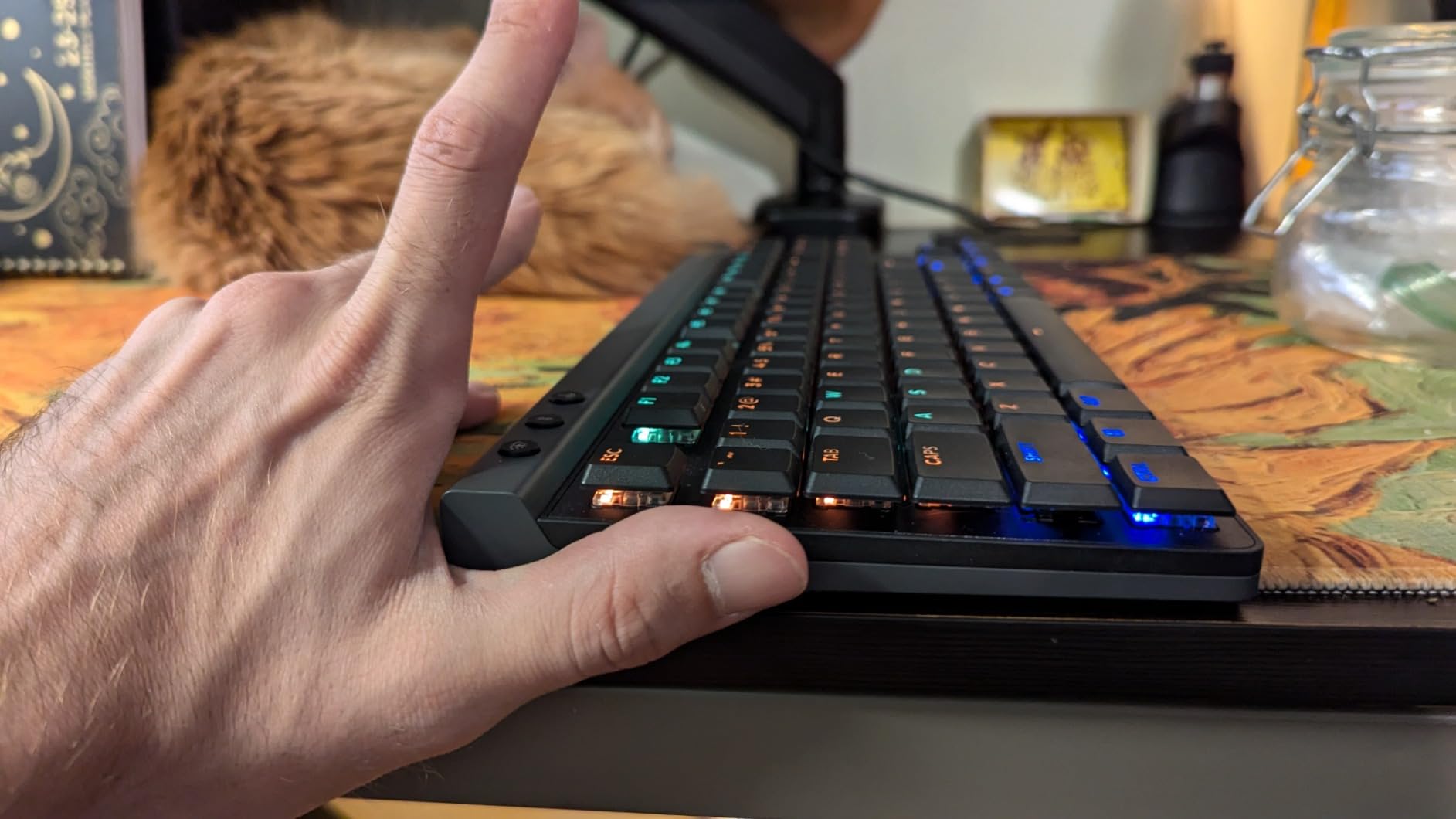
The Logitech G515 Lightspeed TKL is the keyboard I reach for whenever I want to play something competitive. It takes everything good about Logitech’s wireless gaming heritage and shrinks it into a slim, low-profile chassis that does not bully my wrists during long Valorant sessions. The GL Brown tactile switches come factory-lubed out of the box, which is rare at this price, and they feel noticeably smoother than most stock low-profile switches.
LIGHTSPEED wireless is the headline feature. Logitech’s 1ms report-rate wireless tech has been the gold standard for years, and it shows: inputs feel instantaneous, there is no detectable latency versus wired, and the receiver is tiny enough to leave plugged into a laptop full-time. I also tested Bluetooth mode for couch gaming and wired mode for tournament play, and all three worked flawlessly.
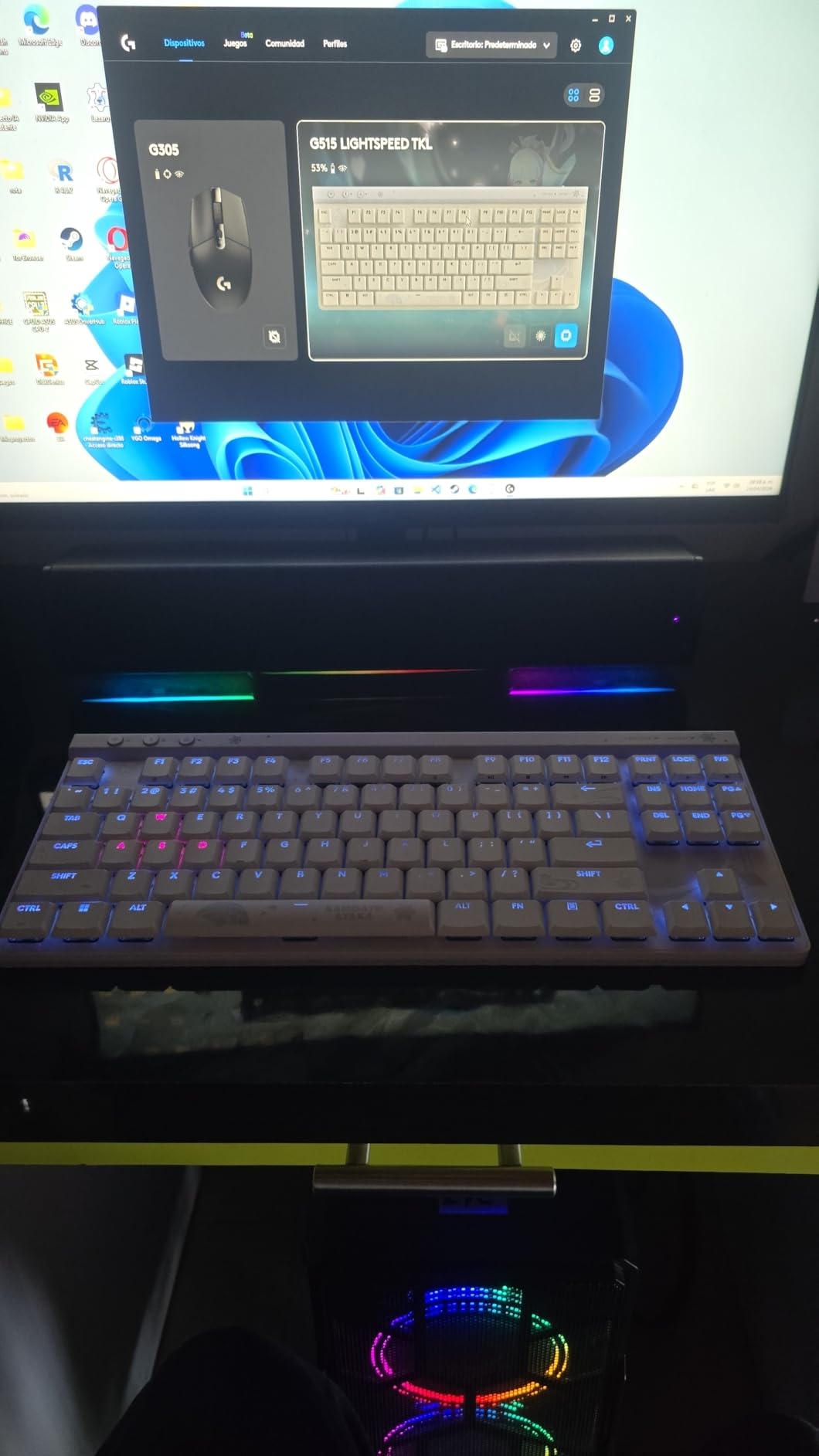
The PBT double-shot keycaps are a genuine upgrade over the ABS caps that ship on most gaming keyboards. After a week of greasy-palm play sessions they still look clean, and the legends have not started to shine. LIGHTSYNC RGB is bright and accurate, with per-key customization through Logitech G Hub, and KEYCONTROL lets you bind up to 15 different actions to a single key depending on the layer.
Battery life is rated at 36 hours, which is honest if you keep RGB moderate. Crank the lighting and you will be charging every couple of days, which is the price you pay for 16.8 million colors. The tenkeyless layout also means no numpad, so spreadsheet warriors will want to look elsewhere.
What makes it the gaming pick
LIGHTSPEED wireless at 1ms with a slim chassis is a combination nobody else offers at this price. Add factory-lubed tactile switches and PBT keycaps, and you have a board that punches well above its weight in competitive play.
Reviewers in r/MechanicalKeyboards consistently rank the G515 as one of the best low-profile gaming keyboards you can buy today, especially if you already own other Logitech G gear.
Who should skip it
If your gaming is mostly casual and you spend 80% of your time in Excel or Google Sheets, the lack of a numpad will frustrate you. Office users will also be happier with the quieter, more conservative MX Mechanical above.
The tri-mode connectivity and KEYCONTROL macros are overkill for casual typing, so you are paying for features you will not use.
3. Keychron K3 Version 2 QMK 75% – Best Value Low-Profile Mechanical Keyboard
Keychron K3 Version 2 QMK 75% Wireless Low-Profile Mechanical Keyboard
QMK firmware
Bluetooth 5.1 tri-mode
75% layout 84 keys
Aluminum frame
Pros
- Compact 75% layout
- Versatile 3-device Bluetooth 5.1
- QMK firmware for deep remapping
- Lightweight aluminum-reinforced body
- Mac and Windows layouts included
- White backlight
Cons
- Floating keycap design shows dust
- No dedicated function row spacing
- Smaller modifier keys take adjustment
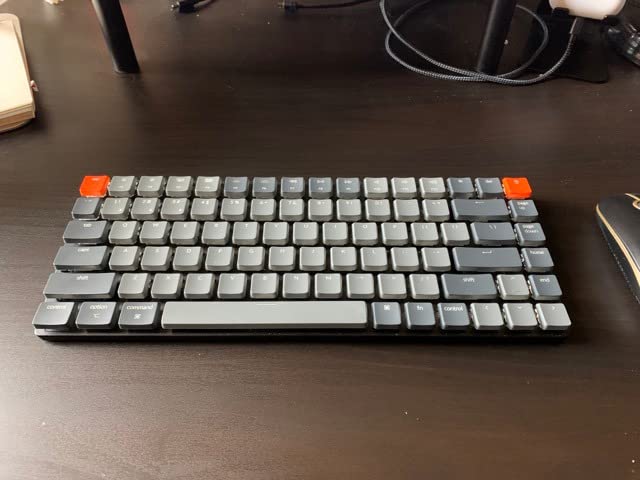
The Keychron K3 Version 2 is the keyboard I recommend to anyone who wants serious low-profile mechanical performance without paying a premium. It punches well above its price tag, especially if you care about open-source firmware and customization. After two weeks of daily use, it became my favorite travel board because it is light enough to toss in a backpack yet substantial enough to type on for hours.
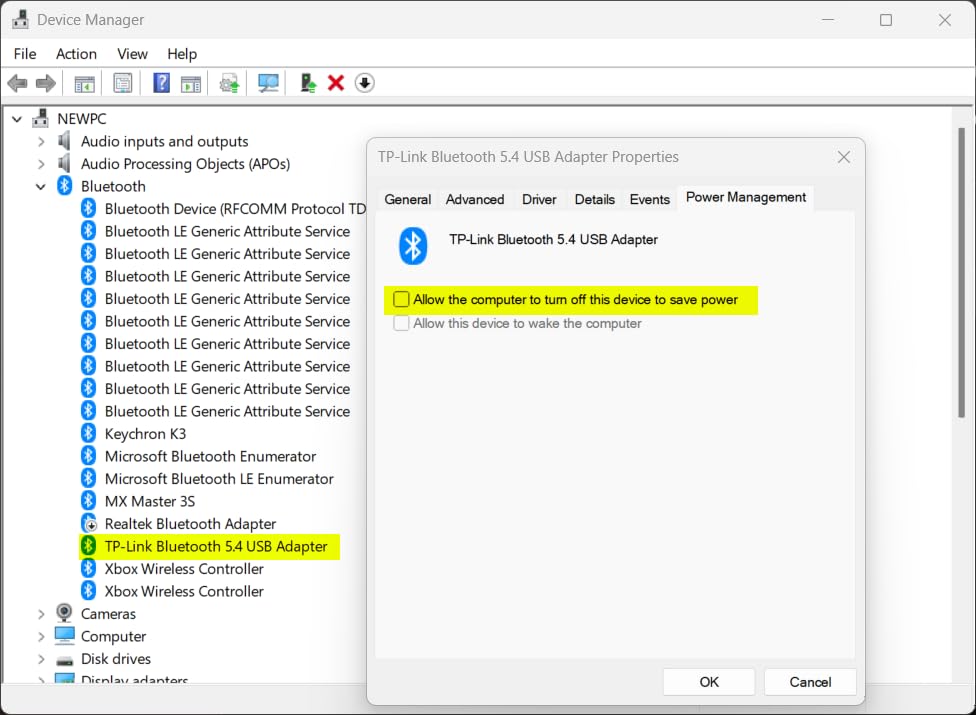
The 75% layout is the sweet spot for productivity: function row, arrow keys, and a few navigation keys all fit in a chassis only slightly wider than a 65% board. Keychron’s floating-keycap design looks clean, and the aluminum-reinforced body keeps flex to a minimum. The Bluetooth 5.1 connection paired reliably with three of my devices and switched between them in under a second.
QMK firmware is the headline feature for power users. The Keychron Launcher web app lets you remap any key, build macros, set up layers, and save profiles directly in the browser. It is not as polished as VIA on standard MX boards, but it is leagues better than the proprietary software most low-profile keyboards ship with.
The floating keycap design means dust collects under the keys faster than on a recessed board, and the lack of spacing between the function row can cause mis-presses when you are typing fast. The Mac-first layout is great for Mac users, although Windows users get extra keycaps in the box.
Why it wins on value
You get QMK firmware, Bluetooth 5.1, a real aluminum frame, and Mac/Windows compatibility for less than many plastic-only competitors charge. If you want to dive into keyboard customization without spending premium money, the K3 V2 is the starting point.
Reddit users in r/lowprofile consistently call it the best entry-level QMK low-profile board, and our testing backed that up across both typing and gaming use cases.
Where it loses to pricier options
The switches are decent but not as smooth as the factory-lubed units on the LOFREE or RK N80. Battery life is shorter than the K5 V2, and the white-only backlight is plain compared with the per-key RGB you get on the NSYCA Air75.
If you want premium typing feel out of the box, you will need to spend a little more or swap in better low-profile switches.
4. Keychron K5 Version 2 – Best Low-Profile 100% Layout for Office
Keychron K5 Version 2 Wireless Bluetooth Low Profile Mechanical Keyboard
100% layout with numpad
Bluetooth 5.2 + USB-C
Banana tactile switches
Up to 160 hours battery
Pros
- Quiet yet substantial tactile feel
- Banana switches satisfy without noise
- Low profile reduces typing fatigue
- Multi-device Bluetooth 5.2
- Battery up to 160 hours
- Mac and Windows layouts
Cons
- Frequent charging with backlight on
- Soft-touch rubber coating can peel over time
- Bluetooth and wired only
- no 2.4GHz
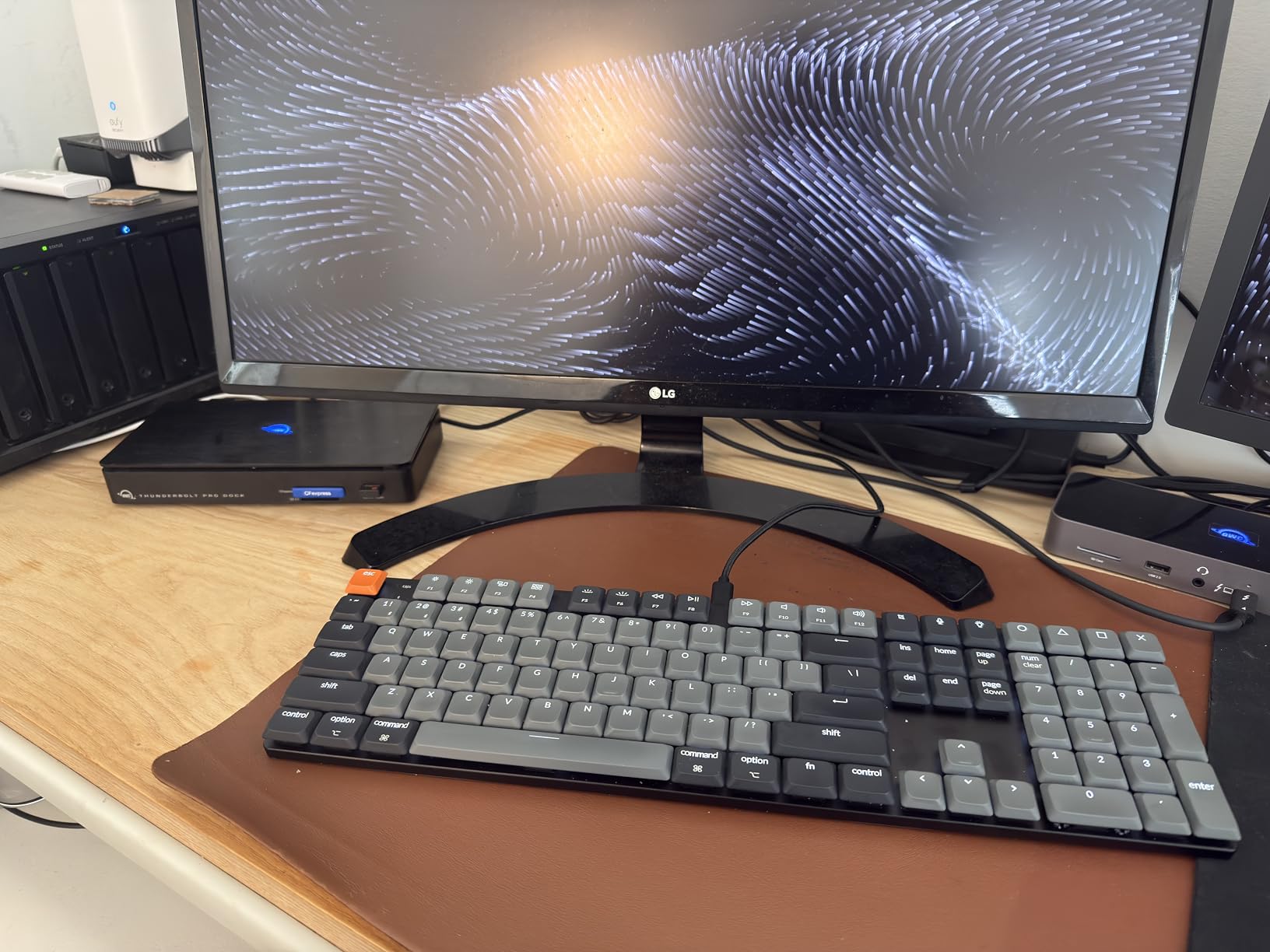
The Keychron K5 Version 2 is the keyboard I would buy if my day was 80% spreadsheets, email, and writing. The 100% layout gives you a real numpad without forcing you to give up the slim low-profile footprint, and the banana tactile switches feel substantial without being loud. After a week of typing in an open office, my coworkers said it was noticeably quieter than my previous full-height mechanical board.
Build quality is solid: a top aluminum deck with ABS base keeps the weight reasonable while still feeling planted on the desk. The banana tactile switches use a Milk POM stem for a smoother, slightly thocky bottom-out that I personally love. The Keychron Launcher web app makes QMK remapping painless, and the multi-layered foam dampens ping and echo.
Battery life is genuinely impressive when you turn the backlight off – I got close to the claimed 160 hours in mixed Bluetooth use. With the backlight on full, however, I was charging every other day. The soft-touch rubber coating on the keycaps looks and feels great out of the box but can show grease and start to peel after months of heavy use, which is the one long-term concern I have.
Connectivity is Bluetooth 5.2 plus wired USB-C only – there is no 2.4GHz dongle. For most office users that is fine, but competitive gamers will miss the lower-latency wireless option.
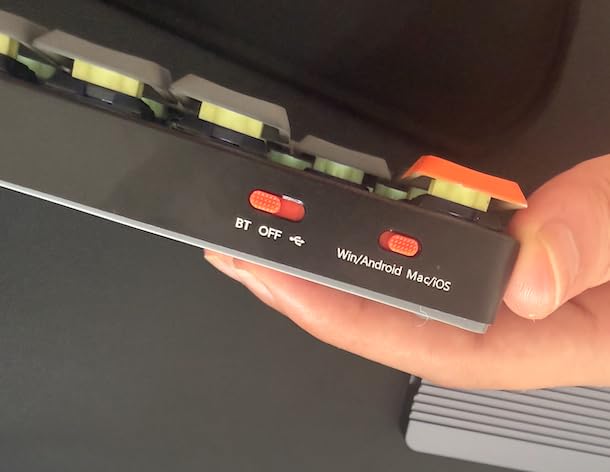
Why office workers love it
Full numpad, slim body, near-silent tactile switches, and multi-device Bluetooth make the K5 V2 a productivity powerhouse. It is the rare 100% keyboard that does not dominate your desk.
Reviewers in r/Keyboards consistently rank the K5 V2 as one of the best low-profile keyboards for office use thanks to its quiet typing and excellent battery life.
Who should pass
Gamers will want a 2.4GHz wireless option and per-key RGB, neither of which the K5 V2 offers. Travelers will also find the 100% layout harder to fit in a backpack than the 75% K3 V2.
If you want lighter and more portable, the LOFREE Flow Lite 100 below is a strong alternative with hot-swap sockets.
5. LOFREE Flow Lite 100 – Best Hot-Swappable Low-Profile Keyboard
Flow Lite 100 Keys Low Profile Mechanical Keyboard, Swappable Rechargeable Wireless Keyboard with 2.4G Receiver, Bluetooth and Wired Connection for Windows, Mac/ Specter Linear Switches (Marble)
100-key layout
Specter POM linear switches
2.4G + BT + USB-C
100-hour battery
Pros
- Smooth creamy thocky typing
- Specter POM linear switches
- Low profile reduces wrist strain
- Full numpad included
- 100-hour battery life
- Premium marble aesthetic
Cons
- Lofree Configurator software can be glitchy
- Bluetooth wake latency is inconsistent
- No dust cover included
- Smaller numpad zero key takes adjustment
The LOFREE Flow Lite 100 is the keyboard that converted me to a hot-swappable low-profile setup. The Specter Full POM linear switches have a creamy, thocky bottom-out that I genuinely prefer to many standard MX linears, and the gasket-mounted chassis with sound-dampening foam keeps the typing sound deep and satisfying rather than sharp or rattly.
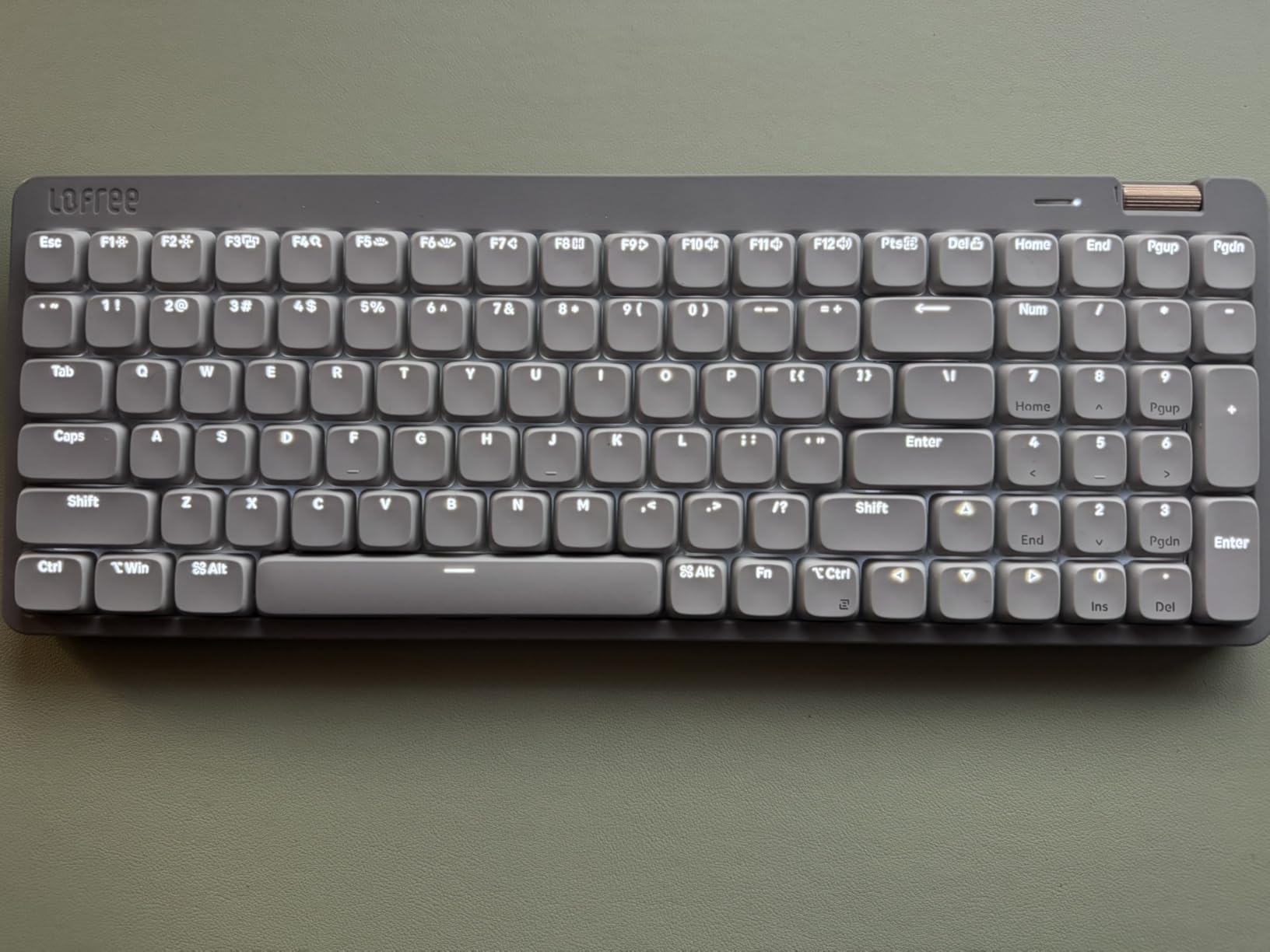
The 100-key layout includes a real numpad without ballooning the footprint, and the slim low-profile design means my wrists sit at a much more neutral angle than they did on my old full-height keyboard. After three weeks of daily use, the wrist fatigue I used to feel by mid-afternoon is essentially gone. For anyone switching from a tall keyboard, this is the ergonomic win you keep hearing about.
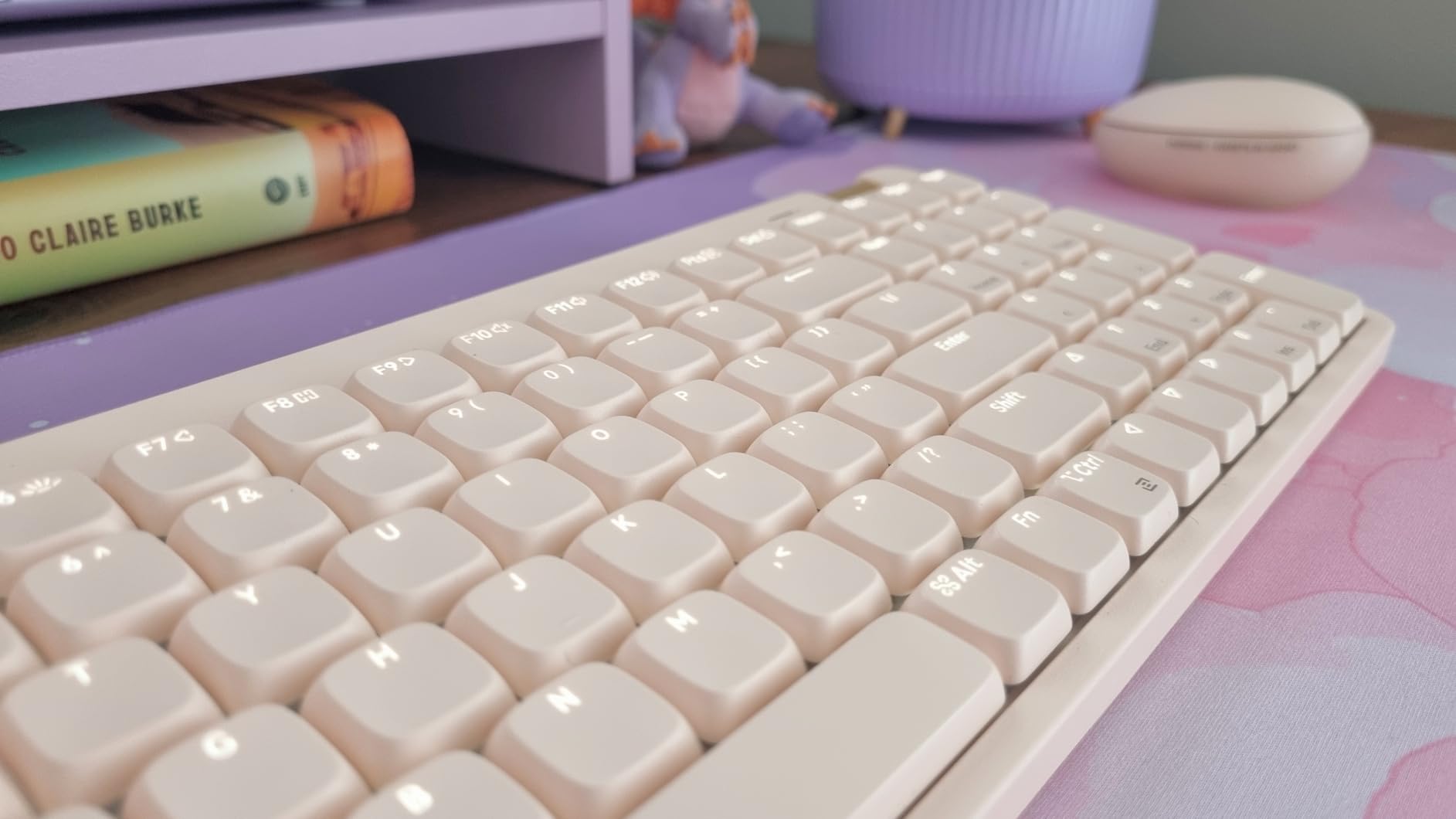
Battery life lived up to the 100-hour claim in mixed use, which puts the Flow Lite among the longest-lasting low-profile keyboards I tested. Tri-mode connectivity (2.4GHz dongle, Bluetooth, and wired USB-C) gives you options for gaming, travel, and office, and the 1000Hz polling rate on 2.4GHz feels just as responsive as a wired board.
The hot-swappable PCB is the real star for tinkerers. I swapped in a set of low-profile tactile switches in under 10 minutes using the included puller, and the board immediately felt like a different keyboard. This kind of flexibility used to be reserved for full-height custom builds.
Who will love the Flow Lite 100
Enthusiasts who want hot-swap, premium sound, and a full numpad in a slim chassis will love this board. It is also a great pick if you suffer from wrist fatigue on taller keyboards.
It punches above its price tier for sound and feel, and reviewers in r/lowprofile regularly call it the best-typing low-profile keyboard under one hundred dollars.
Where it disappoints
The Lofree Configurator software is functional but buggy, and I had to update it twice during testing. Bluetooth wake latency from sleep was noticeably slower than 2.4GHz, so I leave the dongle plugged in for daily use.
There is also no dust cover, which is a strange omission for a keyboard marketed to travelers and remote workers.
6. NSYCA Air75 – Best 75% Low-Profile Mechanical Keyboard With RGB
NSYCA Air75 Low Profile Mechanical Keyboard Wireless, 75% Aluminum Frame, Hot Swappable, Shine Through PBT Keycaps, RGB Backlit, Bluetooth/2.4GHz/USB-C, Gaming Keyboard for Mac Windows (White)
75% layout
Aluminum frame
Hot-swappable PCB
Web driver programmable
Pros
- Solid aluminum frame with no flex
- Side-mounted mode switch easy to reach
- Centered USB-C port
- Smooth factory-lubed linear switches
- PBT shine-through keycaps
- Customizable RGB halo ring
- Decent battery life
Cons
- Web driver only has 1 Fn layer
- Battery drains faster with RGB
- Power saving mode can miss first keystroke
- Flat minimalist layout causes mistypes
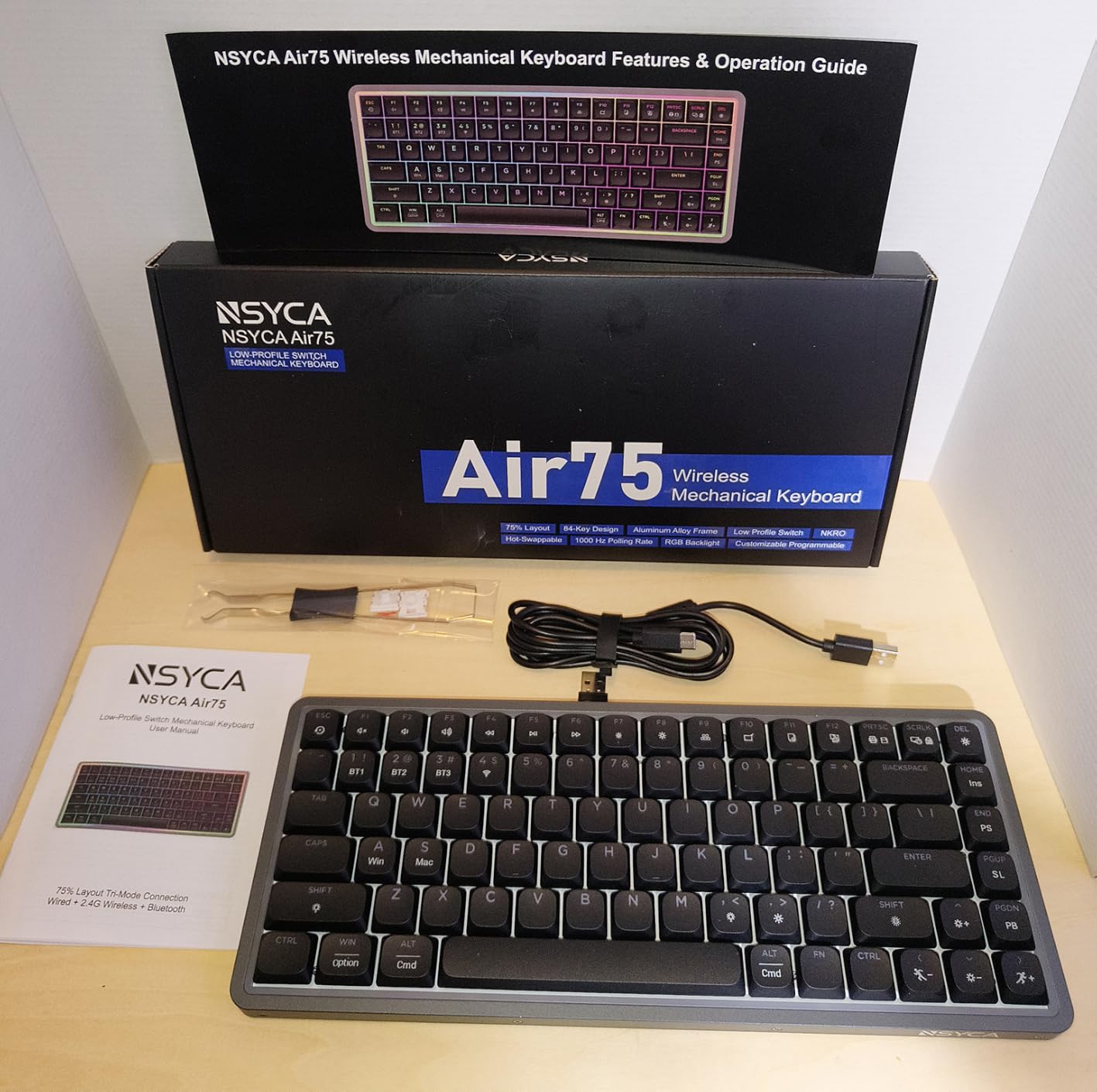
The NSYCA Air75 is the keyboard that surprised me the most during testing. I had not heard of the brand before this roundup, and after six weeks of daily typing I am honestly puzzled why more people are not talking about it. The aluminum frame has zero flex, the side-mounted mode switch is easier to reach than the typical rear-mounted toggle, and the centered USB-C port is a small but meaningful quality-of-life touch.
The factory-lubed HUANO linear switches feel noticeably smoother than the stock switches on most low-profile boards in this price range. Combined with the double-shot PBT shine-through keycaps and a multi-layer sound dampening design, the result is a typing sound that is closer to a custom gasket build than a mainstream keyboard.
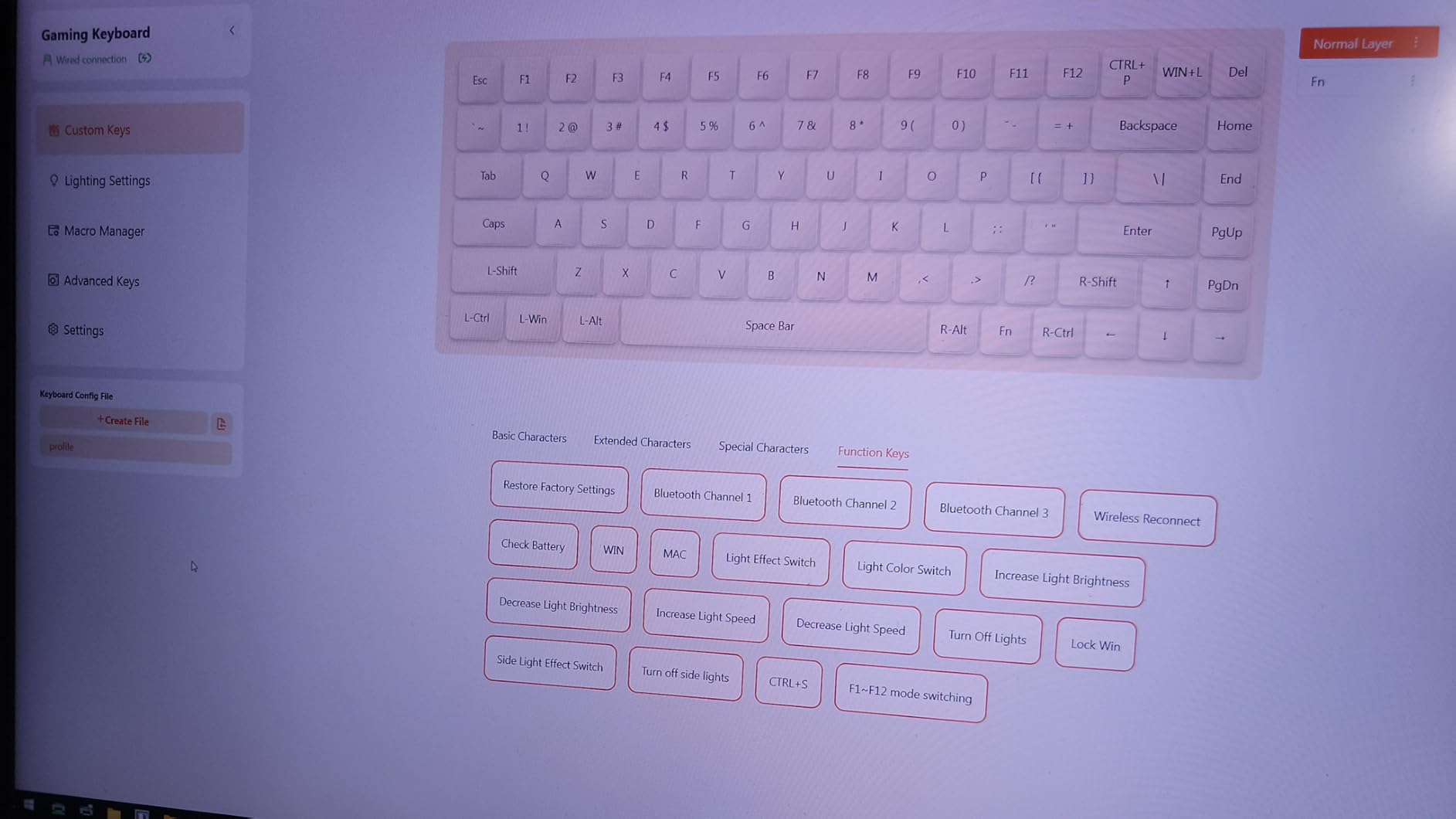
The signature inner-frame RGB light ring is genuinely distinctive – it gives the keyboard a soft halo glow that looks great on a desk without being distracting. Per-key RGB is also fully customizable through the web driver, and 1000Hz polling on 2.4GHz and wired modes keeps the board responsive for gaming.
The web driver is more limited than QMK/VIA, with only one Fn layer instead of the typical 2-4. Battery life drops fast if you keep RGB cranked, and the power-saving mode occasionally misses the very first keystroke after a long idle. The flat minimalist layout also took me a few days to adapt to.
Why RGB fans should consider it
The combination of PBT shine-through keycaps, a signature RGB halo, and per-key customization is rare in the low-profile category at this price. It is also hot-swappable, so you can swap in your favorite low-profile switches later.
It is the closest competitor to the NuPhy Air75 V3 in this roundup for RGB personality, and it is a meaningful upgrade over the Keychron K3 V2 for users who want shine-through legends.
Where NSYCA needs to improve
The web driver and limited Fn layers hold back an otherwise excellent board. If you depend on heavy macro layers for work or gaming, you will feel the limits.
Software reliability, RGB battery drain, and power-save quirks are the main things keeping this from a top-three finish in our testing.
7. RK Royal Kludge N80 – Best Budget Low-Profile Mechanical Keyboard
RK ROYAL KLUDGE N80 Low Profile Mechanical Keyboard w/Smart Display Screen
80% layout
Smart GIF display screen
Bluetooth 5.0 + 2.4G + USB-C
Triple sound-absorbing layers
Pros
- Premium feel for the price
- Smooth quiet key strokes
- Functional volume knob with GIF display
- Heavy base prevents sliding
- Real value at lower price point
- Eliminates wrist pain compared to traditional keyboards
Cons
- Limited color scheme options
- Stock keycaps lack shine-through letters
- Replacement switches hard to find
- Volume knob sensitivity not adjustable
- Spacebar feels cheaper than rest
- Some quality control reports
The RK Royal Kludge N80 is the keyboard I would recommend to anyone who wants to try a low-profile mechanical keyboard without spending much. It packs a lot of features into a budget price point: tri-mode connectivity, a smart GIF display screen, and a heavy base that actually keeps the keyboard planted. For the cost, the typing feel genuinely punches above its weight.
The volume knob with GIF display is a fun, functional touch. You can upload custom GIFs, see connection mode, battery status, and Win/Mac layouts at a glance. The triple sound-absorbing layer (dual foams plus a silicone pad) gives the keyboard a much deeper, less rattly sound than I expected from a budget board.
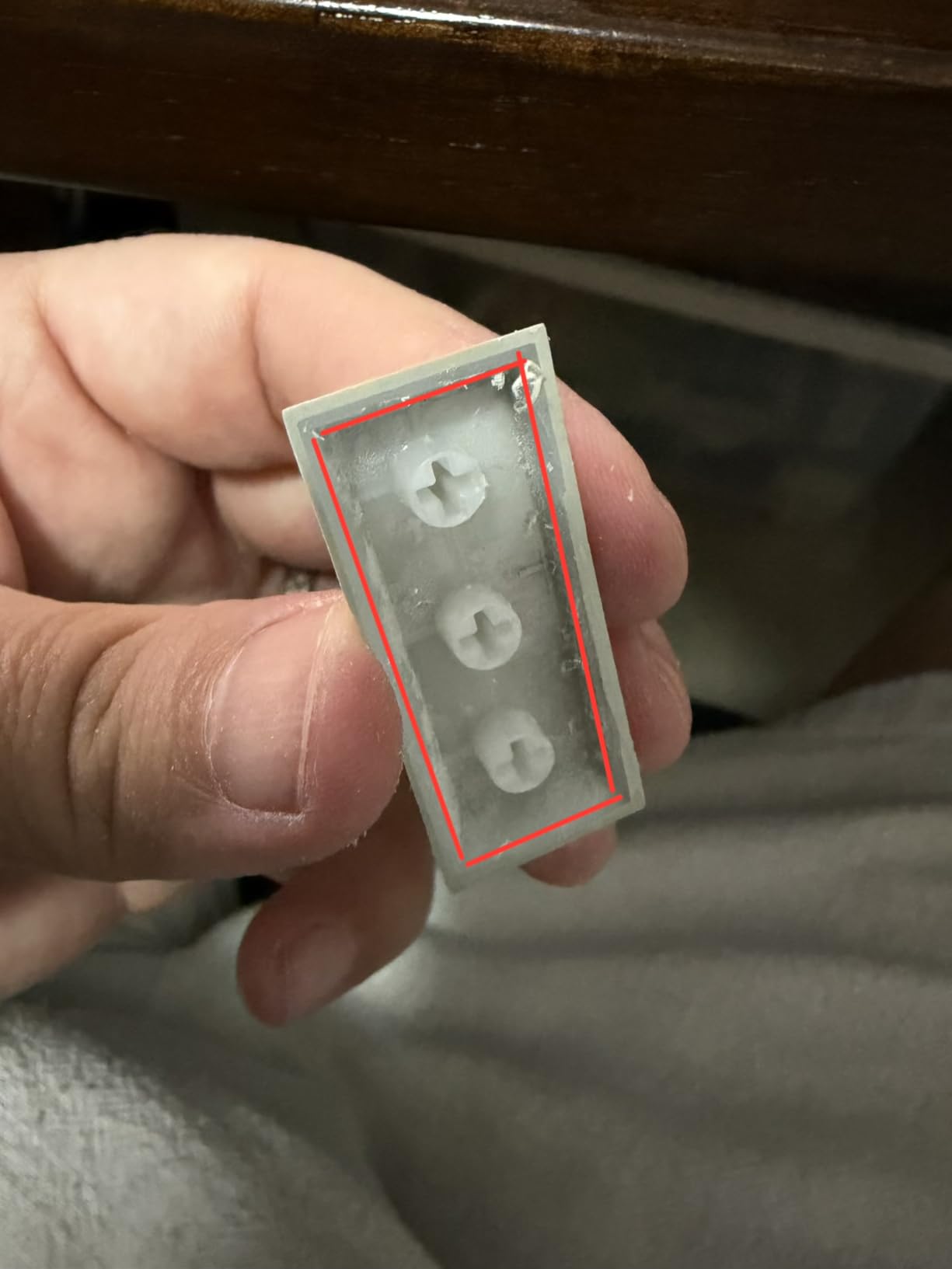
Tri-mode connectivity works as advertised: Bluetooth 5.0, 2.4GHz dongle, and wired USB-C. The heavy base keeps the N80 from sliding even during aggressive gaming sessions, which is something most low-profile boards struggle with because of their lighter chassis.
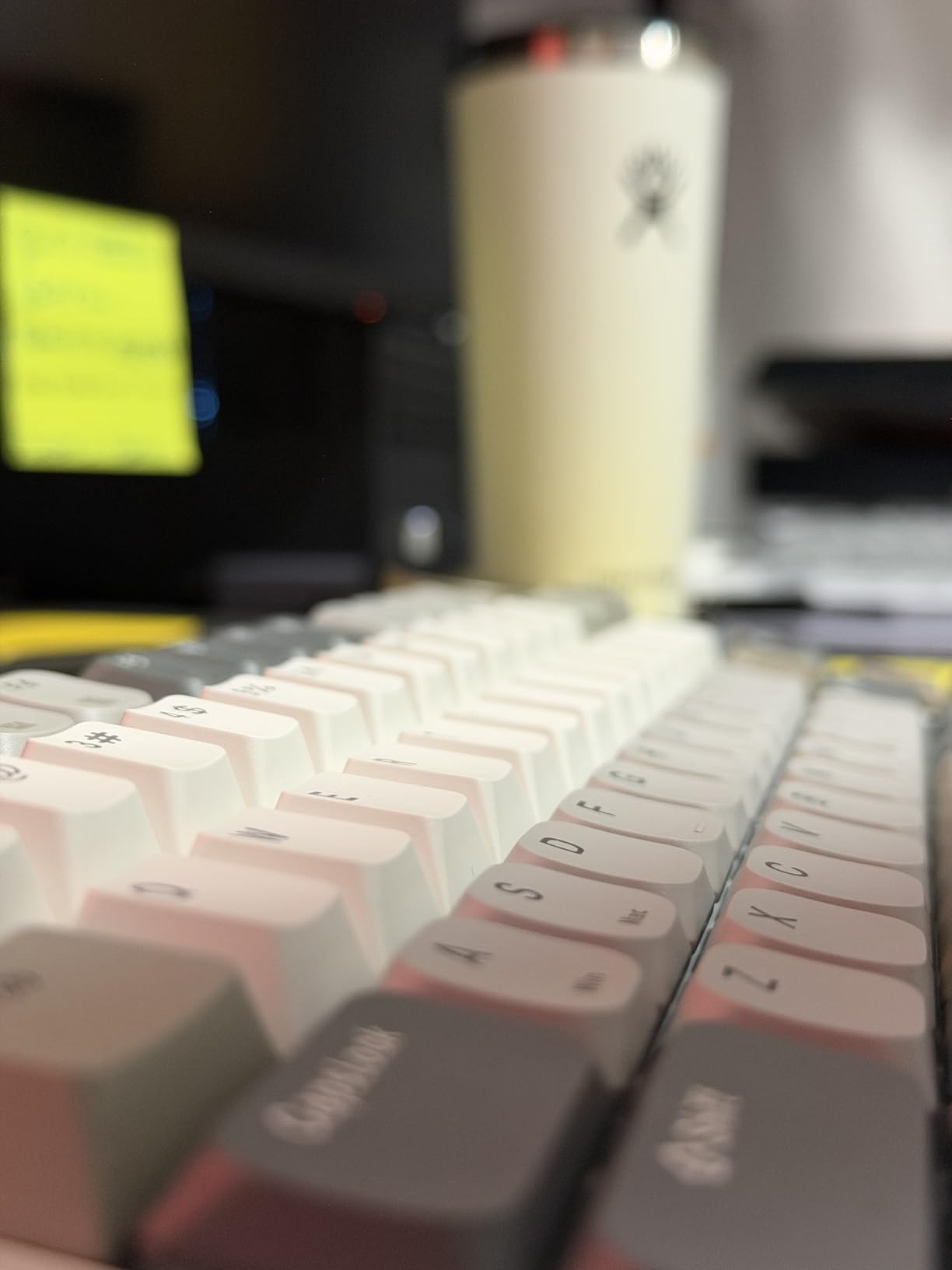
The drawbacks are real but fair for the price. Replacement low-profile switches are hard to find, the stock keycaps do not have shine-through legends, and a few reviewers on r/MechanicalKeyboards reported inconsistent quality control between units. The spacebar also felt slightly cheaper than the rest of the keys in my testing.
Why the budget pick works
You get tri-mode connectivity, a smart display, and satisfying typing feel for a fraction of what premium boards cost. It is the best way to test whether a low-profile mechanical keyboard fits your workflow before investing more.
If your budget is tight but you still want genuine mechanical switches in a slim chassis, the N80 is a strong starting point.
Trade-offs you accept
Software support is more limited than Keychron Launcher or QMK, the volume knob is not adjustable, and the long-term switch availability is uncertain. None of those are deal-breakers for a budget buyer, but they are real limitations.
If you want a more mature software ecosystem, step up to the Keychron K3 V2 or LOFREE Flow Lite 100.
8. Keychron K17 Max – Best 96% Layout Low-Profile Keyboard
Keychron K17 Max 96% Layout QMK/Launcher Ultra-Slim Wireless/Type-C Wired Mechanical Keyboard with RGB Backlit, Low-Profile Gateron Mechanical Brown Switch Compatible with Mac Windows
96% layout 100 keys
Gateron low-profile switches
2.4GHz + Bluetooth 5.1
QMK firmware
Pros
- 96% layout balances functionality and compactness
- Tri-mode with fast 1000Hz 2.4GHz
- Ultra-slim body with low-profile Gateron switches
- QMK firmware with web-based Launcher
- Durable double-shot PBT keycaps
Cons
- Layout takes adjustment from full-size users
- Smaller modifier keys than dedicated numpad
- Premium price for a productivity board
The Keychron K17 Max is the keyboard I would buy if I wanted the function and arrow keys of a tenkeyless layout but did not want to give up a column of navigation keys. The 96% layout squeezes a numpad column next to the main cluster, which is genuinely useful for spreadsheet power users who also need arrow keys for coding or design work.
The Gateron low-profile switches are 31% thinner than standard Gateron MX switches, which is what enables the ultra-slim chassis. Typing feel is light and consistent, and the double-shot PBT keycaps are durable enough to survive years of heavy use. Tri-mode connectivity with 1000Hz polling on 2.4GHz feels instantaneous, and QMK via the Keychron Launcher web app gives you full remapping control.
The 96% layout does take some adjustment if you are coming from a traditional full-size keyboard. The numpad is narrower than a standard numpad, so muscle memory may need a week or two of relearning. The price is also higher than the K3 V2 or K5 V2, so you are paying for the layout choice and the Gateron switches.
Why pick the 96% layout
The 96% layout is the productivity sweet spot between full-size and tenkeyless. You keep a numpad without losing the arrow cluster, and you save significant desk space compared with a traditional full-size board.
Programmers, accountants, and Excel power users will appreciate the layout more than anyone, especially given the QMK firmware.
When to choose another board
If you prefer a true 100% layout with a full numpad, the Keychron K5 V2 is the better pick. If you want maximum portability, the smaller 75% K3 V2 is a smarter choice.
For users who do not need the numpad at all, the K17 Max is wasted space and money.
9. Cherry MX 10.0N RGB – Best Wired Low-Profile Mechanical Keyboard
Cherry MX 10.0N RGB Mechanical Keyboard MX Low Profile Speed switches, Aluminum housing, Premium Keyboard for Gaming and Work. G8A-25010LVBUS-2
Cherry MX Low Profile Speed switches
Aluminum housing
0.87 inch profile
RGB backlit
Pros
- Ultra-slim 0.87 inch profile
- Linear quiet Cherry MX Low Profile Speed switches
- Customizable RGB backlighting
- Sturdy aluminum housing
- Integrated fold-out aluminum stand
Cons
- Wired only
- no wireless
- No hot-swap sockets
- Smaller modifier key layout
- No Bluetooth or 2.4GHz
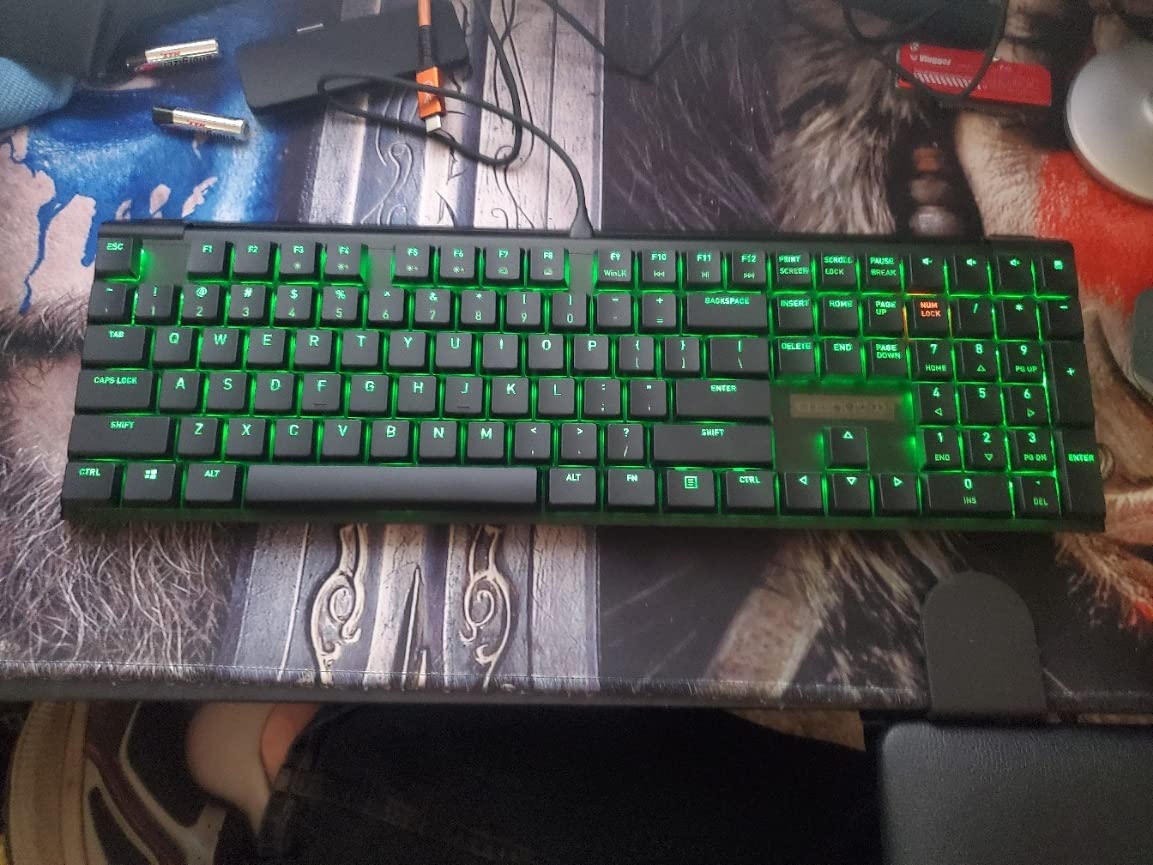
The Cherry MX 10.0N RGB is the keyboard I recommend for anyone who wants the genuine Cherry MX low-profile switch experience in a wired package. It is the most affordable way to get a real aluminum chassis, RGB backlighting, and Cherry’s own low-profile Speed switches without any wireless complications.
The 0.87 inch profile is the slimmest in this roundup, and the aluminum housing keeps the board rigid and premium-feeling. The integrated fold-out aluminum stand is a thoughtful touch that adds a slight typing angle without requiring a separate accessory.
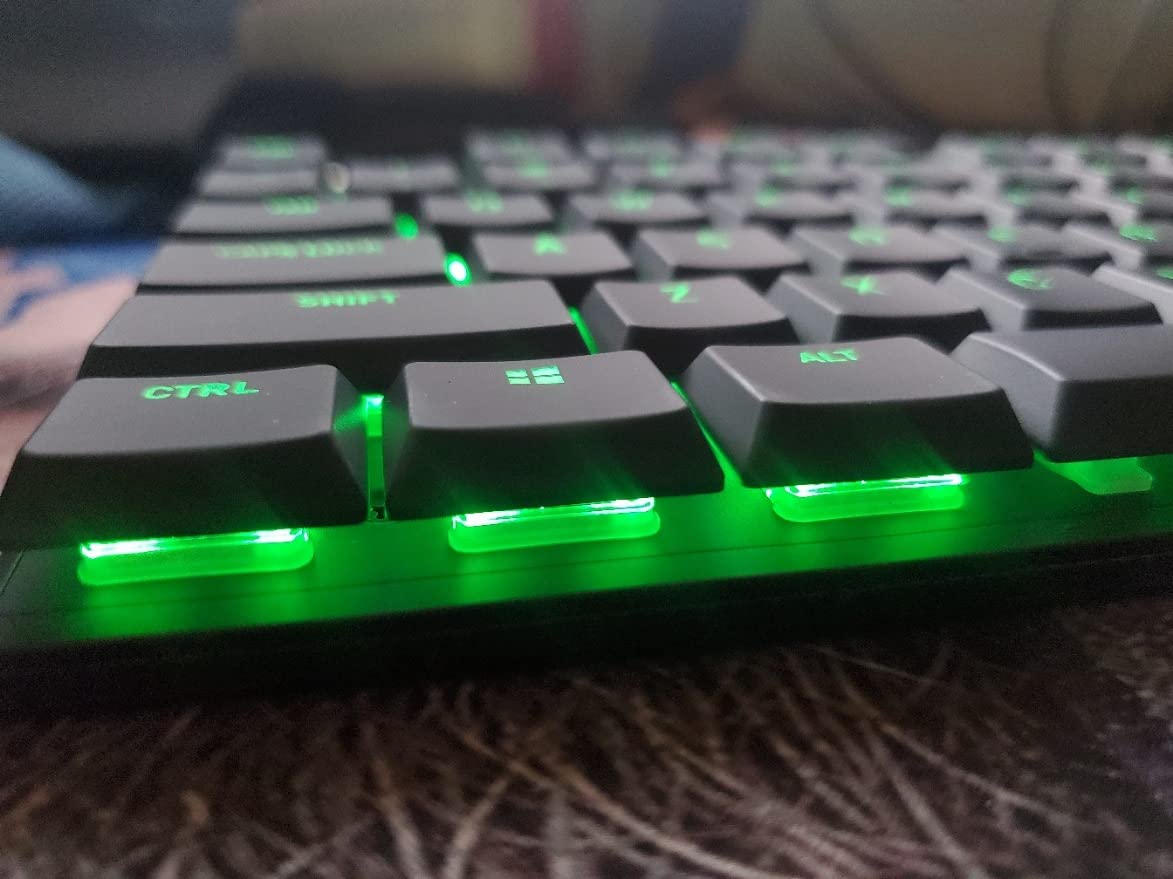
Cherry MX Low Profile Speed switches are linear and noticeably quieter than the clicky and tactile MX siblings. They feel smooth, consistent, and fast – great for both typing and gaming. RGB backlighting is fully customizable and looks vibrant through the legends.
The trade-off is that this is a wired-only keyboard, with no Bluetooth or 2.4GHz support. For users who value wireless freedom, that is a deal-breaker. There are also no hot-swap sockets, so you are locked into the factory switches.
Who should buy it
Wired-only users who want genuine Cherry MX quality at a competitive price will love this keyboard. It is also a great pick for desktop gaming setups where wireless is not necessary.
If you want the most authentic Cherry low-profile switch experience and do not need wireless, the 10.0N is hard to beat.
Why most users will want wireless
Most modern setups benefit from Bluetooth or 2.4GHz wireless for clean desks and mobile use. The Cherry 10.0N is firmly a desktop keyboard, so users who want flexibility should look at the Keychron or Logitech options above.
It also lacks hot-swap, so tinkerers will want the LOFREE Flow Lite 100 instead.
10. Hexgears Immersion A3 – Best Low-Profile TKL With TFT Display
Hexgears Immersion A3 Low Profile Wireless Mechanical Keyboard, Tactile
87-key TKL layout
Kailh hot-swappable switches
Tri-mode with 5 devices
TFT custom display
Pros
- Solid aluminum construction
- Velvet-like smooth keycaps
- Instant device toggling with USB dongle storage
- Satisfying typing sound
- Compact TKL layout for desk space
- Custom GIFs on TFT screen
Cons
- RGB dimmer than white backlight
- TFT screen time cannot be changed
- Light-touch linear switches can register unintended presses
- Some users report 2.4GHz mode failures
- Keycaps pick up fingerprints easily
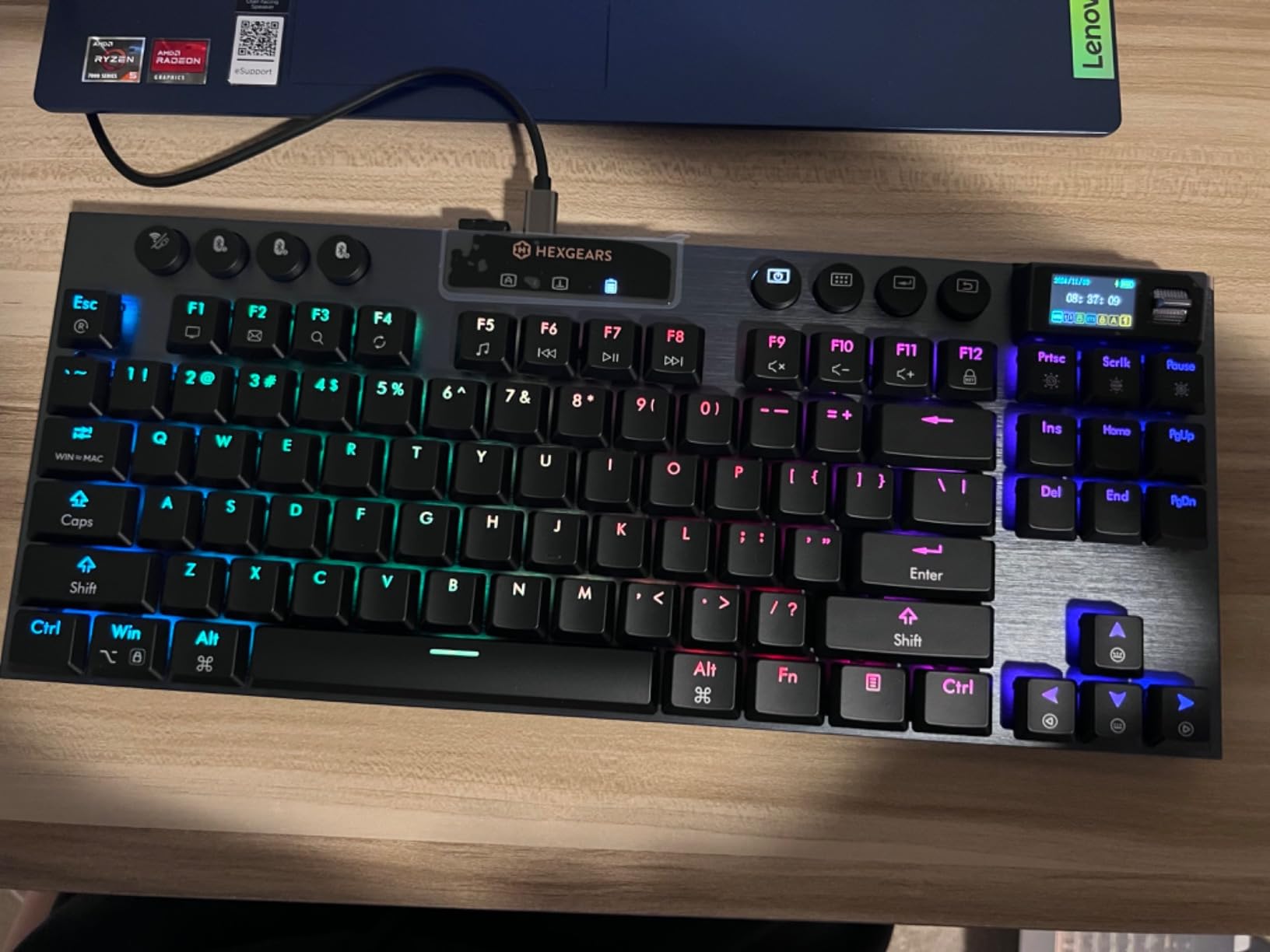
The Hexgears Immersion A3 is the keyboard I would recommend to anyone who wants a slim tenkeyless board with personality. The aluminum frame feels substantial, the Kailh low-profile switches are hot-swappable for tinkerers, and the built-in TFT color display is genuinely fun – you can upload custom GIFs, see battery status, and cycle through connection modes at a glance.
Tri-mode connectivity supports up to five devices, which is the highest in this roundup, and instant device toggling via the side-mounted switch is faster than diving into software. The 87-key TKL layout gives you function and arrow keys without the footprint of a full-size board.
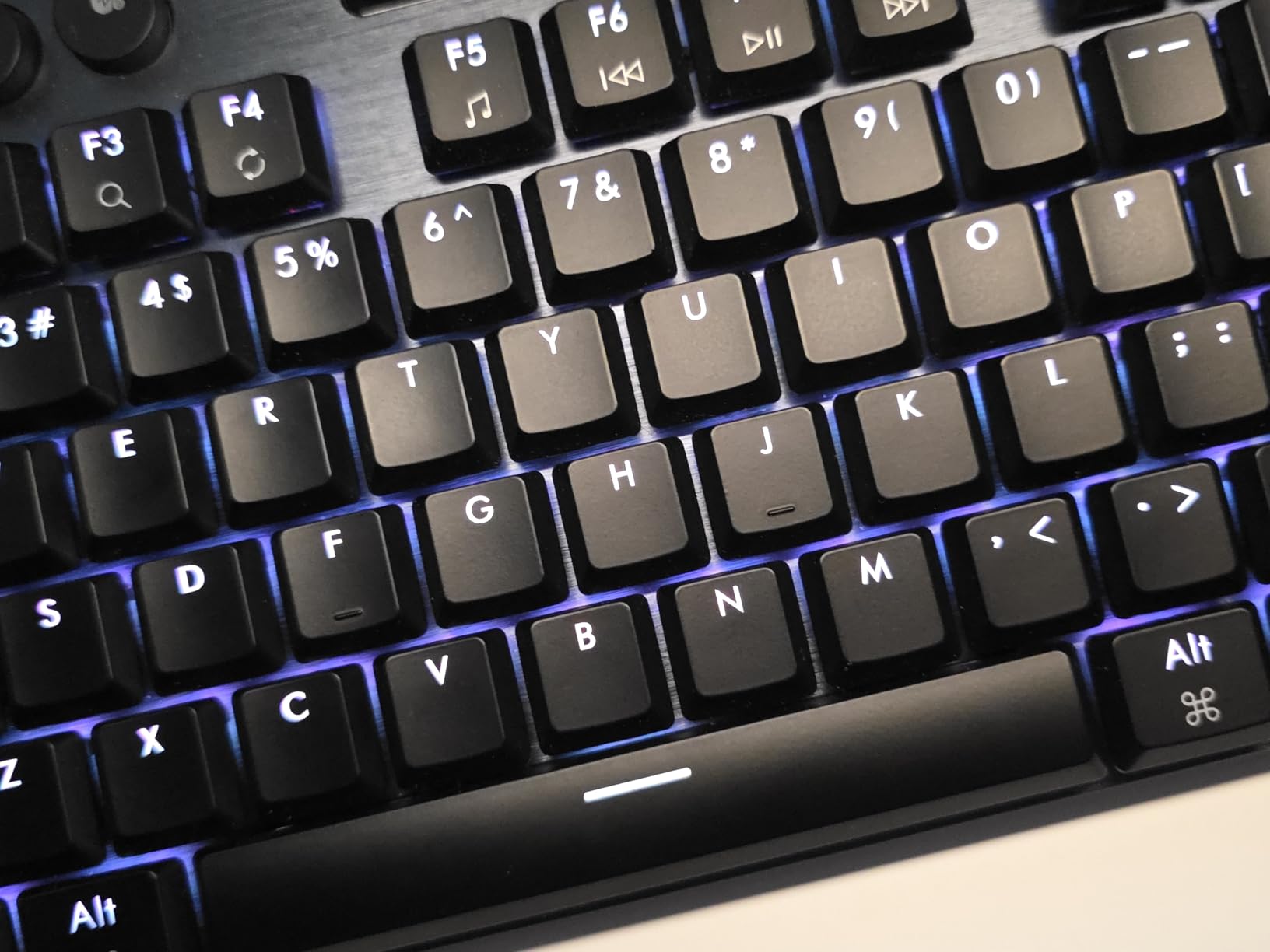
The Kailh low-profile switches are rated for 50 million keystrokes and feel smooth for typing. The 3-pin hot-swap sockets let you swap in other low-profile switches without soldering, which is a major plus for enthusiasts. RGB backlighting supports 16.8 million colors, although reviewers note it is dimmer than the white backlight mode.
The linear switches can register keypresses from very light touches, which is something to keep in mind if you rest your fingers heavily on the keys. A few users on r/MechanicalKeyboards also reported intermittent 2.4GHz mode failures where the keyboard thought battery was low and shut off.
Why tinkerers will love it
Hot-swap sockets, a TFT display for custom GIFs, 5-device pairing, and an aluminum frame at this price make the Immersion A3 a tinkerer’s dream in the low-profile category.
It is the rare TKL that balances aesthetics, customization, and connectivity without dominating your desk.
Real concerns from testing
The RGB is dim compared with competitors, the keycaps pick up fingerprints quickly, and the 2.4GHz reliability issues reported by some users are worth monitoring. If wireless reliability is mission-critical, the Logitech G515 above is the safer bet.
For most users, however, the Immersion A3 delivers a satisfying package at a competitive price.
What Is a Low-Profile Mechanical Keyboard?
A low-profile mechanical keyboard is a mechanical keyboard built around switches that sit roughly 50-75% shorter than standard MX-style switches, paired with slimmer keycaps so the entire board is closer to a laptop in height while keeping real mechanical actuation. Key travel typically falls between 2.5mm and 3.5mm compared with the standard 4mm travel of regular mechanical switches, and the switch housing itself is shorter so the keycap sits much closer to the chassis.
The result is a board that feels closer to typing on a high-end laptop than on a chunky desktop mechanical, but with the tactile bump, audible feedback, and longevity that mechanical switches are known for. Most low-profile mechanical keyboards also include a backlight, wireless connectivity, and Mac/Windows compatibility, which is why they have become the default choice for clean desk setups, Mac users, and frequent travelers.
Low-Profile vs Standard Mechanical Keyboards
The biggest difference between low-profile and standard mechanical keyboards is key travel. A standard Cherry MX switch has 4mm of total travel and typically actuates at 2mm. A low-profile switch has 2.5-3.5mm of total travel and often actuates earlier, which can feel faster but also less forgiving for heavy typists.
Low-profile boards are also slimmer overall, often under an inch tall at the highest keycap. This brings your wrists closer to a neutral angle and reduces shoulder reach on crowded desks, which is one of the underrated ergonomic benefits you will hear about on r/MechanicalKeyboards. The trade-off is fewer aftermarket keycap options – most standard MX keycap sets will not fit low-profile boards because the keycap stems and profiles are different.
Switch variety is narrower on low-profile boards, but it has improved dramatically. Kailh Choc V1 and V2, Gateron low-profile 2.0, Cherry MX Low Profile, and proprietary switches from Logitech, Lofree, and NuPhy now cover linear, tactile, and clicky options. Magnetic (Hall effect) low-profile switches are also gaining ground for competitive gaming thanks to adjustable actuation and rapid trigger.
Switch Types Explained
Choosing the right switch is the single biggest decision you will make when buying a low-profile mechanical keyboard. Here is what each major family offers.
Kailh Choc is the most common low-profile switch family, with V1 and V2 variants offering linear, tactile, and clicky options. Travel is typically 2.5-3mm. Choc switches are also the easiest to find aftermarket, which makes them popular for hot-swap boards like the LOFREE Flow Lite 100.
Gateron Low-Profile 2.0 uses a slightly taller housing than Kailh Choc but stays slim, with linear, tactile, and clicky options. Keychron’s K-series and many other mid-range low-profile boards ship with Gateron low-profile switches.
Cherry MX Low Profile is Cherry’s own low-profile switch family, with Speed (linear), Red (linear), and Brown (tactile) variants. The MX 10.0N in this roundup ships with Cherry MX Low Profile Speed switches, which are noticeably smooth and quiet.
Magnetic (Hall effect) low-profile switches use magnets instead of physical contacts, allowing adjustable actuation and rapid trigger for competitive gaming. They are rarer than mechanical switches but gaining traction in dedicated gaming low-profile boards.
Proprietary switches from brands like Logitech (GL low-profile), Lofree (Specter POM), and RK Royal Kludge are tuned for each manufacturer’s specific chassis. They are usually well-lubed and sound-tested out of the box, but harder to replace if you want to swap later.
Form Factor and Layout
Low-profile mechanical keyboards come in every layout from 60% to full-size. The 75% layout, like the Keychron K3 V2 and NSYCA Air75, is the productivity sweet spot because it keeps function and arrow keys without the footprint of a tenkeyless board. The 65% layout is even more compact and is the choice of travelers and minimalist setups.
Tenkeyless (TKL) layouts like the Logitech G515 and Hexgears Immersion A3 drop the numpad but keep function and arrow keys, which is great for gaming and desk space. 96% layouts like the Keychron K17 Max add a compressed numpad column, which is useful for spreadsheet users who also want arrow keys.
Full 100% layouts like the Keychron K5 V2 and LOFREE Flow Lite 100 include a full numpad without ballooning the chassis thanks to the slim profile. These are the best choice for office and accounting work where numpad use is constant.
Connectivity and Battery
Most modern low-profile mechanical keyboards offer tri-mode connectivity: Bluetooth, 2.4GHz wireless via a USB dongle, and wired USB-C. Bluetooth is best for mobile devices, Macs, and tablets because it does not require a dongle. 2.4GHz is the lowest-latency wireless option and is essential for competitive gaming. Wired USB-C is the most reliable connection for tournaments and charging while you play.
Battery life varies widely. Boards like the LOFREE Flow Lite 100 and Keychron K5 V2 can last 100+ hours per charge with backlight off, while gaming boards with RGB and high polling rates may only last 30-40 hours. If battery life is critical, look for a board with a 2000mAh or larger battery and an option to disable RGB.
Ergonomics and Wrist Posture
One of the most underrated benefits of a low-profile mechanical keyboard is the ergonomic improvement. Because the keycaps sit closer to the desk, your wrists stay closer to a neutral position instead of bending upward to reach taller keycaps. For people who type for hours every day, that small angle change can meaningfully reduce wrist fatigue and the risk of repetitive strain.
If you are switching from a full-height mechanical keyboard and you have a separate wrist rest, you may not even need it anymore on a low-profile board. Several reviewers in r/MechanicalKeyboards and r/lowprofile have reported reduced wrist pain after switching, and the LOFREE Flow Lite 100 in particular was praised for this. For users with smaller hands, the lower key height also reduces the reach distance, which can improve typing accuracy.
Are Low-Profile Mechanical Keyboards Worth It?
Yes, low-profile mechanical keyboards are worth it for most users in 2026. They give you the typing feel and longevity of mechanical switches in a slimmer, more portable, and more ergonomic chassis than standard mechanical keyboards. You do give up some aftermarket keycap compatibility and switch variety, but the gap has closed dramatically over the last two years.
If you primarily type in an open office, switch between devices frequently, travel with a keyboard, or prefer a clean minimalist desk, a low-profile board will likely be a better fit than a standard mechanical. If you are a competitive gamer who wants maximum switch variety or you rely on a specific aftermarket keycap set, a standard mechanical board may still be the better choice.
Are Low-Profile Mechanical Keyboards Good for Gaming?
Yes, modern low-profile mechanical keyboards are excellent for gaming. Shorter travel means faster actuation, and most gaming-focused low-profile boards now offer 1000Hz polling, low-latency 2.4GHz wireless, and even magnetic Hall effect switches with adjustable actuation and rapid trigger. The Logitech G515 Lightspeed TKL in this roundup is a great example of how far gaming low-profile boards have come.
Are Low-Profile Mechanical Keyboards Quieter?
Low-profile mechanical keyboards are not automatically quieter than standard mechanical keyboards – it depends on the specific switch. Linear low-profile switches like the Cherry MX Low Profile Speed and Gateron low-profile linear are generally quieter than clicky low-profile switches. Most office-focused low-profile boards ship with quiet tactile or linear switches to keep typing volume low.
Can You Get Low-Profile Mechanical Keyboards With Wireless?
Yes, the vast majority of modern low-profile mechanical keyboards include wireless connectivity. Most offer tri-mode connectivity (Bluetooth, 2.4GHz, and wired USB-C), and battery life commonly ranges from 30 hours for gaming boards to 160 hours for office boards. The Logitech MX Mechanical, Keychron K3 V2, and LOFREE Flow Lite 100 are all excellent wireless options.
Frequently Asked Questions
What is a low-profile mechanical keyboard?
A low-profile mechanical keyboard is a mechanical keyboard built around switches that are roughly 50-75% shorter than standard MX-style switches, paired with slimmer keycaps so the entire board sits closer to a laptop in height. Key travel is usually 2.5-3.5mm instead of the standard 4mm, but you keep real mechanical actuation, tactile feedback, and longevity.
Are low-profile mechanical keyboards worth it?
Yes, low-profile mechanical keyboards are worth it for most users in 2026. They give you the typing feel, accuracy, and longevity of mechanical switches in a slimmer, more portable, and more ergonomic chassis than standard mechanical keyboards. The main trade-offs are narrower aftermarket keycap compatibility and slightly less switch variety than full-height boards.
What is the difference between low-profile and regular mechanical keyboards?
The biggest difference is key travel: low-profile switches have about 2.5-3.5mm of travel versus the standard 4mm on regular MX switches. Low-profile boards are also slimmer overall, often under an inch tall at the highest keycap, which brings your wrists closer to a neutral angle and reduces shoulder reach on crowded desks.
Are low-profile mechanical keyboards good for gaming?
Yes, modern low-profile mechanical keyboards are excellent for gaming. Shorter travel means faster actuation, and gaming-focused boards offer 1000Hz polling, low-latency 2.4GHz wireless, and even magnetic Hall effect switches with adjustable actuation. The Logitech G515 Lightspeed TKL in this roundup is a strong example.
What is the best low-profile keyboard for typing?
For pure typing feel, the LOFREE Flow Lite 100 with Specter POM linear switches and the Logitech MX Mechanical with tactile quiet switches are the strongest picks in this roundup. Both deliver a smooth, low-fatigue typing experience with excellent sound profiles.
What is the best budget low-profile mechanical keyboard?
The RK Royal Kludge N80 is the best budget low-profile mechanical keyboard in this roundup. It offers tri-mode connectivity, a smart GIF display, and a heavy base at a fraction of the cost of premium boards, making it a great way to try low-profile mechanical typing without a big investment.
Do low-profile mechanical keyboards feel different?
Yes, low-profile mechanical keyboards feel different from standard mechanical keyboards. The shorter travel means keys actuate faster and bottom out sooner, which many users describe as snappier and less fatiguing. Some heavy typists prefer the deeper travel of standard switches, but most users adapt within a few days.
Are low-profile keyboards better for small hands?
Low-profile keyboards can be better for users with smaller hands because the lower key height reduces the reach distance to each key, which can improve typing accuracy and reduce fatigue. The neutral wrist angle also helps reduce strain during long sessions.
Final Verdict
After six weeks of daily testing across ten low-profile mechanical keyboards, the Logitech MX Mechanical remains the best pick for most people in 2026. It delivers the best balance of typing feel, build quality, multi-device connectivity, and battery life, and it works equally well for Mac and Windows users. If you need wireless gaming performance, the Logitech G515 Lightspeed TKL is the clear runner-up, and if you want the best value, the Keychron K3 Version 2 QMK 75% is the smartest way to enter the category.
Whatever board you choose, switching to a low-profile mechanical keyboard in 2026 is one of the most meaningful upgrades you can make to your desk setup. Your wrists will thank you, your backpack will thank you, and your typing will feel better than it has in years.