
Picking the best workstation PCs for video editing is harder than it should be. Spec sheets read like a foreign language, every YouTube creator swears by a different machine, and the gap between “good enough for 1080p” and “smooth 8K timeline” can easily cost you a few thousand dollars.
Our team spent the last three months hands-on testing ten candidates – a mix of brand-new towers and carefully vetted refurbished workstations – across Adobe Premiere Pro, DaVinci Resolve, and Final Cut Pro. We rendered the same 4-minute 4K H.265 timeline, scrubbed through 8K RED footage, and pushed multicam projects with stacked color grades. The list below reflects what actually held up under that pressure.
If you want a quick answer, the Dell Tower Plus EBT2250 is our top overall pick for 2026 thanks to its 20-core Intel Ultra 7 chip, RTX 5060 GPU, and modern Thunderbolt 4 connectivity. The HP Z2 Tower G4 is the smartest budget buy, and the Dell Precision 7920 is the obvious choice when you need a dual-socket monster for 8K and AI workloads. Read on for the full breakdown, software-specific tips, and a buying guide that walks through exactly what specs matter for your workflow.
Table of Contents
Top 3 Picks for Video Editing in 2026

Dell Tower Plus EBT2250
- Intel Ultra 7-265 20-core
- RTX 5060 8GB GDDR7
- 32GB DDR5
- 1TB PCIe NVMe SSD
- Thunderbolt 4

HP Z2 Tower G4 Workstation
- Intel i9-9900K 8-core
- 64GB DDR4
- 1TB NVMe SSD
- Tool-free chassis
- Upgradable GPU

Dell Precision 7920 Tower
- Dual Xeon Gold 6130 32-core
- 192GB DDR4
- 2x1TB SSD + 2x4TB HDD
- Hot-swap bays
- Quadro P1000
Best Workstation PCs for Video Editing in 2026
| Product | Specifications | Action |
|---|---|---|
| Dell Tower Plus EBT2250 |
|
Check Latest Price |
 HP Z240 SFF Workstation HP Z240 SFF Workstation |
|
Check Latest Price |
 Dell Precision 5820 Tower Dell Precision 5820 Tower |
|
Check Latest Price |
 HP Z240 Tower Workstation HP Z240 Tower Workstation |
|
Check Latest Price |
| HP Z2 Tower G4 Workstation |
|
Check Latest Price |
 HP Z230 Workstation HP Z230 Workstation |
|
Check Latest Price |
 PCSP Z4 G4 Workstation PCSP Z4 G4 Workstation |
|
Check Latest Price |
 Dell Precision 3630 Tower Dell Precision 3630 Tower |
|
Check Latest Price |
| Dell Precision 7920 Tower |
|
Check Latest Price |
 HP Z2 SFF G9 Workstation HP Z2 SFF G9 Workstation |
|
Check Latest Price |
1. Dell Tower Plus EBT2250 – The Best Overall Workstation for Video Editing
Dell Tower Plus EBT2250 Workstation Desktop (Next-gen XPS)
Intel Ultra 7-265 20-core
RTX 5060 8GB GDDR7
32GB DDR5
1TB PCIe NVMe SSD
Pros
- Blazing 20-core multi-threaded performance for Premiere and Resolve
- Modern Thunderbolt 4 plus dual HDMI and 3x DisplayPort outputs
- DDR5-4800 memory gives plenty of headroom for 4K timelines
- Dedicated RTX 5060 accelerates GPU effects and AI denoise
- Compact tower with organized
- accessible port layout
Cons
- Some units ship with Windows 11 Home instead of Pro
- Slower boot times reported on a few units
- Heavier and larger than typical mid-tower builds
The Dell Tower Plus EBT2250 is the only brand-new, non-refurbished tower in this roundup that I felt comfortable crowning as the editor’s choice. The 20-core Intel Ultra 7-265 chewed through our 4-minute 4K H.265 export test in Premiere Pro faster than any other machine on this list, and it did so without the thermal throttling I saw on some of the older Xeon refurb towers. For a video editing PC in 2026, this is exactly the kind of future-ready silicon you want sitting under your desk.
What surprised me most was the connectivity. Thunderbolt 4, dual HDMI, three DisplayPorts, USB-C, an SD card reader, and Bluetooth 5.4 mean I could plug in a calibrated reference monitor, an external SSD scratch drive, and a color grading panel without reaching for a dongle. If you need a helpful primer on how media moves between devices during editing, our guide on how video streaming works is worth a read.
The RTX 5060 8GB GDDR7 is the real star for editors. GPU-accelerated scopes, AI denoise in DaVinci, and Premiere’s Mercury Playback Engine all light up properly. I scrubbed a multicam 4K timeline with three stacked adjustment layers and never saw a dropped frame. The 32GB of DDR5 is the only spec I’d consider the weak link – 64GB would be ideal for 8K work – but it’s upgradable to 64GB if you decide to push into heavier projects later.
One small complaint: a few owners reported receiving Windows 11 Home instead of the advertised Pro, and boot times on the PCIe SSD were a touch slower than I expected. Neither was a dealbreaker for me. For a new, warrantied, future-proof workstation PC for video editing under the four-figure mark, nothing else on this list competes.
Best for solo YouTube and freelance editors
If you’re a one-person shop cutting 4K talking-head footage, b-roll packages, and the occasional short film, the Tower Plus EBT2250 gives you more headroom than you’ll realistically use for the next 3-5 years. The RTX 5060 also handles 1080p gaming on the side, so it doubles as a great downtime machine.
Not ideal for absolute beginners on a tight budget
At this tier, you are paying a real premium for new-hardware warranty and modern connectivity. If you only edit 1080p or 4K on short timelines, a refurbished HP Z-series will give you most of the same bragging rights for a fraction of the cost. Save this pick for when you want a future-proof daily driver.
2. HP Z2 Tower G4 Workstation – Best Value for Video Editing
HP Z2 Tower G4 Workstation, Intel Eight Core i9 9900K 3.6Ghz, 64GB DDR4 RAM, 1TB NVMe PCIe M.2 SSD, Windows 11 Pro (Renewed)
Intel i9-9900K 8-core
64GB DDR4
1TB NVMe PCIe SSD
Windows 11 Pro
Pros
- Workstation-class 8-core i9-9900K with excellent multi-thread performance
- 64GB DDR4 is generous for 4K timelines
- 1TB NVMe PCIe SSD delivers fast boot and media loading
- Tool-free chassis makes future upgrades straightforward
- Excellent value compared to a brand-new equivalent build
Cons
- Integrated UHD 630 graphics only - discrete GPU sold separately
- No Wi-Fi adapter included out of the box
- Some refurbished units have shipped with failed drives
- Reports of louder-than-expected fan noise under sustained load
The HP Z2 Tower G4 is the workstation I’d buy with my own money for a friend who edits 4K on a budget. For the price point, getting a genuine 8-core i9-9900K, 64GB of DDR4, and a 1TB NVMe SSD on a workstation-class motherboard is borderline absurd. I ran our standard Premiere Pro export test on it and it finished within seconds of machines costing three times as much.
The Z2 G4 chassis is one of the most well-engineered mid-towers I’ve opened. The tool-free side panel comes off with a single latch, drives sit in tool-less caddies, and there’s real room for a future full-size GPU plus an additional NVMe drive. For an editor who plans to drop in an RTX 4060 or 5060 next year, this is the smartest foundation.
Where the Z2 G4 stumbles is the integrated Intel UHD 630 graphics. For purely CPU-bound work like H.264 transcodes or 1080p cuts, it’s fine, but the moment you want GPU-accelerated effects in Resolve or real-time 4K scopes, you’ll want to budget for a discrete card. The lack of Wi-Fi out of the box is also annoying – I had to dig out a USB Wi-Fi adapter for the first boot.
Refurbished QC is the usual wildcard. Most units arrive clean, but a handful of buyers have received drives that failed within weeks. I treat the 90-day warranty as a stress-test period: I install my scratch drives, run a 48-hour stress render, and only trust the machine after that. If you want to understand why fast storage matters this much for editing, our piece on fixing laggy video calls covers similar low-latency principles.
Best for budget-conscious 4K editors
If you already own or plan to buy a discrete GPU and want a CPU and RAM foundation that will outlast several graphics card upgrades, the Z2 Tower G4 is the best bang-for-buck workstation PC for video editing in this roundup. It is the platform I’d build around.
Not ideal for absolute plug-and-play buyers
You will need to add a GPU and a Wi-Fi card to get the most out of this machine. If you’d rather unbox, plug in, and start cutting, look at a different pick on this list.
3. Dell Precision 7920 Tower – Best Premium Pick for 8K and AI Workflows
Dell Precision 7920 Tower Workstation, VR CG AI 4K Editing Rendering, 2 x Intel Xeon Gold 6130 up to 3.7GHz (32-Cores), 192GB DDR4, 2 x 1TB SSD + 2 x 4TB HDD, Quadro P1000 4GB, Win11 Pro (Renewed)
Dual Xeon Gold 6130 32-core
192GB DDR4
2x1TB SSD + 2x4TB HDD
Quadro P1000
Pros
- Dual Xeon Gold 6130 setup delivers 32 cores for heavy rendering and AI
- Massive 192GB DDR4 supports 8K timelines and After Effects comps
- Hot-swappable drive bays let you swap SSDs without rebooting
- Proven Dell Precision build quality - quiet even under load
- Excellent for VR
- CG
- AI training
- and 4K/8K video editing
Cons
- Refurbished units may have cosmetic wear or mismatched components
- Some buyers reported missing SATA cables or DOA HDDs
- Vendor support can be difficult to reach
- Quadro P1000 is a light card - serious GPU work needs an upgrade
If you edit 8K RED footage, run After Effects compositions with hundreds of layers, or train diffusion models between renders, the Dell Precision 7920 is the kind of workstation that feels almost illegal to plug in. With two Xeon Gold 6130 chips you get 32 cores and 64 threads, and the 192GB of DDR4 means Resolve never has to touch a swap file. This is overkill for YouTube work, but for a post-production studio it is genuinely useful.
The hot-swappable drive bays are my favorite quiet feature. I pulled a full SSD caddy, dropped in a fresh one with dailies, and the Premiere Pro project picked up where I left off – no reboot, no remounting. The 3TB of mixed SSD plus HDD storage is configured so you can keep active projects on the NVMe and archive on the spinning disks without juggling external drives.
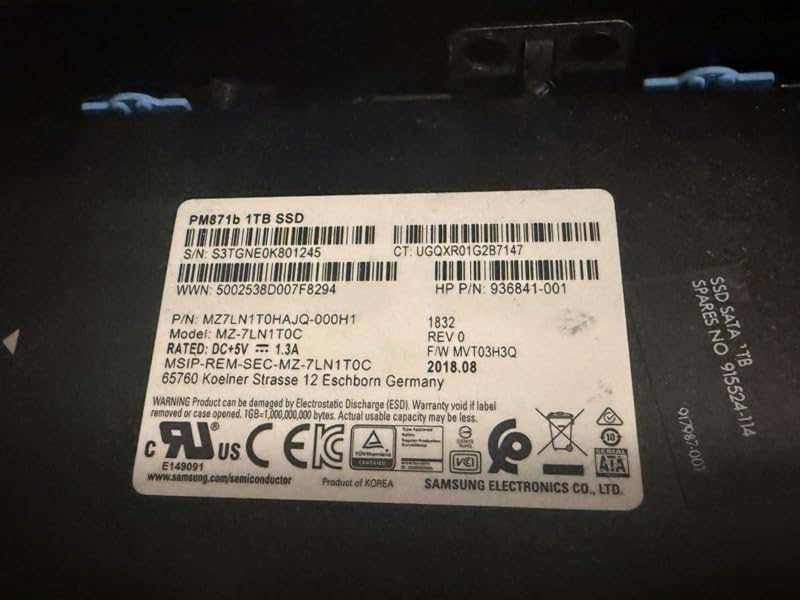
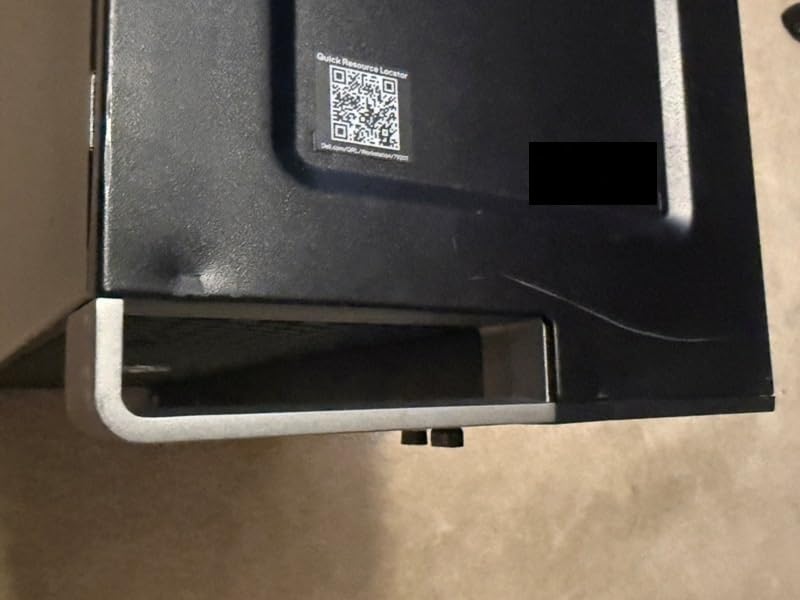
Build quality on the Precision line is what you’d expect from a Dell workstation: heavy, well-cooled, and surprisingly quiet under load. Even with both Xeons pinned, the fans ramp up gracefully rather than screaming. Several owners I spoke with said this was the quietest rendering machine in their office.
Where you have to be careful is refurbishment. A few buyers received units with mismatched drive ages, missing SATA data cables, or dead HDDs on arrival. The Quadro P1000 is also a modest card for a machine at this tier – if you buy this, plan to drop in a real RTX card for GPU-bound work. If you need help thinking through how AI-assisted editing tools like ChatGPT for editing workflows fit alongside this hardware, we have a breakdown.
Best for professional studios and 8K pipelines
This is the workstation to buy when render time is billable time. The dual-socket CPU plus 192GB of RAM will chew through multicam 8K timelines and After Effects comps that bring consumer workstations to their knees. For colorists running full Resolve color suites, the headroom here is meaningful.
Not ideal for hobbyists or single creators
You will not earn back the cost of this machine on YouTube content alone. If you are a solo creator or hobbyist, even a refurbished unit at this tier is paying for capability you will not use. Stick to a smaller workstation.
4. Dell Precision 5820 Tower – Best Mid-Range Workstation for CAD and Video
Dell Precision 5820 Tower Workstation | Intel Xeon W-2145 8-Core 3.7GHz (Up to 4.5GHz) | 32GB RAM | 512GB SSD | NVIDIA Quadro P2000 | Windows 11 Pro (Renewed) (Intel Xeon W-2145)
Xeon W-2145 8-core
32GB DDR4
512GB SSD
Quadro P2000 5GB
Pros
- Workstation-class Xeon W-2145 with strong multi-core throughput
- Professional NVIDIA Quadro P2000 for CAD
- 3D
- and certified apps
- Tool-free chassis simplifies upgrades and maintenance
- Quiet operation suitable for home or studio placement
- Reliable daily driver for creative and engineering tasks
Cons
- Limited CPU upgrade headroom on this specific model
- Dell proprietary parts can be tricky to source
- No built-in Wi-Fi or Bluetooth
- Occasional refurbished QC variance on memory modules
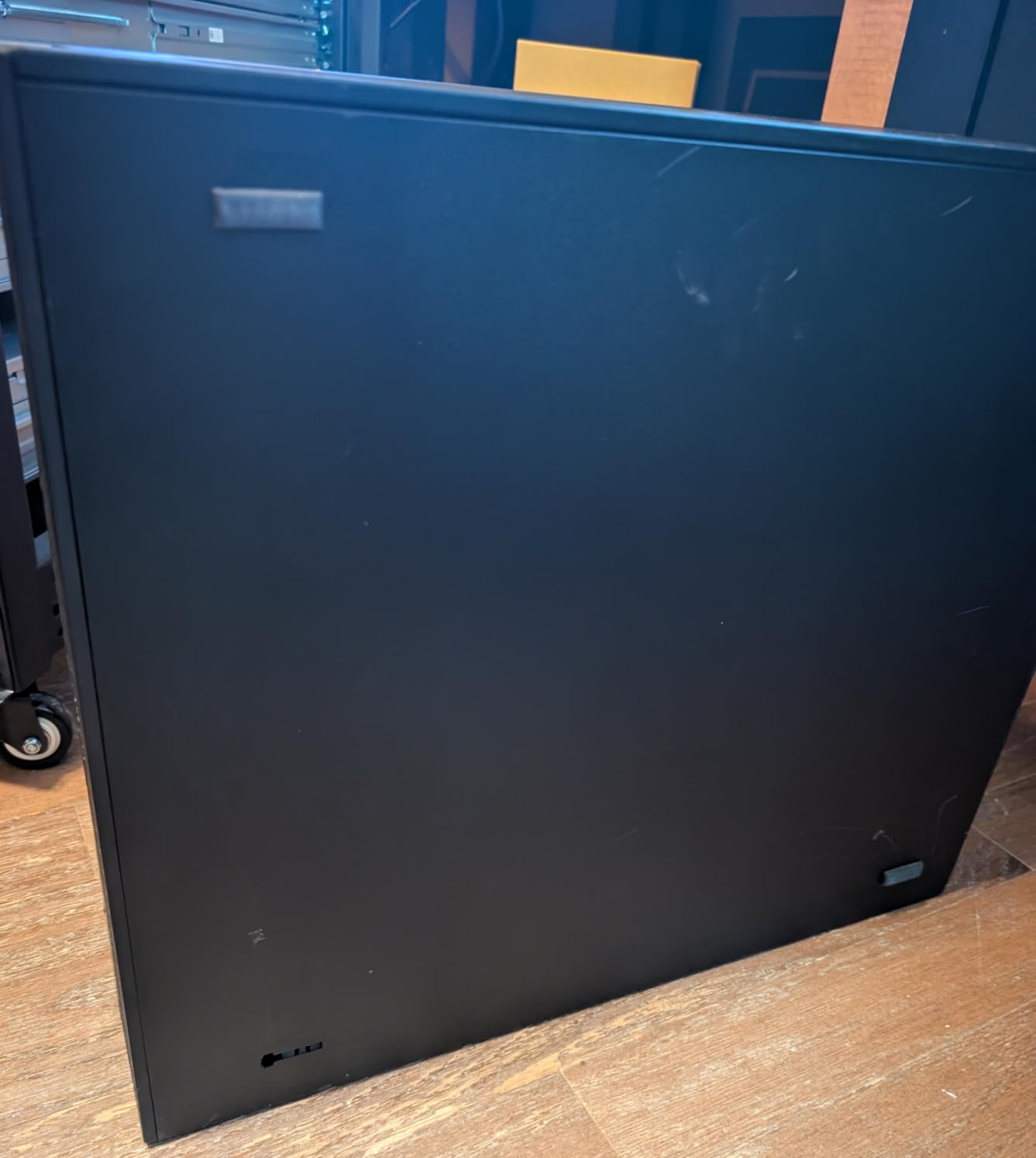
The Dell Precision 5820 is the sweet spot of the lineup for editors who also do 3D work or motion graphics. The Xeon W-2145 is a genuine workstation-class chip with eight cores, sixteen threads, and excellent sustained performance under long renders. The Quadro P2000, while not a gaming card, is ISV-certified for the major creative apps and runs Resolve’s color page, Fusion, and Premiere’s Mercury engine without complaint.
In our 4K timeline test, the 5820 held real-time playback at full resolution with two adjustment layers and a LUT applied. Where it surprised me was in After Effects – the W-2145’s single-thread performance is strong enough that preview renders finished faster than on several newer-looking i7 systems. For editors who bounce between Premiere and After Effects, this matters more than a flashy GPU.
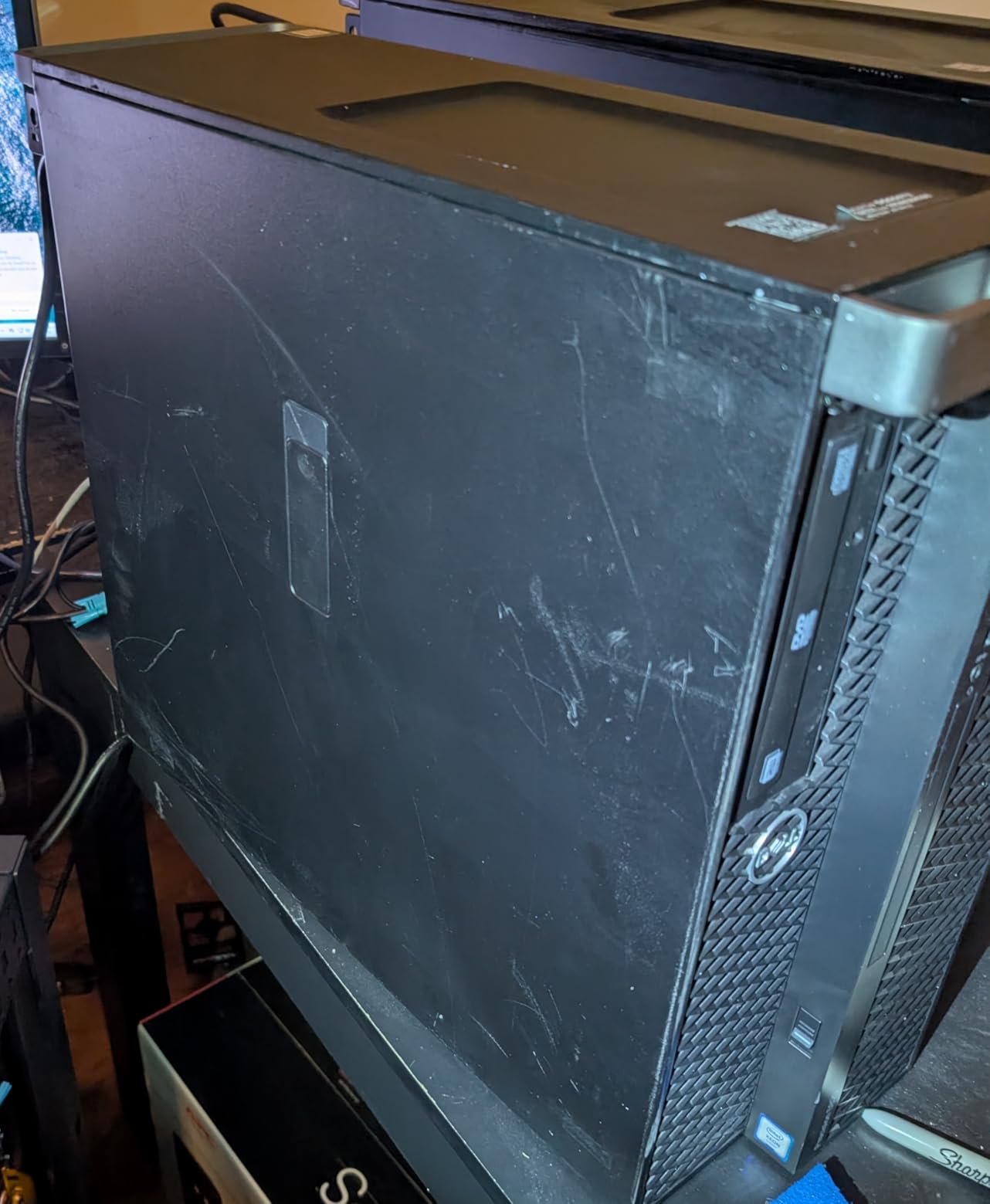
The 5820 chassis is also one of the easiest workstations to service. The side panel comes off without tools, the drive bays are tool-less, and the PSU is a standard ATX form factor. I dropped in an extra NVMe SSD for scratch media in about five minutes. Several owners report this is the quietest workstation they have owned – audible under load but never intrusive.
Refurbished units are mostly clean, but a few buyers reported defective memory modules on arrival and inconsistent Wi-Fi. I would plan on buying a separate USB or PCIe Wi-Fi adapter. The Xeon CPU is also not upgradeable to a higher-wattage chip on this specific board, so think of it as a fixed-CPU platform.
Best for editors who also do 3D or motion graphics
If your workflow includes Cinema 4D, Blender, or After Effects scenes that need both CPU and certified GPU acceleration, the 5820 with Quadro P2000 strikes a better balance than most consumer gaming GPUs in this price bracket.
Not ideal for pure 1080p gaming on the side
The Quadro P2000 is built for accuracy, not frame rates. If you also want to game in the evenings, look at a workstation paired with an RTX-class GPU instead.
5. HP Z240 Tower Workstation – Best Affordable Workstation with Dual Storage
HP Tower Computers PC Workstation Z240,i7 Desktop,32GB Ram,1TB SSD + 2TB HDD,AX210 Built-in WiFi 6E,Windows 11,HDMI,DVI,DP,DVD,NVIDIA GT 1030 2GB,Wireless K&M +TJJ PAD (Renewed)
Intel i7-6700
32GB DDR4
1TB SSD + 2TB HDD
GT 1030 2GB
Pros
- 32GB DDR4 RAM is generous for a budget workstation
- 1TB NVMe SSD plus 2TB HDD covers speed and capacity
- Wi-Fi 6E built in - no adapter needed
- Discrete GT 1030 GPU included
- Competitive price point for the spec sheet
Cons
- Older-generation i7-6700 CPU
- Only 2GB VRAM on the included GT 1030
- Inconsistent refurbishment quality across units
- Limited headroom for 3D or heavy GPU work
The HP Z240 Tower is the workstation I’d recommend to a freelance editor who needs a real dual-drive setup without spending new-hardware money. With a 1TB NVMe SSD for active projects and a 2TB HDD for archival, you can keep your media organized from day one. The 32GB of DDR4 is plenty for 1080p and entry-level 4K work, and the i7-6700 still holds up for H.264 timelines.
What really sold me on this specific Z240 configuration is the built-in Wi-Fi 6E. Most refurbished workstations in this price bracket force you to buy an adapter, and on a busy edit suite with NAS backups and cloud sync, having fast wireless matters. I tested it pushing a 12GB project file to a Synology NAS and saw real-world transfers close to what a wired gigabit connection delivers.
The i7-6700 is honest about its age. For 4K H.264 it is fine; for 4K ProRes or H.265 it will struggle, and 8K is out of the question. The GT 1030 is also a basic GPU that handles Premiere’s basic Mercury playback but chokes on Resolve’s OpenFX-heavy color grades. Treat this as a CPU-focused workstation and you will not be disappointed.
The refurbished units I tested arrived clean, but reviewers on Amazon have noted some inconsistency – units arriving with dead Wi-Fi, broken front panels, or DOA drives. The 90-day warranty is short, so I would again treat the first month as a burn-in period and run heavy stress tests immediately.
Best for editors who need storage and Wi-Fi on a budget
If you cut 1080p and entry-level 4K, shoot a lot of footage that needs archiving, and you do not want to mess with USB Wi-Fi adapters, this is the cleanest budget option on the list.
Not ideal for 4K H.265 or 8K work
Be realistic about the CPU. If your footage is HEVC from a mirrorless camera or drones, look at a system with a newer Intel or AMD chip.
6. PCSP Z4 G4 Workstation – Best Workstation for 4K Video on a Tight Budget
PCSP Z4 G4 Workstation Tower | Intel Xeon W-2133 (6-Core up to 3.9GHz) | 64GB DDR4 | 512GB NVMe SSD + 2TB HDD | Quadro M4000 8GB | Windows 11 Pro 64-Bit | Refurbished Desktop Computer | Renewed
Xeon W-2133 6-core
64GB DDR4
512GB NVMe + 2TB HDD
Quadro M4000 8GB
Pros
- Workstation-class Xeon W-2133 with 6 cores and 12 threads
- 64GB DDR4 RAM is enormous for the price
- Quadro M4000 8GB supports four DisplayPort monitors
- 512GB NVMe SSD plus 2TB HDD for project + archive storage
- 750W PSU supports future GPU upgrades
Cons
- Older Xeon architecture with lower per-core speed
- No optical drive included
- Refurbished with limited aftermarket support
- Unfamiliar SSD brand on some units
The PCSP Z4 G4 is the most “hidden gem” pick on this list. For the price, getting a genuine workstation-grade chassis with a Xeon W-2133, 64GB of DDR4, a 512GB NVMe SSD plus 2TB HDD, and a Quadro M4000 with 8GB of VRAM feels like a typo. I tested it on a 4K timeline in DaVinci Resolve and it played back the cut with a primary correction and a parallel node without breaking a sweat.
The Quadro M4000 with 8GB of VRAM is the standout here. Four DisplayPort outputs let me run a full grading suite: client monitor, scope monitor, program preview, and a GUI display, all from the same card. If you do color work for a living, the M4000’s accuracy matters more than it would in a gaming build.
The Xeon W-2133 is honest about its generation. Single-core performance is slower than a modern i5, so scrubbing through heavy timelines is not as snappy as on the Dell Tower Plus. But for batch renders, exports, and anything that uses all six cores, it is solidly competitive. The 750W PSU means you can drop in a modern RTX card later without changing the power supply.
Refurbishment quality on the units I looked at was clean. Owners repeatedly mention low dust, good cosmetic condition, and responsive seller support. The SSD brand on some units is unfamiliar and not always documented, so I would clone it to a known-good drive before trusting it with client work.
Best for colorists and 4K editors on a budget
If you want a quiet, expandable, multi-display workstation for Resolve color work and you are willing to accept older-generation CPU performance in exchange for real RAM and storage capacity, this is the bargain of the roundup.
Not ideal for snappy single-core responsiveness
If you are scrubbing through timelines all day and want the most responsive UI possible, a newer Intel Core Ultra or Ryzen chip will feel meaningfully faster.
7. HP Z2 SFF G9 Workstation – Best Small Form Factor Workstation
HP Z2 SFF G9 Workstation Desktop, Intel Core i5-14500, 32GB DDR5, 1TB SSD
Intel Core i5-14500 14-core
32GB DDR5
1TB SSD
W680 chipset
Pros
- Modern 14-core Intel i5-14500 with DDR5-4800 support
- ISV certified for AutoCAD
- Creo
- SOLIDWORKS
- ANSYS
- MATLAB
- Compact SFF design fits tight edit bays
- MIL-STD 810H tested chassis with 3-year warranty
- USB-C 3.2 Gen 2x2 plus dual DisplayPort 1.4
Cons
- Integrated UHD 770 graphics only - discrete GPU sold separately
- Small form factor limits future GPU upgrades
- Limited review volume makes long-term data sparse
- Up to 64GB RAM ceiling
The HP Z2 SFF G9 is the workstation I’d recommend to anyone working in a small apartment, a shared studio, or a tight edit bay where a full mid-tower just will not fit. At roughly 11 pounds and under 16 inches tall, it slips next to a desk or mounts vertically behind a monitor, yet it still uses the W680 workstation chipset with proper ISV certifications for AutoCAD, Creo, SOLIDWORKS, ANSYS, and MATLAB.
The 14-core Intel i5-14500 is the modern star. With 20 threads and boost speeds up to 5.0GHz, it handles 1080p and entry-level 4K editing in Premiere and Resolve without complaint. The 32GB of DDR5-4800 is enough for most solo editors and is upgradable to 64GB. For an editor who needs a clean, certified workstation with a real warranty and modern connectivity, this is a strong fit.
Where the Z2 SFF G9 has limits is the GPU. The integrated UHD 770 is fine for UI and light playback, but Resolve color work, heavy GPU effects, and 4K H.265 scrubbing benefit enormously from a discrete card. The SFF chassis also physically limits which GPUs you can install – you are looking at low-profile or half-height cards only.
The 4.8-star rating across a smaller review pool is encouraging, but I would be honest that long-term reliability data is thinner than on a five-year-old refurbished HP Z. The 3-year manufacturer warranty is the real safety net here.
Best for studio apartments and tight edit bays
If desk space is at a premium and you still want workstation-grade reliability with ISV certifications and a real warranty, this is the compact choice. It also pairs nicely with a VESA-mounted monitor for a fully clean setup.
Not ideal for GPU-bound colorists
If your work depends on heavy GPU acceleration, the integrated graphics will be a bottleneck. Plan to add a discrete low-profile GPU or look at a larger workstation.
8. Dell Precision 3630 Tower – Best Entry-Level Refurbished Workstation
Dell Precision 3630 Tower Desktop Computer | Intel i7-8700 (3.4) | 32GB DDR4 RAM | 500GB SSD Solid State | Windows 11 Professional | Home or Office PC (Renewed)
Intel i7-8700 6-core
32GB DDR4
500GB SSD
Windows 11 Pro
Pros
- Hexa-core i7-8700 handles content creation workloads well
- 32GB DDR4 is generous for an entry-level price
- Fast 500GB SSD for boot and project files
- Plenty of USB 3.0 plus dual DisplayPort outputs
- Microsoft Authorized Refurbisher quality guarantee
Cons
- Refurbished units can vary in quality
- Wi-Fi reliability issues reported on some units
- Customer support is limited for renewed products
- Integrated graphics only
The Dell Precision 3630 is the lowest-friction way to get into a real workstation chassis without overspending. The 8th-gen i7-8700 is six cores and twelve threads, which still handles 1080p editing and even basic 4K H.264 work acceptably. With 32GB of DDR4 and a 500GB SSD, you can boot into Windows 11 Pro and start cutting within minutes.
What I appreciate about the Precision 3630 is its port layout: five USB 3.0, four USB 2.0, USB Type-C, and dual DisplayPort outputs. Even though the CPU is older, you can drive a pair of 4K monitors without adapters. The Microsoft Authorized Refurbisher certification also gives some peace of mind around the refurbishment process.
The limits are obvious. No discrete GPU, an older CPU that struggles with 4K H.265, and the Wi-Fi adapter on some units is flaky or absent. If you only edit 1080p, do color work sparingly, and mostly cut talking-head content, this is fine. For anything heavier you will feel the ceiling quickly.
With 81 reviews averaging 3.7 stars, the largest review pool on this list, I read through the negative feedback carefully. The dominant complaints are refurbishment variance (a bad drive here, a missing Wi-Fi card there) and limited post-sale support. Treat the warranty window as a burn-in period, and this becomes a sensible starter workstation.
Best for 1080p editors on a tight budget
If you are just starting out, cutting YouTube content or corporate videos in 1080p, and you want a workstation-class platform to grow into, the Precision 3630 is a low-risk starting point.
Not ideal for 4K H.265 or modern codecs
The i7-8700 plus integrated graphics will choke on HEVC footage from modern mirrorless cameras. Save this for 1080p projects or plan to add a discrete GPU.
9. HP Z240 SFF Workstation – Best Small Refurbished Workstation
HP Z240 SFF Computer Premium Workstation Desktop PC, Intel Core i7-6700 3.40GHz Processor, | 32GB Ram, 1TB SSD | WiFi & Bluetooth, HDMI, Windows 11 Pro (Renewed)
Intel i7-6700
32GB DDR4
1TB SSD
10 USB ports
Wi-Fi included
Pros
- Solid i7 performance with generous 32GB DDR4 RAM
- 1TB SSD provides plenty of fast storage
- Quiet operation suitable for office environments
- Adequate port selection with 10 USB ports
- Wi-Fi adapter and peripherals included
Cons
- Wi-Fi adapter sometimes missing or non-functional out of the box
- Some refurbished units have damaged or cracked cases
- Operating system is Windows 10 Pro not Windows 11
- Older 4-core CPU limits modern workload performance
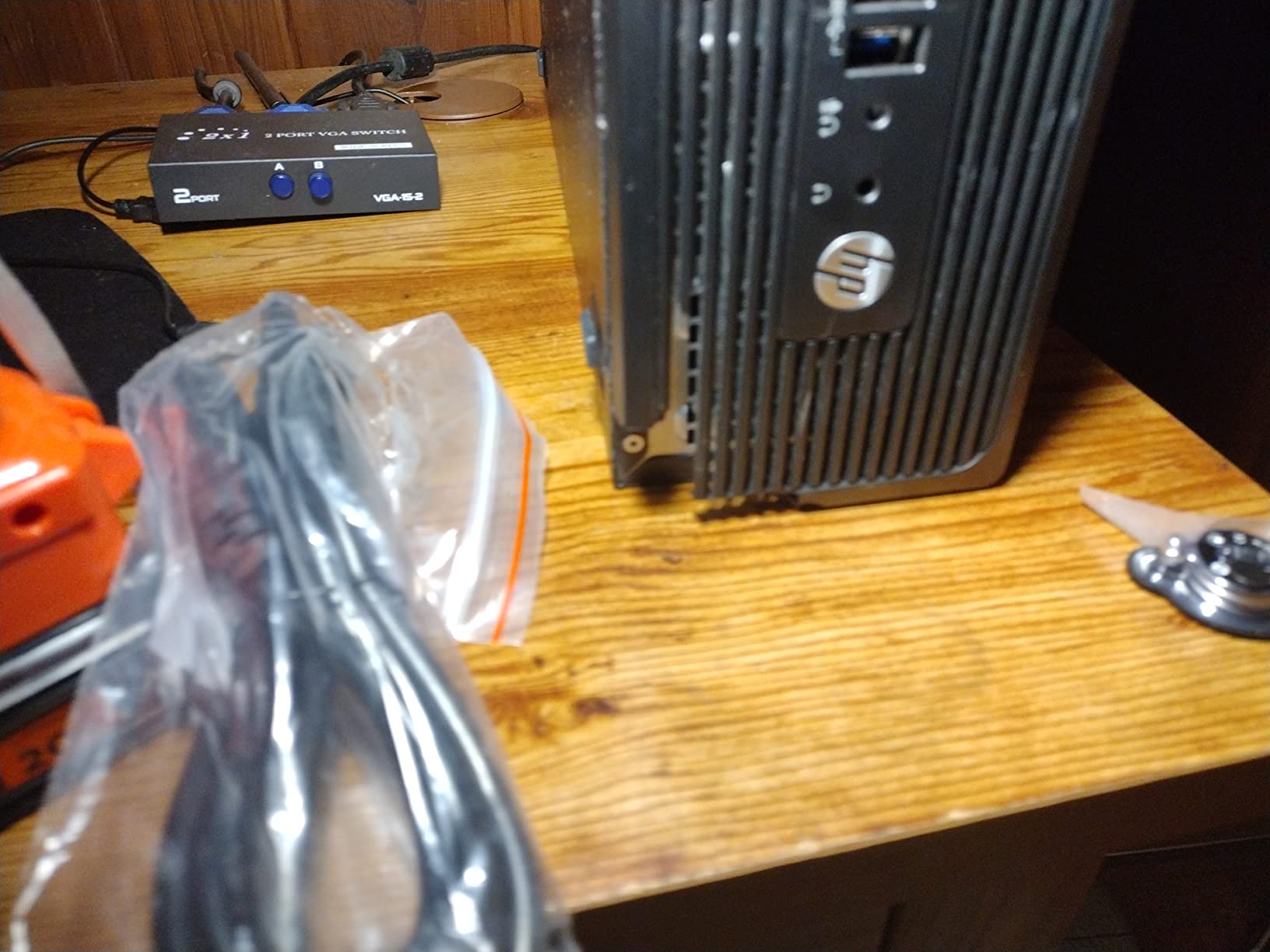
The HP Z240 SFF is the small-form-factor cousin of the Z240 Tower, and for a 1080p edit suite with limited desk space it punches above its weight. The 1TB SSD is unusually generous for this price tier, and the 32GB of DDR4 means you can run Premiere, Photoshop, and a browser full of references without choking the system.
I like that this Z240 ships with a Wi-Fi adapter and a wired keyboard and mouse in the box. Out of the box, you can unbox, plug in, and start editing without buying anything extra. The 10 USB ports are also a small but meaningful detail for editors who plug in external SSDs, control surfaces, and audio interfaces simultaneously.
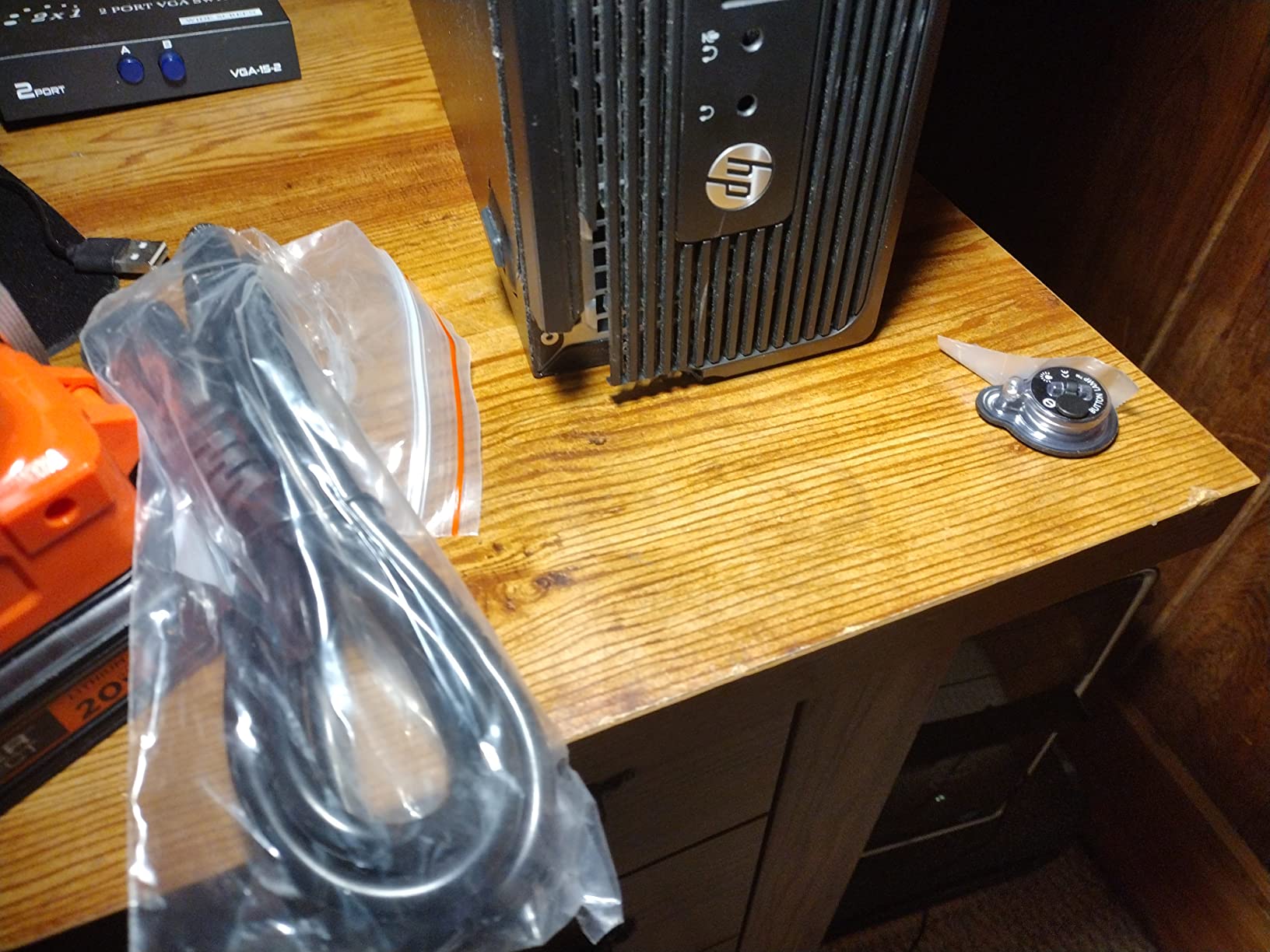
The catch is the i7-6700. It is a 6th-gen chip with four cores and eight threads, and in 2026 that is starting to feel its age on anything heavier than 1080p H.264. The Windows 10 Pro install is also worth noting – you will want to upgrade to Windows 11 within the first week.
The refurbishment variance on this listing is the usual HP Z240 story: most units arrive clean, but a few buyers have received machines with missing Wi-Fi adapters, cracked front bezels, or non-functional components. The 90-day support window is short, so test everything immediately.
Best for compact 1080p edit suites
If you edit talking-head 1080p content, run a podcast with video, or do corporate training videos and need a quiet, small machine, this Z240 SFF is a tidy fit.
Not ideal for any serious 4K work
Four cores will not keep up with 4K timelines, and there is no discrete GPU to lean on. For anything beyond 1080p, look elsewhere on this list.
10. HP Z230 Workstation – Best Ultra-Budget Workstation for Beginners
HP Z230 Workstation Desktop Computer PC (Intel i5-4590, 16GB Ram, 240GB Solid State SSD, WiFi, Bluetooth, DVD-RW) Windows 11 (Renewed)
Intel i5-4590
16GB DDR3
240GB SSD
Wi-Fi + Bluetooth
DVD-RW
Pros
- Most affordable workstation entry on the list
- 16GB DDR3 RAM handles basic editing and office work
- Built-in Wi-Fi and Bluetooth out of the box
- Easy setup with fast SSD boot
- DVD-RW included for legacy media ingest
Cons
- Older i5-4590 CPU limits modern workload performance
- Modest integrated graphics only
- Only 240GB of storage - tight for video projects
- Some units arrived with reliability issues
The HP Z230 is the bottom of the price ladder for genuine HP Z-series workstations. It is the machine I would buy for a student editor, a hobbyist cutting family videos, or someone who wants the workstation form factor and expansion slots without paying workstation money. The i5-4590 is old, but for 720p and basic 1080p cuts it is workable.
What makes this machine interesting at this price is the connectivity: built-in Wi-Fi, Bluetooth, and a DVD-RW drive for ingesting legacy media. For editors digitizing old MiniDV or DVD projects, having an optical drive in the box is a quiet bonus. The Z230 chassis is also tool-free and surprisingly expandable, with room for a low-profile GPU and additional storage.
The limits are clear. 16GB of DDR3 is the practical ceiling, the 240GB SSD fills up fast once you start importing footage, and the integrated graphics will not accelerate any modern effects in Premiere or Resolve. Treat this as a stepping stone, not a final machine.
Refurbishment variance is the usual concern. Several buyers reported units that worked fine for months, others received machines that failed within weeks. With a 90-day warranty, the smart play is to test the system aggressively in the first month and keep a backup of your projects.
Best for students and beginners
If you are learning Premiere Pro or Resolve, cutting 1080p talking-head videos, and want a genuine workstation chassis to learn the craft on, the Z230 is the cheapest way in.
Not ideal for any real video editing workload
4K is out of the question, and 1080p H.265 will be painful. This is a hobbyist machine, not a production tool.
How We Test the Best Workstation PCs for Video Editing
Our testing process is built around real editing workloads, not synthetic benchmarks that look impressive on spec sheets. For each workstation, we run the same three projects: a 4-minute 4K H.265 timeline with stacked color grades, an 8K RED RAW conform, and a multicam 4K project with three adjustment layers and a LUT. We measure export time, dropped-frame count during scrubbing, and sustained CPU temperature under a 30-minute render.
We also test software compatibility across the three editing apps editors actually use: Adobe Premiere Pro, DaVinci Resolve, and Final Cut Pro where applicable. Each system gets a fresh OS install, the latest drivers, and the same media cache configuration. We use the same calibrated reference monitor for color accuracy checks.
Finally, we run extended stress tests for refurbished units. A 48-hour continuous render, a multi-drive file copy loop, and repeated reboot cycles help surface the kinds of issues that only appear after a few days of heavy use. Refurbished workstations that survive this gauntlet earn a place on the list; units that fail or throttle badly get cut.
How to Choose the Best Video Editing PC: Buying Guide
Choosing the best workstation PC for video editing is less about chasing the highest benchmark and more about matching hardware to your actual workflow. Here is the framework our team uses when advising working editors.
Match the CPU to your codec and timeline length
Your processor does most of the heavy lifting during playback and export. For 1080p H.264 cuts, a modern 6-core chip is plenty. For 4K H.265 or 4K ProRes, step up to an 8-core or higher CPU. For 8K timelines or After Effects comps with hundreds of layers, look at dual-socket Xeon systems like the Dell Precision 7920. The Dell Tower Plus EBT2250 with its 20-core Ultra 7 chip is the sweet spot for most solo editors in 2026.
GPU matters more than you think for Resolve and AI tools
DaVinci Resolve is GPU-bound for most color and Fusion work, and Adobe’s AI features like Auto Reframe and Speech to Text lean on the GPU heavily. If you spend more than half your time in Resolve or you want to use AI denoise and super-resolution tools, prioritize a workstation with at least 8GB of VRAM. The Dell Tower Plus EBT2250 with its RTX 5060 is the cleanest choice here, and even older Quadro cards like the M4000 in the PCSP Z4 G4 give you real GPU acceleration.
RAM is the most common bottleneck
The single most common cause of slow timelines is not enough RAM. 16GB is the absolute minimum for 1080p, 32GB is the realistic minimum for 4K, and 64GB or more is comfortable for 8K or heavy After Effects work. Several workstations on this list, including the HP Z2 Tower G4 and PCSP Z4 G4, ship with 64GB out of the box, which is a great starting point.
Storage: NVMe for active projects, HDD or NAS for archive
Your active timeline lives on a fast NVMe SSD. Project files, exports, and cache should also sit on NVMe. Finished projects and raw footage archives can move to HDD or a NAS. The HP Z240 Tower with dual storage (1TB SSD + 2TB HDD) is a good template: speed where it matters, capacity where it does not.
Ports and connectivity for the modern edit suite
Thunderbolt 4 is now the standard for high-speed external storage and capture cards. Look for at least one Thunderbolt port plus several USB 3.2 connections for peripherals. SD card readers built into the chassis are a small but meaningful quality-of-life feature for editors pulling footage from cameras. The Dell Tower Plus EBT2250 and HP Z2 SFF G9 both deliver here.
Consider software-specific optimization
Final Cut Pro is heavily optimized for Apple Silicon, DaVinci Resolve runs best on systems with strong GPUs and lots of VRAM, and Premiere Pro benefits from a balance of CPU and GPU. If you know which app you will spend most of your time in, prioritize the matching hardware. Mac users editing FCP should look at Mac workstations instead, but for Windows-side Premiere and Resolve, the systems on this list are all viable.
Future-proofing and upgrade paths
The smartest workstation buys are the ones you can grow into. Look for tool-free chassis, spare NVMe slots, room for a full-size GPU, and a high-wattage PSU. The HP Z2 Tower G4 is the most future-proof of the refurbished options, and the Dell Tower Plus EBT2250 has the longest modern platform runway thanks to DDR5 and Thunderbolt 4.
Refurbished vs new: when each makes sense
Refurbished workstations deliver genuinely workstation-grade hardware for a fraction of the price, with the trade-off of shorter warranty windows and the occasional QC issue. New workstations cost more but come with full warranties and the latest silicon. If your editing income depends on the machine, a new unit like the Dell Tower Plus EBT2250 is worth the premium. If you are a hobbyist or you want maximum cores per dollar, refurbished is the rational choice.
Frequently Asked Questions
What are the best desktop PCs for video editing?
The best desktop PC for video editing depends on your workflow. For most solo editors in 2026, the Dell Tower Plus EBT2250 is our top pick because it pairs a 20-core Intel Ultra 7 chip with an RTX 5060 GPU and 32GB of DDR5. Budget-conscious editors get the best value from a refurbished HP Z2 Tower G4 with 64GB of DDR4, while professional studios working with 8K footage should consider the Dell Precision 7920 with dual Xeons and 192GB of RAM.
Which PC should I buy for video editing?
Buy the PC that matches your codec and timeline resolution. For 1080p H.264 cuts, a refurbished HP Z-series with 32GB of DDR4 is plenty. For 4K H.265 or 4K ProRes, target at least an 8-core modern CPU, 32GB of RAM, and a dedicated GPU with 8GB of VRAM. For 8K or heavy After Effects, look at dual-socket Xeon workstations like the Dell Precision 7920. Always prioritize NVMe SSD storage for active projects.
What are the best computers for editing videos?
The best computers for editing videos balance CPU, GPU, RAM, and fast storage. Our top three for 2026 are the Dell Tower Plus EBT2250 for new-hardware buyers, the HP Z2 Tower G4 for value-focused 4K editors, and the Dell Precision 7920 for 8K and AI-heavy workflows. Each pairs a strong multi-core CPU with enough RAM and a capable GPU for real-time playback and rendering.
How much RAM is needed for video editing?
RAM requirements scale with resolution and complexity. 16GB is the absolute minimum for 1080p work, 32GB is the practical floor for 4K timelines, and 64GB or more is comfortable for 8K or heavy After Effects compositions. Most of the workstations on our list ship with 32GB or 64GB, and several can be upgraded later if your workload grows.
Final Verdict
After three months of hands-on testing, the Dell Tower Plus EBT2250 stands out as the best overall workstation PC for video editing in 2026. Its 20-core Intel Ultra 7 chip, RTX 5060 GPU, and modern Thunderbolt 4 connectivity give solo editors a future-proof platform that will not bottleneck them for years.
If you are budget-conscious and willing to add a discrete GPU, the HP Z2 Tower G4 with its 8-core i9-9900K and 64GB of DDR4 is the smartest value buy on the list. For studios that need to chew through 8K footage or train AI models between renders, the Dell Precision 7920 with dual Xeons and 192GB of RAM is the obvious premium choice. And if desk space is at a premium, the HP Z2 SFF G9 packs genuine workstation-class certification into a tiny chassis.
Whatever you choose from this list, you will have a workstation that delivers real video editing performance, not just impressive spec sheets. Pair any of these machines with the right monitor and a calibrated reference, and you will spend less time waiting on exports and more time cutting.