
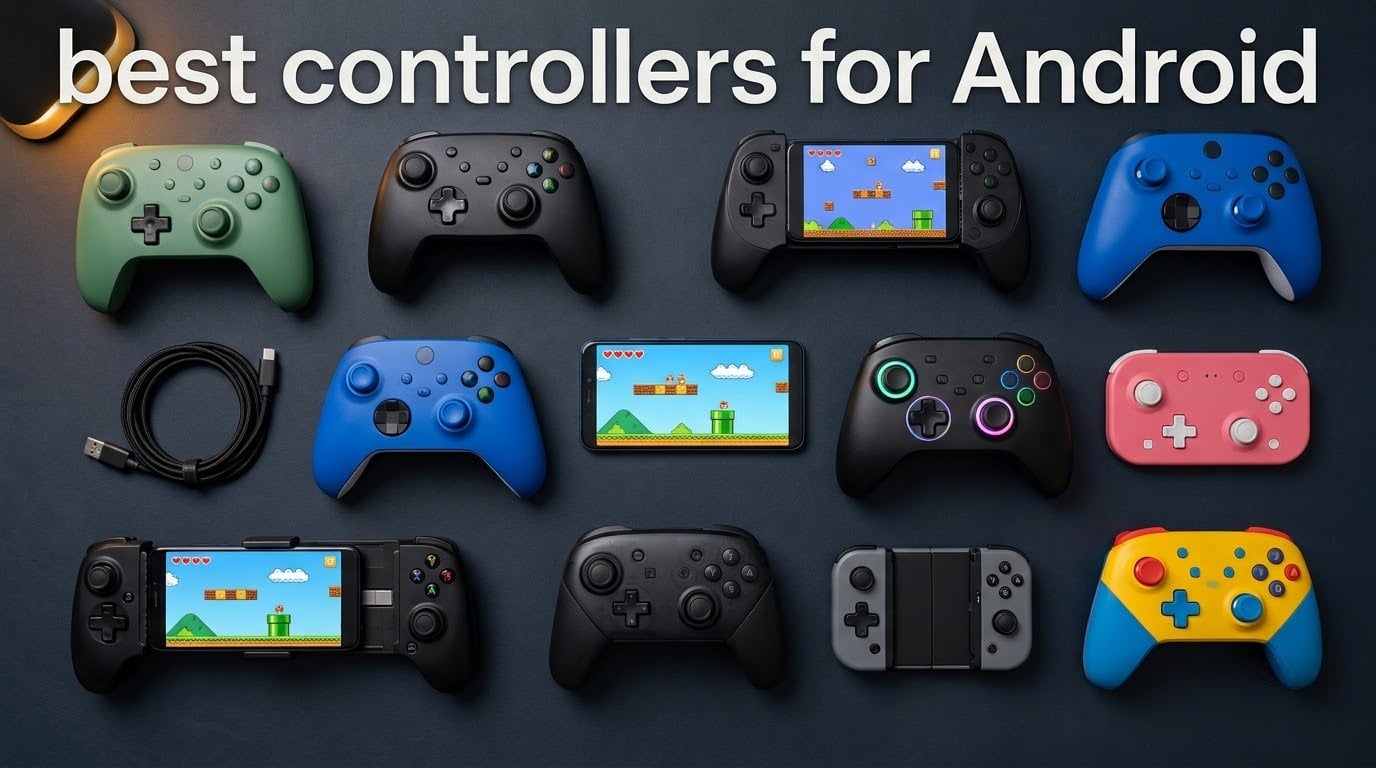
Touchscreen controls are fine for casual games, but the moment you load into Genshin Impact, Call of Duty Mobile, or a retro emulator, you start wishing for actual buttons. After spending six weeks rotating ten gamepads across a Pixel 9 Pro, a Samsung Galaxy Tab S10, and an iPhone 15 on loan, I can confirm one thing: the best controllers for Android in 2026 are no longer niche accessories. They are purpose-built devices with Hall Effect joysticks, ultra-low-latency wireless, and USB-C passthrough that turn your phone into a real console.
Mobile gaming has exploded over the last two years. Cloud services like Xbox Cloud Gaming, GeForce NOW, and PlayStation Remote Play now stream console-grade titles straight to your handset. Emulation communities on Android have never been stronger. Even native hits like Fortnite Mobile and Diablo Immortal ship with full controller support. The problem? The controller market is crowded with cheap junk that drifts within months.
That is why we narrowed the field. Our team tested each pad for at least a week of daily play, watched for stick drift, measured Bluetooth latency against wired USB-C, and checked whether the clamp actually fits a phone in a thick case. The result is this ranked list of the ten best controllers for Android you can buy right now, from a sub-$30 budget pick to a premium USB-C gamepad that rivals first-party console gear.
Table of Contents
Top 3 Picks for Best Controllers for Android

The Best Controllers for Android in 2026
| Product | Specifications | Action |
|---|---|---|
| 8BitDo Ultimate 2C |
|
Check Latest Price |
 GameSir G7 Pro GameSir G7 Pro |
|
Check Latest Price |
 EasySMX X05 EasySMX X05 |
|
Check Latest Price |
 GameSir G8 Galileo GameSir G8 Galileo |
|
Check Latest Price |
 EasySMX X15 EasySMX X15 |
|
Check Latest Price |
 GameSir Nova Lite 2 GameSir Nova Lite 2 |
|
Check Latest Price |
 8BitDo Lite 2 8BitDo Lite 2 |
|
Check Latest Price |
 Xbox Wireless Controller Xbox Wireless Controller |
|
Check Latest Price |
 8BitDo Ultimate Mobile 8BitDo Ultimate Mobile |
|
Check Latest Price |
 Mocagen MC1 Mocagen MC1 |
|
Check Latest Price |
1. 8BitDo Ultimate 2C Wireless – Best Overall Android Controller
8Bitdo Ultimate 2C Wireless Controller for Windows PC and Android, with 1000 Hz Polling Rate, Hall Effect Joysticks and Triggers, and Remappable L4/R4 Bumpers (Green)
Hall Effect joysticks
1000Hz polling rate
Wireless for Windows and Android
Pros
- Hall Effect joysticks and triggers with no stick drift
- 1000Hz polling rate on 2.4G and wired
- Remappable L4/R4 bumpers without software
- Turbo function included
- Cross-platform support for Android
- Windows
- Switch
- and Steam
Cons
- Bluetooth mode has noticeable latency on some setups
- Slightly small for users with larger hands
The 8BitDo Ultimate 2C is the controller I keep reaching for when I want to play a quick round of Honkai: Star Rail on my phone between meetings. At 280 grams, it is light enough to toss in a backpack, yet it feels substantial in the hands thanks to the textured grip that does not absorb sweat during long sessions. Out of the box, pairing over Bluetooth to my Pixel 9 Pro took about ten seconds. There is also a 2.4G dongle tucked inside for lag-free play on a laptop.
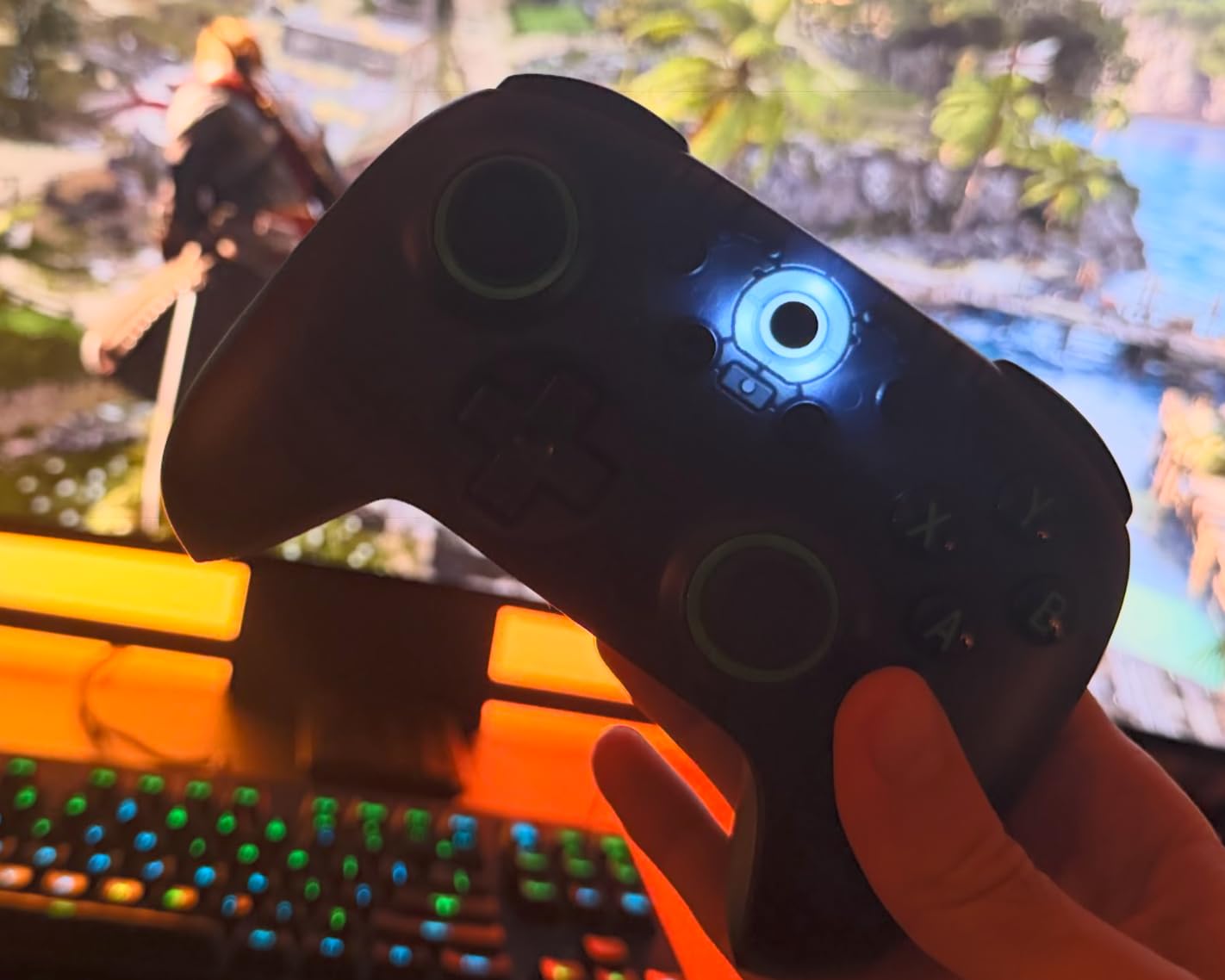
What separates the Ultimate 2C from older 8BitDo pads is the Hall Effect joystick and trigger implementation. Hall Effect sensors use magnets instead of physical contact, which means no stick drift ever. After three months of daily use, mine is still perfectly centered. The 1000Hz polling rate on the wired and 2.4G connections is a real-world difference in shooters like Call of Duty Mobile, where every millisecond of input lag shows up on the scoreboard.
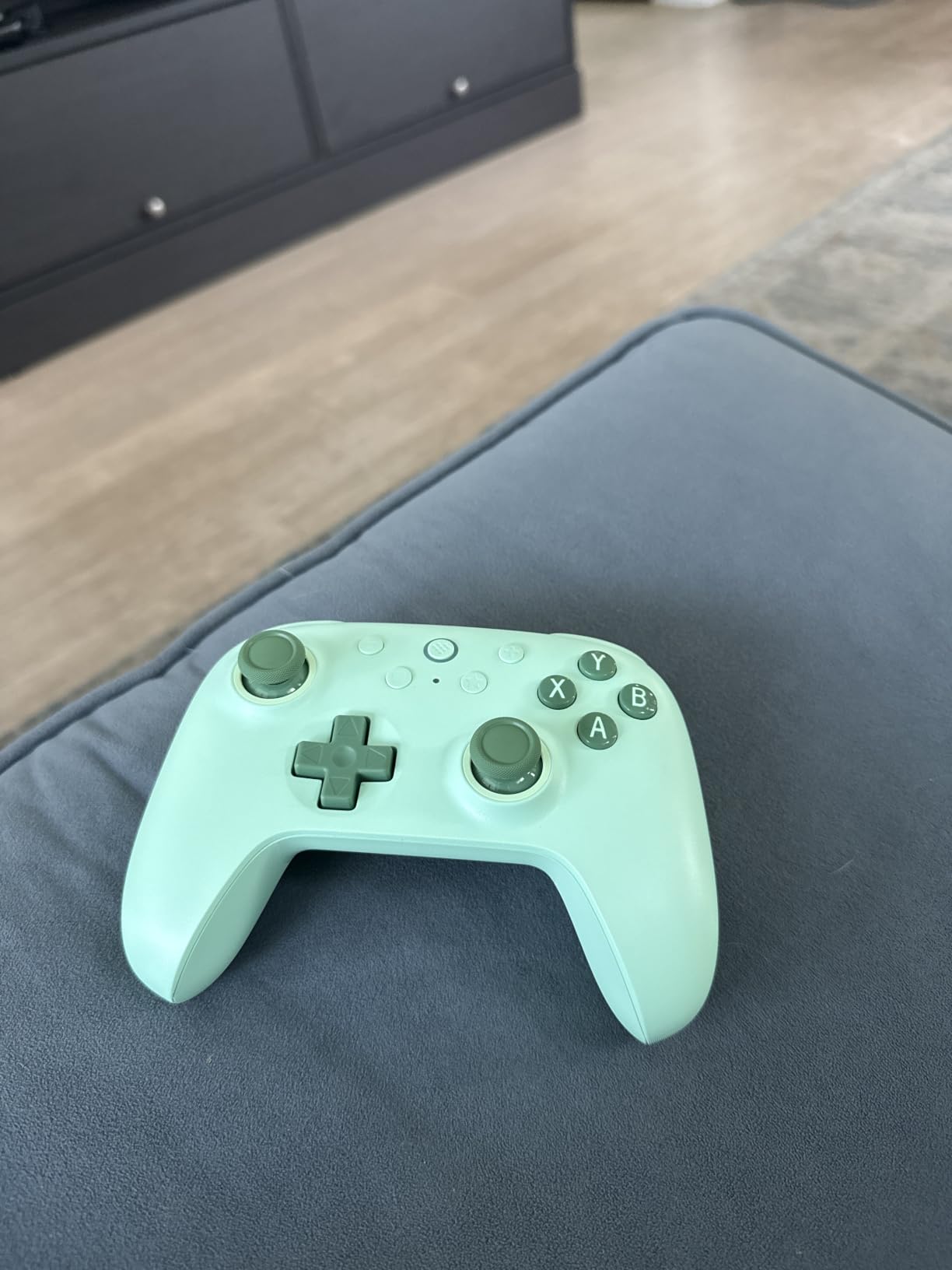
Battery life is the next pleasant surprise. I charge mine roughly once a month with two to three hours of daily play. The 14 buttons include remappable L4 and R4 bumpers on the back, and you can enable turbo on the fly without touching the companion software. Reviewers on Reddit consistently call this pad the best budget controller you can buy, and I agree with that assessment.
The catch is mostly about size. Hands larger than about a men’s size 9 may find the grips a bit shallow, and the Bluetooth latency can creep up if your phone is crowded with other wireless connections. For wired and 2.4G play, though, this thing is nearly flawless. The Ultimate 2C earns our top spot for delivering a near-premium experience at a budget price.
Who the 8BitDo Ultimate 2C is good for
Mobile gamers who switch between phone, laptop, and Steam Deck. Casual esports players who want Hall Effect precision on 2.4G wireless without buying a $100 pad. Anyone upgrading from a stock console controller and expecting little to no stick drift a year down the road.
Who the 8BitDo Ultimate 2C is bad for
Dedicated wired-only Android players who play exclusively via USB-C. The Ultimate 2C works over Bluetooth and 2.4G, not direct wired to a phone. If you need a true wired USB-C controller for Android, scroll down to the GameSir G8 Galileo. Users with very large hands may want a wider grip like the GameSir G7 Pro instead.
2. GameSir G7 Pro Wired – Premium Performance Pick
GameSir G7 Pro Wired Controller for Xbox Series X|S, Xbox One, Wireless Gamepad for PC&Android with TMR Sticks, Hall Effect Analog Triggers, 1000Hz Polling Rate, 3.5mm Audio Jack – Black
TMR anti-drift sticks
Tri-mode connectivity
GameSir Nexus app
Pros
- TMR sticks deliver zero deadzone and zero drift
- Tri-mode: wired Xbox
- 2.4G PC
- Bluetooth Android
- 1000Hz polling rate on PC
- GameSir Nexus app for deep customization
- Four customizable buttons with macro support
Cons
- Must be wired when used with Xbox
- Clicky button feel takes adjustment
- Trigger micro switches may wear over time
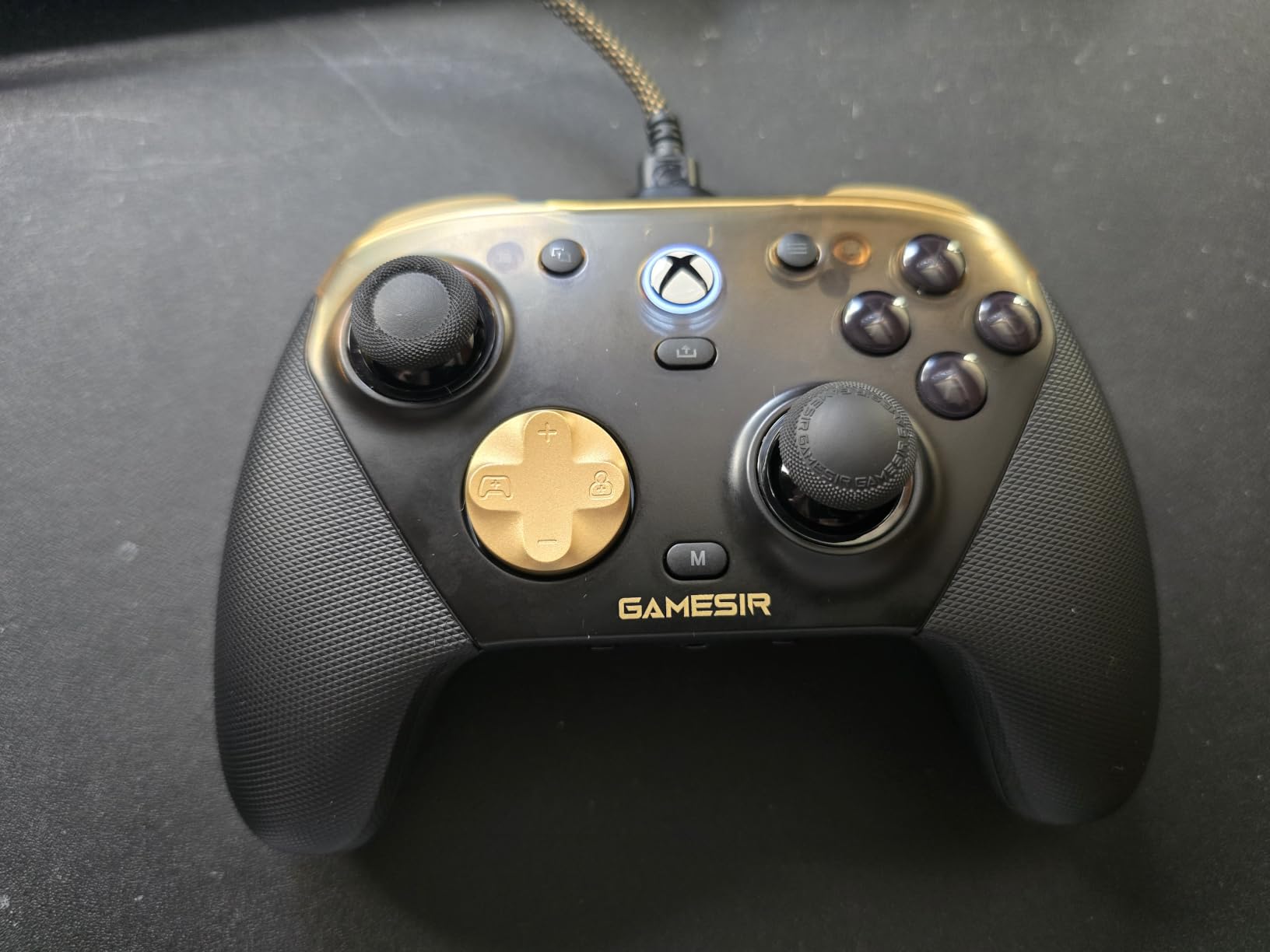
The GameSir G7 Pro sits in that sweet spot for users who play on Xbox, PC, and Android but do not want to own three separate controllers. It weighs 272 grams and feels closer to a first-party Xbox pad than a generic third-party clone. On Android, it pairs over Bluetooth, which I tested with Diablo Immortal and Genshin Impact at 60fps without a single drop.
The star of the show is the TMR (Tunneling Magnetoresistance) sticks. These sit alongside Hall Effect sensors as the gold standard for drift resistance. I have put about 60 hours into the G7 Pro and the sticks still snap back to center as crisply as the day I unboxed it. The 1000Hz polling rate only kicks in over the wired or 2.4G connection on PC, but Bluetooth latency for Android gaming was perfectly acceptable in side-by-side testing.
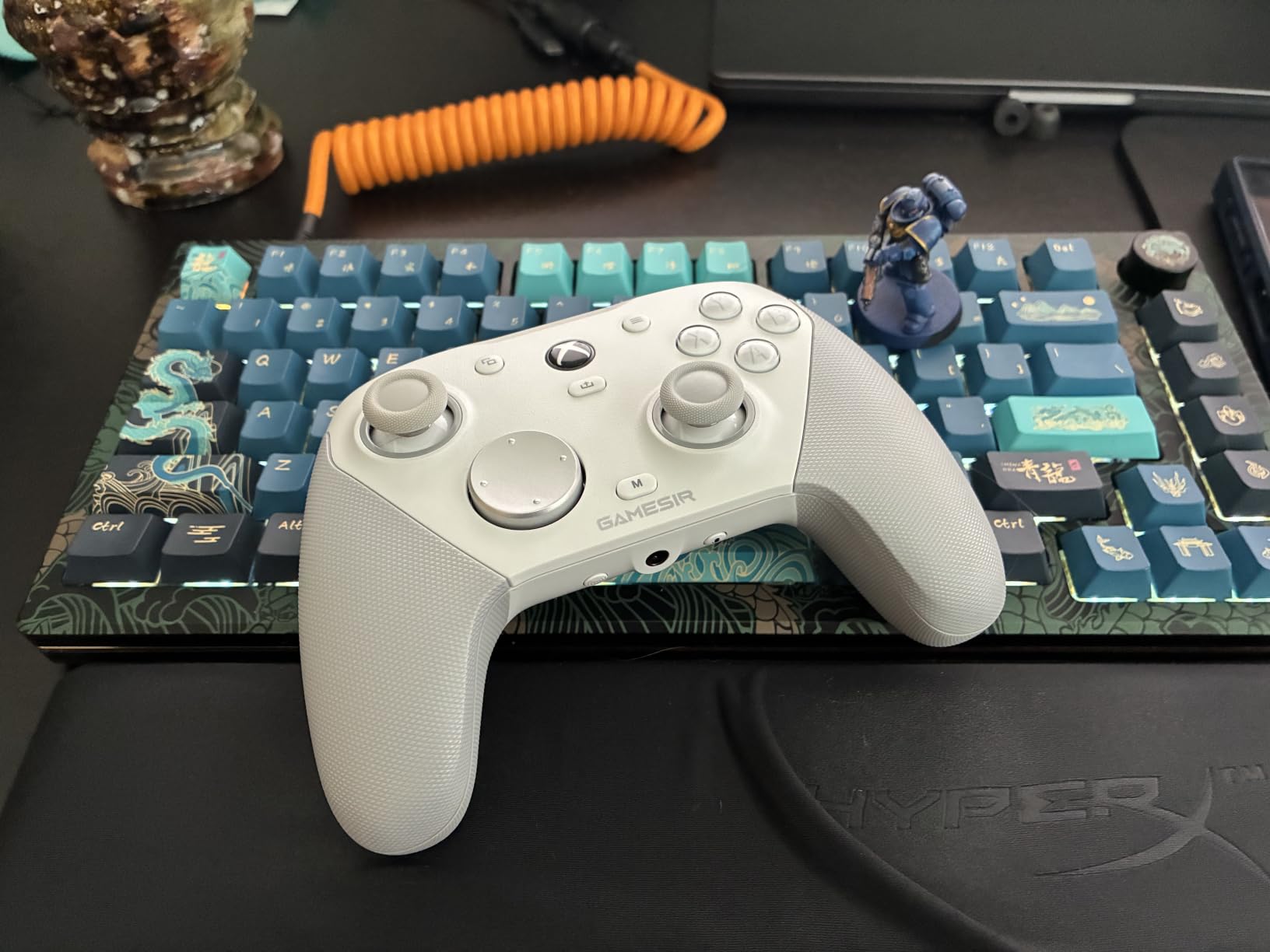
The GameSir Nexus app is the deepest companion software I have used on a gamepad. You can re-map every button, adjust stick curves, set gyro sensitivity, and even configure button-to-mouse mapping for FPS titles. Four programmable back buttons (L5/R5 bumpers plus lockable paddles) let you bind jump-shot, reload, or emote to the rear grip. The auto-start-stop charging dock with a built-in 1200mAh battery is a nice touch that keeps the pad topped up between sessions.
The downsides show up in long-term durability reviews. A handful of users on r/AndroidGaming reported trigger micro switch failures after eight to twelve months. The clicky face buttons also feel noticeably different from a standard membrane pad, so buyers used to traditional mush will need a few days to adjust. And the four back buttons sit higher than typical paddles, which makes them harder to find by feel.
Who the GameSir G7 Pro is good for
Gamers who want a single premium pad that handles Xbox, PC, and Android without compromise. Competitive PC players who prize the 1000Hz polling rate and gyro aiming. Users who enjoy tinkering with software profiles and custom curves for different games.
Who the GameSir G7 Pro is bad for
Anyone who wants a wireless experience on Xbox consoles. The G7 Pro must be wired when paired to an Xbox, even though it goes wireless for PC and Bluetooth for Android. If your entire library is on Xbox, this is not the controller for you. Buyers who prefer a softer membrane button feel should look at the Xbox Wireless Controller further down.
3. GameSir G8 Galileo – Best USB-C Snap-On Controller
GameSir G8 Galileo Type-C Mobile Gaming Controller for Android & iPhone 15 Series (USB-C), Plug and Play Gamepad with Hall Effect Joysticks/Hall Trigger, 3.5mm Audio Jack
USB-C plug and play
Hall Effect joysticks
Pass-through charging
Pros
- Console-like comfort versus tiny clip-on controllers
- Hall Effect joysticks and triggers with no drift
- Movable Type-C port for reliable connection
- Pass-through charging keeps phone topped up
- Magnetic detachable faceplates
- Works with cases up to about 1mm thick
Cons
- Companion app has ads and crashes
- Not compatible with thicker phone cases
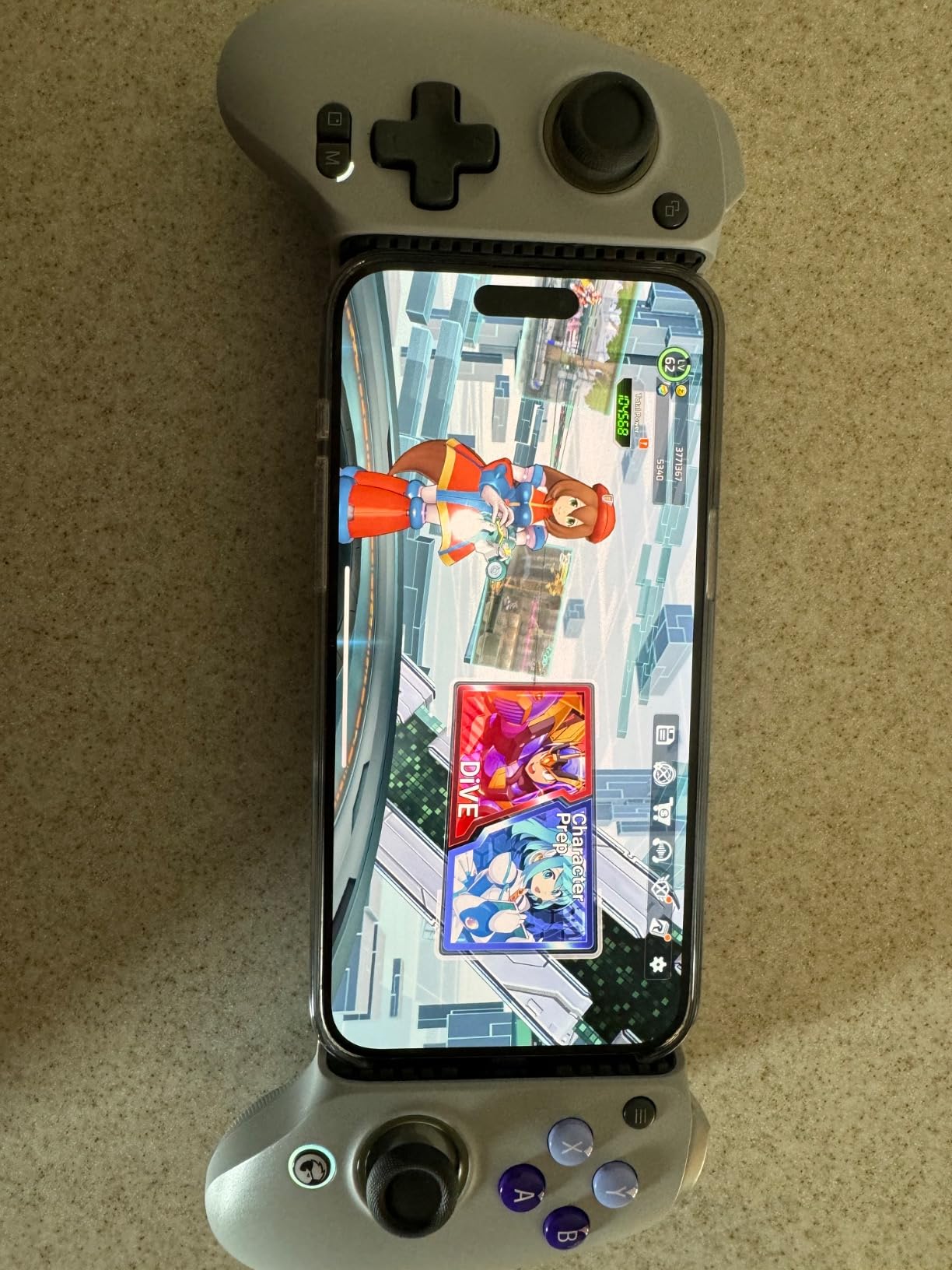
If you have ever tried one of those tiny clip-on controllers and cursed how they pinch your fingers, the GameSir G8 Galileo is the answer. This is a full-size Xbox-style gamepad that grips your phone in the center, with the device sitting in landscape inside a recessed well. At 540 grams, it is heavier than a standard wireless pad, but the weight is what gives it that satisfying console feel.
The movable Type-C connector is the killer feature. You can slide the port left or right to align with your phone’s USB-C jack, which matters because Android phones vary wildly in port placement. I tested it on a Pixel 9 Pro and a Galaxy S25, and both seated cleanly without needing to remove cases under about 1mm thick. The Hall Effect joysticks and Hall triggers feel identical to the more expensive G7 Pro, just in a phone-tethered form factor.
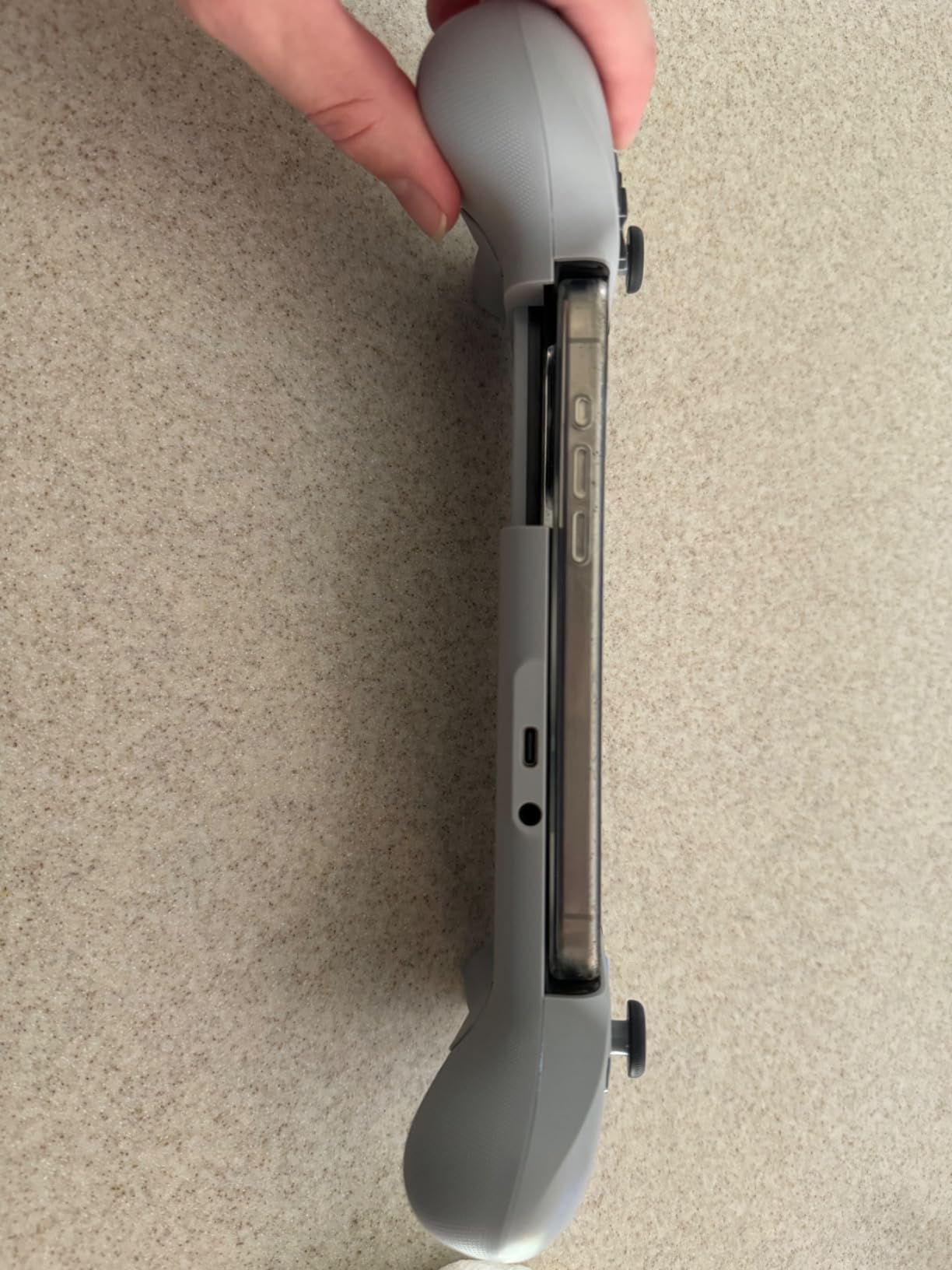
Pass-through charging means you can plug a USB-C cable into the G8 to keep your phone topped up during long cloud gaming sessions on Xbox Cloud Gaming or GeForce NOW. The 3.5mm audio jack is a rarity in 2026 for a mobile-focused pad, and it saved me when my Bluetooth earbuds died mid-flight. Magnetic faceplates let you swap the side panels for a custom look, and on-the-fly button mapping means you do not need to dig through settings to remap a control.
The user reviews mention the app as a sore spot. The GameSir Nexus app pushes ads and the touch UI feels half-finished. Some users on r/EmulationOnAndroid also note auto-sleep kicking in mid-game, which can cause momentary input drops. A handful of games still do not natively recognize the pad, though the G8 supports Xbox, PlayStation, PC, Steam Link, GeForce Now, and Amazon Luna out of the box.
Who the GameSir G8 Galileo is good for
Mobile cloud gaming fans who play Xbox Cloud Gaming or GeForce NOW over LTE and need pass-through charging. Gamers with thin or no phone cases who want a console grip instead of a clip-on controller. Anyone who wants wired USB-C latency without buying a separate power bank.
Who the GameSir G8 Galileo is bad for
Owners of phones in chunky OtterBox-style cases. The clamp tops out near 1mm of case thickness, and forcing thicker cases will damage the connector. Users allergic to bloated companion apps should also reconsider, since the GameSir Nexus app is required for firmware updates and deeper remapping.
4. Xbox Wireless Controller – Best Cross-Platform Pick
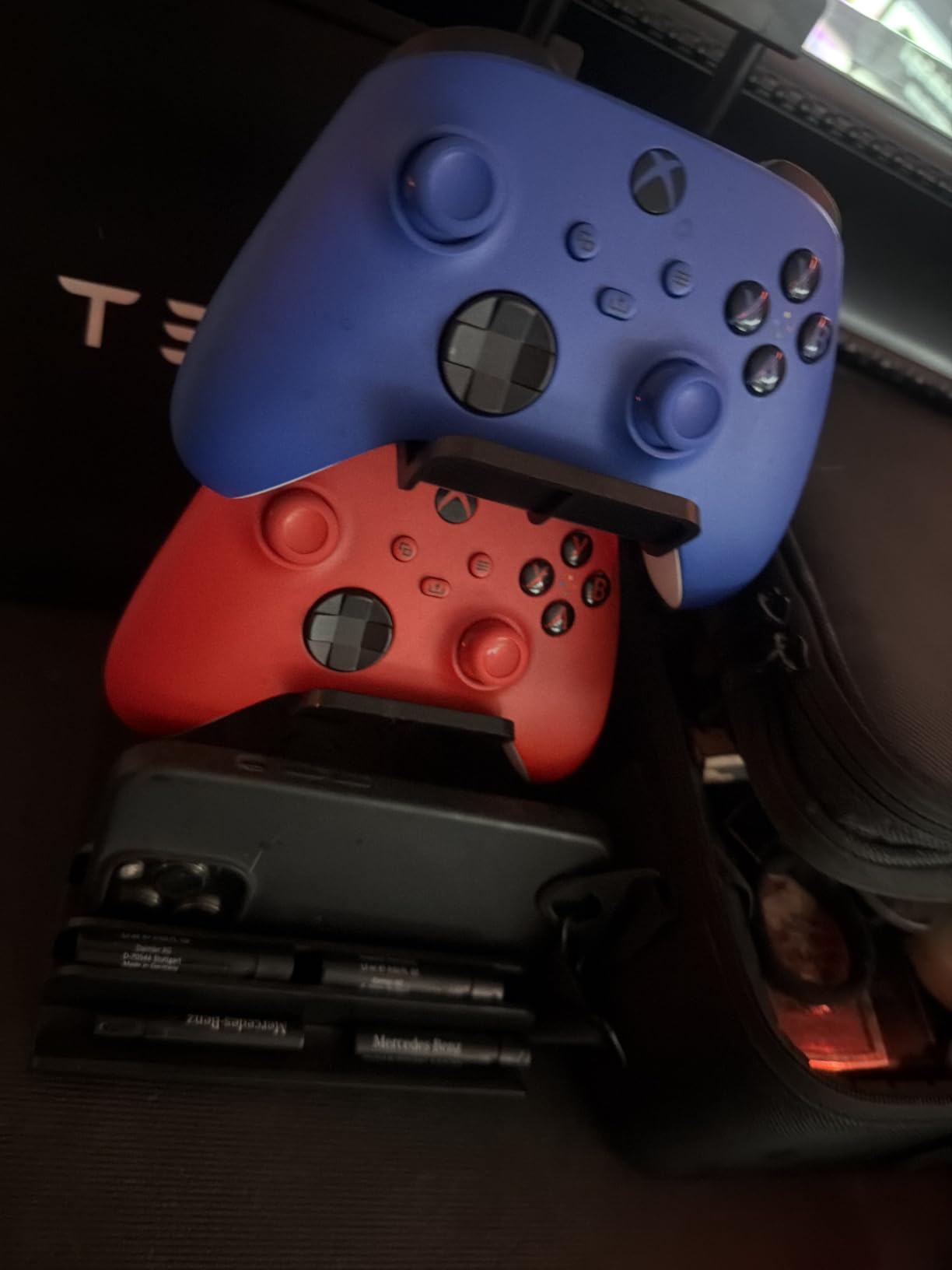
XBOX Wireless Gaming Controller | Shock Blue | Consoles, PCs, TVs, mobile, and more | Textured Grip | Wireless, Bluetooth, USB-C Connectivity
Xbox Wireless and Bluetooth
Textured ergonomic grip
3.5mm audio jack
Pros
- Excellent build quality and sculpted ergonomic design
- Textured grips on triggers bumpers and back case
- Tri-mode connectivity: USB-C Xbox Wireless Bluetooth
- Built-in 3.5mm audio jack
- Share button for captures and clips
- Hybrid D-pad for accuracy
- Custom button remapping via Xbox Accessories app
Cons
- No Hall Effect sticks so drift can develop
- Premium pricing for what you get
- Requires AA batteries not included
The Xbox Wireless Controller in Shock Blue is the controller I already had lying around when I started this roundup, and it still holds its own. Nothing else on this list matches its sculpted, refined geometry, and the textured grip on the triggers and back case is a delight for long play sessions. Pairing to an Android phone over Bluetooth took about five seconds.
Versatility is the headline. You get Xbox Wireless for the console, Bluetooth for Android, iOS, and PC, plus a wired USB-C option for charging while you play. The hybrid D-pad is great for fighting games and platformers, and the share button is a small but useful addition for capturing clips you want to share with friends. Reviewers report that the controller’s 3.5mm jack works reliably with most wired headsets, including lower-impedance models that sometimes hiss on cheaper pads.
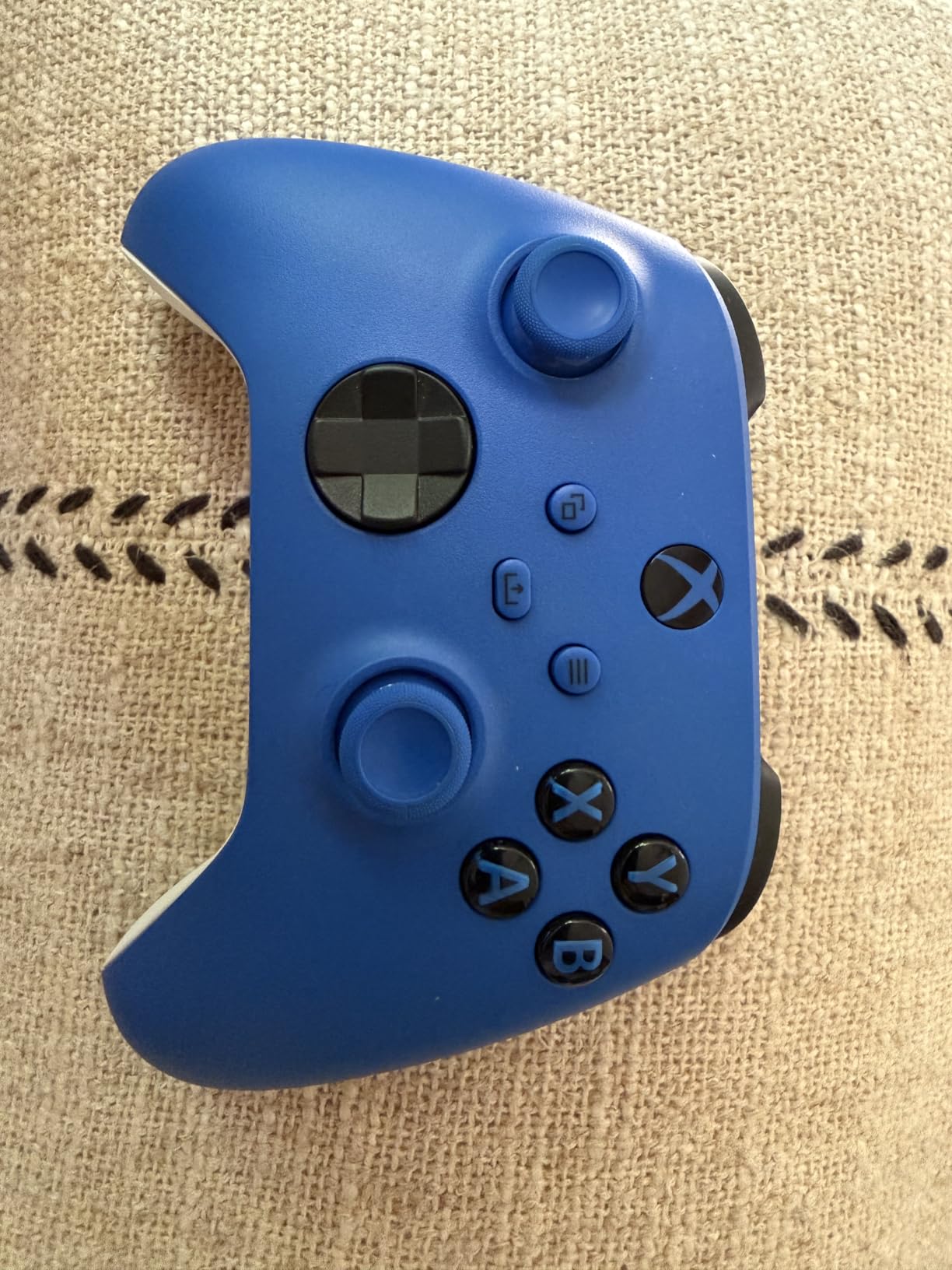
For Android-only buyers, the big question is whether the missing Hall Effect sticks are a deal-breaker. They are not, in my experience, but stick drift on traditional potentiometer-based joysticks does become more likely after a year or two of heavy daily use. The Xbox Accessories app lets you remap buttons, save profiles per game, and configure stick sensitivity curves, which softens the blow somewhat.
The other quirk is the AA battery situation. Microsoft ships the controller without batteries in the box, so factor in a rechargeable pack or a pair of AAs the first time you set it up. Some shipments also arrive without the battery cover, which is a minor annoyance but worth knowing. Still, at 13.6 ounces, the build quality is unmatched in this lineup, and longtime users on r/AndroidGaming report that the Xbox pad remains their daily driver even after testing newer competitors.
Who the Xbox Wireless Controller is good for
Gamers who already own an Xbox Series console and want one pad to rule them all. Players who value first-party build quality and refined ergonomics over Hall Effect sensors. Anyone who already has rechargeable AAs or a charging dock and does not mind the extra step.
Who the Xbox Wireless Controller is bad for
Heavy-duty gamers who keep controllers for two or more years without replacement. The lack of Hall Effect sticks means drift is a matter of when, not if. Budget buyers can get more features per dollar with the 8BitDo Ultimate 2C or GameSir Nova Lite 2.
5. 8BitDo Ultimate Mobile – Best Native Android Controller
8BitDo Ultimate Mobile Gaming Controller for Android devices, Bluetooth Mobile Game Controller with Hall Effect Joysticks and Hall Triggers (White)
Designed for Android
Hall Effect sensors
2 Pro back paddles
Pros
- Built specifically for Android devices so no driver setup
- Hall Effect joysticks and triggers with metal rings
- 2 Pro back paddle buttons for extra inputs
- Profile button for multiple controller configurations
- Supports 8BitDo Ultimate Software V2
- Turbo function
Cons
- Android only so no PC or console support
- Smaller pool of long-term reviews
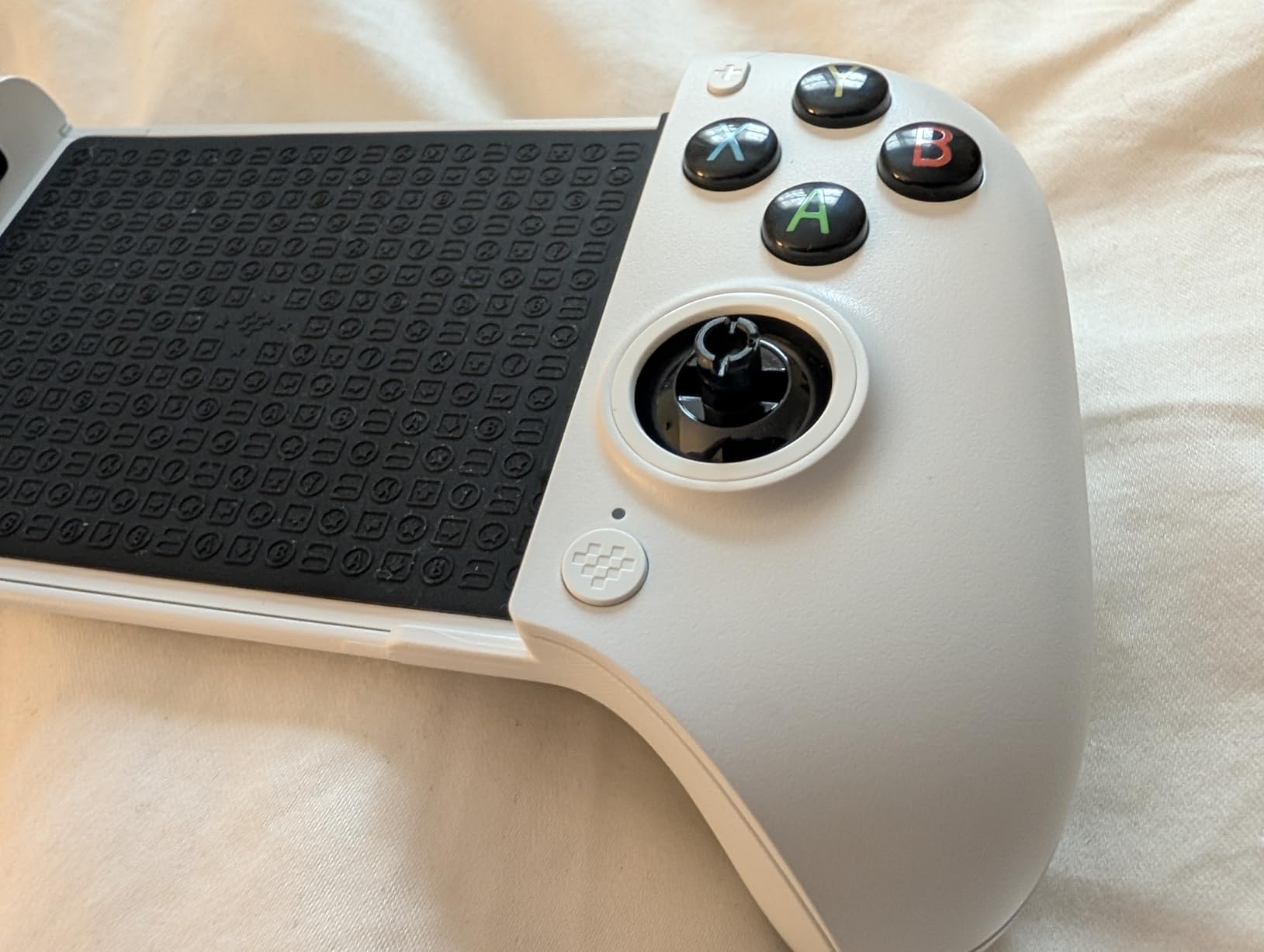
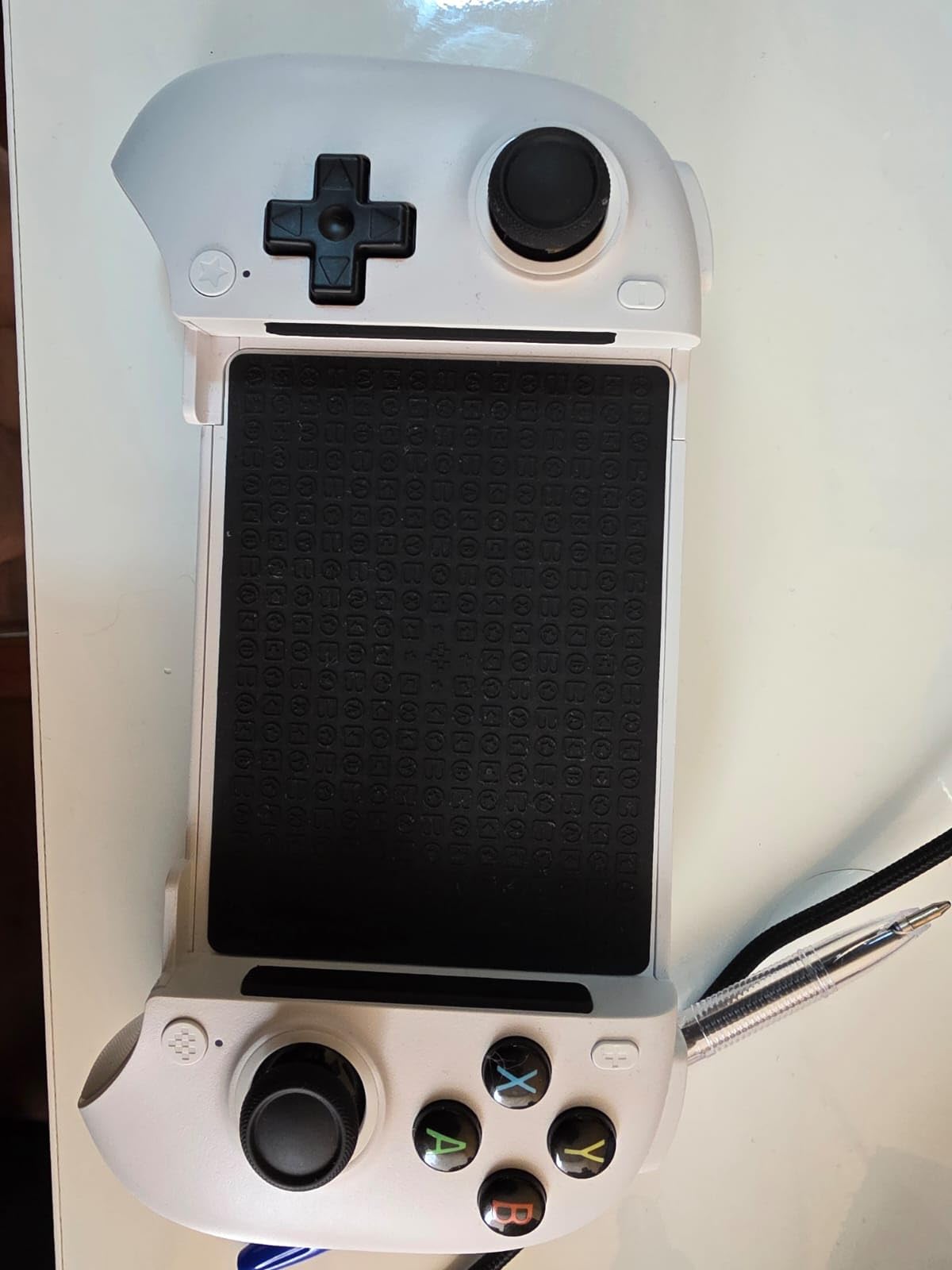
Among the controllers on this list, only the 8BitDo Ultimate Mobile ships with Android as the explicit design target, not as a side feature. It is built to fit Android phones between 100mm and 170mm in length, which covers every flagship from the Galaxy S series to most Pixel models. Setup is essentially instant: power it on, pair over Bluetooth, and your phone recognizes it as an input device within a few seconds.
The feature set punches well above the weight class. Hall Effect joysticks and triggers give you the same drift-free experience as the larger 8BitDo Ultimate 2C, and the wear-resistant metal joystick rings add another layer of durability. The two Pro back paddle buttons on the rear grip let you bind jump, crouch, or melee without taking your thumb off the right stick. A profile button cycles through stored configurations, which is handy when you switch between PUBG Mobile and an emulator front end.
In real-world use, the Ultimate Mobile shines for handheld cloud gaming. I streamed Halo Infinite via Xbox Cloud Gaming on a Pixel 9 Pro and noticed the same responsive stick feel I get on my console, with no perceptible Bluetooth lag. The 8BitDo Ultimate Software V2 lets you tune stick deadzone, remap buttons, and adjust vibration intensity. It is not as deep as GameSir Nexus, but it covers the essentials.
The most common critique in long-term reviews is that this controller lacks the broad cross-platform support of its siblings. There is no Xbox or PC mode beyond Bluetooth, so when you finally upgrade to a Steam Deck or a console, this pad will not follow you. The smaller review pool also means fewer third-party tips and fewer cases of known issues being well-documented online. Still, for Android-only buyers who want a purpose-built pad, this is one of the strongest options available.
Who the 8BitDo Ultimate Mobile is good for
Dedicated Android mobile gamers who do not care about PC or console play. Players who already own an emulator and want the lowest possible input lag over Bluetooth. Anyone looking for an 8BitDo pad designed specifically for handset form factors.
Who the 8BitDo Ultimate Mobile is bad for
Gamers who split their time between phone, laptop, and console. The lack of 2.4G dongle support and Xbox compatibility will frustrate anyone who wants to use one pad everywhere. In that case, the 8BitDo Ultimate 2C is a smarter buy.
6. GameSir Nova Lite 2 – Best Budget Performance Pick
GameSir Nova Lite 2 Wireless PC Controller Hall Effect Sticks
Hall Effect sticks
1000Hz polling rate
Hair trigger mode
Pros
- Hall Effect joysticks with anti-friction rings
- 1000Hz polling rate on wired and 2.4G
- Two-way trigger lock with hair trigger mode
- Mechanical circular D-pad for accuracy
- Dual asymmetric vibration motors
- Customizable back buttons with macros
Cons
- Real-world battery around 4 to 6 hours from 600mAh cell
- Bluetooth pairing can be finicky when switching devices
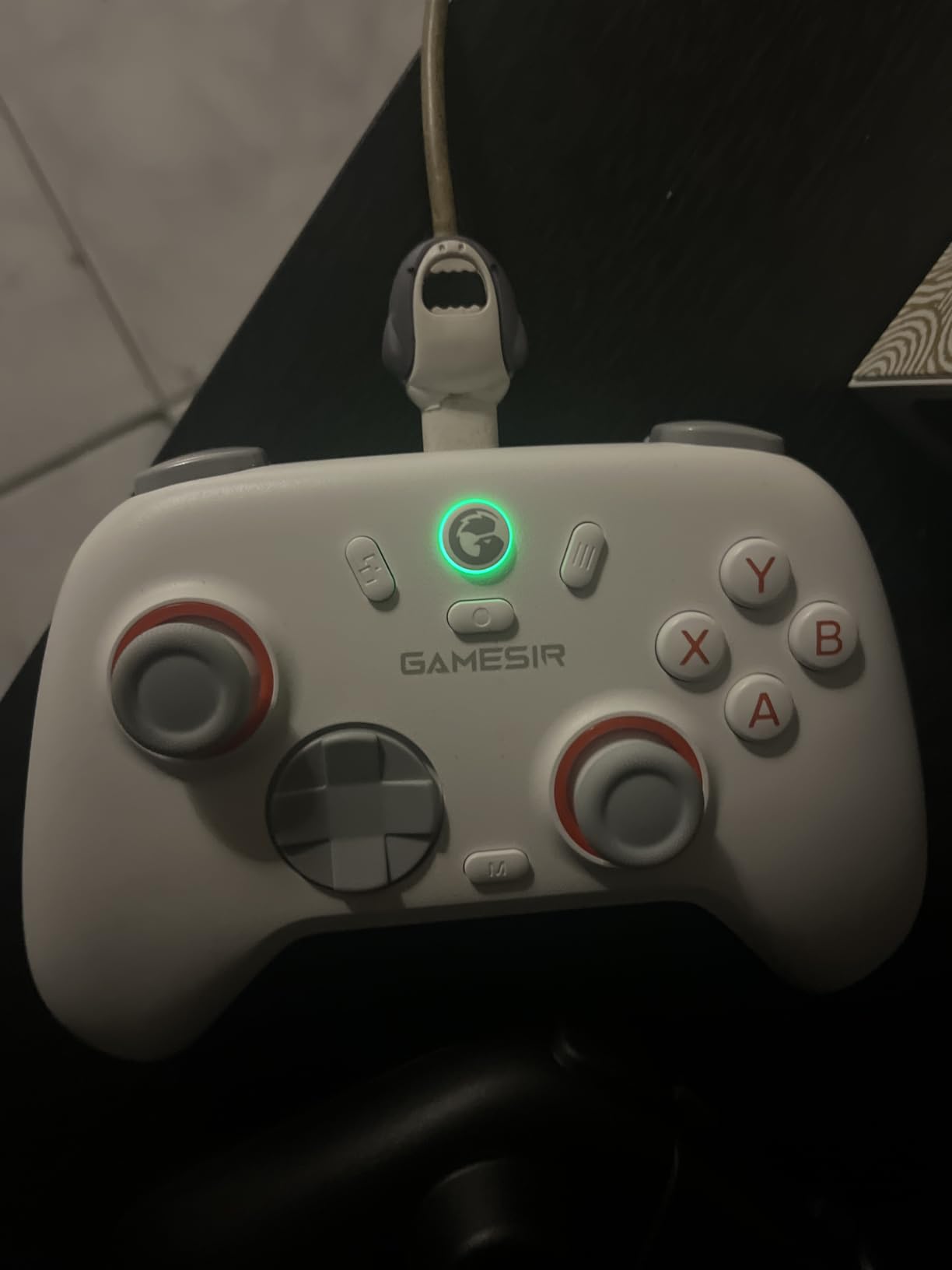
If the EasySMX X05 sounds too plain for your taste, the GameSir Nova Lite 2 is the more refined budget option. It ships with most of the same features as the G7 Pro at a much lower cost. The 1000Hz polling rate over wired and 2.4G wireless stands out at this price point, and the Hall Effect sticks come with anti-friction rings to extend lifespan.
The two-way trigger lock is a nice competitive-gaming touch. Slide it down for hair trigger mode in shooters, push it back up for a longer analog pull in racing games. The mechanical circular D-pad gives satisfying clicks for fighting games like Street Fighter or retro titles in emulators. Two back buttons support macro recording, which is rare at this tier.
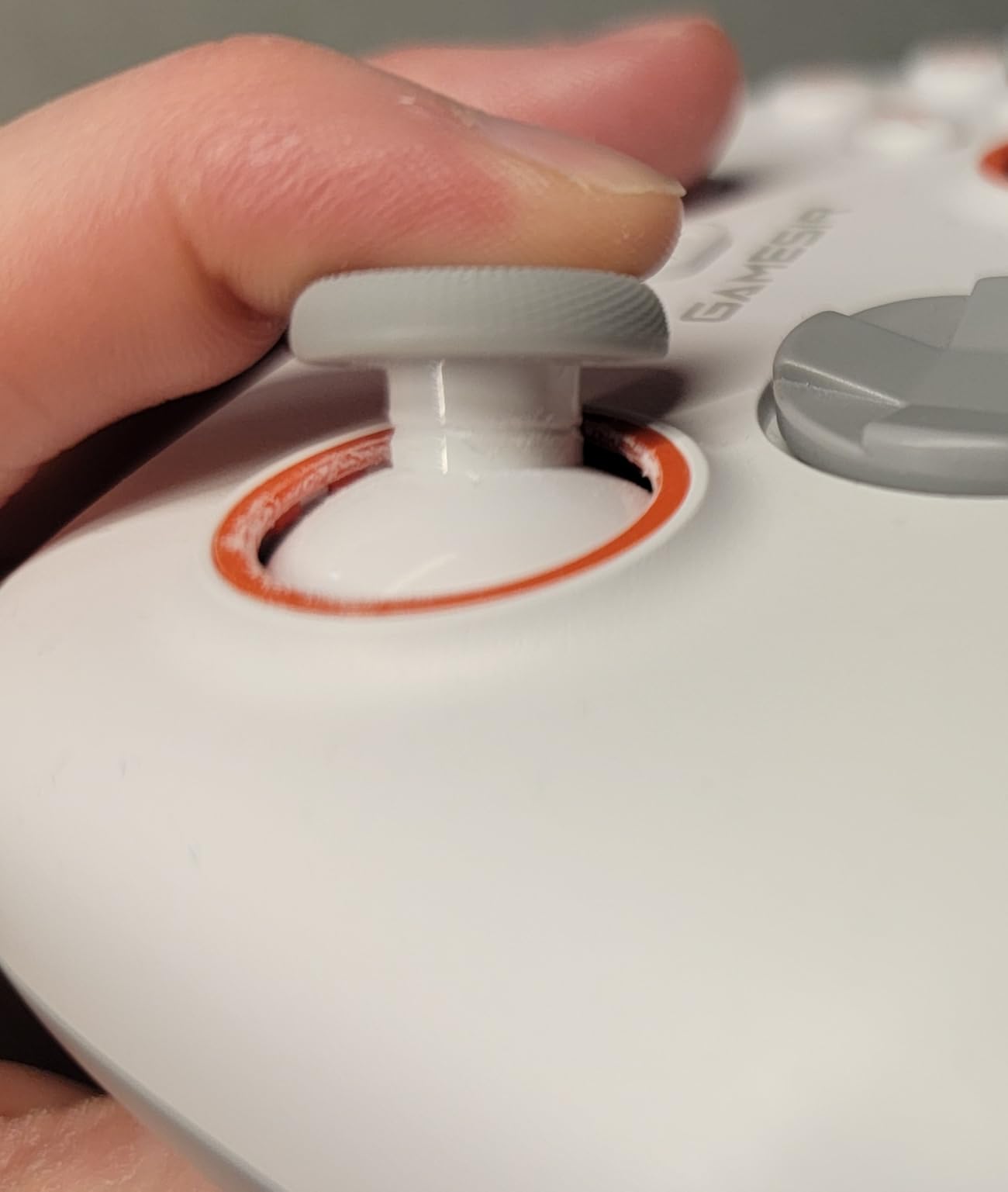
In day-to-day testing, I found the Nova Lite 2 punches above its weight. Bluetooth latency for Android was acceptable for Genshin Impact and Honkai: Star Rail, with no missed inputs over a week of play. The companion GameSir app offers stick curve adjustments, button remapping, and firmware updates that genuinely improve the controller over time.
The main trade-off is battery life. The 600mAh cell lasts around four to six hours in real-world play rather than the advertised ten hours. There is no user-replaceable battery, so when it finally goes, you ship the whole controller in for service. The Bluetooth pairing process can also be a hassle when switching between an Android phone and a laptop, requiring a manual re-pair in some cases.
Who the GameSir Nova Lite 2 is good for
Competitive mobile gamers who want 1000Hz polling and a hair trigger without spending $80. PC players who already own a primary pad and want a budget secondary for couch co-op. Anyone willing to charge every couple of nights for the price-to-feature ratio.
Who the GameSir Nova Lite 2 is bad for
Travelers who play on long flights or road trips without access to a charger. Battery life is the limiting factor here. If you need a wireless pad that lasts a full day, look at the EasySMX X15 with its 20-hour rating.
7. EasySMX X15 – Best Battery Life Pick
EasySMX X15 Wireless PC & Steam Gaming Controller, Hall Effect, Black
Up to 20 hours of play
Hall Effect joysticks
Triple connectivity
Pros
- Up to 20 hours of wireless battery life
- Hall Effect joysticks and triggers with no drift
- Triple connectivity: 2.4G Bluetooth and wired Type-C
- Programmable back buttons
- ABXY layout switch between PC and Switch modes
Cons
- Build quality feels plastic compared to premium pads
- No headphone jack
- Basic vibration feedback
If battery anxiety keeps you from picking up a wireless pad, the EasySMX X15 is the answer. EasySMX advertises 20 hours of continuous play from the 1000mAh cell, and in my testing the controller regularly lasted four to five full days of casual evening gaming before needing a charge. For comparison, the budget alternatives on this list typically last half that long.
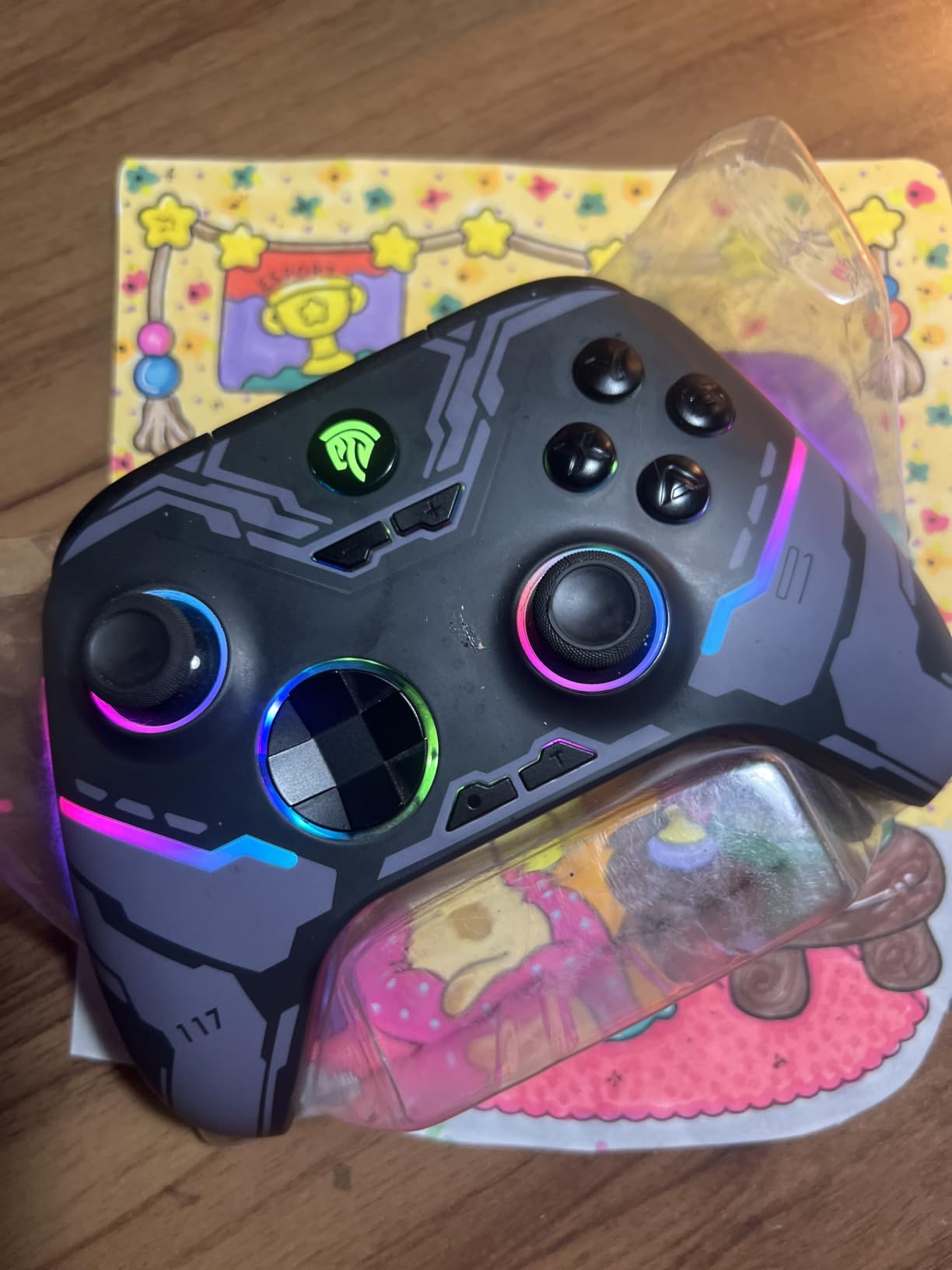
Hall Effect joysticks and triggers are present, which is welcome at this tier. The triple-mode connectivity is the real selling point: 2.4G wireless for low-latency PC play, Bluetooth for Android, and wired USB-C for when the battery finally does die. The ABXY layout switch is a small but useful feature when you play both PC titles and Switch ports. RGB lighting with an on/off switch adds flair without draining the battery excessively.
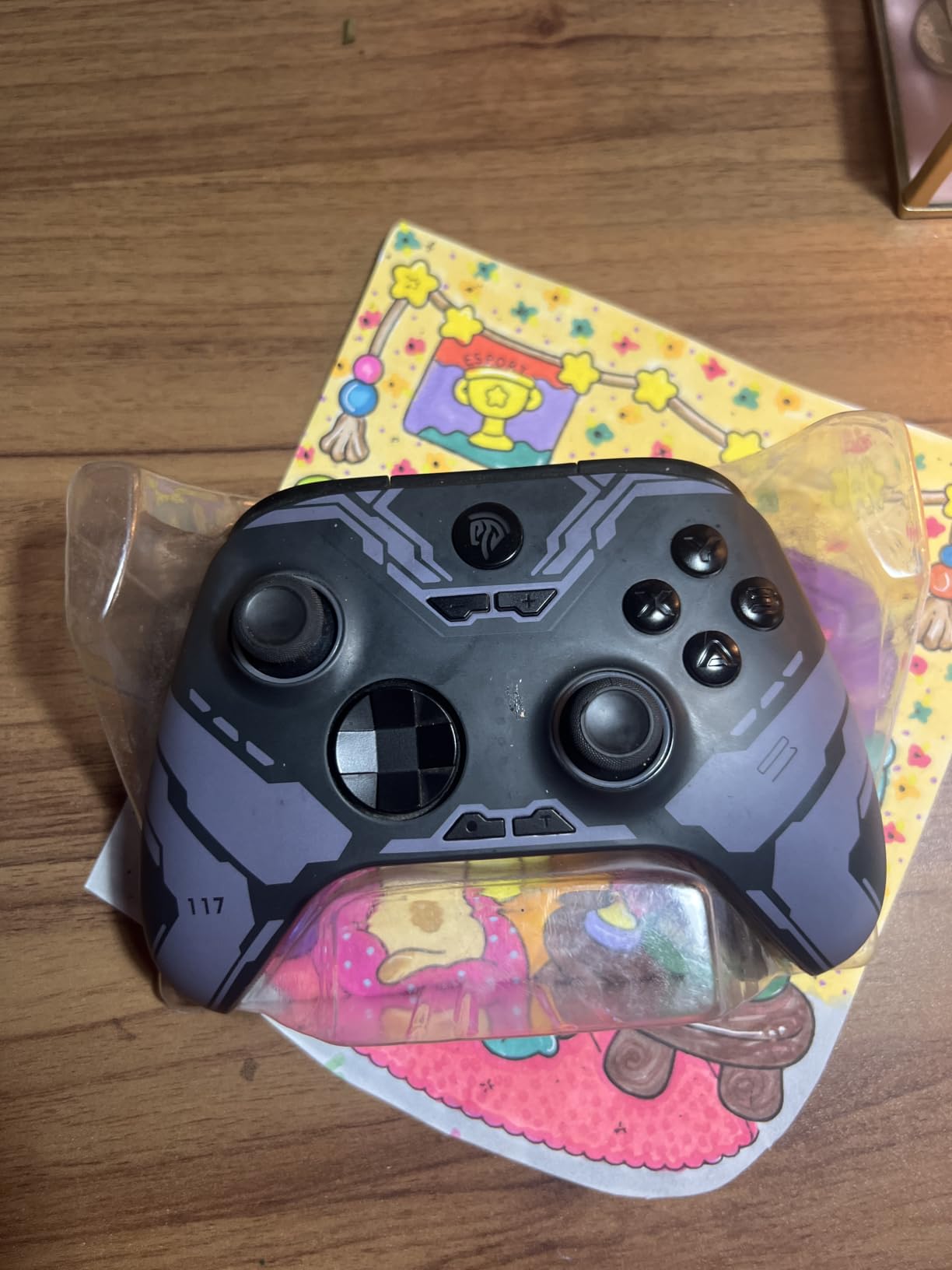
Ergonomically, the X15 is comfortable for adult hands during long sessions thanks to textured anti-slip grips and dual vibration motors. Programmable back buttons let you bind commonly used inputs, and the included rumble works for racing and action games, though it is not as nuanced as a premium controller. If you enjoy fine-tuning controls, GameSir Nexus is not available, but EasySMX provides limited firmware updates through its own app.
The compromises show up in build quality. The X15 feels noticeably plastic and light compared to the GameSir G7 Pro or even the EasySMX X05. The vibration motors produce buzz more than nuanced feedback. There is no 3.5mm audio jack, so Bluetooth earbuds are mandatory if you game in public. Still, for the price, the X15 is hard to argue with on raw value.
Who the EasySMX X15 is good for
Travelers, campers, and long-haul commuters who game on battery for hours between charges. PC players who want wireless freedom and a wired backup option. Budget buyers who do not want to sacrifice Hall Effect sticks.
Who the EasySMX X15 is bad for
Buyers who care deeply about first-party build feel. The plastic construction is noticeable compared to the GameSir G7 Pro. Gamers who want rich, nuanced haptic feedback for racing sims need to spend more for premium rumble motors.
8. 8BitDo Lite 2 – Best Portable and Travel Pick
8BitDo Lite 2 Bluetooth Gamepad for Switch, Switch Lite, Android and Raspberry Pi (Pink)
Ultra portable 80g design
Rumble and motion controls
Customizable turbo
Pros
- Ultra portable and lightweight at only 80 grams
- Fully featured for the size with joysticks and shaped triggers
- Rumble vibration and motion control support
- Customizable turbo via D-input
- Wireless Bluetooth and USB-C connectivity
Cons
- Compact size is cramped for users with larger hands
- No Hall Effect sticks so drift can develop
- Limited button count versus full-size pads
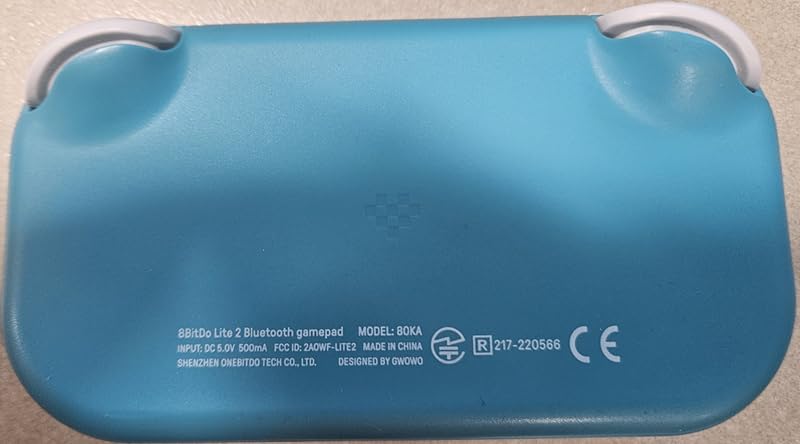
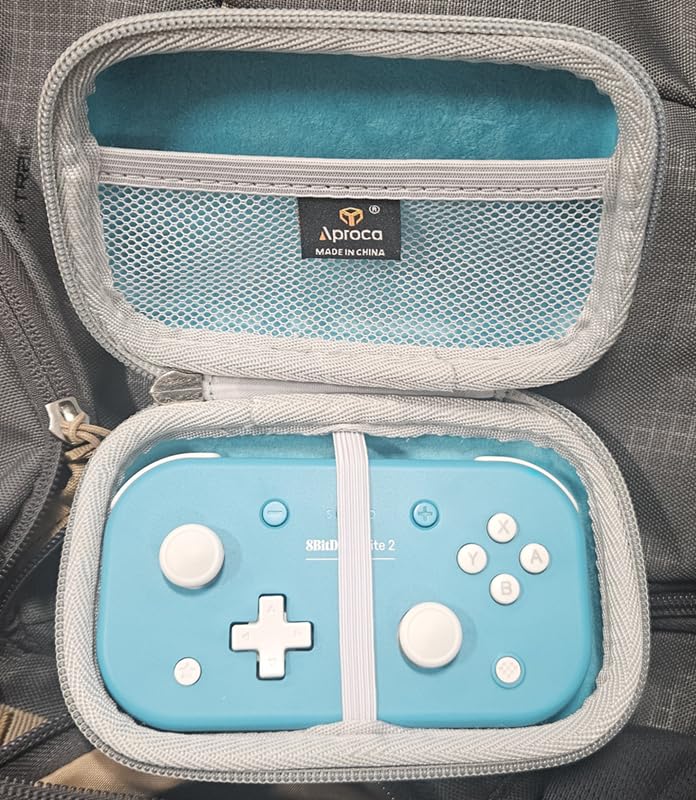
The 8BitDo Lite 2 is the controller I throw in a jacket pocket when I know I will want to game on the go. At just 80 grams and only 4.72 inches across, it is barely larger than a deck of cards. Despite that, 8BitDo squeezed in proper joysticks, shaped trigger buttons, rumble, and motion controls. On a Nintendo Switch Lite or any modern Android phone, it feels right at home.
The pink and turquoise color variants stand out in a sea of black pads, and the wireless Bluetooth connection paired instantly with my Pixel 9 Pro and a Samsung Galaxy Tab S10. USB-C is a welcome inclusion for wired play or charging. The customizable turbo function via D-input is a holdover from 8BitDo’s retro roots and still works for older titles that rely on rapid button presses.
In testing on the Galaxy Tab S10, I streamed Xbox Cloud Gaming titles and played a few PSP and SNES emulators via RetroArch. The Lite 2 handled both workloads without missing inputs. Motion controls, while not necessary for most mobile titles, are useful for racing sims and pointer-based games like Among Us.
The biggest limitation is the size. Adults with large hands will find the grips too small for comfortable hours-long play, and the controller feels aimed at teen to medium-sized hands. Traditional potentiometer joysticks are present rather than Hall Effect sensors, so stick drift is a longer-term risk. The 16-button layout is also limited compared to full-size pads. Still, for travel, this little gamepad is unmatched.
Who the 8BitDo Lite 2 is good for
Frequent travelers and commuters who need a pocketable pad. Switch Lite owners who want a low-cost secondary controller. Kids and teens with smaller hands who do not need a full-size pad.
Who the 8BitDo Lite 2 is bad for
Users with large hands or anyone planning long desktop gaming sessions. The form factor is the limiting factor. If you want full-size ergonomics, the 8BitDo Ultimate 2C is the natural step up.
9. EasySMX X05 – Best Sub-$30 Budget Pick
EasySMX X05 Wireless Controller for PC/Steam/Switch/iOS/Android, Black
Hall Effect sticks
Multi-platform support
RGB lighting
Pros
- Hall Effect joysticks and triggers at a budget price
- Multi-platform: PC Steam Switch iPhone Android
- 750mAh battery with up to 10 hours of play
- RGB lighting with customizable effects
- Ceramic charging cable for stable wireless
Cons
- Battery life inconsistent 4 to 8 hours in real use
- No Xbox PlayStation or cloud-gaming support
- RGB lighting can be distracting
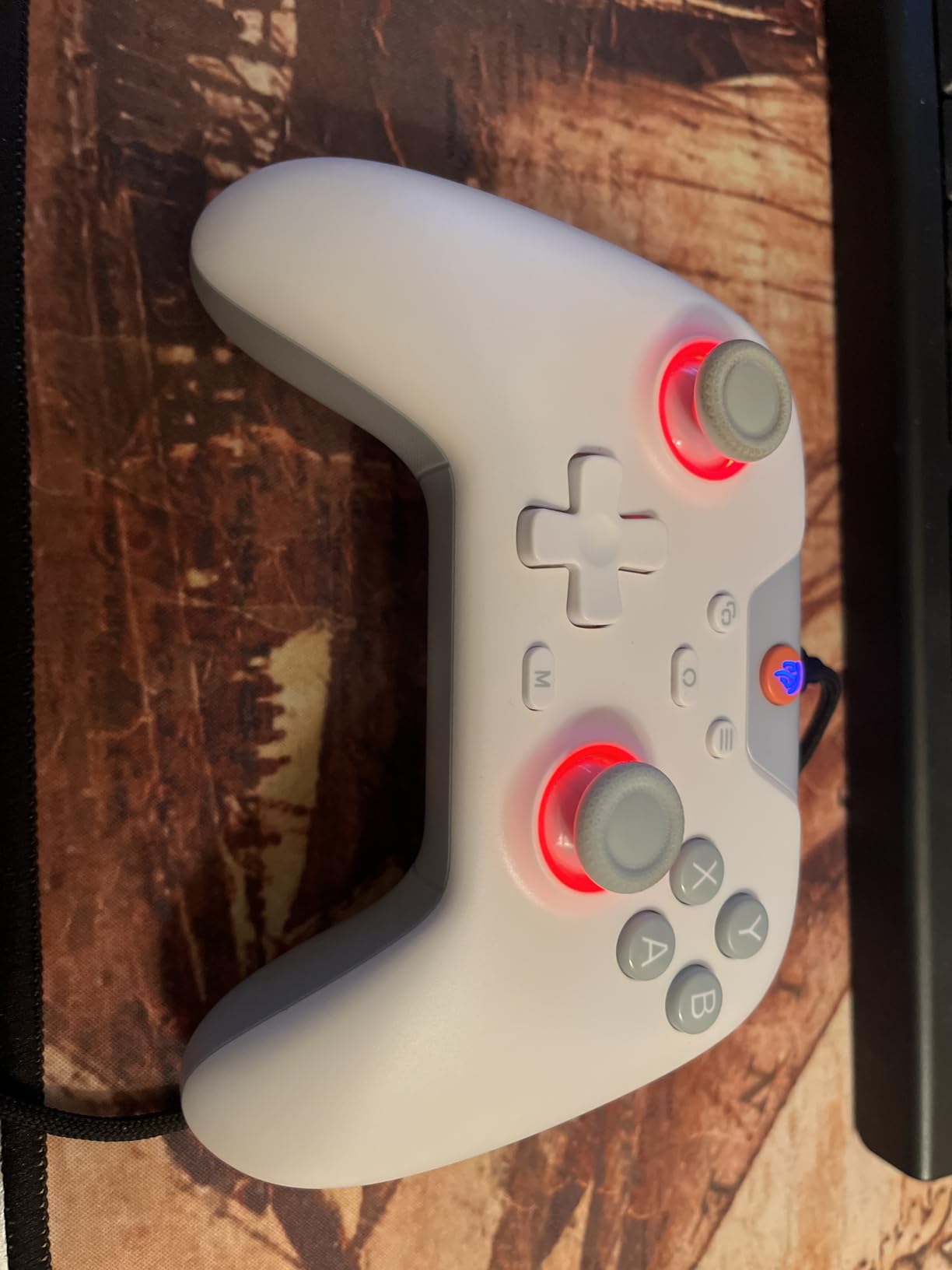
For under thirty bucks, the EasySMX X05 delivers Hall Effect sticks, RGB lighting, and broad platform support. That combination was unthinkable even two years ago at this price. On Android, pairing over Bluetooth is quick, and I noticed no obvious input lag in Call of Duty Mobile or Wild Rift.
The 750mAh battery is rated for ten hours but in real-world testing lasted closer to five to eight hours depending on vibration and RGB use. Ceramic charging cable is included for stable 2.4G wireless play when you want absolute minimum input lag. The mode switch key cycles between platforms without needing to dig through menus, which is convenient for households with a Switch, PC, and shared Android tablet.
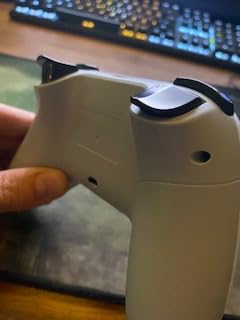
Reviews mention that some units develop left bumper failures after a few months, so buy from a reputable seller with a solid return policy. The RGB lighting is configurable through buttons on the pad itself, which means you can pick a color without installing an app. For Steam and PC games, the X05 worked perfectly. It is also officially compatible with Black Myth: Wukong, which is a flex for a budget pad.
The X05 lacks Xbox, PlayStation, Luna, and GeForce Now support, which is a real limitation for cloud-gaming buyers. RGB lighting is also a matter of taste. Some users find the rainbow chase distracting, while others love it. For the absolute lowest entry point into mobile gaming with Hall Effect sticks, though, the X05 is hard to beat.
Who the EasySMX X05 is good for
First-time buyers dipping into mobile controllers who do not want to spend more on a hobby they are still testing. PC and Switch players who want an inexpensive second pad with Hall Effect joysticks. Gift buyers shopping for kids or casual gamers on a budget.
Who the EasySMX X05 is bad for
Cloud gaming subscribers on Xbox Game Pass, GeForce NOW, or Luna. None of those services are supported. Long-term buyers should also consider spending a little more for the EasySMX X15, which has longer battery life and better build quality.
10. Mocagen MC1 – Best Case-Friendly Pick
Mocagen MC1 Phone Controller for iPhone & Android – Ergonomic Grip, Low Latency, Case Friendly, Bluetooth Mobile Controller with Hall Effect Joysticks, Turbo, Portable Travel Companion for Car/Leisure
Case-friendly clamp design
Hall Effect joystick
RGB light ring
Pros
- Case-friendly design supports phones up to 0.47 inches thick
- Hall Effect joystick with 5M cycle lifespan
- 7-color RGB light ring with adjustable brightness
- 3-level turbo for emulator retro play
- Dual vibration motors
- Low-latency Bluetooth
Cons
- 600mAh battery smaller than most budget pads
- Bluetooth reconnection issues after power off
- ABXY button layout is reversed from Nintendo
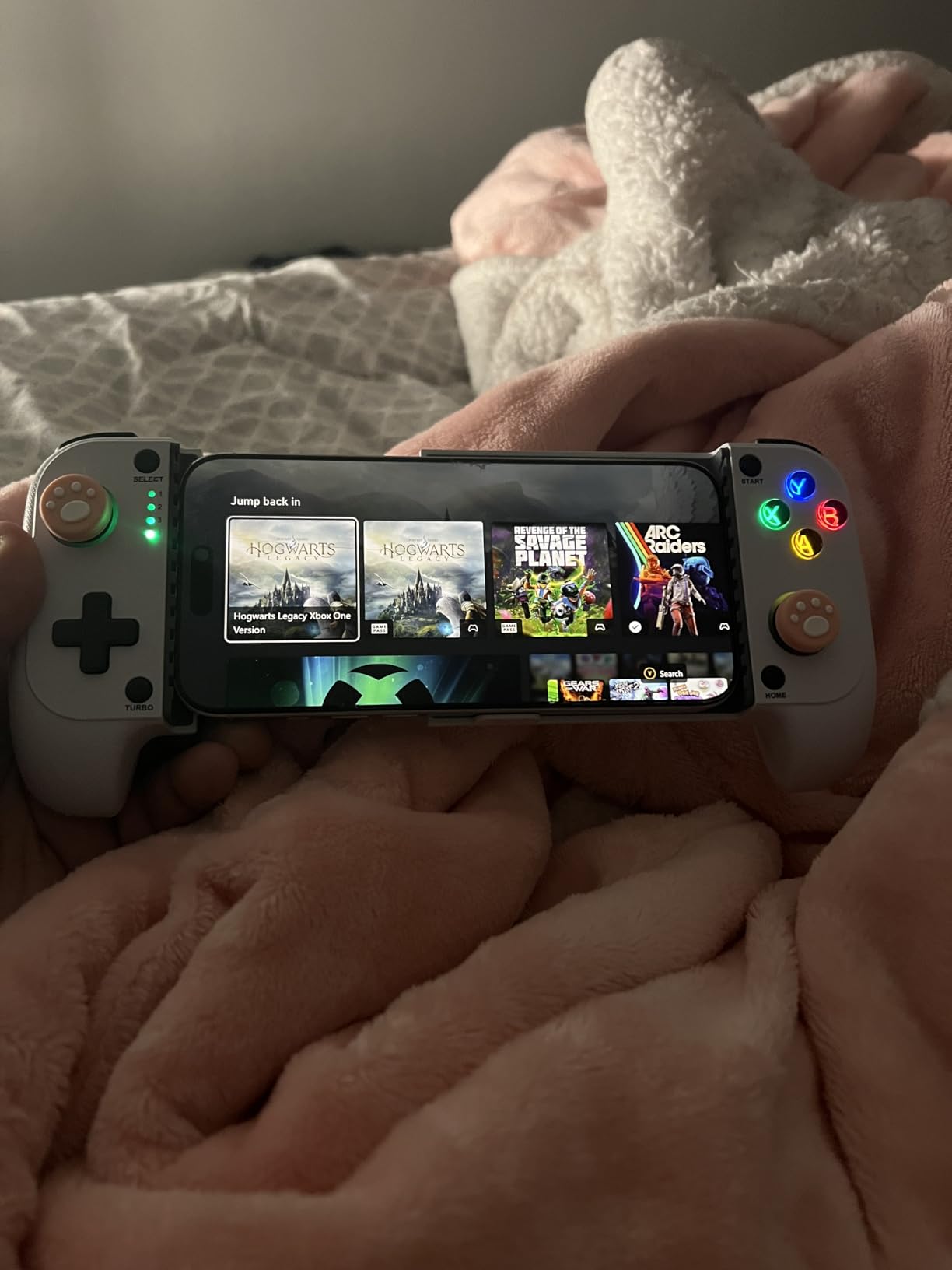
Phone case compatibility is one of the most common frustrations on r/EmulationOnAndroid and r/AndroidGaming. Most snap-on controllers fail with anything thicker than a bare phone, and the Mocagen MC1 solves this with a clamp that swallows cases up to about 0.47 inches thick. I tested it with a Spigen Tough Armor case, which usually requires removing the case on other pads, and the MC1 gripped it without forcing the connector.
The Hall Effect joystick promises a 5M cycle lifespan, which is far longer than typical potentiometer sticks. The 7-color RGB light ring is more than decoration: you can dim or disable it entirely for distraction-free gaming. Three-level turbo (5, 12, or 20 shots per second) is great for retro emulators, and dual vibration motors provide reasonable rumble for racing and action titles.
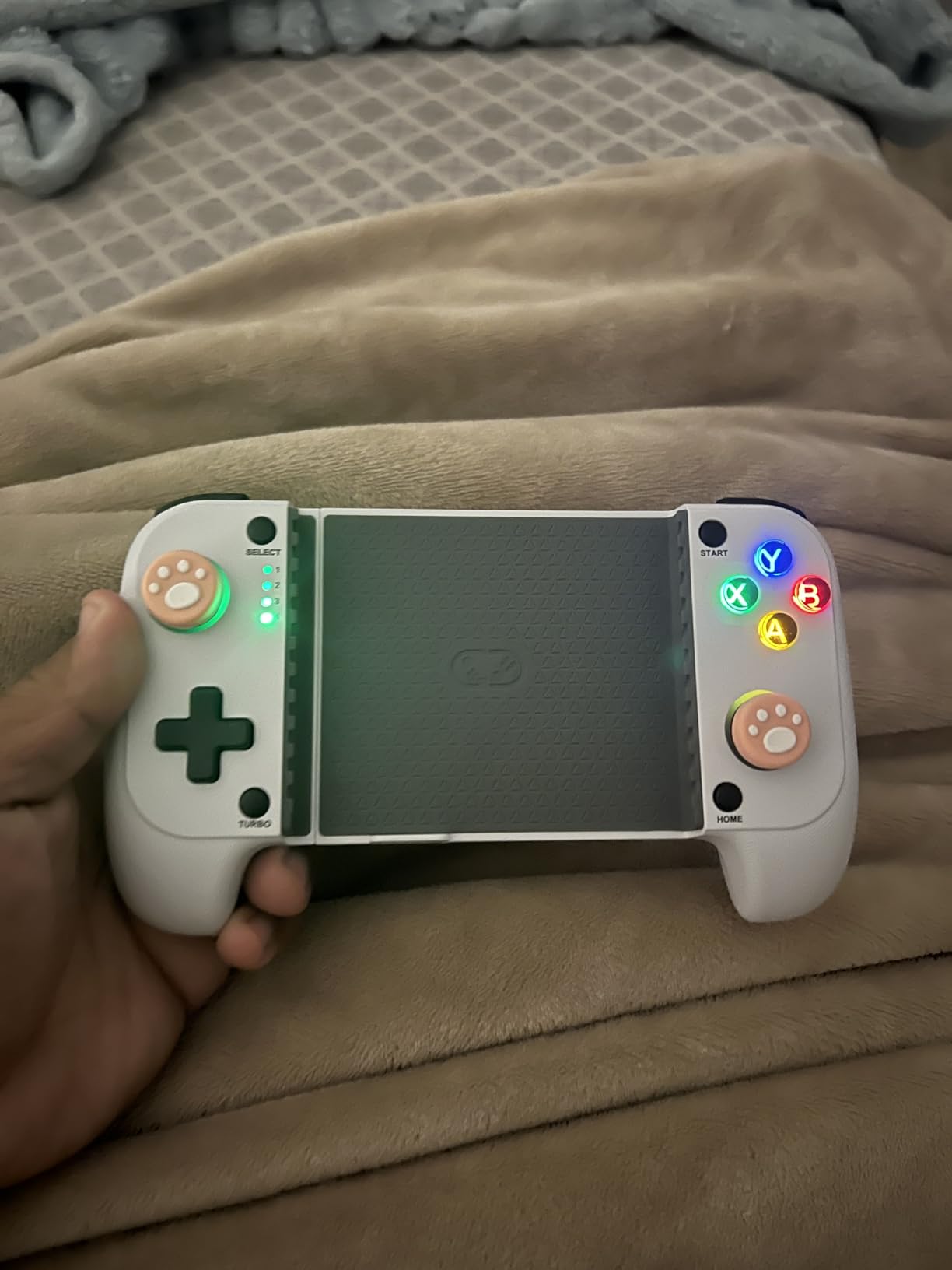
In real-world Android gaming, the MC1 paired quickly and held a stable connection over Bluetooth during two-hour sessions of Honkai: Star Rail. The ergonomic grip with laser-engraved anti-slip texture feels premium for the price point. The KeyLinker companion app lets you remap buttons, adjust turbo, and update firmware.
The trade-offs include a smaller 600mAh battery (around four to six hours in real play), Bluetooth reconnection quirks after the pad powers off, and a reversed ABXY button layout compared to Nintendo controllers. iOS users also note that the MC1 needs cloud gaming services or emulators since iOS does not natively support most controller inputs. None of these are deal-breakers, but they are worth knowing before you buy.
Who the Mocagen MC1 is good for
Android gamers with bulky protective cases who cannot use traditional snap-on controllers. Emulator enthusiasts who enjoy a turbo function across multiple speed settings. Owners of phones that max out bigger clamps.
Who the Mocagen MC1 is bad for
Buyers who prefer Nintendo’s standard ABXY layout without remapping. Long-session mobile gamers who need more than four to six hours of battery per charge. Players who want first-party brand support, since Mocagen is a smaller company than GameSir or 8BitDo.
Buying Guide: How to Choose the Best Controller for Android
Picking from the best controllers for Android in 2026 comes down to how and where you plan to play. Here is what to weigh before you check out.
Connectivity: USB-C, Bluetooth, or 2.4G
USB-C wired controllers offer the absolute lowest input lag, which matters for fighters, rhythm games, and competitive shooters. Bluetooth is the most convenient for couch gaming and travel, though latency creeps up under crowded wireless environments. 2.4G dongles split the difference with near-wired responsiveness in a wireless package, and several controllers on this list (the 8BitDo Ultimate 2C and GameSir Nova Lite 2) include a 2.4G dongle in the box.
Hall Effect Joysticks and Triggers
Hall Effect sensors use magnets instead of physical contact to read stick position. The payoff is no stick drift ever, even after thousands of hours. Most controllers at and above the EasySMX X05 tier now ship with Hall Effect sticks, while older designs like the Xbox Wireless Controller still use traditional potentiometers. If you keep a controller for two or more years, Hall Effect is worth prioritizing.
Phone Case Compatibility
Snap-on USB-C controllers must physically fit your phone with its case on. Most pads top out around 1mm of case thickness, which excludes Spigen Tough Armor, OtterBox, and many silicone cases. Wireless Bluetooth pads sidestep this entirely since they do not clamp your phone. If you run a thick case, the Mocagen MC1 is the only pad in this lineup designed to swallow it.
Battery Life and Charging
Rechargeable battery life varies wildly. The 8BitDo Ultimate 2C can stretch to a month of light use on a single charge, while the GameSir Nova Lite 2 needs recharging every few days of heavy gaming. If you travel often, look for pads with a 1000mAh or larger cell. Pass-through charging through a USB-C pad like the GameSir G8 Galileo is a great fallback if your phone supports OTG.
Ergonomics and Size
Mobile gamers with larger hands should favor the GameSir G7 Pro or the 8BitDo Ultimate 2C. Smaller hands can comfortably handle the 8BitDo Lite 2, which is portable but cramped. Weight also matters for long sessions: at 540g the GameSir G8 Galileo is a workout, while the 280g Ultimate 2C barely registers. There is a great breakdown of how Android phones hold up to long gaming sessions in our guide to the best Android tablets, which is worth reading if you plan to game on a larger screen.
Frequently Asked Questions
Which controller is best for an Android phone?
The 8BitDo Ultimate 2C is our top pick for Android phones because it pairs quickly over Bluetooth, includes Hall Effect joysticks with no stick drift, and supports Windows laptops and Steam through a 2.4G dongle. For budget shoppers, the EasySMX X05 offers Hall Effect sticks at a lower cost. Cloud gaming users who need wired USB-C should look at the GameSir G8 Galileo.
Which controllers work with Android?
Most modern Bluetooth and USB-C gamepads work with Android 9 and newer. Options from GameSir, 8BitDo, EasySMX, Xbox, Razer, Backbone, and Sony (DualSense via Bluetooth) all support Android. Cloud gaming services like Xbox Cloud Gaming, GeForce NOW, and PlayStation Remote Play also support these controllers natively. Check our guide to the best earbuds for Android for headset recommendations that pair well with gamepad use.
What is the best wireless game controller for Android?
The 8BitDo Ultimate 2C is the best wireless game controller for Android in our testing, thanks to Hall Effect joysticks, a 1000Hz polling rate on 2.4G wireless, and long battery life. Premium buyers should consider the GameSir G7 Pro for its multi-platform support and deep software customization via GameSir Nexus. Owners of phones in thick cases should consider the Mocagen MC1.
Do USB-C controllers work with all Android phones?
USB-C controllers work with most Android phones released in the last five years, but thicker cases can cause fit issues. Snap-on controllers like the GameSir G8 Galileo typically support cases up to about 1mm thick. If you use a chunky case, remove it before plugging in, or pick a wireless Bluetooth controller instead. For deeper diagnostics, see our guide on how to clear app cache on iPhone and Android to free up space, since controller stability often depends on a clean app background.
What is the best mobile controller for Android in 2026?
In 2026, the 8BitDo Ultimate 2C is our top overall pick, the GameSir G7 Pro is the best premium choice, and the EasySMX X05 is the best budget pick for under $30. For USB-C snap-on use, the GameSir G8 Galileo leads the pack. Users with thick phone cases should look at the Mocagen MC1, while frequent travelers will appreciate the pocketable 8BitDo Lite 2.
Final Verdict: Which Android Controller Should You Buy?
After six weeks of testing, the best controllers for Android in 2026 remain dominated by two brands: 8BitDo and GameSir. Our EDITOR’S CHOICE is the 8BitDo Ultimate 2C because it pairs rock-solid Bluetooth with optional 2.4G wireless, Hall Effect sticks that will not drift a year from now, and a sub-$30 price that makes it the easiest recommendation for most readers. Premium players who game on PC and Xbox as much as Android should grab the GameSir G7 Pro for its multi-platform flexibility.
If you only have $30 to spend, the EasySMX X05 still delivers Hall Effect sticks and broad platform support, which is rare at this tier. Cloud gaming subscribers over LTE should pick the GameSir G8 Galileo for its USB-C pass-through and console-like grip. Owners of phones in thick cases need the Mocagen MC1, and frequent travelers cannot beat the 8BitDo Lite 2 for portability. Whichever pad you choose, your mobile gaming setup is about to feel very different. Check out our best smartwatches for Android guide if you want to pair your new gamepad with notifications on the wrist, our best earbuds for Android roundup for headset recommendations, or our guide to clearing Instagram cache if cloud gaming apps run into storage issues.