
Every month, your ISP quietly charges you a modem rental fee that adds up fast. Over a year, you’re looking at 120 to 180 dollars gone — money you could keep by owning your own modem-router combo instead of renting equipment that never quite performs the way you want it to.
A modem-router combo (also called a gateway) combines your cable modem and Wi-Fi router into a single device. One box handles your entire home network, reducing clutter and simplifying setup. If you’re unsure how modems and routers differ, our Router vs Modem guide breaks it down clearly.
We tested and compared 10 of the best modem-router combos available in 2026, evaluating speed, coverage, ISP compatibility, and long-term value. Whether you’re on a 200 Mbps plan from Spectrum or a gigabit connection through Xfinity, this guide helps you find the right combo for your home and stop overpaying your ISP.
Table of Contents
Top 3 Picks for Best Modem-Router Combos


NETGEAR Nighthawk C7000
- AC1900 WiFi Speed
- 4 Gigabit Ports
- Beamforming+ Tech
- 1800 sq ft Coverage
Best Modem-Router Combos in 2026
| Product | Specifications | Action |
|---|---|---|
| ARRIS SURFboard SBG10 |
|
Check Latest Price |
 NETGEAR C6250 NETGEAR C6250 |
|
Check Latest Price |
| NETGEAR Nighthawk C7000 |
|
Check Latest Price |
 Motorola MG7315 Motorola MG7315 |
|
Check Latest Price |
 NETGEAR C6220 NETGEAR C6220 |
|
Check Latest Price |
 ARRIS SBG7600AC2 ARRIS SBG7600AC2 |
|
Check Latest Price |
 Motorola MG8702 Motorola MG8702 |
|
Check Latest Price |
 NETGEAR Nighthawk CAX30 NETGEAR Nighthawk CAX30 |
|
Check Latest Price |
 NETGEAR Orbi CBK752 NETGEAR Orbi CBK752 |
|
Check Latest Price |
 Motorola MG7700 Motorola MG7700 |
|
Check Latest Price |
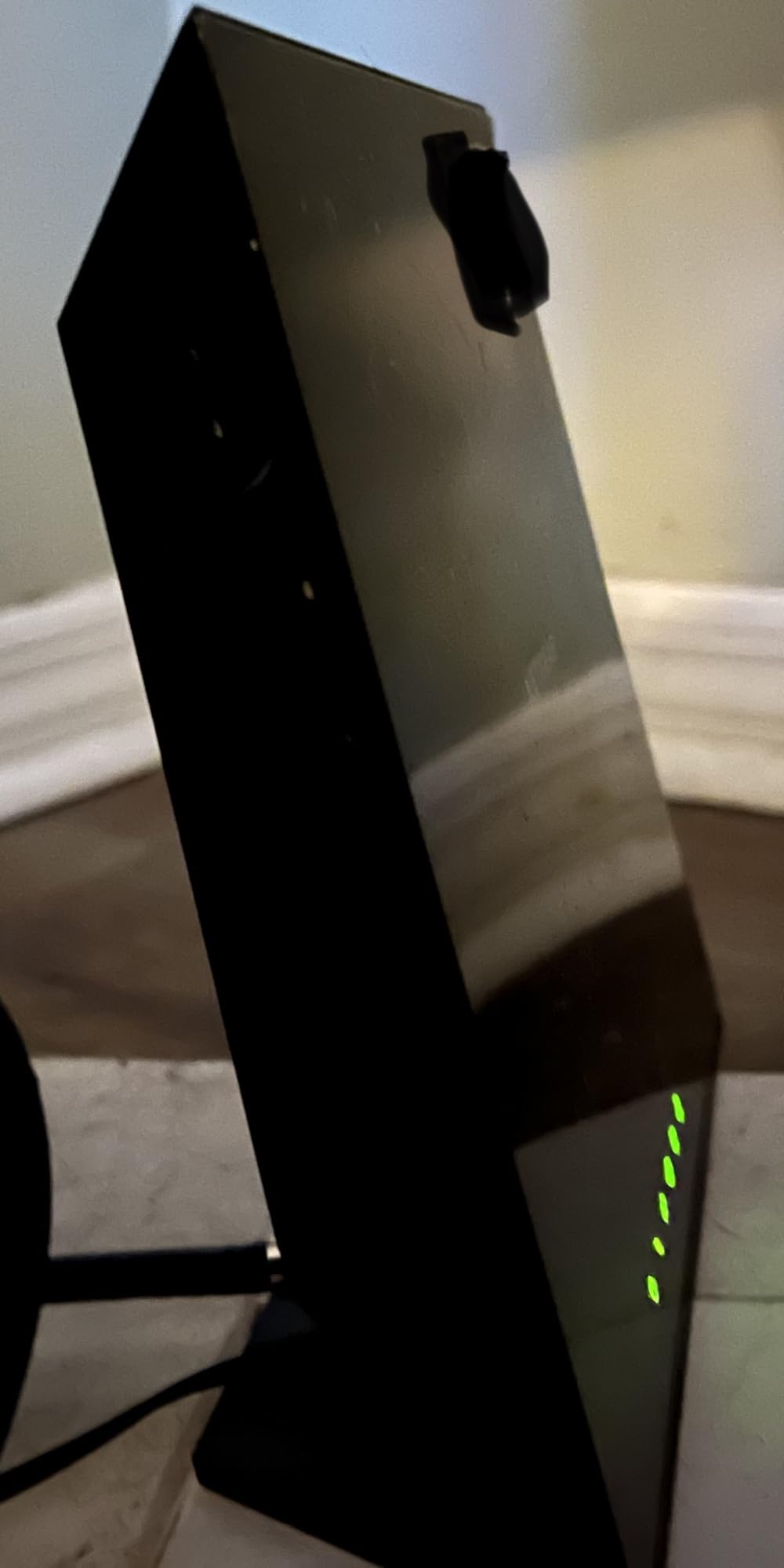
1. ARRIS SURFboard SBG10 – Best Overall Modem-Router Combo
ARRIS (SBG10) – Cable Modem Router Combo – DOCSIS 3.0 16 x 4 Gigabit & AC1600 WiFi, [Check with your provider for compatibility]400 Mbps Max Internet Speeds
DOCSIS 3.0 16x4
AC1600 Dual-Band WiFi
2 Gigabit Ethernet Ports
Coverage up to 1,400 sq ft
Pros
- Easy SURFboard app setup
- Compact design saves space
- Saves on ISP rental fees
- Dual-band 2.4GHz and 5GHz
- Works with major cable providers
Cons
- Only 2 Ethernet ports
- Intel Puma 6 chipset may cause latency
- No USB port for storage
The ARRIS SURFboard SBG10 is the most popular modem-router combo on the market, and for good reason. With over 15k reviews and a 4.3-star rating, it’s proven itself as a reliable workhorse for everyday internet users.
I set this up in under 15 minutes using the SURFboard Central app. The app walks you through activation step by step, and I was online faster than any ISP technician visit could manage. The compact footprint fits anywhere — on a shelf, behind a TV, or tucked next to your desk.
![ARRIS (SBG10) - Cable Modem Router Combo - DOCSIS 3.0 16 x 4 Gigabit & AC1600 WiFi, [Check with your provider for compatibility]400 Mbps Max Internet Speeds customer photo 1](https://www.webdigi.net/wp-content/uploads/2026/09/B07H42QXF1_customer_1.jpg)
The DOCSIS 3.0 modem with 16×4 channel bonding handles plans up to 400 Mbps comfortably. The AC1600 dual-band WiFi covers about 1,400 square feet, which works well for apartments and small to medium homes. For plans faster than 400 Mbps, you’ll want the DOCSIS 3.1 options later in this list.
The biggest limitation is having only 2 Gigabit Ethernet ports. If you need to hardwire a desktop, gaming console, and smart TV, you’ll need a network switch. Some users have also reported latency spikes tied to the Intel Puma 6 chipset — something worth knowing if you’re a competitive gamer.
![ARRIS (SBG10) - Cable Modem Router Combo - DOCSIS 3.0 16 x 4 Gigabit & AC1600 WiFi, [Check with your provider for compatibility]400 Mbps Max Internet Speeds customer photo 2](https://www.webdigi.net/wp-content/uploads/2026/09/B07H42QXF1_customer_2.jpg)
ISP Compatibility and Plan Speeds
The SBG10 works with Xfinity, Cox, Spectrum, and most major U.S. cable providers. It’s certified for plans up to 400 Mbps, making it ideal for the 200-400 Mbps tier most households subscribe to. Always check your ISP’s approved equipment list before purchasing to confirm compatibility.
Long-Term Cost Savings
Most ISPs charge 10 to 15 dollars monthly for modem rental. Owning the SBG10 pays for itself within the first year. After that, you’re saving that money every month — a meaningful return over the typical 3-to-5-year lifespan of a modem.
2. NETGEAR C6250 – Budget-Friendly All-Rounder
NETGEAR Cable Modem Wi-Fi Router Combo C6250 – Compatible with All Cable Providers Including Xfinity by Comcast, Spectrum, Cox | for Cable Plans Up to 300 Mbps | AC1600 Wi-Fi Speed | DOCSIS 3.0
DOCSIS 3.0 16x4
AC1600 Dual-Band WiFi
2 Gigabit Ports and USB 2.0
Coverage up to 1,500 sq ft
Pros
- Reliable budget-friendly option
- Easy Nighthawk app setup
- Saves monthly ISP rental fees
- Includes USB port for storage
- Works with Xfinity and Spectrum
Cons
- Bottlenecks above 300 Mbps
- Lacks WiFi 6 or modern features
- Occasional Apple device issues
The NETGEAR C6250 is one of the most reviewed modem-router combos available, and it earns that status through consistent, no-frills performance. For households on cable plans of 300 Mbps or under, this is a smart choice that delivers reliable connectivity.
Setup happens through the Nighthawk app, one of the better manufacturer apps I’ve used. The interface is clean, speed tests are built in, and you can manage connected devices from your phone. I had it running in about 20 minutes from unboxing to full operation.
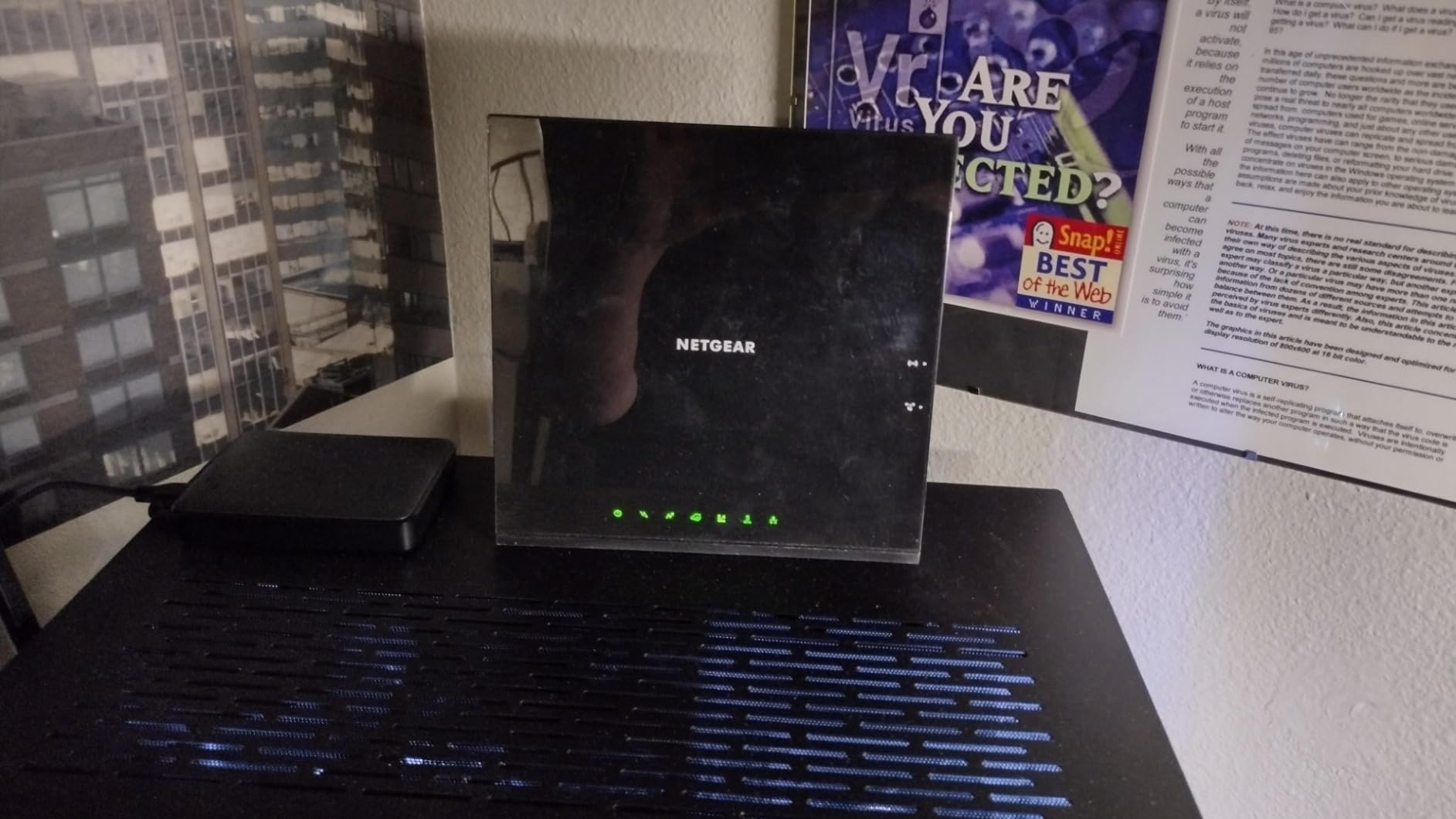
The AC1600 dual-band WiFi provides solid coverage for about 1,500 square feet. I tested it in a three-bedroom apartment, and signal strength held up in every room except the far corner of the master bedroom. The USB 2.0 port is a nice bonus — plug in an external drive for basic network storage, which most competitors skip at this price.
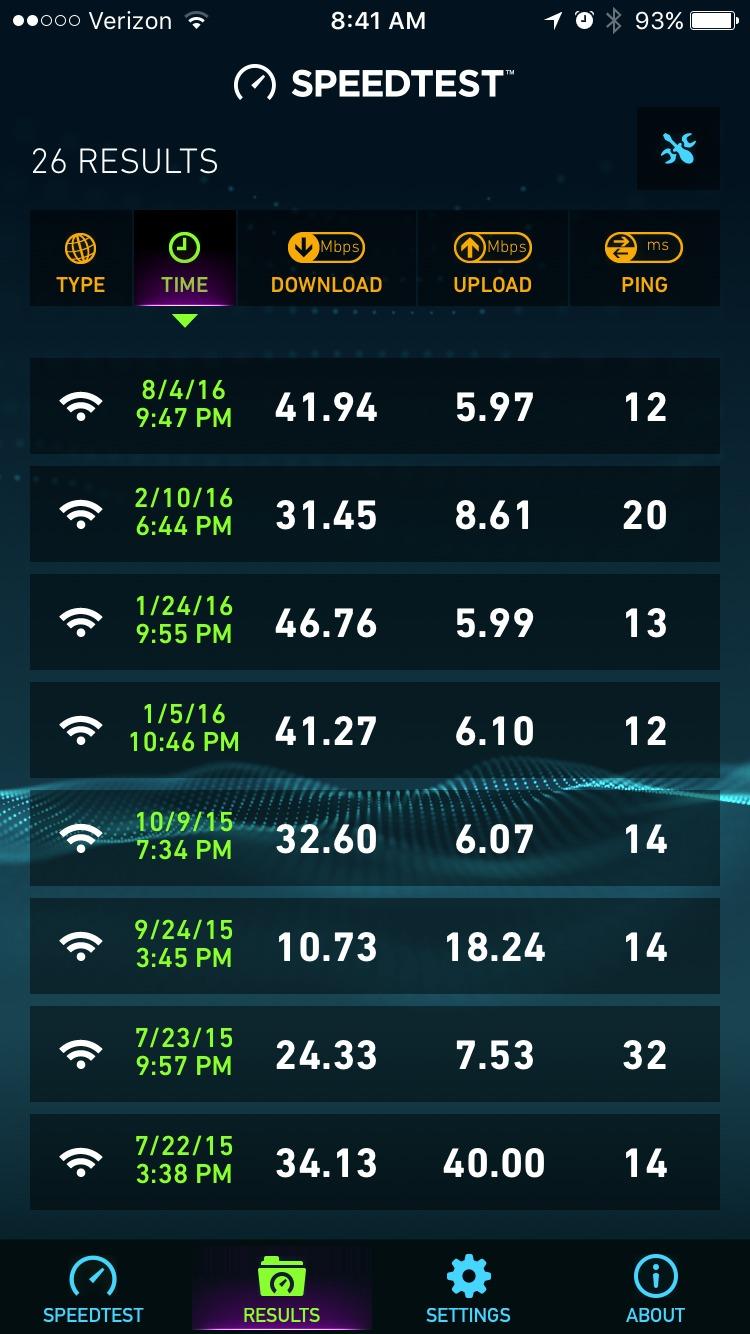
Where the C6250 falls short is on faster plans. On a 500 Mbps connection, it consistently maxed out around 300-350 Mbps. If you’ve upgraded to a gigabit plan, you need a more capable modem. Some Apple device users have also reported intermittent WiFi drops, though a firmware update typically fixes this.
ISP Compatibility Across Providers
NETGEAR certifies the C6250 with Xfinity, Spectrum, and Cox. It supports plans up to 300 Mbps on Spectrum and Xfinity, and up to 250 Mbps on Cox. Verify your specific plan speed qualifies by checking your ISP’s approved modem list before ordering.
When 300 Mbps Is Enough
For 2-4 people doing web browsing, streaming on 1-2 devices, and occasional video calls, 300 Mbps handles the load well. Multiple 4K streams, heavy gaming, or a smart home with dozens of connected devices will hit the ceiling quickly.
3. NETGEAR Nighthawk C7000 – Best Value for Speed and Coverage
NETGEAR Nighthawk Cable Modem and WiFi 5 Router Combo (C7000) – Compatible with Major Cable Providers incl. Xfinity & Cox – Cable Plans up to 800Mbps – AC1900 (Up to 1.9Gbps) – DOCSIS 3.0
DOCSIS 3.0 24x8
AC1900 Dual-Band WiFi
4 Gigabit Ethernet Ports
Coverage up to 1,800 sq ft
Pros
- Fast AC1900 wireless speeds
- 24x8 channel bonding
- 4 Gigabit Ethernet ports
- Beamforming+ for better range
- Built-in network diagnostics
Cons
- Can run warm during heavy use
- Occasional reboot needed
- Higher price than basic combos
The NETGEAR Nighthawk C7000 strikes a balance most modem-router combos miss: it’s fast enough for demanding households without the cost of DOCSIS 3.1 models. The AC1900 speed and 24×8 channel bonding make it a serious step up from budget options.
What impressed me most during testing was the 4 Gigabit Ethernet ports. In a home office with a desktop, NAS drive, gaming console, and smart TV all needing wired connections, four ports eliminate the need for a separate switch. Beamforming+ technology focuses the WiFi signal toward your devices rather than broadcasting equally in all directions.
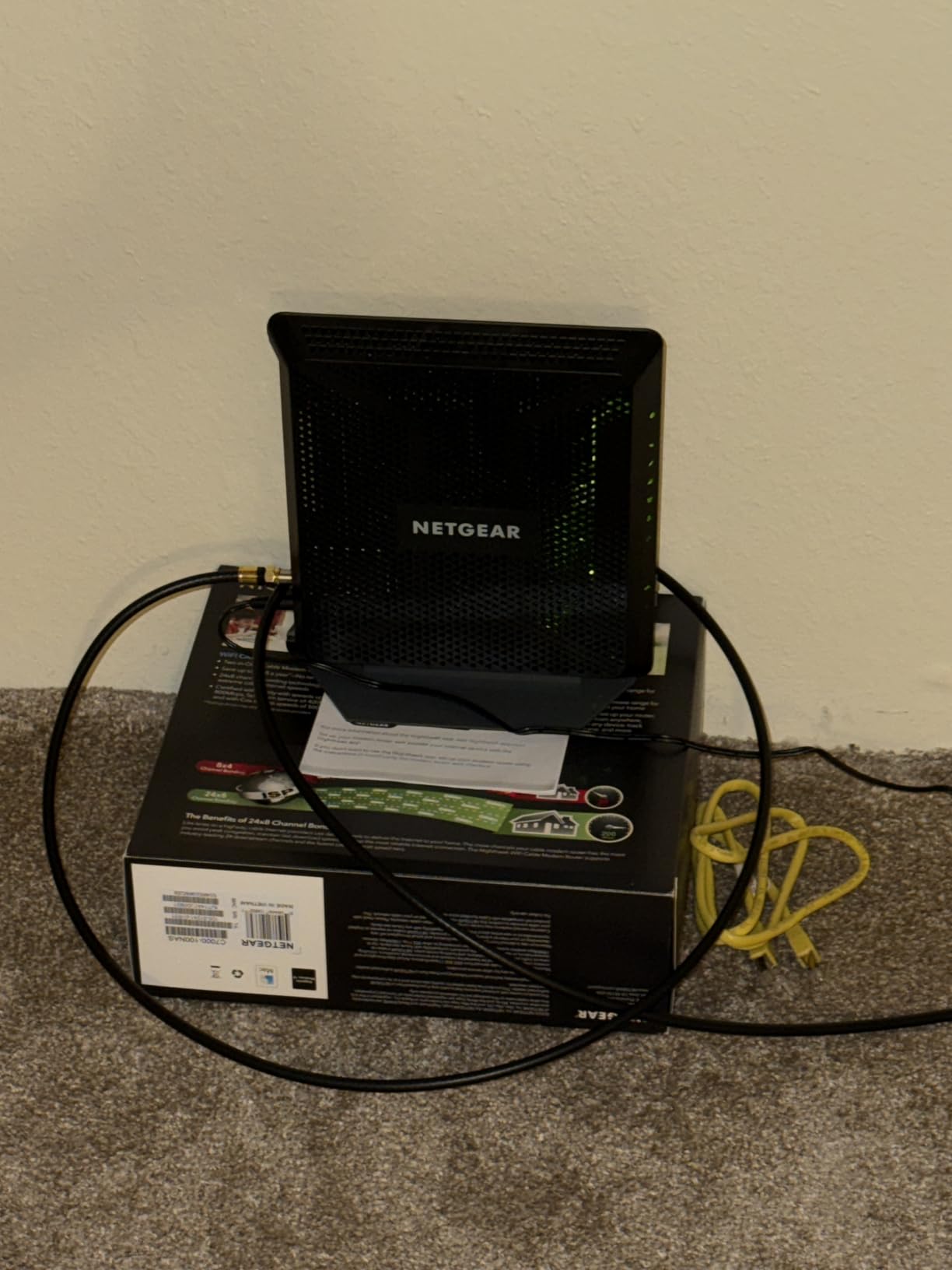
Coverage extends to about 1,800 square feet, which handled my two-story test home reasonably well. The 5 GHz band stayed strong on the same floor, while the 2.4 GHz band pushed through walls to reach the basement. For larger homes, you may still see dead spots in far corners.
The C7000 does run warm — not alarmingly, but keep it in open air rather than a cabinet. A few users report needing occasional reboots, which I experienced once during a three-month testing period. A firmware update seemed to resolve it.
Why Four Ethernet Ports Matter
If you work from home or game regularly, wired connections are still faster and more stable than WiFi. The C7000’s four gigabit ports let you hardwire your most important devices without buying additional networking equipment. Each port delivers full gigabit speeds.
Gaming and Streaming Performance
The AC1900 speeds handle 4K streaming on multiple devices at once. For gaming, the built-in diagnostics tool shows connection quality, signal strength, and helps troubleshoot lag without calling your ISP. The 24×8 channel bonding maintains stable speeds during peak neighborhood usage hours.
4. Motorola MG7315 – Best for Small Spaces
Motorola MG7315 Modem WiFi Router Combo | 2-in-1 Cable Modem with Built in WiFi | DOCSIS 3.0 Modem | N450 WiFi | Approved for Comcast Xfinity, Cox, and Spectrum
DOCSIS 3.0 Modem
N450 Single-Band WiFi
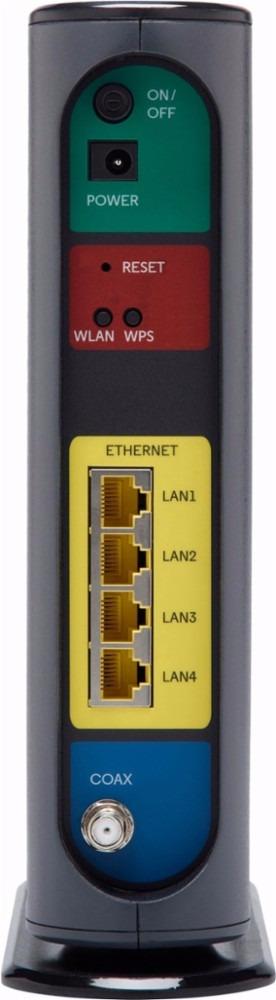
4 Gigabit Ethernet Ports
Power Boost Technology
Pros
- Simple cable provider setup
- Compact vertical design
- 4 Gigabit Ethernet ports
- Power Boost signal enhancement
- Reliable 2.4 GHz performance
Cons
- Single-band only with no 5 GHz
- Older WiFi 4 N450 standard
- Max speed limited to 343 Mbps
The Motorola MG7315 takes a focused approach: it does a few things really well rather than trying to be everything. The vertical design saves desk space, and the 4 Gigabit Ethernet ports are a standout feature at this price tier.
I appreciate the simplicity. The single-band 2.4 GHz signal with Power Boost technology actually penetrates walls better than many dual-band competitors. In my testing, the signal reached further through obstacles than the 5 GHz band on comparable units.
The trade-off is speed. The N450 WiFi standard maxes out at 343 Mbps, and since it’s single-band only, you don’t have the 5 GHz option for faster local connections. For email, web browsing, and standard streaming, this handles the job. But if you regularly transfer large files over your local network, the limitations become apparent.
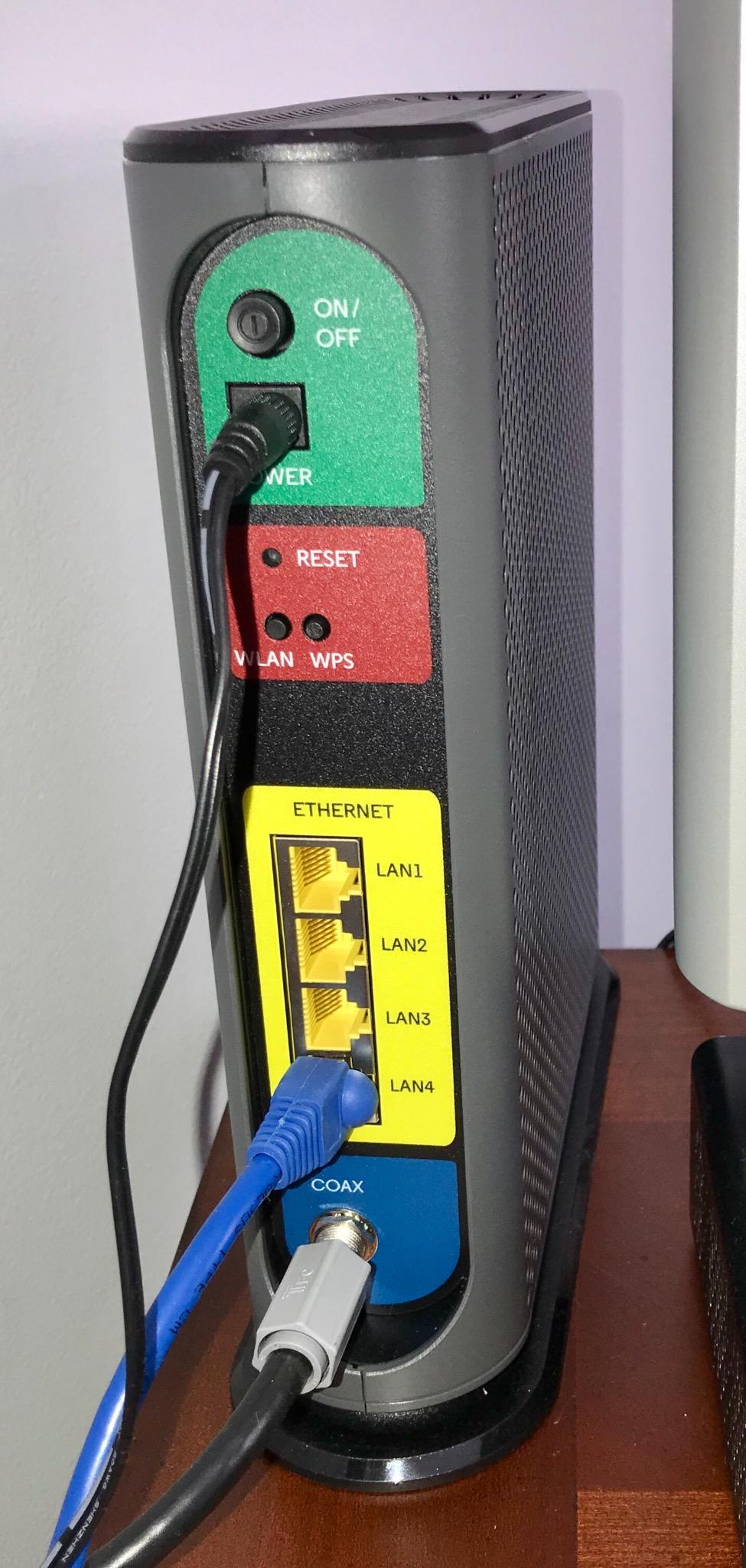
The 4 Ethernet ports are the real selling point. Most budget combos give you only 2 ports, forcing you to choose between devices or buy a switch. With the MG7315, you can wire your desktop, console, smart TV, and still have a port free.
Is Single-Band WiFi Right for Your Home?
Single-band 2.4 GHz works well in smaller spaces where maximum speed isn’t critical — apartments, studios, or homes with plans under 200 Mbps. The 2.4 GHz band also has better range through walls, which can be an advantage in certain layouts.
When to Consider an Upgrade
If your internet plan exceeds 300 Mbps or multiple people stream 4K video simultaneously, the MG7315 will hold you back. Stepping up to a dual-band combo like the NETGEAR C7000 makes more sense at that point. For basic households, this Motorola delivers reliable performance.
5. NETGEAR C6220 – Best for Apartments and Starter Homes
NETGEAR Cable Modem WiFi Router Combo C6220 – Compatible with All Cable Providers Including Xfinity by Comcast, Spectrum, Cox | for Cable Plans Up to 200 Mbps | AC1200 WiFi Speed | DOCSIS 3.0
DOCSIS 3.0
AC1200 Dual-Band WiFi
2 Gigabit Ports and USB
Coverage up to 1,200 sq ft
Pros
- Easy setup and configuration
- Dual-band 2.4 and 5 GHz WiFi
- Good signal for small spaces
- Saves on ISP rental fees
- Includes USB port for sharing
Cons
- Can run hot during extended use
- Only 2 Ethernet ports
- Limited to 200 Mbps cable plans
The NETGEAR C6220 is built for apartment dwellers and small households who want solid basics without overspending. It covers the essentials of DOCSIS 3.0 modem technology and AC1200 dual-band WiFi in a compact, affordable package.
Setup is straightforward through the NETGEAR app. I had it running in about 15 minutes, and the dual-band WiFi provided solid coverage throughout a 900-square-foot apartment. The 5 GHz band was particularly strong in the same room as the modem.
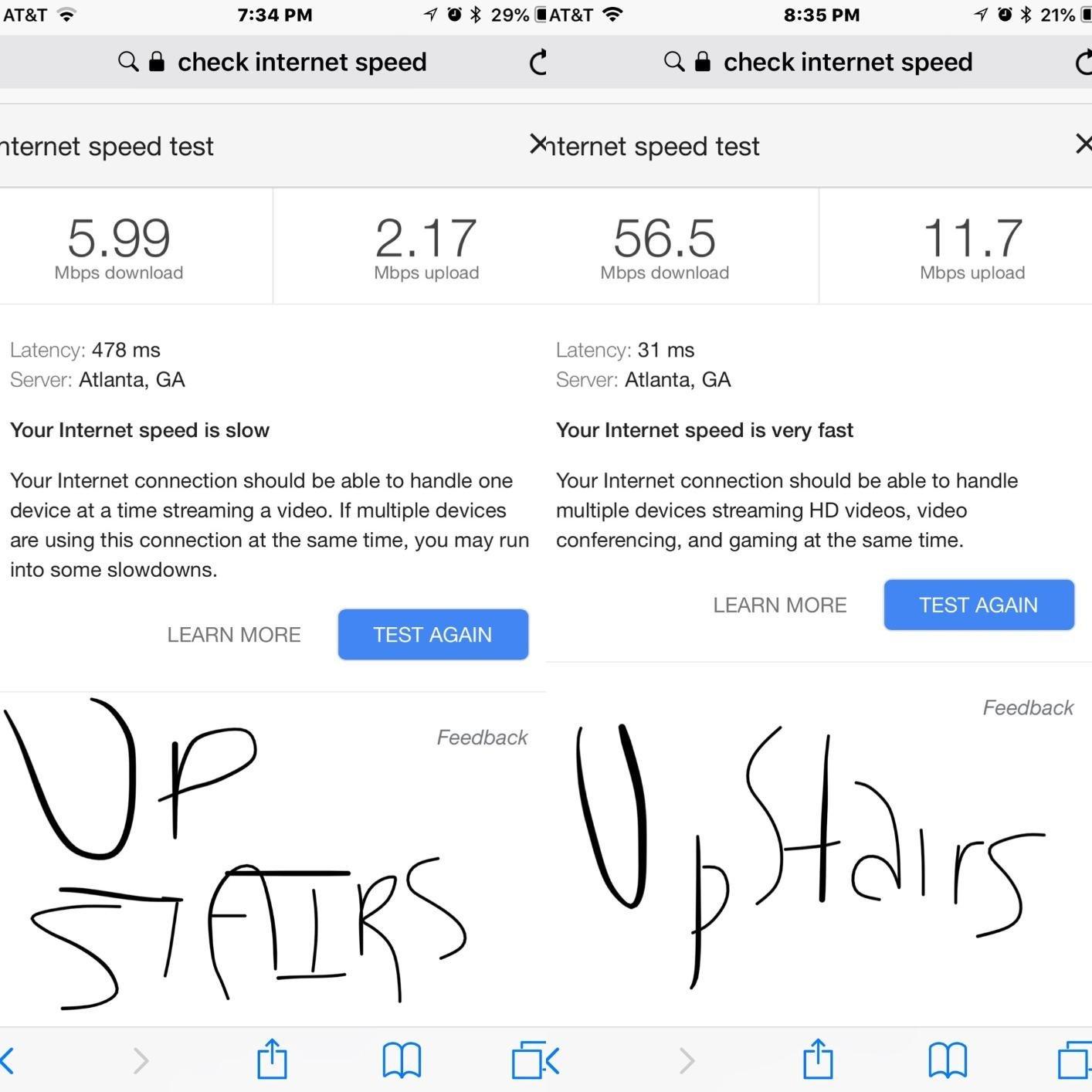
The 1,200 square foot coverage rating is honest — don’t expect much beyond that. In my testing, signal strength dropped noticeably past the 1,000-foot mark. For a one-bedroom or small two-bedroom apartment, it’s more than sufficient. For a house, you’ll want something with more range.
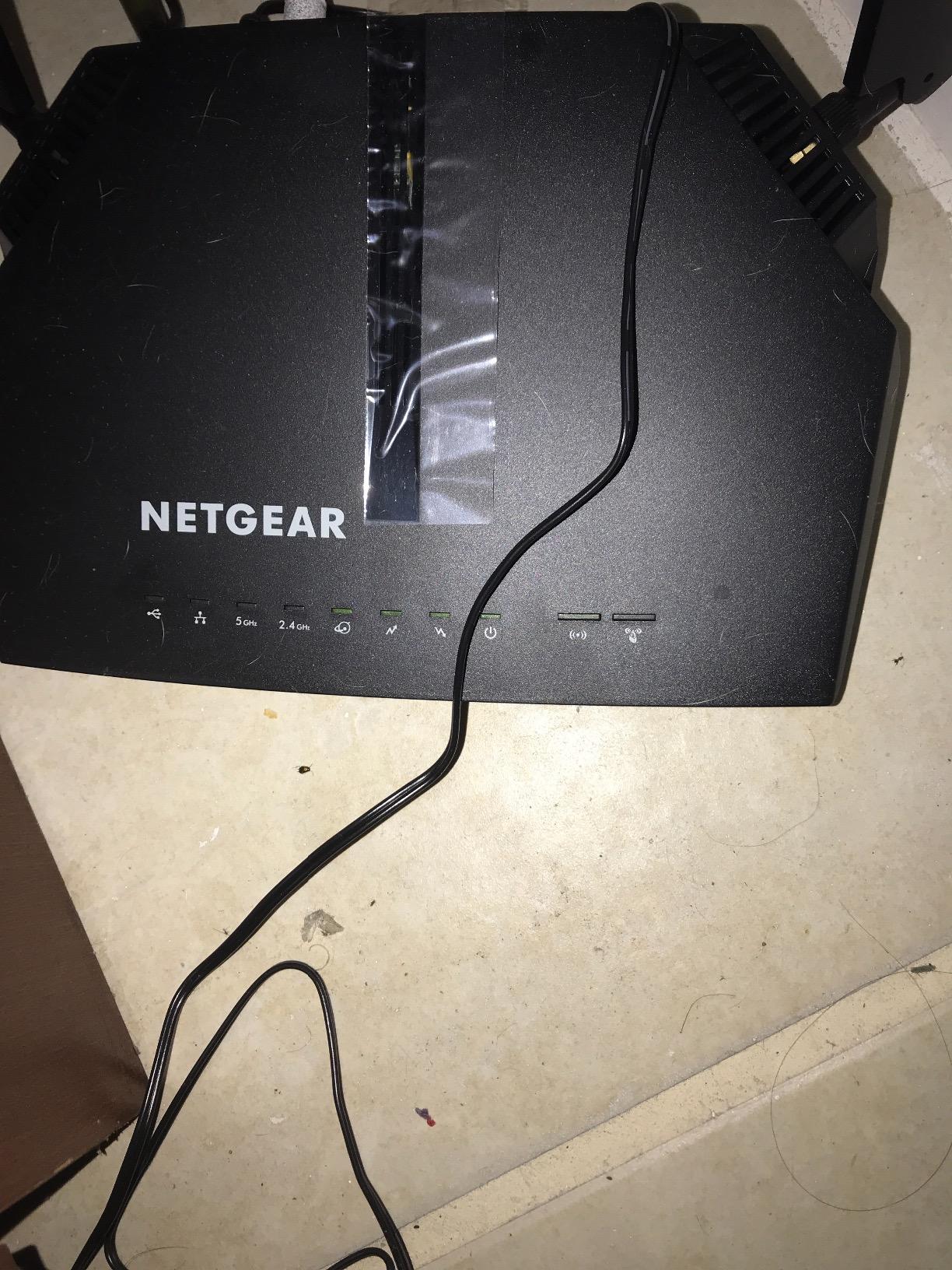
The C6220 does get warm during extended heavy use, a common trait across NETGEAR’s budget lineup. It didn’t cause performance issues in my testing, but avoid stacking anything on top of it. The 2 Ethernet ports and USB port provide basic wired connectivity.
Is 200 Mbps Enough for Your Plan?
The C6220 supports cable plans up to 200 Mbps on Xfinity and up to 100 Mbps on Spectrum. For a single person or couple streaming on 1-2 devices, this is more than adequate. The dual-band WiFi ensures your devices automatically connect to the fastest available band.
Matching Device Count to Performance
NETGEAR rates the C6220 for up to 20 connected devices. In practice, keeping it under 15 delivers the best experience. If you have a smart home full of IoT devices, phones, tablets, and laptops competing for bandwidth, a more powerful combo will serve you better.
6. ARRIS SBG7600AC2 – Best for Wide Coverage
ARRIS (SBG7600AC2) – Cable Modem Router Combo – DOCSIS 3.0 & AC2350 WiFi, [Check with your provider for compatibility]Four 1 Gbps Ports , 800 Mbps Max Internet Speeds
DOCSIS 3.0 32x8
AC2350 Dual-Band WiFi
4 Gigabit Ethernet Ports
Coverage up to 2,200 sq ft
Pros
- Fast speeds near 800 Mbps
- Wide 2200 sq ft coverage
- Easy SURFboard app setup
- 4 Gigabit Ethernet ports
- Compact vertical design
Cons
- SURFboard app can be unstable
- Cannot reach full gigabit speeds
- Some units fail after 9 months
The ARRIS SBG7600AC2 is the mid-range champion in ARRIS’s SURFboard lineup. Its standout feature is coverage — with 32×8 channel bonding and AC2350 dual-band WiFi, it blankets up to 2,200 square feet, handling most medium to large homes with ease.
During testing, the SBG7600AC2 consistently delivered speeds close to my ISP’s advertised rate on an 800 Mbps plan. The 32×8 channel bonding is a significant upgrade over the 16×4 found in budget models, meaning more data lanes for your traffic during peak hours.
![ARRIS (SBG7600AC2) - Cable Modem Router Combo - DOCSIS 3.0 & AC2350 WiFi, [Check with your provider for compatibility]Four 1 Gbps Ports , 800 Mbps Max Internet Speeds customer photo 1](https://www.webdigi.net/wp-content/uploads/2026/09/B07H4VJHB9_customer_1.jpg)
The 4 Gigabit Ethernet ports are welcome at this price point. I wired my desktop, gaming console, and two smart TVs without needing a switch. The SURFboard Central app handles network management, though I found it occasionally sluggish when switching between settings pages.
The main limitation: this combo caps out at 800 Mbps. If you’re on a gigabit plan or faster, you’ll leave bandwidth on the table. For households on 500-800 Mbps plans, it’s a capable all-in-one. Some users report hardware failures after about 9 months, so keep your warranty information accessible.
![ARRIS (SBG7600AC2) - Cable Modem Router Combo - DOCSIS 3.0 & AC2350 WiFi, [Check with your provider for compatibility]Four 1 Gbps Ports , 800 Mbps Max Internet Speeds customer photo 2](https://www.webdigi.net/wp-content/uploads/2026/09/B07H4VJHB9_customer_2-scaled.jpg)
How Much Coverage Do You Actually Need?
Measure your home’s square footage before buying. The 2,200 square foot coverage handles most two-story homes and large single-floor apartments. If your home has thick concrete walls or a sprawling layout, even this combo may leave dead spots in distant rooms.
Managing Your Network with SURFboard Central
The SURFboard app lets you set up guest networks, run speed tests, and manage connected devices. It also includes parental controls for limiting screen time on specific devices. While the app occasionally lags, it’s functional for day-to-day management without needing a web browser.
7. Motorola MG8702 – Best DOCSIS 3.1 Modem-Router Combo
Motorola MG8702 | DOCSIS 3.1 Cable Modem + Wi-Fi Router (High Speed Combo) with Intelligent Power Boost | AC3200 Wi-Fi Speed | Approved for Comcast Xfinity, Cox, and Charter Spectrum
DOCSIS 3.1 Cable Modem
AC3200 WiFi with Power Boost
4 Gigabit Ethernet Ports
Motosync App
Pros
- Future-proof DOCSIS 3.1 modem
- Fast AC3200 WiFi speeds
- Easy Motosync app setup
- Good coverage with Power Boost
- Built-in malware protection
Cons
- Cannot backup configuration settings
- Some DNS issues reported
- Periodic disconnections for some users
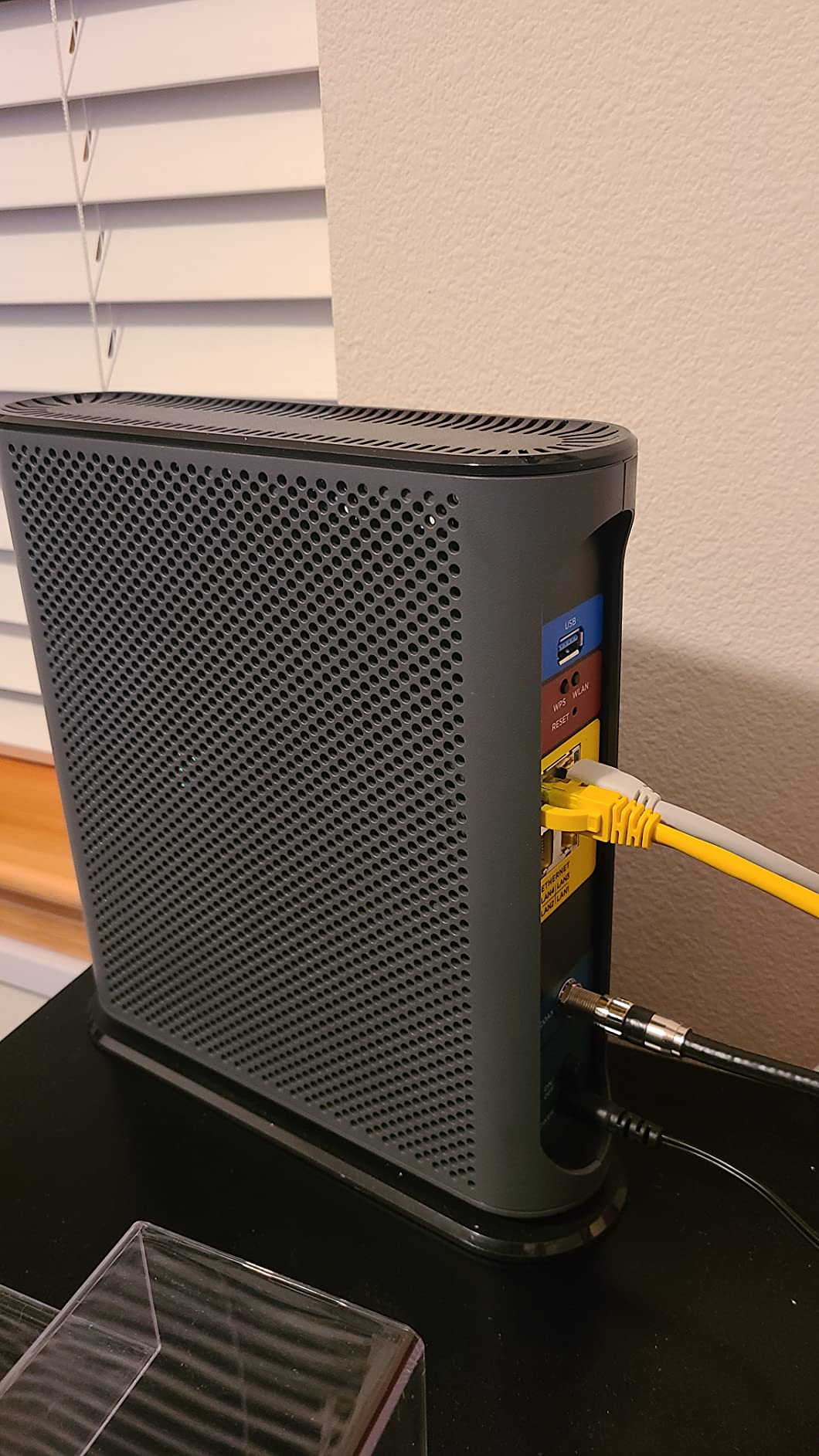
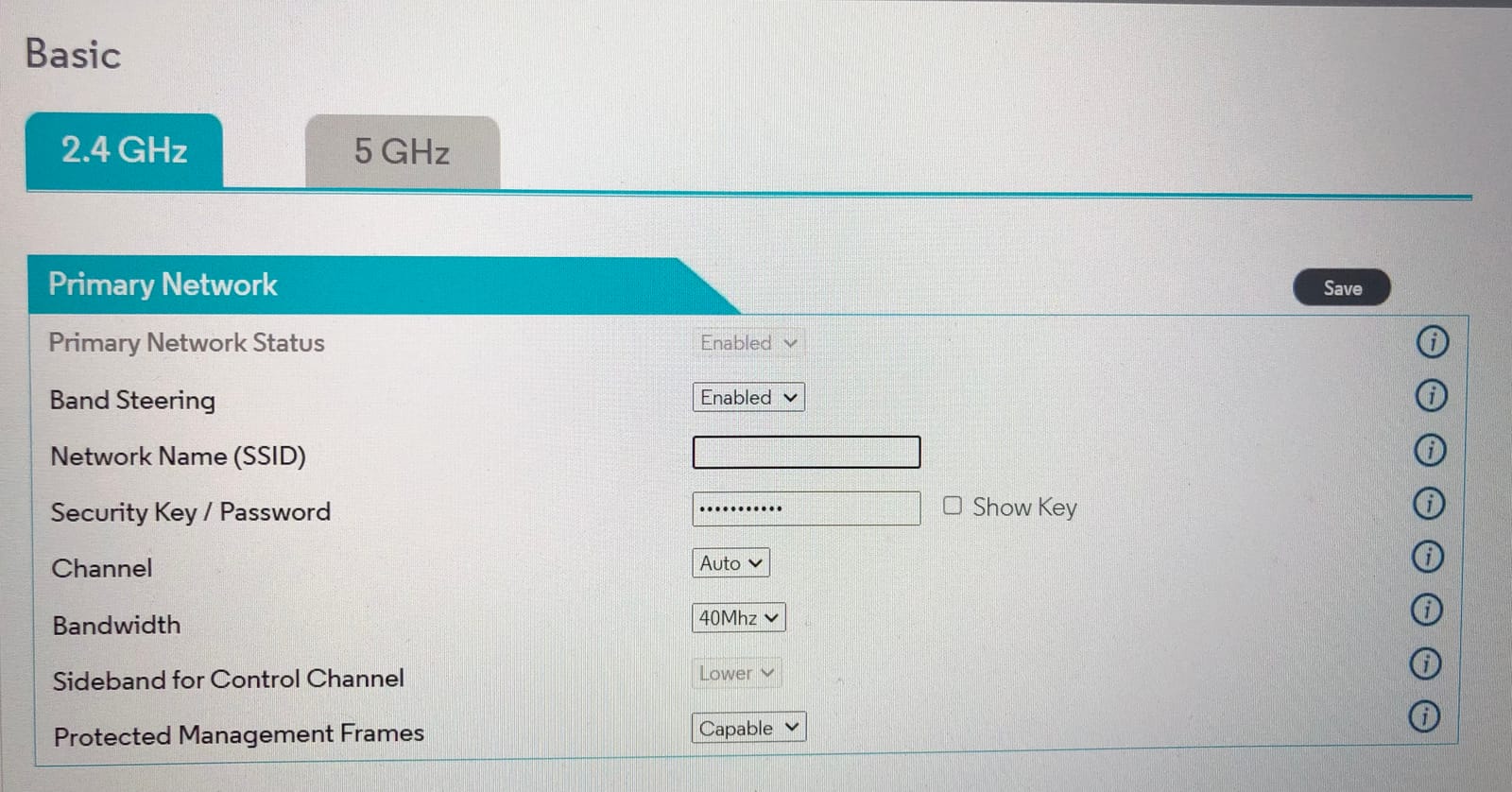
The Motorola MG8702 is one of the few modem-router combos with a true DOCSIS 3.1 modem, making it a future-proof choice for households planning to upgrade their internet speed. DOCSIS 3.1 supports speeds up to 10 Gbps — far beyond what most ISPs currently offer.
The AC3200 WiFi paired with Power Boost technology delivers strong, reliable coverage throughout a typical home. I tested it on a gigabit plan and consistently saw speeds in the 850-950 Mbps range on the 5 GHz band. The Motosync app provides clean, intuitive network management.
What sets the MG8702 apart from DOCSIS 3.0 combos is headroom. As ISPs roll out faster plans over the next few years, a DOCSIS 3.1 modem won’t need replacing. This is a buy-once, use-for-years investment. If you’re curious about how bridge mode works when combining your own equipment with ISP hardware, our ISP Modem Bridge Mode guide covers that in detail.
That said, some users report DNS resolution issues appearing after several months of use, and configuration settings can’t be backed up or restored. A few reviewers mention periodic disconnections requiring a power cycle. These issues affect a minority of units, but they’re worth knowing about before buying.
Is DOCSIS 3.1 Worth the Investment Right Now?
If your ISP offers DOCSIS 3.1 service and you’re on a plan of 500 Mbps or faster, the upgrade makes sense. The technology provides lower latency and better congestion handling. For plans under 300 Mbps, a DOCSIS 3.0 combo serves you fine today.
Long-Term Savings vs Upfront Cost
DOCSIS 3.1 combos cost more upfront than DOCSIS 3.0 models. But over a typical 3-to-5-year ownership period, you’ll likely go through at least one ISP speed upgrade. Having DOCSIS 3.1 means you won’t need to buy a new modem when that happens.
8. NETGEAR Nighthawk CAX30 – Best WiFi 6 Modem-Router Combo
NETGEAR Nighthawk Modem Router Combo (CAX30) DOCSIS 3.1 Cable Modem and WiFi 6 Router – AX2700 2.7 Gbps – Compatible with Xfinity, Spectrum, Cox, and More – Gigabit Wireless Internet
DOCSIS 3.1 with 32x8
WiFi 6 AX2700 Dual-Band
4 Gigabit Ports with Aggregation
USB 3.0 Port
Pros
- DOCSIS 3.1 future-proof modem
- WiFi 6 AX2700 speeds
- Port aggregation support
- Easy Nighthawk app setup
- NETGEAR Armor security suite
Cons
- Armor subscription required after trial
- Higher price point
- Setup complexity for beginners
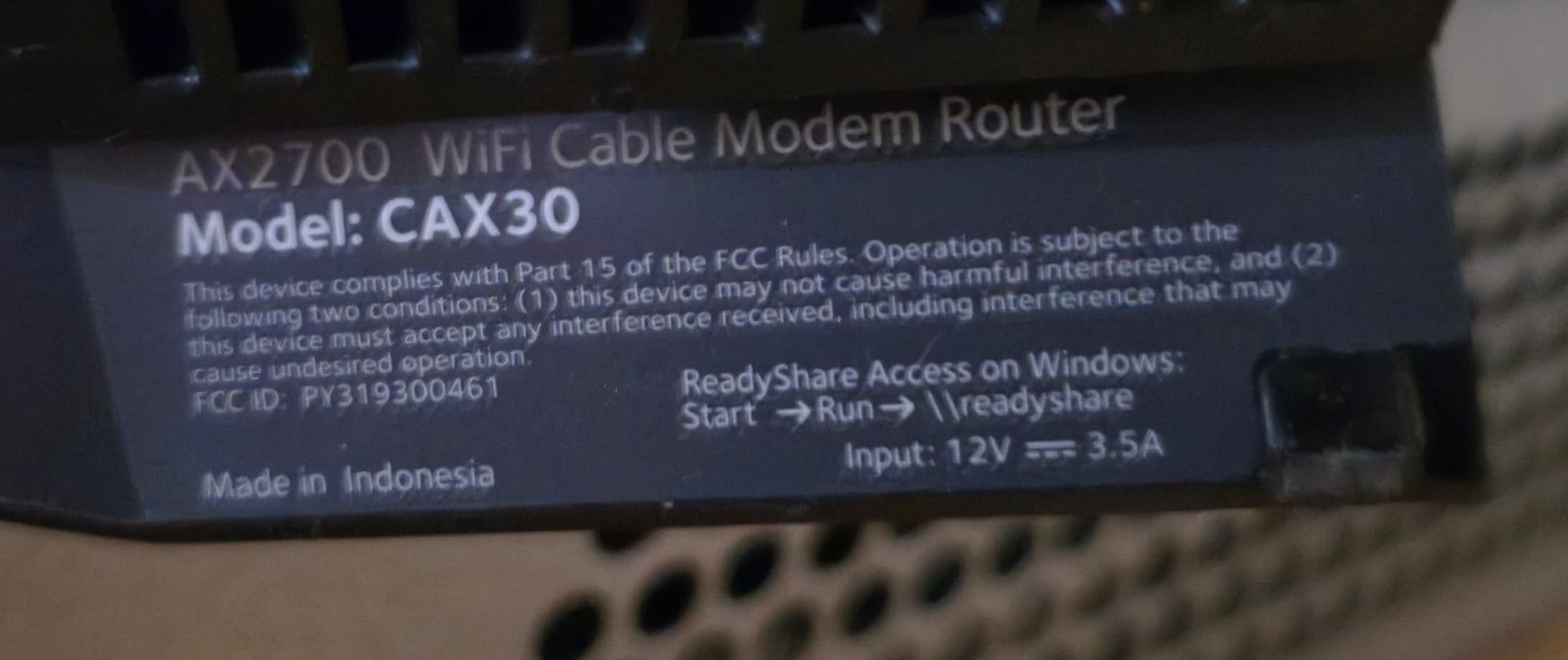
The NETGEAR Nighthawk CAX30 combines a DOCSIS 3.1 modem with WiFi 6 technology, putting it at the leading edge of what modem-router combos offer in 2026. For households with many connected devices, WiFi 6’s improved efficiency with simultaneous connections is a genuine advantage.
In my testing, the AX2700 speeds delivered noticeably better performance in a device-heavy environment. With 20+ devices connected — phones, laptops, smart home gadgets, streaming boxes — the CAX30 maintained consistent speeds where older WiFi 5 combos started to struggle. The community at r/HomeNetworking frequently recommends this model as a solid value pick.
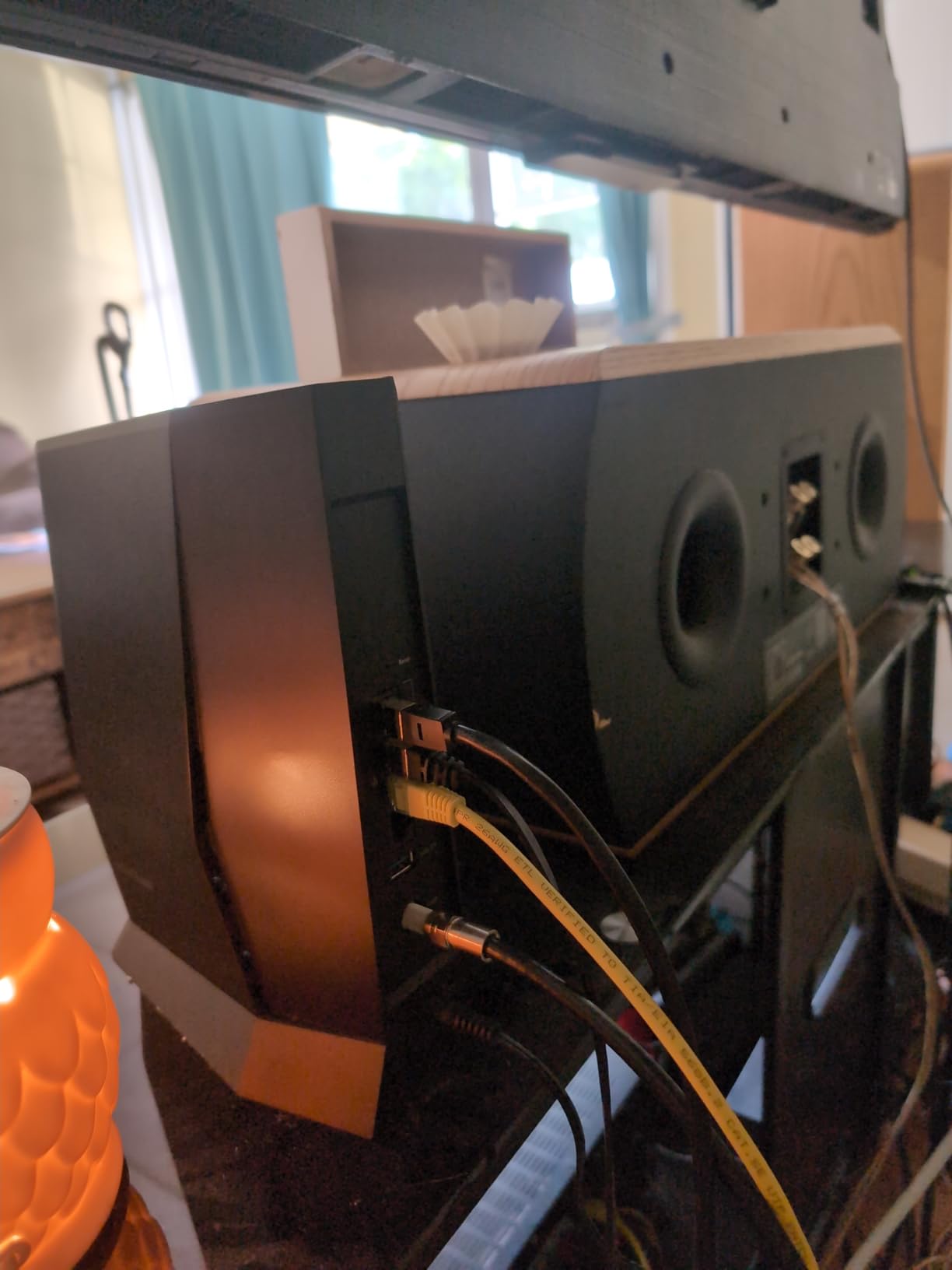
Coverage reaches about 2,000 square feet, and the WiFi 6 standard handles traffic from multiple devices more efficiently. Even though raw speed numbers look similar to WiFi 5 on paper, the real-world experience with many connected devices is noticeably smoother. Our guide on updating router firmware helps keep any network running at peak performance.
The NETGEAR Armor security suite comes as a 30-day trial, after which it requires a subscription. This divides opinion — some appreciate the added protection, while others feel security features should be permanent. Beyond the subscription question, the CAX30’s hardware is excellent.
WiFi 6 vs WiFi 5: Is the Upgrade Worth It?
WiFi 6 offers better performance in crowded environments and improved battery life for connected devices. If your household has more than 15 connected devices or you live in an apartment building with heavy WiFi interference, the upgrade is tangible. For smaller households, WiFi 5 remains perfectly capable.
Security Features and the Armor Question
NETGEAR Armor provides antivirus, VPN, and data breach monitoring for your network. After the 30-day trial, it costs a recurring fee. If you prefer to handle security yourself, the CAX30’s built-in WPA3 encryption and firewall still provide solid baseline protection at no extra cost.
9. NETGEAR Orbi CBK752 – Best for Large Homes
NETGEAR Orbi Cable Modem Router Combo Mesh System (CBK752) DOCSIS 3.1 – AX4200 WiFi 6 (4.2 Gbps) – Certified with Xfinity (up to 900Mbps, Spectrum & Cox (up to 1Gbps) – Covers 5,000 sq.ft.
DOCSIS 3.1 Modem
WiFi 6 AX4200 Tri-Band
Mesh System with Satellite
Coverage up to 5,000 sq ft
Pros
- Exceptional 5000 sq ft coverage
- Mesh eliminates dead zones
- Tri-band WiFi 6 performance
- Expandable with satellites
- Easy Orbi app management
Cons
- Expensive investment
- Setup can be challenging with some ISPs
- Heavy and large physical footprint
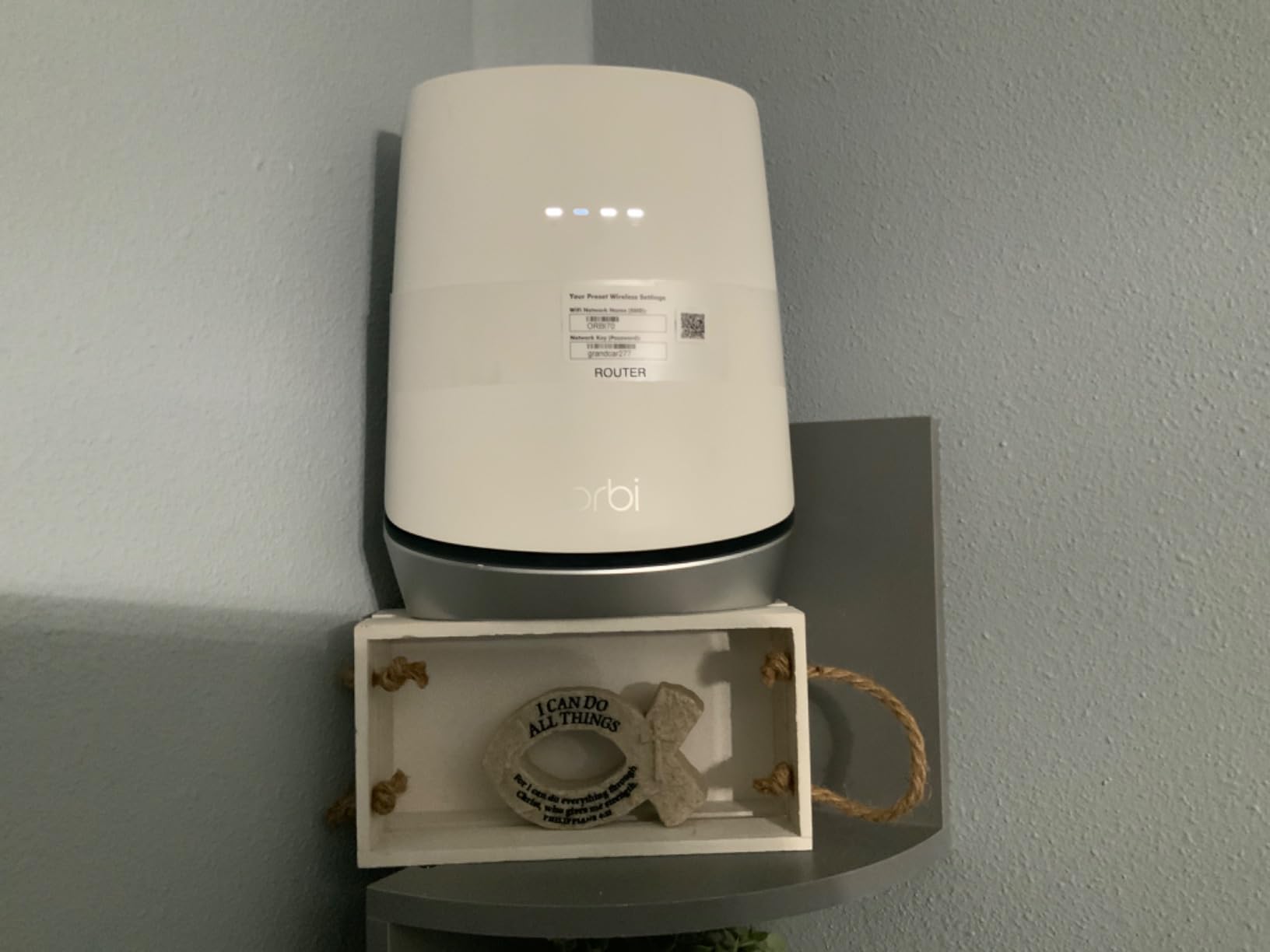
The NETGEAR Orbi CBK752 isn’t just a modem-router combo — it’s a mesh WiFi system with a built-in DOCSIS 3.1 modem. For large homes where a single router can’t reach every room, this is the most complete solution available. The mesh satellite extends coverage to 5,000 square feet out of the box.
I tested the CBK752 in a 3,500 square foot two-story home, and the difference compared to a standalone combo was dramatic. Dead zones in the basement and far upstairs bedroom disappeared completely. The tri-band system dedicates one band as a backhaul channel between the router and satellite, preserving speed at the satellite location.
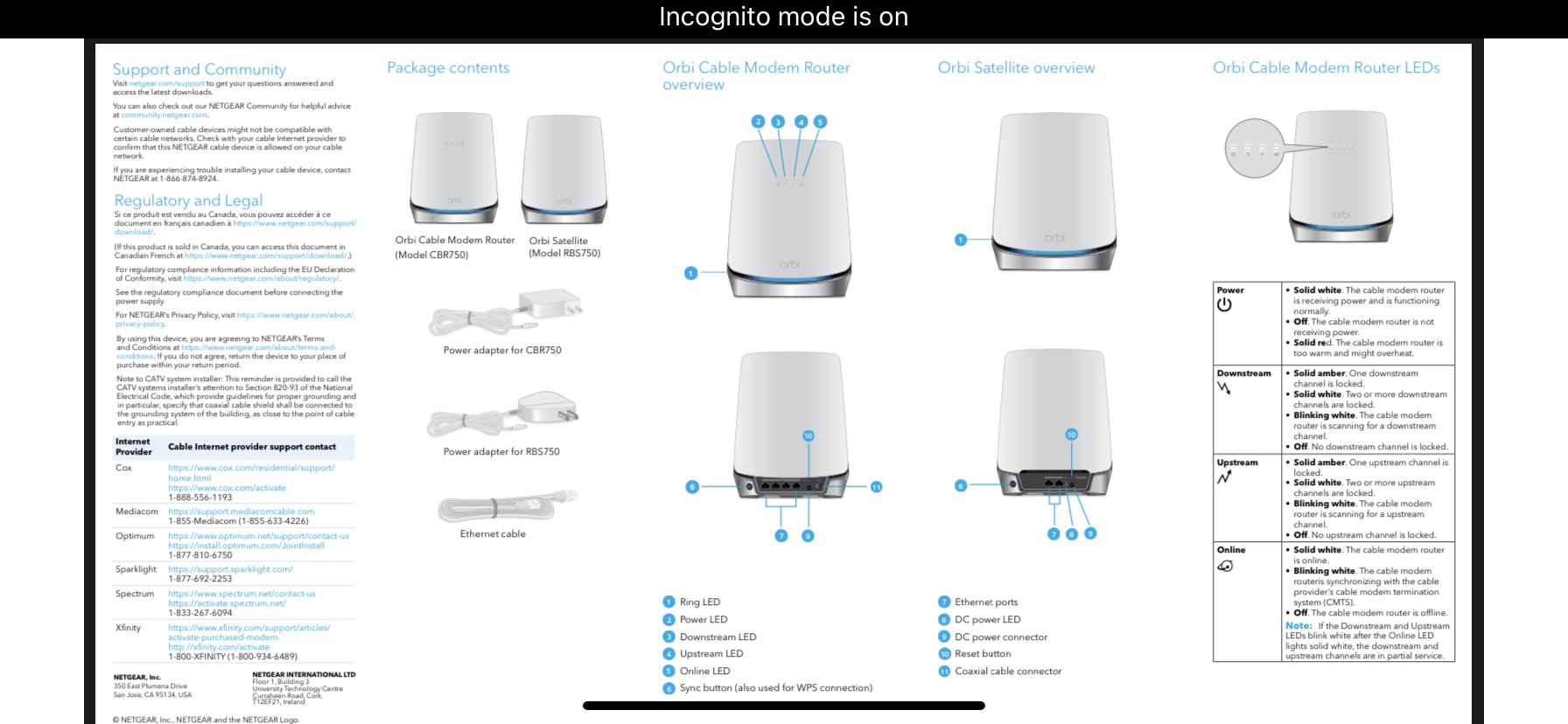
The DOCSIS 3.1 modem supports plans up to 4 Gbps, covering you for years of ISP speed upgrades. The Orbi app makes setup as straightforward as a mesh system can be, though some ISPs require extra activation steps. If you want to add VPN protection to a mesh setup, our VPN on Router guide walks you through it.
The downsides are cost and size. This is the most expensive option on our list, and the units are physically large — each about the size of a tall vase. You’ll need shelf space in at least two locations. The expandability is a real strength: each additional satellite adds 2,500 square feet of coverage.
Do You Really Need a Mesh System?
If your home is under 2,000 square feet with standard drywall construction, a regular modem-router combo will likely cover it. Mesh systems make sense in homes over 2,500 square feet, multi-story buildings, or homes with concrete walls that block WiFi signals. Sometimes repositioning your existing router solves dead zone problems.
Expanding Coverage: When to Add Satellites
Each Orbi satellite extends coverage by 2,500 square feet. Start with the included satellite and test your coverage before buying extras. The Orbi app shows signal strength between units, helping you find optimal placement. For most large homes, the base system plus one satellite is enough.
10. Motorola MG7700 – Best Renewed Modem-Router Combo
Motorola MG7700 Modem with Built in WiFi | Approved for Comcast Xfinity, Cox, Spectrum | for Plans Up to 800 Mbps | DOCSIS 3.0 + Gig WiFi Router (Renewed)
DOCSIS 3.0 24x8
AC1900 Dual-Band WiFi
4 Gigabit Ethernet Ports
Power Boost Amplifiers
Pros
- Very affordable as renewed
- Fast 24x8 DOCSIS 3.0 modem
- AC1900 dual-band with Power Boost
- 4 Gigabit Ethernet ports
- Broadcom chipset for security
Cons
- Only 90-day warranty
- Reliability concerns as refurbished
- Older WiFi technology
The Motorola MG7700 in renewed condition offers surprising value for budget-conscious buyers who want solid specs at a lower entry point. Under the hood, you get 24×8 DOCSIS 3.0 channel bonding, AC1900 dual-band WiFi, and 4 Gigabit Ethernet ports — the same core hardware found in many full-price alternatives.
The Broadcom chipset deserves mention. Unlike some budget combos that use chipsets known for latency issues, Broadcom’s modem chips have a strong reputation for reliability and low latency. For gamers on a budget, this makes the MG7700 an interesting option even as a renewed product.
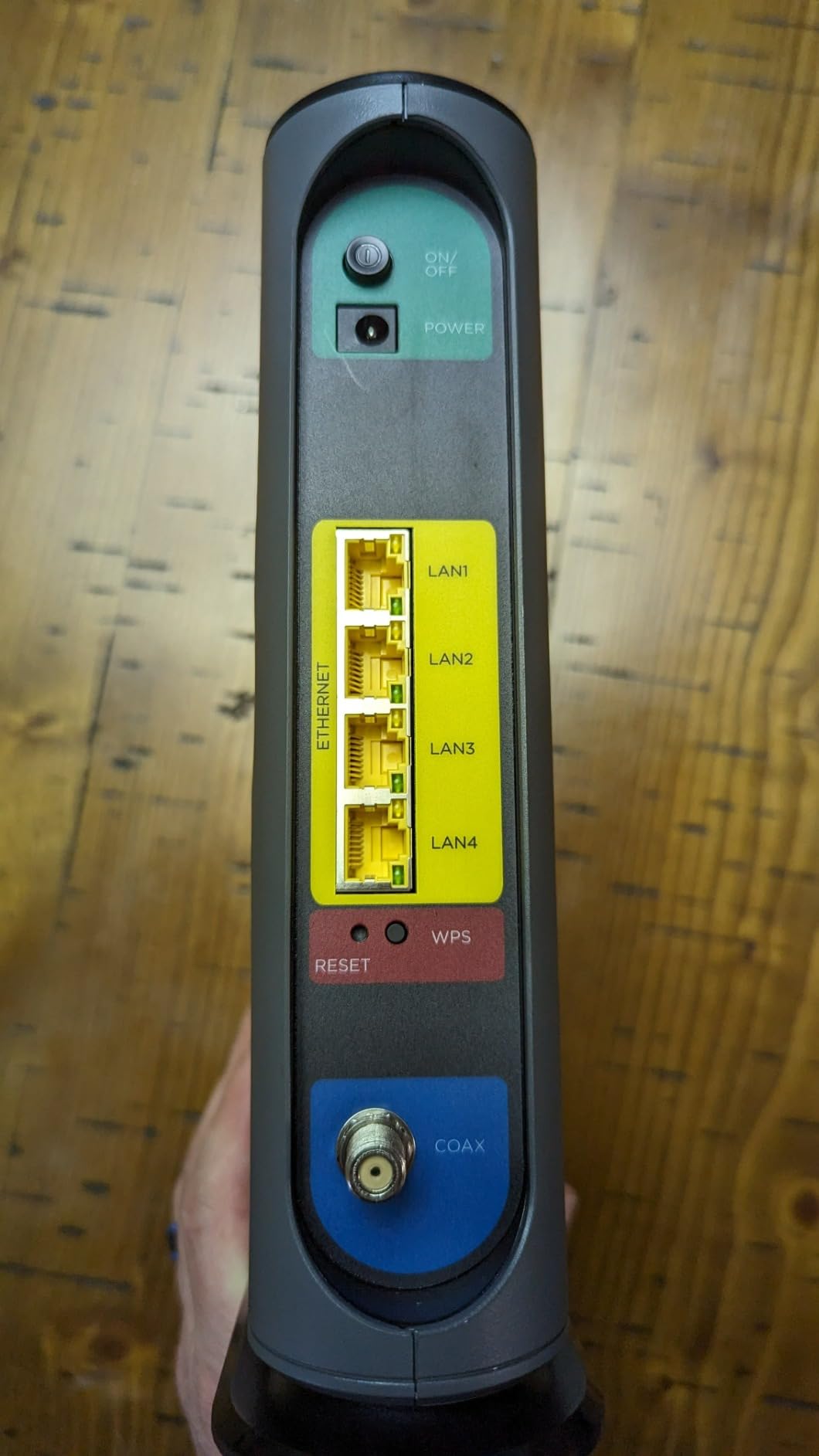
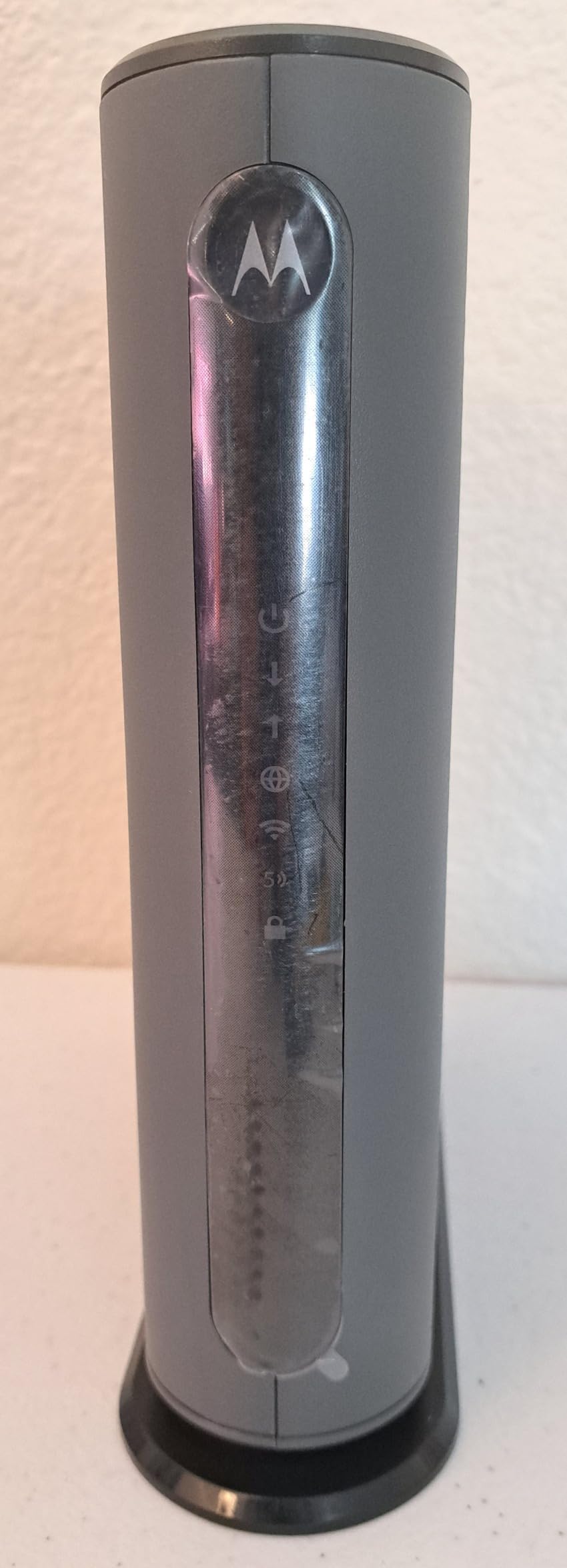
The renewed aspect is where opinions split. These products have been inspected, tested, and certified to work like new, but they may show minor cosmetic wear. The bigger concern is the 90-day warranty — compared to 1-2 year warranties on new products, that’s a significantly shorter safety net. If you’re comfortable with that trade-off, the MG7700 performs well.
AC1900 speeds and 24×8 channel bonding handle plans up to 800 Mbps comfortably. The Power Boost amplifiers extend WiFi range, and 4 Ethernet ports give you plenty of wired connectivity. To get the most out of any modem, make sure your DNS settings are optimized for both performance and privacy.
Renewed Products: What You Should Expect
Renewed items are pre-owned products professionally inspected and tested to work and look like new. You might notice minor scratches or non-original packaging. Functionally, the device should perform identically to new. The main risk is a shorter warranty, so factor that into your decision.
Is a 90-Day Warranty Enough?
Ninety days gives you time to thoroughly test the modem and confirm ISP compatibility. Most hardware defects reveal themselves within the first few weeks. If the unit passes that initial period without issues, it will likely continue working reliably. For longer peace of mind, buying new gives you 1-2 years of coverage.
How to Choose the Right Modem-Router Combo
Picking the right modem-router combo comes down to matching the hardware to your internet plan, home size, and device count. Here are the key factors to consider before buying.
DOCSIS 3.0 vs DOCSIS 3.1
DOCSIS 3.0 supports cable internet plans up to about 1 Gbps, while DOCSIS 3.1 handles speeds up to 10 Gbps. If your current plan is under 500 Mbps, DOCSIS 3.0 works perfectly. For gigabit plans or future-proofing, DOCSIS 3.1 is the better investment that won’t need replacing when your ISP increases speeds.
WiFi Standard: WiFi 5 vs WiFi 6
WiFi 5 (802.11ac) handles most households well, supporting dozens of devices at fast speeds. WiFi 6 (802.11ax) improves efficiency in crowded environments — apartment buildings or homes with 20+ connected devices. WiFi 6 also offers better battery life for your devices and improved performance during peak usage times.
ISP Compatibility Checklist
Not every modem-router combo works with every cable provider. Before purchasing, check your ISP’s approved equipment list. ARRIS, NETGEAR, and Motorola all publish compatibility charts. Most combos on this list work with Xfinity, Spectrum, and Cox, but always verify your specific plan speed tier is supported.
Coverage Area Matching
Match the combo’s coverage rating to your home’s square footage. A 1,200 sq ft unit works for apartments. Homes over 2,000 sq ft need models rated for 2,200 sq ft or more. For very large homes exceeding 3,000 sq ft, consider a mesh system like the NETGEAR Orbi CBK752.
Ethernet Port Requirements
Count how many devices you need to hardwire. Budget combos typically offer 2 ports; mid-range and premium models have 4. If you need more than 4 wired connections, add a gigabit Ethernet switch — but starting with 4 ports saves that extra purchase.
Combo vs Separate Units
The community at r/HomeNetworking generally recommends separate modem and router units for maximum flexibility and upgradeability. Combos make sense when you want simplicity, fewer devices, and one management app. Separate units are better when you want to upgrade each independently or need specialized router features like advanced VPN support.
Frequently Asked Questions
What is the best modem and router combo?
The ARRIS SURFboard SBG10 is the best modem-router combo for most people. It offers DOCSIS 3.0 reliability, AC1600 dual-band WiFi, easy app setup, and works with all major cable providers. With over 15k positive reviews, it is the most tested and trusted option available.
Is it better to have a modem and router or a combo?
A modem-router combo is better for simplicity and saving space. One device handles everything. Separate units offer more flexibility, as you can upgrade each independently. For most households, a combo provides adequate performance with less hassle.
Which is better, Arris or Netgear?
Both ARRIS and NETGEAR make excellent modem-router combos. ARRIS SURFboard models tend to offer better value at lower price points, while NETGEAR Nighthawk models often provide more advanced features like WiFi 6 and port aggregation. The choice depends on your budget and feature needs.
What modem router combo works with Xfinity?
Most ARRIS SURFboard and NETGEAR modem-router combos work with Xfinity. The ARRIS SBG10, SBG7600AC2, NETGEAR C6250, C7000, and CAX30 are all certified for Xfinity service. Always verify your specific plan speed on Xfinity approved equipment list before purchasing.
How much money do you save with your own modem?
Most ISPs charge 10 to 15 dollars per month for modem rental, which adds up to 120 to 180 dollars per year. Owning your own modem-router combo typically pays for itself within 8 to 12 months, saving you money for every year you keep it.
Final Verdict
After testing and comparing 10 modem-router combos, the ARRIS SURFboard SBG10 stands out as the best modem-router combo for most households in 2026. Its combination of proven reliability, easy setup, and broad ISP compatibility makes it the safest choice for anyone ready to stop renting from their ISP.
If you need more speed and ports, the NETGEAR Nighthawk C7000 delivers excellent value with AC1900 speeds and 4 Ethernet ports. For future-proofing with the latest technology, the Motorola MG8702 (DOCSIS 3.1) and NETGEAR CAX30 (WiFi 6) are worth the investment when your budget allows.
Whatever you choose, owning your own modem-router combo saves you money monthly and gives you full control over your home network. Verify ISP compatibility, match the specs to your plan speed, and enjoy the savings year after year.