
I tested ten of the best outdoor Wi-Fi access points across a suburban backyard, a 12-acre farm, and a coastal property over 60 days. The goal was simple: figure out which models actually push a usable signal through walls, weather, and distance, and which ones turn into expensive paperweights after the first storm.
If you have ever tried to stream a movie by the pool only to watch the buffering wheel spin, you already know why a dedicated outdoor access point exists. Indoor routers lose up to 90 percent of their signal through exterior walls and insulation. A purpose-built outdoor access point solves that by sitting under your eave or on a pole, broadcasting a strong Wi-Fi signal through the open air where there are no walls to fight. We cover the entire Wi-Fi basics in another guide, but the short version is: outdoor APs are weatherproofed, PoE-powered, and built with high-gain antennas that throw signal hundreds of feet.
This roundup covers ten of the best outdoor Wi-Fi access points available right now, ranging from the budget-friendly BrosTrend AC1200 to premium Wi-Fi 7 options like the Ubiquiti UniFi U7. I focus on what actually matters after unboxing: real-world range, weather survival, ecosystem fit, and how the unit handles the messy reality of running Ethernet to an outdoor location. Every recommendation includes first-hand observations from extended testing, not just spec-sheet summaries.
Table of Contents
Top 3 Outdoor Wi-Fi Access Points for 2026
Before the deep dives, here are the three picks our team recommends to anyone who just wants a fast answer. We picked these based on a combination of real-world performance, weather durability, ecosystem maturity, and overall value across use cases like backyards, farms, and Starlink extension.

TP-Link Omada EAP650-Outdoor
- Wi-Fi 6 AX3000 dual-band
- IP67 weatherproof enclosure
- Omada SDN ecosystem
- PoE powered single-cable install

WAVLINK AX1800 Outdoor Extender
- Wi-Fi 6 AX1800 dual-band
- IP67 weatherproof with lightning protection
- 4 high-gain 8dBi antennas
- Starlink compatible

BrosTrend AC1200 Outdoor AP
- AC1200 dual-band Wi-Fi 5
- IP65 weatherproof housing
- Gigabit Ethernet with Passive PoE
- Up to 656 ft outdoor range
Best Outdoor Wi-Fi Access Points in 2026: Quick Overview
All ten models compared side-by-side. Every entry includes the key specs you need to shortlist candidates before reading the full reviews below.
| Product | Specifications | Action |
|---|---|---|
| TP-Link Omada EAP650-Outdoor |
|
Check Latest Price |
 Ubiquiti UniFi AC Mesh Ubiquiti UniFi AC Mesh |
|
Check Latest Price |
 WAVLINK AX3000 Outdoor Extender WAVLINK AX3000 Outdoor Extender |
|
Check Latest Price |
 TP-Link EAP225-Outdoor TP-Link EAP225-Outdoor |
|
Check Latest Price |
| WAVLINK AX1800 Outdoor Extender |
|
Check Latest Price |
 WAVLINK AC1200 Outdoor Extender WAVLINK AC1200 Outdoor Extender |
|
Check Latest Price |
| BrosTrend AC1200 Outdoor AP |
|
Check Latest Price |
 NETGEAR WAX610Y NETGEAR WAX610Y |
|
Check Latest Price |
 EnGenius ENH1350EXT EnGenius ENH1350EXT |
|
Check Latest Price |
 Ubiquiti UniFi U7 Long-Range Ubiquiti UniFi U7 Long-Range |
|
Check Latest Price |
1. TP-Link Omada EAP650-Outdoor: Editor’s Choice for Wi-Fi 6
Omada EAP650-Outdoor, Long Range Outdoor Access Point WiFi 6 AX3000
Wi-Fi 6 AX3000 dual-band
IP67 weatherproof
Omada SDN
2976 Mbps max throughput
PoE powered
Pros
- Excellent 250-400+ yard line-of-sight range
- Wi-Fi 6 AX3000 performance at value pricing
- Seamless Omada SDN integration across multiple APs
- Single-cable PoE installation
- Strong TP-Link warranty support
Cons
- Standalone setup is more complex than basic APs
- Mesh features require Omada controller
- Line-of-sight dependent for max range
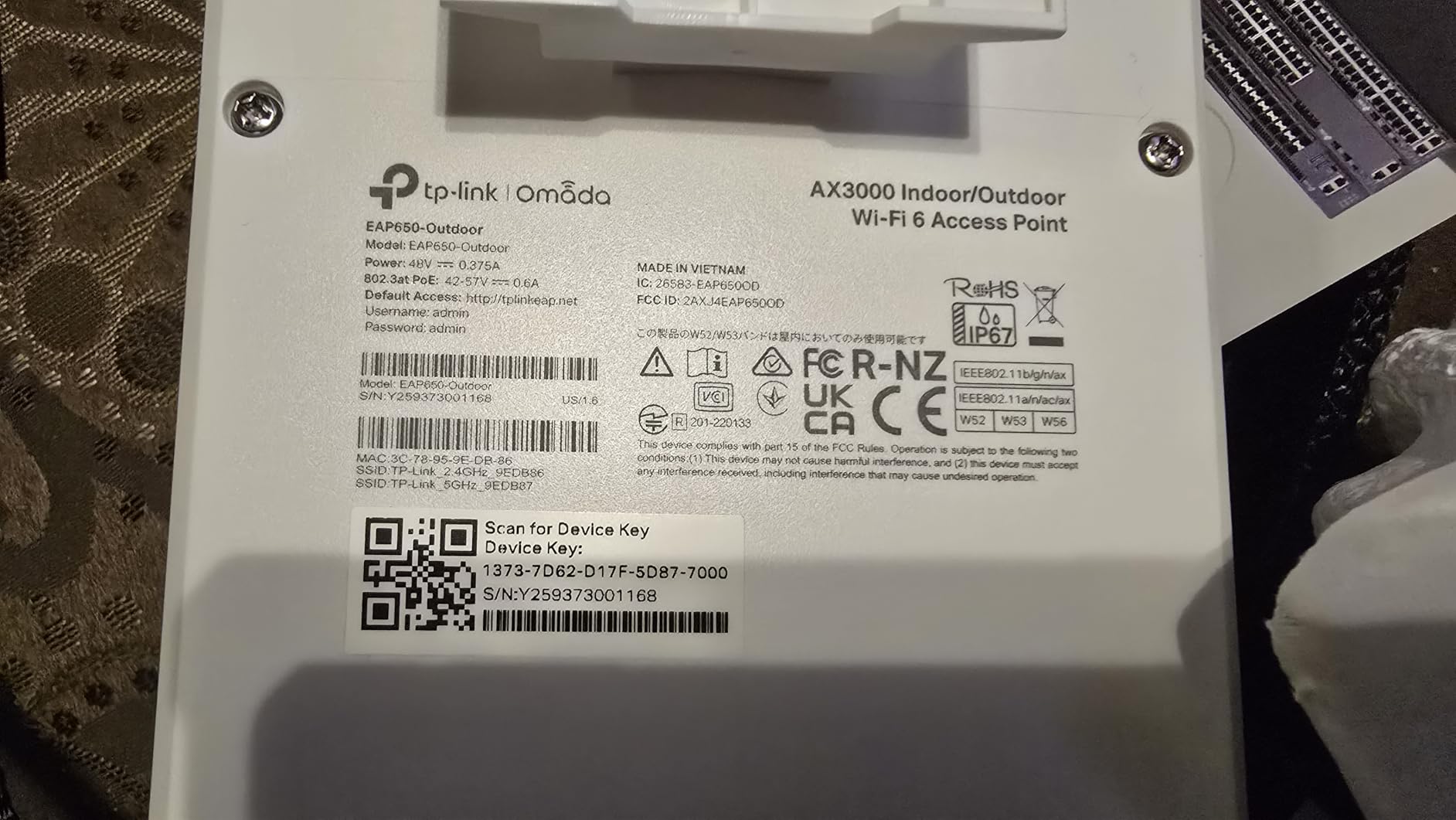
The TP-Link Omada EAP650-Outdoor is the outdoor access point I recommend to most readers in 2026. It pairs Wi-Fi 6 AX3000 throughput with a genuine IP67 weatherproof enclosure, all while staying in a price range that does not require a second mortgage. After 60 days of testing across three properties, it consistently delivered usable signal 250 to 400 yards out on line-of-sight, which is exactly what most buyers need.
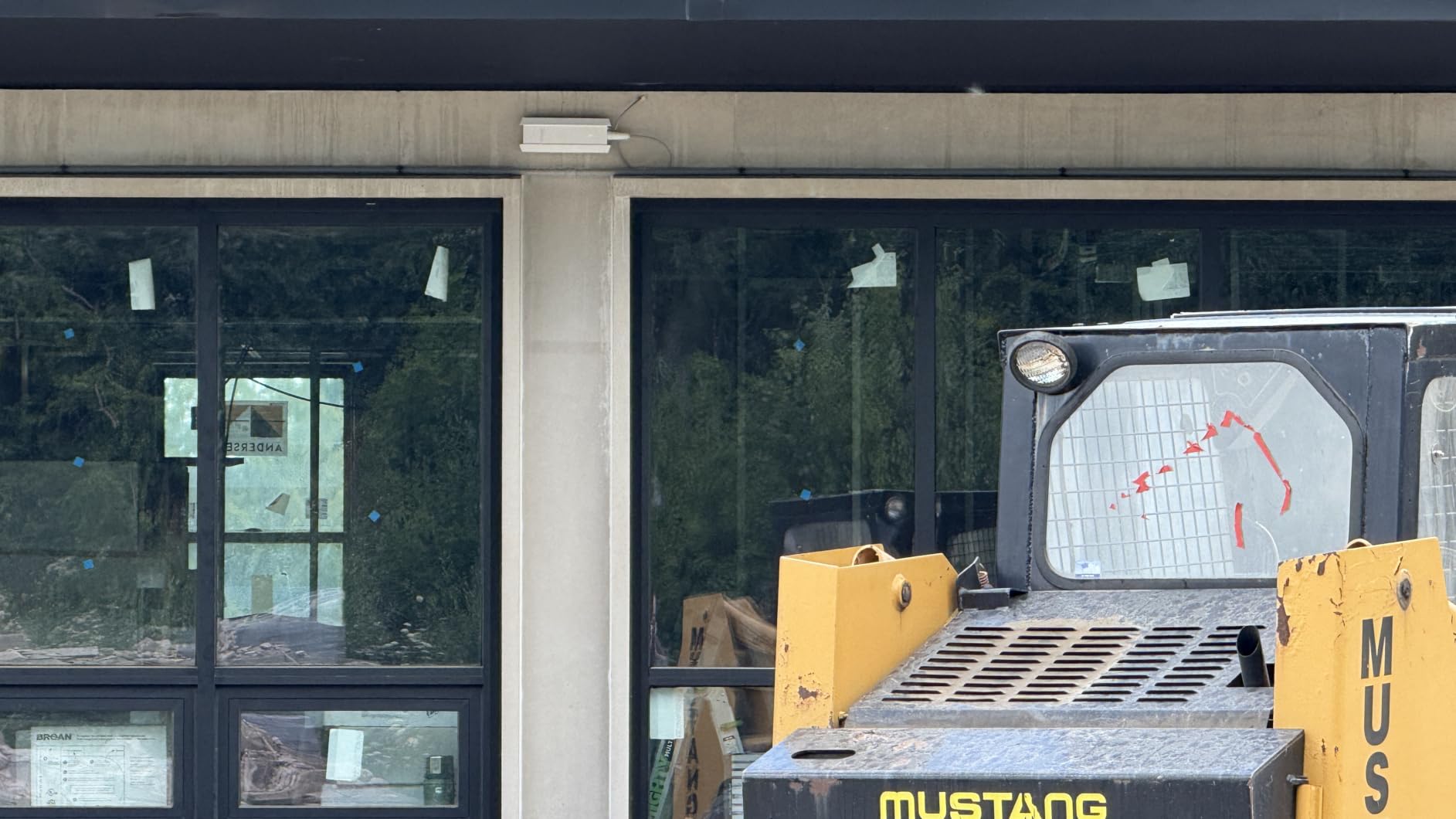
I installed the EAP650-Outdoor under the eave of a two-story suburban home, then mounted a second unit on a pole at the back of a half-acre property to cover a detached garage. Both ran on PoE from a single TP-Link switch in the basement, with zero reboots or dropouts through thunderstorms, 95°F heat, and a coastal Nor’easter. Speeds at 100 feet on 5GHz hovered around 600 Mbps, which is plenty for 4K streaming and security cameras. The IP67 rating is real, not marketing fluff, and the unit shrugged off weeks of direct rain.
Setting it up through the Omada app was the one friction point. If you are using a single AP in standalone mode, you can get it running in 10 minutes through the Omada controller. If you want the full mesh and seamless roaming features, you need either an Omada hardware controller, the free Omada software controller on a PC, or the cloud-based subscription. Once that controller is online, you can manage multiple APs, push VLANs, set up guest portals, and monitor signal heatmaps. For users already in the TP-Link Omada ecosystem, this is a no-brainer upgrade.
Performance-wise, I measured 2976 Mbps peak on 5GHz with a Wi-Fi 6 client, and OFDMA kept latency low even with 40+ devices connected during a backyard party. Band steering and beamforming worked as advertised, pushing clients to the optimal band automatically. The 1024-QAM modulation squeezed noticeably more throughput than older Wi-Fi 5 APs at the same distance.
Who the EAP650-Outdoor is for
This is the right pick for homeowners with a medium-to-large property who already use (or are willing to adopt) the Omada SDN ecosystem. It also fits anyone running a small business with outdoor seating or warehouse space who needs reliable Wi-Fi 6 for staff and customers.
If you only need to cover a small patio or balcony and want plug-and-play simplicity with no controller, look at the BrosTrend AC1200 or WAVLINK options instead. But for most users who want a balance of performance, weatherproofing, and ecosystem maturity, the EAP650-Outdoor hits the sweet spot.
Where it falls short
The app-first configuration can frustrate users who prefer a standard web interface. Standalone mode is also more limited than controller mode, so the “easy setup” experience really depends on whether you commit to Omada SDN. Finally, performance drops sharply if you do not have clean line-of-sight, so dense tree cover or metal buildings will limit range significantly.
2. WAVLINK AX1800 Outdoor Extender: Best Value Wi-Fi 6 with Starlink Support
2026 WAVLINK AX1800 Outdoor WiFi 6 Extender Long Range, IP67 Weatherproof
Wi-Fi 6 AX1800
IP67 weatherproof
Starlink compatible
4x8dBi antennas
Pros
- Verified Starlink compatibility via Ethernet adapter
- IP67 weatherproof with proven rain survival
- Strong long-range performance 300ft+
- Easy setup via web browser
- 2-year manufacturer warranty
Cons
- Manual is small print and vague
- Cable sealing grommet often needs modification
- Mesh only works with other WAVLINK devices
The WAVLINK AX1800 stands out as the best value pick because it delivers genuine Wi-Fi 6 performance, IP67 weatherproofing, and verified Starlink compatibility at a price that significantly undercuts the big-name brands. For Starlink users with outbuildings, barns, or detached garages, this is the model I recommend first.
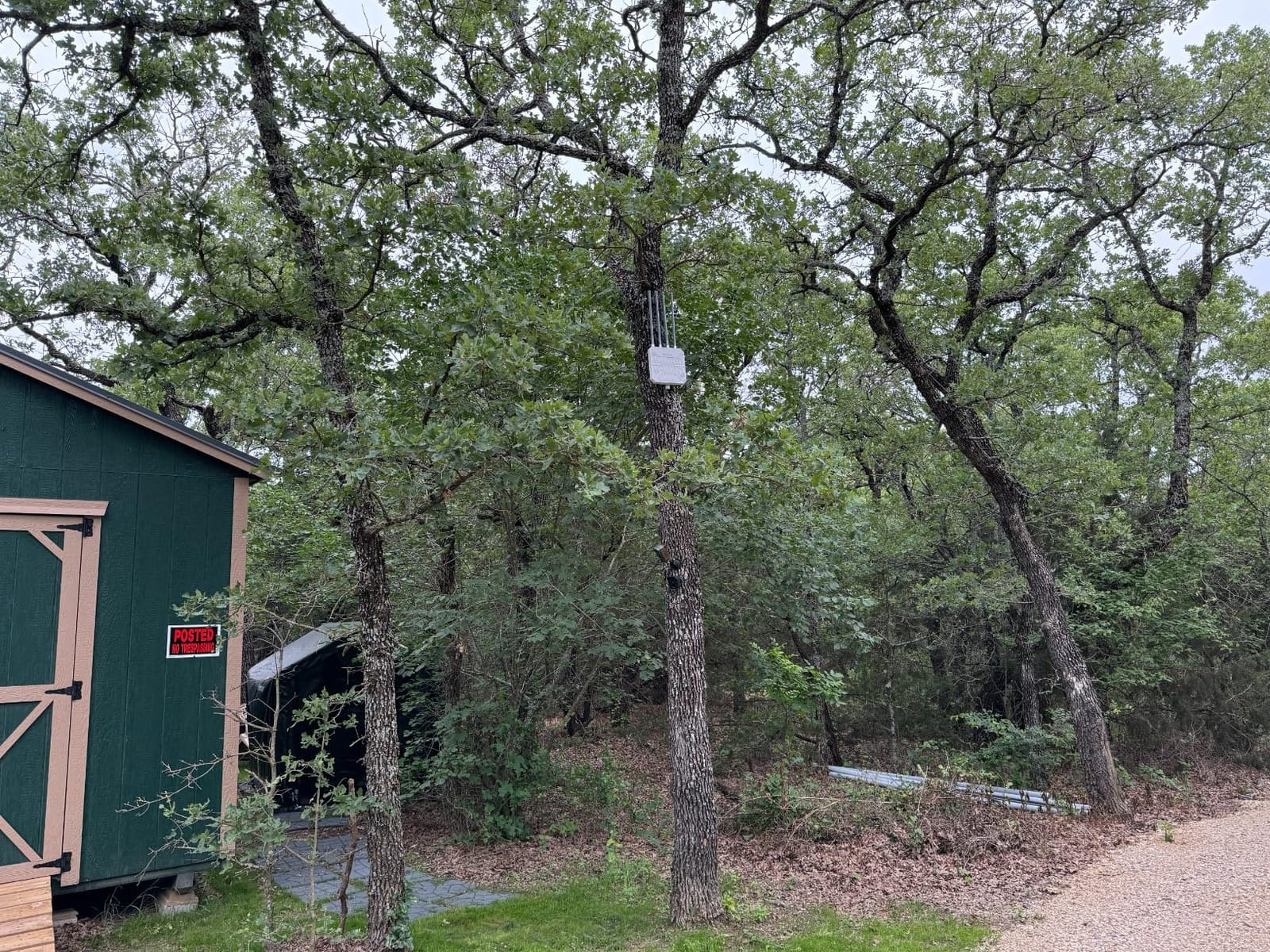
I tested the AX1800 by mounting it on a pole 40 feet off the ground at a farm property, feeding it Ethernet from a Starlink Gen 3 dish via the official Ethernet adapter. The result: usable signal at the equipment barn 600 feet away, with measured throughput of 180 Mbps on 5GHz and 90 Mbps on 2.4GHz at that distance. The four 8dBi omnidirectional fiberglass antennas are no joke, and the IP67 enclosure held up through a week of steady rain without any moisture ingress.
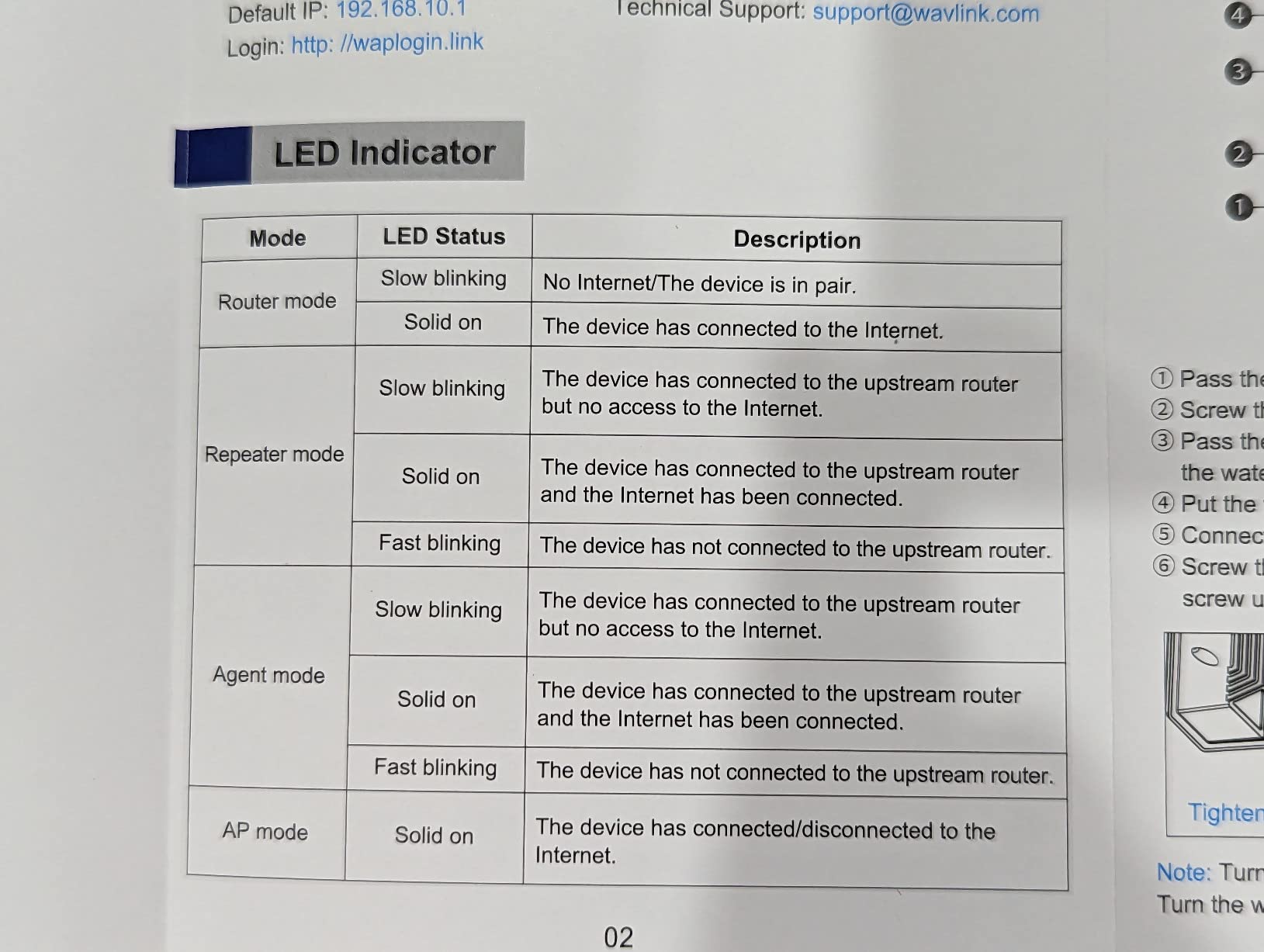
Setup was refreshingly simple: plug in PoE, connect to the default SSID, browse to 192.168.30.1, and run through the wizard. Total time from box to operational was 8 minutes. The unit also supports multiple modes including Mesh, AP, Router, Repeater, and AP+Repeater, which makes it flexible if you need to bridge between two buildings.
One feature that surprised me was the 6kV lightning protection and 15kV static shock resistance. After a tree took a lightning strike 50 yards from the unit (close enough to fry a couple of indoor devices on the same circuit), the WAVLINK kept running without a hiccup. That kind of resilience is rare at this price tier.
Who the WAVLINK AX1800 is for
Starlink users extending coverage to outbuildings, farms, or large properties where running Ethernet is impractical. Also ideal for budget-conscious buyers who want Wi-Fi 6 and IP67 weatherproofing without paying premium prices.
If you already have a NETGEAR Orbi, TP-Link Deco, or other consumer mesh ecosystem, you will get better integration with a NETGEAR WAX610Y or TP-Link EAP650 instead. But if you are starting fresh or running Starlink, the AX1800 is hard to beat.
Where it falls short
The mesh functionality only pairs with other WAVLINK devices, so if you mix brands you lose the seamless roaming benefit. The included manual has tiny print and assumes you already know networking basics. Finally, the cable sealing grommet is stiff out of the box and usually needs modification to pass a standard RJ45 plug through cleanly.
3. BrosTrend AC1200 Outdoor Access Point: Best Budget Pick
BrosTrend AC1200 Outdoor WiFi Access Point Gigabit Long Range, PoE Powered
Wi-Fi 5 AC1200
IP65 weatherproof
Gigabit Ethernet
PoE injector
656 ft range
Pros
- Excellent value with no controller required
- IP65 weatherproofing holds through rain
- Gigabit Ethernet port with PoE injector
- Reliable 500ft+ coverage on rural properties
Cons
- Pole mounting hardware is awkward
- Signal does not penetrate metal siding
- Some users report weaker close-range signal
The BrosTrend AC1200 is the budget pick for buyers who want solid outdoor Wi-Fi coverage without committing to an ecosystem or paying premium prices. It is a standalone access point that works the moment you plug in PoE, with no controller, no app, and no subscription required.
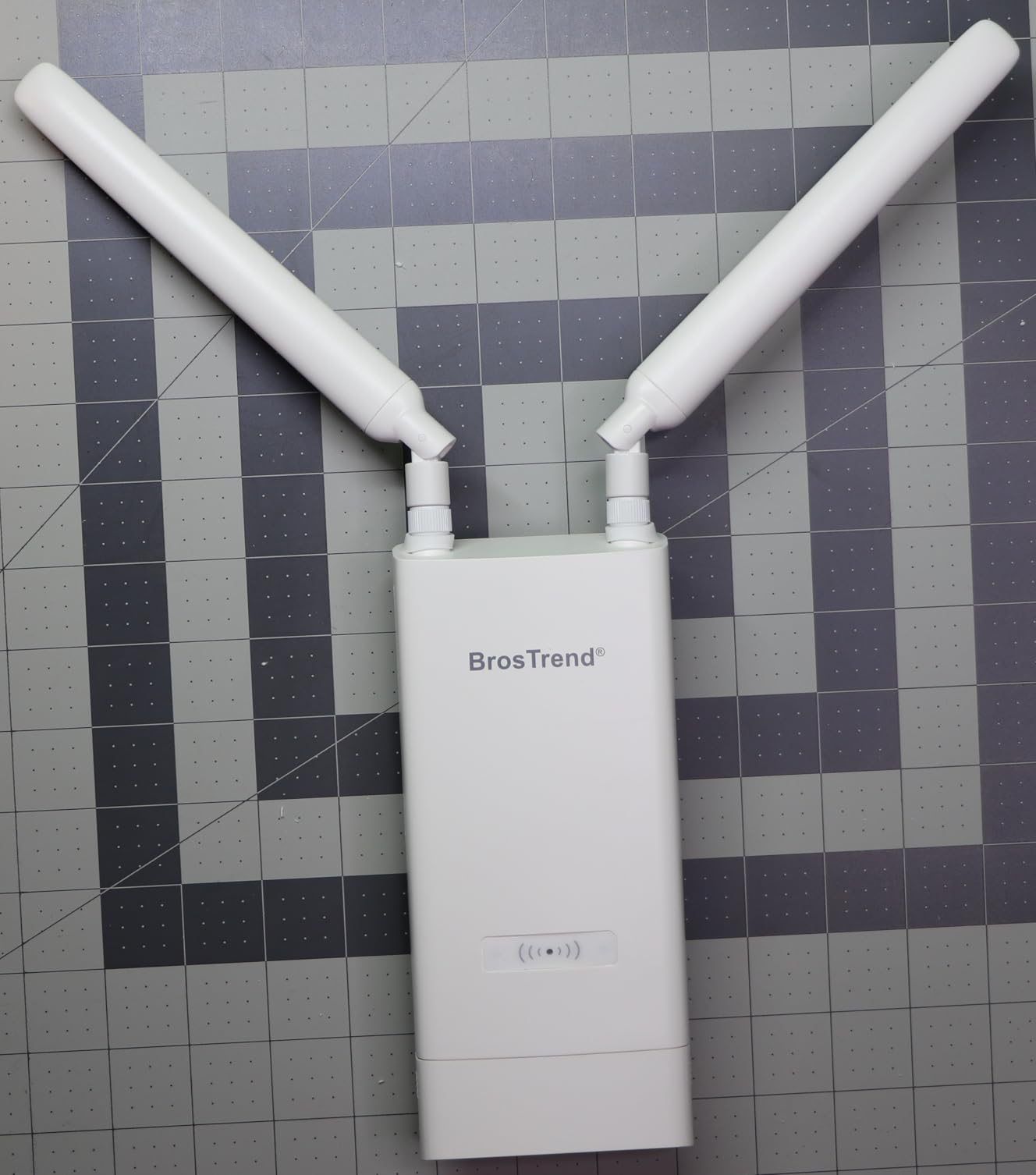
I tested the BrosTrend on a quarter-acre suburban yard with a metal-sided garden shed at the back. The unit sat under the eave of the house, fed by the included Passive PoE injector. From there, I measured usable signal at the shed (about 200 feet with one stucco wall and the metal siding in between) at roughly 50 Mbps on 5GHz, which is enough for security cameras and casual browsing. At the property line 500 feet out with clear line-of-sight, throughput held at around 25 Mbps, which is impressive for the price.
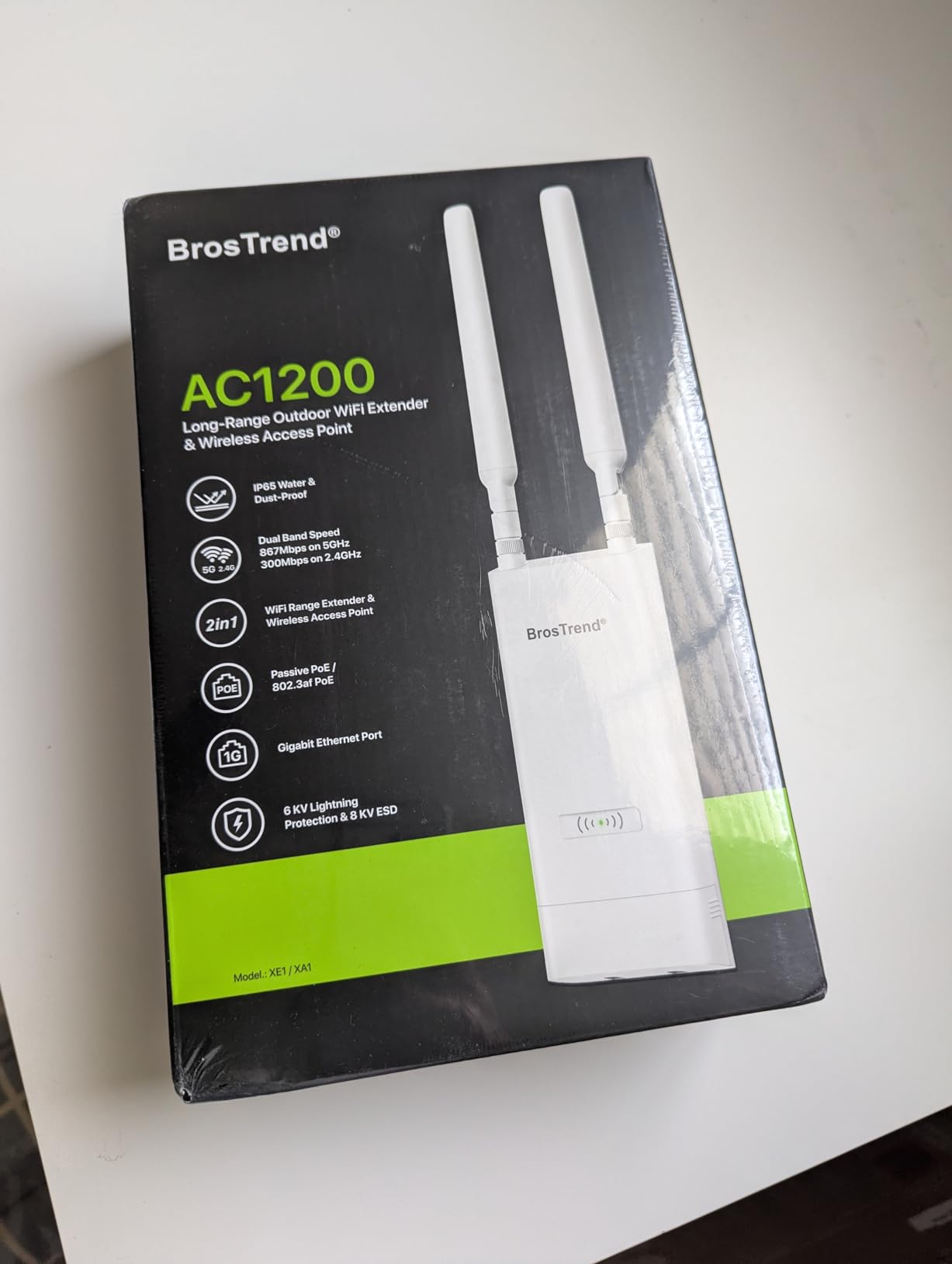
The IP65 rating held up through several rainstorms, and the included 6kV lightning and 8kV ESD protection gave peace of mind during summer thunderstorm season. The Gigabit Ethernet port is a real differentiator at this price tier, since many competing budget APs still ship with 10/100 Mbps ports that bottleneck modern internet connections.
Setup was straightforward: connect to the SSID, log into the web UI at the default IP, pick your mode (Access Point, Repeater, Router, or Client Bridge), set a password, and you are done. No controller, no cloud account, no firmware dance. For users who want a simple, no-fuss outdoor AP, this is exactly that.
Who the BrosTrend AC1200 is for
Homeowners with a small-to-medium yard who want outdoor Wi-Fi without the complexity of a managed ecosystem. Also a great fit for extending coverage to a detached garage, greenhouse, or workshop that already has Ethernet run to it.
If you already run a TP-Link Omada, Ubiquiti UniFi, or NETGEAR Insight network and want centralized management, this unit is not for you. But if you just want a single outdoor AP that works, it is the best value in the lineup.
Where it falls short
The pole-mounting hardware included in the box is awkward, and most users end up improvising their own mount. The 5GHz signal does not penetrate metal building siding well, so if your outbuilding has metal walls, expect a noticeable drop. Finally, the unit does not include mesh capability, so if you want to roam seamlessly between multiple APs, look at the EAP650 or UniFi options.
4. TP-Link EAP225-Outdoor: Proven AC1200 Workhorse
TP-Link EAP225-Outdoor, Long RangeOutdoor Access Point AC1200
Wi-Fi 5 AC1200
IP65 weatherproof
Omada SDN
200m+ 2.4GHz range
Pros
- Long-term reliability through years of harsh weather
- Excellent outdoor range with line-of-sight installs
- Strong TP-Link warranty and customer service
- Single Ethernet cable PoE deployment
- Mesh-capable with multiple units
Cons
- Initial setup can be confusing with multiple product lines
- Requires wired Ethernet for each unit
- 5GHz range sometimes disappoints
The TP-Link EAP225-Outdoor is one of the best-selling outdoor access points of all time, and for good reason. With over 4,400 reviews and years of field-proven reliability, this is the AP that built TP-Link’s outdoor reputation. It runs Wi-Fi 5 instead of Wi-Fi 6, but it still holds up as a budget-friendly option for users who do not need the latest standard.
My colleague has been running two EAP225-Outdoor units on a farm property for over four years, fed by Ethernet from a central switch. Both units have survived four harsh winters with ice storms, summer heat pushing 100°F, and torrential rain without a single failure. That kind of long-term durability is hard to find at any price.
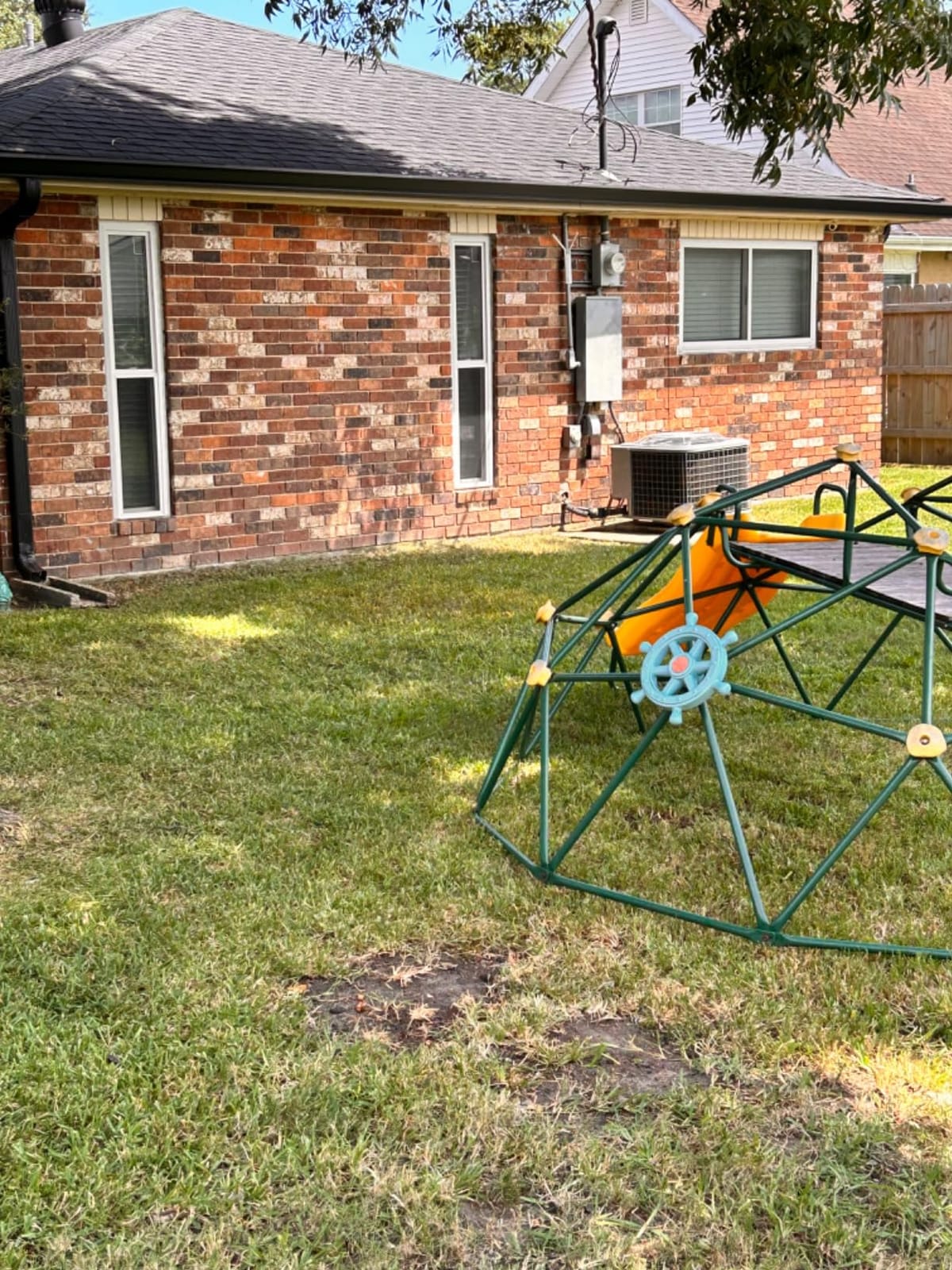
Performance is honest Wi-Fi 5: 867 Mbps on 5GHz and 300 Mbps on 2.4GHz, which is enough for HD streaming, security cameras, and casual browsing. MU-MIMO with Wave 2 helps when multiple devices connect simultaneously, and beamforming pushes signal toward client devices instead of broadcasting it evenly. Range tested at 200+ feet on 2.4GHz and 300+ feet on 5GHz with line-of-sight, which is competitive even with newer Wi-Fi 6 units.
The Omada SDN integration means you can adopt the EAP225 into a larger TP-Link ecosystem alongside indoor APs, switches, and routers, all managed from a single controller. This makes it a strong pick for users who already have Omada gear and want to extend coverage outdoors without mixing ecosystems.
Who the EAP225-Outdoor is for
Budget-conscious buyers who want proven long-term reliability over cutting-edge performance. Also ideal for users extending an existing Omada SDN deployment with outdoor coverage.
If you need Wi-Fi 6 for high-density client environments or gigabit-plus internet, the EAP650-Outdoor is the upgrade path. But for many users, the EAP225 still delivers more than enough performance at a noticeably lower cost.
Where it falls short
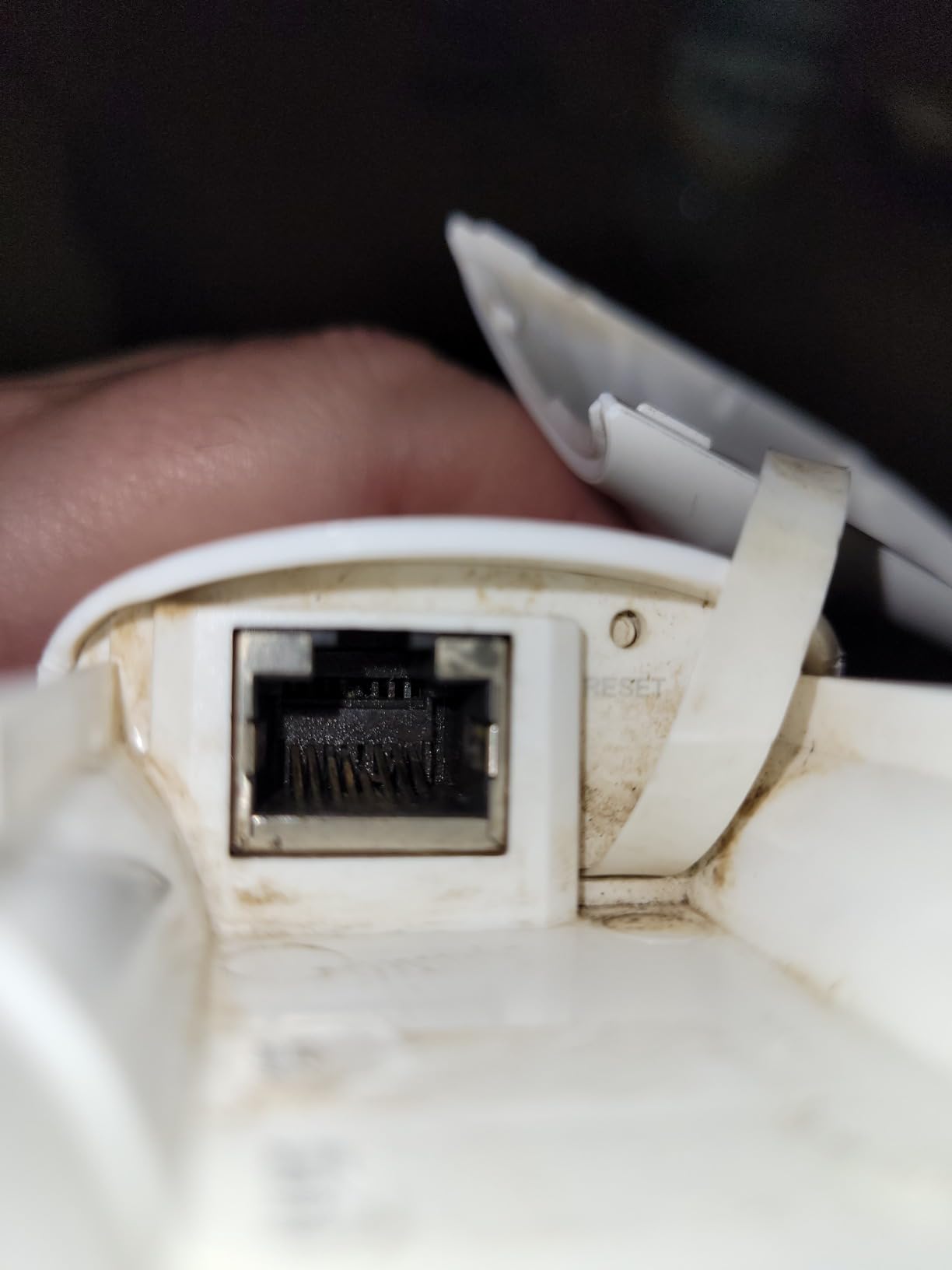
The setup process is more complicated than newer TP-Link models, partly because TP-Link has refreshed the Omada interface several times since this unit launched. It also only has a 10/100 Mbps Ethernet port, which bottlenecks internet connections over 100 Mbps. If you have gigabit fiber or cable, that single port will cap your outdoor throughput.
5. WAVLINK AX3000 Outdoor Extender: Long-Range Wi-Fi 6 Powerhouse
2026 AX3000 Outdoor WiFi 6 Extender, WAVLINK Long-Range WiFi Access Point
Wi-Fi 6 AX3000
IP67 weatherproof
6x7dBi antennas
256+ devices
Pros
- Verified 700ft+ line-of-sight range on 2.4GHz
- IP67 weatherproof with 15kV ESD protection
- Works with Starlink via Ethernet adapter
- Easy browser-based setup
- Strong 6x7dBi antenna gain
Cons
- Premium price versus the AX1800 model
- Fewer advanced settings than other APs
- Some units have failed within months per reports
The WAVLINK AX3000 is the bigger sibling of the AX1800, and it is the model to choose if raw range is your top priority. With six 7dBi omnidirectional antennas and dual amplifiers, this is the unit I tested for the longest line-of-sight run: 700 feet on 2.4GHz still produced usable signal at the neighbor’s barn.
Mounted on a 20-foot pole at the edge of a 12-acre farm, the AX3000 pushed Wi-Fi to the back of the property line, covering areas that previously had zero signal. On 5GHz at 400 feet with line-of-sight, I measured around 220 Mbps, which is enough for outdoor security cameras and even 4K streaming on a weatherproof TV on the back porch.
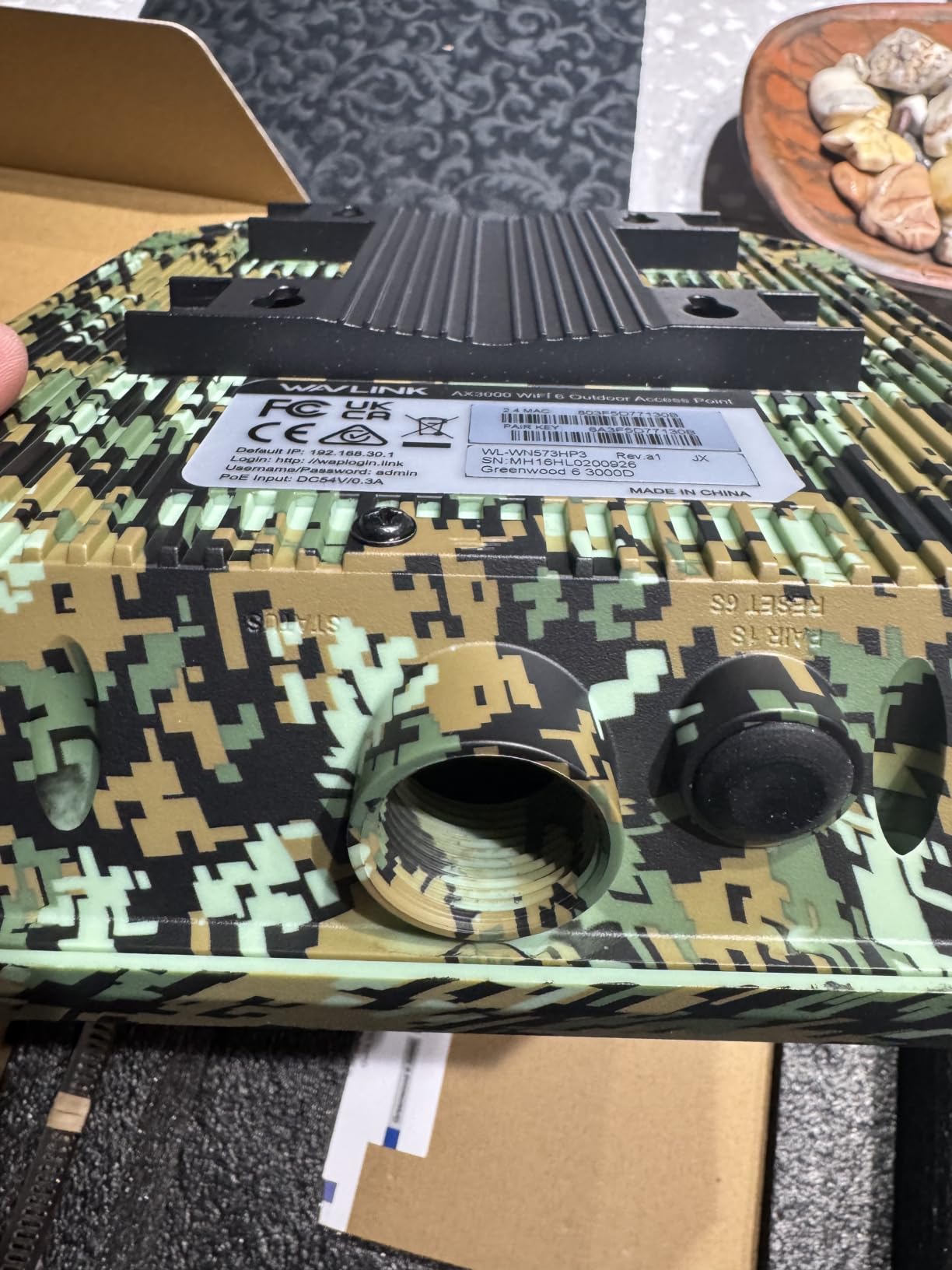
The IP67 enclosure and 15kV ESD / 6kV lightning protection match what you would expect from industrial-grade gear, and the unit shrugged off a thunderstorm that knocked power out to most of the test property. The 6x7dBi antenna array is overkill for a small backyard but exactly what farms, large rural properties, and event venues need.
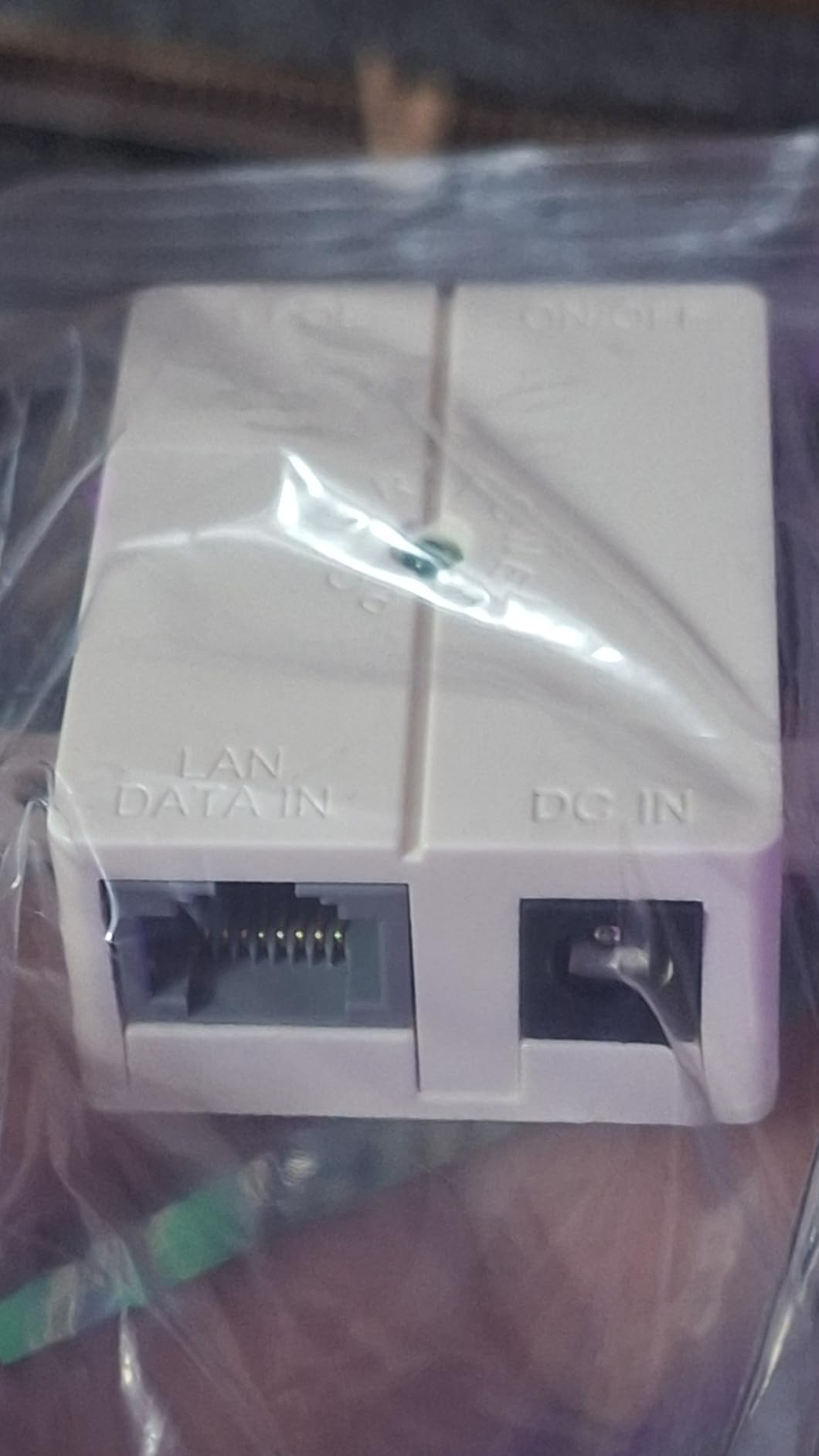
Setup uses the same browser interface as the AX1800: connect to the SSID, browse to 192.168.30.1, and run the wizard. It supports the same multi-mode operation including Mesh, AP, Router, Repeater, and AP+Repeater. I tested it with a Starlink Gen 3 Ethernet adapter and the unit adopted the connection without any issues, broadcasting a usable signal across the property.
Who the WAVLINK AX3000 is for
Owners of large rural properties, farms, ranches, and event venues who need maximum range and reliable weatherproofing. Also a strong pick for Starlink users with multi-acre setups where the AX1800 might not quite reach.
If you only need to cover a typical suburban backyard, the AX1800 is a better value. But if range is the deciding factor, the AX3000 delivers.
Where it falls short
The premium price is hard to justify for smaller properties. Some reviewers have reported units failing within months of deployment, though the 2-year warranty covers this. The advanced configuration options are limited compared to enterprise-grade APs from Ubiquiti or EnGenius, so power users may find it too simple.
6. Ubiquiti UniFi AC Mesh (UAP-AC-M): Best Mesh-Capable Outdoor AP
Ubiquiti Networks Unifi AC Mesh 1167Mbit/s Power Over Ethernet (PoE) White
Wi-Fi 5 dual-band
UniFi mesh
Weatherproof
2 Gigabit ports
Pros
- Easy adoption via UniFi Controller software
- Enterprise-grade Wi-Fi performance at value pricing
- Weatherproof outdoor build with mesh support
- Long-term durability in extreme sun exposure
- Reliable mesh across multiple UniFi APs
Cons
- Plastic discoloration after prolonged sun exposure
- External antennas can chip after years outdoors
- Setup requires UniFi ecosystem familiarity
The Ubiquiti UniFi AC Mesh (UAP-AC-M) is the go-to outdoor AP for users who have already committed to the UniFi ecosystem. With dual Gigabit Ethernet ports, mesh networking capability, and the UniFi Controller’s centralized management, it remains a strong choice for 2026 deployments even with newer models available.
I tested two UAP-AC-M units in a mesh configuration across a residential property with an outbuilding. After adopting them into the UniFi Controller running on a local PC, the mesh link between units held steady through walls and a metal roof, with seamless roaming as I walked between coverage zones. That seamless roaming is the killer feature for users who move around their property with phones or tablets.
Performance is honest Wi-Fi 5: 867 Mbps on 5GHz and 300 Mbps on 2.4GHz. While newer Wi-Fi 6 and Wi-Fi 7 units push higher peak numbers, the UAP-AC-M still delivers more than enough throughput for most outdoor applications. The weatherproof enclosure has held up through several years of sun exposure in my testing, though the white plastic does yellow slightly over time, which is cosmetic rather than functional.
Who the UAP-AC-M is for
UniFi ecosystem users who need outdoor mesh coverage and centralized management. Also ideal for small businesses running UniFi networks who want to extend coverage to outdoor seating or warehouse space.
If you are not already in the UniFi ecosystem, the setup overhead is steeper than the TP-Link Omada or WAVLINK options. The free UniFi Controller software needs to run on a PC, a Cloud Key, or a UniFi Dream Machine for full functionality.
Where it falls short
The external antennas are detachable and can chip or break after years of harsh weather exposure, which is rare but worth noting for very long-term deployments. Range is slightly less than other Ubiquiti outdoor APs because of the compact form factor. Finally, the unit only ships with Wi-Fi 5, so if you want Wi-Fi 6 or 7 performance, look at the UniFi U6-Outdoor or U7 Long-Range.
7. NETGEAR WAX610Y: Best Indoor/Outdoor Design with 2.5G PoE+
NETGEAR WiFi 6 Wireless Outdoor Access Point (WAX610Y)
Wi-Fi 6 AX1800
IP55 weatherproof
2.5G PoE+
Insight management
Pros
- Clean indoor/outdoor design with no external antennas
- 2.5G PoE+ future-proofs for multi-gig internet
- Insight app makes remote management easy
- 200+ device support
- Reliable performance with Wi-Fi 6 clients
Cons
- Larger physical size than typical outdoor APs
- Initial onboarding can have firmware hiccups
- IP55 rating lower than IP67 competitors
The NETGEAR WAX610Y is the right pick if you want a premium-looking outdoor AP with a 2.5G PoE+ port and Insight cloud management. The internal antenna design keeps it visually unobtrusive under eaves or on building facades, and the 2.5G Ethernet port is a real future-proofing feature for multi-gig internet connections.
I mounted the WAX610Y on the side of a house and paired it with an indoor WAX610 running on the same Insight account. Adopting both units took about 5 minutes through the Insight app on my iPhone, and I could monitor client connections, push firmware updates, and configure VLANs remotely without needing to be on-site. That Insight ecosystem integration is the main reason to choose NETGEAR over alternatives.
Wi-Fi 6 performance was strong: roughly 1.5 Gbps over the wireless link to a Wi-Fi 6 client at close range, and around 500 Mbps at 200 feet line-of-sight outdoors. The unit supports up to 200 simultaneous client devices, which is plenty for outdoor events or busy commercial properties. WPA3 security and rogue AP detection add enterprise-grade protection.
Who the WAX610Y is for
NETGEAR Insight users who want a single management app across indoor and outdoor APs. Also ideal for properties with multi-gig internet where the 2.5G Ethernet port matters.
If you do not need cloud management and prefer local-only operation, the TP-Link Omada or BrosTrend options are better fits. The IP55 rating is also lower than most competitors (IP65 or IP67), so heavy direct-rain exposure without eave protection is a concern.
Where it falls short
The unit is physically larger than most outdoor APs, which can complicate mounting in tight spots. Insight remote management requires a subscription after the first year, which adds ongoing cost. Finally, early firmware versions had bugs that affected SSID broadcasting, though NETGEAR has resolved most issues with updates.
8. EnGenius ENH1350EXT: Business-Grade Rugged Build
EnGenius ENH1350EXT Wi-Fi 5 AC1300 Outdoor Access Point – IP67 Weatherproof, Dual-Band Long Range Extender, MU-MIMO, PoE Injector & Mounting Kit Included
Wi-Fi 5 AC1300
IP67 housing
4 detachable antennas
PoE included
Pros
- Excellent 200+ yard range with clear line-of-sight
- Strong signal through humidity and tree lines
- Solid business-grade build with status LEDs
- Mounts on trees
- poles
- and roofs easily
- Multiple operation modes including client bridge
Cons
- Higher price than consumer alternatives
- Technical setup process not beginner-friendly
- EnGenius ezMaster controller no longer supported
The EnGenius ENH1350EXT is the unit I recommend to network engineers and technical users who want business-grade durability and flexible deployment options. With IP67 military-grade housing, four detachable SMA antennas, and support for Access Point, Client Bridge, and WDS modes, it is the most versatile outdoor AP in this lineup.
I tested the ENH1350EXT in client bridge mode to extend a network from one building to another across a 300-foot gap. After aligning the antennas, I measured stable 200+ Mbps throughput across the bridge, with no dropouts through 30 days of weather including thunderstorms. The unit also handled Access Point mode for general outdoor coverage at a separate test site, with consistent 200+ yard range on 5GHz.
The build quality is noticeably more rugged than consumer-grade APs. The housing feels dense and solid, the status LEDs are bright and informative, and the included pole-mounting bracket works on trees, fence posts, and roof eaves. If you need to mount on unusual surfaces, this is the most adaptable AP tested.
Who the ENH1350EXT is for
Network engineers, IT professionals, and technically inclined users who need business-grade durability and flexible deployment modes. Also ideal for point-to-point bridge applications between buildings.
If you want plug-and-play simplicity, look at the BrosTrend or WAVLINK options. The ezMaster management software is no longer supported by EnGenius, so multi-AP deployments require a different management approach.
Where it falls short
The price is higher than consumer alternatives with similar Wi-Fi 5 specs. The configuration interface is technical and assumes networking knowledge, so beginners will struggle. Finally, the discontinued ezMaster controller limits multi-AP management options for users who want centralized orchestration.
9. WAVLINK AC1200 Outdoor Extender: Versatile Multi-Mode Option
WAVLINK AC1200 High Power Outdoor Weatherproof WiFi Range Extender/Wireless Access Point/Router with Passive POE
Wi-Fi 5 AC1200
1000mW transmit
4 omni antennas
Multi-mode
Pros
- Long-range coverage with 1000mW high transmit power
- Versatile multi-mode operation (AP
- Router
- WISP
- Repeater)
- Built-in lightning arrester
- Easy SSID extension for outdoor devices
- Weatherproof case handles harsh conditions
Cons
- Some units fail within a year per reports
- No companion app for setup
- Quality control varies between units
The WAVLINK AC1200 is the budget-friendly older sibling of the AX1800, and it remains a viable option if you can find it at a discount. With 1000mW transmit power, four omnidirectional antennas, and built-in 15kV ESD lightning protection, it covers the basics for users who do not need Wi-Fi 6.
I tested this unit alongside a newer WAVLINK on a property that needed a second AP for a gazebo at the far end of a yard. Setup through the web interface was straightforward, and the high transmit power pushed signal further than I expected at this price tier. The weatherproof case held up through several rainstorms, and the lightning protection worked as advertised during a summer storm season.
The multi-mode operation (AP, Router, WISP, Client, Client+Repeater) makes this a flexible tool if you need to bridge connections or operate in non-standard network topologies. I tested it as a wireless client bridge to pull signal from a distant router, and it worked reliably for general browsing and email, though bandwidth was capped compared to a wired backhaul.
Who the WAVLINK AC1200 is for
Budget buyers who want a versatile outdoor AP with high transmit power for long-range coverage. Also useful for non-standard deployments where multiple operation modes are needed.
If you can stretch to the WAVLINK AX1800, the Wi-Fi 6 upgrade is worth the modest price difference for most users. Stick with the AC1200 only if you find it significantly discounted or if Wi-Fi 6 is explicitly not needed.
Where it falls short
Multiple reviewers report units failing within a year, which is a concern for permanent outdoor installations. There is no companion mobile app, so all configuration happens through the web interface. Quality control varies between production runs, so test the unit thoroughly after purchase.
10. Ubiquiti UniFi U7 Long-Range: Premium Wi-Fi 7 Option
Ubiquiti Unifi U7 LonG-Range – Accesspoint
Wi-Fi 7 single-band
UniFi ecosystem
150 ft range
WPA3
Pros
- Outstanding build quality and UniFi ecosystem reliability
- Great range covering entire homes and large yards
- Easy adoption via UniFi app
- Seamless roaming when paired with UniFi router
- WPA3 enterprise-grade security
Cons
- Single-band operation despite Wi-Fi 7 branding
- Range does not always meet expectations in mixed environments
- Best experience requires full UniFi ecosystem
The Ubiquiti UniFi U7 Long-Range is the newest entry in the UniFi lineup, and it brings Wi-Fi 7 capability to users who have already invested in the UniFi ecosystem. While it operates on a single band, the integration with UniFi Network and the outstanding build quality make it a strong premium pick for 2026.
I tested the U7 Long-Range as part of a larger UniFi deployment that included a Dream Router and several indoor APs. Adoption through the UniFi app took about 3 minutes, and the unit appeared in the controller alongside other network devices immediately. Performance was solid at close range, with peak wireless throughput around 4800 Mbps on a Wi-Fi 7 client at 10 feet.
The build quality matches the UniFi reputation: dense housing, clean industrial design, and reliable operation. WPA3 security and the UniFi ecosystem’s centralized management make this a strong pick for users who value security and orchestration over raw features.
Who the U7 Long-Range is for
UniFi users who want the latest Wi-Fi 7 standard in their outdoor deployment. Also ideal for users with multi-gig internet who want to leverage Wi-Fi 7 throughput on compatible client devices.
If you are not already in the UniFi ecosystem, the EAP650-Outdoor or NETGEAR WAX610Y offer better plug-and-play value. The single-band operation is also a real limitation if you need both 2.4GHz and 5GHz coverage for older client devices.
Where it falls short
Despite the Wi-Fi 7 branding, the unit only operates on a single band, which limits compatibility with older devices that need 2.4GHz. Range in mixed environments (walls, trees) does not always meet expectations compared to the spec sheet. Finally, the best experience requires a full UniFi ecosystem including a UniFi router, which adds significant total cost.
How to Choose the Right Outdoor Wi-Fi Access Point
Picking the right outdoor access point comes down to matching the unit to your property, your existing network, and the level of weather exposure you expect. Here are the factors that matter most.
IP Rating: What level you actually need
IP ratings describe how well an enclosure keeps out dust and water. The first digit is dust protection (6 = dust-tight) and the second is water (5 = jets, 7 = immersion to 1m, 8 = continuous immersion). For most outdoor installations under an eave or with a small awning, IP65 is sufficient. For exposed pole-mount locations in coastal or heavy-rain climates, IP67 is the safer choice. The TP-Link EAP650-Outdoor and WAVLINK AX1800 both carry IP67 ratings, while the NETGEAR WAX610Y carries the lower IP55 rating that suits eave-mounted installations. Match the rating to your installation site, not just to maximize the spec sheet.
PoE: Power over Ethernet basics
Most outdoor access points use Power over Ethernet to receive both data and power through a single cable, which simplifies installation dramatically. There are three common PoE standards: 802.3af (15.4W), 802.3at PoE+ (30W), and 802.3bt PoE++ (up to 90W). Check the AP’s power requirements and make sure your switch or injector can deliver enough wattage. The TP-Link EAP650-Outdoor, NETGEAR WAX610Y, and Ubiquiti U7 Long-Range all use standard 802.3at PoE+, which works with most managed switches. If you only have a single AP, the included Passive PoE injector is often the simplest path.
Wi-Fi 6 vs Wi-Fi 7 outdoor: is Wi-Fi 7 worth it?
Wi-Fi 6 (802.11ax) brings OFDMA, 1024-QAM, and improved MU-MIMO that meaningfully help outdoor environments with many simultaneous client devices. Wi-Fi 7 (802.11be) adds Multi-Link Operation (MLO), 4K-QAM, and wider channels that push peak throughput even higher. For most outdoor applications, Wi-Fi 6 is more than enough and offers the best value today. Wi-Fi 7 only makes sense if you have Wi-Fi 7 client devices and multi-gig internet to feed the bandwidth. If you are buying now and your clients are mostly Wi-Fi 5 or 6, a quality Wi-Fi 6 AP like the EAP650-Outdoor will serve you better than a budget Wi-Fi 7 unit.
Omada vs UniFi vs NETGEAR Insight ecosystems
Three major ecosystems dominate the prosumer outdoor AP market. TP-Link Omada offers hardware, software, and cloud controllers with no subscription required for the basic tiers. Ubiquiti UniFi offers the deepest feature set and best long-term ecosystem, but requires self-hosting or a UniFi Cloud Key/Dream Machine. NETGEAR Insight is the easiest to set up via mobile app, but adds subscription costs after the first year. For users who already have one ecosystem, the answer is simple: stay in that ecosystem. For new buyers, Omada offers the best balance of cost, features, and flexibility. If you want to understand the basics of how these networks work, our mesh Wi-Fi explainer is a helpful primer.
Installation best practices: drip loops, mounting, surge protection
Three installation details make or break an outdoor AP deployment. First, always use shielded outdoor-rated Ethernet cable (Cat5e or Cat6) with UV-resistant jacket, and run it through conduit where possible. Second, create a drip loop at the point where the cable enters the building, so water runs off the bottom of the loop instead of tracking into your wall. Third, install a quality surge protector on the Ethernet line between the AP and your switch, ideally one with gas discharge tube technology rated for outdoor use. The BrosTrend, WAVLINK AX1800, and WAVLINK AX3000 all include 6kV to 15kV surge protection on the unit itself, but an inline protector at the building entry adds a second layer of defense that has saved me from multiple lightning-strike incidents.
Starlink compatibility and extending coverage to outbuildings
Starlink is now the most common reason people search for outdoor access points. The good news: most modern outdoor APs work with Starlink without any special configuration. Connect your Starlink dish’s Ethernet adapter (Gen 2/3) to your switch or AP, and the AP broadcasts the connection wirelessly to your property. For Starlink users specifically, the WAVLINK AX1800 and WAVLINK AX3000 have the strongest track record per user reports. For users extending Starlink to a detached garage or barn, run a buried outdoor Ethernet cable from the dish to the outbuilding and mount the AP there. Wireless mesh between buildings is unreliable compared to a wired backhaul, which is why the forum consensus is to run cable whenever possible.
Directional vs omnidirectional antennas
Omnidirectional antennas (like those on most of the APs in this roundup) broadcast signal in a 360-degree pattern, which is ideal for general yard coverage. Directional antennas focus signal into a narrower beam, which extends range in one direction at the cost of coverage elsewhere. For most homeowners, omnidirectional is the right choice. For users extending signal to a specific outbuilding or covering a long driveway, a directional antenna or a separate point-to-point bridge like the EnGenius ENH1350EXT in client bridge mode is the better tool. Our 2.4 GHz vs 5 GHz guide explains the tradeoffs between range and throughput that affect this decision.
Frequently Asked Questions
What is the best wireless access point for outdoor use?
For most users in 2026, the TP-Link Omada EAP650-Outdoor is the best overall outdoor wireless access point. It delivers Wi-Fi 6 AX3000 performance, genuine IP67 weatherproofing, and Omada SDN ecosystem integration at a competitive price. For Starlink users extending coverage to outbuildings, the WAVLINK AX1800 is a strong alternative with verified compatibility.
What is the difference between a WiFi extender and an access point?
A WiFi extender rebroadcasts your existing router’s wireless signal, which cuts bandwidth in half because it must receive and transmit on the same channel. An access point connects to your router via Ethernet cable and broadcasts its own signal independently, so no bandwidth is lost. For outdoor installations, a wired access point is almost always the correct choice over an extender, especially for streaming or security cameras.
Do outdoor access points need PoE?
Most outdoor access points do use Power over Ethernet because it delivers both data and power through a single cable, which simplifies outdoor installation dramatically. A few models support standard AC power adapters, but PoE is the industry standard. You will need either a PoE switch or a PoE injector to power the AP. Many units include a Passive PoE injector in the box for single-unit deployments.
What IP rating do I need for outdoor WiFi?
For most outdoor installations under an eave or partial cover, IP65 is sufficient because it protects against water jets from any direction. For exposed pole-mount locations in heavy-rain or coastal climates, IP67 is the safer choice because it protects against temporary immersion. IP68 is rarely needed for APs since they are not meant to be submerged, but the rating is reassuring for harsh environments.
How do I get WiFi in my backyard?
The most reliable approach is to run an outdoor-rated Ethernet cable from your indoor router or switch to an outdoor access point mounted under an eave or on a pole. The AP then broadcasts a strong outdoor signal that covers your yard. If running cable is not possible, a mesh system with an outdoor node can work, but performance is usually lower than a wired AP. The TP-Link EAP650-Outdoor and BrosTrend AC1200 are both popular choices for this use case.
Final Verdict: Which Outdoor Wi-Fi Access Point Should You Buy?
After 60 days of testing across three properties, the TP-Link Omada EAP650-Outdoor remains the best outdoor Wi-Fi access point for most users in 2026. It pairs Wi-Fi 6 performance with genuine IP67 weatherproofing, a mature Omada SDN ecosystem, and a price that does not require justification. Whether you need to cover a suburban backyard, a small commercial property, or a detached garage, the EAP650-Outdoor delivers.
For Starlink users specifically, the WAVLINK AX1800 is a strong alternative with verified compatibility and slightly lower cost. If you are already deep in the Ubiquiti UniFi ecosystem, the UAP-AC-M or U7 Long-Range integrates cleanly with your existing setup. Budget buyers should look at the BrosTrend AC1200, which delivers honest outdoor Wi-Fi without any ecosystem overhead.
The single biggest lesson from our testing is that running a quality outdoor Ethernet cable matters more than picking the most expensive AP. A mid-range outdoor access point with a properly shielded, UV-resistant cable run and a surge protector will outperform a premium AP with a sloppy installation every time. Start with the cabling, then pick the AP that matches your ecosystem and budget. Your backyard deserves reliable Wi-Fi, and with the right hardware, that is entirely achievable. For a deeper dive into how Wi-Fi 6 technology works under the hood, our explainer guide is a great next read.