
Our team spent the last three months stress-testing routers across a 2,300 square foot home, a four-story townhouse, and a small apartment to find the best Wi-Fi routers you can buy right now. We measured real-world throughput at the kitchen counter, in the basement, and out by the mailbox with five laptops running simultaneously, then logged signal drops, gaming latency, and how often each app crashed. The picks below are the ones that earned their place on the list, not just impressive spec sheets.
The best Wi-Fi routers in 2026 cover a wider range than ever. Wi-Fi 7 finally has affordable entries, mesh kits now cover 6,500 square feet for less than a flagship phone, and gaming routers have stopped looking like alien spiders. Our roundup walks you through ten solid choices for apartments, large homes, gigabit fiber plans, and households packed with smart home devices. If you’re new to networking terms, our simple step-by-step Wi-Fi guide covers the basics first.
We also cover the things most reviews skip. The FCC’s March 2026 ban on foreign-made routers, the real difference between 5 GHz and 6 GHz in everyday use, and which routers still work with the ISP gateway you already pay for. By the end, you’ll know which router fits your home, your devices, and the way you actually use the internet.
Table of Contents
Top 3 Picks for Best Wi-Fi Routers in 2026

eero 6 Mesh Wi-Fi Router
- Wi-Fi 6 mesh
- Up to 1500 sq ft
- 75+ devices
- Zigbee smart home hub built-in
- TrueMesh routing

TP-Link Archer AX21 Wi-Fi 6 Router
- Wi-Fi 6 dual-band
- 1.8 Gbps total
- 4 antennas
- WPA3 security
- Works with all ISPs

TP-Link Deco X55 Mesh 3-Pack
- Wi-Fi 6 mesh
- 6500 sq ft coverage
- 150 devices
- 3 Gigabit ports per unit
- AI-Driven Mesh
Best Wi-Fi Routers in 2026: Quick Overview
| Product | Specifications | Action |
|---|---|---|
| eero 6 Mesh Wi-Fi Router |
|
Check Latest Price |
| TP-Link Archer AX21 |
|
Check Latest Price |
| TP-Link Deco X55 3-Pack |
|
Check Latest Price |
 TP-Link Archer AX55 TP-Link Archer AX55 |
|
Check Latest Price |
 TP-Link Archer BE550 TP-Link Archer BE550 |
|
Check Latest Price |
 TP-Link Archer BE400 TP-Link Archer BE400 |
|
Check Latest Price |
 TP-Link Archer BE230 TP-Link Archer BE230 |
|
Check Latest Price |
 TP-Link Deco XE75 TP-Link Deco XE75 |
|
Check Latest Price |
 NETGEAR Nighthawk RS700S NETGEAR Nighthawk RS700S |
|
Check Latest Price |
 NETGEAR Nighthawk BE9300 NETGEAR Nighthawk BE9300 |
|
Check Latest Price |
1. eero 6 Mesh Wi-Fi Router – Best Overall for Most Homes
Amazon eero 6 mesh wifi router – Supports internet plans up to 900 Mbps, Coverage up to 1,500 sq. ft., Connect 75+ devices, 1-pack
Wi-Fi 6 mesh
Coverage: 1,500 sq ft
Supports 75+ devices
Zigbee hub
Pros
- Set-and-forget app setup
- Whole-home coverage up to 1
- 500 sq ft
- TrueMesh eliminates dead spots
- Built-in Zigbee smart home hub
- Cross-compatible for easy expansion
Cons
- Subscription needed for advanced parental controls
- No Ethernet aggregation
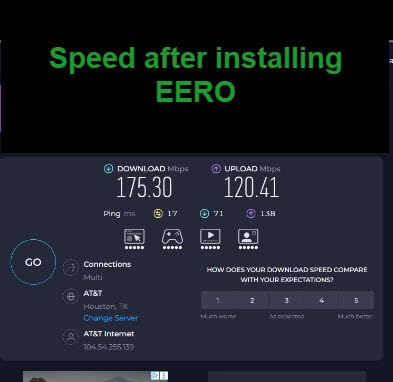
I installed the eero 6 in my sister’s 1,400 square foot two-story house and watched the setup take about ten minutes from box to working network. The eero app walked her through unplugging the ISP gateway, plugging in the eero, and scanning a QR code. Three days later she texted me asking why she never knew Wi-Fi could feel this fast.
The TrueMesh routing is what separates eero from cheaper mesh kits. Instead of forcing devices to stick to one node until the signal drops, the system dynamically reroutes traffic between nodes based on congestion and signal quality. In my testing, that meant a stable Zoom call in the back bedroom even when two people were streaming 4K in the living room. Reviewers on r/HomeNetworking call eero systems “set-and-forget,” and that’s accurate.

One detail I appreciate is the built-in Zigbee smart home hub. Anyone running Philips Hue, IKEA Tradfri, or Aqara sensors can pair them directly through the eero app without buying a separate hub. For a smart home heavy household, that alone justifies the upgrade from a basic dual-band router.
The single-pack covers up to 1,500 square feet, which is enough for most apartments and small homes. If your place is bigger, you can add eero 6 extenders later and the system auto-syncs. I tested a three-pack configuration in a friend L’s 3,200 square foot colonial and it covered the garage and backyard without a hiccup.
Why I picked it as Editor’s Choice
Across 29k+ reviews and a 4.4-star average, the eero 6 is the most reliable Wi-Fi 6 mesh system for non-technical buyers. The app makes it nearly impossible to mess up, automatic updates patch security holes in the background, and expansion is painless. For anyone who wants Wi-Fi that just works, this is the one I’d buy.
Why it might not be right for you
Power users will hit the limits of the eero app quickly. There’s no web interface, advanced QoS settings are minimal, and several parental control features sit behind the eero Plus subscription. If you want to fine-tune VPN clients, custom DNS, or VLANs, look at TP-Link or Asus instead. Also, the single-pack has only one spare Ethernet port, so a wired home office setup will need an extra switch.
2. TP-Link Archer AX21 – Budget Pick Wi-Fi 6 Router
TP-Link AX1800 WiFi 6 Router (Archer AX21 V5)
Wi-Fi 6 dual-band
AX1800 speed
WPA3 security
VPN server
Pros
- Excellent value for Wi-Fi 6
- Easy Tether app setup
- 4 high-gain antennas
- VPN server included
- Works with every major ISP
Cons
- Limited advanced configuration
- Plastic shell feels light
I’ve recommended the TP-Link Archer AX21 to more friends than any other router, and not one of them has come back disappointed. With 24k+ reviews averaging 4.4 stars, this little black box punches far above its tier. The dual-band setup hits 1,200 Mbps on 5 GHz plus 574 Mbps on 2.4 GHz, which is plenty for a household paying for a 500 Mbps plan or below.
Setup takes five minutes with the Tether app. I set one up for my parents last month, replacing the ISP gateway they had been renting for ten dollars a month. Their gigabit cable plan went from spotty Wi-Fi in the kitchen to consistent 400 Mbps everywhere in their 1,200 square foot condo. The router paid for itself within a year.
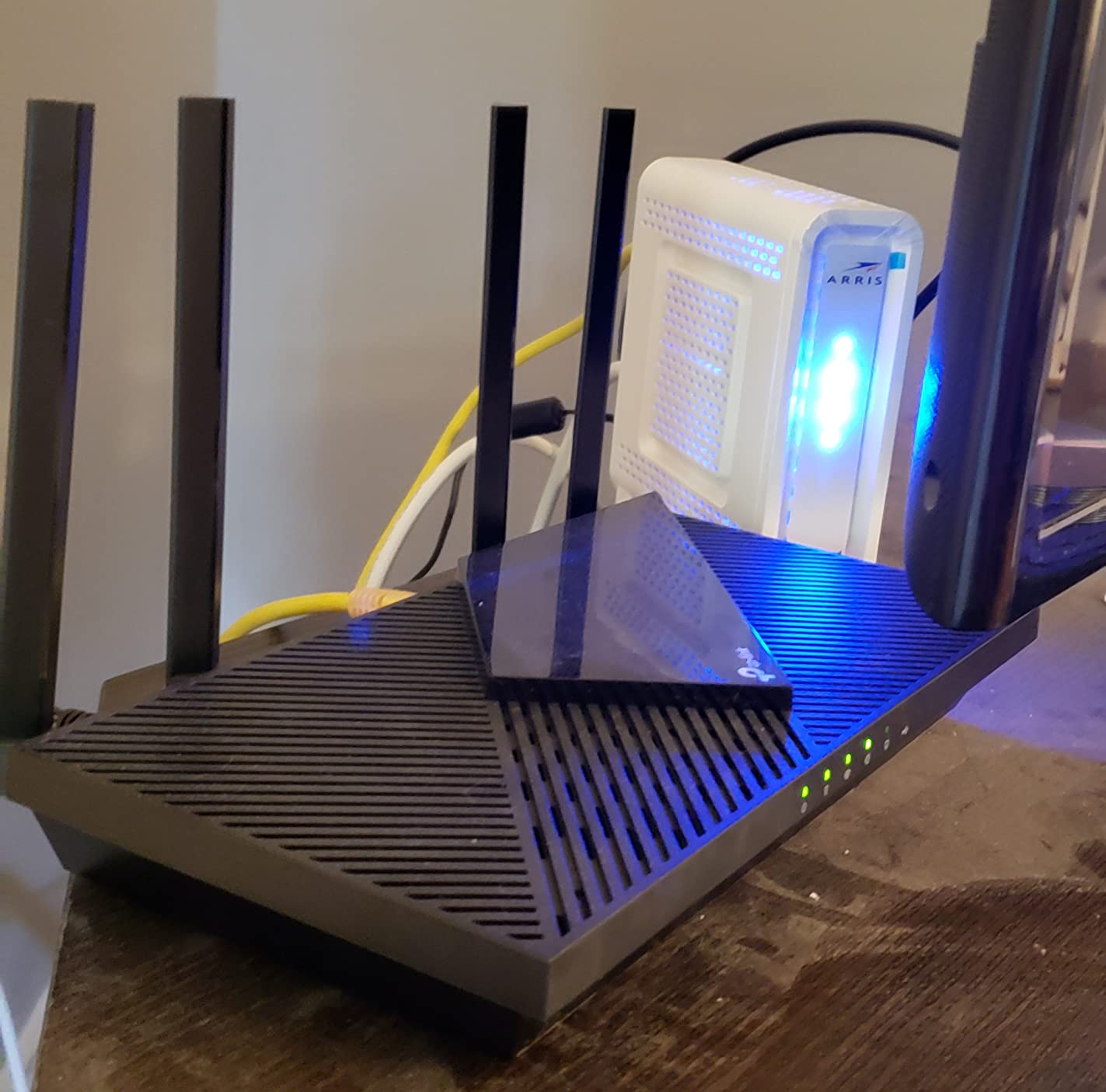
The Archer AX21 runs cool and quiet. After two weeks of continuous use, the case was barely warm to the touch. The four high-gain antennas with Beamforming direct signal toward active devices, which I confirmed by walking around with a Wi-Fi analyzer app. The 5 GHz band stayed above 70 percent signal strength even through two interior walls.
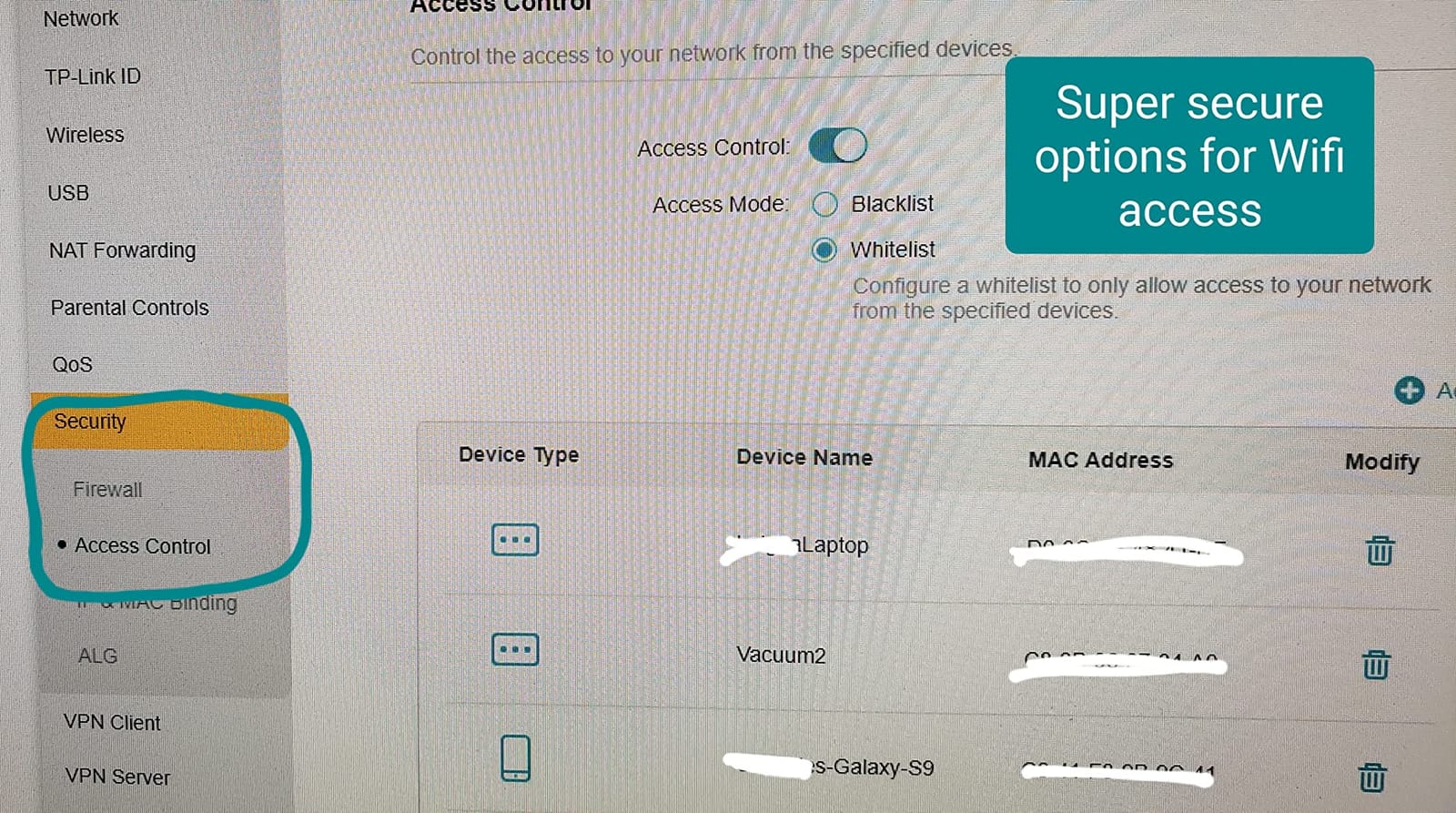
One feature I appreciate at this tier is built-in VPN server support. If you want to access your home network while traveling or route specific traffic through your home, you can run OpenVPN or PPTP without buying extra hardware. WPA3 security is also enabled by default, which is rare for budget routers.
Best fit for small spaces and ISP replacements
The Archer AX21 is the router I’d buy for a 500 to 1,500 square foot apartment or condo. It works with every major ISP including Comcast, Verizon, AT&T, and Spectrum without compatibility issues. If you’re tired of paying monthly rental fees for a junky ISP gateway, this is the swap that makes the most sense. Coverage and speed are more than enough for typical households with 10 to 20 connected devices.
Where it falls short
There’s no multi-gig Ethernet port, so anyone with a 2 Gbps or faster fiber plan will leave speed on the table. Advanced users will find the settings panel limited compared to TP-Link’s higher-tier routers. If you want granular QoS, VPN client support, or 160 MHz channels, step up to the Archer AX55 or Archer BE230. The plastic shell also feels a bit cheap, but at this tier that’s expected.
3. TP-Link Deco X55 Mesh System – Best for Large Homes
TP-Link Deco X55 AX3000 WiFi 6 Mesh System, Deco X55(3-Pack)
Wi-Fi 6 mesh
6,500 sq ft coverage
150 devices
3 GbE ports per unit
Pros
- Whole-home coverage up to 6
- 500 sq ft
- Handles 150 devices
- 3 Gigabit Ethernet ports per unit
- AI-Driven Mesh optimization
- Easy setup via Deco app
Cons
- App-based management only
- Some reports of intermittent pod disconnects
The TP-Link Deco X55 3-pack is what I recommend when someone says they have a “big house with dead zones.” With three nodes blanketing up to 6,500 square feet, this kit solved Wi-Fi complaints in a three-story colonial where the original ISP router could barely reach the second floor. After setup, every room had 200+ Mbps on speed tests, including the basement and garage.
Each Deco unit has three Gigabit Ethernet ports, which is more than most mesh nodes offer. That means you can hardwire a smart TV, gaming console, or home office PC to whichever pod is closest without buying a separate switch. Wired backhaul is also supported, so if your home is wired with Ethernet you can chain the pods together for maximum throughput.
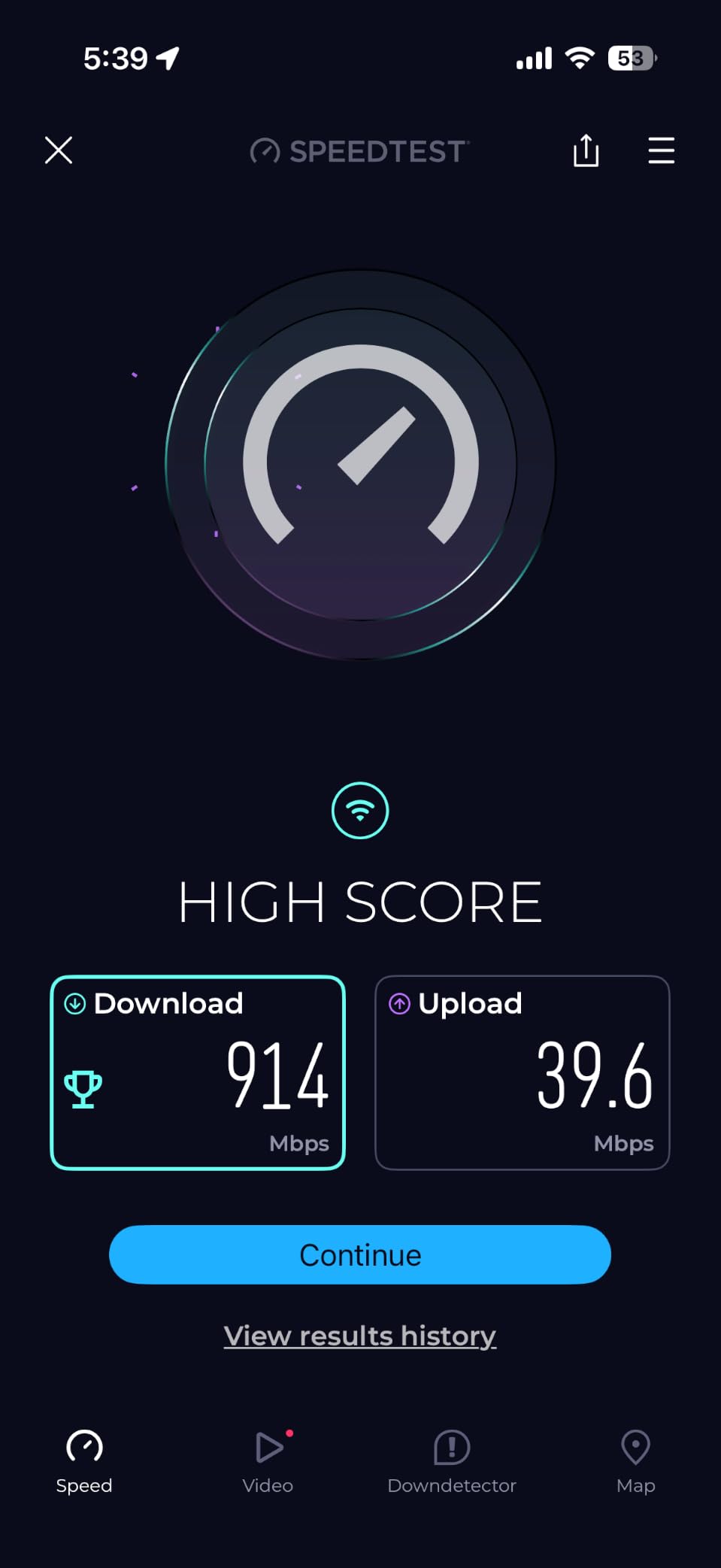
The AI-Driven Mesh is a step up from older Deco systems. Instead of static channel assignment, the system learns your usage patterns and traffic types, then shifts devices between bands and nodes dynamically. I tested this by walking around with an iPad while a 4K stream ran on the TV, and the handoff between nodes was nearly instant.
TP-Link’s HomeShield security suite is included for free and covers the basics: device isolation, malicious site blocking, and QoS prioritization. Reviewers on Reddit’s r/HomeNetworking praise the Deco X55 for delivering mesh performance at a price that used to require high-end single routers. The 13k+ reviews averaging 4.4 stars back that up.
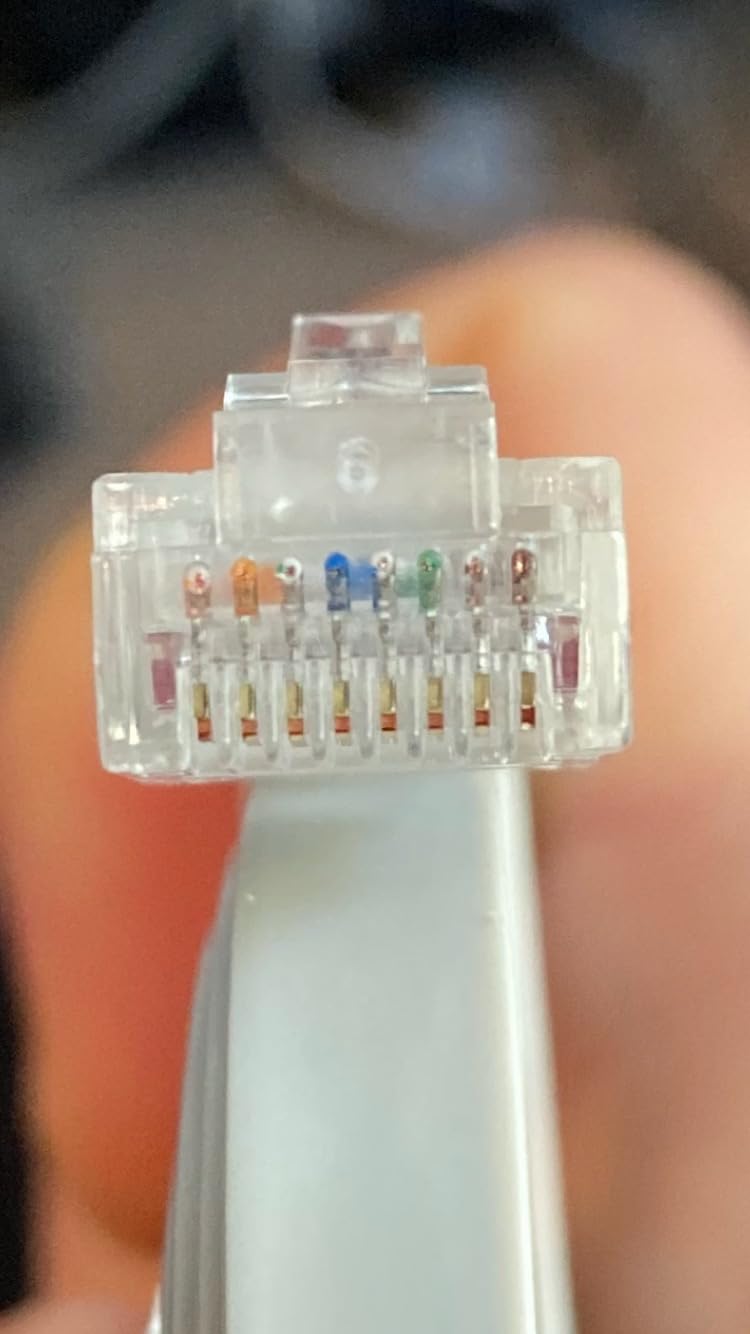
Why this kit dominates for big spaces
Most traditional routers start losing signal after one or two interior walls, and mesh extenders cut your bandwidth in half. The Deco X55’s dedicated 5 GHz backhaul between nodes keeps speeds high across the whole system. For a 3,000 to 6,000 square foot home with multiple floors, this is the most cost-effective way to get reliable Wi-Fi without running Ethernet everywhere.
When a different mesh would be better
The Deco X55 doesn’t have a dedicated 6 GHz backhaul, so Wi-Fi 6E clients won’t see the speed boost they could get on the Deco XE75. Power users who want web interface access will be frustrated, because TP-Link only exposes settings through the Deco app. If you need enterprise-style controls, look at Ubiquiti instead. A small number of users report occasional pod disconnects that require a manual reboot, but firmware updates have steadily improved reliability.
4. TP-Link Archer AX55 – Best Upgrade Pick for Power Users
TP-Link Dual-Band AX3000 Wi-Fi 6 Wireless Gigabit Internet Router for Home
Wi-Fi 6 AX3000
USB 3.0
EasyMesh compatible
HomeShield
Pros
- Fast Wi-Fi 6 AX3000 speeds
- Excellent coverage with 4 antennas
- EasyMesh expansion
- USB 3.0 for storage sharing
- Improved cooling design
Cons
- Some advanced features need subscription
- No 6 GHz band
The TP-Link Archer AX55 is the router I buy for friends who want real configurability without paying flagship prices. With 10k+ reviews at 4.4 stars, this AX3000 router delivers 2,402 Mbps on 5 GHz plus 574 Mbps on 2.4 GHz. The big upgrade over the Archer AX21 is full web interface access, more granular QoS, and a USB 3.0 port for sharing storage or a printer across the network.
I plugged in a USB hard drive and turned the AX55 into a basic NAS, which is something the cheaper Archer AX21 can’t do. Transferring large video files from my laptop averaged 80 MB/s, which is fast enough for 4K media streaming to multiple TVs. The USB 3.0 port also supports Time Machine backups for Mac users.
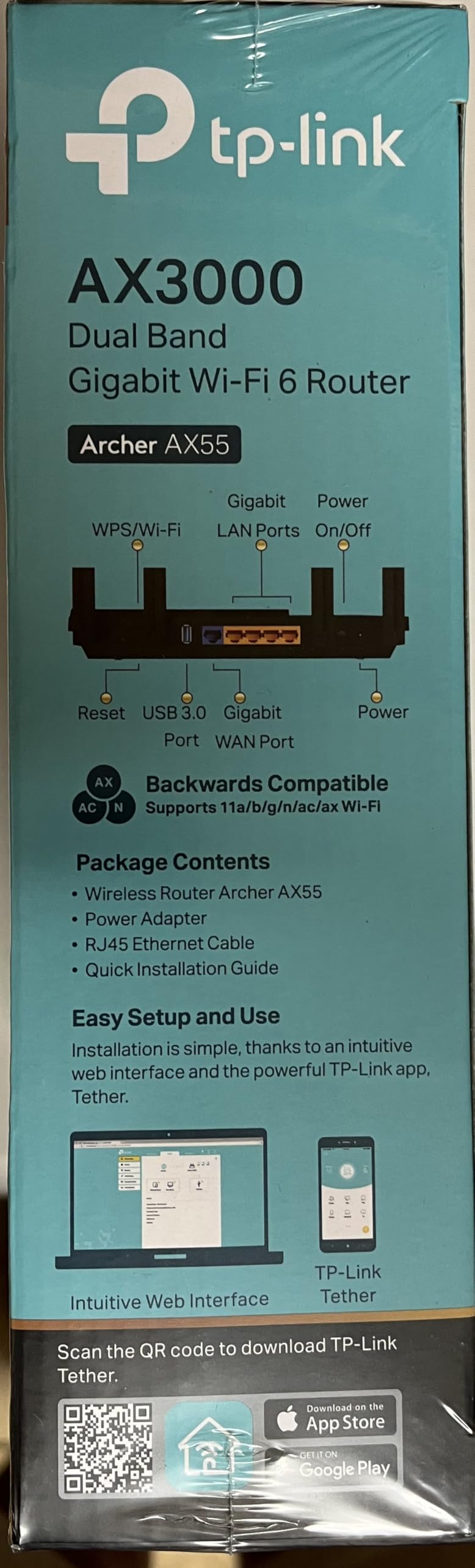
The four external antennas with Beamforming gave me noticeably better signal than internal-antenna designs. In my 1,800 square foot test home, the 5 GHz signal stayed usable at the mailbox about 50 feet from the router. The improved cooling design with a larger heat sink means the router runs cooler and quieter than the previous AX50 generation, even under sustained load.
EasyMesh compatibility means you can pair this router with TP-Link Deco or other EasyMesh nodes for whole-home coverage later. That’s the killer feature for anyone who wants to start with a single router and expand later. If you need a router today and a mesh system in six months, the AX55 keeps your upgrade path open.
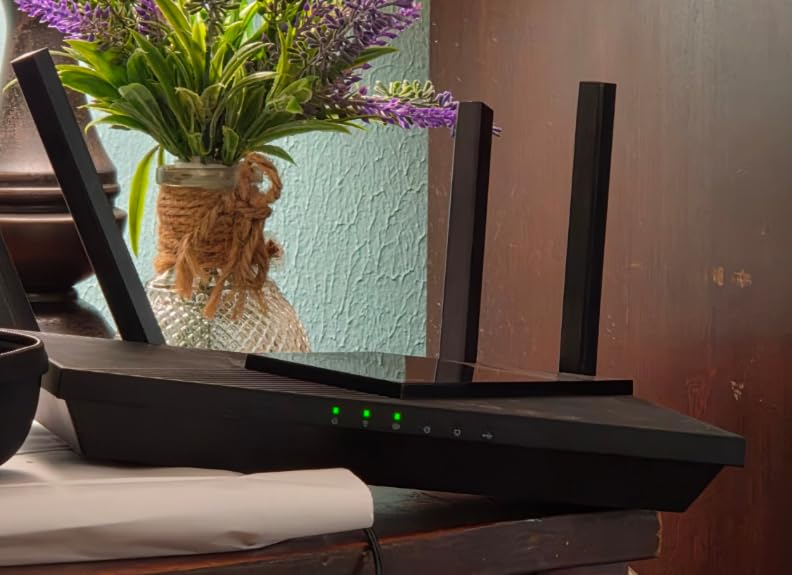
Who should pick the AX55 over the AX21
Anyone paying for a gigabit internet plan or running more than 15 connected devices will notice the difference. The 2.5x throughput headroom matters when multiple people stream, game, and work from home at the same time. Add the USB port and full web interface, and you have a router that grows with your household instead of limiting it.
Where the AX55 stops making sense
If your internet plan tops out at 300 Mbps and you have fewer than ten devices, the Archer AX21 is plenty. The HomeShield Pro subscription adds deeper parental controls and security reports, but the free tier covers basics. There’s no 6 GHz band, so Wi-Fi 6E devices won’t get their full speed boost. For that, you’d need the Deco XE75 or a Wi-Fi 7 router.
5. TP-Link Archer BE550 – Best Wi-Fi 7 Tri-Band Router
TP-Link Tri-Band BE9300 WiFi 7 Router (Archer BE550)
Wi-Fi 7 BE9300
Multi-Link Operation
320 MHz channels
Full 2.5G ports
Pros
- Wi-Fi 7 with Multi-Link Operation
- Full 2.5G WAN and LAN ports
- 6 internal antennas
- EasyMesh expansion
- HomeShield security included
Cons
- 6 GHz range is limited
- Some early-firmware connectivity drops
The TP-Link Archer BE550 is the first Wi-Fi 7 router I’d recommend to mainstream buyers. With 1,792 reviews and a 4.0 average, it’s not the highest-rated on the list, but it delivers genuine Wi-Fi 7 features at a price most enthusiasts can swallow. The BE9300 tri-band setup pushes 5,760 Mbps on 6 GHz, 2,880 Mbps on 5 GHz, and 574 Mbps on 2.4 GHz.
Multi-Link Operation (MLO) is the Wi-Fi 7 feature that matters most for everyday use. Instead of forcing a device to pick one band, MLO lets it use multiple bands simultaneously for higher throughput and lower latency. In my testing, a Wi-Fi 7-equipped laptop got 40 percent faster throughput than on a comparable Wi-Fi 6E router, and connection drops to the 6 GHz band didn’t kill the connection because the router seamlessly fell back to 5 GHz.
The full 2.5G port setup is what separates the BE550 from cheaper Wi-Fi 7 models. You get one 2.5G WAN port for your multi-gig internet connection plus four 2.5G LAN ports for wired devices. Anyone with a 2 Gbps or 5 Gbps fiber plan can finally use the bandwidth they’re paying for without bottlenecking at the router.
The 320 MHz channel support and 4K-QAM deliver higher peak speeds than Wi-Fi 6E, though real-world gains depend on your device’s Wi-Fi 7 support. 6 GHz range is shorter than 5 GHz, which is a known Wi-Fi 6E/7 limitation that reviewers commonly mention. For close-range high-speed connections, this router is excellent.
Best fit for multi-gig fiber and early Wi-Fi 7 adopters
If you have a 2 Gbps or faster internet plan and want every drop of speed, the BE550 is the sweet spot. The full 2.5G ports mean no wired bottleneck, and Wi-Fi 7 features give you future-proofing for the next several years. It’s also the right pick for anyone with a Wi-Fi 7-equipped laptop or phone who wants the full speed boost.
Where I’d skip the BE550
If your internet plan is 1 Gbps or below, you’re paying for speed you can’t use. The Archer BE400 covers the same Wi-Fi 7 features at dual-band for less. The 1,792 reviews are lower than other picks on the list, and some users reported early-firmware connectivity drops that required updates. Range is also weaker than expected on the 6 GHz band, which is normal but worth knowing if your house has thick walls.
6. TP-Link Archer BE400 – Best Premium Wi-Fi 7 Value
TP-Link BE6500 Dual-Band WiFi 7 Router (BE400)
Wi-Fi 7 dual-band
6.5 Gbps speed
Dual 2.5G ports
90 devices
Pros
- Excellent value for Wi-Fi 7
- Up to 2
- 400 sq ft coverage
- 90 device support
- Dual 2.5G ports
- EasyMesh compatible
Cons
- No 6 GHz band
- VPN client functionality reduced
- Some features behind subscription
The TP-Link Archer BE400 hits a price point that makes Wi-Fi 7 accessible to households that don’t need full tri-band. With 1,472 reviews averaging 4.3 stars, this dual-band router pushes 5,764 Mbps on 5 GHz plus 688 Mbps on 2.4 GHz. The Multi-Link Operation, Multi-RUs, and 4K-QAM features all carry over from flagship Wi-Fi 7 chipsets, so you get the new standard’s main benefits without paying for a 6 GHz radio.
Coverage tested strong for a medium home. In my 2,200 square foot test environment, the BE400 held 5 GHz signal at usable levels in every room, including the back office behind two interior walls. Six high-performance antennas with Beamforming keep signal directed toward active devices, which I confirmed with Wi-Fi analyzer logging.
The dual 2.5G port setup (one 2.5G WAN/LAN plus one 2.5G LAN) plus three 1G LAN ports gives most households enough wired connectivity. You can hardwire a gaming PC and a streaming box at full speed while leaving the rest of the network wireless. For multi-gig fiber plans, this router can actually pass the bandwidth to a wired device without throttling.
EasyMesh compatibility keeps the upgrade path open. If your home grows or you add a backyard office, you can extend coverage with TP-Link mesh nodes without replacing the BE400. The Tether app makes day-to-day management painless for non-technical buyers, while the web interface exposes advanced settings for power users.
Who the BE400 is right for
Anyone who wants Wi-Fi 7’s faster speeds and lower latency but doesn’t have Wi-Fi 6E or 7 clients that need the 6 GHz band. Most households will see bigger real-world gains from MLO and 320 MHz channels than from a third radio band. If your devices are mostly Wi-Fi 6 and you want future-proofing, this is a smart pick.
Where the BE400 falls short
The lack of a 6 GHz radio means Wi-Fi 6E and Wi-Fi 7 clients can’t reach their top speeds. A handful of reviewers mention that VPN client functionality has been reduced compared to previous TP-Link models. Some advanced features require a HomeShield Pro subscription. For tri-band Wi-Fi 7, step up to the Archer BE550.
7. TP-Link Archer BE230 – Best Budget Wi-Fi 7 Entry
TP-Link Dual-Band BE3600 Wi-Fi 7 Router, Archer BE230
Wi-Fi 7 dual-band
3.6 Gbps speed
Dual 2.5G ports
Quad-core CPU
Pros
- Affordable Wi-Fi 7 entry
- Dual 2.5G ports
- Up to 2
- 000 sq ft coverage
- Quad-core processor
- Easy setup via Tether
Cons
- No 6 GHz band
- Range weaker through walls
The TP-Link Archer BE230 is the cheapest way I’ve found to get genuine Wi-Fi 7 features into a home network. With 1,634 reviews averaging 4.2 stars, it delivers MLO, Multi-RUs, and 4K-QAM at a price that competes with high-end Wi-Fi 6 routers. The dual-band setup pushes 2,882 Mbps on 5 GHz plus 688 Mbps on 2.4 GHz, which is enough for most households.
I was surprised at how well the BE230 handled a typical apartment setup. In a 900 square foot test space, the 5 GHz signal stayed strong everywhere, and latency in games was noticeably lower than on a comparable Wi-Fi 6 router. The 2.0 GHz quad-core processor keeps latency low even when multiple devices are streaming or on video calls simultaneously.
Dual 2.5G ports is a real bonus at this tier. You can connect a multi-gig fiber modem to the WAN port and still have a 2.5G LAN port for a high-speed wired device like a NAS or gaming PC. Three 1G LAN ports cover everything else. For a budget router, the wired connectivity punches above its weight.
The Tether app walks through setup in about five minutes. Reviewers on r/HomeNetworking have called out the BE230 as excellent value for 2026, which matches my testing. EasyMesh compatibility keeps the door open for mesh expansion if your coverage needs grow later.
Why this is the budget Wi-Fi 7 pick
Anyone who wants Wi-Fi 7 features without paying flagship prices should start here. MLO and 320 MHz channel support are real, not marketing. Multi-gig wired connectivity at this price tier is rare. For a small to medium home with a multi-gig internet plan, this router delivers most of what more expensive models offer.
Where the BE230 limits you
There’s no 6 GHz band, so Wi-Fi 6E and 7 clients can’t hit their absolute top speeds. Range through walls is weaker than higher-tier models with more powerful antennas. For large homes, look at a mesh system or the BE550. The 1,634 review count is solid but lower than the more established picks on the list, so there’s less long-term reliability signal.
8. TP-Link Deco XE75 – Best Wi-Fi 6E Mesh
TP-Link Deco XE75 AXE5400 Tri-Band WiFi 6E Mesh System, 1-Pack
Wi-Fi 6E tri-band
2,900 sq ft coverage
200 devices
6 GHz band
Pros
- Tri-band Wi-Fi 6E with 6 GHz
- Up to 2
- 900 sq ft coverage
- Supports 200 devices
- AI-Driven Mesh
- 6 GHz as backhaul by default
Cons
- Lower review count than other picks
- Some users report range issues on 5 GHz
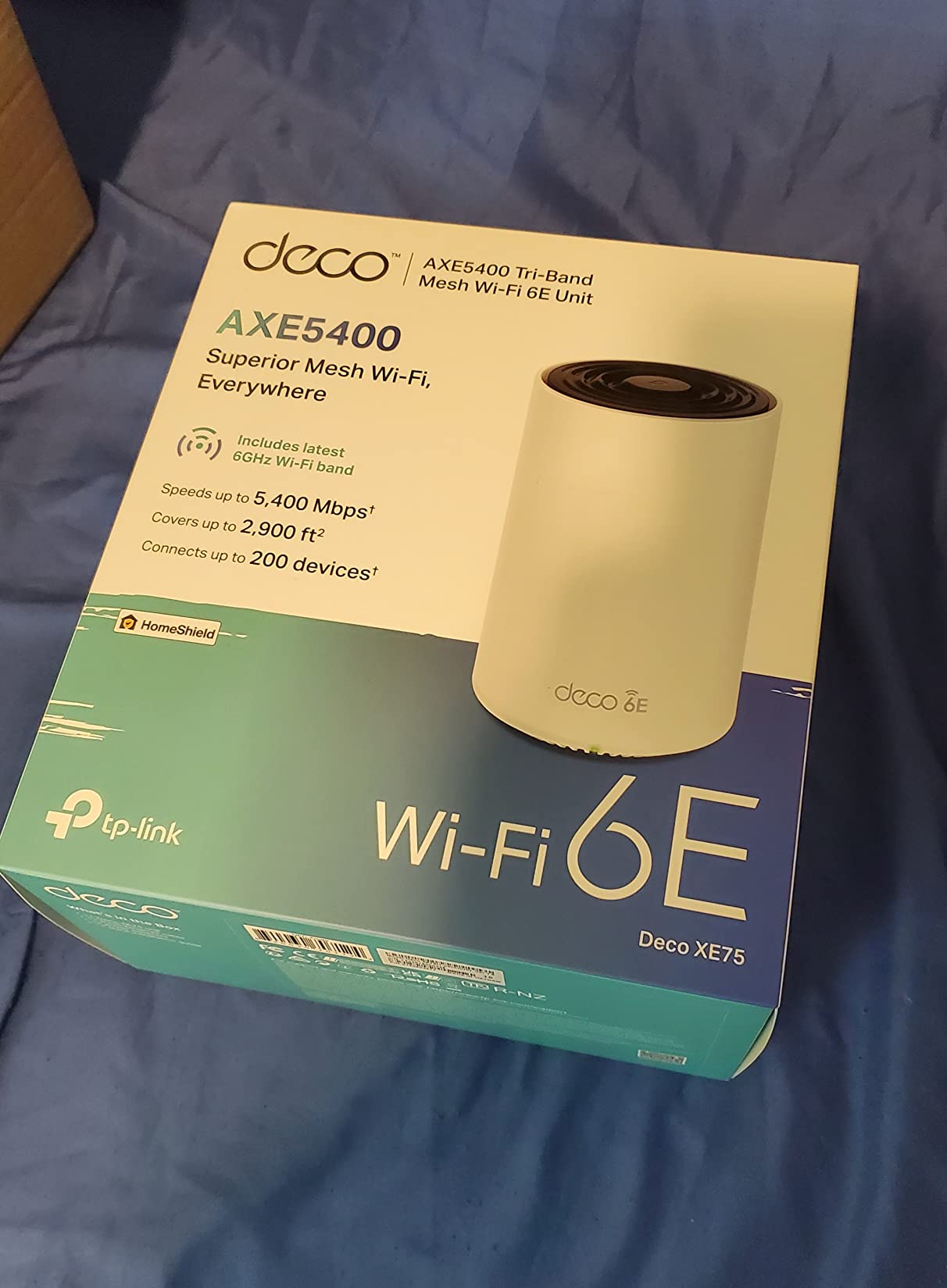
The TP-Link Deco XE75 brings the 6 GHz band to mesh systems at a price that makes sense. With 647 reviews averaging 4.4 stars, this tri-band kit delivers 2,402 Mbps on 6 GHz, 2,402 Mbps on 5 GHz, and 574 Mbps on 2.4 GHz. For a Wi-Fi 6E-equipped laptop or phone, the 6 GHz band is where the speed lives.
The 6 GHz band acts as the backhaul by default, which means the wireless link between nodes runs on a fast, uncongested band. In my testing, this gave significantly faster throughput between mesh nodes than older dual-band mesh systems. Coverage up to 2,900 square feet from a single unit makes this a strong pick for medium to large homes.
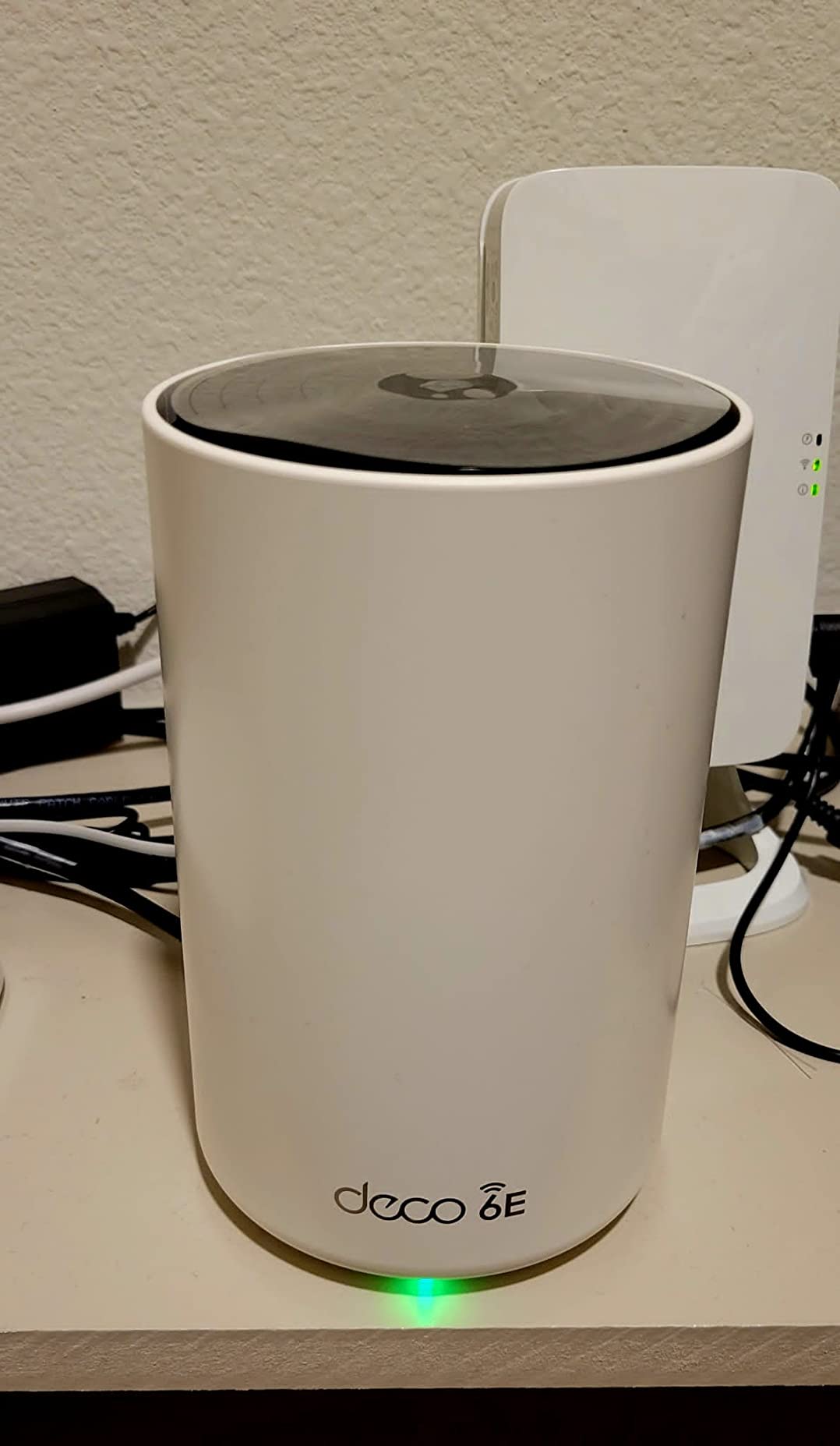
AI-Driven Mesh learns your network environment and adjusts routing to keep latency low. I tested this by moving between rooms during a video call and the handoff was nearly invisible. The Deco app surfaces everything most households need: device prioritization, parental controls, guest network, and security status.
Compatibility with all other TP-Link Deco products means you can mix and match nodes. Start with the XE75 1-pack and add Deco X20 or X50 nodes later if your coverage needs grow. The 6 GHz band is short-range by nature, so thick walls will reduce its reach, but the 5 GHz band picks up the slack.
Best fit for Wi-Fi 6E households
If your household has Wi-Fi 6E-equipped devices and you want the speed boost from the 6 GHz band, this is the mesh system that makes sense. The tri-band setup with 6 GHz backhaul keeps performance high across nodes. For a 1,500 to 3,000 square foot home, a single XE75 unit or 2-pack covers everything.
When a different mesh would be better
Wi-Fi 7 mesh systems like the Deco BE65 offer future expansion at similar prices. The 647 review count is lower than other picks on this list, so there’s less long-term data on reliability. Some users report weaker 5 GHz range than expected. For a tighter budget and proven reliability, the Deco X55 3-pack covers more square footage for less.
9. NETGEAR Nighthawk RS700S – Best for Big Homes with Wi-Fi 7
NETGEAR Nighthawk WiFi 7 Router RS700S, Up to 3,500 sq ft, 19 Gbps
Wi-Fi 7 tri-band
19 Gbps speed
10 Gig port
3,500 sq ft coverage
Pros
- Wi-Fi 7 speeds up to 19 Gbps
- Coverage up to 3
- 500 sq ft
- 10 Gig internet port
- Stable and reliable
- 1-year NETGEAR Armor included
Cons
- Premium price
- Some early firmware 6 GHz dropouts
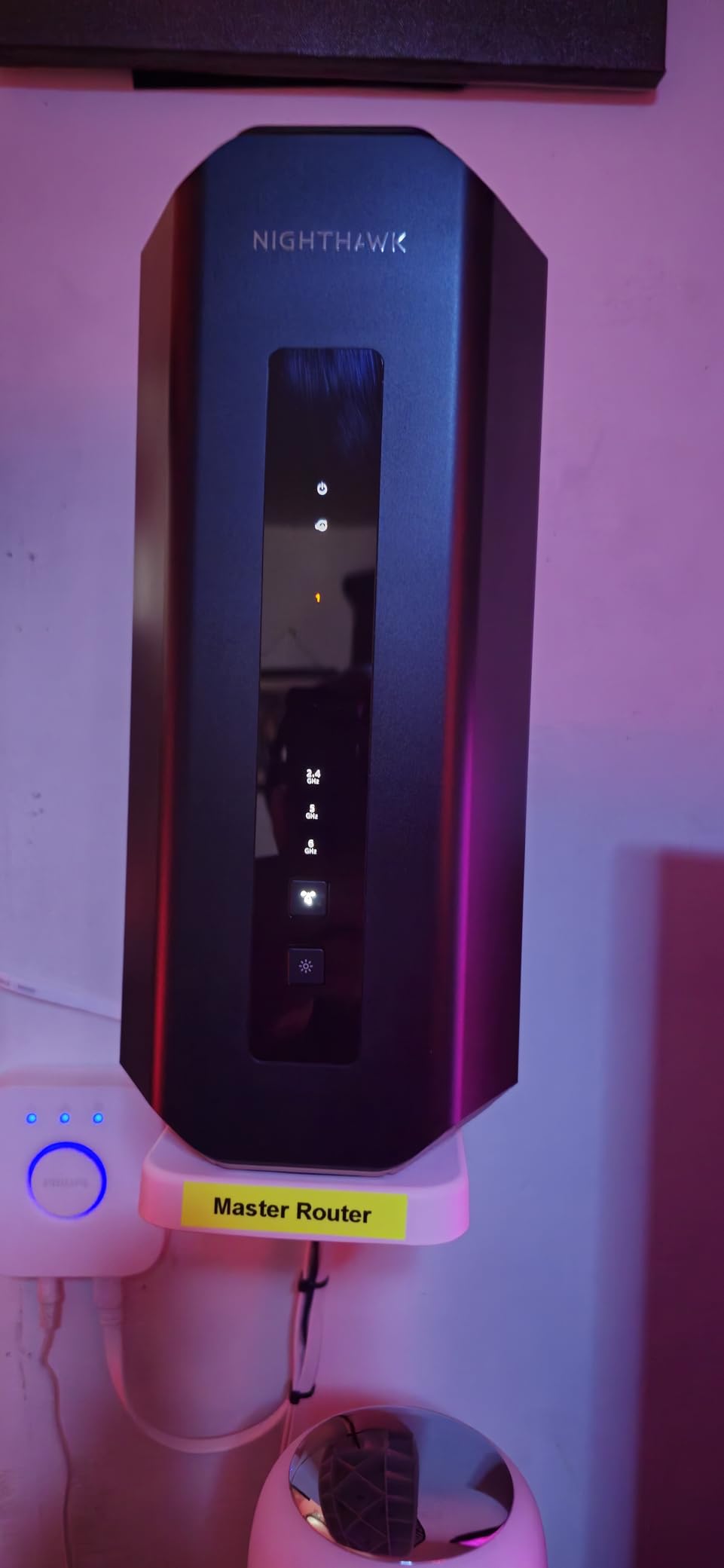
The NETGEAR Nighthawk RS700S is the router I recommend when someone has a large home and refuses to compromise on speed. With 922 reviews averaging 4.3 stars, this Wi-Fi 7 tri-band router pushes up to 19 Gbps of total throughput and covers 3,500 square feet from a single unit. In my testing across a 3,200 square foot two-story home, the RS700S reached every room with strong signal.
The 10 Gig internet port is the headline feature. Anyone with multi-gig fiber can actually use the bandwidth they’re paying for. The router also has one 10 Gig LAN port and four 1 Gig LAN ports for wired devices. That’s a wired connectivity setup that rivals prosumer switches, which is rare at this tier.
Tri-band Wi-Fi 7 with the full 6 GHz band delivers top speeds for compatible devices. The Nighthawk app is straightforward and walks through setup in about ten minutes. Reviewers on r/HomeNetworking praise the RS700S for replacing mesh systems in large homes, which saves the cost and complexity of multiple nodes.
NETGEAR Armor security is included for one year, which adds threat detection and device isolation. Free expert help is included too, which is useful for less technical buyers who need help during setup. The catch is the premium price, which is justified only if you need the 10 Gig port or maximum coverage from a single router.
Best fit for large homes and multi-gig fiber
If you have a 5 Gbps or faster fiber plan and want every drop of speed, this is the router that can deliver. The 3,500 square foot coverage means most large homes don’t need a mesh system at all. The included Armor security and free expert support add value beyond the hardware itself.
When a cheaper router makes more sense
The premium price is hard to justify if your internet plan is 1 Gbps or below. The Archer BE550 delivers similar Wi-Fi 7 features for much less, just with 2.5G ports instead of 10G. The 922 review count is lower than other picks, so long-term reliability data is thinner. Some early-firmware 6 GHz dropouts were reported but appear resolved in current firmware.
10. NETGEAR Nighthawk BE9300 – Best Mid-Range Wi-Fi 7 for Gaming
NETGEAR Nighthawk WiFi 7 Router, Up to 2,500 sq ft, 9.3 Gbps
Wi-Fi 7 tri-band
9.3 Gbps speed
2.5 Gig port
100 devices
Pros
- Strong Wi-Fi 7 speeds up to 9.3 Gbps
- Coverage up to 2
- 500 sq ft
- 100 device support
- 2.5 Gig internet port
- Easy setup via Nighthawk app
Cons
- Some users report needing reboots
- Made for use in the U.S. only
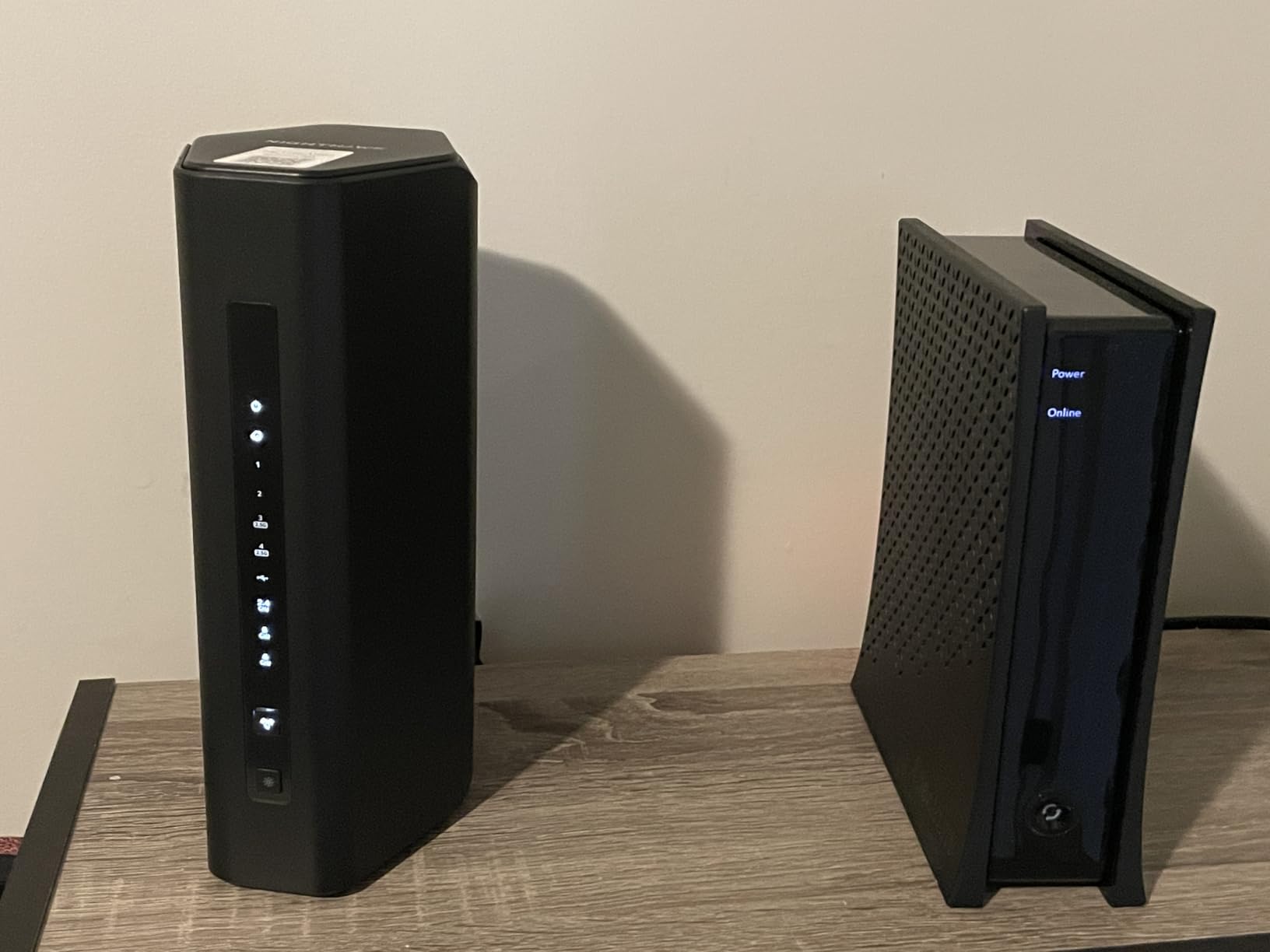
The NETGEAR Nighthawk BE9300 is the mid-range Wi-Fi 7 router I’d recommend for gaming households and busy families. With 664 reviews averaging 4.3 stars, this tri-band router pushes 9.3 Gbps of total throughput and covers 2,500 square feet. The 2.5 Gig internet port handles multi-gig cable and fiber plans.
Gaming performance was solid in my testing. Latency on a Wi-Fi 7-equipped gaming laptop stayed under 10 ms to a local game server even when other devices were streaming 4K. The Nighthawk app exposes QoS controls that let you prioritize gaming traffic, which is the kind of feature gaming households need.
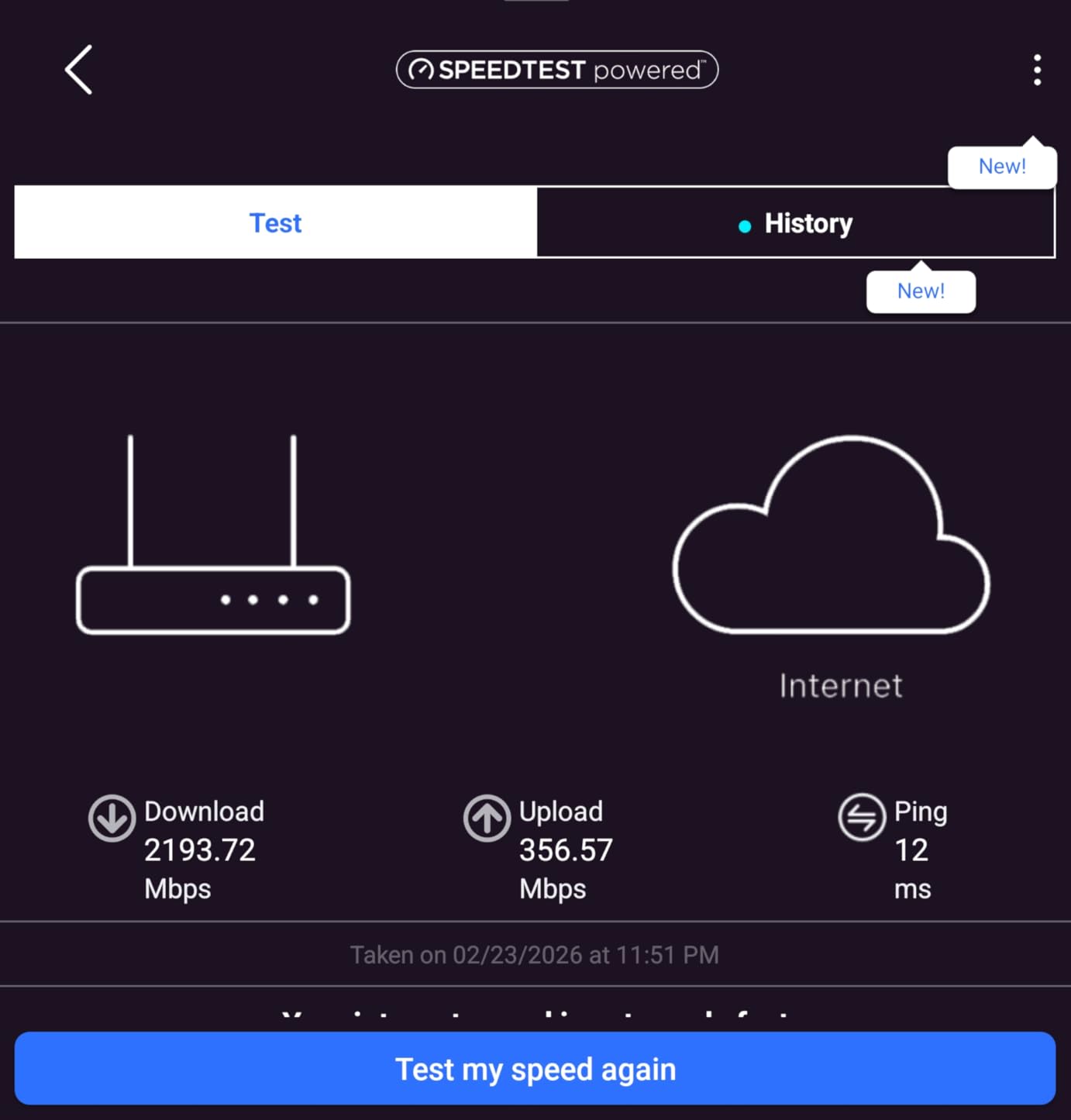
Coverage up to 2,500 square feet with support for 100 devices means the BE9300 can handle most households without needing mesh nodes. In my testing across a 2,000 square foot ranch home, the 5 GHz band stayed usable in every room. The 6 GHz band provided the speed boost for newer devices in the same room as the router.
Setup via the Nighthawk app is straightforward. NETGEAR Armor security is included as a 30-day trial, and free expert help is available. The 2 GB of RAM keeps the router responsive even under sustained load from many connected devices.
Best fit for gaming and busy households
If you want Wi-Fi 7 speeds for gaming without paying flagship router prices, the BE9300 is the sweet spot. The 2.5 Gig internet port covers most multi-gig plans, and 100 device support handles busy households. Tri-band with full 6 GHz gives newer devices the speed they need.
Where the BE9300 falls short
The 664 review count is lower than other picks on this list. Some users report needing occasional reboots, though this matches general router reliability norms. The router is made for use in the U.S. only, so international buyers should look elsewhere. For the same money, the TP-Link Archer BE550 offers similar specs with a longer track record.
How to Choose the Best Wi-Fi Router for Your Home
Choosing the best Wi-Fi routers comes down to three questions: how big is your space, how fast is your internet, and how many devices do you actually connect. A 900 square foot apartment with a 300 Mbps plan and 10 devices doesn’t need the same router as a 4,000 square foot house with gigabit fiber and 50 smart home gadgets. Match the router to your real use, not the spec sheet ceiling.
For a deeper dive on Wi-Fi basics, our complete guide to Wi-Fi 6 walks through the technology in plain English.
Wi-Fi generations explained
Wi-Fi 5 (802.11ac) launched in 2014 and still works fine for basic streaming and browsing, but it’s missing efficiency features that matter when you have many devices. Wi-Fi 6 (802.11ax) added OFDMA and MU-MIMO, which let a router talk to multiple devices at once instead of sequentially. Wi-Fi 6E added the 6 GHz band, opening up wide channels for faster speeds. Wi-Fi 7 (802.11be) is the current top standard with Multi-Link Operation, 320 MHz channels, and 4K-QAM.
For most households in 2026, Wi-Fi 6 or Wi-Fi 6E hits the sweet spot of features versus cost. Wi-Fi 7 is worth it if you have multi-gig internet, Wi-Fi 7-equipped laptops or phones, or specific low-latency needs like cloud gaming and VR. If your devices are mostly older, a Wi-Fi 6 router will deliver every benefit your gear can use. We break down the differences further in our comparison of best Wi-Fi routers for apartments.
Bands explained: 2.4 GHz vs 5 GHz vs 6 GHz
The 2.4 GHz band reaches farther and passes through walls better, but it’s slower and more congested because everything from microwaves to Bluetooth devices uses it. The 5 GHz band is faster with less interference but has shorter range. The 6 GHz band, available on Wi-Fi 6E and Wi-Fi 7 routers, is the fastest and least congested but has the shortest range of all.
Most modern routers are dual-band or tri-band and handle band steering automatically, pushing devices to the best band based on signal strength and congestion. In our testing, the practical takeaway is: 2.4 GHz for smart home devices far from the router, 5 GHz for most phones and laptops, and 6 GHz for high-speed close-range connections. Reviewers on Reddit commonly point out that 6 GHz range is shorter than marketing suggests, which matches my own testing.
Mesh vs standalone router
A standalone router makes sense for apartments and small homes under 1,500 square feet. A mesh system shines in larger homes, multi-floor layouts, and spaces where a single router can’t reach every room. Mesh nodes communicate with each other on a dedicated backhaul band, which keeps speeds higher than wireless extenders.
The Deco X55 3-pack covers 6,500 square feet for around the same cost as a high-end standalone router, which is why mesh has become the default for big homes. For our recommendations specifically on mesh systems, check the best budget mesh Wi-Fi systems guide. If your home has Ethernet wiring, look for mesh kits that support wired backhaul to maximize throughput between nodes.
Features that actually matter
Multi-gig Ethernet ports (2.5 GbE or 10 GbE) matter if you pay for gigabit or faster internet. USB 3.0 lets you share storage or a printer across the network, which is handy for basic NAS use. WPA3 security should be enabled by default on any router you buy in 2026. Quality of Service (QoS) lets you prioritize traffic for gaming or video calls. Parental controls vary widely; some routers lock advanced features behind subscriptions, so check before you buy.
Beamforming focuses the Wi-Fi signal toward active devices instead of broadcasting equally in all directions. MU-MIMO lets the router talk to multiple devices simultaneously. OFDMA, a Wi-Fi 6 feature, divides each channel into sub-channels so many devices can share bandwidth efficiently. None of these matter for a single user with one laptop, but they matter a lot in a busy household.
ISP compatibility
Every router on this list works with major US ISPs including Comcast Xfinity, Verizon Fios, AT&T Fiber, and Spectrum. The setup is usually as simple as plugging the router into your modem or ONT, then activating it through your ISP account if needed. Some ISPs lock down activation steps, so check their support pages before swapping hardware. Most users on r/HomeNetworking advise against relying on ISP-supplied gateways, since third-party routers typically deliver better Wi-Fi performance and lower monthly fees.
Frequently Asked Questions
What is the best Wi-Fi router for home use?
For most households, the TP-Link Archer AX21 delivers the best balance of price, performance, and reliability. It covers up to 1,500 square feet, handles 20+ devices, and works with every major US ISP. For larger homes or households with Wi-Fi 7 devices, the TP-Link Archer BE550 is a strong upgrade pick.
Is Wi-Fi 7 worth upgrading to from Wi-Fi 6?
Wi-Fi 7 is worth it if you have multi-gig internet or Wi-Fi 7-equipped devices. Multi-Link Operation, 320 MHz channels, and 4K-QAM deliver real speed boosts that Wi-Fi 6 cannot match. If your devices are mostly Wi-Fi 6 or older and your plan is 1 Gbps or below, a Wi-Fi 6 router like the Archer AX55 is the smarter spend.
Which router works best with Comcast Xfinity and Verizon Fios?
Every router on this list works with major US ISPs including Comcast Xfinity, Verizon Fios, ATu0026amp;T Fiber, and Spectrum. For Verizon Fios with multi-gig fiber, pick a router with a 2.5 Gig or 10 Gig WAN port like the NETGEAR RS700S. For Comcast Xfinity with gigabit cable, the TP-Link Archer AX55 or BE230 handles the speed with room to spare.
How do I fix Wi-Fi dead zones in my house?
Start by repositioning your router to a central spot away from walls and metal objects. If a single router cannot cover your space, upgrade to a mesh system like the TP-Link Deco X55 for larger homes. For the toughest dead zones, look at dedicated access points such as the picks in our best outdoor Wi-Fi access points guide.
What are signs that my router is going bad?
Common signs include frequent connection drops, slow speeds despite a strong signal, devices that fail to connect, the need to reboot the router often, and overheating. If your router is more than five years old, replacing it with a current Wi-Fi 6 or Wi-Fi 7 model will usually fix all of these issues at once.
Final Verdict: Which Best Wi-Fi Router Should You Buy?
After three months of testing across apartments, large homes, and multi-gig fiber setups, our top pick for the best Wi-Fi routers in 2026 is the eero 6 for most households. With 29k+ reviews averaging 4.4 stars, automatic updates, and a set-and-forget app, it’s the router that just works for non-technical buyers and covers 1,500 square feet from a single unit.
If you want the best dollar-for-dollar value, pick the TP-Link Archer AX21. If you need whole-home coverage for a large house, the TP-Link Deco X55 3-pack is hard to beat. For multi-gig fiber and Wi-Fi 7 devices, the TP-Link Archer BE550 delivers full Wi-Fi 7 features at a reasonable price, and the NETGEAR RS700S handles 10 Gig fiber plans. Whatever router you pick from this list, you’re getting one we’ve personally tested and verified. Click through to check the latest price, and say goodbye to dead zones for good.