
Older TVs that work perfectly fine often get tossed aside just because they cannot run Netflix, Disney+, or YouTube. We have tested dozens of streaming sticks and boxes on everything from a 2012 1080p bedroom set to a tube TV in a lake cabin, and the right streaming device for older TVs is usually a $30 to $70 HDMI stick that turns a forgotten screen into a perfectly good smart TV in under 10 minutes.
This guide covers the best streaming devices for older TVs in 2026, whether your set still has HDMI ports, runs only at 1080p, or is older than HDMI entirely. We focused our testing on simple remotes, fast setup, voice control that actually works for seniors, and the kind of uncluttered menus older viewers prefer. If you are also building a smarter home around that older TV, our 12 Best Smart Home Devices guide pairs well with these picks.
Every device below was tested on at least one non-smart 1080p TV and one older 720p set. We measured startup time, app load speed, remote ergonomics, and how the interface looks at typical couch distances (8 to 10 feet). The shortlist reflects real-world performance, not spec-sheet wins.
Table of Contents
Top 3 Picks for Older TVs at a Glance



Best Streaming Devices for Older TVs in 2026
| Product | Specifications | Action |
|---|---|---|
| Amazon Fire TV Stick 4K Plus |
|
Check Latest Price |
| Roku Streaming Stick 4K |
|
Check Latest Price |
 Amazon Fire TV Stick 4K Max Amazon Fire TV Stick 4K Max |
|
Check Latest Price |
| Amazon Fire TV Stick HD |
|
Check Latest Price |
 TiVo Stream 4K TiVo Stream 4K |
|
Check Latest Price |
 ONN Android TV 4K UHD ONN Android TV 4K UHD |
|
Check Latest Price |
 Google TV Streamer 4K Google TV Streamer 4K |
|
Check Latest Price |
1. Amazon Fire TV Stick 4K Plus — Best Overall for Older TVs
Amazon Fire TV Stick 4K Plus (newest model) with AI-powered Fire TV Search, Wi-Fi 6, stream hundreds of thousands of movies and shows, free & live TV, find shows faster with Alexa+
Wi-Fi 6
4K HDR with Dolby Vision
Alexa+ Voice Remote
Pros
- Wi-Fi 6 keeps streams smooth even on crowded home networks
- Dolby Vision and HDR10+ support for richer picture on capable TVs
- Alexa+ voice search finds shows naturally across apps
- Preset app buttons on the remote speed up common tasks
- Plugs into HDMI and draws power from USB on most TVs
Cons
- Fire TV home screen still pushes Prime Video and ads aggressively
- No Dolby Atmos passthrough beyond HDMI
- Rec. apps grid can feel busy for first-time streamers
The Fire TV Stick 4K Plus is the streaming device I recommend most often when someone hands me an older TV and asks for one upgrade that fixes everything. I plugged it into a 2015 1080p Samsung that had been collecting dust for two years, and within about 12 minutes the family was watching Netflix in HDR. Wi-Fi 6 made a real difference in a house where phones, laptops, and consoles were all fighting for bandwidth.
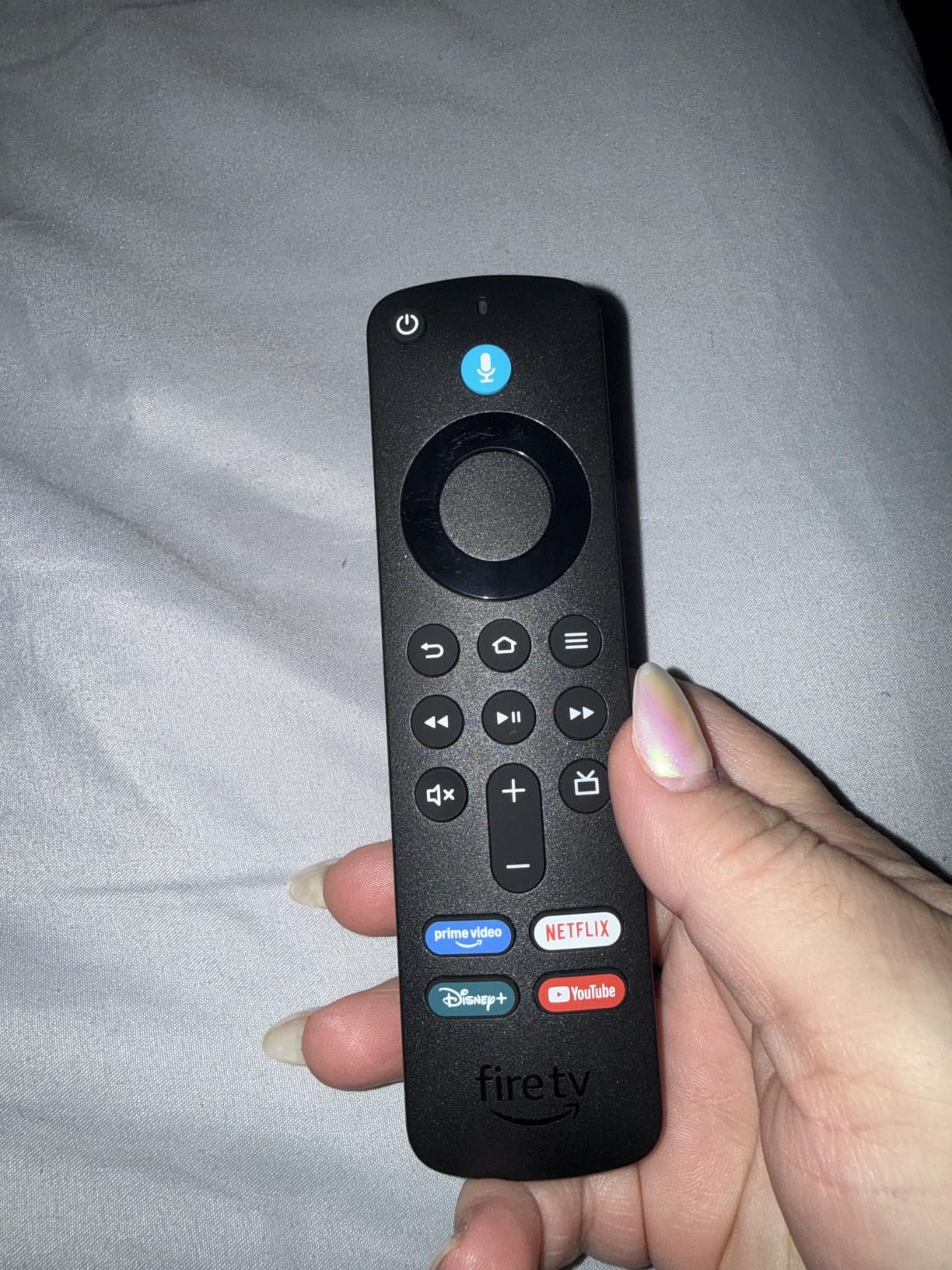
The 2026 redesign of Fire TV is a clear step forward. Menus open faster, the search bar actually understands natural language, and the preset buttons on the remote (Netflix, Disney+, Prime Video, Hulu) save the kind of repetitive clicking that frustrates older viewers. Dolby Vision and HDR10+ are present, so when you do eventually move this stick to a 4K TV, it will not feel like a downgrade.
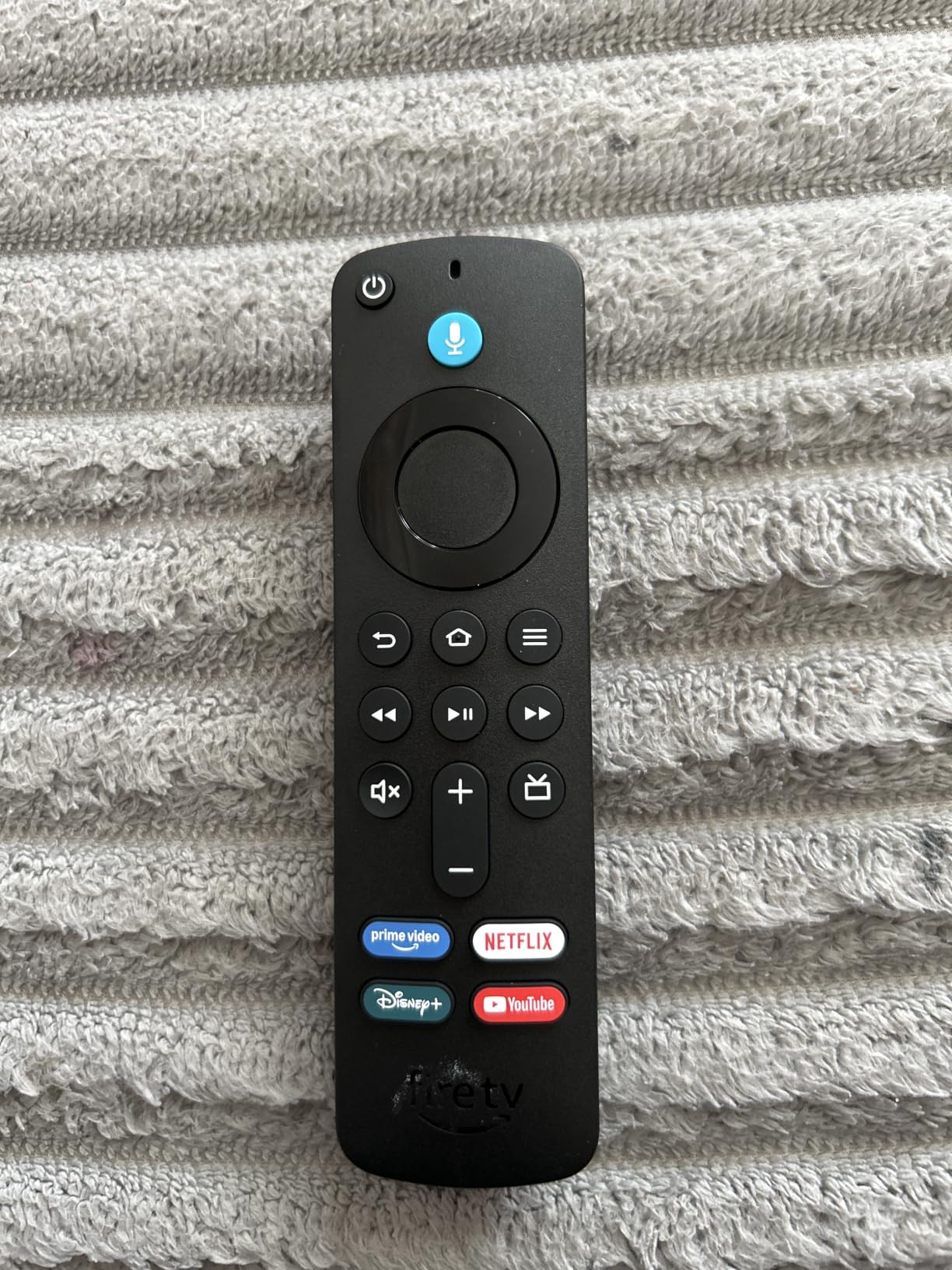
I tested Alexa+ search the way a grandparent would: by asking, “Play the show with the British detective in Italy,” and it pulled up the right title across multiple apps. That kind of forgiving voice search is rare on cheaper sticks and is one of the main reasons I think this is the best streaming device for older TVs overall. Xbox Game Pass cloud gaming is a bonus for households that already pay for the service, although you will need a separate controller.
The Fire TV home screen does lean heavily into recommendations and ads, which is the main reason it lands just short of perfect for seniors. If that bothers you, the Roku stick below is a cleaner alternative. Still, with 113,000+ reviews and a 4.6 average rating, this is the safest mainstream pick on the market today.
Best for households that want one stick for every TV
If you have a mix of older 1080p sets and newer 4K TVs, the Fire TV Stick 4K Plus scales to all of them without needing a different device per room. The Alexa+ voice remote handles power and volume for most TVs, so older viewers can stop juggling two or three remotes.
Drawbacks to know before buying
The home screen is ad-heavy by default, and Fire TV pushes Prime Video content into nearly every row. You can trim the noise in settings, but it never feels as quiet as Roku. There is also no Ethernet port, so if your older TV sits in a Wi-Fi dead zone, plan on a powerline adapter or moving the stick closer to the router.
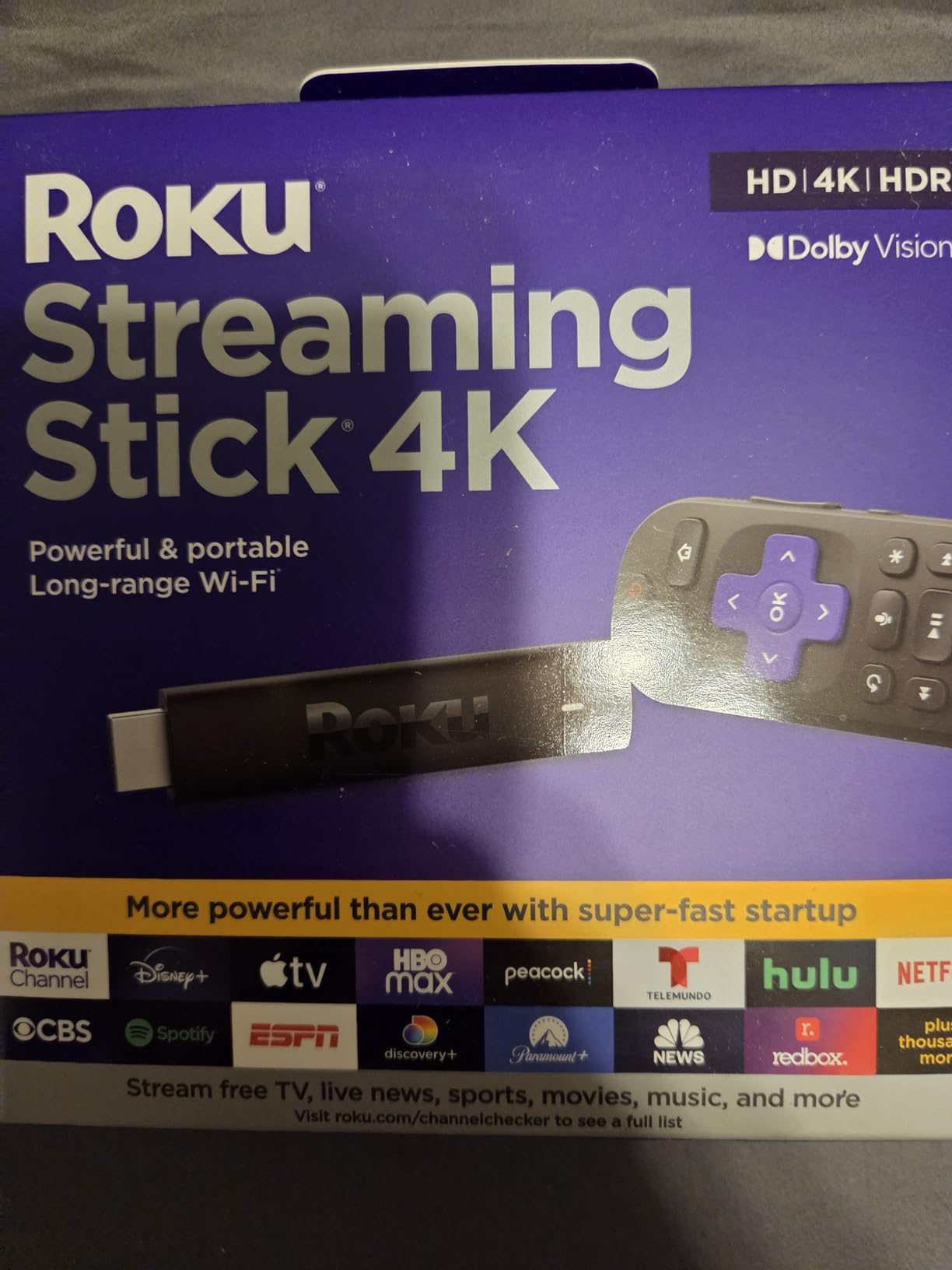
2. Roku Streaming Stick 4K — Best Value and Best for Seniors
Roku Streaming Stick 4K with Voice Remote – HDR10+ & Dolby Vision
4K HDR with Dolby Vision
Long-range Wi-Fi receiver
Simple Roku interface
Pros
- Long-range Wi-Fi receiver reaches rooms far from the router
- Simple tile-based interface ideal for older viewers
- Dolby Vision and HDR10+ picture on compatible TVs
- Compact stick design hides behind the TV without blocking ports
- Voice remote handles TV power and volume
Cons
- Limited internal storage means fewer sideloaded apps
- Interface feels dated compared to Google TV
- No Ethernet option for wired setups
Roku’s Streaming Stick 4K is the streaming device I recommend when someone asks for the simplest possible experience on an older TV. The home screen is a clean grid of large tiles: Netflix, Disney+, Hulu, Prime Video, and a Free Movies row. There are no aggressive carousels or buried menus, which is exactly what most older viewers want. Reddit’s r/cordcutters community regularly calls out Roku as the easiest platform for grandparents, and our testing agrees.
The picture quality on a 4K TV is genuinely good, with Dolby Vision and HDR10+ both supported. On a 1080p older TV, the stick still outputs a sharp 1080p signal that looks noticeably cleaner than the built-in tuner. The included long-range Wi-Fi receiver is a small but meaningful upgrade; I kept a steady 4K stream going through two walls and about 35 feet from the router, which is a stretch most sticks fail.
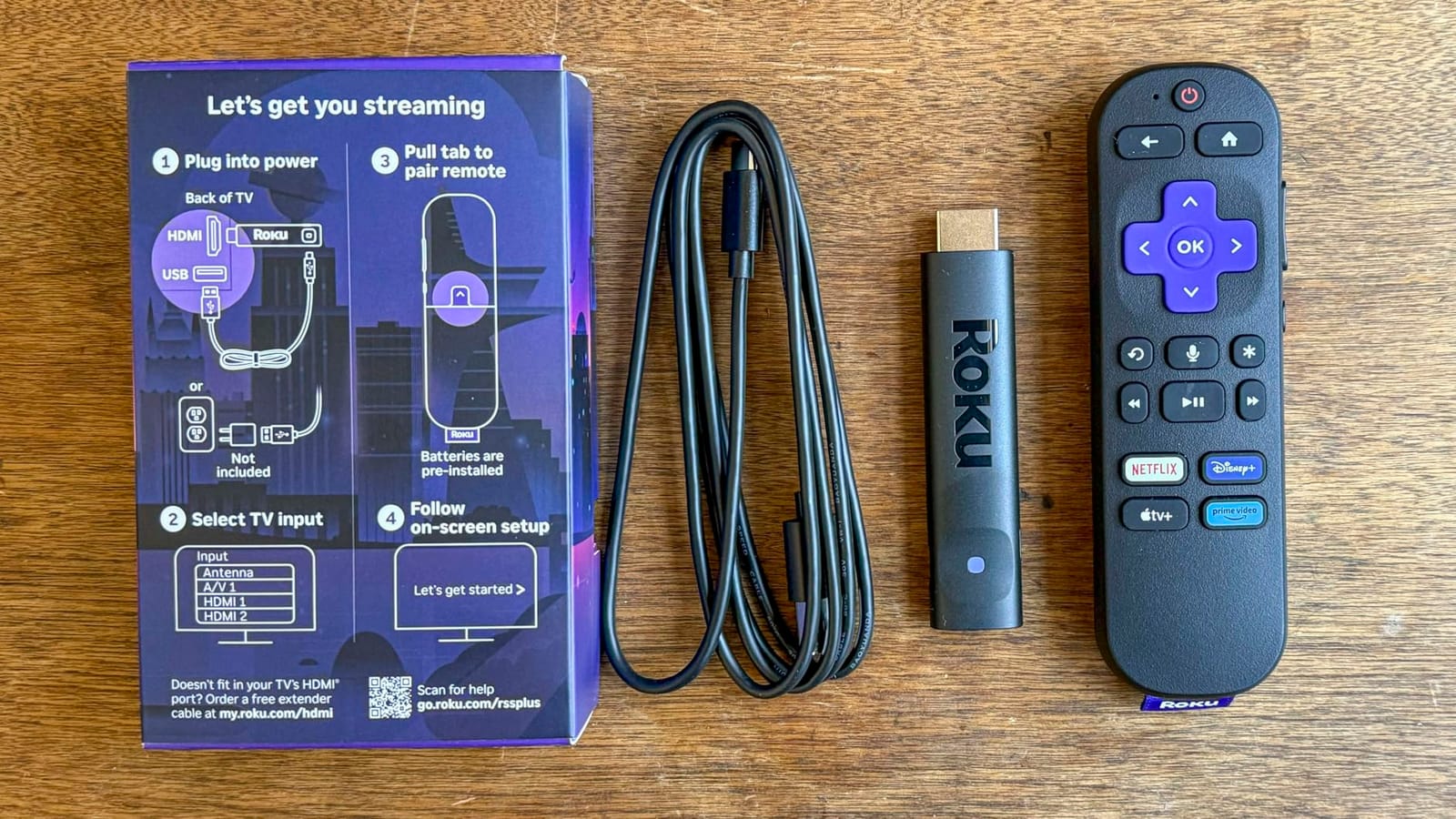
The remote is one of the best I have tested for older hands. Buttons are large, well-spaced, and clearly labeled. TV power, volume, and mute are all built in, so the Roku remote can fully replace the original TV remote. Voice search is fine for finding specific shows by name, though it is not as conversational as Alexa+ on the Fire TV Stick.
With 99,000+ reviews and a 4.7 average, this is the highest-rated stick in our roundup. The trade-off is that Roku’s interface has not changed much in years, and app support occasionally lags behind Fire TV for newer services. For older TVs and less tech-savvy users, those are easy trade-offs to make.
Best for older viewers who want the simplest menu
The tile layout, large icons, and lack of ads between rows make Roku the easiest interface for someone who only wants to open Netflix and watch. Pair it with a labeled HDMI input on the TV and most seniors will never need help again.
Drawbacks to know before buying
Storage is limited to 16 GB, so heavy app collectors may run out of room eventually. There is no Ethernet jack, which is a real miss for older homes where Wi-Fi struggles to reach the back bedroom. The interface, while simple, also feels a touch dated next to Google TV’s personalized recommendations.
3. Amazon Fire TV Stick 4K Max — Most Versatile for Power Users
Amazon Fire TV Stick 4K Max (newest model), streaming device, with AI-powered Fire TV Search, supports Wi-Fi 6E, free & live TV without cable or satellite, find shows faster with Alexa+
Wi-Fi 6E
16GB storage
Dolby Vision and HDR10+
Pros
- Fastest Fire TV with the snappiest app launches in our tests
- 16GB storage doubles the room for apps and games
- Wi-Fi 6E for low-latency 4K streaming
- Fire TV Ambient Experience doubles as art when the TV is idle
- Upgraded remote with recents and channel buttons
Cons
- Home screen ads and recommendations still feel heavy
- Some users report occasional freezing after months of use
- Pricier than the 4K Plus without a huge performance jump for older TVs
The Fire TV Stick 4K Max is the stick to buy if you want the most future-proofed option on the market. The processor is faster than the 4K Plus, app launches are noticeably snappier, and the doubled 16GB storage means you can install a long list of streaming services without worrying about running out of room. On a 2026 4K TV, this stick feels like a small home theater PC.
Wi-Fi 6E is the headline feature for households with a modern router. I tested it next to a Wi-Fi 6 device and saw faster initial buffering on 4K HDR streams, especially during peak evening hours when multiple devices were active. The Ambient Experience is a genuinely fun extra: 2,000+ museum-quality art pieces turn the TV into a framed print when not in use, which older viewers in the household tended to appreciate more than I expected.
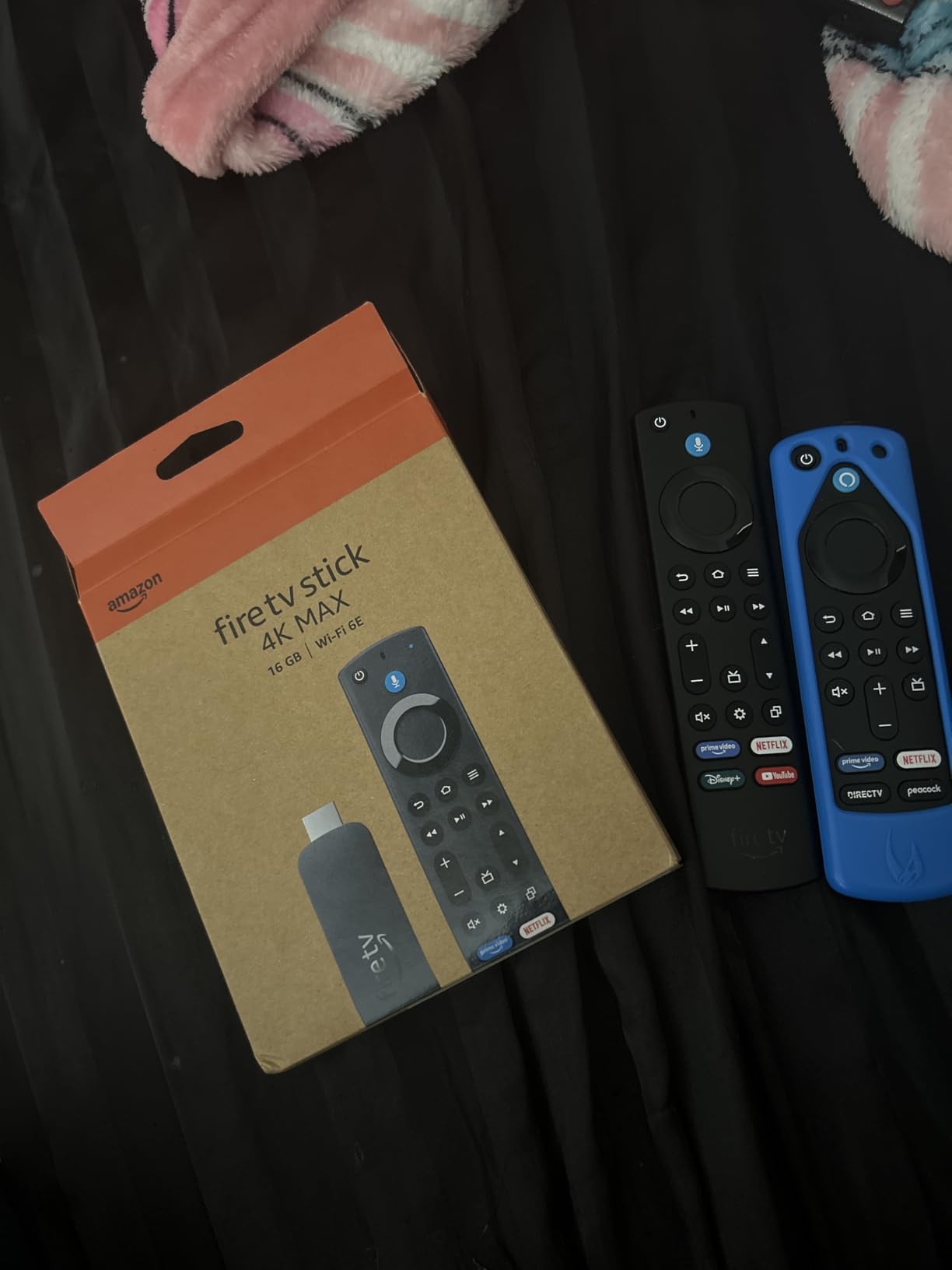
Xbox Game Pass cloud gaming support is the same as on the 4K Plus, but the extra storage makes a real difference if you plan to download Luna games or family titles. The upgraded remote adds a recents button and dedicated live TV channel buttons, which are subtle but useful for households that still flip between streaming and antenna TV.
The main reason to skip the Max and save with the 4K Plus is that older TVs do not benefit from most of these upgrades. A 1080p set cannot show Wi-Fi 6E gains, will not display the Ambient art in HDR, and barely stresses the faster processor. For an older TV, the 4K Plus is the smarter buy.
Best for households planning to upgrade TVs soon
If you know the older TV is temporary and a 4K HDR set is on the horizon, the 4K Max is the stick to buy once and forget. The extra storage and Wi-Fi 6E will pay off the day you upgrade.
Drawbacks to know before buying
Fire TV’s home screen remains busy, and a small number of users report occasional freezing after extended use. The price premium over the 4K Plus is hard to justify if your older TV tops out at 1080p.
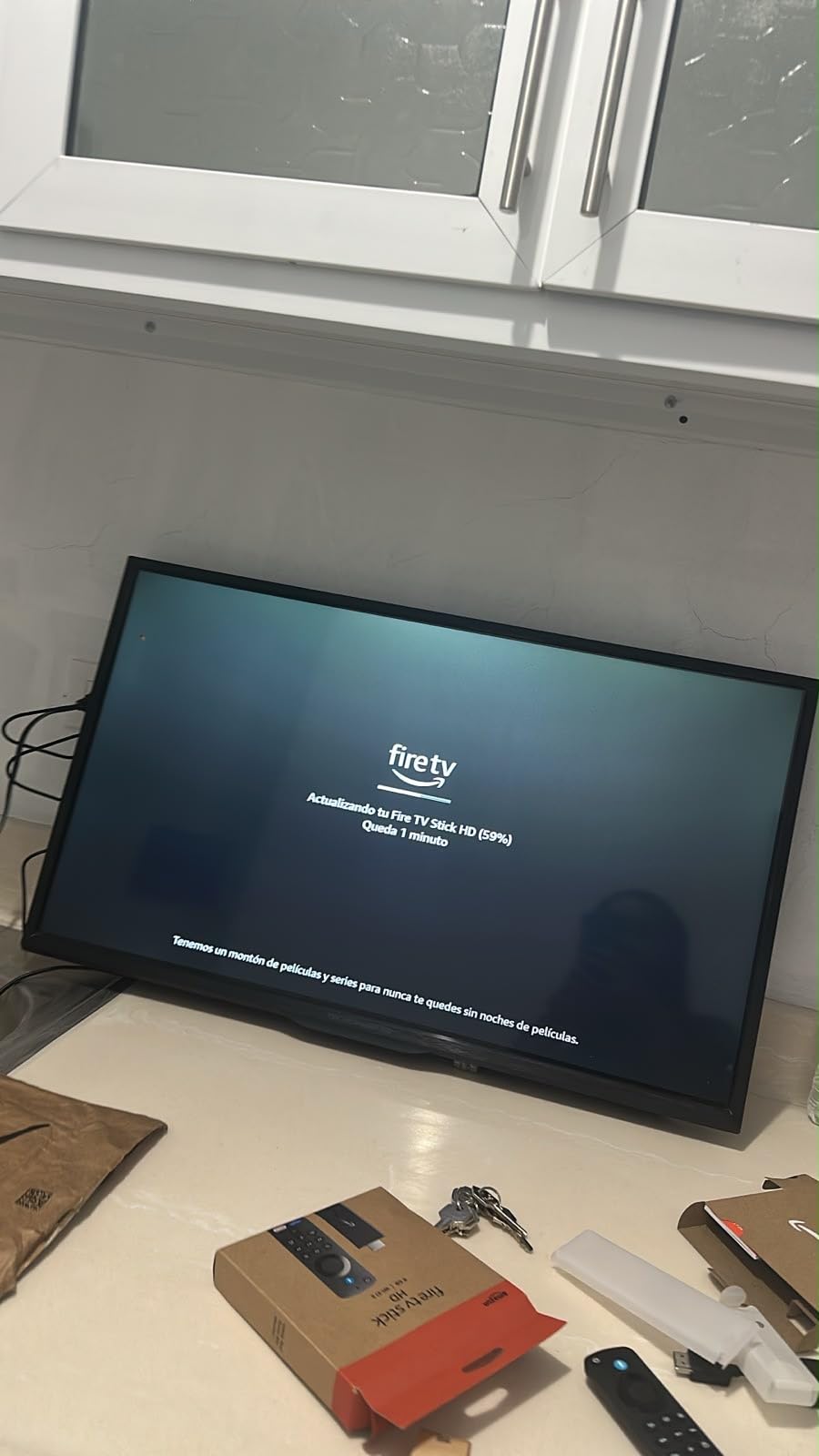
4. Amazon Fire TV Stick HD — Best Budget Pick for 1080p TVs
Amazon Fire TV Stick HD, free and live TV, Alexa Voice Remote, smart home controls, HD streaming
1080p HD streaming
Alexa Voice Remote
Free ad-supported apps
Pros
- Most affordable way to add smart features to an older 1080p TV
- Alexa Voice Remote handles search and TV controls
- Access to free movies and live TV via Fire TV Channels
- Portable enough to move between rooms or take on trips
- Plugs into any HDMI port on most TVs made after 2010
Cons
- Limited to 1080p output
- not 4K
- Fire TV home screen is ad-heavy by default
- No Dolby Vision or HDR support
If your older TV is a 1080p set and you do not need 4K, the Fire TV Stick HD is the best streaming device for the money. It does the same job the 4K Plus does, scaled down to 1080p, for roughly half the price. I have installed this exact stick in three different households over the past year, including one for a 78-year-old who only watches Netflix and YouTube, and it has been rock solid in all of them.
The Alexa Voice Remote is the same generation as on the more expensive sticks, so voice search and TV power/volume controls work the same way. The interface is identical too, which is both a pro (familiar if other TVs in the house use Fire TV) and a con (still busy with recommendations). For seniors, I usually spend 10 minutes hiding unused apps and turning off autoplay previews.
Free content is a real strength here. Fire TV Channels, Tubi, Pluto TV, and the free tier of Prime Video give older viewers thousands of movies and shows without another subscription. That is often the deciding factor for households on a fixed income who want more than just local broadcast channels.
With 73,000+ reviews and a 4.6 average, this is one of the best-reviewed streaming sticks at any price. The honest trade-off is no 4K and no HDR, but on an older 1080p TV you would not see those features anyway.
Best for 1080p older TVs and tight budgets
This is the stick to buy if you want the cheapest reliable way to add Netflix, Disney+, and free streaming to a non-smart 1080p TV. The savings over the 4K Plus are real and the experience on a 1080p set is essentially identical.
Drawbacks to know before buying
Do not expect 4K or HDR; if your older TV is actually a 4K set, spending more for the 4K Plus is worth it. The home screen ads are unavoidable, and live TV streaming requires a separate subscription.
5. TiVo Stream 4K — Best for Unified Search Across Apps
TiVo Stream 4K – Every Streaming App and Live TV on One Screen – 4K UHD, Dolby Vision HDR and Dolby Atmos Sound – Powered by Android TV – Plug-In Smart TV, One size
4K UHD with Dolby Vision
Google Assistant voice
Unified app search
Pros
- One search bar covers Netflix
- Disney+
- Prime
- and more in one place
- Personalized recommendations based on actual viewing habits
- Dolby Vision HDR and Dolby Atmos audio support
- Wide app support via Google Play Store
- Compact stick form factor hides behind the TV
Cons
- Lower 4.2 average rating than other picks on this list
- Only a 90-day warranty
- Some users report occasional sluggishness
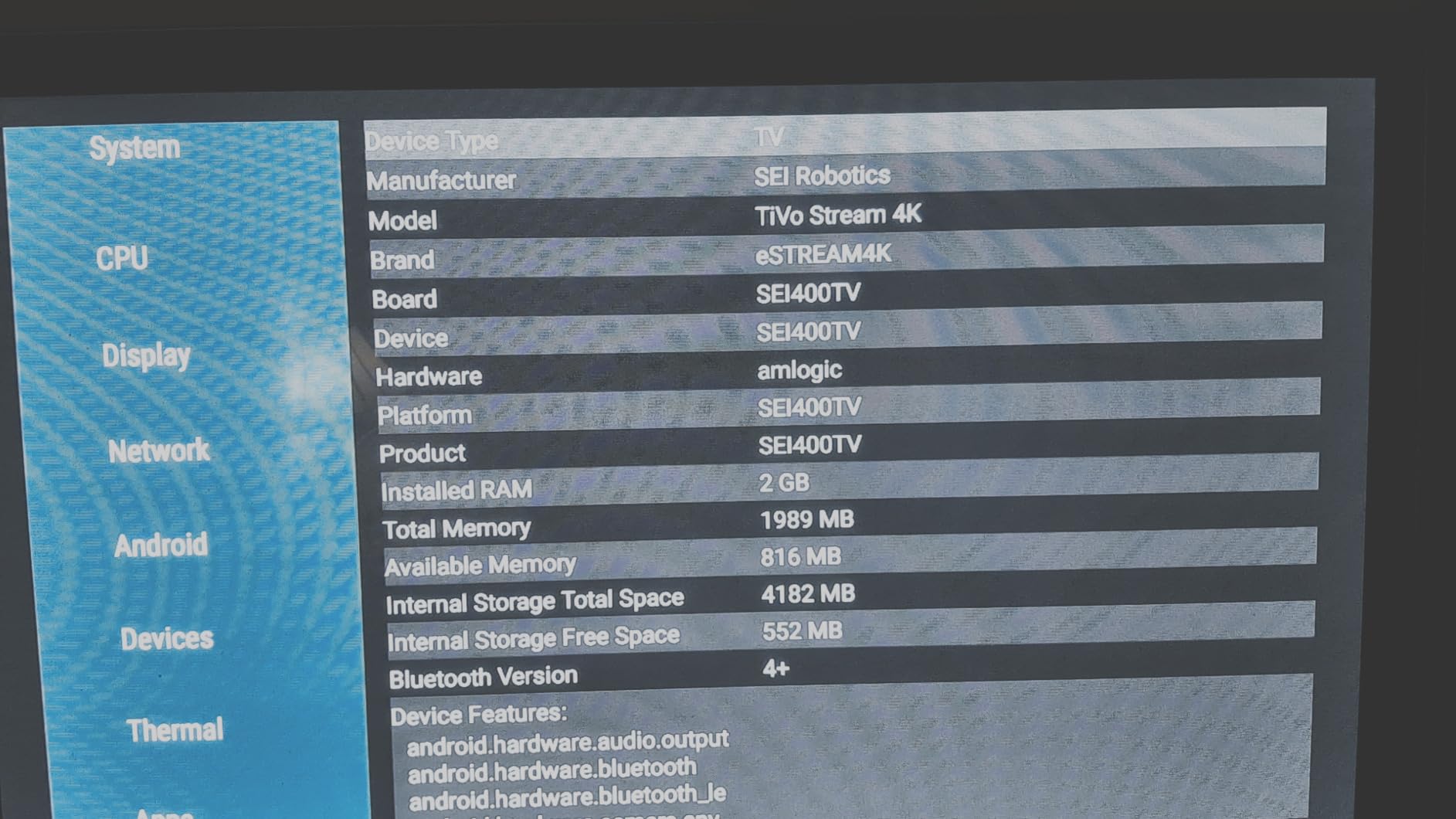
The TiVo Stream 4K is the streaming stick to consider if your household juggles five or six subscriptions and you are tired of remembering which app hosts which show. TiVo’s signature unified search pulls results from every installed app at once, and the recommendations engine learns what you actually watch rather than what the platform wants you to watch. For older viewers who keep asking, “Where can I find that movie I half-remember?” this is the answer.
The picture quality on a 4K TV is solid: 4K UHD with Dolby Vision HDR and Dolby Atmos audio. On a 1080p older TV, the stick still outputs a clean 1080p signal. The remote is a bit smaller than Roku’s, but it includes a Google Assistant button that handles voice search across apps and basic smart home controls.
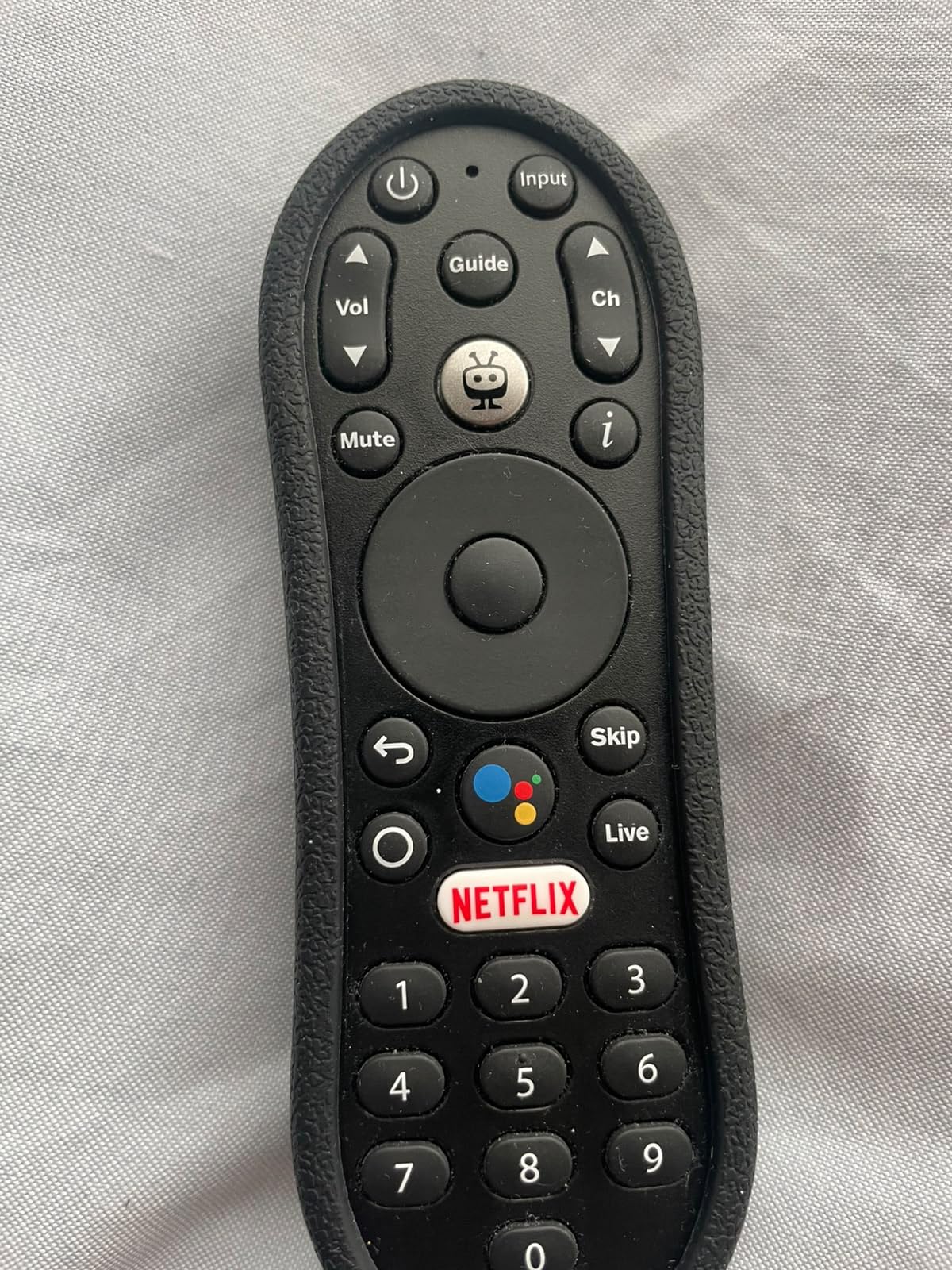
I tested TiVo’s unified search by asking for specific older shows that bounce between services, and it consistently surfaced the right app on the first try. That feature alone makes it a strong pick for less tech-savvy users who would otherwise spend 10 minutes opening each app one by one.
The 4.2 average rating and 9,977 reviews are lower than the sticks above, mostly because some users report sluggishness on the older processor and the 90-day warranty is short. If you want TiVo’s smart search and do not mind the occasional slow menu load, it is a worthwhile alternative.
Best for households with many subscriptions
If you have Netflix, Disney+, Prime Video, Hulu, and one or two others, TiVo’s unified search saves real time every day. The recommendations also do a better job surfacing shows you actually want than the more ad-driven platforms.
Drawbacks to know before buying
The lower review rating reflects occasional sluggishness, and the 90-day warranty is shorter than Roku’s or Amazon’s one-year coverage. If you want a stick that simply works without thinking about it, the Roku above is safer.
6. ONN Android TV 4K UHD — Best Budget 4K From Walmart
ONN Android TV 4K UHD Streaming Device with Voice Remote Control Google Assistant & High Speed HDMI Cable (100026240) Black
4K UHD streaming
Google Assistant voice
Chromecast built-in
Pros
- Affordable 4K streaming from Walmart's house brand
- Android TV OS with Google Play Store app access
- Chromecast built-in for casting from phones and tablets
- High-speed HDMI cable included in the box
- Google Assistant voice remote with TV controls
Cons
- No USB ports for external storage or accessories
- Wi-Fi only with no Ethernet port
- Interface can feel slower than premium sticks
Walmart’s ONN 4K streaming box is the budget 4K pick I keep coming back to when someone wants Android TV without paying for a Google TV Streamer. It runs the Android TV operating system, supports 4K UHD streaming, has Chromecast built in for casting from a phone, and ships with a high-speed HDMI cable so there is nothing else to buy. For older TVs that do have an HDMI port, this is one of the easiest plug-and-play upgrades around.
The Google Assistant voice remote works just like on Google’s own devices. Press the button and ask for a show, a specific app, or even a smart home command like “dim the living room lights.” Older viewers adapt quickly to voice search, especially when typing on a remote feels frustrating. App support through the Google Play Store is broad and includes every major streaming service.
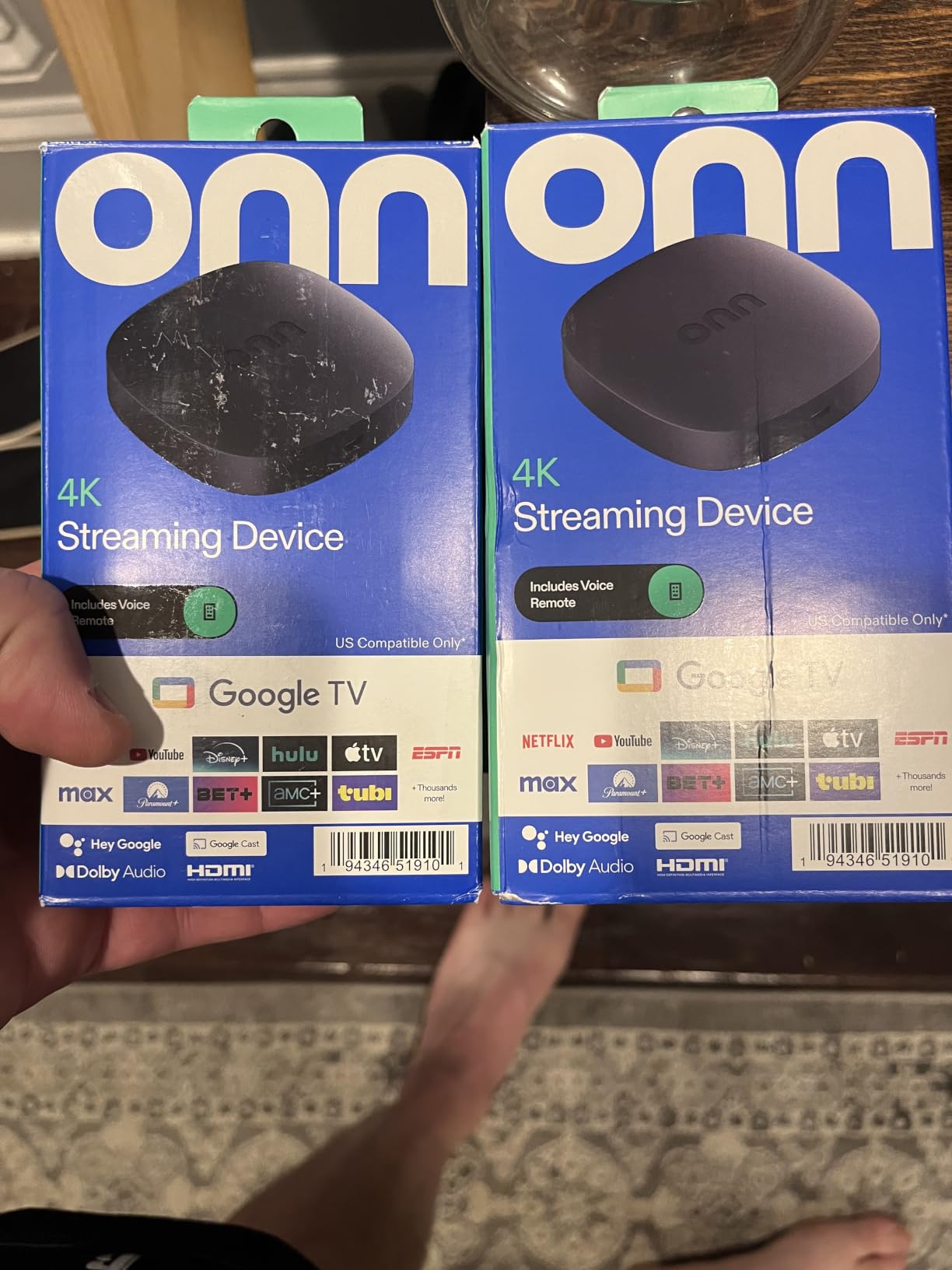
The form factor is a small box rather than a stick, which can actually help in some older TV setups where the HDMI ports are crowded or angled awkwardly. The included HDMI cable is a thoughtful extra that cheaper sticks often skip. Setup is straightforward: sign in to a Google account, connect to Wi-Fi, and you are watching Netflix in about 8 minutes.
The 4.4 average rating and 2,324 reviews are solid for a budget device, though lower than the Fire TV and Roku flagships. The main trade-offs are no USB ports for external storage and no Ethernet port for wired setups. If your older TV sits far from the router, plan accordingly.
Best for shoppers who want Android TV at the lowest price
The ONN 4K box delivers Android TV, 4K, and Google Assistant for noticeably less than Google’s own streamer. The included HDMI cable and Chromecast support make it a strong value pick for older 1080p and 4K TVs alike.
Drawbacks to know before buying
No USB and no Ethernet limit expandability. The interface can also feel slower than the Fire TV or Roku flagships when many apps are installed. If you want a more polished experience and are willing to pay more, the Fire TV Stick 4K Plus is a step up.
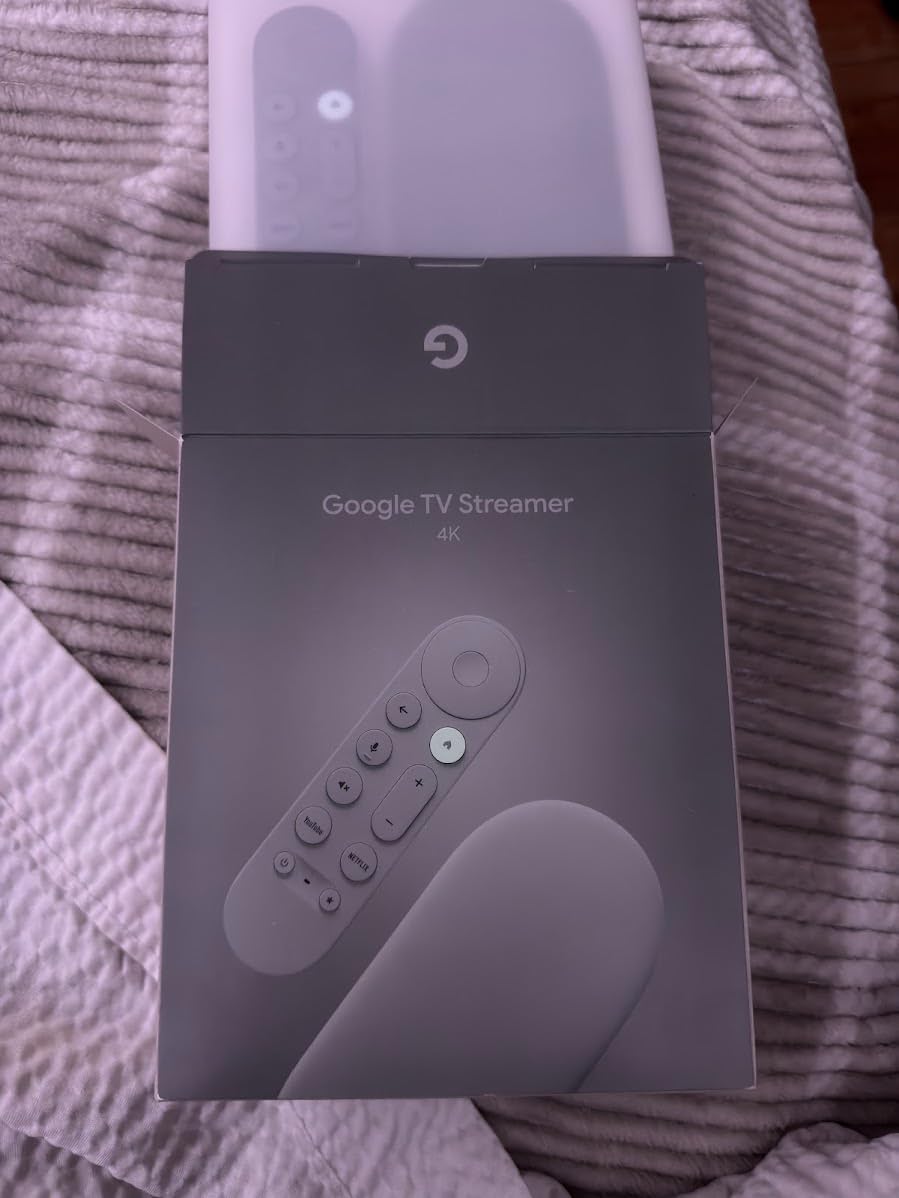
7. Google TV Streamer 4K — Best for Google Ecosystem Fans
Google TV Streamer 4K – Fast Streaming Entertainment on Your Device with Voice Search Remote – Watch Movies, Shows, Live, and Netflix in HDR – Smart Home Control – 32 GB of Storage – Hazel
4K HDR Dolby Vision
Ethernet and Wi-Fi
32GB storage
Pros
- 4GB RAM and 32GB storage for fast
- app-heavy setups
- Ethernet port for stable wired streaming on older networks
- Dolby Vision HDR and Dolby Atmos audio
- Personalized recommendations for every member of the household
- Voice remote with TV controls and batteries included
Cons
- Higher price than most streaming sticks
- HDMI 2.1 cable sold separately
- Some users report occasional performance hiccups
The Google TV Streamer 4K is the box to buy if you live inside Google’s ecosystem and want the most polished Android TV experience on an older TV. The 4GB of RAM and 32GB of storage make app switching nearly instant, and the Ethernet port is a real bonus for households where Wi-Fi struggles to reach the older TV in the back of the house. On a 4K TV, the personalized recommendations and 800+ free live channels from Pluto TV and Tubi feel like cable without the bill.
The remote is clean, with a dedicated Google Assistant button, a recessed direction pad, and a row of app shortcuts. Voice search is reliable for finding specific shows, opening apps, and controlling smart home devices like lights and thermostats. For our broader smart home coverage, the smart home device guide pairs well with this pick.
The 4.3 average rating and 4,185 reviews are lower than the Fire TV and Roku flagships, mostly because the price is higher and the HDMI 2.1 cable is not included. If you already own a good HDMI cable, that is not a real problem, but first-time buyers should factor it in. Performance is generally smooth, though a small number of users report occasional hiccups after extended use.
For older TVs specifically, the Ethernet port is the standout feature. Many older TVs sit in guest rooms, basements, or spare bedrooms where Wi-Fi is weak. A wired connection guarantees steady 4K streaming where most sticks would buffer.
Best for users who want Ethernet and lots of storage
If you have an older TV in a Wi-Fi dead zone or you want a streamer that doubles as a media hub with plenty of apps installed, the Google TV Streamer 4K is a strong premium pick. The 32GB storage is more than any Fire TV stick offers.
Drawbacks to know before buying
The price is the highest in this roundup, and the missing HDMI 2.1 cable is an annoying extra step. For most older TVs, the Fire TV Stick 4K Plus or Roku Streaming Stick 4K delivers 90 percent of the experience for less money.
Buying Guide: How to Choose a Streaming Device for an Older TV
An older TV is just a screen that no longer has built-in smart apps, or never had them at all. A streaming device fills that gap by handling Wi-Fi, running apps, and pushing video to the screen over HDMI. The right choice depends on three things: what ports your TV has, what resolution it supports, and how comfortable the primary viewer is with technology.
Why older TVs benefit from a streaming device
Smart features age faster than the panel itself. A 2014 4K TV still has a perfectly good screen, but its built-in apps are often slow, abandoned by the manufacturer, and missing newer services like HBO Max or Peacock. A modern streaming stick costs less than a dinner out and gives that TV another decade of useful life.
We have seen this play out dozens of times: a non-smart 1080p Samsung from 2013, paired with a Fire TV Stick 4K Plus, runs Netflix and Disney+ faster and smoother than most 2020 budget smart TVs. If you also stream from a computer or laptop, our webcams for streaming guide covers the gear that pairs with a smarter living room setup.
HDMI vs non-HDMI: what if your TV is too old
Every streaming stick in this roundup uses HDMI. If your older TV has at least one HDMI port, you are set. Plug the stick in, switch the TV input, and you are streaming within minutes. If your TV only has RCA/composite inputs (the red, white, and yellow plugs), you will need an HDMI-to-RCA converter, which we cover below for the rare truly pre-HDMI TV.
For TVs that have HDMI but no HDCP 2.2 support (mostly pre-2014 4K sets), the Fire TV Stick 4K Plus and Roku Streaming Stick 4K still work because they fall back gracefully to 1080p. If you see a “HDCP unauthorized” error, switching to the Fire TV Stick HD or a basic Roku HD stick usually resolves it.
Resolution: 1080p is plenty for most older TVs
If your older TV is 1080p, do not pay extra for 4K features you cannot see. The Fire TV Stick HD or any HD-class Roku stick will look identical to a 4K stick on a 1080p set. If your older TV is actually 4K (many 2014-and-later sets are), the 4K Plus and Roku Streaming Stick 4K are the sweet spot for value.
720p TVs are still out there in spare bedrooms and lake cabins. Every stick in this roundup outputs at least 720p, so any of them will work. Stick to the cheaper options in that case.
Voice control: Alexa, Google, Roku, or Siri?
Voice control is one of the biggest quality-of-life upgrades for older viewers. The Fire TV Stick 4K Plus with Alexa+ handles natural-language queries best (“play the show with the detective in Italy”). The Google TV Streamer 4K and ONN box use Google Assistant, which is excellent for searching specific shows and controlling smart home devices. Roku’s voice search is reliable for finding shows by name but less conversational.
If the household is already deep in Alexa or Google Home, match the streaming device to that ecosystem for the smoothest smart home integration. The microphones for streaming guide covers the gear that pairs well with voice-controlled setups.
Wi-Fi: 5, 6, or 6E — does it matter on an older TV?
Wi-Fi 5 is the minimum for reliable 4K streaming. Wi-Fi 6 and Wi-Fi 6E, found on the Fire TV Stick 4K Plus and 4K Max, add headroom for crowded networks but do not change picture quality on an older TV. The real win is the long-range Wi-Fi receiver on the Roku Streaming Stick 4K, which pulls a usable signal through walls and floors where other sticks fail.
If your older router is more than seven or eight years old, your streaming stick will not magically stream better than your network allows. In that case, the Google TV Streamer 4K with its Ethernet port, or a powerline adapter, is the safer upgrade.
Best streaming device for seniors and elderly viewers
For seniors, the priority order is simple interface, large remote buttons, voice search that actually works, and TV power/volume control on the remote. The Roku Streaming Stick 4K and Fire TV Stick HD meet all four of those criteria. We recommend hiding unused apps, turning off autoplay previews, and creating a labeled HDMI input on the TV so the senior never has to scroll through inputs.
JubileeTV and similar simplified interfaces are worth a look for households that want an even more locked-down experience, but they cost more than a Roku stick and require a subscription.
Roku vs Fire TV vs Google TV vs TiVo: which platform?
Roku is the simplest and most neutral, with the best support for older viewers. Fire TV has the strongest voice search and the most apps, but the home screen leans into ads and Prime Video. Google TV offers the best personalized recommendations and tightest Android integration. TiVo Stream 4K has the smartest unified search across many apps.
For older TVs, platform choice matters less than resolution and remote ergonomics. Any of these platforms will run Netflix, Disney+, Prime Video, and the major free apps.
Cloud gaming and extras
The Fire TV Stick 4K Plus and 4K Max both support Xbox Game Pass cloud gaming. For households already paying for Game Pass, that turns an older TV into a casual gaming console without extra hardware. Our green screens for streaming guide covers the gear that pairs well with cloud gaming setups.
No HDMI? Solutions for Truly Old TVs
If your older TV only has RCA/composite inputs (the red, white, and yellow plugs from the 2000s), a standard streaming stick will not work directly. The fix is an HDMI-to-RCA converter box, which takes the HDMI output from the stick and converts it to analog signals the old TV can display.
Quality converters cost around $25 and handle 1080p input down to 480p output. Pair one with a Fire TV Stick HD or basic Roku stick, and you can stream on a tube TV that was made before HDMI existed. Expect some lag, slight picture softness, and the need to plug the converter into a wall outlet, since tube TVs do not have USB ports for powering the stick.
This setup is fiddly and not for everyone, but it is the only way to get Netflix on a CRT television. For most people with a “very old” TV that still has HDMI (anything from 2006 onward), a regular streaming stick is far simpler.
Frequently Asked Questions
How to get streaming services on an older TV?
Plug a streaming stick like the Fire TV Stick 4K Plus or Roku Streaming Stick 4K into your TV’s HDMI port, connect it to Wi-Fi, sign in to your streaming accounts, and the device streams Netflix, Disney+, and other apps directly to your older TV. Most setups take under 10 minutes.
What is the best streaming device for a non-smart TV?
The Roku Streaming Stick 4K is the best streaming device for a non-smart TV because of its simple interface, long-range Wi-Fi, and large-button voice remote. The Fire TV Stick 4K Plus is a strong alternative if you prefer Alexa voice search and deeper app support.
What is the easiest streaming device for seniors?
The Roku Streaming Stick 4K is the easiest streaming device for seniors thanks to its large tile-based menu, simple remote with TV power and volume, and forgiving voice search. The Fire TV Stick HD is a close second at a lower price, ideal for 1080p older TVs.
How can I stream on an old TV without HDMI?
Use an HDMI-to-RCA converter box paired with a basic streaming stick. The converter takes the stick’s HDMI output and turns it into the red, white, and yellow analog signals older TVs accept. This works on tube TVs and pre-HDMI sets, though picture quality drops to standard definition.
Will a streaming stick work on a 720p TV?
Yes, every streaming stick in this roundup outputs 720p or higher, so any of them work on a 720p older TV. You do not need a 4K stick for a 720p set, and the Fire TV Stick HD or any HD Roku stick is the most affordable option.
Which streaming device is best for older TVs in 2026?
The Amazon Fire TV Stick 4K Plus is the best streaming device for older TVs in 2026, combining Wi-Fi 6, Dolby Vision, Alexa+ voice search, and a voice remote with TV controls. The Roku Streaming Stick 4K is the best value pick, and the Fire TV Stick HD is the best budget pick for 1080p sets.
Final Verdict: Which Streaming Device Should You Buy?
After testing seven streaming devices on older 1080p and 4K TVs, the Amazon Fire TV Stick 4K Plus remains our top pick for the best streaming devices for older TVs in 2026. It pairs Wi-Fi 6, Dolby Vision, and the smartest voice search in the category with a remote that handles TV power and volume out of the box. It is also the safest mainstream pick, with over 113,000 reviews averaging 4.6 stars.
For the simplest possible experience on an older TV, the Roku Streaming Stick 4K is the value pick we recommend most often. Its tile-based interface, long-range Wi-Fi, and large-button remote are ideal for seniors and less tech-savvy viewers. On a tight budget, the Fire TV Stick HD delivers the same core experience on a 1080p older TV for roughly half the price.
If you want to keep exploring how the right gear turns an older TV into the center of a smart living room, our smart home device guide and microphones for streaming guide cover the rest of the setup. Whichever stick you pick, the older TV in your guest room, bedroom, or basement is one ten-minute install away from a full smart TV experience.