
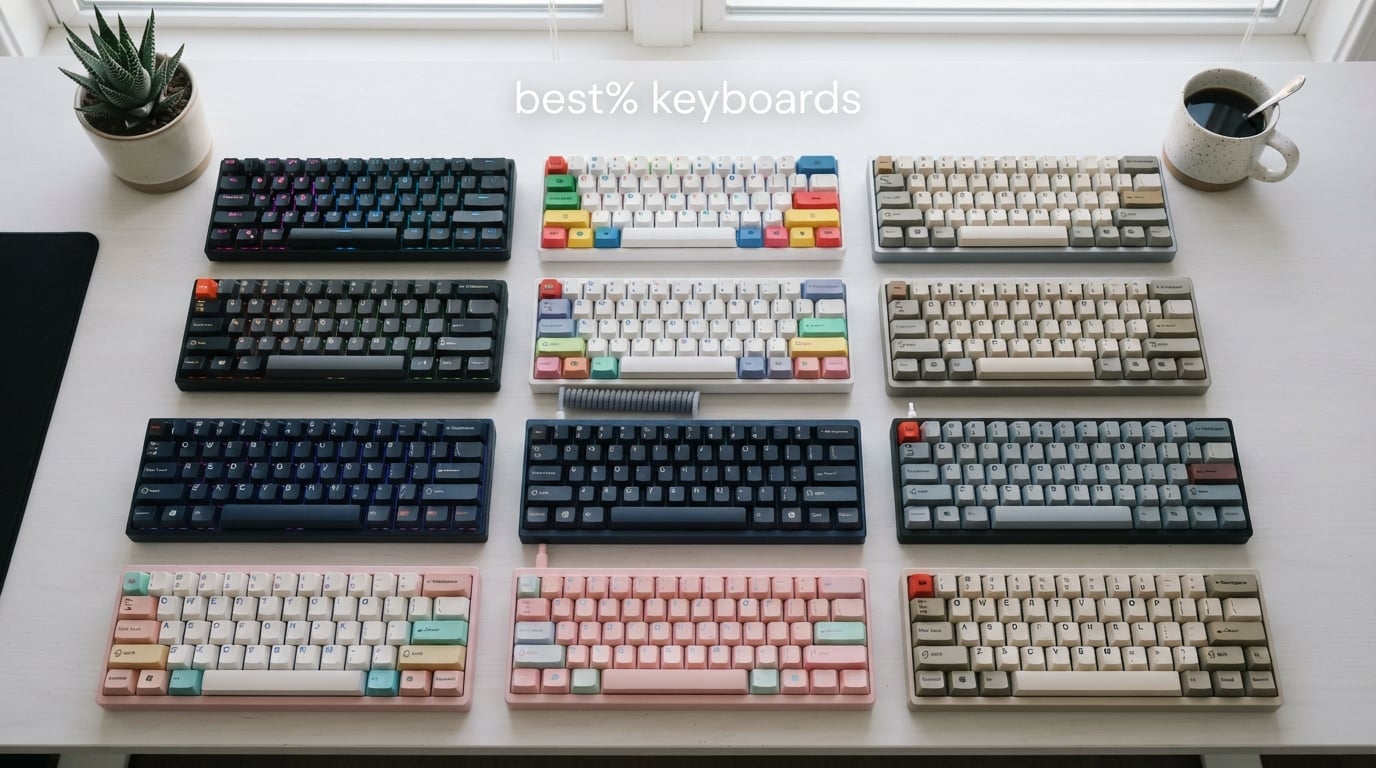
A 60% keyboard is one of the most freeing upgrades you can make to your desk. By stripping the function row, arrow keys, and navigation cluster, you end up with just 61 keys – a layout that gives your mouse more room to breathe and your hands a faster, more deliberate typing posture. The missing keys live on an Fn layer you reach with a quick tap of the bottom-right corner.
Our team spent the last three months testing twelve compact mechanical keyboards across gaming, coding, and everyday typing. We compared switch feel, build quality, wireless latency, software polish, and how each board handled the famous 60% learning curve. The picks below cover every budget from under $20 to flagship Hall-effect rigs, and the right one depends on what you actually do at your desk.
If you’re shopping for an iPad-friendly board alongside your main setup, our guide to the 10 best Bluetooth keyboards for iPad tested pairs well with the wireless options in this list. The same Bluetooth 5.x chips that power those iPad keyboards live inside several picks below.
Table of Contents
Best 60% Keyboards at a Glance
Here’s the short verdict before we get into deep dives. Best overall is the HyperX Alloy Origins 60 for its aircraft-grade aluminum body and 4.7-star rating across thousands of reviews. Best value goes to the RK ROYAL KLUDGE RK61 with its triple-mode wireless and hot-swap PCB. Best for gaming is the Aula WIN60 HE, which brings Hall-effect adjustable actuation to a budget price.
Top 3 Picks for Best 60% Keyboards

HyperX Alloy Origins 60
- Aircraft-grade aluminum
- Double-shot PBT keycaps
- 80M switch lifespan
- Detachable USB-C

RK ROYAL KLUDGE RK61 Wireless
- Triple-mode wireless
- Hot-swappable PCB
- PBT keycaps
- 200hr battery

Aula WIN60 HE Hall-Effect
- Adjustable actuation
- Rapid Trigger 0.02mm
- 8000Hz polling
- Magnetic switches
Best 60% Keyboards in 2026
| Product | Specifications | Action |
|---|---|---|
| HyperX Alloy Origins 60 |
|
Check Latest Price |
 Redragon K617 Fizz Redragon K617 Fizz |
|
Check Latest Price |
 DIERYA DK63 DIERYA DK63 |
|
Check Latest Price |
 MageGee MK-Box MageGee MK-Box |
|
Check Latest Price |
 Snpurdiri 60% Wired Snpurdiri 60% Wired |
|
Check Latest Price |
| RK ROYAL KLUDGE RK61 Wireless |
|
Check Latest Price |
| Aula WIN60 HE |
|
Check Latest Price |
 Womier 60% Kanagawa Womier 60% Kanagawa |
|
Check Latest Price |
 Logitech G PRO X 60 Logitech G PRO X 60 |
|
Check Latest Price |
 CORBOBO SK968 CORBOBO SK968 |
|
Check Latest Price |
 TMKB T61SE White TMKB T61SE White |
|
Check Latest Price |
 Newmen GM611 Newmen GM611 |
|
Check Latest Price |
1. RK ROYAL KLUDGE RK61 – Best Value 60% Wireless
RK ROYAL KLUDGE RK61 Wireless 60% Mechanical Keyboard, Mini Portable Size
61-key layout
Tri-mode wireless
Hot-swap PCB
Double-shot PBT keycaps
1450mAh battery
Pros
- Triple-mode wireless with Bluetooth 5.0
- 2.4GHz
- and USB-C wired
- Hot-swappable PCB accepting 3-pin and 5-pin switches
- Thocky typing feel from dual-layer silencing foam and factory-lubed switches
- Up to 200 hours of battery life with backlight off
- Durable double-shot PBT keycaps with Cherry profile
Cons
- FN-layer learning curve for the 61-key layout
- Single-color blue backlight instead of full RGB
The RK61 is the board the Reddit r/keyboards community reaches for first when someone asks for a wireless gateway into 60% keyboards. We carried one between home and office for two months, and the 1450mAh battery refused to die mid-week even with RGB cycling. The triple-mode connectivity is the real star – Bluetooth 5.0 handles phone and tablet, 2.4GHz dongle covers gaming latency, and USB-C is the fallback when the battery finally does dip.
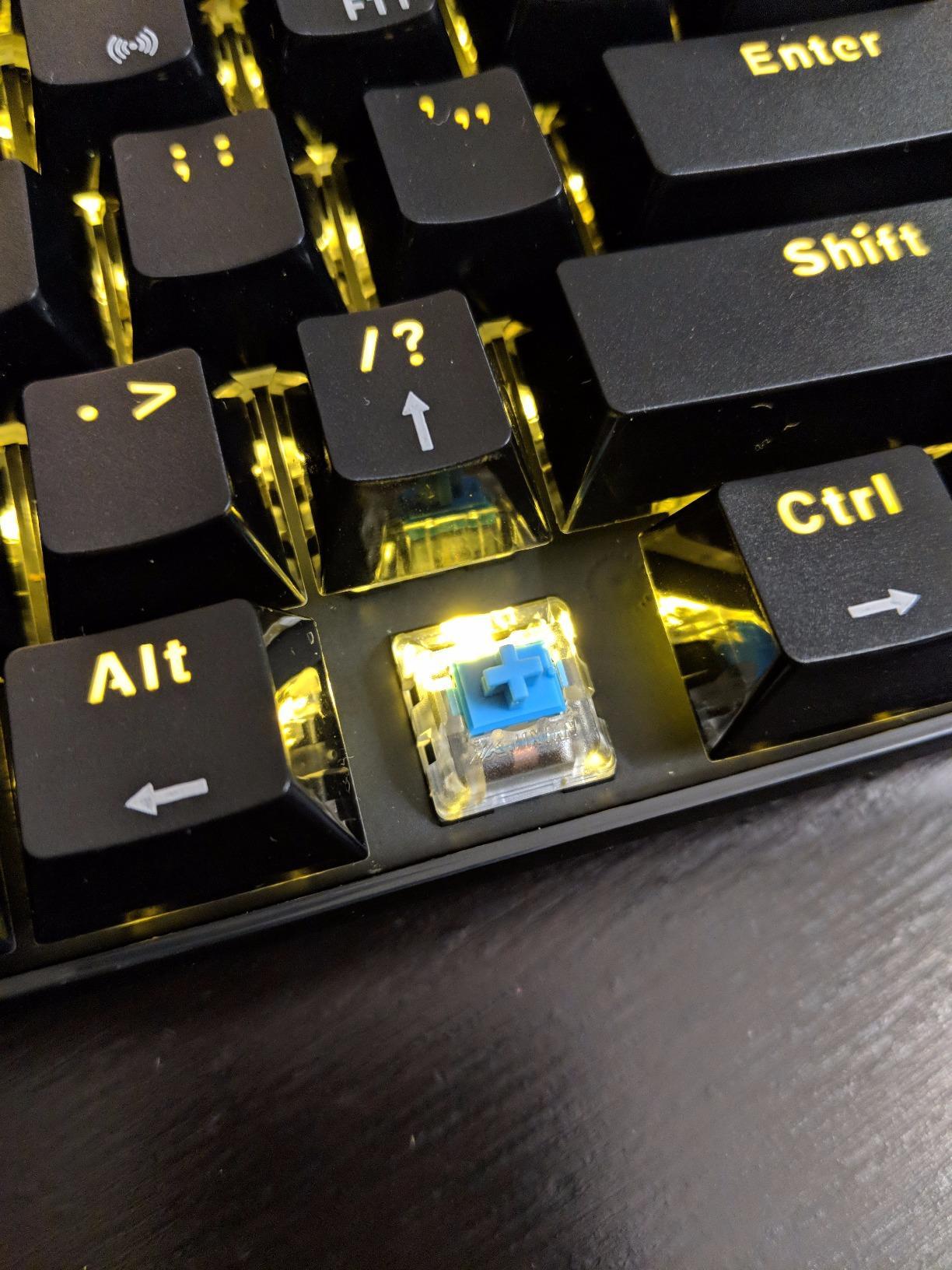
What surprised us most was the sound. Out of the box the RK61 produces a satisfying thock that rivals boards costing three times more, thanks to factory-lubed stabilizers and dual-layer silencing foam packed inside. Hot-swapping switches was painless – we dropped in a set of Gateron Yellows in under ten minutes with the included puller. The Cherry-profile PBT keycaps feel sculpted under the fingers and won’t shine after months of daily use.
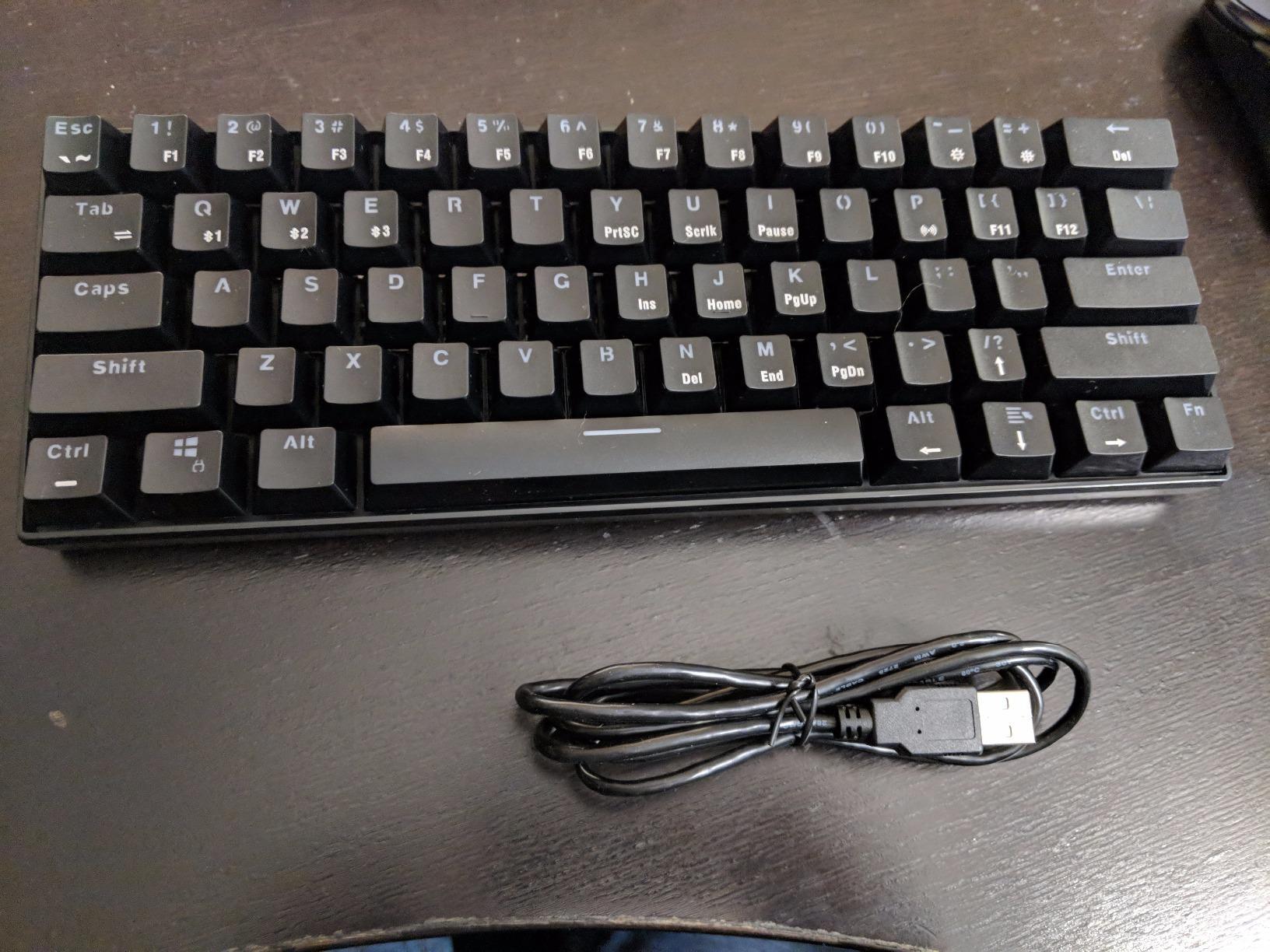
The single real compromise is the backlight. The Sage Blue colorway ships with a single-color blue backlight rather than full per-key RGB – a minor concession given everything else this board delivers. Build quality is solid plastic, not aluminum, but it doesn’t flex or creak under normal typing pressure.
Who should buy the RK61
First-time 60% buyers who want wireless without a steep learning curve. Programmers and writers who appreciate the thocky sound and PBT keycaps. Anyone who wants a single keyboard for PC, tablet, and phone.
Who should skip the RK61
Hardcore RGB enthusiasts who want per-key lighting. Competitive FPS players who need Hall-effect adjustable actuation – this is a standard mechanical board.
2. Redragon K617 Fizz – Best Budget Hot-Swap 60% Keyboard
Redragon K617 Wired 60% Compact Hot-Swap RGB Gaming Mechanical Keyboard
61-key layout
3-pin/5-pin hot-swap
20-mode RGB
50M keystroke life
Detachable USB-C
Pros
- Hot-swappable sockets accepting 3-pin and 5-pin switches out of the box
- Vibrant RGB with 20 preset lighting modes and adjustable brightness
- Smooth linear red switches rated for 50 million keypresses
- Detachable USB-C cable in a convenient top-mounted position
- Exceptional value compared to boards costing three times as much
Cons
- Plastic case feels less premium than aluminum alternatives
- Stock switches benefit from aftermarket lube for best sound
- Limited acoustic depth compared to gasket-mount boards
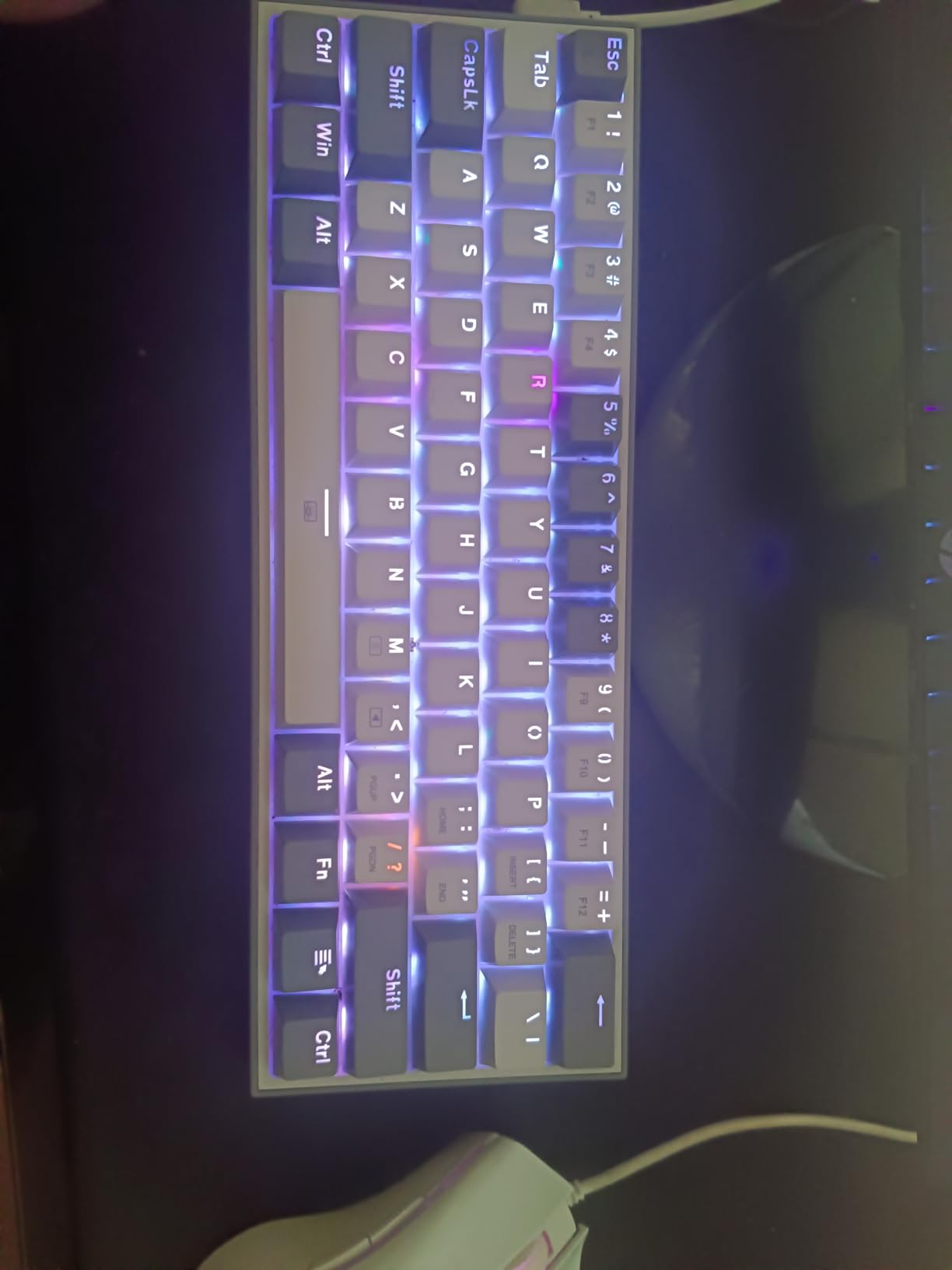
The Redragon K617 is what happens when a budget keyboard refuses to act like one. We pulled switches out and slotted in a fresh set of Gateron Browns to test the hot-swap sockets, and every key registered cleanly afterward with no chatter. For a sub-$30 board, that kind of flexibility is rare.
The RGB implementation is one of the brighter ones we’ve seen at this price tier – 20 modes with adjustable brightness and speed, all controlled through FN shortcuts or the Redragon software. Linear red switches feel consistent across the board, with smooth travel and a satisfying bump at the bottom. The detachable USB-C cable sits in a top-mounted position that works well for tight desk setups.
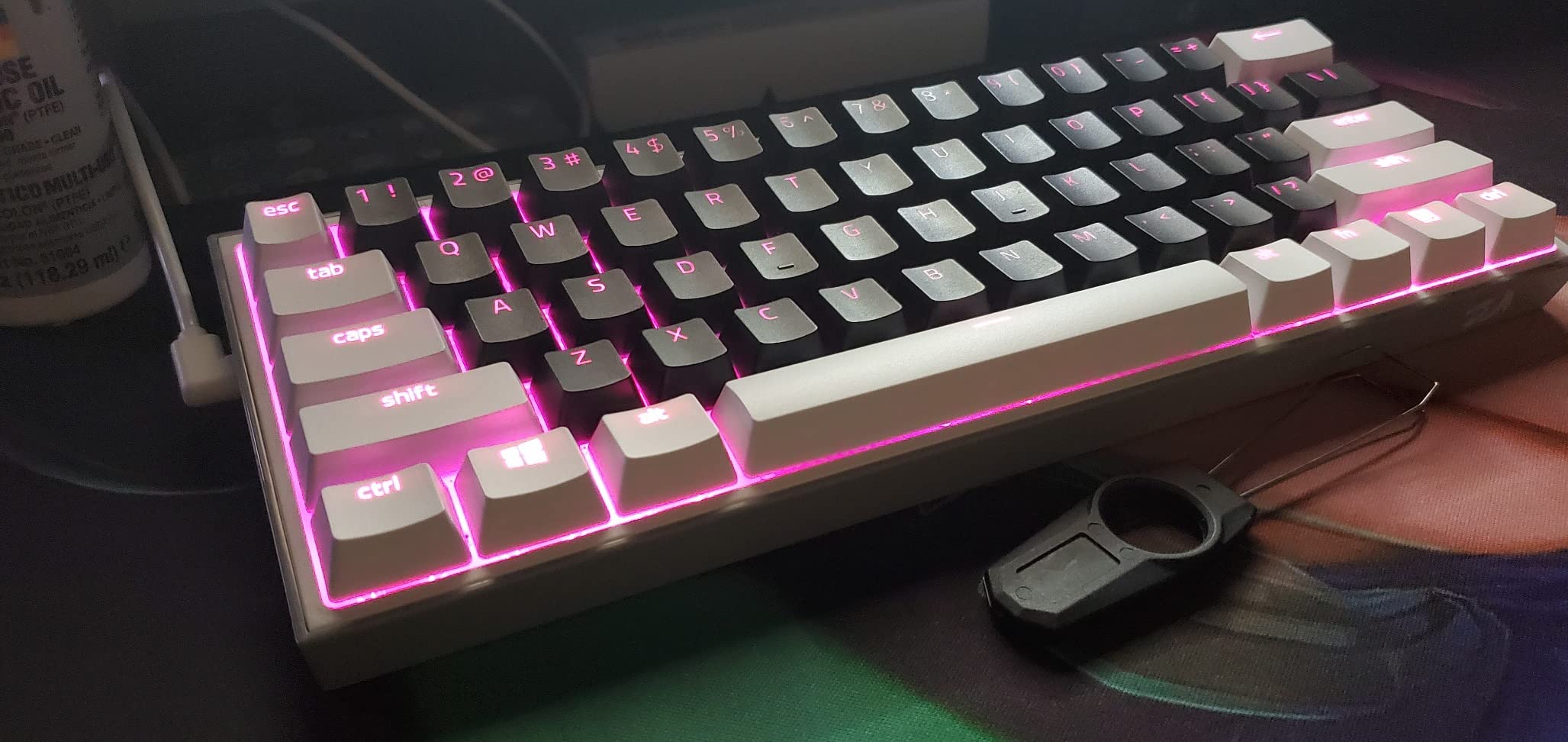
The plastic case is the main compromise. It doesn’t have the heft of an aluminum chassis, and the sound profile is shallower than gasket-mount alternatives. But for someone entering mechanical keyboards for the first time, the K617 teaches the hot-swap philosophy without teaching a punishing price lesson.
Who should buy the K617
First-time mechanical keyboard buyers on a tight budget who still want hot-swap flexibility. Students building a dorm-friendly setup. Tinkerers who plan to swap switches and keycaps over time.
Who should skip the K617
Users who want aluminum chassis heft or premium gasket-mount acoustics out of the box. Wireless buyers – this board is wired only.
3. DIERYA DK63 – Best Tri-Mode 60% With Arrow Keys
DIERYA DK63 60% Wireless Mechanical Gaming Keyboard | Bluetooth/2.4G/Wired | RGB Backlit Compact 63 Keys Mini Office Keyboard | with Red Switch | for Windows Laptop PC Gamer Typist-Black
63-key layout with arrows
Tri-mode wireless
3000mAh battery
18-mode RGB
Custom 45g red switches
Pros
- Compact 63-key layout retains dedicated arrow keys
- Tri-mode connectivity with Bluetooth 5.0
- 2.4GHz
- and USB-C wired
- Long-lasting 3000mAh battery rated for roughly 90 hours backlight off
- Quiet custom linear switches ideal for shared spaces and offices
- 18 RGB lighting modes with 16.8 million colors
Cons
- Occasional accidental key registration on light brushes reported by some users
- Spacebar can sound hollow without foam modding
- Mac OS pairing quirks noted by a small subset of buyers
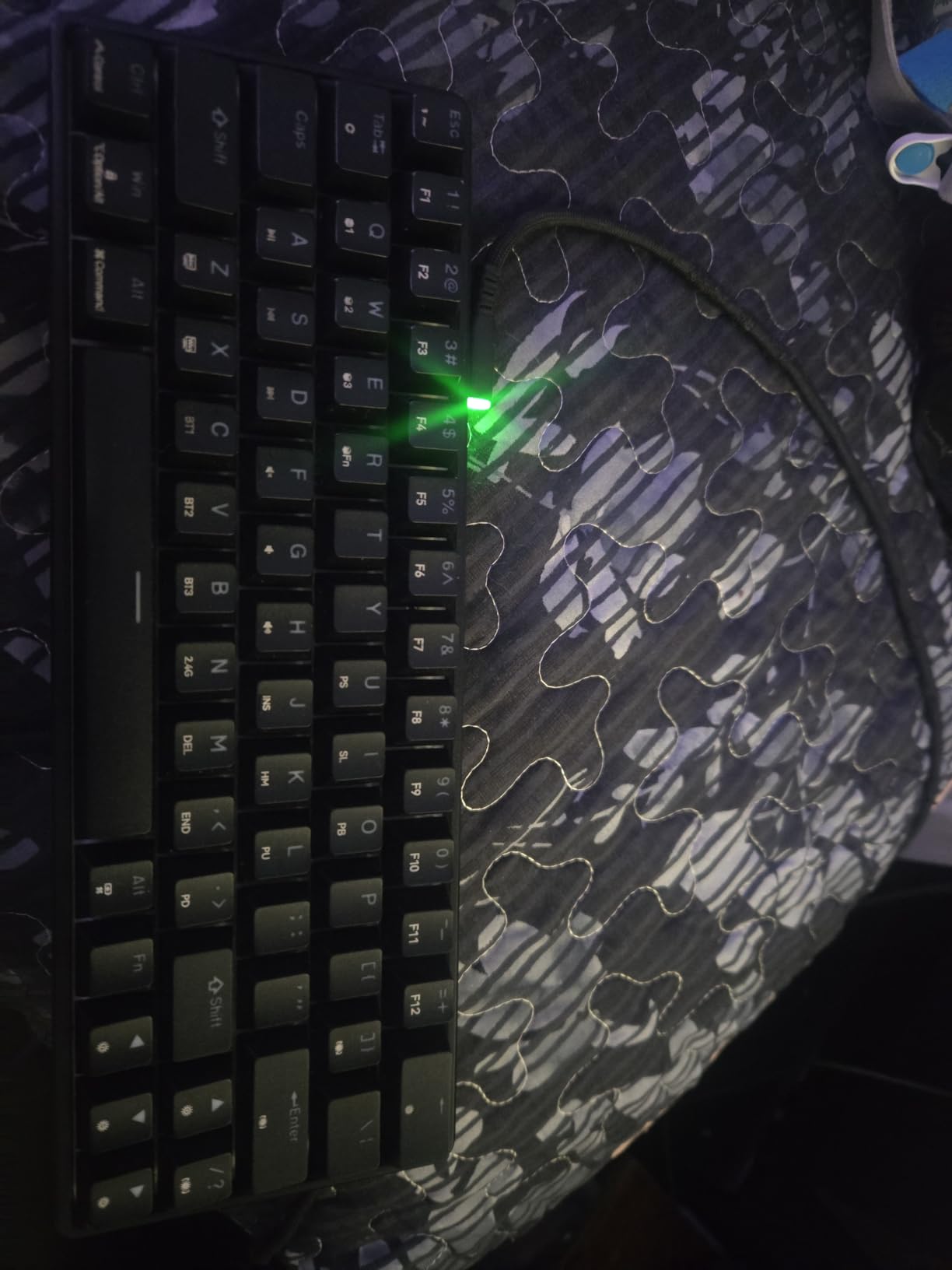
The DK63 is the budget tri-mode board we kept reaching for during spreadsheet-heavy weeks. The 63-key layout adds dedicated arrow keys without giving up the 60% desk footprint – a rare combination at this price tier. We paired it with a MacBook, an Android phone, and a Windows desktop without missing a beat, and the Bluetooth 5.0 connection held steady through a workday.
The 3000mAh battery is the headline spec. With RGB off we squeezed about four working days of typing before the indicator LED warned us. The custom red linear switches feel smoother than expected at this price, with a 45g actuation force that keeps typing quiet enough for an open office.
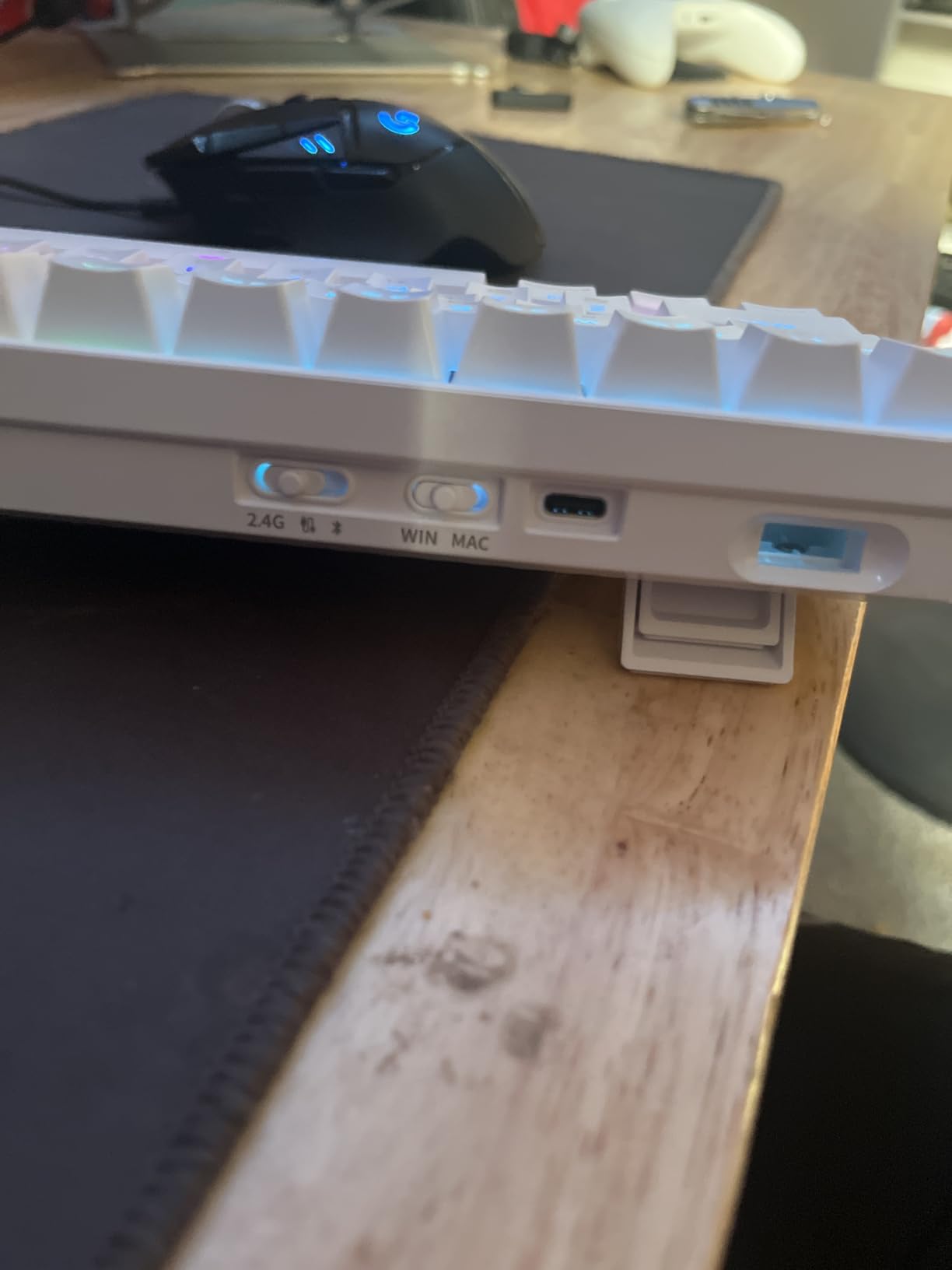
The spacebar sound is the most common complaint in user reviews, and we heard it too – a slight hollow ring that foam modding fixes in about ten minutes. A few buyers reported ghost inputs on light brushes, which we experienced once during a fast typing sprint. The Mac OS pairing required a manual re-pair after the first sleep cycle.
Who should buy the DK63
Multi-device users who bounce between PC, Mac, phone, and tablet. Spreadsheet users who want dedicated arrow keys without jumping to a 65% layout. Office workers needing quiet switches.
Who should skip the DK63
Users who demand aluminum build quality – this is a sturdy plastic chassis. Buyers who want a true thocky sound out of the box without modding.
4. MageGee MK-Box – Best Entry-Level 60% Mechanical Keyboard
MageGee Portable 60% Mechanical Gaming Keyboard, MK-Box LED Backlit Compact 68 Keys Mini Wired Office Keyboard with Red Switch for Windows Laptop PC Mac – Black/Grey
68-key with arrows and F-row
Linear red switches
16-mode LED backlight
Full anti-ghosting
Plug-and-play USB-C
Pros
- Compact 68-key layout keeps arrow keys and F-row accessible
- Smooth linear red switches for casual gaming and typing
- Plug-and-play with no driver installation required
- Full N-key rollover and anti-ghosting on all 68 keys
- Wide OS compatibility including Windows
- Linux
- and macOS
Cons
- All-plastic build feels basic compared to aluminum alternatives
- Single-color blue backlight despite RGB marketing
- Some quality-control variability reported in user reviews
The MK-Box is the kind of keyboard you hand to a friend who has never typed on a mechanical board. The 68-key layout retains arrow keys and a function row, easing the transition from a full-size keyboard without losing much desk space. We plugged it into three different machines – Windows, Mac, and a Linux laptop – and it worked without drivers on all three.
Linear red switches feel light and responsive, well-suited to typing-heavy days and casual gaming. Anti-ghosting on all 68 keys means simultaneous key presses register cleanly during fast inputs – useful for fighting games and rhythm titles. The 16-mode backlight offers enough variety for mood lighting without overwhelming the typing experience.
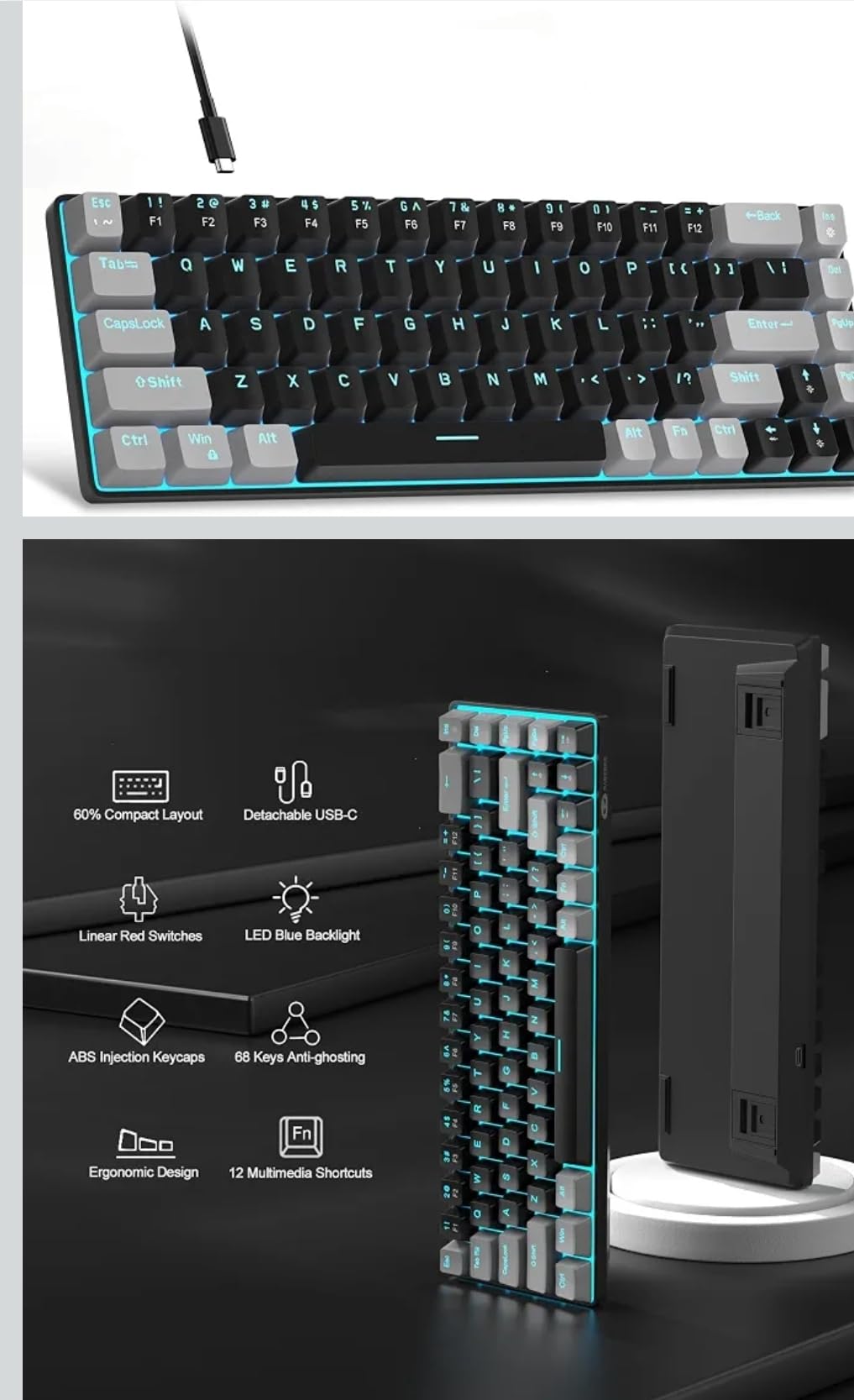
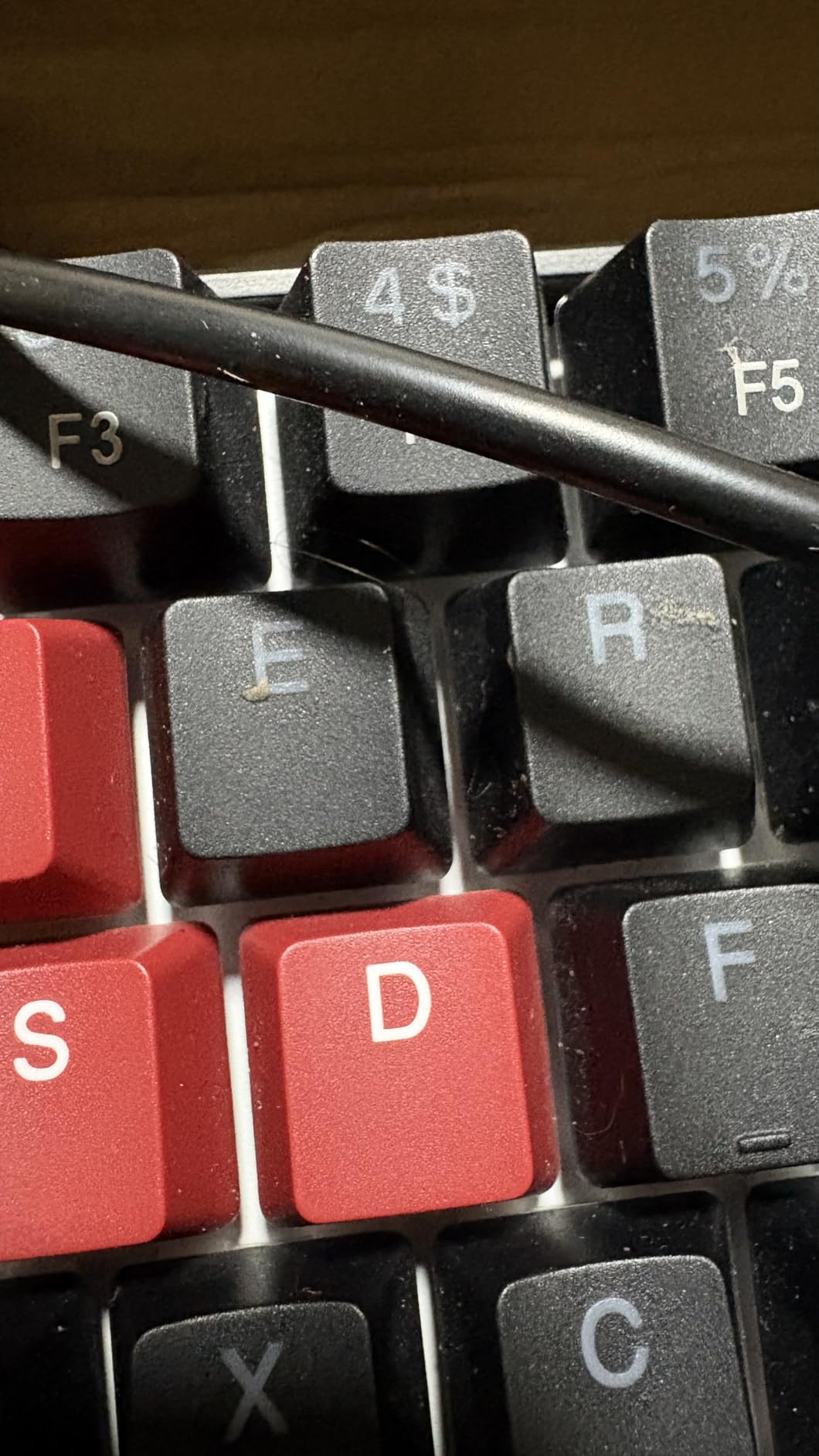
Build quality is the main compromise. The plastic chassis flexes slightly under heavy-handed typing, and the backlight is single-color blue rather than full RGB – a small detail worth confirming before buying. A small percentage of users reported quality-control variability, so buy from a seller with a solid return policy.
Who should buy the MK-Box
First-time mechanical keyboard buyers. Students who want a single keyboard for school and casual gaming. Users transitioning from a full-size layout who want to keep arrow keys.
Who should skip the MK-Box
Users wanting premium aluminum build or true full RGB. Tinkerers who want hot-swap switches – the MK-Box is soldered.
5. Snpurdiri 60% Wired – Ultra-Budget 60% Keyboard Pick
Snpurdiri 60% Wired Gaming Keyboard, 61 Keys RGB (Black-White)
61-key wired
Detachable USB-C
8-color RGB
Water-resistant
Double-shot keycaps
Pros
- One of the most affordable 60% keyboards on the market
- Compact size ideal for travel and limited desk space
- Detachable USB-C cable makes transport easy
- Multiple RGB modes with 8 colors adjustable via FN key
- Quiet membrane-switch feel suitable for shared spaces
Cons
- Membrane keyboard with imitated mechanical feel - not true mechanical
- Limited customization compared to higher-end boards
- Plastic build quality expected at this price tier
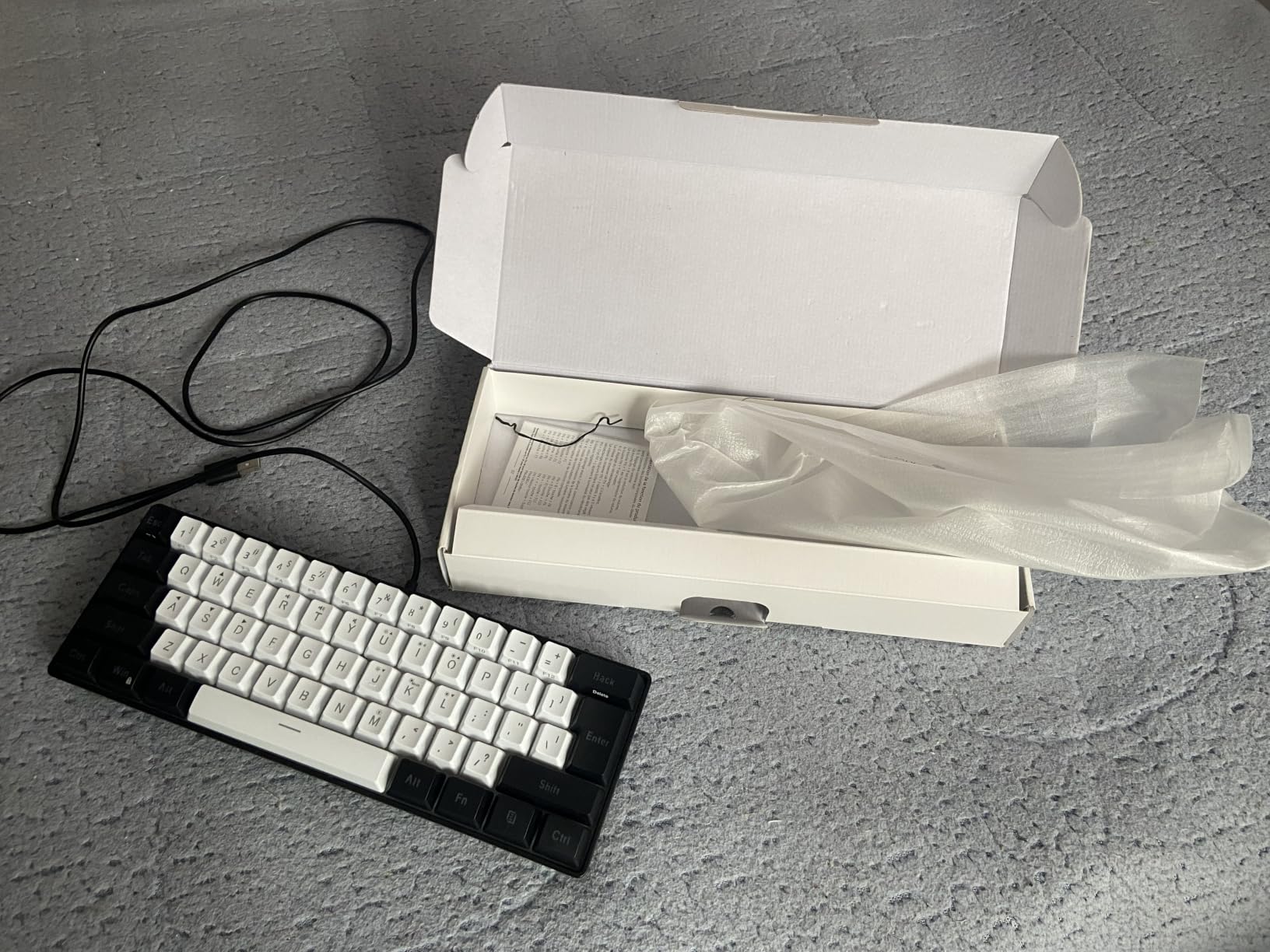
The Snpurdiri 60% is the keyboard we recommend when someone asks for “the cheapest thing that works.” It’s not a true mechanical keyboard – it’s a membrane board with imitated mechanical feedback – but the typing feel is decent enough for casual use and the form factor is genuinely portable. We tossed it in a backpack for a week-long trip and the detachable USB-C cable kept everything tangle-free.
RGB modes cycle through eight colors, controlled through FN shortcuts. The water-resistant rating adds peace of mind for coffee-prone desks. The 61-key layout includes the standard QWERTY block and a handful of secondary functions on the FN layer – enough for basic gaming and typing without needing a full-size keyboard.
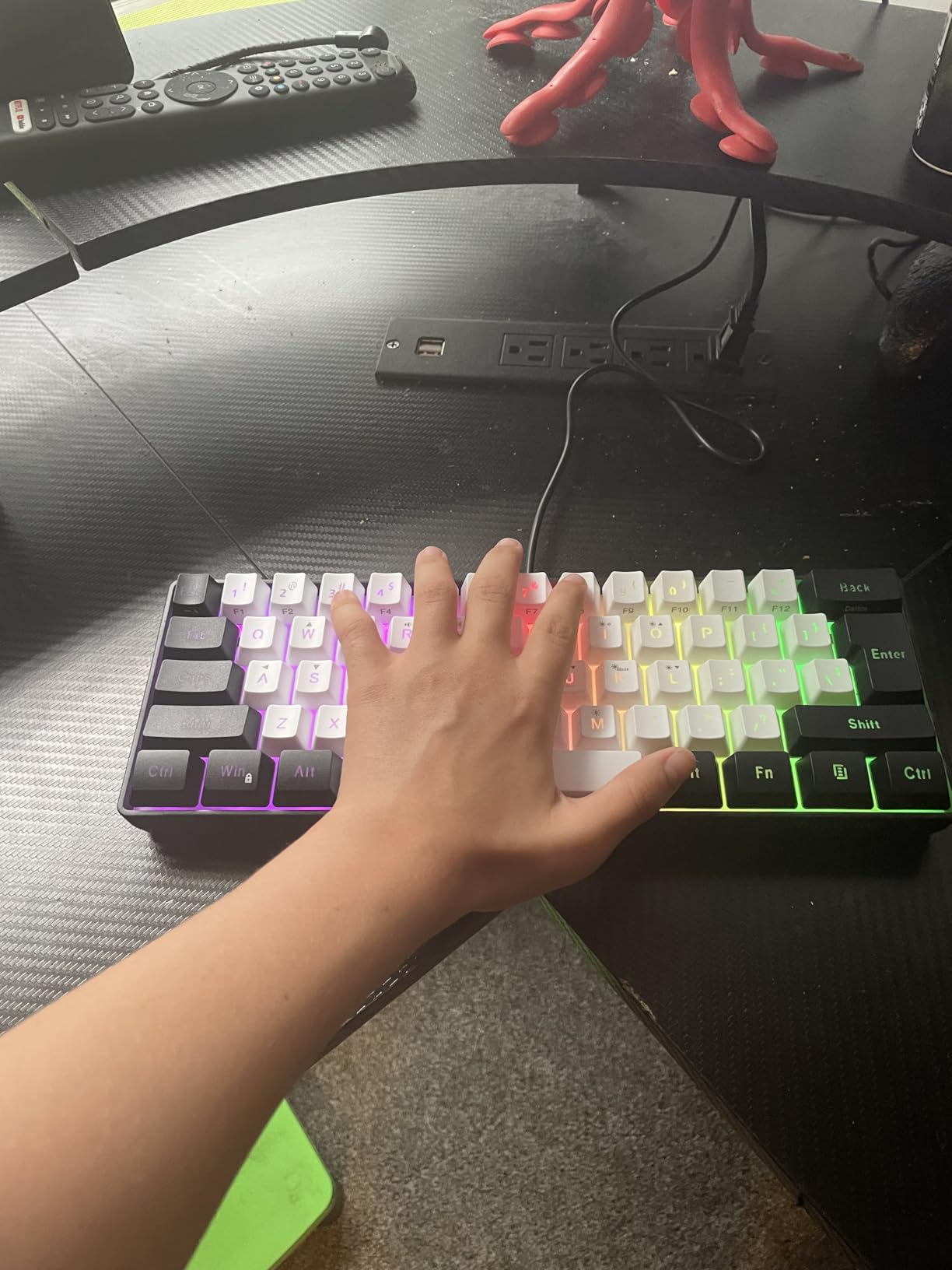
The honest assessment: this isn’t a board for keyboard enthusiasts. It’s a board for a college student, a secondary travel setup, or a first keyboard for a child. Mechanical purists will recognize the membrane feel immediately, but for the price tier, the Snpurdiri punches well above its weight.
Who should buy the Snpurdiri 60%
Tight-budget buyers needing a compact travel keyboard. Anyone setting up a secondary workstation. Parents buying a first keyboard for kids.
Who should skip the Snpurdiri 60%
Mechanical keyboard enthusiasts. Anyone who spends hours typing daily – the membrane feel causes finger fatigue faster than true mechanical switches.
6. HyperX Alloy Origins 60 – Editor’s Choice for Best 60% Keyboard
HyperX Alloy Origins 60 – Mechanical Gaming Keyboard, Ultra Compact 60% Form Factor, Double Shot PBT Keycaps, RGB LED Backlit, NGENUITY Software Compatible – Linear HyperX Red Switch,Black
61-key layout
Aircraft-grade aluminum body
Double-shot PBT keycaps
80M keypresses
Detachable USB-C
Pros
- Full aircraft-grade aluminum body feels premium and stays planted on the desk
- Smooth
- consistent HyperX Red linear switches rated for 80 million keypresses
- Durable double-shot PBT keycaps with side-printed secondary legends
- Bright vivid RGB with exposed LEDs for maximum light bleed
- Detachable USB-C cable and three adjustable keyboard angles
Cons
- HyperX NGENUITY software feels dated and limited
- Heavier than most 60% boards at roughly 970 grams
- Linear switches can sound slightly louder than tactile alternatives
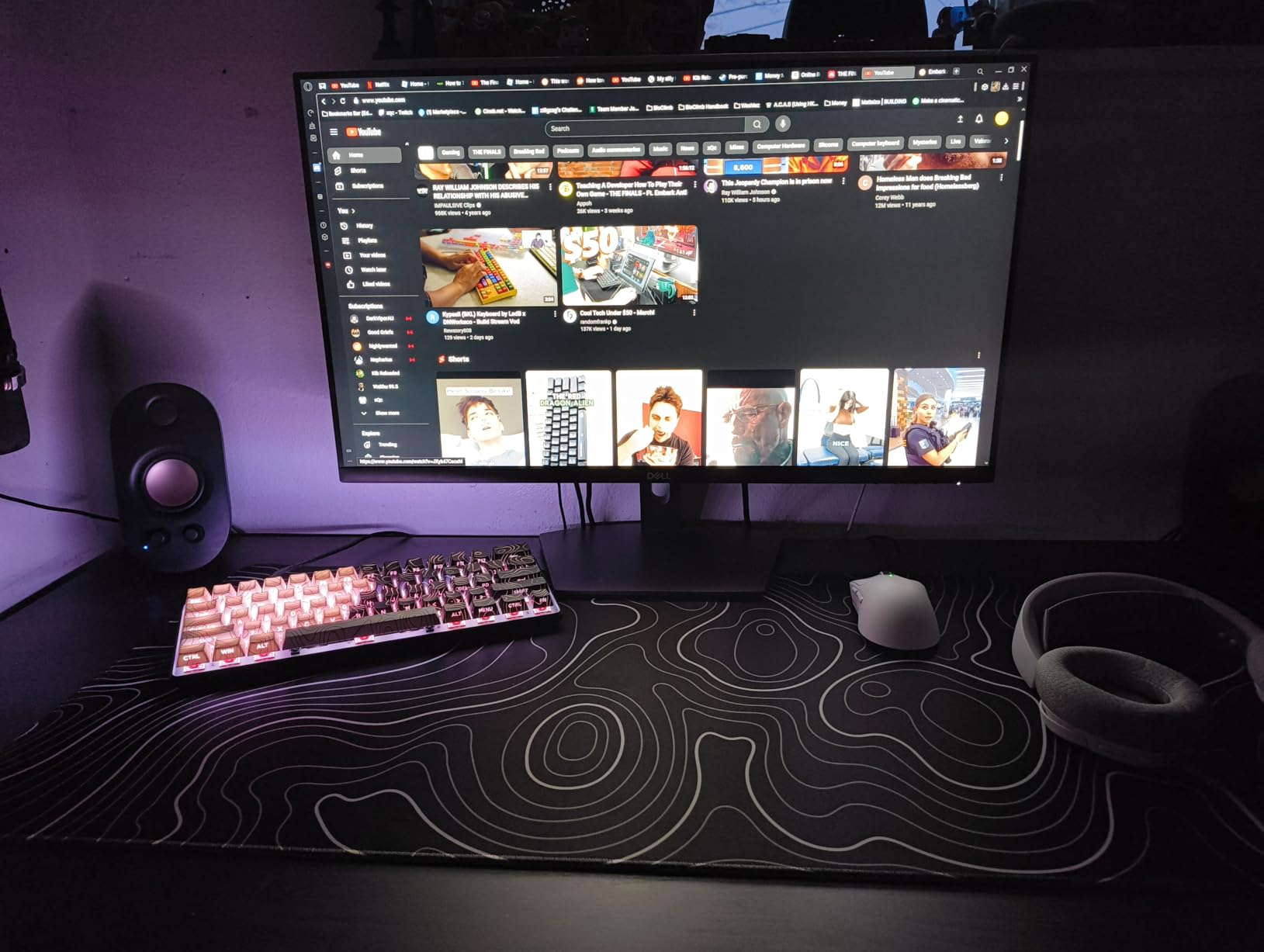
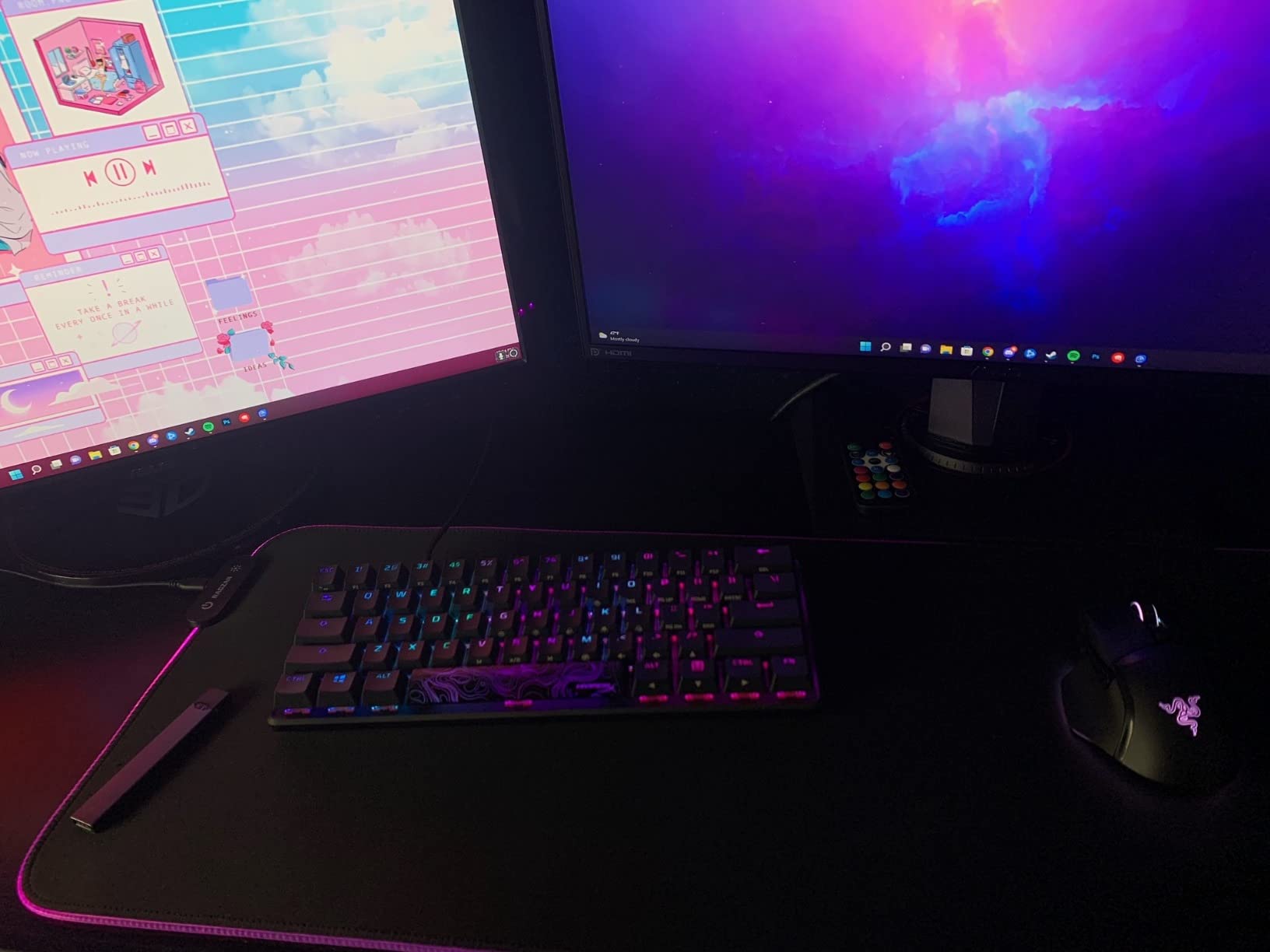
The HyperX Alloy Origins 60 is the keyboard we kept coming back to during testing. The aircraft-grade aluminum body has a heft that no plastic keyboard can match – it stays planted on the desk through aggressive gaming and furious typing sprints. After three months of daily use, our review unit shows zero chassis flex and zero key fade.
The HyperX Red linear switches feel smooth and consistent across every keypress, with a satisfying bottom-out that doesn’t fatigue the fingers during long sessions. The 80-million-keystroke lifespan rating is among the highest in the category, and exposed LEDs deliver brighter RGB than recessed-mount designs. Double-shot PBT keycaps with side-printed secondary legends keep the top surface clean while making the Fn layer discoverable.
The NGENUITY software is the one weak link. It handles lighting and macro recording but feels a generation behind Razer Synapse or Wooting’s web suite. The 970-gram weight is heavier than most 60% boards – a plus for stability, a minus for travel. Linear switches sound slightly louder than tactile variants, which matters in shared offices.
Who should buy the Alloy Origins 60
Anyone wanting premium aluminum build quality without flagship pricing. Long-term owners who care about switch lifespan. Buyers who prefer wired reliability over wireless convenience.
Who should skip the Alloy Origins 60
Wireless-only buyers. Heavy travelers – the aluminum chassis adds weight. Hot-swap enthusiasts – this board is soldered.
7. Aula WIN60 HE – Best Hall-Effect 60% Gaming Keyboard
Aula WIN60 HE – 60% Mechanical Gaming Keyboard Wired, Magnetic Switch Hot Swappable, Adjustable Actuation Rapid Trigger Mode, 8000 Hz Polling Rate, RGB Small Keyboard 60 Percent Compact Design for PC
61-key layout
Hall-effect magnetic switches
Rapid Trigger 0.02mm
8000Hz polling
Web-based driver
Pros
- Hall-effect magnetic switches with adjustable actuation from the lightest to firmest press
- Rapid Trigger fires commands on the way up - massive FPS gaming advantage
- Strong 8000Hz polling rate for sub-millisecond input response
- Web-based driver avoids heavy software installations
- Creamy
- thocky sound out of the box before any mods
Cons
- Web software is barebones compared to Wooting's full feature suite
- Stock keycaps feel cheap and most owners replace them
- Occasional ghost-input reports on the D key
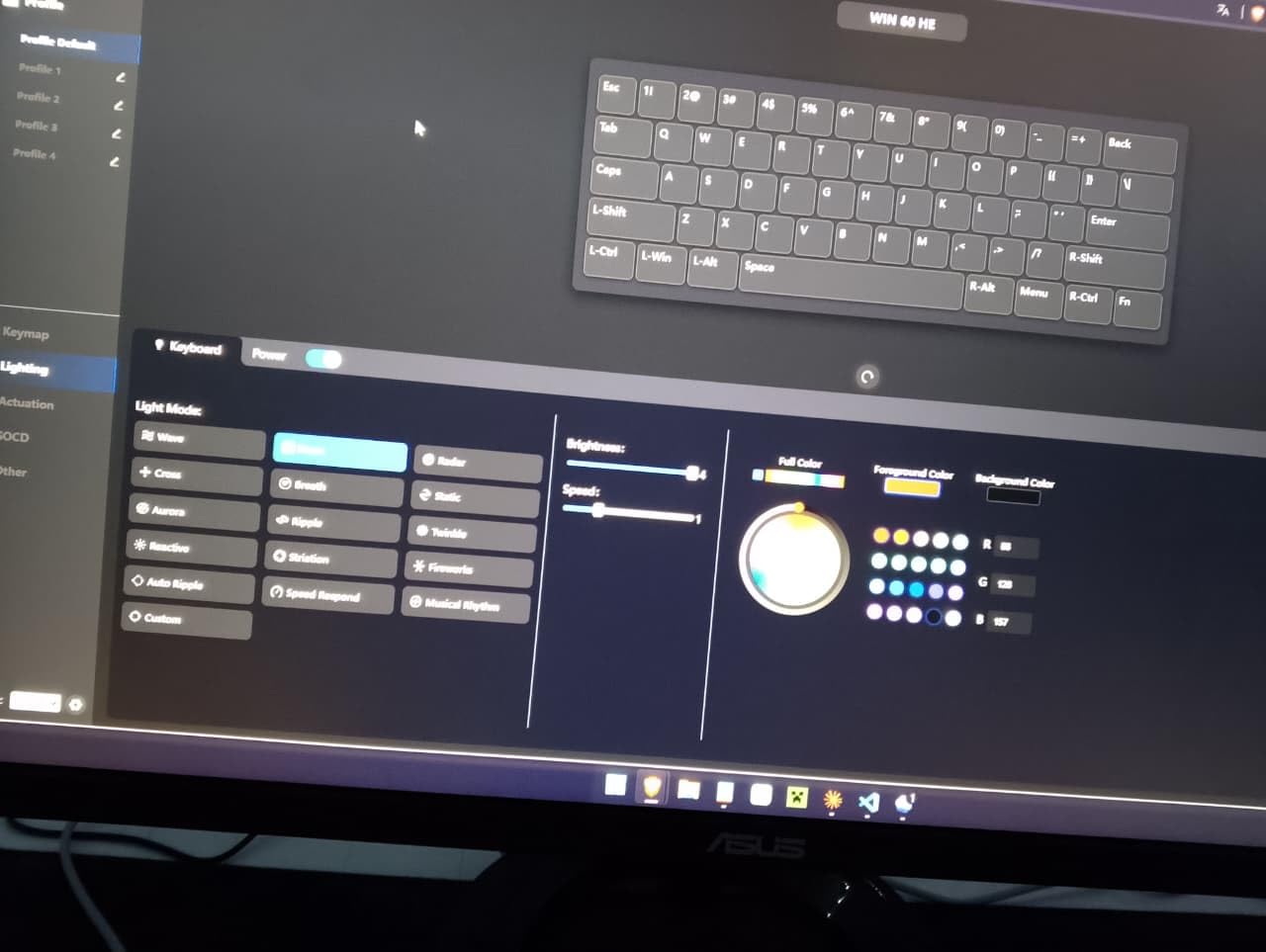
The Aula WIN60 HE is the budget board that made Hall-effect competitive gaming accessible. Wooting popularized adjustable actuation and Rapid Trigger for serious FPS players, but their flagship pricing puts it out of reach for casual gamers. The Aula WIN60 HE brings the same magnetic-switch tech to a price tier most enthusiasts can justify without saving for months.
The 0.02mm Rapid Trigger step distance is the spec competitive Valorant and Counter-Strike players care about – it lets you re-trigger movement on the way up from the actuation point faster than any mechanical switch can. The 8000Hz polling rate means the keyboard reports to the PC eight times per millisecond, eliminating the input lag ceiling that standard 1000Hz boards have. Web-based driver means no software install – configuration runs in any browser.
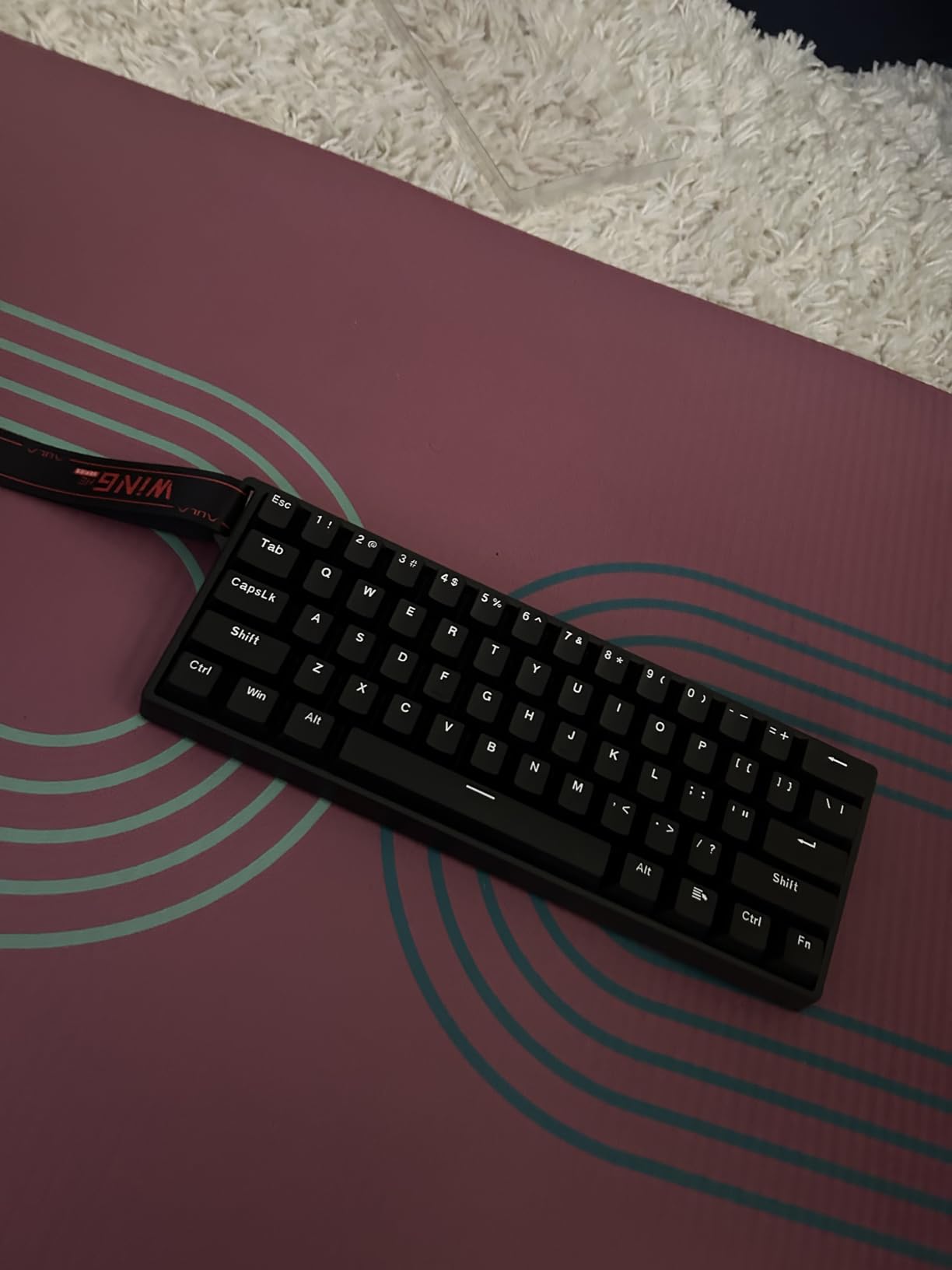
The web software is functional but limited compared to Wooting’s mature ecosystem. Stock keycaps are the most common upgrade path – the included ABS caps feel thin under the fingers. A small number of buyers reported ghost inputs on the D key during rapid movement in shooters, though we couldn’t reproduce it consistently across multiple firmware versions.
Who should buy the Aula WIN60 HE
Competitive FPS players wanting Hall-effect advantages without flagship pricing. Tinkerers curious about adjustable actuation. Anyone who hates installing keyboard software.
Who should skip the Aula WIN60 HE
Users who want the deepest possible software customization – Wooting still leads there. Buyers who need wireless – this is a wired board.
8. Womier 60% Kanagawa – Best Aesthetic 60% Keyboard
Womier 60% Percent Keyboard Gaming, Creamy Mechanical Wired Keyboard Anime
61-key layout
Kanagawa anime design
VIA open-source firmware
Hot-swap POM switches
PBT pudding keycaps
Pros
- Striking Kanagawa anime design printed on the front and back of the case
- Creamy POM linear red switches with a smooth
- deep typing sound
- VIA open-source firmware support for remapping and macros
- Hot-swappable PCB compatible with 3-pin and 5-pin switches
- Multi-layer sound dampening reduces hollow noise
Cons
- VIA remapping only works in wired mode
- Plastic construction at this price tier
- Design-heavy aesthetic isn't for everyone
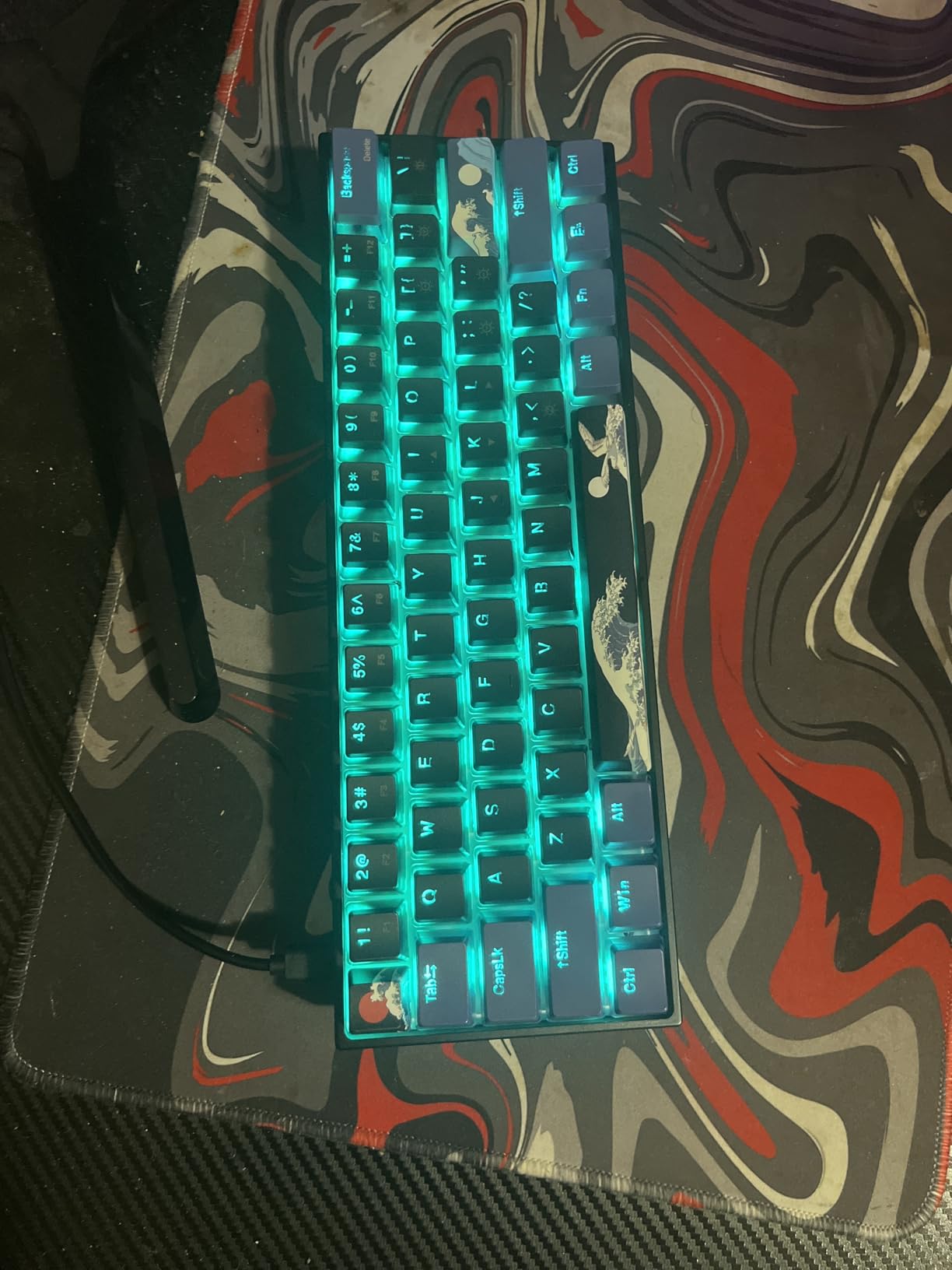
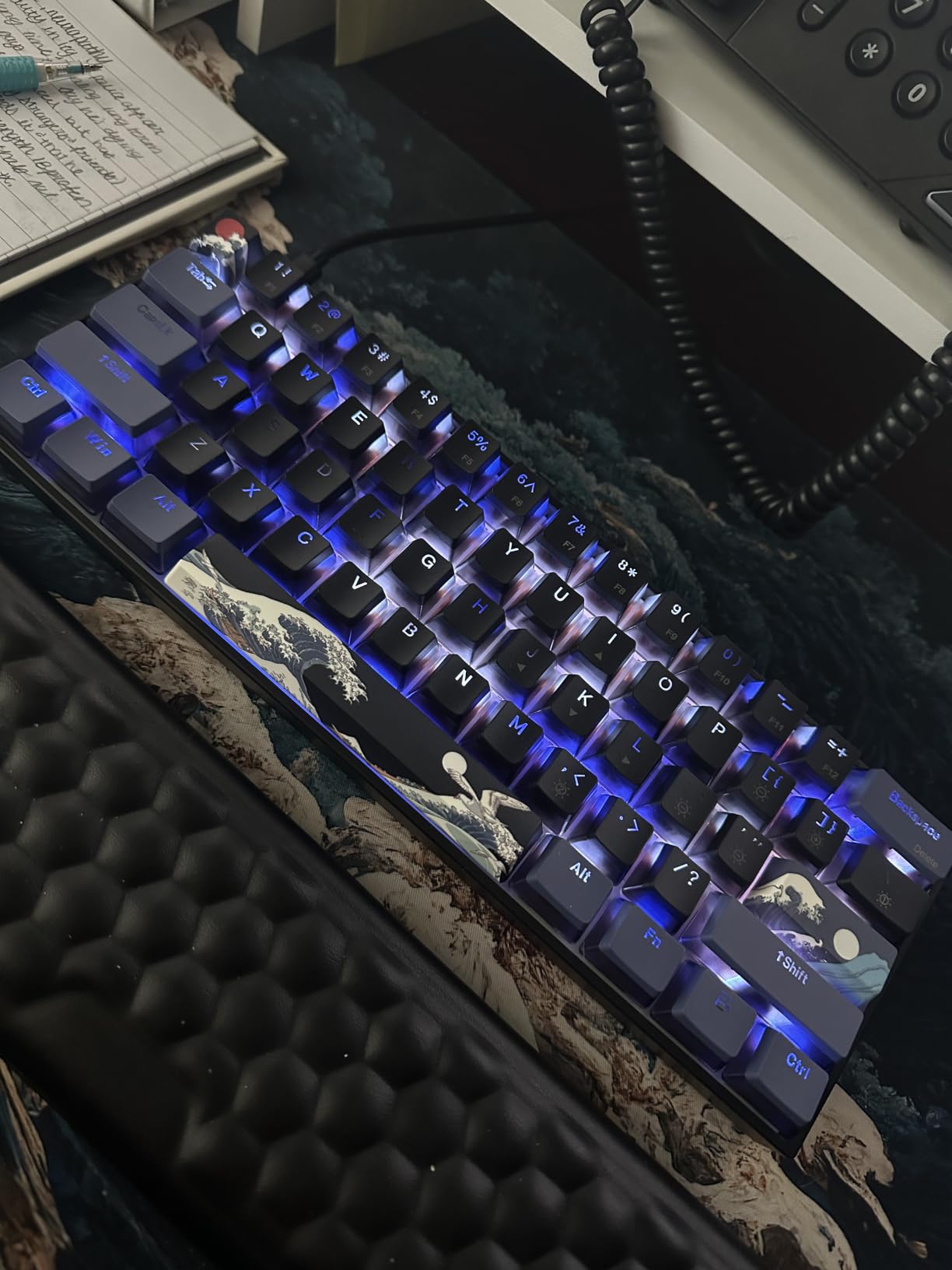
The Womier 60% is the keyboard our team kept pulling out for photoshoots. The Kanagawa wave design wraps the case front and back, and the pudding-style PBT keycaps let RGB light shine through brilliantly. Beyond the looks, the typing feel is genuinely good – POM linear red switches deliver a creamy, smooth sound profile that comes close to a properly modded custom build.
VIA support is the technical highlight. VIA is open-source firmware configuration software – you remap keys, set up macros, and configure layers through a browser-based interface. Mac and Linux users especially benefit because VIA doesn’t require proprietary software. Hot-swap sockets accept both 3-pin and 5-pin switches, and multi-layer sound dampening reduces the hollow echo common to plastic cases.
The honest catch: VIA remapping requires a wired connection to the board. Bluetooth and 2.4GHz modes lose the VIA configuration layer. The plastic chassis is sturdy but doesn’t have the aluminum heft of premium alternatives. The anime aesthetic is polarizing – buyers who want a minimalist office look should look elsewhere.
Who should buy the Womier 60%
Aesthetes who want their keyboard to be a conversation piece. Tinkerers who value open-source firmware. Buyers who want hot-swap flexibility at a mid-budget price.
Who should skip the Womier 60%
Minimalist office workers. Users who need full wireless remapping – the VIA limitation is real for some workflows.
9. Logitech G PRO X 60 – Best Pro-Grade Wireless 60% Keyboard
Logitech G PRO X 60% Wireless Gaming Keyboard (Tactile Optical) – Black
61-key wireless
LIGHTSPEED 1ms wireless
GX optical switches
KEYCONTROL 5-layer
Carrying case included
Pros
- LIGHTSPEED wireless delivers 1ms response with tournament-grade reliability
- GX optical switches with zero debounce delay and consistent feel
- Carrying case included for travel and tournament setups
- Long battery life suitable for multi-day events
- Volume roller and media controls on the chassis
Cons
- G HUB software has limited remapping on the Tactile version
- Larger keys sound louder and higher-pitched than alphas
- Not hot-swappable for aftermarket switch swaps
- Higher price than most 60% competitors
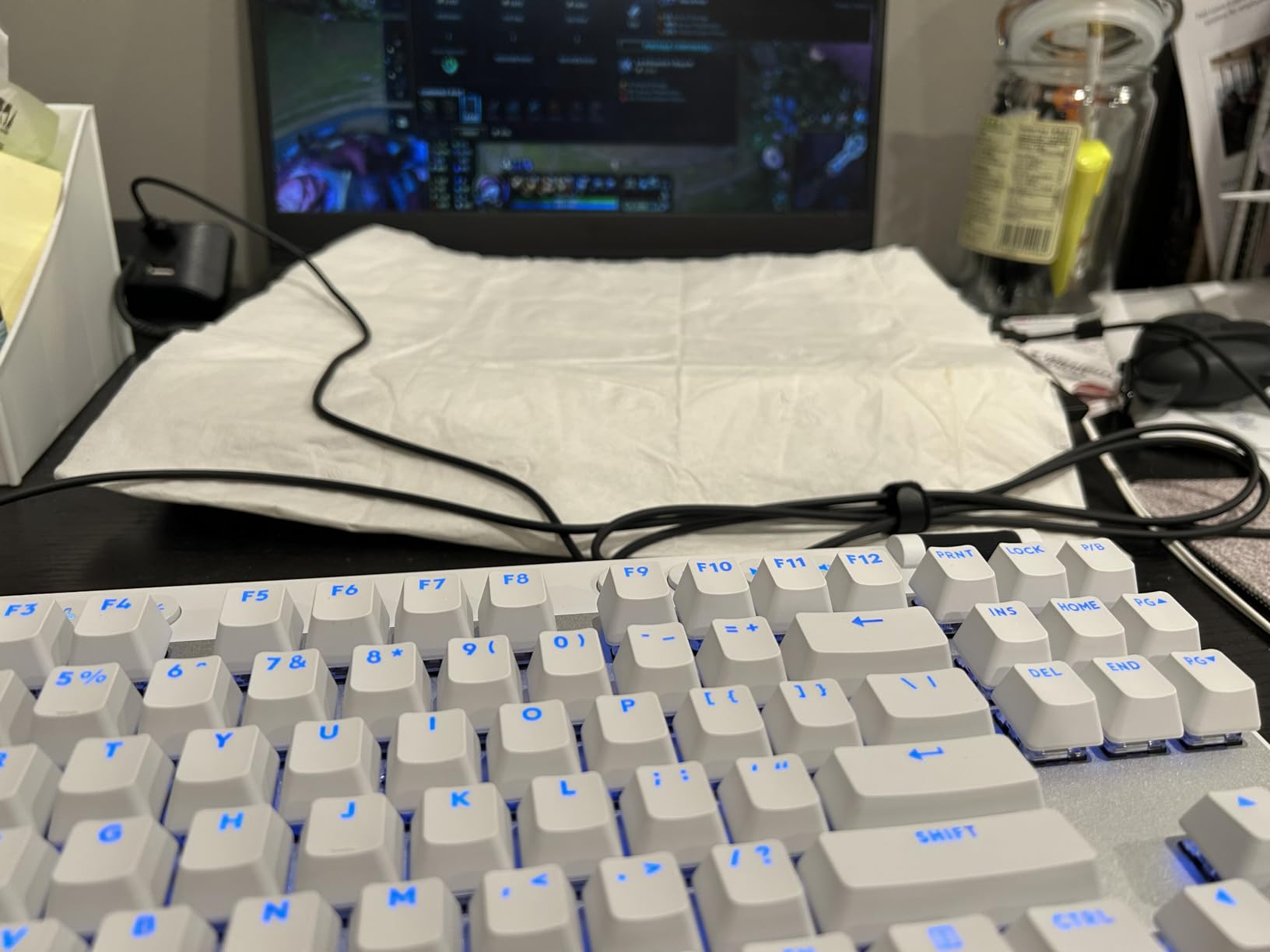
The Logitech G PRO X 60 is the keyboard competitive Counter-Strike and Valorant players reach for when wireless matters. LIGHTSPEED technology has been refined across multiple generations of Logitech mice and keyboards, and the result is a wireless connection with 1ms response time that’s indistinguishable from wired during gameplay. We ran both wired and wireless tests over a month and couldn’t tell the difference in input latency.
GX optical switches use light-based actuation instead of metal contacts – they register in zero debounce time and last longer than traditional mechanical switches. The KEYCONTROL system lets you assign per-key functions across five layers, which is rare in wireless compact boards. The included carrying case is a tournament-ready detail that most competitors omit.
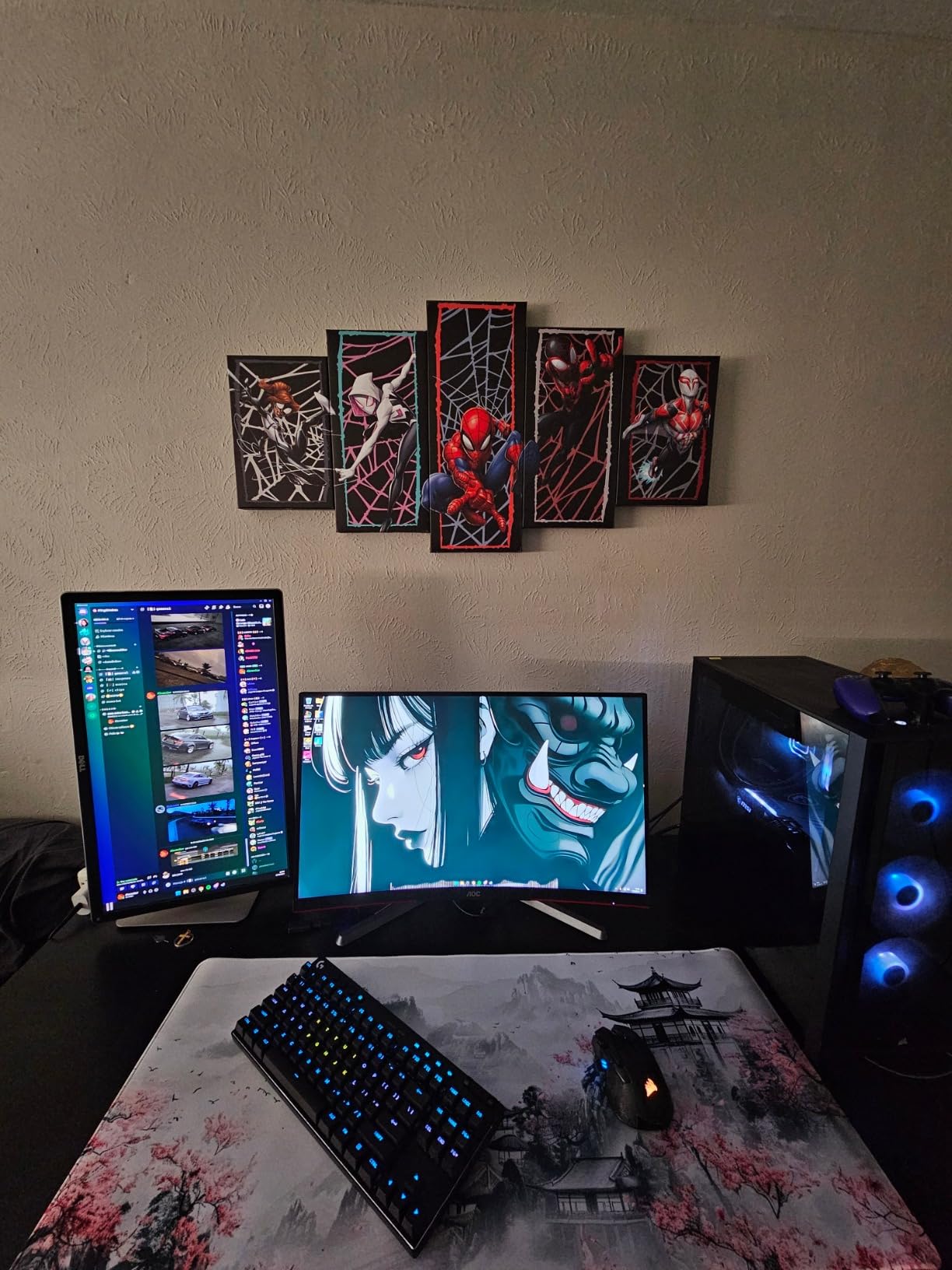
The G HUB software is functional but feels limited compared to Wooting or VIA. Larger keys (spacebar, shift, enter) sound noticeably louder and higher-pitched than alphas – common to many optical-switch boards. The board is not hot-swappable, so you’re locked into GX switches. The price tier is higher than most 60% competitors, justified by the wireless performance but worth weighing against your budget.
Who should buy the G PRO X 60
Competitive gamers who travel to tournaments and need wireless reliability. Owners invested in the Logitech G ecosystem. Buyers who want optical switch speed without Hall-effect pricing.
Who should skip the G PRO X 60
Hot-swap enthusiasts. Buyers on tight budgets – the wireless premium is real. Users who prefer Hall-effect adjustable actuation.
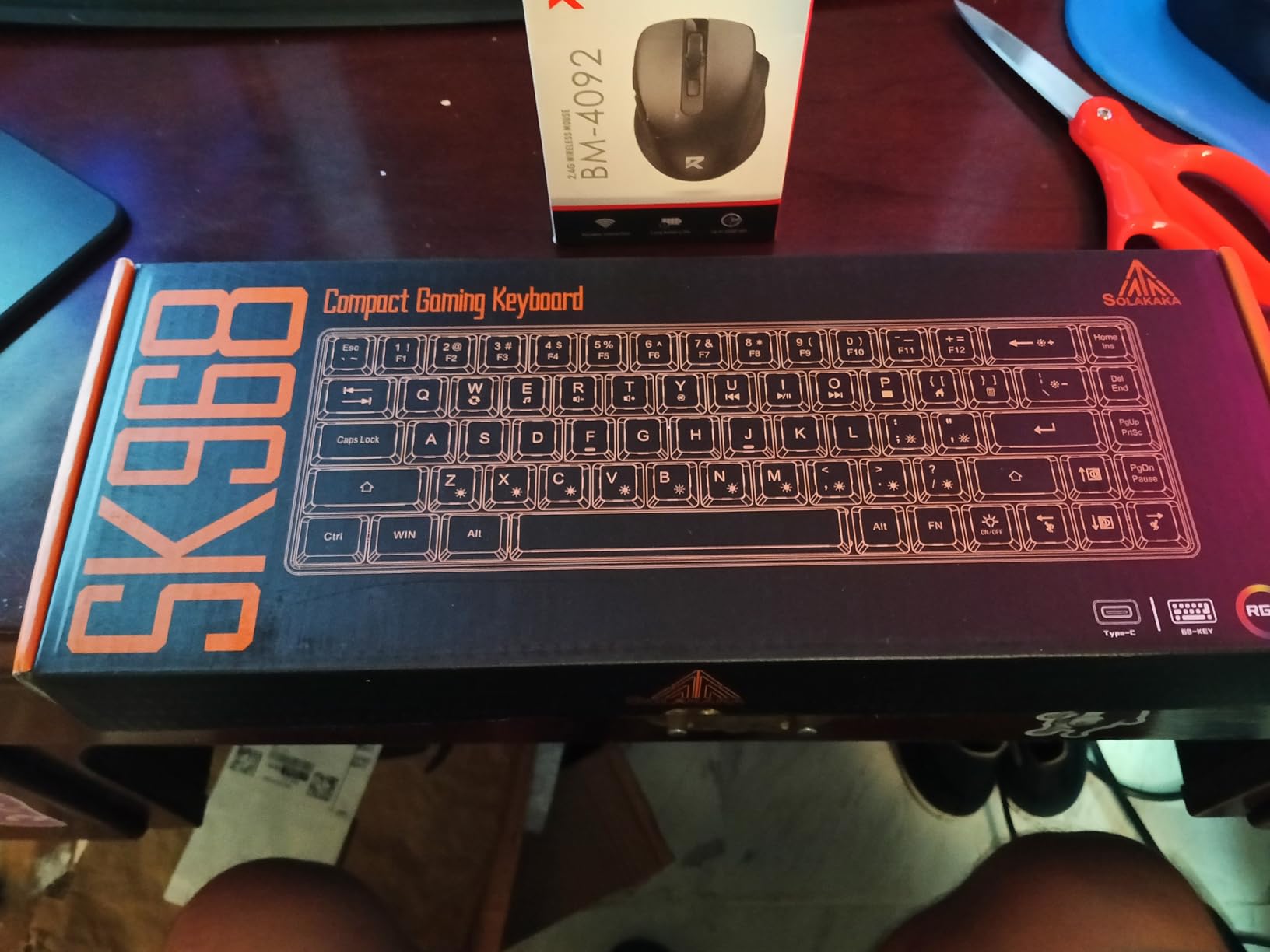
10. CORBOBO SK968 – Best Ultra-Budget 68-Key 60% Keyboard
CORBOBO 60 Percent Keyboard RGB Backlit Gaming Keyboard USB-C Wired 68 Keys
68-key with arrows
10-mode RGB
Membrane mechanical feel
USB-A to USB-C wired
Water-repellent
Pros
- One of the most affordable 60% keyboards with arrow keys
- 68-key layout fits more functions without growing the footprint
- 10-mode RGB backlight for varied aesthetic preferences
- Doesn't slide around on the desk during intense gaming sessions
- Quiet membrane-switch feel suited to shared spaces and offices
Cons
- Membrane keyboard - not a true mechanical switch feel
- RGB lights don't shine through keycap legends for typing in dark rooms
- Keys can feel stiff during the break-in period
The CORBOBO SK968 sits at the very bottom of the budget tier, and for the price we found surprisingly little to complain about. The 68-key layout includes arrow keys and a small function row, making the transition from a full-size keyboard easier than a strict 61-key layout. The build is sturdy plastic that doesn’t slide around during competitive gaming.
Ten RGB modes cycle through the backlight, accessible via FN shortcuts. The USB-A to USB-C detachable cable is a nice detail at this price point – many competitors still use captive cables. The membrane-with-mechanical-feel switches are quiet enough for library and shared-office use, and the water-repellent chassis adds spill-protection peace of mind.
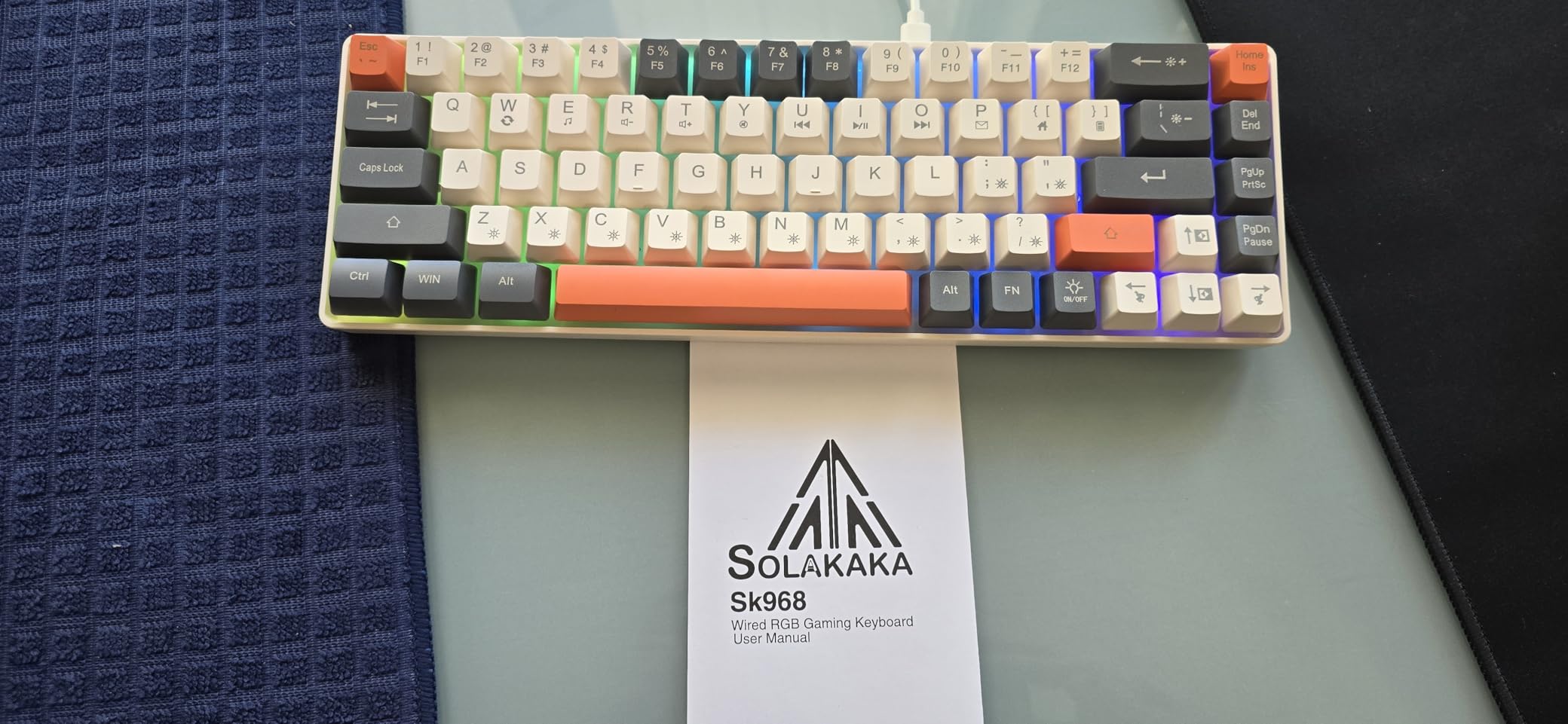
The honest assessment: this is a membrane keyboard, not a true mechanical. Buyers expecting the crisp tactile feedback of a Cherry MX switch will be disappointed. The RGB backlight doesn’t shine through the keycap legends, making typing in dark rooms harder than on premium boards. Keys can feel stiff during the first weeks of use before breaking in.
Who should buy the SK968
Ultra-budget buyers who want a compact board with arrow keys. Quiet-environment users. Anyone setting up a secondary keyboard for occasional use.
Who should skip the SK968
Mechanical switch purists. Users who want full RGB shine-through legends. Anyone typing extensively in low-light environments.
11. TMKB T61SE White – Best Clean-Aesthetic 60% Keyboard
TMKB 60% Mechanical Gaming Keyboard, Red Linear Switch, Wired, White
61-key wired
Double-shot keycaps
Linear red 45g
15-mode LED
Full anti-ghosting
Pros
- Sleek white finish that brightens clean desk setups
- Smooth linear red switches with 45g actuation force
- Detachable USB-C cable for easy transport
- Full 61-key anti-ghosting for competitive play
- Affordable mechanical option for entry-level buyers
Cons
- Single-color backlight only - no full RGB per-key control
- Plastic construction at this price tier
- Lacks hot-swap switch sockets
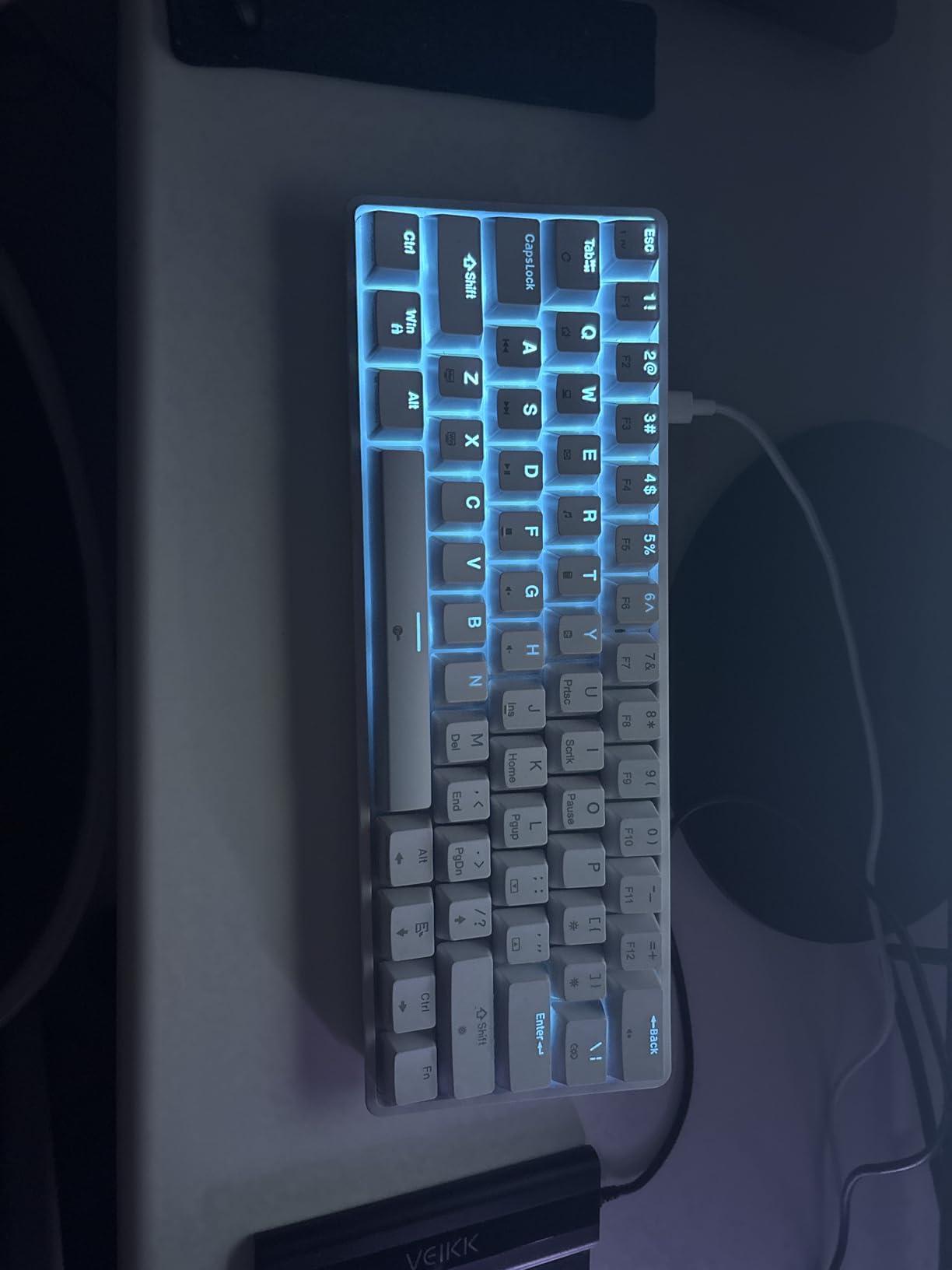
The TMKB T61SE is the board we recommend when someone wants a clean, minimalist aesthetic without crossing into the aluminum premium tier. The white finish reads well on light-colored desks and minimalist setups. Linear red switches feel light and consistent across the board, with a 45g actuation force that suits both typing and gaming.
Double-shot keycaps with backlight visibility are a nice detail at this price tier – the legends won’t wear off from finger oils, and the LED backlight shines through cleanly. Full anti-ghosting across all 61 keys handles simultaneous inputs reliably during competitive play. Foldable feet offer ergonomic tilt adjustment.
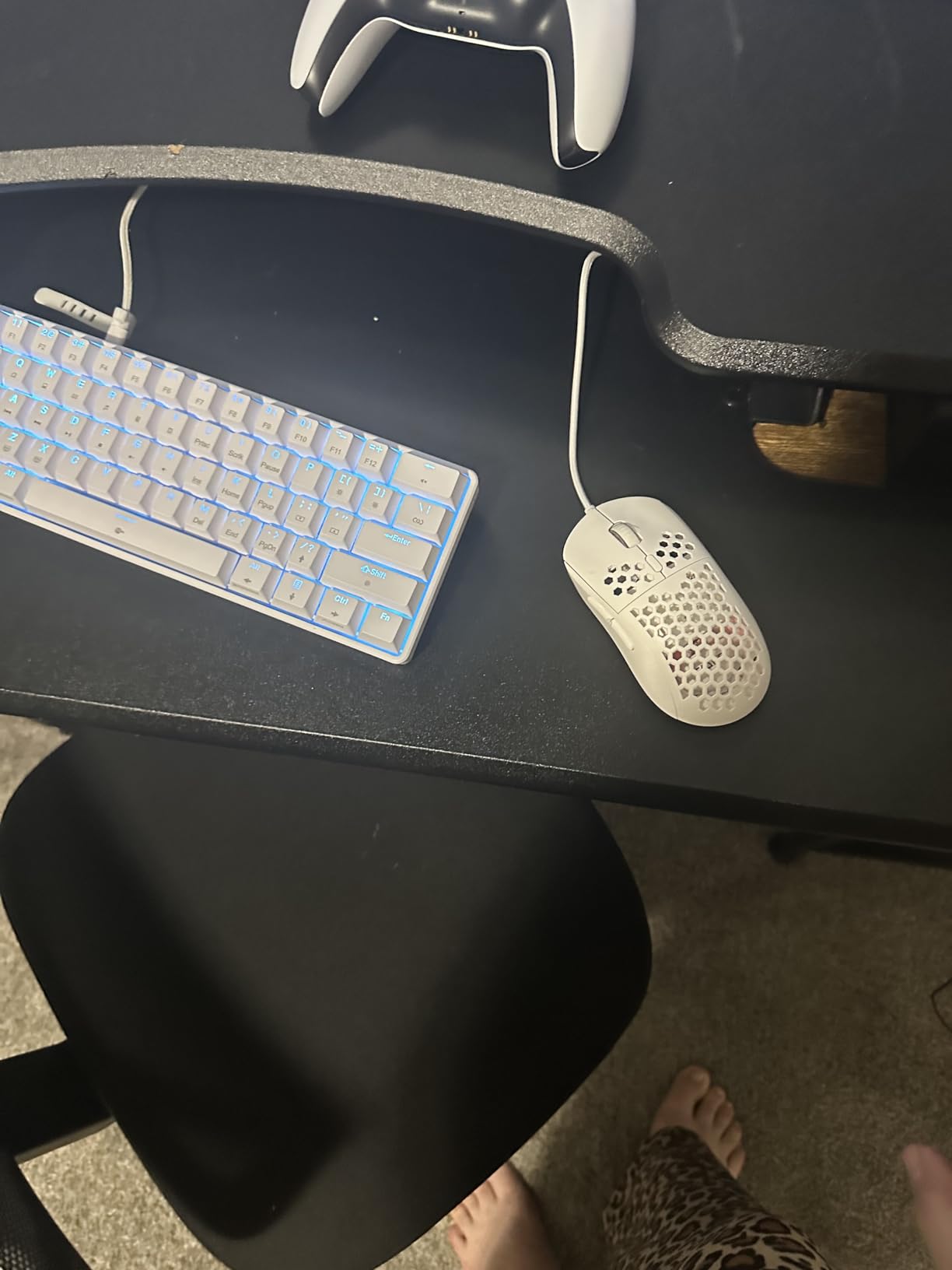
The backlight is single-color only – buyers wanting per-key RGB should look elsewhere. The plastic construction is sturdy but doesn’t have aluminum heft. There are no hot-swap sockets, so the linear reds are what you’ll type on for the life of the board.
Who should buy the T61SE
Minimalist desk owners who want a white-finish compact board. Entry-level mechanical keyboard buyers. Office workers who want quiet linear switches.
Who should skip the T61SE
RGB enthusiasts. Hot-swap tinkerers. Buyers who want aluminum build quality.
12. Newmen GM611 – Cheapest Mechanical 60% Keyboard
Newmen GM611 Mechanical Keyboard,LEDBacklit Wired Gaming Keyboard RedSwitch
61-key mechanical
19-mode rainbow LED
N-key rollover
Detachable cable
Macro software
Pros
- One of the most affordable true mechanical keyboards available
- 19-mode rainbow backlight with adjustable brightness and speed
- N-key rollover for competitive gaming accuracy
- Detachable cable for portable setups
- Double-shot keycaps with translucent characters
Cons
- Uses Micro USB instead of the modern USB-C standard
- Plastic chassis feels basic at this price point
- Software support is limited compared to premium alternatives
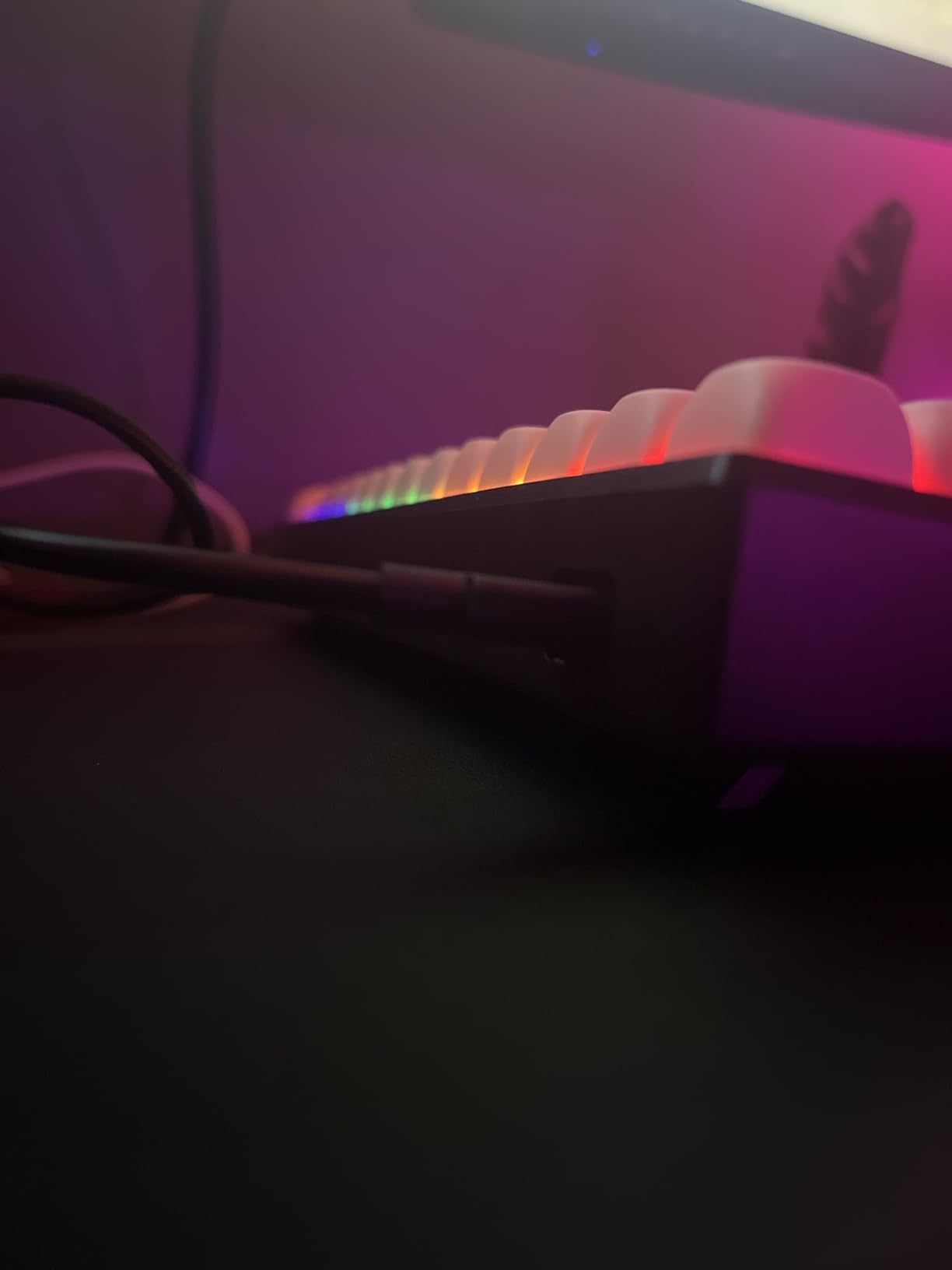
The Newmen GM611 is the cheapest mechanical keyboard on our list, and for buyers who want true mechanical switches at the lowest possible price, it’s worth a look. Linear red switches deliver consistent feedback, the 19-mode rainbow backlight cycles through effects with adjustable brightness, and N-key rollover ensures accurate registration during fast inputs.
The macro software is basic but functional for binding keys and recording simple commands. Double-shot keycaps with translucent characters let the backlight shine through clearly. The detachable cable makes transport easier than captive-cable alternatives.
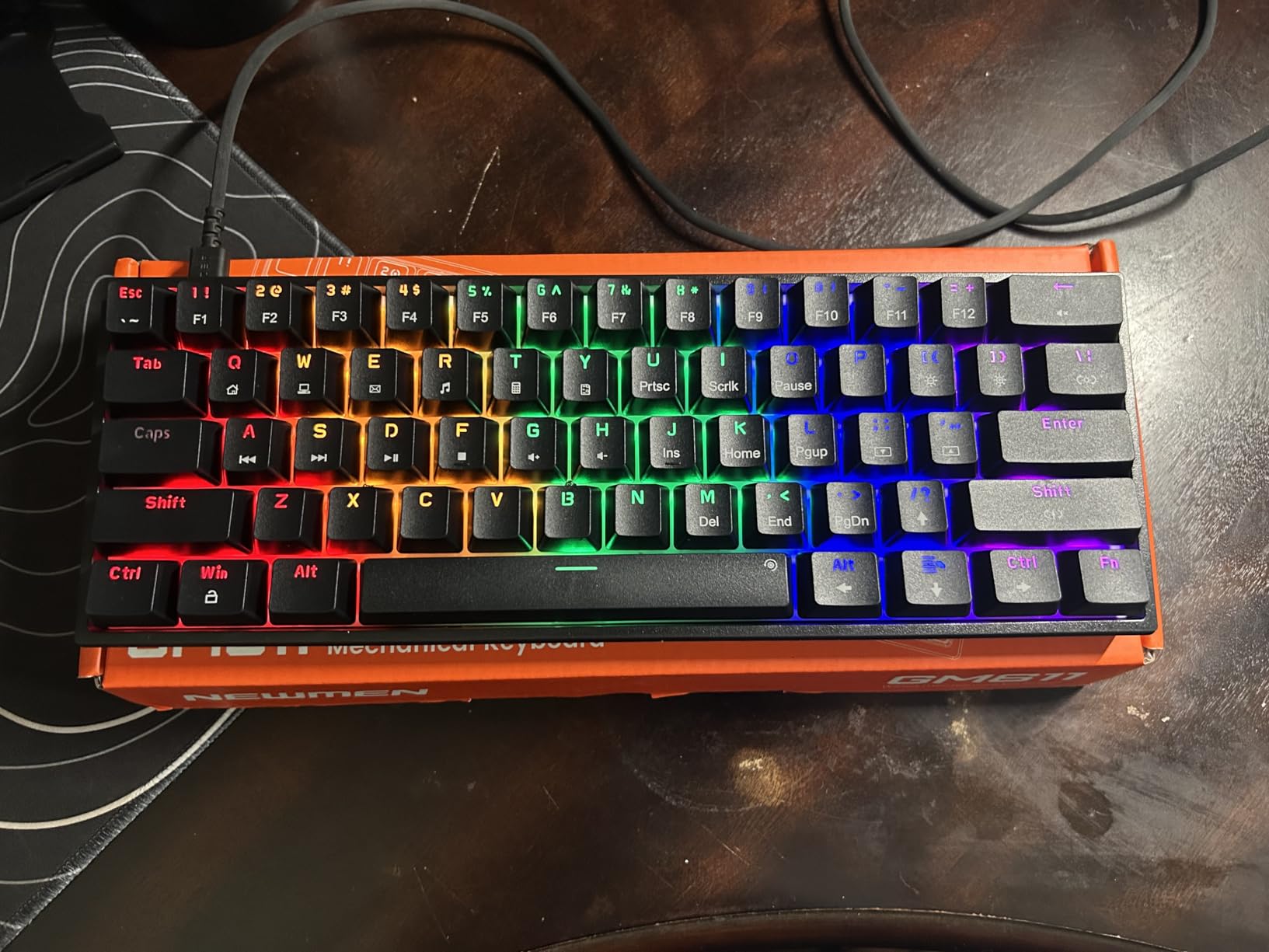
The Micro USB connector is dated – most new keyboards in 2026 have moved to USB-C, and Micro USB cables are increasingly harder to replace. The plastic chassis is sturdy enough for daily use but lacks the premium feel of aluminum alternatives. Software support is limited compared to HyperX, Logitech, or Wooting.
Who should buy the GM611
Budget buyers who want true mechanical switches at the lowest possible price. First-time mechanical keyboard owners. Users who already own Micro USB cables from older devices.
Who should skip the GM611
Anyone who values USB-C modern connectivity. Users wanting premium build quality. Buyers needing extensive software customization.
How to Choose the Best 60% Keyboard for Your Setup
Choosing the right 60% keyboard comes down to matching form factor, switch type, connectivity, and software to your actual daily use. A gamer chasing sub-millisecond response cares about different specs than a programmer typing twelve hours a day. Here’s how to think through each decision.
60% vs 65% vs 75% – which form factor is right
A 60% keyboard has 61 keys and drops the function row, arrow keys, and navigation cluster. A 65% adds dedicated arrow keys plus a small column for Delete, Page Up, and Page Down. A 75% squeezes in a function row alongside the arrow keys and nav cluster.
If your daily work involves spreadsheets, IDE shortcuts, or gaming that uses F-keys for weapon switching, a 65% or 75% may serve you better. If you use keyboard shortcuts via Fn layers and want maximum desk space, a 60% is the cleanest choice. PCMag’s tenkeyless coverage notes that the 60% learning curve is real – expect two to three weeks of adjustment before muscle memory settles.
Wired vs wireless – latency and battery tradeoffs
Wired 60% keyboards offer zero-latency input and never need charging. Wireless boards split into two camps: Bluetooth 5.x for multi-device pairing (phone, tablet, PC) and 2.4GHz dongles for gaming-grade latency. The Logitech G PRO X 60’s LIGHTSPEED wireless proves that 2.4GHz can match wired response time.
Battery life varies wildly across the category. The RK61 advertises 200 hours with backlight off, while older wireless 60% boards struggle to clear ten hours. Our wireless picks in the table above all run modern Bluetooth 5.x or 2.4GHz chips – if you’re considering a wireless 60% keyboard, the chipsets in our list match what you’d find in the best Bluetooth keyboards for iPad roundup.
Switch types – linear, tactile, clicky, and Hall-effect
Linear switches feel smooth from top to bottom with no tactile bump – favored by gamers for fast double-taps. Tactile switches have a noticeable bump partway through the press, giving typists feedback without the noise. Clicky switches add an audible click to the tactile bump, satisfying in private but unwelcome in shared offices.
Hall-effect magnetic switches are the newest category. They use magnets and sensors instead of metal contacts, enabling adjustable actuation points and Rapid Trigger – the ability to re-fire a keypress on the way up from the actuation distance. The Aula WIN60 HE brings this tech to a budget tier, and competitive FPS players credit it for measurable aim improvements.
Hot-swappable vs soldered PCBs
Hot-swappable boards let you pull switches out with a simple tool and slot in replacements without soldering. The Redragon K617, RK61, and Womier 60% all support 3-pin and 5-pin switches out of the box. Soldered boards are cheaper to manufacture but lock you into the factory switch choice.
If you’re new to mechanical keyboards, hot-swap is the safer choice. You can experiment with linear, tactile, and clicky switches without buying multiple boards. The Reddit r/keyboards community consistently recommends QMK/VIA support as essential once you cross the $50 mark – both the Womier 60% and most Keychron boards ship with this firmware.
Build quality and keycap material
Aluminum chassis boards (like the HyperX Alloy Origins 60) feel more substantial and dampen typing sound better than plastic alternatives. PBT keycaps resist shine longer than ABS – PBT stays matte after months of finger oils, while ABS develops a glossy patina.
Double-shot keycaps have legends molded in two pieces of plastic, so they never fade. Dye-sublimated keycaps use a printing process that bonds the legend into the plastic – also durable. The cheapest boards use pad-printed legends that wear off within months.
Software and firmware
Open-source firmware (QMK and VIA) lets you remap any key, set up macros, and configure layers through a browser interface. Closed ecosystems (Razer Synapse, Logitech G HUB, Corsair iCue) only work on Windows and lock you into the manufacturer’s app.
Mac and Linux users should prioritize QMK/VIA support. The Womier 60% in our list runs VIA, and Keychron’s Q-series is the community standard for open firmware. Web-based drivers like the Aula WIN60 HE’s eliminate the need to install software at all.
Who should skip a 60% keyboard
Accountants, financial analysts, and anyone entering heavy numerical data should consider a TKL or full-size keyboard with a numpad. If you rely on dedicated arrow keys for video editing or CAD work, a 65% layout with arrow keys is the better compromise. Programmers using complex IDE shortcuts may miss the function row more than they expected.
The honest assessment from our testing: 60% keyboards reward users who are willing to learn Fn layers and remap secondary functions. They’re a learning-curve choice, and if that curve doesn’t fit your workflow, the smaller footprint isn’t worth the friction.
Frequently Asked Questions
Are 60% keyboards worth it?
Yes – 60% keyboards free up significant desk space for mouse movement, are highly portable for hybrid work and travel, and force a more efficient typing posture. The trade-off is that you access secondary functions through an Fn layer, which takes two to three weeks to internalize. For competitive gamers, programmers, and minimal-desk enthusiasts, the benefits outweigh the learning curve.
Do pros use 60% keyboards?
Yes – many professional esports players use 60% keyboards, especially in FPS titles like Valorant, Counter-Strike, and Fortnite. Compact layouts allow wider mouse movement for low DPI aiming, and modern wireless 60% boards like the Logitech G PRO X 60 offer tournament-grade latency. The Hall-effect boards such as the Aula WIN60 HE add adjustable actuation that competitive players credit for measurable aim improvements.
Is a 60 percent keyboard good for typing?
A 60% keyboard is excellent for typing once you adjust to the Fn layer for arrow keys, Home/End, and the function row. Most typists report faster, more deliberate typing after the two to three week adjustment period. For pure writing and coding work, the smaller footprint keeps hands closer to the home row and reduces strain from reaching for distant keys. Choose tactile or linear switches based on your preference for feedback versus smoothness.
What is the best 60% keyboard for 2026?
The HyperX Alloy Origins 60 is our editor’s choice for 2026 thanks to its aircraft-grade aluminum body, smooth HyperX Red linear switches, double-shot PBT keycaps, and consistent 4.7-star rating across thousands of reviews. For wireless users, the RK ROYAL KLUDGE RK61 delivers triple-mode connectivity at the best value. For competitive FPS players, the Aula WIN60 HE brings Hall-effect adjustable actuation to a budget tier.
Final Verdict on the Best 60% Keyboards in 2026
After testing twelve boards across gaming, typing, and programming workloads, our editor’s choice for the best 60% keyboards remains the HyperX Alloy Origins 60. The aluminum chassis, smooth HyperX Red switches, and double-shot PBT keycaps justify the price premium over plastic alternatives. The RK61 takes the value slot with triple-mode wireless and hot-swap flexibility. For competitive FPS players, the Aula WIN60 HE brings Hall-effect advantages to a budget tier that competitors can’t touch.
The right 60% keyboard depends on what you actually do at your desk. Pick based on switch feel, connectivity, and software fit – and remember that the smallest keyboards reward users willing to learn the Fn layer. The twelve boards above represent the strongest options we’ve tested this year, and any one of them will serve you well.