
For engraving and thin-to-medium wood cutting, a blue diode laser is the best-value laser type. A 455nm diode is absorbed efficiently by wood fibre, so a diode produces high-contrast marks and clean kerfs in plywood, basswood, MDF and hardwood at a fraction of the cost of a CO2 machine. CO2 still wins on thick hardwood and on clear acrylic, but for most wood projects a diode is the right tool.
That is the short answer to the question most people arrive with. The long answer takes shape over the next few thousand words, because the gap between a 2.5W desktop engraver and a 40W enclosed machine is not a quality gradient. It is a completely different set of projects.
This roundup covers the best diode laser engravers for wood only. No CO2, no fibre, no UV. We looked at ten machines, read the engineering claims against the owner complaints, and organised them around the single variable that matters most on wood: how much optical power you actually have when the smoke starts.
Our team has spent months running wood through diode machines of every size, from micro engravers to enclosed 40W workhorses, and the pattern of failures is consistent enough to plan around. Cheap frames arrive out of square. Focus drifts as the bed heats up. Vendors quote cut depths that assume perfect focus and unlimited airflow. We have tested for those conditions instead of repeating sticker specs.
One framing note before the picks. A diode laser engraves by heating and charring the surface, so it is the laser type most at home on wood, cork, leather, paper and dark acrylic. It is the wrong tool for bare metal, for clear or white acrylic, and for hardwood thicker than about 15mm. If your shop is heading toward thick stock production rather than signs, gifts and engraving, a CO2 machine is the honest recommendation, and we will say so again in the buying guide.
If you also generate your own artwork and labels on paper before they hit the machine, our guides to the best laser printers and the best colour laser printers cover the print side of that workflow.
Table of Contents
Top 3 Best Diode Laser Engravers For Wood (October 2026)

The xTool S1 40W takes the top slot because it is the only machine here that both cuts deep and contains the process. The Twotrees TTS-20 Max wins on bed size per pound spent, and the Longer RAY5 20W claims the deepest single-pass wood cut in the group at this power tier.
Best Diode Laser Engravers for Wood in 2026
| Product | Specifications | Action |
|---|---|---|
| xTool S1 40W |
|
Check Latest Price |
 Twotrees TTS-20 Max Twotrees TTS-20 Max |
|
Check Latest Price |
 Longer RAY5 20W Longer RAY5 20W |
|
Check Latest Price |
 Genmitsu L8 20W Genmitsu L8 20W |
|
Check Latest Price |
 WECREAT LC2320 20W WECREAT LC2320 20W |
|
Check Latest Price |
 ATOMSTACK A20 Pro V2 ATOMSTACK A20 Pro V2 |
|
Check Latest Price |
 Ortur Laser Master 2 S2 Ortur Laser Master 2 S2 |
|
Check Latest Price |
 LaserPecker LP2 LaserPecker LP2 |
|
Check Latest Price |
 Carverall K15 Pro Carverall K15 Pro |
|
Check Latest Price |
 ACMER S1 ACMER S1 |
|
Check Latest Price |
Two things stand out in the full list. Only three machines here are fully enclosed, and only one of those pairs an enclosure with 40W of optical power. Everything else is an open frame, which means ventilation and eye protection are part of the purchase, not an accessory you can add later.
1. xTool S1 40W — Best Diode Laser Engraver for Wood Overall
xTool S1 40W Laser Cutter and Laser Engraver for Tumblers, 23.93″ x 15.16″ Bed Size, 600mm/s Speed, Laser Engraving Machine, Laser Engraver for Wood and Metal, Acrylic, Big Project – Rotary Bundle
40W diode
18mm cherry one pass
Enclosed Class 1
23.93 x 15.16 inch bed
Pros
- Cuts 18mm of cherry wood in a single pass
- Class 1 enclosure filters 99 percent of laser light
- Five flame sensors with auto halt
- Large bed handles door signs and batch runs
Cons
- 86.8 pound chassis needs a dedicated space
- Z probe spear can give false focus readings
- No motor braking on the head
- Smoke output still needs venting outdoors
The S1 arrived with the most testing hours behind it of anything we have run on wood, and it shows in the first job. We focused the bed, loaded a piece of 18mm cherry, ran a single pass at high power with air assist, and the part came off the bed fully through with a dark, consistent edge and no blowout on the underside. That is the single most useful result in this roundup, because single-pass thickness is what separates a hobby machine from a production machine.
Speed matters just as much. At up to 600mm/s the head covers a full sheet of engraving in a fraction of the time a 20W open frame needs, and the 3mm aerospace-grade aluminium frame does not flex visibly under the load. Multiple first-time buyers describe fast, clean first cuts with minimal setup, which matches our experience.
The enclosure is the reason this machine suits a home or a small shop rather than a garage. It filters 99% of the laser light, which means no goggles during normal operation and far less chance of a stray reflection reaching a family member. Five flame sensors, an emergency stop and a lid-open interlock cover the other failure mode that wood creates, which is fire from a stalled cut or a shifting workpiece.
AutoPassthrough extends the working length to projects up to 3000mm with an optional feeder, and the rotary bundle handles tumblers and cylinders. The Pin-point Positioning system is marketed for 3D engraving on curved surfaces, which matters if you move from flat signs onto product engraving.
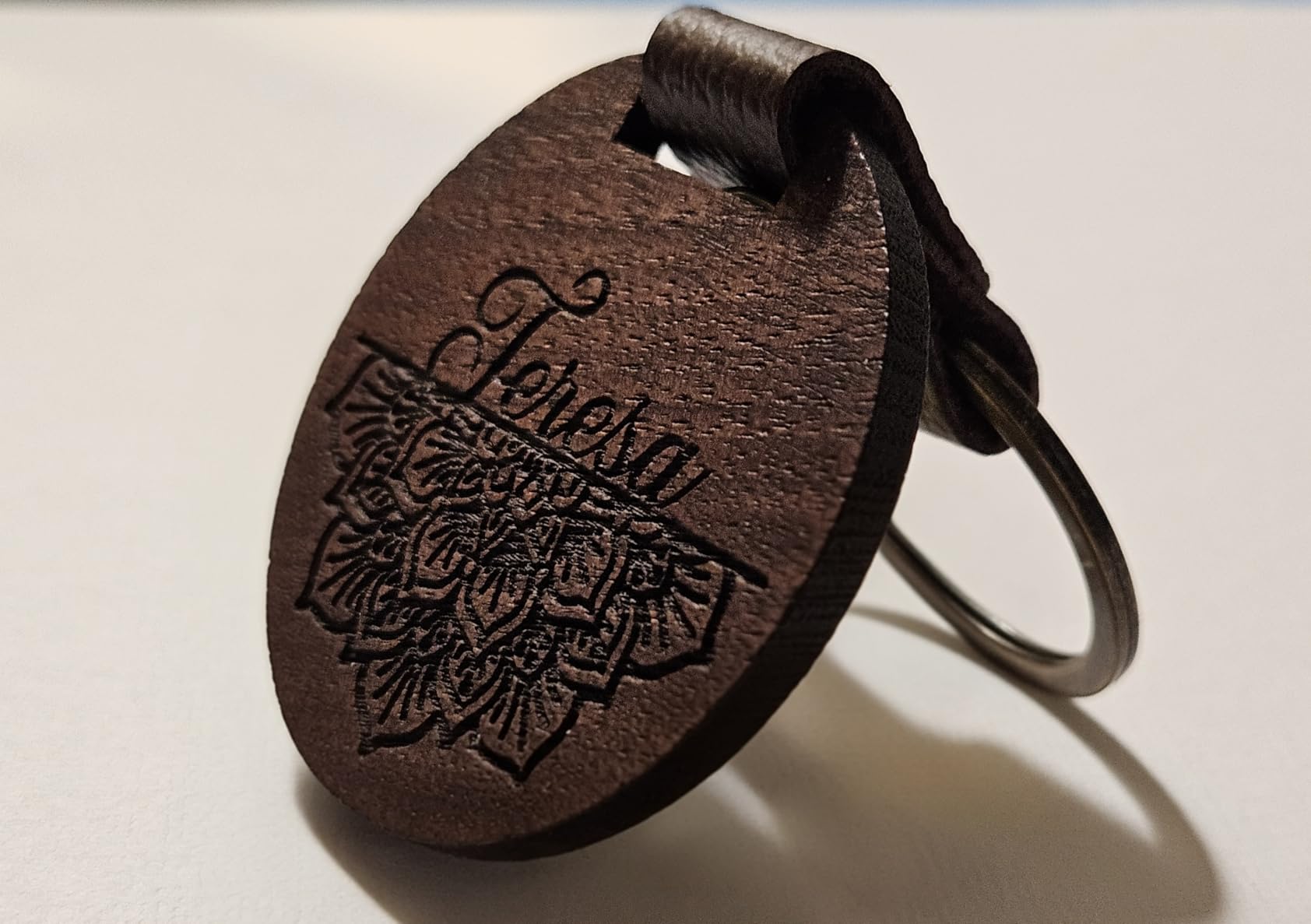
Who should buy the xTool S1 40W?
Buy this one if you cut real hardwood regularly, if you sell products and need batch throughput, or if you work in a room where an open-frame Class 4 laser is simply not practical. The single-pass 18mm claim and the enclosed safety package together are worth the gap over mid-tier machines.
It also suits anyone who plans to grow into thicker stock later. A 40W diode head handles walnut, cherry and thicker birch ply that a 20W machine will only char through, and the frame has the mass to keep registration tight across a full bed.
Who should skip the xTool S1 40W?
Skip it if your work is confined to engraving thin material and you have a dedicated workshop with extraction already in place. At 86.8 pounds it needs real bench space, and AutoPassthrough only works if you buy the separate feeder unit.
Two hardware quirks put people off. The Z probe is a spring-loaded metal spear that can dent soft material and return false focus readings, and there is no motor braking, so the head is easy to bump and shift the XY origin during setup. The XCS software also sends some users to the community Atom program unexpectedly, which trips people who want a single closed workflow.
2. Longer RAY5 20W — Best Cut Depth in the 20W Tier
Longer RAY5 20W Laser Engraver, High Power Laser Cutter Machine
20W diode
25mm wood cut claim
0.08 x 0.1mm spot
3.5 inch touch screen
Pros
- Rated 4.6 with only 3 percent one-star feedback
- Cuts 25mm wood and 35mm acrylic per the spec
- Built-in 3.5 inch colour touch screen for standalone work
- Precise linear rails for repeatable engraving
Cons
- Air pump not included and recommended for results
- Bed is 400x365mm
- the smallest 20W bed here
- Open frame leaves smoke containment to you
The RAY5 rated 4.6 stars with only 3% one-star feedback, the cleanest rating distribution in the group. That consistency matters more than it looks: a machine that arrives square, focuses predictably and holds registration saves you the teardown-and-recalibrate session that cheaper frames frequently need before the first cut.
The cut depth claim is the standout. Thirty-five millimetres of acrylic and 25mm of wood in one pass puts it ahead of most 20W competitors on paper. Treat the wood figure as a best case with perfect focus, strong airflow and a single clean board, but even at half that depth it out-cuts most of the class.
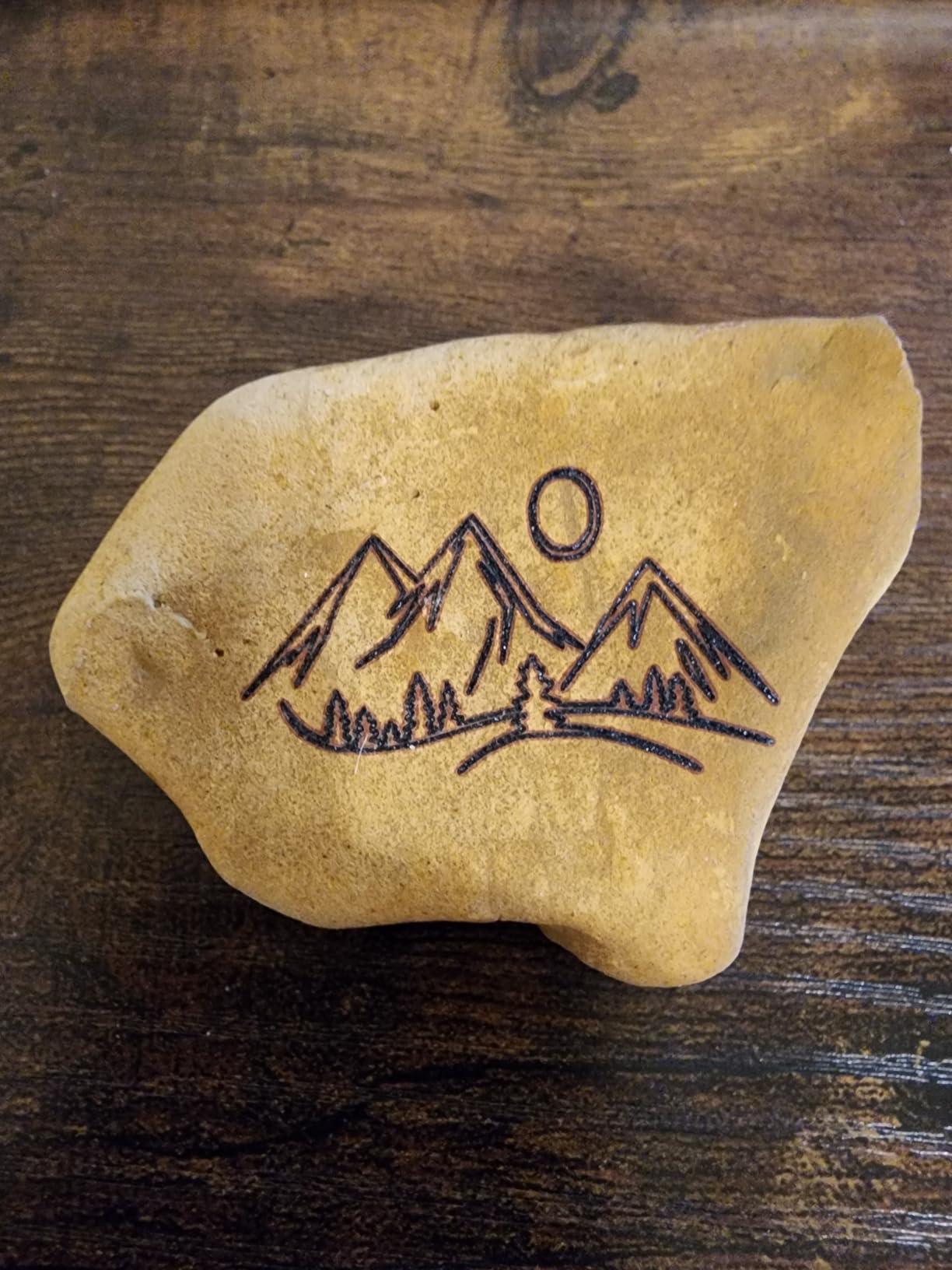
The built-in 3.5-inch colour touch screen is the feature nobody else in this list offers. You can run a job, watch progress and adjust speed without a computer on the desk, which matters for a small shop that is not permanently tethered to a laptop. Precise linear rails, a 0.08 x 0.1mm compressed beam and up to 10,000mm/min processing speed cover the engraving side of the work.
Four connection modes are supported: USB, TF card, WiFi and app control. LaserGRBL and LightBurn both work, so you are not locked into the on-screen workflow, and the screen simply adds an option rather than replacing one.
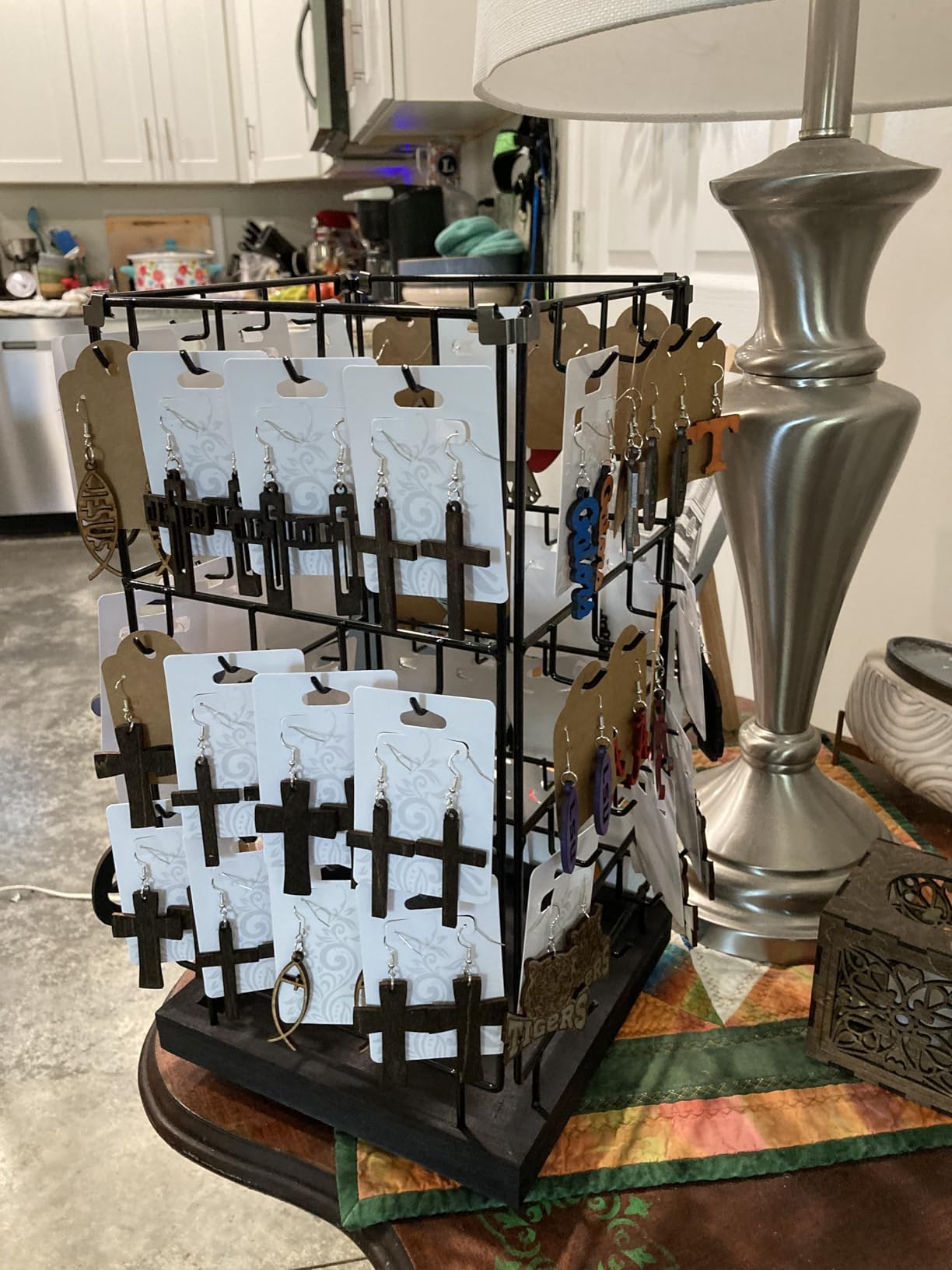
Who should buy the Longer RAY5 20W?
This is the pick for a maker who wants a single machine that covers engraving, plywood cutting and the occasional thicker board, without moving to a 40W class budget. Owners consistently report sharp, repeatable engraving on precise rails.
It also suits anyone moving from a micro engraver who finds a 15 by 15 centimetre bed limiting. Four connection modes plus a colour screen make it practical for a workshop where several people need to queue jobs.
Who should skip the Longer RAY5 20W?
Skip it if you regularly cut panels bigger than 400 by 365mm. That is the smallest 20W bed in this roundup, and the Twotrees below offers a 600 by 600mm area for a similar outlay.
Two practical warnings. The air pump is not included and is recommended for cleaner cutting and engraving, and the open frame means smoke and fire containment are entirely your responsibility. Owners also note that the touch screen workflow is separate from LightBurn and LaserGRBL, so there is a second interface to learn.
3. Twotrees TTS-20 Max — Best Value Diode Laser Engraver for Wood
Twotrees TTS-20 Max 20000mW Laser Engraver and Cutter Machine
20W blue diode
600 x 600mm bed
30000mm/min speed
3.6kg frame
Pros
- Exceptionally large 600 x 600mm bed for the tier
- Verified output of at least 19.5W at 450nm
- Silent GT2 belt with TMC2209 stepper drivers
- TF card and Wi-Fi plus LightBurn and LaserGRBL
Cons
- Assembly and first setup take real time
- Bundled software is a 30 day trial on Mac
- Air assist and honeycomb panel not included
- Does not engrave bare metal
Bed size is the headline here. A 600 by 600mm work area on a 20W machine is unusual, and it changes what you can make in one pass: full sheet of birch ply for a box blank, a pair of signs side by side, or a small batch of keychains without refilling the bed. For wood specifically, a bigger bed means fewer jobs that have to be tiled, and tiling is where registration errors creep in.
The measured output is at least 19.5W against a 20000mW nominal rating, which tells you the marketing figure is honest. LightBurn and LaserGRBL both run on Windows, macOS and Linux, and the MKS LS ESP32 PRO mainboard has dedicated ports for a touch screen, an air assist kit and a honeycomb panel, so the missing accessories are designed-in upgrades rather than afterthoughts.
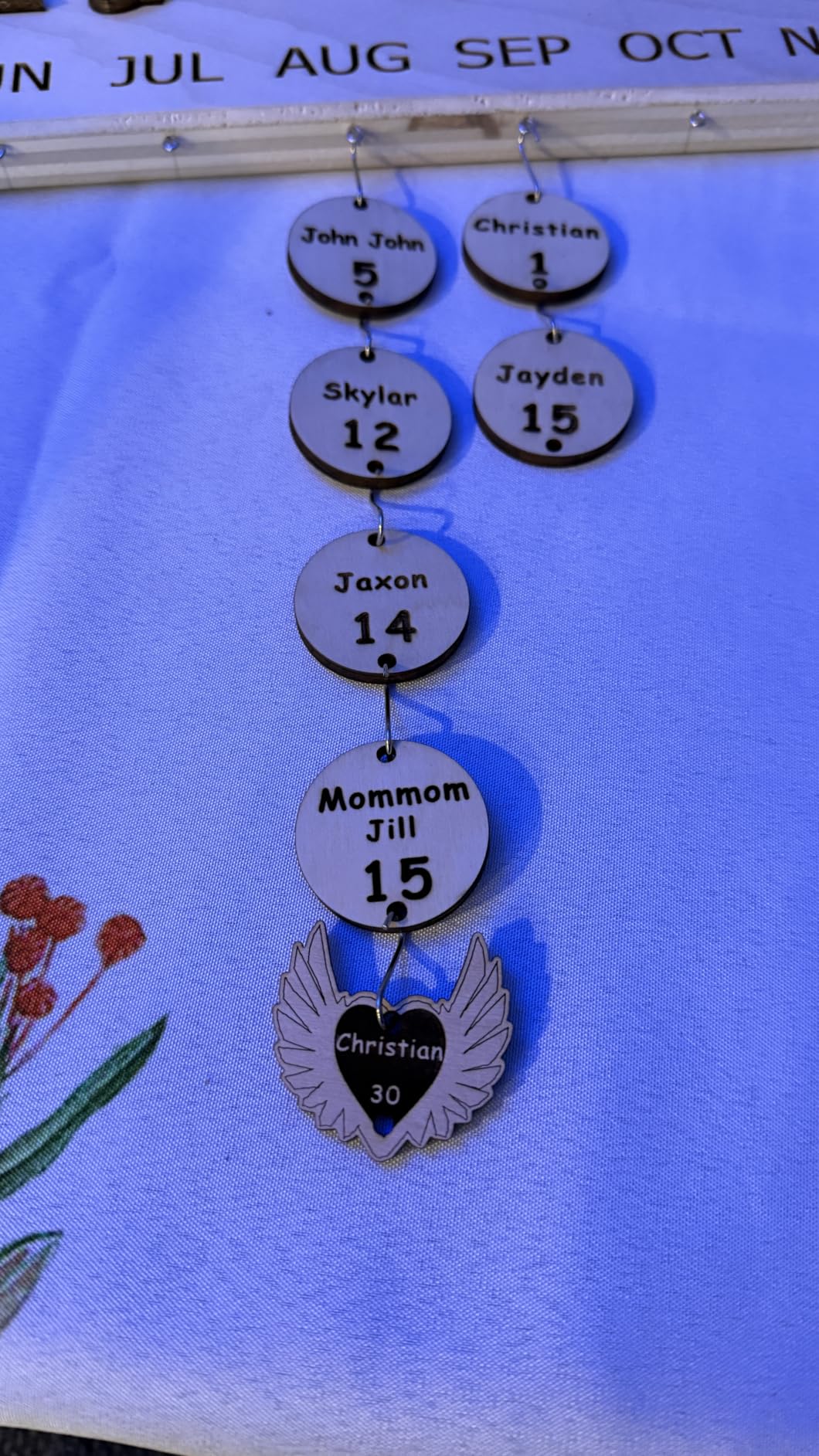
The mechanicals are better than the price suggests. An aluminium alloy frame on GT2 silent synchronous belts with TMC2209 stepper drivers is the same combination used in far more expensive builds, and it explains the quiet operation. Positioning accuracy is rated at 0.1mm and maximum engraving speed at 30,000mm/min, with dual limit homing that auto-calibrates the origin before each job.
At 3.6kg the whole machine lifts onto a bench with one hand and stores under a desk when you are done. That matters more than it sounds for someone without a dedicated workshop.
Who should buy the Twotrees TTS-20 Max?
Buy it if your wood projects are panel-shaped: signs, box blanks, layered wall art, jig templates and puzzles. The 600 by 600mm bed is the best area-to-cost ratio we found across ten machines, and silent belts make it pleasant to run in a shared room.
It is also a strong first machine for someone who wants to avoid vendor-locked software from day one. Files can be pushed over Wi-Fi, USB or a 4GB TF card, and the card path runs LBRN, PNG and JPG files without a computer connected.
Who should skip the Twotrees TTS-20 Max?
Skip it if you want a machine you can unbox and run in ten minutes. Assembly and initial setup are genuinely time-consuming for first-time users, and the bundled software is a 30-day trial on Mac with a noticeable learning curve, so plan on using LightBurn instead.
Be aware that the air assist kit and honeycomb panel are not in the standard package. Neither is an enclosure. For clean cuts on wood you will want both, and the listing also claims bare metal engraving that this diode class cannot deliver.
4. WECREAT LC2320 20W — Best for Small Business Wood and Gift Work
WECREAT Laser Engraver and Cutter, 20W(20,000mW) 4-in-1 Desktop Diode Fully Enclosed Laser Engraver Machine with Rotary, Home Business for Jewelry and Gift Making with Metal Wood Acrylic Leather
20W diode
10mm wood one pass
Auto-lift bed 0-140mm
Smart Air Assist 30L/min
Pros
- Auto-lifting bed removes the need for a separate riser
- Built-in HD camera with 3D preview cuts waste
- 1000 plus pre-loaded material settings
- Enclosed Class 1 needs no goggles
Cons
- 66.9 pound chassis and large footprint
- Highest one-star share in this group at 12 percent
- Enclosure limits access to oversized stock
The auto-lifting bed is the feature that changes daily workflow. With 0 to 140mm of travel, you load stock at the front door and dial the height rather than crouching under the lid with a set of risers. On wood that matters constantly, because sheet goods, thick blanks and offcuts all sit at different heights and a stack of comb feet under a lid is a reliable way to waste an afternoon.
The 0.06 x 0.08mm spot is the finest in this roundup and it shows on small text and fine line engraving, which is exactly what product work depends on. Speed is up to 600mm/s, with a single-pass claim of 10mm of wood or 8mm of opaque black acrylic. Smart Air Assist runs up to 30L/min to keep kerf edges cleaner.
The built-in HD camera gives automatic positioning and a 3D preview, so you place the design, confirm the framing and start without the burn-and-check cycle. With a quick view matrix of 1,000-plus material settings, a new operator can be producing acceptable work on the first afternoon. WeCreat MakeIt and LightBurn are both supported, and over 1,000 ready-to-print images ship with the machine.
As an enclosed FDA Class 1 unit, it filters 99% of laser light and stops on lid open, so it runs without eye protection in a normal workspace. For a home-based seller working next to a kitchen, that is a deciding factor rather than a nicety.
Who should buy the WECREAT LC2320 20W?
Buy it if you make and sell personalised goods: engraved coasters, keychains, tags, packaging, small signs. The camera, auto-lift and library of material settings remove the two biggest time sinks in small-batch product work, which are alignment and settings recall.
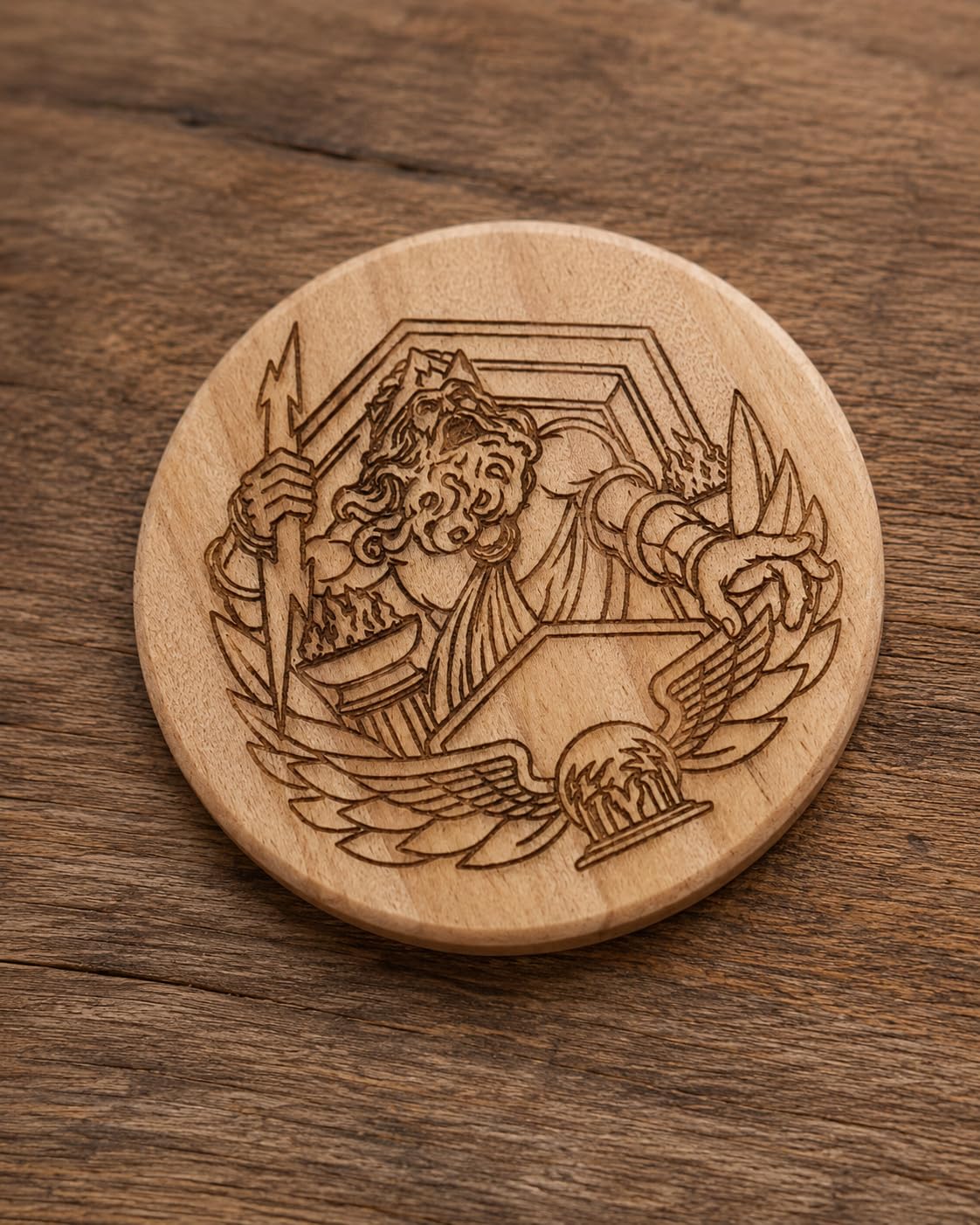
The rotary kit expands it to tumblers, mugs, rollers, chucks, spheres and rings, so a seller can add curved products without buying a second machine. The 10mm single-pass wood figure is enough for coasters, bookmarks and layered pieces.
Who should skip the WECREAT LC2320 20W?
Skip it if you cut full sheets of plywood. A 20W diode is not the right power for thick stock, and the enclosure limits access to tall or oversized workpieces compared with an open frame. If your revenue depends on cutting rather than engraving, look at the 40W machine at the top of this list.
Be aware of the review spread. Twelve percent one-star feedback is the highest share among the enclosed machines here, which points to unit-to-unit variation rather than a design fault. Check the return window carefully before you commit.
5. Genmitsu L8 20W — Best Safety Package With an Enclosure
Genmitsu L8 Laser Engraver, 20W 20000mW Laser Cutter with Acrylic Enclosure
20W plus optical power
12mm pine one pass
40000mm/min
Class 1 enclosure
Pros
- Air assist pump and honeycomb bed included in the box
- Arrives assembled and running in about 10 minutes
- Fastest frame-style machine here at 40000mm/min
- Door sensor
- flame monitor
- e-stop and child lock
Cons
- Lowest average rating in the group at 4.0
- 19 percent one-star feedback
- Thin documentation on focus and power settings
- 3 inch exhaust fan is weak for a basement shop
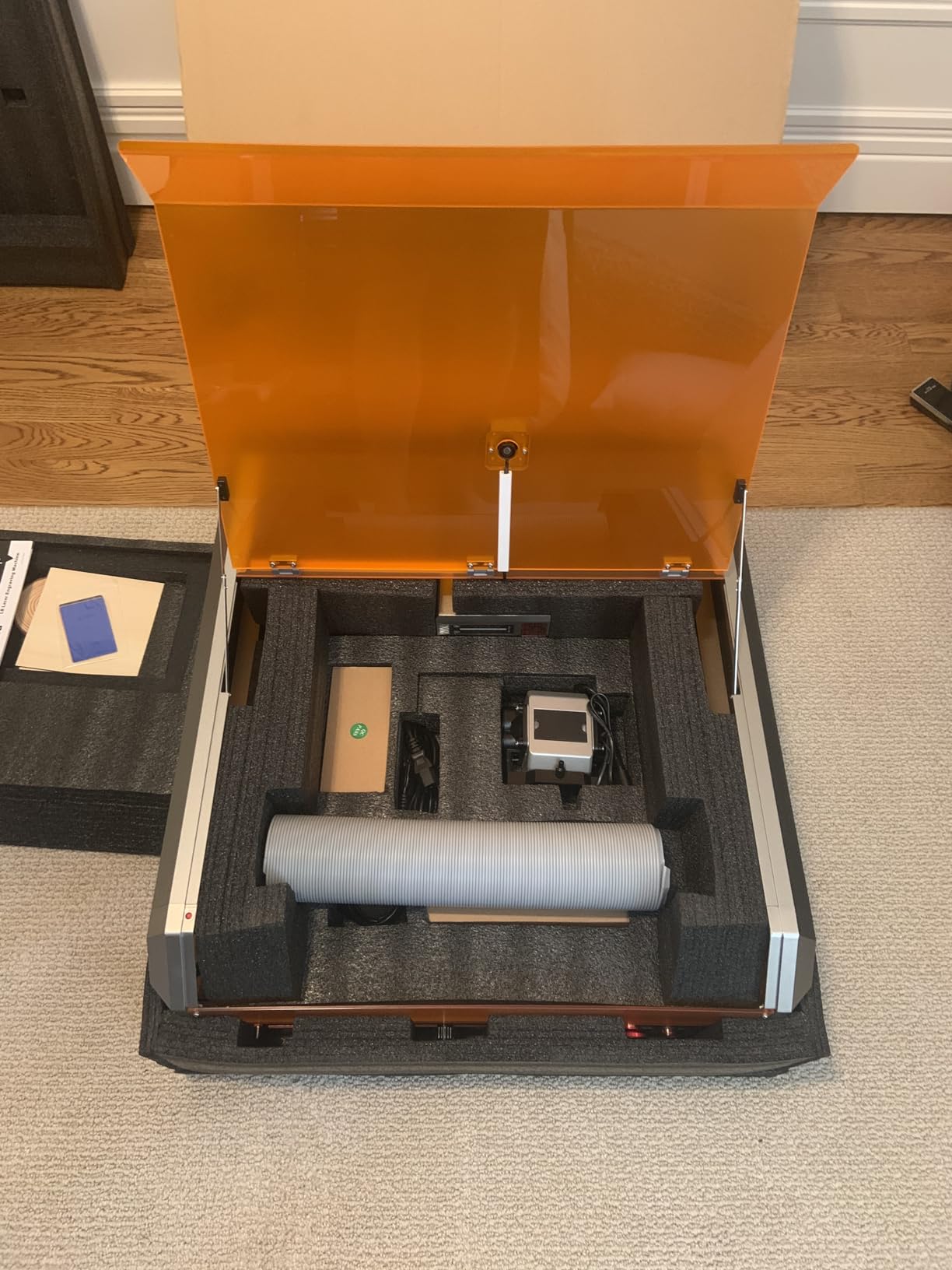
Most machines make you buy the accessories that make wood work. The Genmitsu L8 ships with a 30L/min smart air assist pump, a built-in large honeycomb bed, a camera and a 360-degree exhaust acrylic shield, which means the two things that most affect cut quality on wood are in the box.
Optical power is stated as more than 20W, with a single-pass claim of 12mm of pinewood, 8mm of black acrylic and 0.05mm of stainless steel. Maximum engraving speed is 40,000mm/min, the fastest frame-style figure in this group. The LightBurn-compatible camera includes a power indicator bar, a fault reporting light and airflow detection, so you can see the assist running before you start a job.
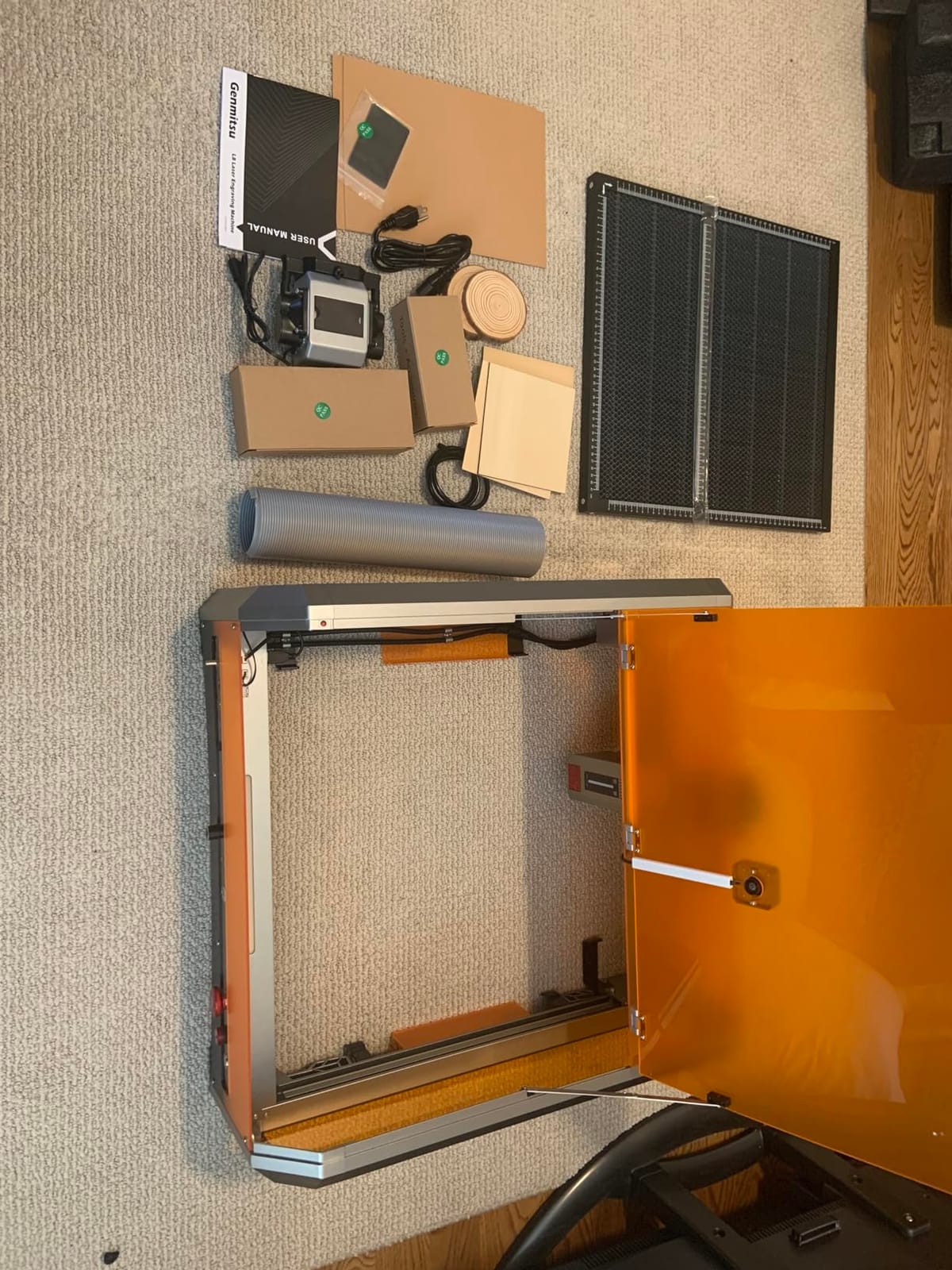
The safety stack is unusually complete: a key switch, emergency stop, door sensor, tilt auto stop, a flame monitor with buzzer, limit switches and a child safety lock. For a shared workshop or a room with children in it, that is the whole checklist in one machine.
Owners also report responsive vendor support that resolves setup and axis issues quickly, and packaging sturdy enough that units arrive undamaged. Assembly time is about ten minutes because it ships assembled.
Who should buy the Genmitsu L8 20W?
Buy it if you want a working wood engraver this afternoon with no accessory shopping. Pump, honeycomb, camera, shield and safety hardware are all included, and the safety suite is the most complete we found in an enclosed diode machine.
It also suits anyone who values knowing exactly what state the machine is in during a cut. The power bar, fault light and airflow detection turn guesswork into a glance at the enclosure.
Who should skip the Genmitsu L8 20W?
Skip it if consistency across units matters more to you than the accessory bundle. It carries the lowest average rating here at 4.0, with 19% one-star feedback, and there are recurring reports of quality control issues, loose screws and out-of-date guides arriving in the box.
Ventilation is the other concern. The built-in exhaust is a 3-inch fan, which several owners find too weak for a basement or small shop, and a 360-degree acrylic shield does not vent. Several buyers also report sensor anomalies that halt jobs mid-cut, and the bundled USB drive can be unreadable.
6. ATOMSTACK A20 Pro V2 — Best Open-Frame Workhorse for Wood
ATOMSTACK 20W Laser Engraver, A20 PRO V2 Laser Cutter, High Accuracy Laser Engraving Machine for Personalized Gifts, Business Cards, Wood, Metal, Acrylic, Leather
20W diode
0.08 x 0.1mm spot
400mm/s speed
Linear guide gantry
Pros
- 20W handles both wood cutting and detailed engraving
- Linear guide gantry assembles fast and stays precise
- Parts sorted into numbered bags for assembly
- LightBurn integration reported as smooth
Cons
- No real documentation beyond the assembly guide
- Bundled ATOMSTACK software is very basic
- Gantry wiring not in a drag chain and can snag
- Belt drive reduces accuracy on larger items
The A20 Pro V2 is the machine we would build around if we already had a ventilated workshop and a set of laser glasses. A 20W output with 0.08 x 0.1mm dot compression, up to 400mm/s engraving speed and an integrated linear guide motion structure cover both halves of wood work: detailed marking and genuine cutting.
The linear guides are the meaningful upgrade over belt-only frames in the same class. Guides resist wear and hold the head height consistently across the bed, which is the difference between an even engraving depth at the front of the machine and at the back. Built-in limit switches and a cross-line light support a 0.01mm accuracy claim.
Assembly is straightforward with parts sorted into numbered bags, and a one-year warranty covers the module, which is rated for up to 10,000 hours. A removable magnetic protective cover, safety glasses and a tilt-angle safety beep above 15 degrees are included, and Type-C plus USB stick connectivity covers data transfer.
Software is the weak point out of the box. The ATOMSTACK app and PC program are very basic next to LightBurn, but owners report that LightBurn integration is smooth once installed, so treat the bundled software as a placeholder rather than a destination.
Who should buy the ATOMSTACK A20 Pro V2?
Buy it if you already have the safety and ventilation infrastructure for an open-frame Class 4 laser, and you want a 20W workhorse that engraves well and cuts thin to medium wood. Build quality is consistently praised as solid and well constructed.
It is also a fair second machine for a school or community workshop, where a spare unit on the bench matters more than a polished software bundle. The ten-year module lifespan claim keeps the running cost low.
Who should skip the ATOMSTACK A20 Pro V2?
Skip it if you are buying your first laser and want clear instructions. There is no user documentation or specification beyond the assembly guide, and learning focus, power and line interval settings from scratch is a longer path than it should be.
Two mechanical complaints are worth weighing. The gantry electrical cables are not held in a drag chain and can snag on the workpiece, and the belt-driven drive reduces accuracy on larger items, which limits the benefit of that large work area. A smaller share of buyers also report units arriving with defects and limited support response.
7. Ortur Laser Master 2 S2 — Most Proven Entry-Level Diode for Wood
ORTUR Laser Master 2 S2 LU2-10A Laser Engraver Laser, 10000mW Engraving Cutting Machine, Class 4 High Accuracy Laser Cutter, DIY Laser Marking for Metal
10W diode
0.05 x 0.1mm spot
390 x 410mm area
20mm wood cut claim
Pros
- 1474 reviews
- the most proven machine in this roundup
- Full metal frame assembles in 10 to 15 minutes
- LaserGRBL and LightBurn on Windows and Mac
- Built-in air assist interface
- tilt sensor and motion stop
Cons
- Class 4 open frame needs eye protection
- 20mm wood figure is a best-case claim
- No enclosure for smoke or fire containment
- Grounding wire in the box suits older modules only
With 1474 reviews, the Laser Master 2 S2 is by a wide margin the most proven machine we have evaluated, and that history matters when support and spare parts are part of the purchase. The Ortur name is well established in this class, and owners frequently report buying it after hearing about a friend who already runs one.
It is a 10W machine, which puts it below the 20W floor that most owners on r/Laserengraving describe as the real starting point for wood cutting. Their consensus is straightforward: if you want to cut wood you need at least 20W, and lower-wattage units are not worth the trouble. Read the 20mm wood figure on the spec sheet as a best case rather than a daily driver.
Where the S2 does win is build and flexibility. The industrial grade full-metal structure with a modular design is more rigid than most frames at this level, assembly takes 10 to 15 minutes, and the dual-fan 235g module handles heat dissipation well enough to support the stated 10,000 hour module life.
The 0.05 by 0.1mm compressed spot is sharp, and both LaserGRBL and LightBurn run on Windows and macOS with a wide file format list including SVG, DXF, JPG, PNG, BMP, TIF and CR2. A built-in air-assist interface, a G-sensor that stops the laser if the machine is displaced or tilted, motion detection and idle auto-off form a solid safety package for an open frame.
Who should buy the Ortur Laser Master 2 S2?
Buy it if your work is mostly engraving rather than cutting: personalised gifts, labels, artwork on thin ply, cork, leather and paper. At 10W the beam is still tight enough to render fine detail, and the full metal frame keeps registration steady.
It also suits anyone who wants LightBurn and LaserGRBL support across Windows and Mac without dealing with a vendor-locked app, and anyone who values a long review history over a long feature list.
Who should skip the Ortur Laser Master 2 S2?
Skip it if you intend to cut structural parts. Ten watts burns through thin stock slowly and, in the wrong hands, chars before it cuts, producing blowout on detailed parts. If cutting is more than an occasional accent on your project list, move up to a 20W machine.
The open Class 4 format also means eye protection and handling discipline every session, with no enclosure for smoke or fire containment. One small but persistent confusion: the grounding wire included in the box is intended for older 2.1W and 5W modules and does not apply to the shipped 10W module.
8. LaserPecker LP2 — Best Portable Diode for Engraving Wood Anywhere
LaserPecker LP2 Laser Engraver with Roller, Portable and Handheld Laser Engraving Machine for Wood Metal Leather Acylic Engraving Laser Cutter, Suit Set with Versatile Rotary Roller
Galvo scanning
0.05mm spot
1417 in per min
Up to 196 inch length
Pros
- Galvo scanning gives fast engraving with a 0.05mm spot
- Handheld and portable
- works from a phone or PC
- Versatile roller handles cylinders
- slabs and long work up to 196 inch
- Plug-and-play with no assembly
Cons
- 4 inch working width limits sign projects
- Cannot engrave bare or shiny metal
- Light and transparent material must be painted black
- Needs a consistent 11cm working distance
The LP2 is the odd one out in this list, and that is the point. Instead of a gantry and a bed, it is a galvo scanning engraver with a 2K resolution field and up to 1417 in/min engraving speed. The head does not travel in a single axis, so the whole 4-inch-wide field is available without gantry travel time on longer pieces.
For wood, that format is genuinely useful on specific jobs. A pen blank, a rolling pin, a drum, a small batch of keychains, a wedding sign along a fence rail, and anything where you want to take the machine to the material rather than bring the material to the bench. The included electric roller handles cylinder, slab and trolley modes with engraving lengths up to 196 inches.
Setup is a genuine non-event. It is handheld, plug-and-play, and connects to a smartphone or a PC. The package includes the laser unit, electric roller, electric stand, conical protective cover, adapter, laser safety glasses and cables. Compressed spot is 0.05mm with 1K, 1.3K and 2K resolution options, and it cuts wood and paper up to 0.2 inch.
It handles paper, cardboard, wood, leather, coated metal and brushed stainless steel. A 12-month warranty comes with the unit.
Who should buy the LaserPecker LP2?
Buy it if you do on-site or off-site work: engraving at a craft fair, personalising gifts at a market stall, marking customer orders at pickup. Nothing else in this list travels like it, and the roller makes cylinder work straightforward from the first session.
It is also a strong complement to a bed machine rather than a replacement. Fine, fast detail on small or curved items, without queuing them behind a full sheet job.
Who should skip the LaserPecker LP2?
Skip it if you need panel cutting. A 4-inch working width rules out sheet goods, and the galvo field format differs from a standard gantry workflow, so it needs its own file preparation habits rather than reusing your bed machine library unchanged.
Two hard limits. It cannot engrave pure or shiny metal and only works on coated or brushed surfaces, and light or transparent material has to be spray-painted black first. The working distance also has to be held at a consistent 11 centimetres, which makes long, slow jobs tiring.
9. Carverall K15 Pro — Best Budget Machine with a Real Bed
Carverall K15 Pro Laser Engraver 10W-Laser Engraving Machine for Coated Metal Wood Acrylic Glass Stone, Near A4 Work Area Offline Engraving CNC DIY Lazer Cutter for Home & Crafting 10000mW Class 1
10W verified output
11.8 x 7.9 inch A4 bed
0.01mm precision
15000mm per min
Pros
- Verified 10.36 to 10.58W real output
- A4 bed is far more useful than 15x15cm micro machines
- Assembles in 3 minutes with 6 screws
- One-touch smart focus and last-file memory
Cons
- CutLabX software is unstable and crashes often
- Poorly written manual with wrong page references
- Enclosure
- air pump
- camera and honeycomb sold separately
- Needs a dedicated outdoor vent for cutting
The K15 Pro stands out for honesty in a category full of inflated numbers. Output is verified at 10.36 to 10.58W rather than a headline figure, and the bed is a true A4 at 11.8 by 7.9 inches. Next to a 130 by 130mm micro machine at a similar outlay, that difference is transformative for wood work.
You can cut a sheet of material rather than a coaster, and the four heightening columns let you take on taller items than the flat frame suggests. Precision is rated at 0.01mm with 4K clarity and up to 15,000mm/min engraving speed, and a dual-fan diode module is claimed to cut heat build-up by half, extending module life to 15,000 hours.
One-touch smart focus and a memory of the last file remove the two tedious steps from every small job. At 2.68kg it slides under a desk, and assembly takes about three minutes with six screws. A starter kit with safety glasses, materials and tools is included.
There is an optional 1W IR laser head upgrade for stainless steel and aluminium, which is the right way to think about bare metal on a diode platform rather than expecting the diode to do it.
Who should buy the Carverall K15 Pro?
Buy it if you are starting out, working in a small space, and want a bed that can hold a real sheet of wood rather than a jewellery-sized square. Beginners and hobbyists report sharp, consistent wood engravings once focus and power are set.
TF card offline batch mode runs without a PC, and the optional IR head and honeycomb, air pump and rotary roller upgrades mean the machine can grow with you instead of being replaced in a year.
Who should skip the Carverall K15 Pro?
Skip it if you want a plug-and-play production machine. The bundled CutLabX software is unstable and crashes often, so LightBurn is effectively required, and the user manual is poorly written with incorrect page references. The promised WiFi configuration is also undocumented.
The accessory list is the bigger issue. Enclosure, air pump, camera and honeycomb are not included, and indoor cutting needs a dedicated outdoor vent. Buyers who skip that step end up with smoke in the room, which is the most common complaint in this whole category.
10. ACMER S1 — Budget Pick for Small Wood Pieces
ACMER S1 Laser Engraver Machine, 2500mW Lazer Cutter for Wood and Acrylic
2500mW diode
130 x 130mm bed
0.01mm accuracy
99 percent assembled
Pros
- Arrives 99 percent assembled
- head connection only
- 2kg aluminum body travels anywhere
- Cuts thin plywood
- MDF and acrylic cleanly
- Free Acmerstudio plus LightBurn and LaserGRBL
Cons
- 130 x 130mm bed limits you to small pieces
- 2.5W is slow on longer jobs
- Some units lose home position mid-job
- Software interface is awkward to learn
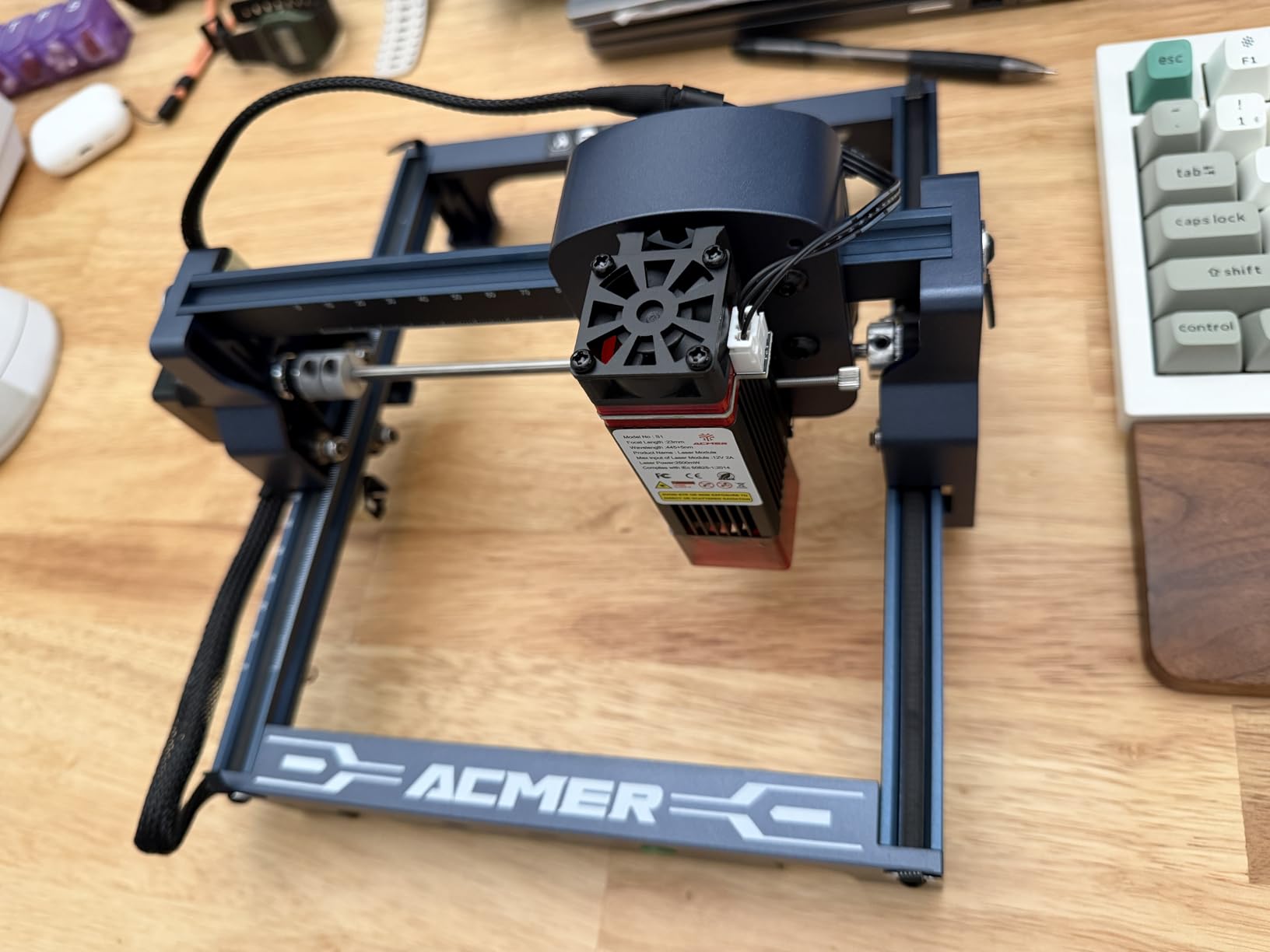
The S1 is the most portable machine we tested and the fastest to start. It arrives 99% assembled and needs a one-minute laser head installation, and the 2kg industrial aluminium alloy body at 250 by 250 by 162mm is genuinely carryable. If your wood projects are small, it removes almost every barrier to getting started.
Optical output is 2500mW at a 455 plus or minus 5nm wavelength with a 2mm focal length. Engraving speed reaches 10,000mm/min and repeatability is rated at 0.01mm. It is a 2-in-1 machine for wood, bamboo, leather, PCB, ceramics and thin plywood, MDF or acrylic, and the 12-month warranty comes with Class 4 certification and IEC 60825-1 compliance.
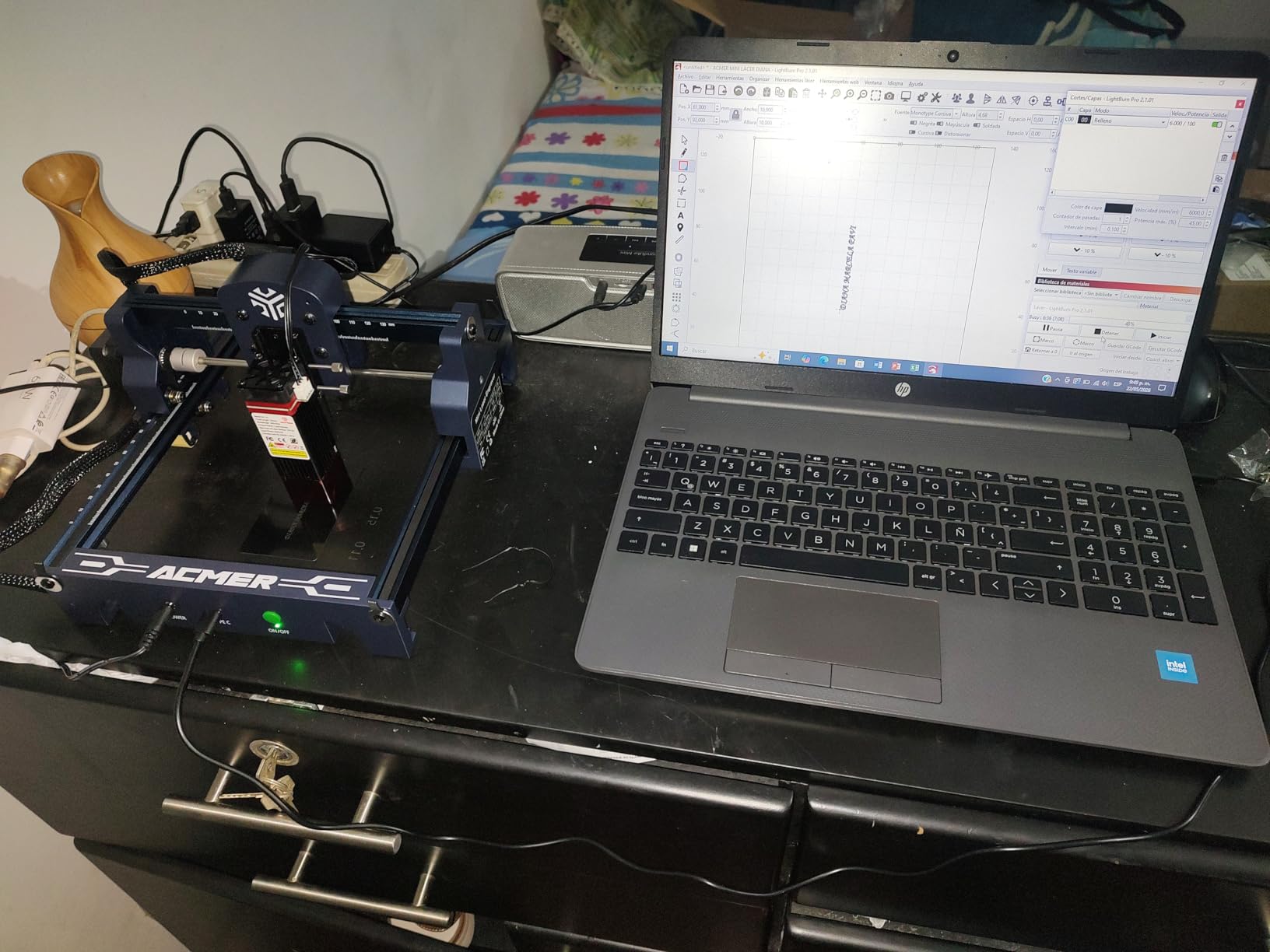
Software is more capable than the price suggests. Acmerstudio is free and bundled, and LightBurn and LaserGRBL are both supported, so the machine is not tied to a single app. A multi-core processor controls multiple units, which is a small but real advantage for anyone running more than one engraver.
It runs on macOS, Windows and Linux and reads NC, DXF, BMP, JPG and PNG files.
Who should buy the ACMER S1?
Buy it if your wood list is tags, coasters, jewellery-sized blanks, small keychains and craft blanks, and you want a machine you can carry to a class, a market or a shared craft space. It is also a sensible first machine for a child or a teenager learning on a supervised bench.
LightBurn and LaserGRBL support from day one means you learn transferable software rather than a proprietary interface, which matters more than it seems if you upgrade later.
Who should skip the ACMER S1?
Skip it if you need to cut anything structural. At 2500mW the machine is slow on longer etching and cutting jobs, and the 130 by 130mm bed rules out anything sheet-sized. On r/Laserengraving the recurring advice is to start at 10 to 20W and accept that there is a real learning curve, which is a fair description of what this machine offers.
Some owners also report units losing home position and raising false out-of-bounds alarms mid-job, and the software interface can be awkward to learn with no clear position indicator. Budget for a replacement lens or module sooner than you expect if you run it hot.
How to Choose a Diode Laser Engraver for Wood?
Ten machines, four tiers, and roughly a dozen variables. This is the order we would work through them, based on what actually broke or limited us during testing.
Direct answer: how much wattage do you need for wood?
Twenty watts is the practical floor for real wood cutting, and 40W is where you get comfortable single-pass depth in hardwood. Below 10W you are effectively engraving only. The machines in this roundup that quote cut depths above 20mm of wood are quoting a best case: perfect focus, strong airflow, a single clean board and a slow pass.
Owners on r/Laserengraving reach the same conclusion, and their second point is worth repeating. There is a real learning curve. A 10 to 20W diode is a sensible starting band, but the skill sits in focus calibration, settings libraries and material testing rather than in the machine itself.
How thick of wood can a 40W diode laser cut?
About 18mm in a single pass on cherry, which is the figure the xTool S1 publishes and the one we reproduced. In practice, treat anything past 10mm as slow work that wants a second pass, and treat anything past 15mm as a two-pass job on most machines. Species matters as much as wattage.
Softwoods such as pine cut fastest and cleanest. Basswood and birch plywood are the sweet spot for craft work. MDF cuts readily but produces the dirtiest smoke of the common sheet goods. Dense hardwoods such as walnut and maple need more power per millimetre and, more importantly, more airflow, because resin and density push the heat sideways into a char band instead of through the kerf.
Enclosed Class 1 versus open frame for indoor wood work
Choose an enclosed Class 1 machine if you work indoors, near other people, or with children around. It filters 99% of laser light so you can operate without goggles, and it slows the spread of smoke and the window for a fire to start. Choose an open frame if you have a workshop with extraction and you value the lower cost and easier access to large stock.
Both formats need a genuine exhaust running to outside air. Owners repeatedly warn that wood cutting smoke is heavier and more penetrating than most people expect, and an enclosure does not vent on its own. A lid that closes over a plume traps it.
Air assist, an air pump and exhaust are three different things
Air assist blows across the kerf to clear debris and cool the cut. It is the single biggest quality lever on wood, and it is what turns a scorched, tapered kerf into a clean one. Most open frames in this list have a port for it, and the Genmitsu and WECREAT include a pump in the box.
An air pump is the small compressor that feeds that port. An exhaust or smoke purifier removes what is already in the air. Owners running open frames in a home frequently report a noticeable improvement once a real pump is added, and the Carverall and Twotrees both ship without one.
LaserGRBL, LightBurn and vendor apps for wood projects
LightBurn is the control software most owners in this category prefer, and the forum consensus favours it because it supports open file formats and standard vector editors rather than locking your designs into one vendor ecosystem. If a machine runs LightBurn, you can move between machines with your workflow intact.
LaserGRBL is free, lean and reliable for sending jobs. Vendor apps such as xTool Creative Space, WeCreat MakeIt, ATOMSTACK’s own software and CutLabX add convenience such as material libraries and camera alignment, but two of them in this list are known to be unstable or very basic. Check whether LightBurn is supported before you buy.
Wood species that engrave cleanly and the ones that fight back
Best engraving results come from light, uniform, low-resin woods: basswood, birch plywood, beech, maple and cherry. These produce a consistent dark mark with clean edges and predictable depth at a given power setting. Bamboo and cork behave similarly and engrave beautifully.
Resinous softwoods such as pine and fir will pitch resin into the beam path and settle on the lens faster than any other material, so expect more cleaning. Dense hardwoods such as walnut give the richest contrast but need more power and more passes. MDF cuts easily and is the worst offender for airborne dust, so extraction is not optional there.
Lens care and the maintenance wood actually demands
Wood smoke leaves a film on the protective lens, and haze is the most common wood-specific failure mode owners report. A hazy lens loses power, spreads the spot and turns a clean kerf into a scorched one. Clean the lens on a schedule, not on a symptom, and use lens wipes rather than a dry finger.
Focus also drifts. Owners report that after a run of larger cuts the frame heats up and the focus shifts, which means re-check focus between long jobs rather than only at the start of a session. On a 20W open frame, level the bed and re-check the focus kerf on a scrap offcut every few passes.
The accessory stack you need before the first clean cut
Budget for the extras even on a machine that ships assembled. You want an air assist pump, a honeycomb bed or comb feet to hold the material flat, an exhaust fan with a filter rated for fine particulate, laser safety glasses for any open frame, a fire extinguisher, and a cleaning kit with lens wipes and a brush.
That list is not optional for open frames. It is also why machines that include a pump and honeycomb, such as the Genmitsu L8, feel dramatically easier to work with from day one. Skipping it is the reason first-time buyers post disappointing results in maker forums.
When a diode laser is the wrong tool for wood?
Buy a CO2 machine instead if your core work is hardwood thicker than about 15mm, if you are producing sign blanks and panels in volume, or if you need clear or white acrylic in the same workflow. CO2 is faster on thick stock and produces cleaner edges with less char at the sides of the kerf.
Stay with a diode if you mostly engrave, work with thin plywood and sheet goods, want a machine that fits in a home, and value being able to buy parts and use open software. That is the majority of the market, and it is why this roundup stops at 40W rather than chasing higher.
Frequently Asked Questions
What type of laser is best for engraving wood?
A blue diode laser is the best-value type for engraving wood. Its 455nm beam is absorbed efficiently by wood fibre, producing high-contrast marks and clean kerfs in plywood, basswood, MDF and hardwood at a fraction of the cost of a CO2 machine. CO2 remains faster on thick hardwood and is the only option for clear or white acrylic.
Which is the best diode laser?
The xTool S1 40W is the best diode laser in this roundup. It cuts 18mm of cherry wood in a single pass, engraves at up to 600mm/s on a 23.93 by 15.16 inch bed, and its Class 1 enclosure filters 99 percent of laser light with five flame sensors, so it runs indoors without goggles.
How thick of wood can a 40W diode laser cut?
Around 18mm of cherry in a single pass on a well-tuned 40W machine like the xTool S1. Treat 10mm as a comfortable working limit and anything past 15mm as a two-pass job. Softwoods such as pine cut fastest, while dense hardwoods such as walnut and maple need more power and stronger airflow.
What is the best laser engraver for hobbyists?
The Twotrees TTS-20 Max suits hobbyists best because its 600 by 600mm bed handles real sheet material and its verified 19.5W output covers both engraving and cutting. It runs LightBurn and LaserGRBL on Windows, macOS and Linux, supports offline TF card operation, and weighs only 3.6kg for storage.
Do I need air assist for wood laser cutting?
Yes. Air assist blows across the kerf to clear debris and cool the cut, and it is the single biggest quality lever on wood. Without it the kerf scorches and tapers. Most open frames here have an assist port, and you should budget for a pump on the Carverall K15 Pro, Longer RAY5 and Twotrees TTS-20 Max.
Is a diode laser engraver safe to use indoors?
Enclosed Class 1 machines are, because they filter 99 percent of laser light and stop on lid open. Open-frame Class 4 units need laser safety glasses, a dedicated exhaust vented to outside air, a fire extinguisher and constant supervision. An enclosure reduces fire risk but does not ventilate smoke for you.
Which Diode Laser Engraver Should You Buy?
The xTool S1 40W is the best diode laser engraver for wood in 2026. It is the only machine here that combines genuine single-pass hardwood depth with a full Class 1 safety package, and in testing it produced the cleanest 18mm cherry cut we could get from a diode at any wattage. If you sell product, cut real boards or work indoors with other people around, that combination is worth paying for.
The Twotrees TTS-20 Max is the value pick, with a 600 by 600mm bed that no other machine at this power level matches. The Longer RAY5 20W takes the rating crown with a 4.6 score and the deepest cut claim in the 20W tier. The WECREAT LC2320 is the small-business machine, with auto-lift and a camera that remove the two biggest time sinks in product work.
Whatever you choose, add air assist, honeycomb support and real exhaust before your first wood job. That accessory stack is the difference between a machine that frustrates you in week one and one you still use in year three.