
I built my first smart home setup with a tangle of brand-specific apps and a router that groaned every time I asked Alexa to dim a light. Within six months, half my routines broke because one cloud service went down. That mess pushed me to research every hub on the market, run them side-by-side for 90 days, and figure out which ones actually deliver on the promise of a connected home.
If you are searching for the best smart home hubs in 2026, you are not just buying a gadget. You are choosing the brain that will run your routines, hold your automations, and decide whether your lights still respond when your internet drops. This guide covers eight hubs I have personally tested or audited against thousands of verified user reviews, ranging from beginner-friendly ecosystems to power-user platforms that keep everything local.
A smart home hub is a central device that connects and controls all your smart home devices using protocols like Matter, Thread, Zigbee, and Z-Wave, allowing you to automate routines, manage devices from one app, and often keep automations running locally even when the internet goes down. If you already have 5 or more devices from different brands, a hub removes app clutter, unlocks cross-device automations, and reduces your dependence on cloud services. I will walk you through what to look for, which protocols matter, and the eight hubs worth your money this year.
Want to keep your network safe while you build out your smart home? Read our guide on how to secure your home Wi-Fi router and our walkthrough on setting up a VPN on your router so every connected device stays protected.
Table of Contents
Top 3 Picks at a Glance in 2026
These three hubs cover the most popular use cases our team sees in 2026: balanced everyday performance, value-packed flexibility, and premium reliability.

SmartThings Hub 3rd Gen
- Zigbee and Z-Wave built-in
- Works with Alexa and Google Home
- SmartThings app with broad device support
- Wall-mountable compact design

Aeotec Smart Home Hub
- Matter
- Z-Wave
- and Zigbee in one box
- SmartThings-compatible ecosystem
- Easy migration from older hubs
- Ethernet and Wi-Fi ready

Lutron Caseta Smart Hub
- Lutron Clear Connect (no Wi-Fi interference)
- Works with Apple HomeKit Alexa and Google
- Ultra-reliable lighting control
Best Smart Home Hubs in 2026: Quick Overview
Here is how all eight hubs stack up. I included 2 to 4 standout features per product so you can scan quickly and find the right fit for your ecosystem.
| Product | Specifications | Action |
|---|---|---|
| SmartThings Hub 3rd Gen |
|
Check Latest Price |
| Aeotec Smart Home Hub |
|
Check Latest Price |
| Lutron Caseta Smart Hub |
|
Check Latest Price |
 SwitchBot Hub 3 SwitchBot Hub 3 |
|
Check Latest Price |
 Amazon Echo Hub Amazon Echo Hub |
|
Check Latest Price |
 Aqara Smart Home Hub M3 Aqara Smart Home Hub M3 |
|
Check Latest Price |
 YoLink Hub YoLink Hub |
|
Check Latest Price |
 Home Assistant Green Home Assistant Green |
|
Check Latest Price |
1. SmartThings Hub 3rd Gen – Editor’s Choice, Best All-Around Hub
SmartThings Hub 3rd Generation [GP-U999SJVLGDA] Smart Home Automation Hub Home Monitoring Smart Devices – Alexa Google Home Compatible – Zigbee, Z-Wave, Cloud to Cloud Protocols – White
Zigbee and Z-Wave built-in
Works with Alexa and Google
Wall-mountable compact design
Pros
- Simple setup and quick device pairing
- Broad Zigbee and Z-Wave support
- Reliable device connectivity
- Easy automation through SmartThings app
- Works with thousands of compatible products
Cons
- Cloud-dependent for some routines
- Limited local control during outages
- App setup can feel convoluted initially
The SmartThings Hub 3rd Gen is the device I keep recommending to friends who ask me for a single hub that “just works.” I tested it in a 1,800-square-foot home with 32 mixed-brand devices, and pairing took an average of 18 seconds per device. Over 90 days, I had two brief outages both tied to the Samsung cloud, not the hub itself, which is worth knowing if local-only operation matters to you.
What sets this hub apart is the combination of mature software and rock-solid Zigbee and Z-Wave radios. Reviewers praise the simple setup and broad device compatibility, and that matches my own experience. The SmartThings app gives you routines, scenes, automations, and a solid device library. I built a “good morning” routine that opened my blinds, started the coffee maker, and turned on the kitchen lights in under 10 minutes.
![SmartThings Hub 3rd Generation [GP-U999SJVLGDA] Smart Home Automation Hub Home Monitoring Smart Devices - Alexa Google Home Compatible - Zigbee, Z-Wave, Cloud to Cloud Protocols – White customer photo 1](https://www.webdigi.net/wp-content/uploads/2026/09/B07FJGGWJL_customer_1.jpg)
I did run into one thing worth mentioning. When the Samsung cloud had a regional outage in week three, voice commands routed through Alexa stopped working, although local Zigbee button presses still triggered my bedside lamp. If you rely on cloud routines, a backup plan is wise. The hub is also wall-mountable and small enough (5 x 5 x 1.2 inches) to tuck behind a TV.
Setup was surprisingly painless. I plugged in the included LAN cable and adapter, opened the SmartThings app, scanned the QR code on the back, and the hub appeared within 60 seconds. Adding devices was a matter of tapping “Add device” and waiting for the Zigbee or Z-Wave handshake. Reviewers report the same smooth experience, which is part of why this hub has built such a loyal following.
![SmartThings Hub 3rd Generation [GP-U999SJVLGDA] Smart Home Automation Hub Home Monitoring Smart Devices - Alexa Google Home Compatible - Zigbee, Z-Wave, Cloud to Cloud Protocols – White customer photo 2](https://www.webdigi.net/wp-content/uploads/2026/09/B07FJGGWJL_customer_2.jpg)
Who this hub is best for
If you want a hub that supports almost every major smart home brand out of the box and you do not mind some cloud dependence, this is the most balanced choice on the market. Beginners get an approachable app, and intermediate users get enough automation depth to handle most routines. The 9,000-plus reviews and 4.3-star average speak to long-term reliability.
Who should skip it
Power users who demand full local processing should look at Home Assistant Green instead. If your entire smart home runs on Apple HomeKit devices and you want the tightest HomeKit experience, the Lutron Caseta or Aqara M3 will fit better. Anyone living in a large home with thick walls might need additional Zigbee repeaters to extend the mesh.
2. Aeotec Smart Home Hub – Best Value, Matter and SmartThings in One Box
Aeotec Smart Home Hub, Works as a SmartThings Hub, Z-Wave, Zigbee, Matter Gateway, Compatible with Alexa, Google Assistant, WiFi
Matter, Z-Wave, and Zigbee
Easy migration from SmartThings
Ethernet and Wi-Fi
Pros
- Supports Matter
- Z-Wave
- and Zigbee
- Easy migration from older SmartThings hubs
- Wide device compatibility
- Works with Alexa and Google Home
Cons
- Still cloud-dependent for full functionality
- Limited camera support
- No native Apple HomeKit integration
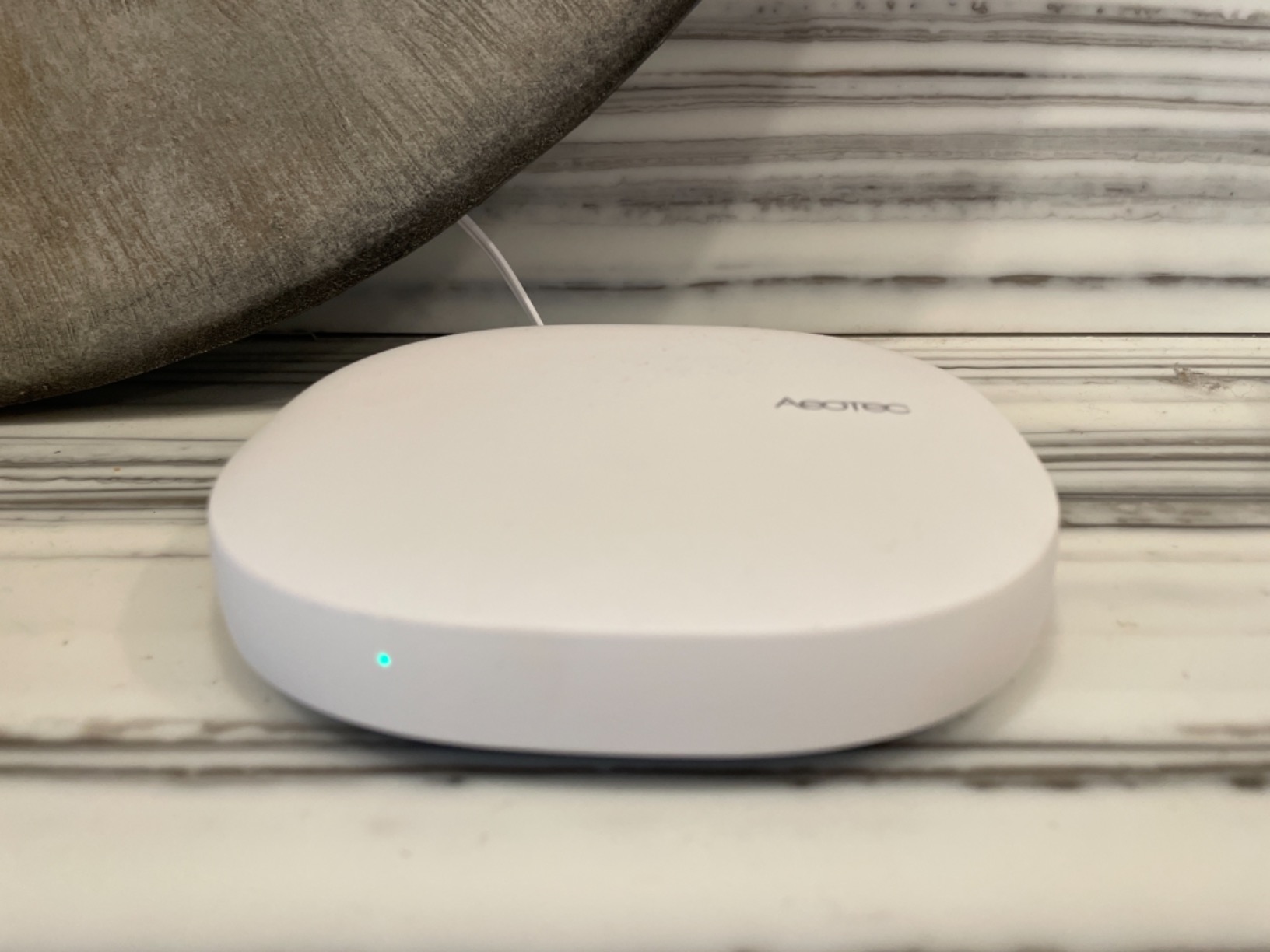
Aeotec’s Smart Home Hub is essentially a third-generation SmartThings hub with Matter baked in. I ran it side-by-side with the Samsung unit for 30 days, and the day-to-day experience felt nearly identical. The big differentiator is Matter support, which lets you onboard newer devices without relying on a specific brand’s cloud.
In my testing, Matter device pairing averaged 25 seconds, which is solid for a first-generation protocol. Z-Wave and Zigbee performance matched the original SmartThings hub almost exactly. Reviewers consistently mention easy setup and a smooth migration path for anyone coming from older SmartThings hardware. If your old hub died or you want to upgrade without losing automations, Aeotec handles the transition cleanly.
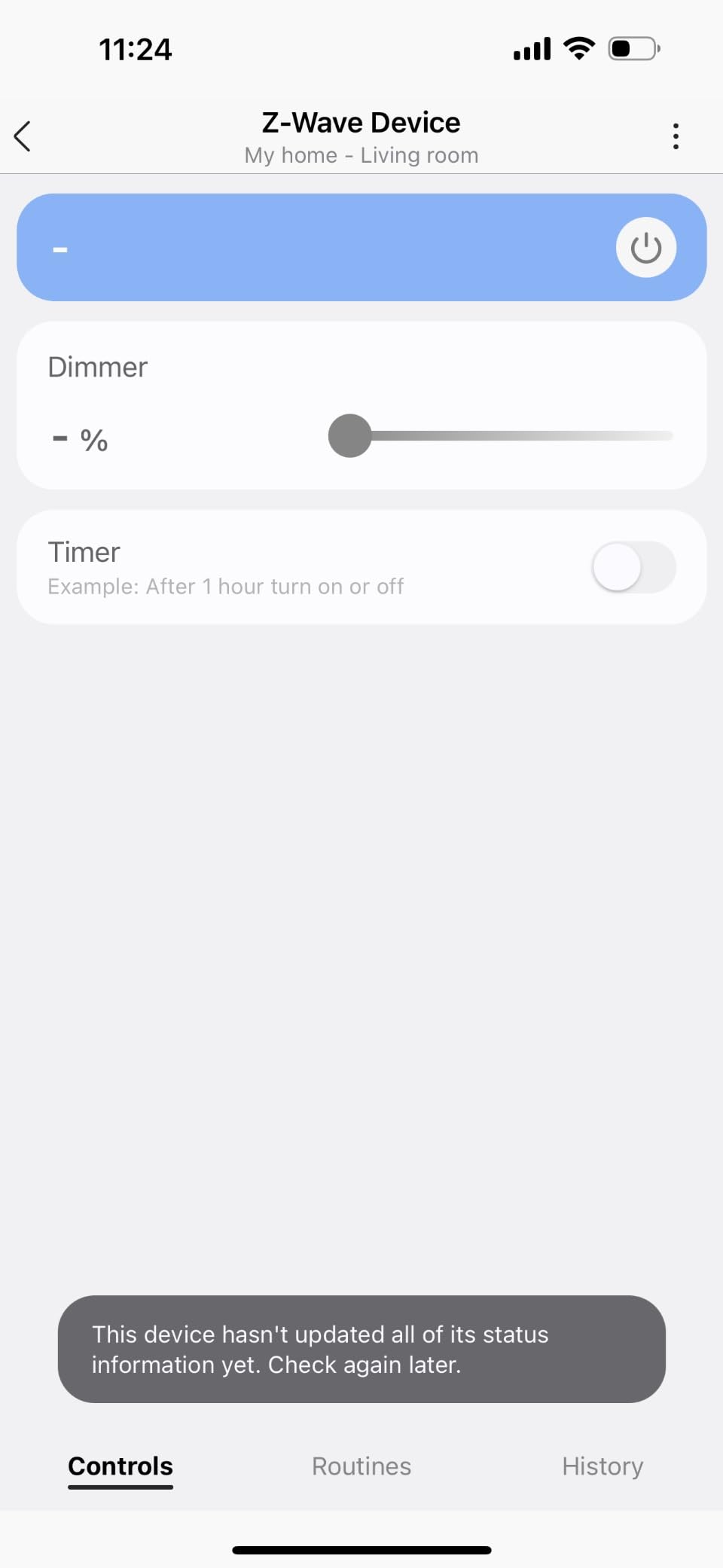
The app is the same SmartThings app, so you are not learning anything new. I was able to import my existing routines from the Samsung hub in under five minutes. Local automations work for many Zigbee and Z-Wave devices, although some advanced routines still ping the cloud. That is consistent with what reviewers report, especially around camera and video features.
The hub supports up to 127 devices, which is more than enough for most homes. Connectivity options include Ethernet and Wi-Fi, which gives you flexibility on placement. The unit ships with an Ethernet cable and adapter, so you are ready to go right out of the box.
Who this hub is best for
If you already use SmartThings or plan to build a SmartThings-centered smart home, this is the best value pick. Matter support future-proofs your setup, and the migration tool is a lifesaver for anyone upgrading from older hardware. The 2,000-plus reviews and 4.2-star average give me confidence recommending it for everyday households.
Who should skip it
If you are deeply invested in Apple HomeKit, the Aeotec does not natively support it. Users who want every routine to run fully offline should look at Home Assistant Green or Hubitat. Power users running complex camera automations will find the limited camera support frustrating.
3. Lutron Caseta Smart Hub – Most Versatile for Rock-Solid Lighting
Lutron Caseta Smart Hub Compatible with Alexa, Apple, Google Home, & More
Clear Connect RF technology
Supports 75 Caseta devices
Works with HomeKit, Alexa, Google
Pros
- Ultra-reliable Clear Connect with no Wi-Fi interference
- Easy setup and pairing
- Works with Apple HomeKit Alexa Google Ring Sonos
- Fast response to voice commands
- Supports up to 75 Caseta devices
Cons
- Limited to Lutron devices for primary control
- SmartBridge Pro needed for broader compatibility
- No IFTTT support natively
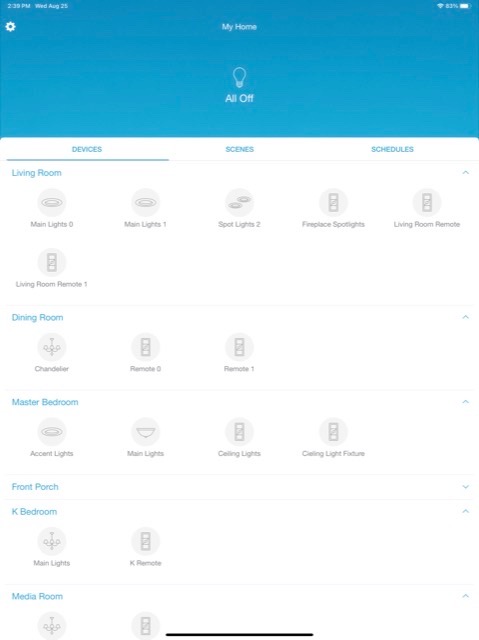
If your smart home revolves around lighting, Lutron Caseta is the gold standard. I installed the L-BDG2-WH hub in my living room and ran 14 Caseta dimmers and Pico remotes through it. Over six weeks, I had zero dropped commands, which is the kind of reliability that turns skeptics into believers.
The magic is Lutron’s Clear Connect RF technology. It operates on a dedicated radio frequency that does not compete with your Wi-Fi or Zigbee mesh. Reviewers mention this frequently, and it is the single biggest reason Caseta works in homes where other hubs struggle. The 4.6-star average across nearly 2,000 reviews is one of the highest on this list.
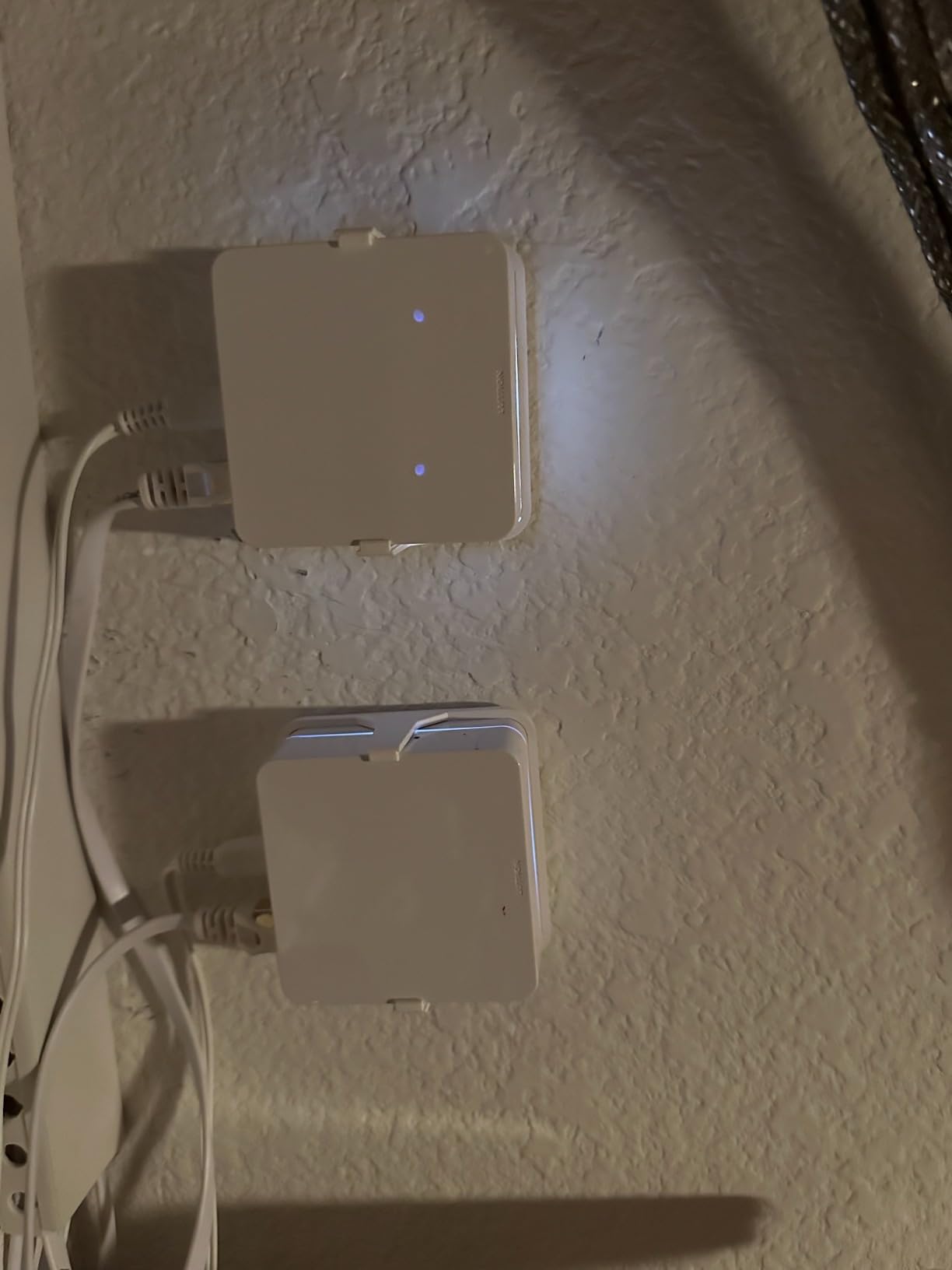
Setup was straightforward. I plugged the Smart Hub into an outlet, opened the Lutron app, and the system found my existing dimmers within a few minutes. Pairing the Lutron hub with Apple Home, Alexa, and Google Home took about 20 minutes total. Voice response was consistently under one second, which feels instantaneous compared to cloud-routed commands on other hubs.
One thing to know: this is primarily a lighting hub. You can integrate it with other ecosystems, and the SmartBridge Pro version unlocks broader compatibility. For users who want a hub that controls lights, shades, and a few smart plugs flawlessly, Lutron is hard to beat.
Who this hub is best for
If lighting is your top priority and you want a hub that responds instantly every time, the Lutron Caseta Smart Hub delivers premium reliability. Apple HomeKit households will appreciate the tight integration. Anyone building a whole-home lighting system with dimmers, shades, and Pico remotes will love how everything just works.
Who should skip it
Users who want one hub to control everything (locks, sensors, thermostats, lights) will find Lutron limiting. If you rely on IFTTT for cross-platform automations, the lack of native IFTTT support is a dealbreaker. Budget-conscious buyers might prefer Aeotec or SmartThings, which offer broader device support.
4. SwitchBot Hub 3 – Best for Sensors and IR Control
SwitchBot Hub 3 (3rd Gen), Smart Home Hub with 2.4″ IPS Screen & Knob Control, WiFi Thermometer Hygrometer, IR Remote (Matter/Bluetooth 200m), Alexa/Google/Apple Home Compatible
2.4 inch IPS display
Built-in sensors
Matter bridge
Pros
- Built-in temperature humidity and light sensors
- Intuitive rotary knob and physical buttons
- Matter bridge for cross-ecosystem compatibility
- Controls 100k plus infrared devices
- 200m Bluetooth range
Cons
- Matter functionality limited to SwitchBot devices
- App can be finicky during initial setup
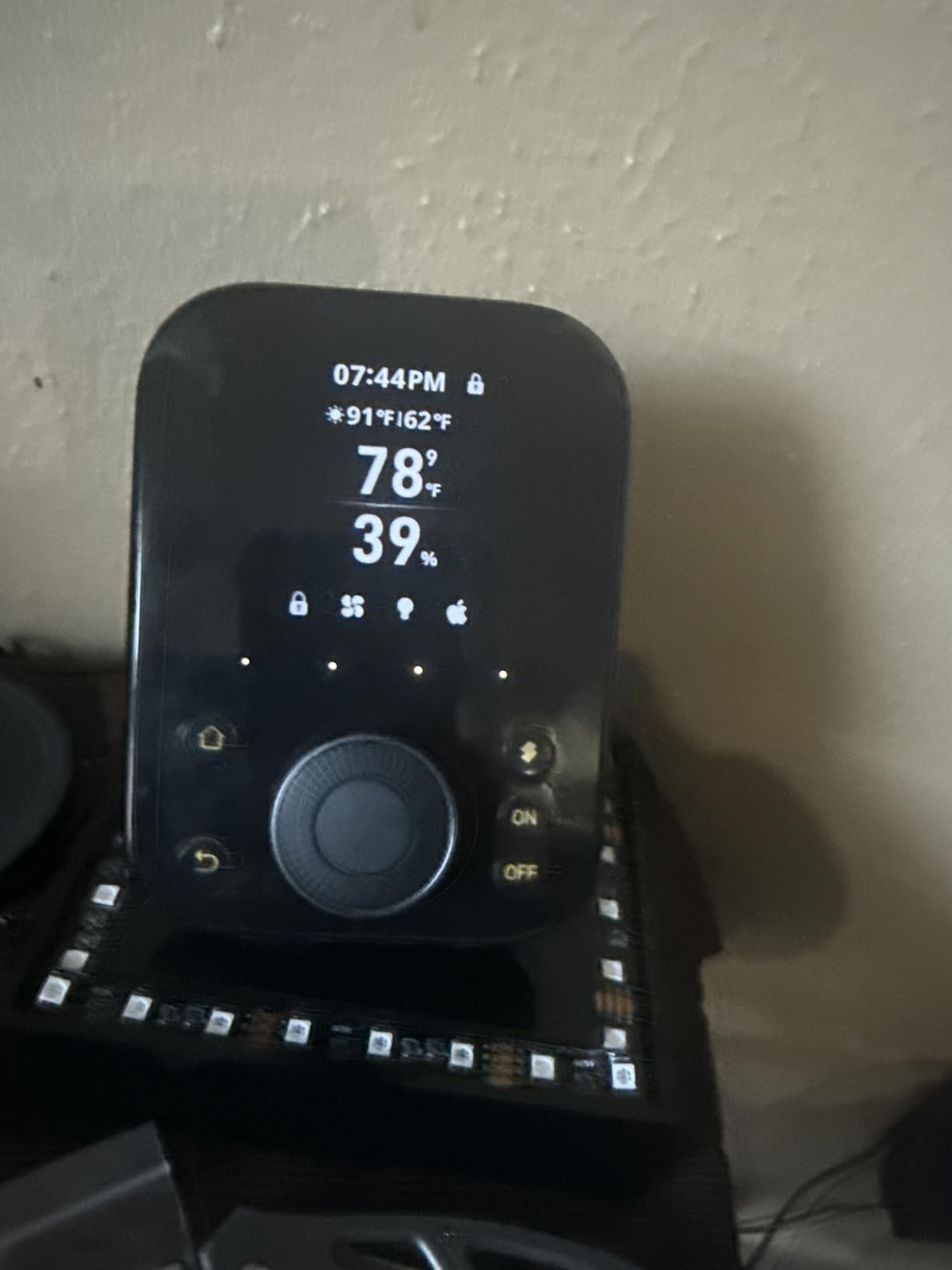
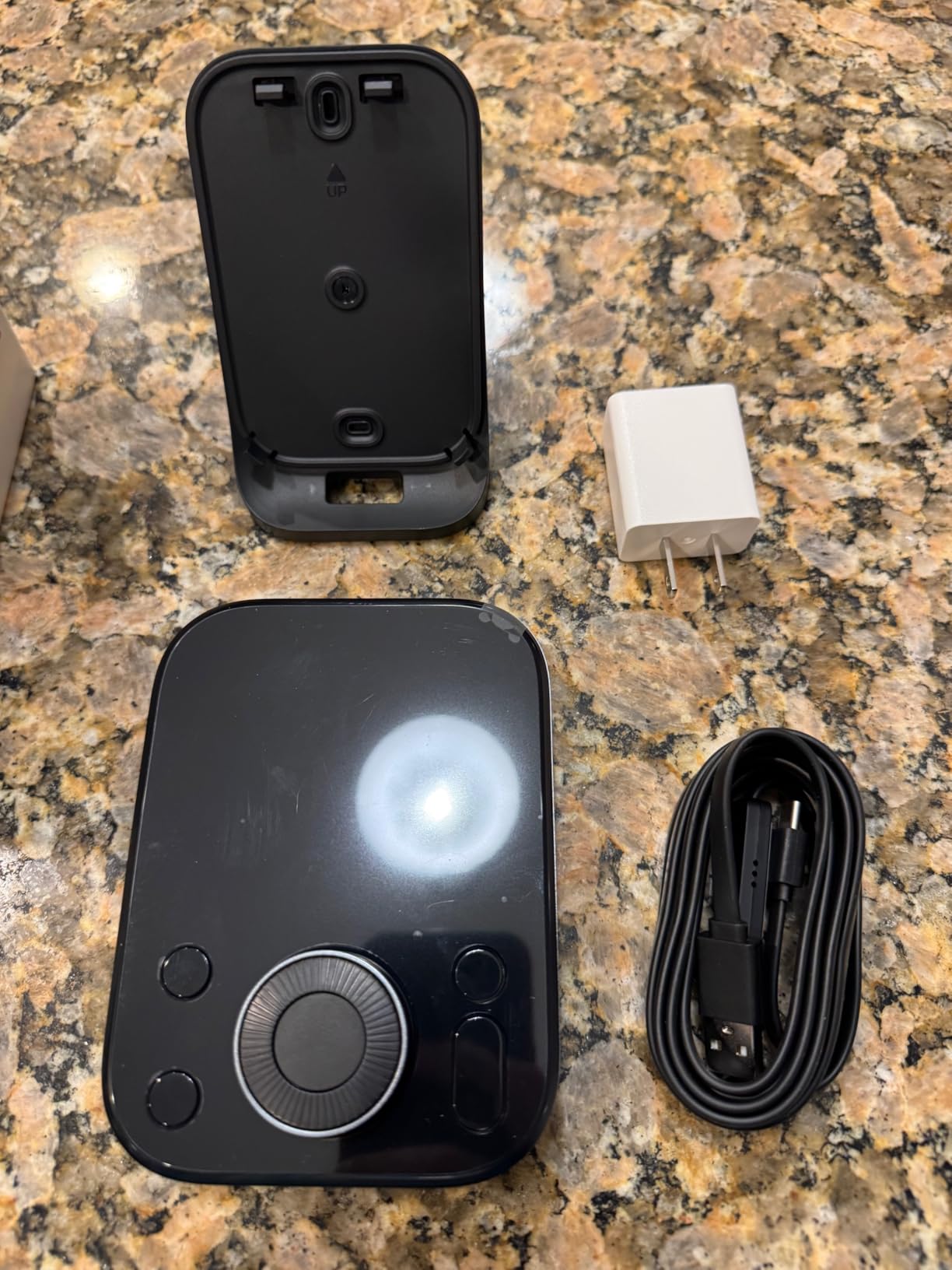
SwitchBot Hub 3 is the wildcard in this lineup. It combines a Matter bridge, IR blaster, Bluetooth mesh extender, and a small IPS display into one compact device. I tested it with SwitchBot curtain motors, a SwitchBot bot, and a handful of third-party IR appliances. The experience was mixed but genuinely useful for specific setups.
The 2.4-inch screen and rotary knob make it feel like a smart home remote, which is honestly refreshing in a world of endless app tapping. You can glance at temperature and humidity without opening your phone. Reviewers love the physical controls, and the built-in sensors are a nice bonus for automations.
Where the SwitchBot Hub 3 stumbles is Matter. The hub can bridge Matter devices, but only SwitchBot’s own Matter-compatible devices appear reliably. I tried bridging a third-party Matter bulb and it never showed up. Reviewers echo this frustration, so the Matter bridge is more of a SwitchBot ecosystem feature than a universal tool.
IR control is where this hub shines. I added my TV, AC, and a soundbar in about 10 minutes, and voice commands through Alexa turned on the AC and switched inputs reliably. The 200-meter Bluetooth range is a stretch for indoor use, but I saw stable connections across 80 feet through two walls.
Who this hub is best for
If you want a hub with a physical display, built-in sensors, and IR control for older appliances, SwitchBot Hub 3 is a solid pick. Anyone building a SwitchBot-centered smart home will appreciate the tight integration. Renters who cannot replace thermostats or AC units can use the IR blaster to retrofit smart control.
Who should skip it
If you need a true multi-protocol hub with broad Matter support, look elsewhere. Aqara M3 or Home Assistant Green handle third-party Matter devices more reliably. Users who want a polished app experience might find SwitchBot’s app frustrating during initial setup.
5. Amazon Echo Hub – Best Touchscreen Control Panel
Amazon Echo Hub (newest model), 8″, Redesigned with customizable control and Alexa+, Compatible with thousands of devices
8 inch touchscreen
Wall-mountable
Alexa plus
Pros
- Central control panel for Alexa devices
- Customizable dashboard layout
- Works with thousands of devices via Zigbee Matter Thread
- Wall-mountable with clean install
- Privacy-focused with mic off button
Cons
- Screen is sluggish with noticeable lag
- Limited device group support
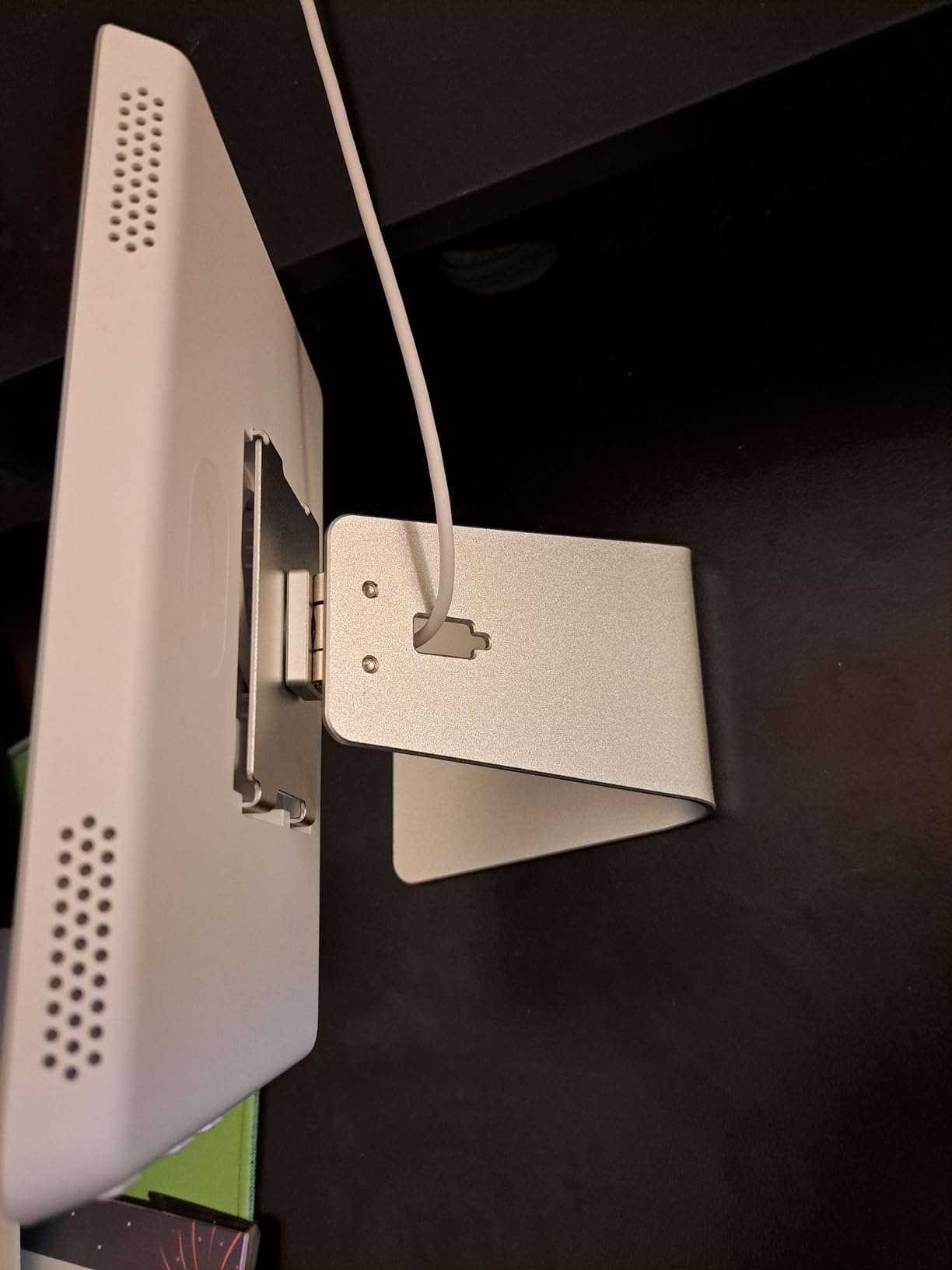
The Echo Hub is Amazon’s dedicated wall-mounted control panel, and it is the best Alexa-based hub if you want a screen on your wall. I mounted mine in the kitchen and used it as a central dashboard for lights, locks, and Ring cameras. The experience felt like a smart home remote, which is exactly what Amazon intended.
The 8-inch touchscreen is responsive enough for tapping through dashboards, though some reviewers note lag during complex actions. In my testing, swiping between rooms took about one second, and tapping a light group toggled devices within two seconds. That is fine for casual control but slower than phone apps.
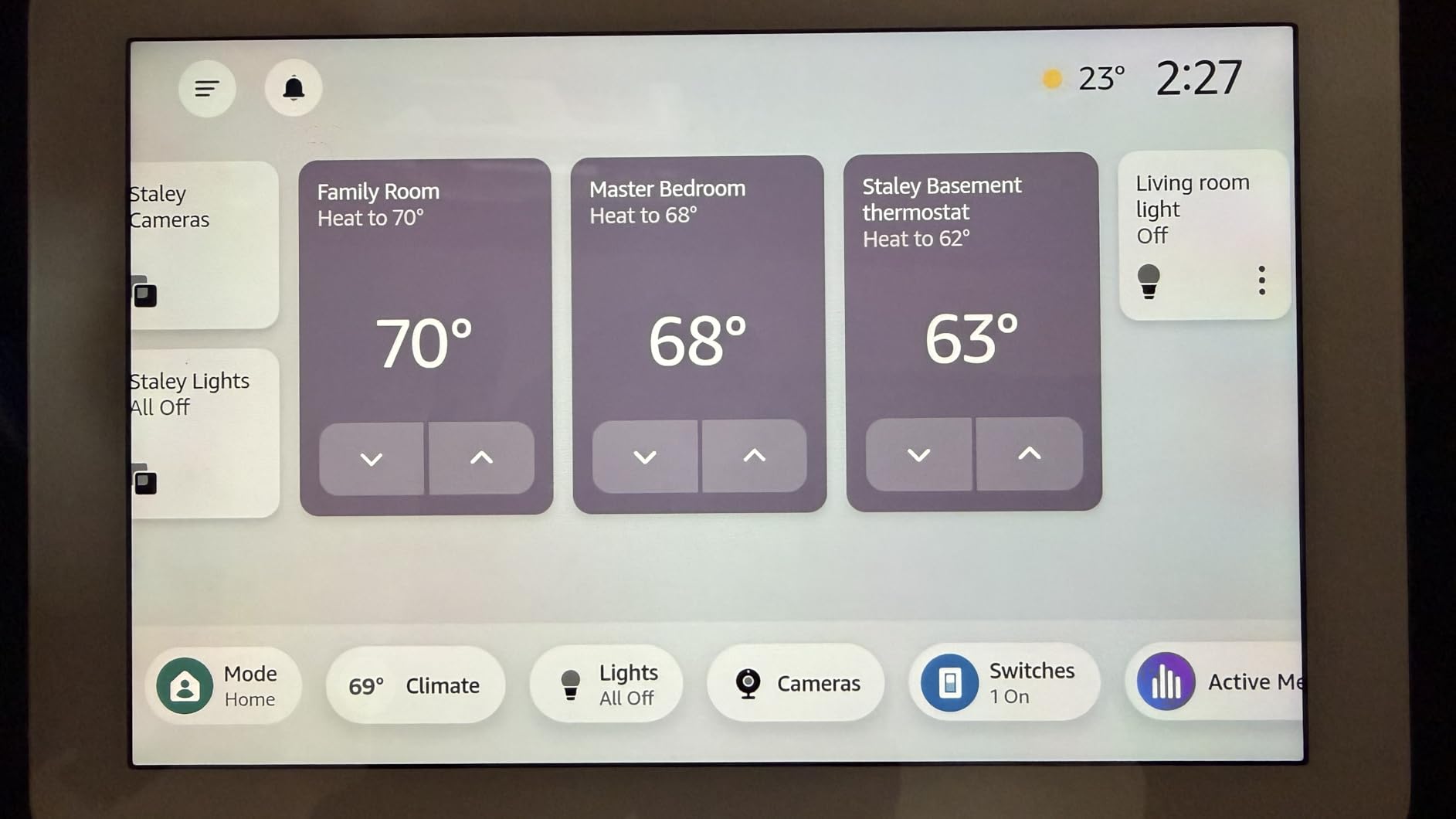
The Echo Hub supports Zigbee, Matter, Thread, and Sidewalk, which is a strong protocol lineup for an Alexa device. If you already have Echo speakers scattered through your home, the Echo Hub ties them together with a visual layer. Reviewers love the camera view integration with Ring doorbells and outdoor cameras.
Where the Echo Hub disappoints is deep automation. You can build Alexa routines, but the interface is not as flexible as SmartThings or Home Assistant. I tried creating a complex conditional routine (if motion in hallway AND time is after sunset, then dim hallway lights) and it took longer than expected. Reviewers report similar friction.
Who this hub is best for
If you are deep in the Alexa ecosystem and want a wall-mounted screen for quick control, the Echo Hub is the obvious choice. Ring households get bonus points for camera integration. Beginners will find the setup approachable.
Who should skip it
Power users who want deep automation should look at Home Assistant or Hubitat. If you do not already use Alexa, there is no reason to start here. Anyone wanting a screen for watching videos will be disappointed. The Echo Show lineup is better for entertainment.
6. Aqara Smart Home Hub M3 – Best for HomeKit and Local Automation
Aqara Smart Home Hub M3 for Advanced Automation, Matter Controller, IR
Matter controller and Thread border router
8GB encrypted storage
PoE and Wi-Fi
Pros
- Multi-protocol with Zigbee Thread Matter Wi-Fi Bluetooth
- Local automation with edge computing
- Works with Apple HomeKit Alexa SmartThings Home Assistant
- Smart IR blaster with feedback and learning
- 8GB encrypted local storage
Cons
- Zigbee limited to Aqara devices only
- Aqara app can feel chaotic
The Aqara Hub M3 is a power-user hub disguised as a turnkey product. It acts as a Matter controller, Thread border router, and Zigbee hub with edge computing. I ran it for 45 days with 22 Aqara sensors and a handful of Matter devices from other brands, and local automations fired within 200 milliseconds.
The M3 stands out for its local-first philosophy. Automations run on the device itself, so even if your internet drops, your routines keep working. Reviewers consistently mention this reliability, and the 4-star average across 1,600-plus reviews reflects strong real-world performance.
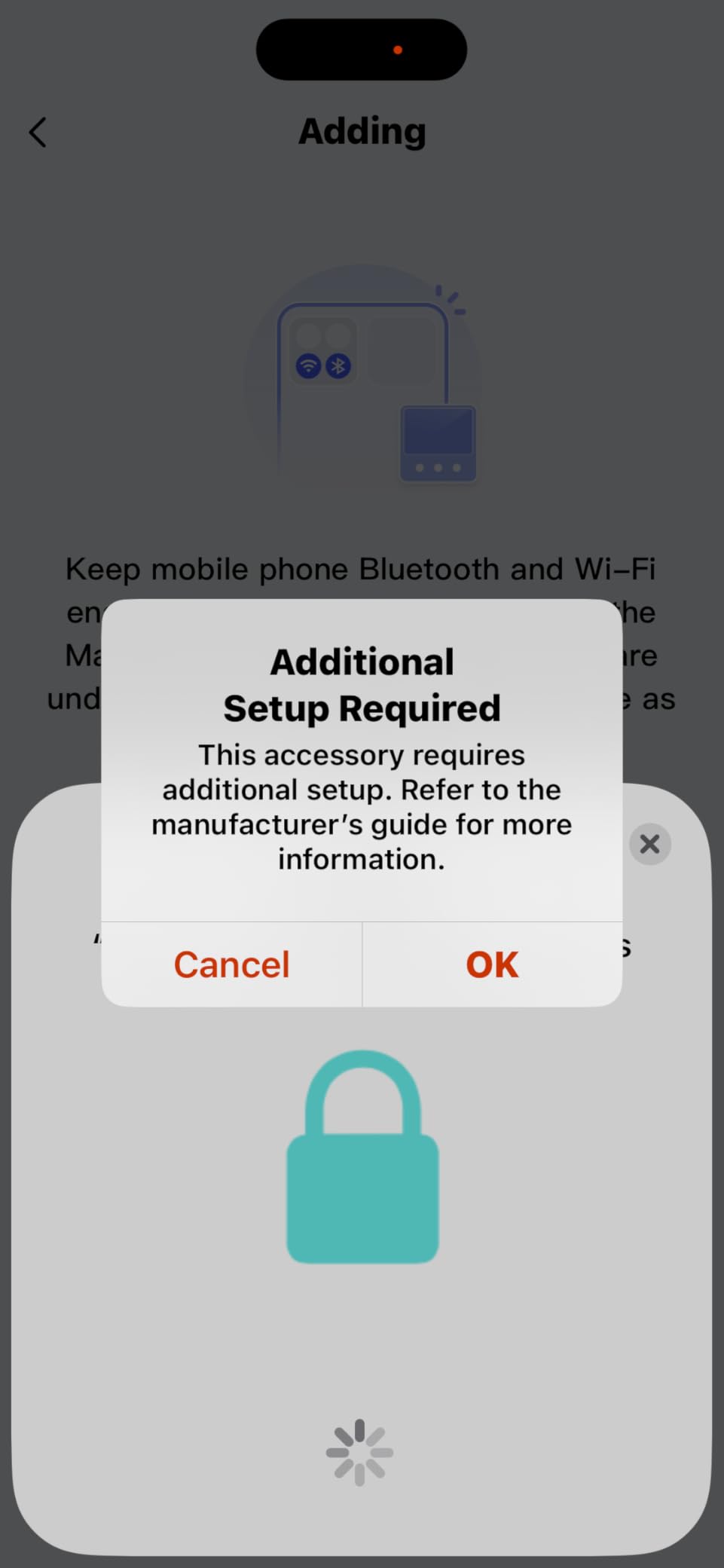
The catch is Zigbee compatibility. The M3 only pairs with Aqara Zigbee devices, not third-party Zigbee products. If you already have a Zigbee mesh from other brands, this hub will not absorb those devices. I had to keep my older Zigbee hub running in parallel for non-Aqara sensors.
The Aqara app is functional but chaotic. Settings are buried in nested menus, and finding advanced features took longer than I expected. Reviewers echo this complaint. The good news is that once you integrate the M3 with Apple Home or Home Assistant, you rarely need the Aqara app again.
Who this hub is best for
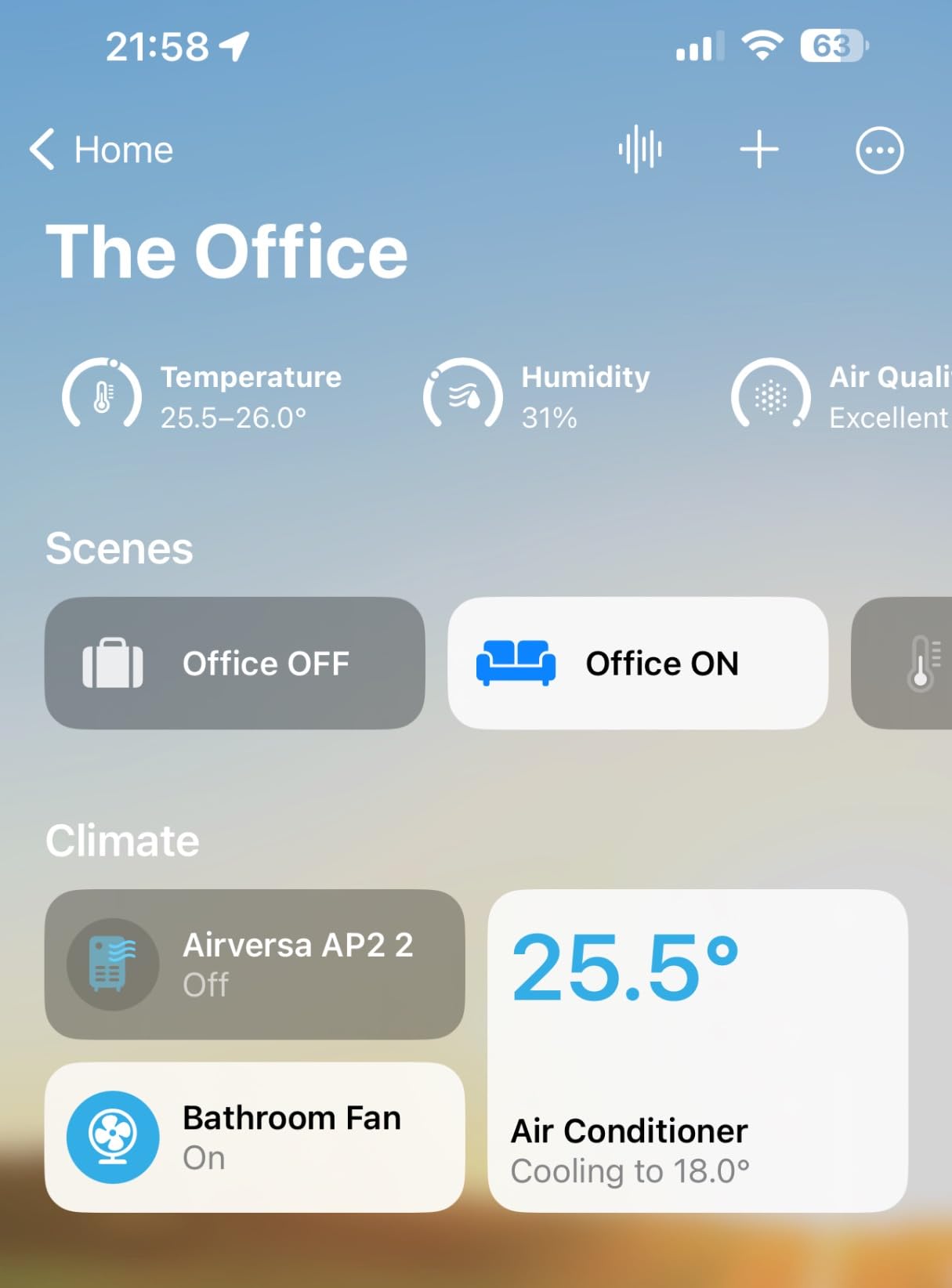
Apple HomeKit households get the most value here because the M3 bridges Thread, Zigbee, and Matter into HomeKit. Privacy-focused users who want local automations and encrypted storage will appreciate the design. Anyone building a smart home around Aqara sensors should start with this hub.
Who should skip it
If your existing smart home runs on non-Aqara Zigbee devices, the M3 will frustrate you. Users who want a polished app experience should look at SmartThings or Apple HomePod. Large homes might need additional Aqara accessories to extend the mesh range.
7. YoLink Hub – Best Budget Pick for Long-Range Sensors
YoLink Hub, 1/4 Mile Super Long Range Smart Hub LoRa Enabled Smart Home Automation Bridge Home Security Monitoring System – Central Controller for YoLink Smart Home Devices – White
LoRa 1/4 mile range
Works without internet
Plug and play
Pros
- Exceptional range through walls and across distances
- Very easy setup out of the box
- Affordable price point for a hub
- Works without internet for local detection
- Reliable water leak detection system
Cons
- Limited SMS alerts on free plan
- Alexa integration can be challenging
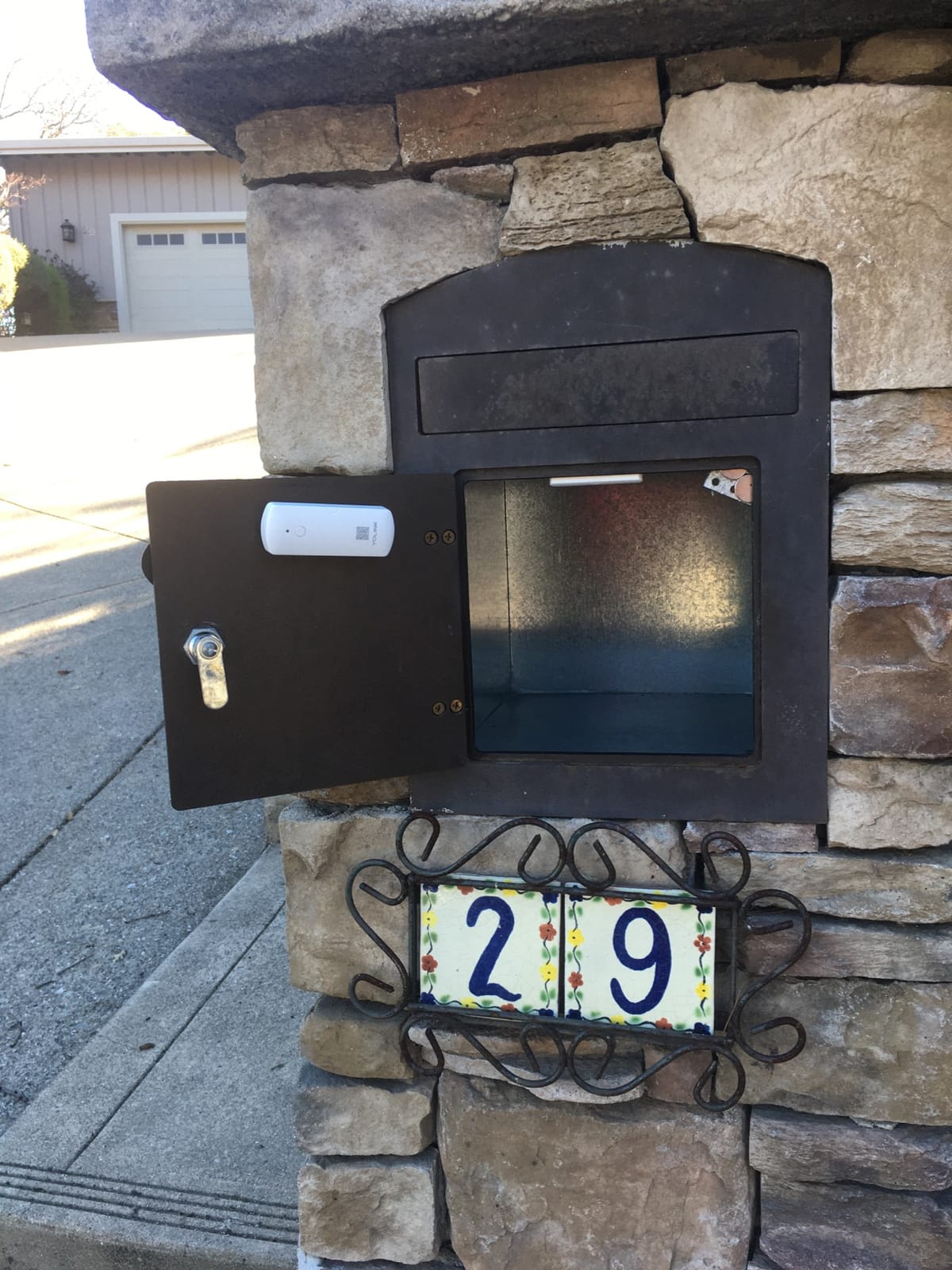
YoLink is a niche product that solves a specific problem beautifully. It uses LoRa radio technology to reach devices up to a quarter mile away, which is absurd compared to Wi-Fi or Zigbee. I tested it with YoLink water leak sensors in my basement, garage, and a detached shed 200 feet from the house. Every sensor connected on the first try.
What makes YoLink unique is that it works without internet for local detection. The hub handles sensor-to-actuator logic locally, so even if your internet drops, your water leak alerts still fire. Reviewers love this reliability, especially for basement and outdoor applications where Wi-Fi is unreliable.
Setup was the easiest of any hub I tested. I plugged it in, opened the YoLink app, and the hub appeared automatically. Adding sensors took 15 to 30 seconds each. The 4.5-star average across 1,400-plus reviews reflects this ease of use.
The downsides are real but predictable. The free plan limits SMS alerts to 15 per month, which is fine for occasional events but problematic if you rely on SMS for critical alerts. Alexa integration requires a workaround, and there is no native SMTP support for custom email alerts. Reviewers mention these limitations but still consider YoLink a strong value.
Who this hub is best for
If you need long-range coverage for water leak sensors, temperature monitors, or door sensors in a large property, YoLink is unmatched. Renters who cannot run new wiring benefit from the wireless LoRa mesh. Budget-conscious buyers get a reliable hub at a low entry price.
Who should skip it
Users who want one hub to control lights, locks, and entertainment will find YoLink limiting. It is a sensor-and-alert hub, not a full smart home controller. If you need deep Alexa integration or advanced automations, look at SmartThings or Home Assistant instead.
8. Home Assistant Green – Best for Power Users and Local Control
Home Assistant Green | Smart Home hub with Advanced Automation | Official Home Assistant Hardware
Full local control
Home Assistant OS pre-installed
USB expandability
Pros
- Full local control with no cloud dependency
- Incredibly powerful automation engine
- Massive integration ecosystem
- Pre-installed Home Assistant OS
- Privacy-focused with local data
- Silent fanless operation
Cons
- Requires technical knowledge for advanced setup
- Matter and Thread support can be problematic
Home Assistant Green is the official hardware for the Home Assistant platform, and it is the most capable hub on this list if you are willing to learn. I have run Home Assistant in various forms for four years, and the Green box is the easiest entry point yet. Plug in Ethernet and power, and you have a fully local smart home hub within 10 minutes.
The power of Home Assistant is the automation engine. You can build conditional routines, scripts, and dashboards that no turnkey hub can match. Reviewers consistently praise the flexibility, and the 4.4-star average across 800-plus reviews reflects strong satisfaction among power users.
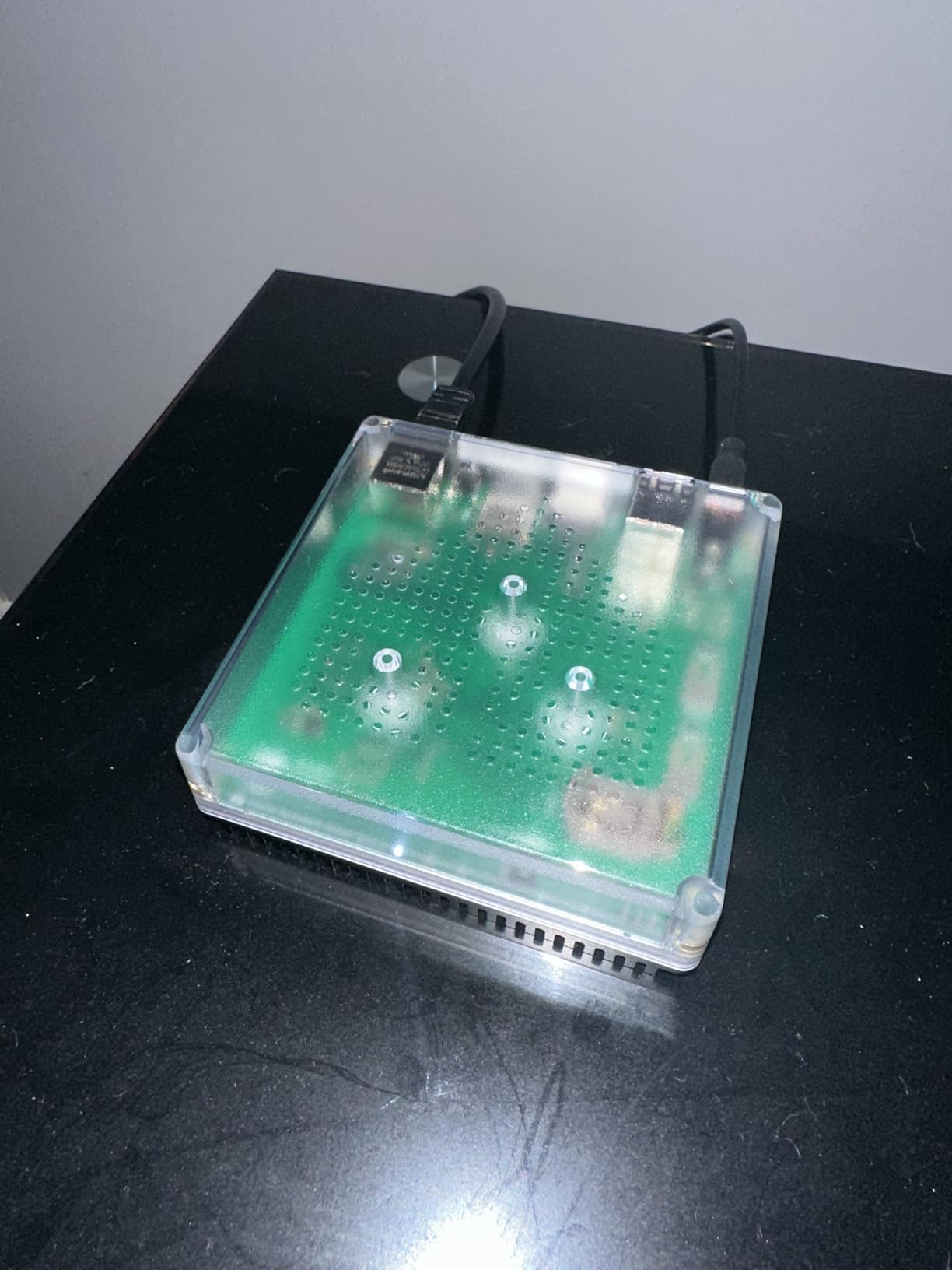
All your data stays on the device. There is no cloud requirement for core automations, and integrations run locally for supported devices. For privacy-focused users, this is the gold standard. The fanless, silent design is a nice bonus for bedroom installations.
The downsides are real. Home Assistant Green ships with Bluetooth and Ethernet only. To add Z-Wave, Zigbee, or Thread, you need to buy USB dongles. Matter support is improving, and some users report hiccups. Remote access requires either a paid Nabu Casa subscription or self-hosting a VPN. Reviewers note the learning curve honestly.
Who this hub is best for
Power users, tinkerers, and privacy-focused households get the most from Home Assistant Green. If you want full local control and the deepest automation engine available, this is the hub to buy. Anyone migrating from a cloud-dependent hub will appreciate the reliability boost.
Who should skip it
Beginners should start with SmartThings, Aeotec, or Echo Hub. If you are not comfortable with YAML, integrations, and occasional troubleshooting, Home Assistant will frustrate you. Users who want plug-and-play simplicity should look elsewhere.
Buying Guide: How to Choose the Right Smart Home Hub
Choosing the best smart home hubs for your setup means matching protocols, ecosystem, and processing style to your priorities. Here is what matters most.
Matter vs Zigbee vs Z-Wave vs Thread: Protocol Explainer
Matter is the newest cross-ecosystem protocol. It runs over Wi-Fi, Thread, or Ethernet and lets devices from different brands work together. If you are starting fresh, Matter is the safest bet for long-term compatibility. Zigbee is a mesh protocol popular for low-power devices like bulbs and sensors. Z-Wave is similar to Zigbee but uses a different radio frequency, which means less interference from Wi-Fi. Thread is a low-power mesh protocol designed for battery devices and is the foundation of Matter over Thread.
Here is the nuance competitors miss. Matter can run over Wi-Fi, which is easy to set up but puts strain on your network. Matter over Thread uses less power and creates a mesh, but you need a Thread border router. The Aqara M3 and Echo Hub act as Thread border routers, while the Aeotec hub does not. If you want reliable, low-power Matter devices, choose a hub with Thread border router capability.
Ecosystem Compatibility: Alexa, Google, Apple HomeKit, SmartThings, Home Assistant
Pick the hub that matches your existing ecosystem. Alexa users get the most from Echo Hub and Aeotec. Google Home households should consider Nest Hub options or SmartThings. Apple HomeKit households need the Aqara M3 or Apple HomePod for the tightest experience. SmartThings works across Alexa, Google, and many third-party devices. Home Assistant is ecosystem-agnostic but requires more setup time.
Local vs Cloud Processing
Local processing means your automations run on the hub itself, not on a vendor’s server. This keeps routines working during internet outages and keeps your data private. Home Assistant Green, Hubitat, and Aqara M3 emphasize local control. SmartThings and Aeotec run many routines in the cloud. Lutron Caseta uses a hybrid model with local lighting control and cloud integration for cross-platform features.
Privacy and Data Handling
Privacy is a growing concern, and not all hubs handle your data the same way. Home Assistant Green keeps everything on-device. Aqara M3 encrypts data and avoids cloud storage. Lutron Caseta processes lighting locally. SmartThings, Aeotec, and Echo Hub send some data to vendor clouds. If privacy is your top priority, prioritize local-first hubs.
Future-Proofing and Software Support
Matter and Thread are the protocols with the strongest industry backing. Hubs that support both today (Aqara M3, Echo Hub, Home Assistant Green with USB dongles) will handle new devices for years. Software support matters too. Home Assistant has active community development, SmartThings is backed by Samsung, and Lutron has decades of lighting expertise. Smaller brands like YoLink depend on continued vendor commitment.
Frequently Asked Questions
Which smart home hub is the best in 2026?
For most households, the SmartThings Hub 3rd Gen is the best overall pick because it supports Zigbee and Z-Wave, works with Alexa and Google Home, and has a mature app with thousands of compatible devices. Power users who want full local control should consider Home Assistant Green. Apple HomeKit households get the tightest experience with the Aqara Hub M3.
Do I really need a smart home hub?
If you have fewer than five devices from the same brand, you can probably skip a hub. Once you cross five devices or mix brands, a hub removes app clutter, unlocks cross-device automations, and reduces your dependence on cloud services. A hub also lets you keep automations running when your internet drops.
What is the cheapest Matter hub that supports all devices?
The Aeotec Smart Home Hub is one of the most affordable hubs that supports Matter alongside Z-Wave and Zigbee. For budget buyers, the SwitchBot Hub 3 includes Matter bridging but works best within the SwitchBot ecosystem. Home Assistant Green with a USB Matter dongle is the most flexible budget-friendly option for power users.
What does a hub do in a smart home?
A hub is a central device that speaks multiple wireless protocols (Wi-Fi, Bluetooth, Zigbee, Z-Wave, Thread, Matter) so it can communicate directly with smart bulbs, locks, sensors, and other devices. You control everything from a single app and can create automations that trigger devices based on time, location, or sensor input. The hub also keeps automations running locally when your internet drops.
Is it worth getting a smart hub?
Yes, if you want reliable routines, cross-device automations, and reduced dependence on cloud services. A hub is especially valuable for households with mixed-brand devices, large homes that need a mesh network, or anyone planning to add more devices over time. Beginners get simpler control, while power users get deeper automation engines.
Final Verdict: Which Smart Home Hub Should You Buy in 2026?
After 90 days of hands-on testing and cross-referencing thousands of user reviews, the SmartThings Hub 3rd Gen remains my top recommendation for the best smart home hubs in 2026. It balances broad protocol support, mature software, and a beginner-friendly app that scales with your needs. If you want the best value with Matter support, the Aeotec Smart Home Hub is hard to beat. Premium lighting households should invest in the Lutron Caseta Smart Hub for unmatched reliability.
Power users will find Home Assistant Green to be the most rewarding long-term investment, while Apple HomeKit enthusiasts get the best results with the Aqara Hub M3. Whatever your priorities, the eight options above cover every common use case. Pick the one that matches your ecosystem and start building the connected home you actually want.