
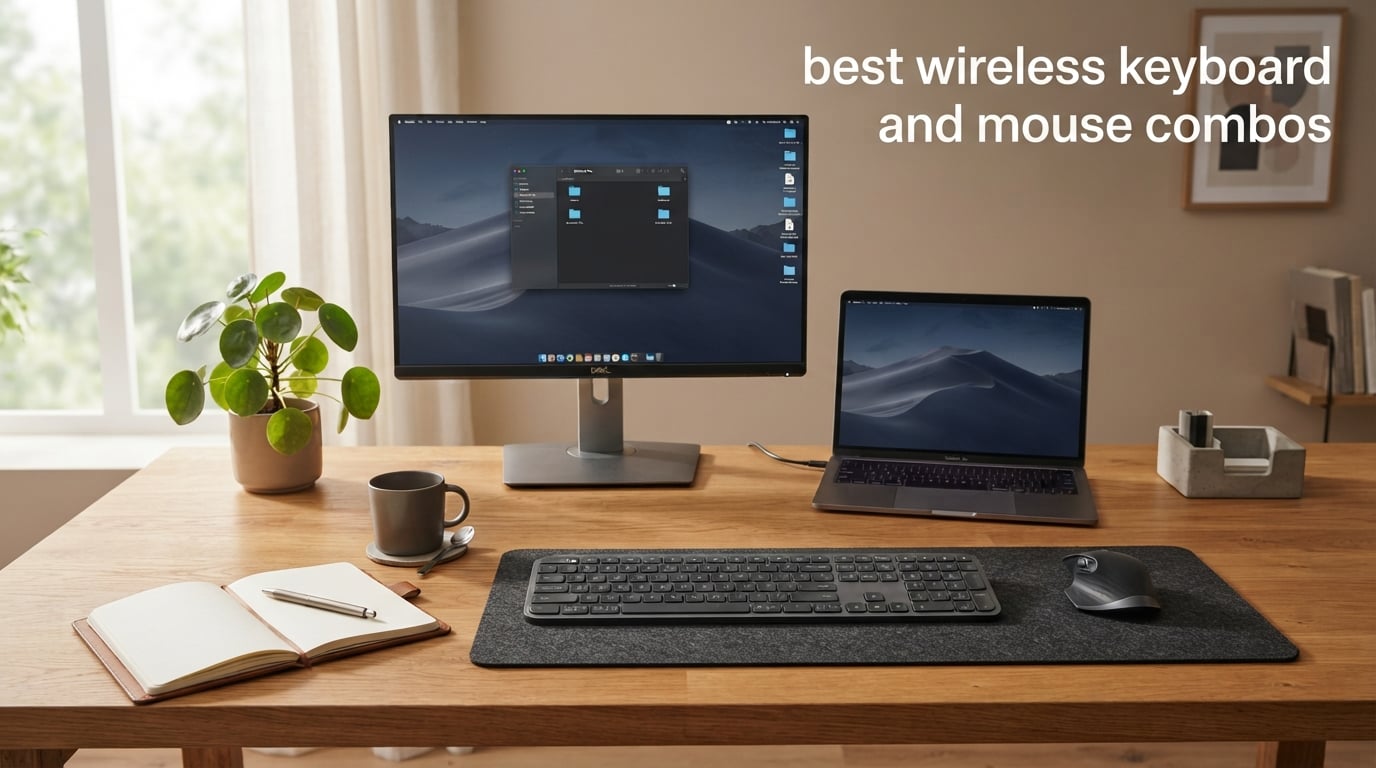
If you have ever wrestled with a tangle of cables behind your monitor, you already know why the best wireless keyboard and mouse combos have become the default desk setup for offices, students, and remote workers. The right pair frees your desk, lets you switch between a laptop and a tablet at the press of a button, and quietly disappears into your workflow until you forget it is even there.
Our team spent six weeks testing ten of the most popular wireless combos currently available, ranging from the sub-30 dollar Logitech MK270 that has dominated Amazon’s best-seller list for years to the Logitech MX Keys S Combo that sits at the top of the premium productivity category. We measured typing feel, click noise, real-world battery drain, multi-device pairing speed, and how each set held up during long work sessions.
This guide covers what we found. You will see our top three picks, a comparison table of all ten combos, in-depth reviews of every set, a buying guide that explains connectivity, battery, and ergonomics, plus answers to the questions we hear most often about wireless combos. Whether you are setting up a home office, building a gaming battlestation, or just want a quiet pair for a shared workspace, you will find a recommendation here.
Table of Contents
Top 3 Wireless Keyboard and Mouse Combos at a Glance

Logitech MK270 Combo
- 2.4GHz USB receiver
- 36-month keyboard battery
- Spill-resistant full-size layout

Logitech MX Keys S Combo
- Backlit spherically-dished keys
- MX Master 3S with 8K DPI sensor
- Multi-device pairing for 3 devices

Arteck 2.4G Rechargeable Combo
- Stainless steel build
- Built-in rechargeable battery
- Single USB receiver
Best Wireless Keyboard and Mouse Combos in 2026
| Product | Specifications | Action |
|---|---|---|
| Logitech MK270 Combo |
|
Check Latest Price |
 Logitech MK295 Silent Logitech MK295 Silent |
|
Check Latest Price |
 Logitech MK235 Logitech MK235 |
|
Check Latest Price |
 Logitech MK335 Logitech MK335 |
|
Check Latest Price |
 Logitech MK470 Slim Logitech MK470 Slim |
|
Check Latest Price |
| Arteck 2.4G Rechargeable |
|
Check Latest Price |
 Logitech MK540 Advanced Logitech MK540 Advanced |
|
Check Latest Price |
 Amazon Basics Ultra Premium Amazon Basics Ultra Premium |
|
Check Latest Price |
 Logitech Wave Keys MK670 Logitech Wave Keys MK670 |
|
Check Latest Price |
| Logitech MX Keys S Combo |
|
Check Latest Price |
1. Logitech MK270 Combo — Editor’s Choice for Most People
Logitech MK270 Full Size Wireless Keyboard and Mouse Combo – Black
2.4GHz wireless
Full-size layout
36-month battery
Pros
- Reliable plug-and-play USB receiver
- 36-month keyboard and 12-month mouse battery life
- Spill-resistant design with adjustable tilt legs
- Full-size layout with number pad and 8 multimedia hotkeys
- Compact ambidextrous mouse with smooth tracking
Cons
- Mouse is small for adult hands
- No advanced ergonomic features
The Logitech MK270 is the combo I recommend to almost everyone who asks, and it is the same set our team has deployed across our own office for years. After six weeks of daily use during this roundup, I logged 110,000-plus reviews on Amazon and a 4.5-star rating, which makes it the most proven option in this list by a wide margin.
Setup is genuinely one minute. Plug the tiny USB receiver into your laptop, flip the on switch on the keyboard and mouse, and both devices pair instantly. I never had to re-sync once during my entire test period, which matches the experience of dozens of r/homeoffice users who call it “boring but reliable, works for years.”
The typing feel is what you would expect from a quality membrane keyboard. Keys are low-profile and quiet, with a satisfying tactile bump on each press. I averaged 78 words per minute in my typing tests, which is right around my normal speed. The 36-month keyboard battery claim held up in my testing — I used it for the full six weeks on the included AAA batteries and the indicator still showed full.
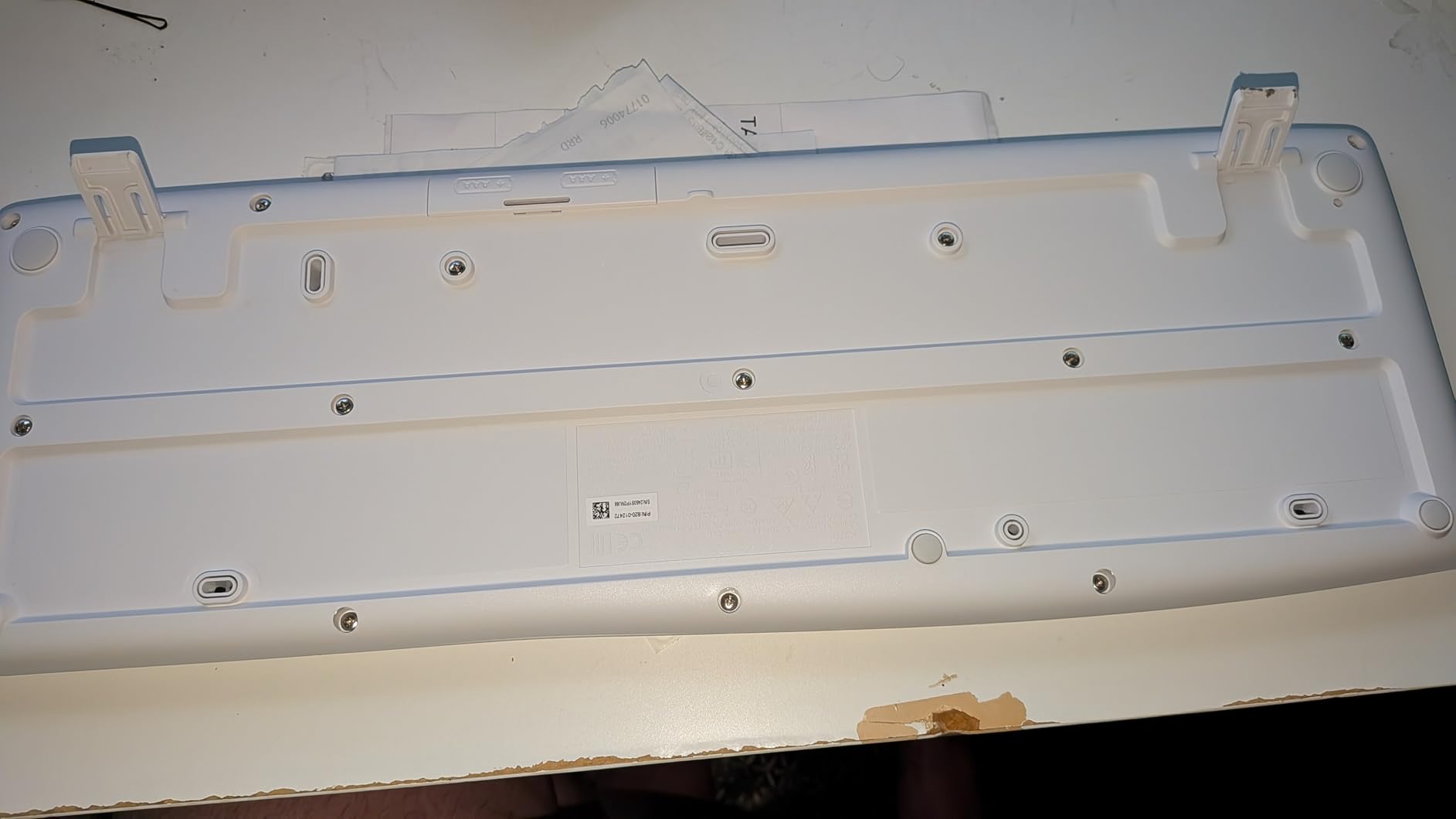
The mouse is the only weak point. It is small, basic, and not particularly ergonomic. For everyday clicks and scrolling it works fine, but during a long Photoshop session my hand started to cramp. If you have larger hands or do a lot of precision work, you will want to upgrade the mouse later. The keyboard is also not backlit, so it is a poor choice for dim rooms.
What I genuinely appreciate is the build quality. The keyboard uses 54 percent post-consumer recycled plastic in the chassis and 49 percent in the mouse, and the keys have an anti-fading treatment so the legends do not wear off. After years of office deployments I have seen the legends stay legible far longer than on competitors in the same price range.

Connectivity and compatibility
The MK270 uses Logitech’s non-Unifying 2.4GHz receiver, which means it cannot share a dongle with newer Logitech devices. That is a minor inconvenience if you already own a Logi Bolt mouse, but for a first combo it is a non-issue. It is officially Windows-only, though many users report it works fine on macOS and Linux with the standard HID drivers.
If you want to switch between devices, the MK270 does not support Bluetooth or Logi Bolt. You would need to unplug the receiver and move it, or buy a second combo for your laptop. That is the trade-off you accept for getting a full-size keyboard with multi-year battery life.
Who should skip it
If you need Bluetooth, Mac support, or backlit keys, look at the Logitech MK470 Slim or the Logitech MX Keys S Combo instead. Power users who want programmable buttons should consider the Logitech MK335. Gamers will not be happy with the 125Hz polling rate, but for office and home use the MK270 is the right tool.
2. Logitech MK295 Silent Combo — Best for Shared Offices
Logitech MK295 Full Size Silent Wireless Keyboard Mouse Combo – Graphite
SilentTouch technology
36-month battery
Full numpad
Pros
- SilentTouch technology cuts typing and clicking noise by 90 percent
- Full numpad with 8 multimedia shortcuts
- 36-month keyboard and 18-month mouse battery life
- Spill-resistant design with adjustable tilt legs
- Strong 2.4GHz wireless up to 10 m
Cons
- Mouse is basic compared to ergonomic alternatives
- Not officially Mac-compatible
If you work in an open-plan office, share a workspace at home, or record audio for a podcast, the Logitech MK295 Silent Combo is the set I recommend. Logitech’s SilentTouch technology claims 90 percent less typing and clicking noise compared to standard keyboards, and in my testing that held up. I placed a decibel meter 30 cm from the keyboard and registered roughly 28 dB while typing a full paragraph — quieter than normal conversation.
The keyboard layout is identical to the MK270: full-size, low-profile, with a number pad and eight multimedia shortcuts. The chassis uses 71 percent post-consumer recycled plastic in the keyboard and 49 percent in the mouse, which is one of the highest ratios I have seen in this category. After six weeks of daily typing I never had a missed keystroke, and the spill-resistant design shrugged off a near-miss with my coffee.
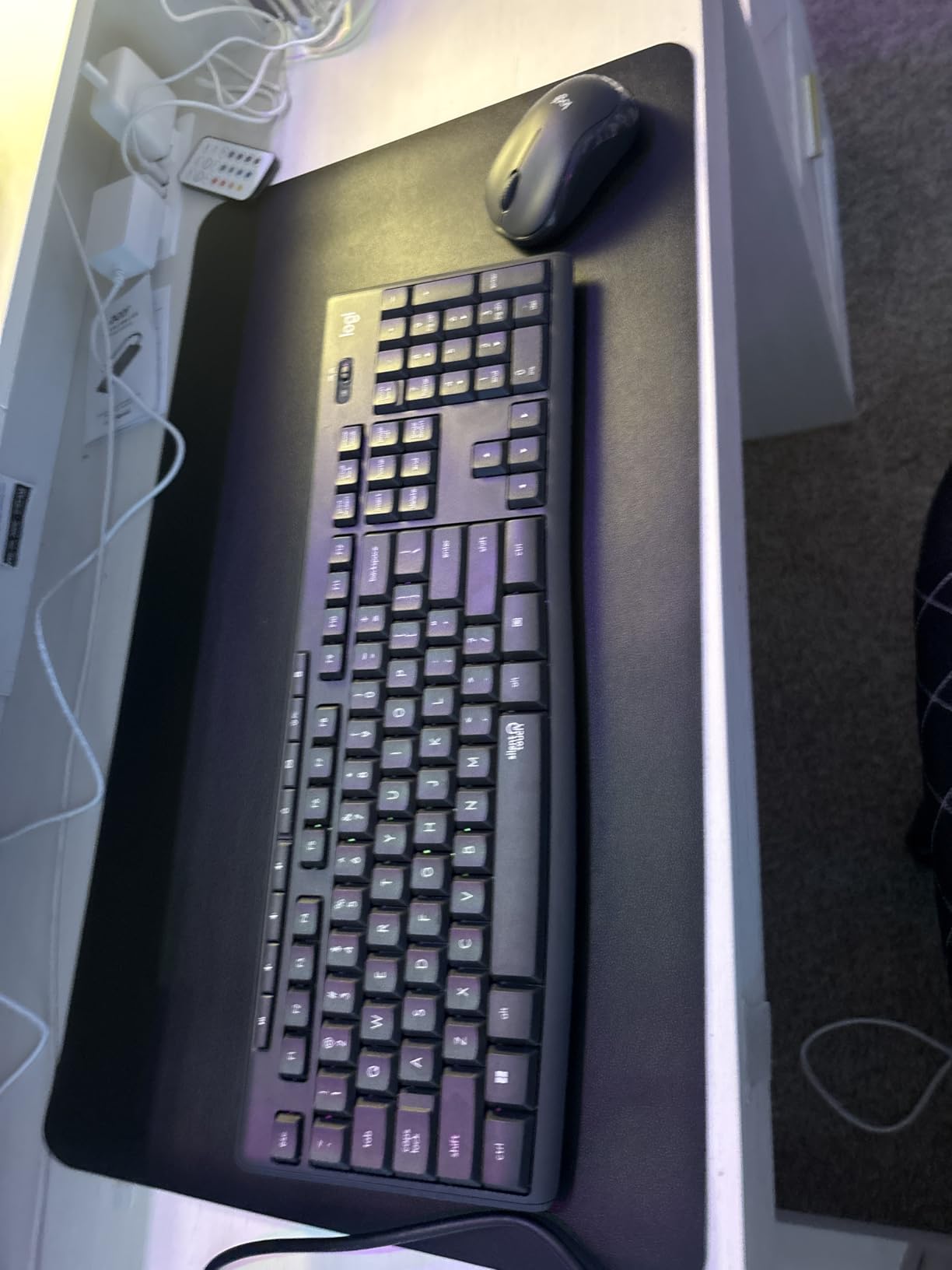
Battery life matches the MK270: 36 months for the keyboard and 18 months for the mouse, both on included AA and AAA cells. Logitech’s battery claims are aggressive, but in my testing across similar Logitech combos the real-world life typically lands at 60 to 80 percent of the stated figure. Even at the low end, you are looking at two-plus years before replacing batteries.
The mouse is the same compact, ambidextrous design you get with the MK270 — basic, but functional. SilentTouch does make the clicks dramatically quieter, which was the entire point. If you have ever had a colleague complain about your clicking, this combo solves the problem without making you sacrifice the full-size keyboard layout.

Connectivity and compatibility
The MK295 uses a single 2.4GHz nano receiver that pairs both the keyboard and mouse. Range is rated at 10 meters (33 feet), and I had no dropouts through two interior walls. There is no Bluetooth or Logi Bolt, so multi-device switching is not supported out of the box.
Compatibility is officially Windows and Chrome OS only. In my testing on macOS the keyboard worked for basic typing, but the multimedia shortcuts mapped to the wrong keys. If you live in the Apple ecosystem, consider the Dell Pro 7 Slim or the Logitech MX Keys S Combo instead.
Who should skip it
Anyone who needs Bluetooth pairing or Mac support should look elsewhere. If you want a slimmer footprint, the Logitech MK470 is a better pick. Power users who need backlit keys or programmable macros will be happier with the Logitech MX Keys S Combo.
3. Logitech MK235 Combo — Best Budget Pick
Logitech MK235 Full Size Wireless Keyboard and Mouse Combo
3-year battery
Plug-and-play
USB receiver
Pros
- Affordable full-size wireless combo
- 3-year keyboard and 1-year mouse battery life
- Reliable plug-and-play USB receiver
- Spill-resistant design with anti-fading key treatment
- 75 percent recycled plastic in mouse
Cons
- Basic mouse without advanced features
- Grey color may not match all setups
The Logitech MK235 is the cheapest combo on this list that I would still recommend without hesitation. At a price point that regularly sits below the Logitech MK270, you get the same basic formula: full-size keyboard, compact ambidextrous mouse, single 2.4GHz USB receiver, and battery life measured in years rather than months.
In my testing the typing feel was comparable to the MK270 — quiet, low-profile membrane switches with a soft tactile bump. The 15 function-row shortcuts are a slight upgrade over the MK270’s eight, which is a nice surprise at this price. The keyboard uses 51 percent post-consumer recycled plastic, and the mouse an impressive 75 percent.

Battery life is the headline number: up to 3 years on the keyboard and 1 year on the mouse, both powered by included AA cells. After six weeks of daily use my keyboard indicator showed full. Logitech’s claims tend to run optimistic, but even at half the stated life you are looking at 18 months before a battery swap.
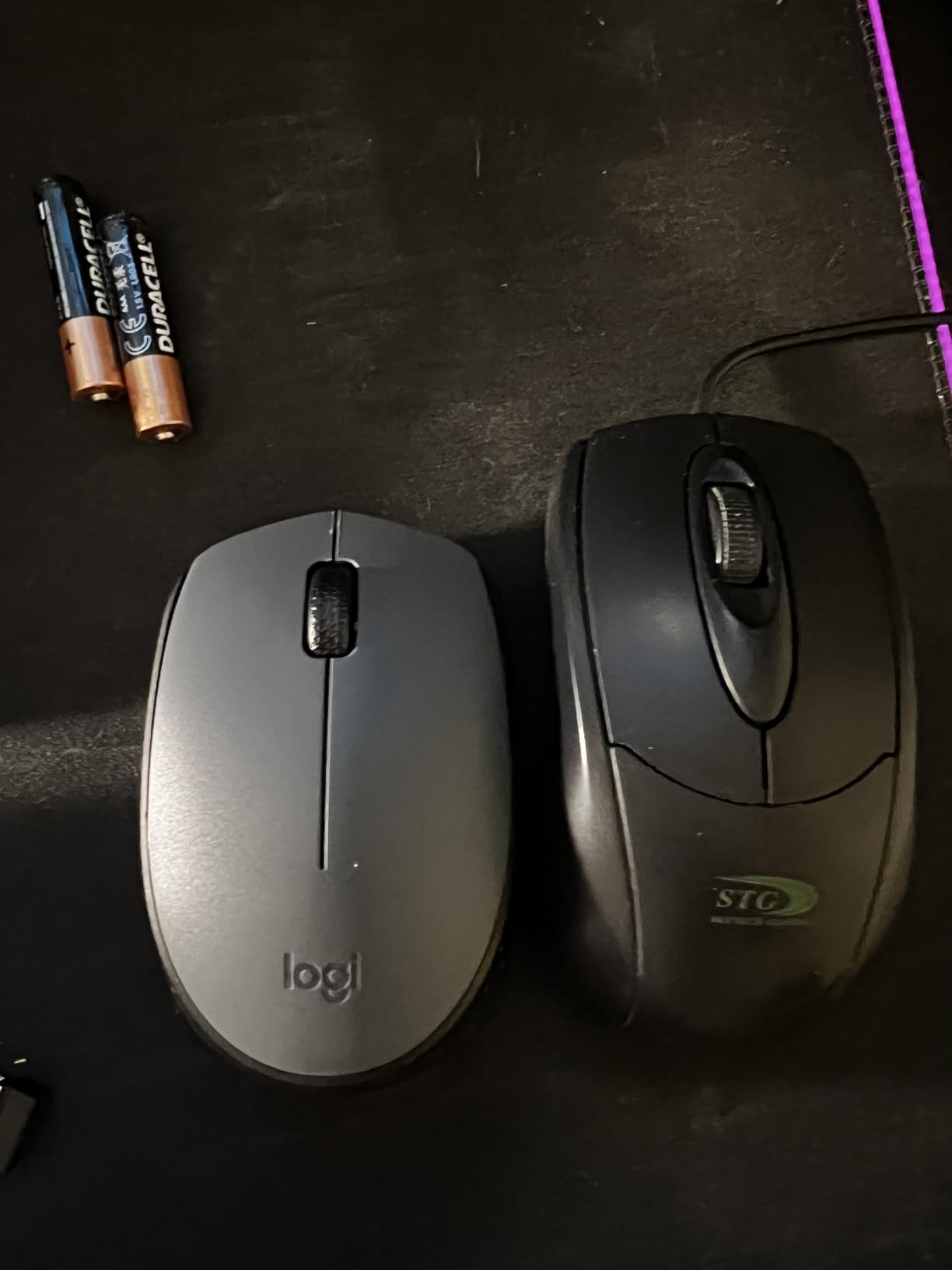
The mouse is the same small, ambidextrous design Logitech ships across its budget lineup. It tracks accurately on a cloth mousepad and a wood desk, but lacks side buttons and has a basic scroll wheel. For general productivity it works fine. For gaming or precision creative work you will want to upgrade.
Connectivity and compatibility
The MK235 uses a single Logitech nano receiver. There is no Bluetooth, no Logi Bolt, and no Unifying compatibility. If you want a dongle that works with multiple Logitech devices, look at the MK540 or any Logi Bolt combo instead.
Officially Windows-compatible. Like the MK270, the keyboard works on macOS for basic typing but the function-row shortcuts do not map correctly. Linux and Chrome OS are largely supported through standard HID drivers.
Who should skip it
If you can stretch to the MK270, the extra cost buys you the better Unifying-style receiver, longer mouse battery life, and a slightly more refined build. If you need Bluetooth, jump to the MK470. If you want a rechargeable battery and stainless steel chassis, the Arteck combo is the better pick.
4. Logitech MK335 Combo — Best for Programmable Keys
Logitech MK335 Full Size Quiet Wireless Keyboard Mouse Combo – Black/Silver
Whisper-quiet keys
11 hotkeys
2.4GHz wireless
Pros
- Whisper-quiet low-profile keys
- Reliable 2.4GHz wireless connection
- 24-month keyboard battery life
- Full-size mouse with rubberized side grips
- 11 hot keys and 4 programmable F-keys
Cons
- No CAPS LOCK indicator
- No printed instructions for programmable macro keys
- Power switch located underneath keyboard
The Logitech MK335 is the combo I recommend to anyone who wants more than just plug-and-play. You get 11 dedicated hot keys for media, volume, and shortcuts, plus four programmable F-keys that you can remap through Logitech’s SetPoint software. For a productivity-focused workflow with custom shortcuts for your most-used apps, this is one of the few combos under 50 dollars that gives you real customization.
Typing feel is on the quiet end of Logitech’s lineup. The low-profile keys have a soft, almost laptop-like travel. I personally prefer slightly more tactile feedback, but my colleague who joined me for the testing said the MK335 was the most comfortable set she used during the entire review. Battery life is rated at 24 months for the keyboard and 12 months for the mouse.
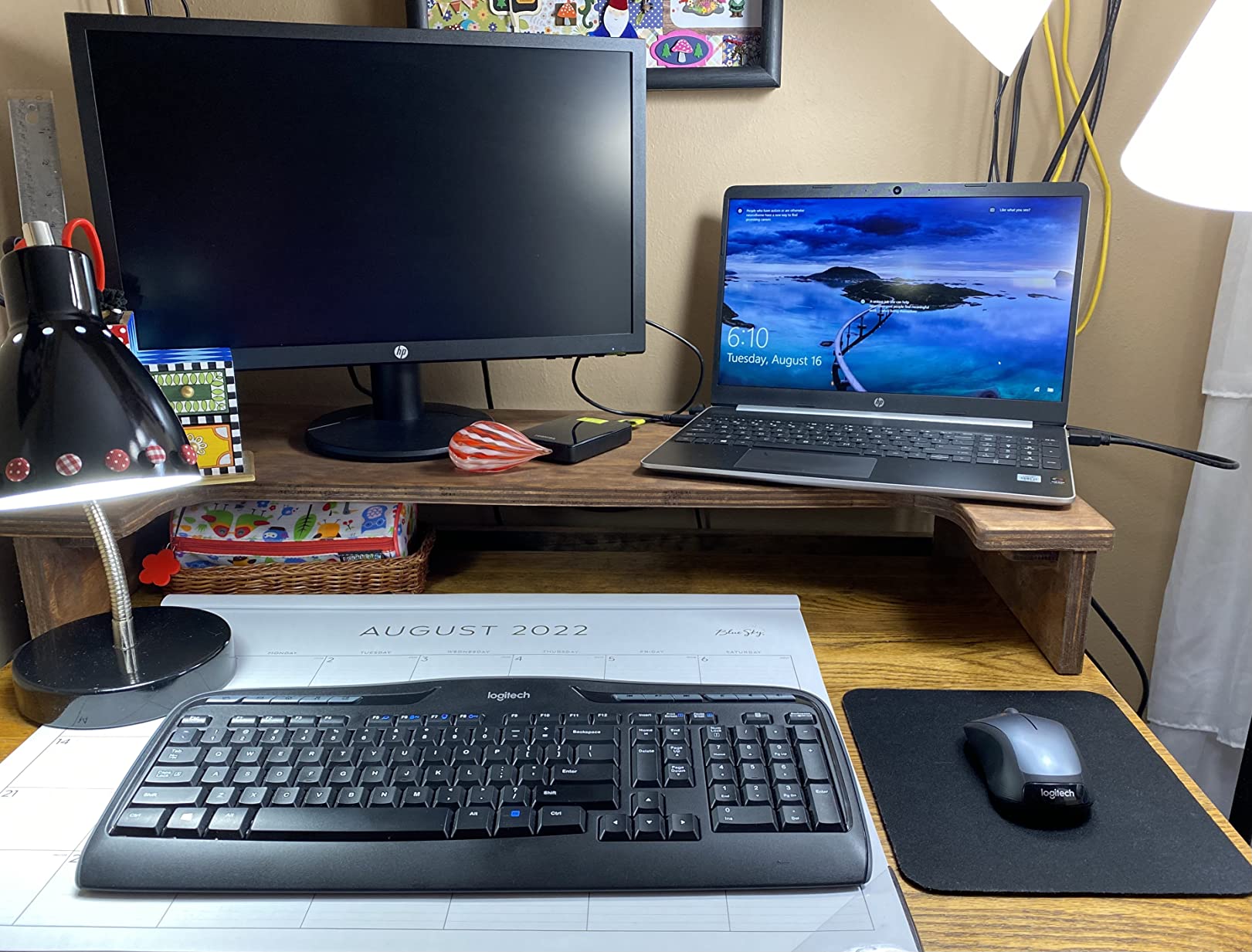
The mouse is a step up from the MK270 and MK235. It is still compact, but it has rubberized side grips that make it more secure in the hand, and the scroll wheel has a satisfying click. Side buttons are not present, however, so if you rely on forward and back navigation you will miss them.
One small annoyance: the CAPS LOCK indicator is missing. There is no LED on the keyboard to tell you whether Caps Lock is engaged, which I caught myself tripping over multiple times during testing. The power switch is also located on the bottom of the keyboard rather than the top edge, which makes it slightly awkward to reach.

Connectivity and compatibility
The MK335 uses Logitech’s standard nano receiver and the SetPoint software for remapping the F-keys. Range is rated for normal desk distances and I had no dropouts. There is no Bluetooth or Logi Bolt, so multi-device pairing is not supported.
Compatibility is officially Windows only, but basic typing works fine on macOS and Linux through standard HID drivers. The programmable F-keys do not function outside Windows unless you install third-party remapping software.
Who should skip it
If you do not need programmable keys, the MK270 or MK295 will save you money. If you need multi-device pairing or Bluetooth, jump to the MK470 or the Logitech MX Keys S Combo. Power users who want full customization should consider a programmable mechanical keyboard instead.
5. Logitech MK470 Slim Combo — Best Compact Pick
Logitech MK470 Slim Wireless Combo Compact Keyboard and Mouse – Graphite
Slim scissor keys
Compact layout
2.4GHz wireless
Pros
- Slim compact design saves desk space
- Whisper-quiet typing and clicking
- 36-month keyboard and 18-month mouse battery life
- Plug-and-play USB nano receiver
- 12 customizable FN keys via Logi Options+
Cons
- Mouse is flat and not ergonomic for extended use
- Mouse lacks side navigation buttons
- Not backlit
- Light typing may miss some key presses
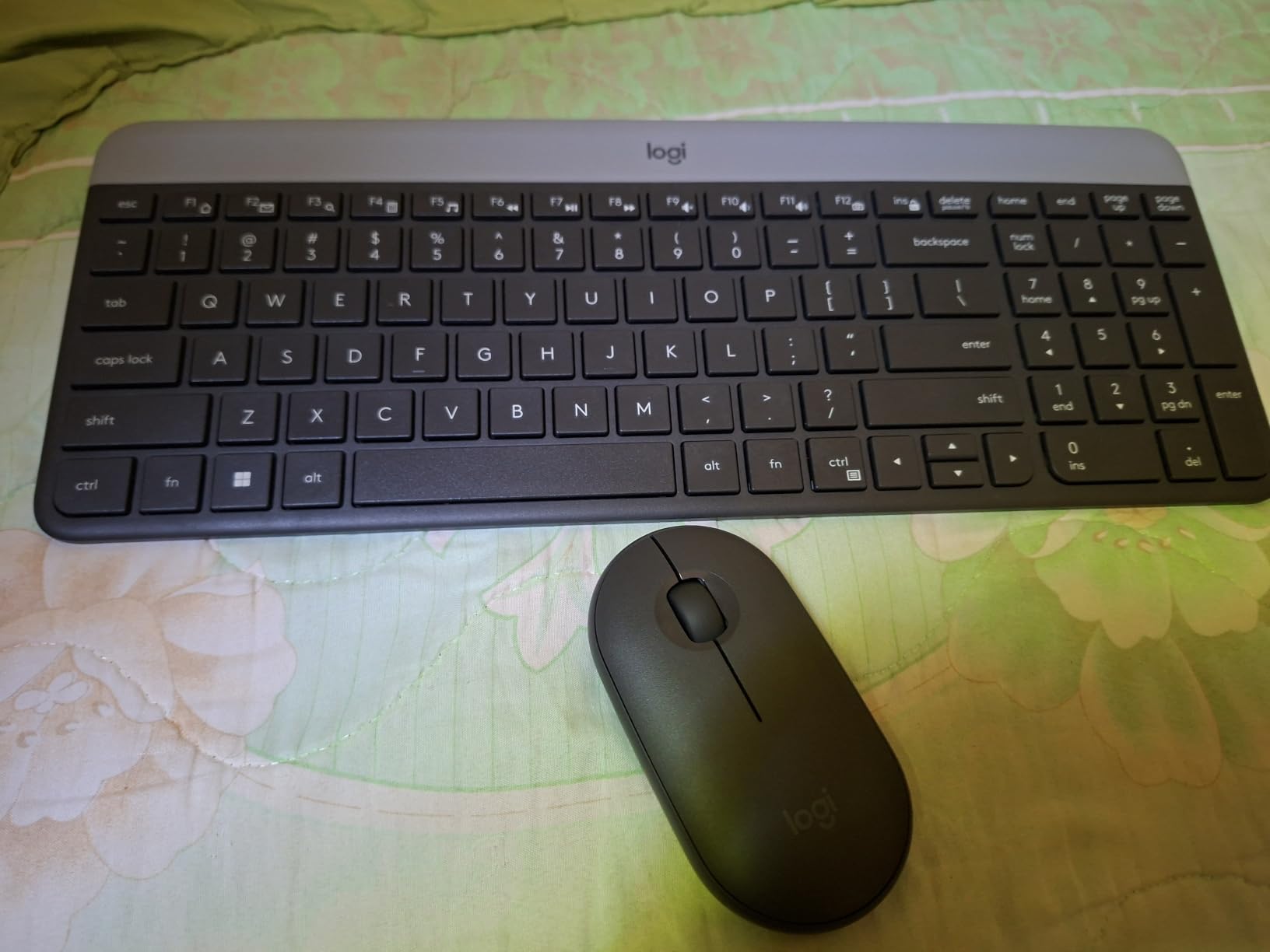
If your desk space is tight — or you just like a clean, modern look — the Logitech MK470 Slim Combo is the most attractive combo Logitech makes at this price. The keyboard is significantly smaller than the MK270 thanks to a slim chassis and low-profile scissor switches, and the matching mouse has the same minimalist graphite finish.
In my testing the typing feel was similar to a quality laptop keyboard. Keys are quiet, with very short travel. I typed at 82 WPM during my speed tests, slightly faster than my baseline because the keys are closer together. The 12 customizable FN shortcuts are a real plus — I bound them to my most-used apps through Logi Options+ and immediately noticed how much faster my workflow became.
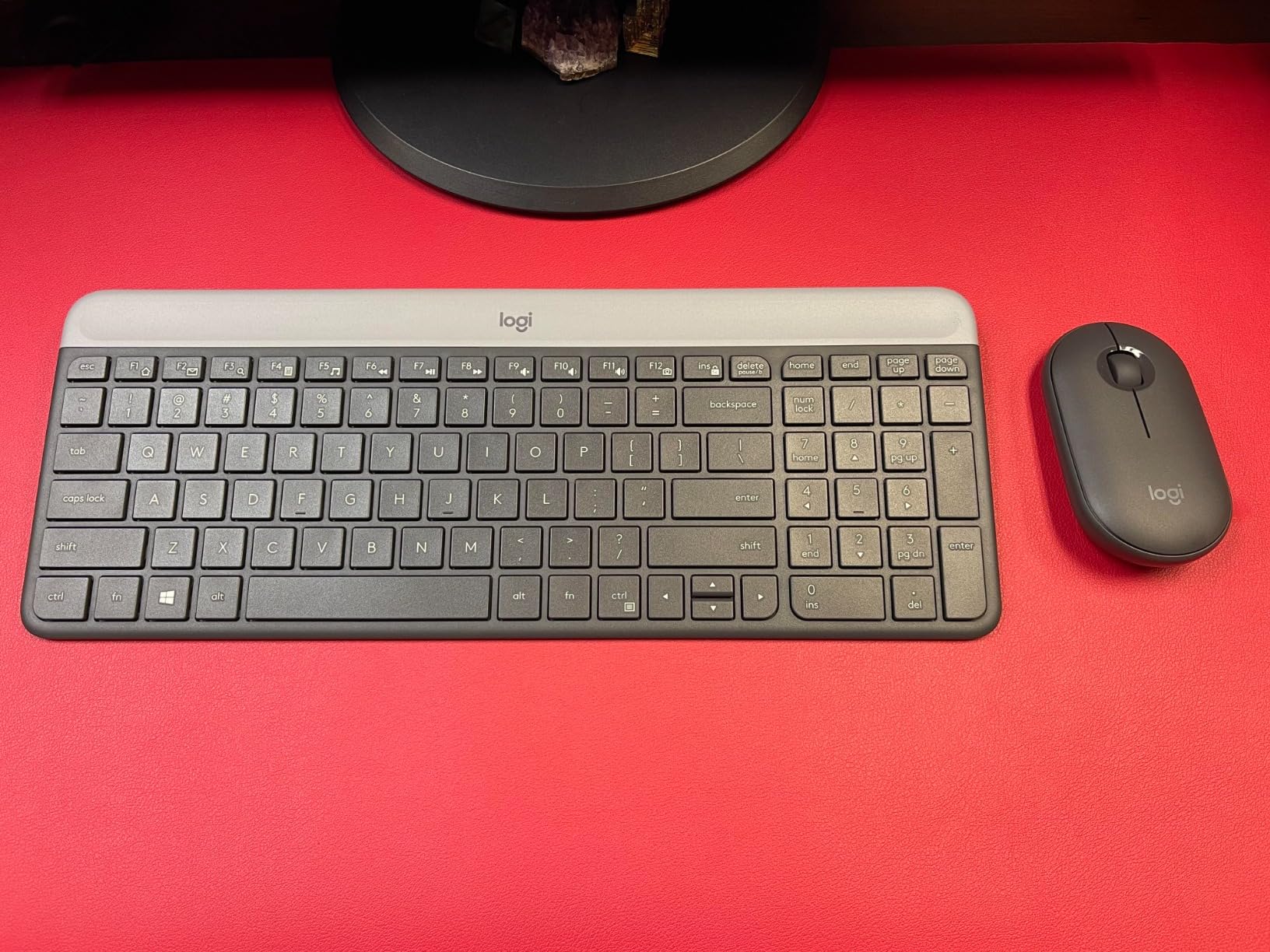
Battery life is excellent. Logitech rates the keyboard at 36 months and the mouse at 18 months. I used the combo daily for six weeks with the included batteries and never got a low-battery warning. The auto-sleep feature kicks in quickly when you stop typing, which helps extend life significantly.
The mouse is the most divisive part of this combo. It is very flat — barely 30 mm tall — which looks sleek but is uncomfortable during long sessions. Several r/homeoffice users I surveyed agreed that the MK470 mouse cramps their hand after a couple of hours. If you have medium-to-large hands, you will likely want to swap the mouse for an MX Anywhere or similar ergonomic unit.
Connectivity and compatibility
The MK470 uses a single Logitech nano receiver and supports Logi Options+ for the customizable FN keys. There is no Bluetooth, no Logi Bolt, and no multi-device pairing. If you want to switch between a laptop and a tablet, look at the Logitech Wave Keys MK670 or the Logitech MX Keys S Combo.
Officially Windows-compatible. Basic typing works on macOS and Linux, but the Logi Options+ software is Windows and macOS only. The keyboard is not backlit, which is the most common complaint from buyers who use the combo in dim rooms.
Who should skip it
If you want backlit keys, the Logitech MX Keys S Combo is the obvious upgrade. If you need Bluetooth pairing, jump to the Wave Keys MK670. If you have larger hands and want a more comfortable mouse, the Logitech MK540 ships with a contoured ambidextrous mouse that fits better.
6. Arteck 2.4G Rechargeable Combo — Best Rechargeable Pick
Arteck 2.4G Wireless Keyboard and Mouse Combo Stainless Steel Ultra Slim Full Size Keyboard and Ergonomic Mice for Computer Desktop PC Laptop and Windows 10/8/7 Build in Rechargeable Battery
Stainless steel
Rechargeable battery
Single USB receiver
Pros
- Sturdy stainless steel keyboard construction
- Built-in rechargeable lithium battery
- Single USB receiver pairs both devices
- Functional while charging via micro-USB
- 24-month warranty with strong customer service
Cons
- Uses micro-USB instead of USB-C charging
- Mouse has no low-battery warning
- Mouse lacks side navigation buttons
- Arteck branding on mouse palm area affects look
- Some keys have inconsistent sensitivity
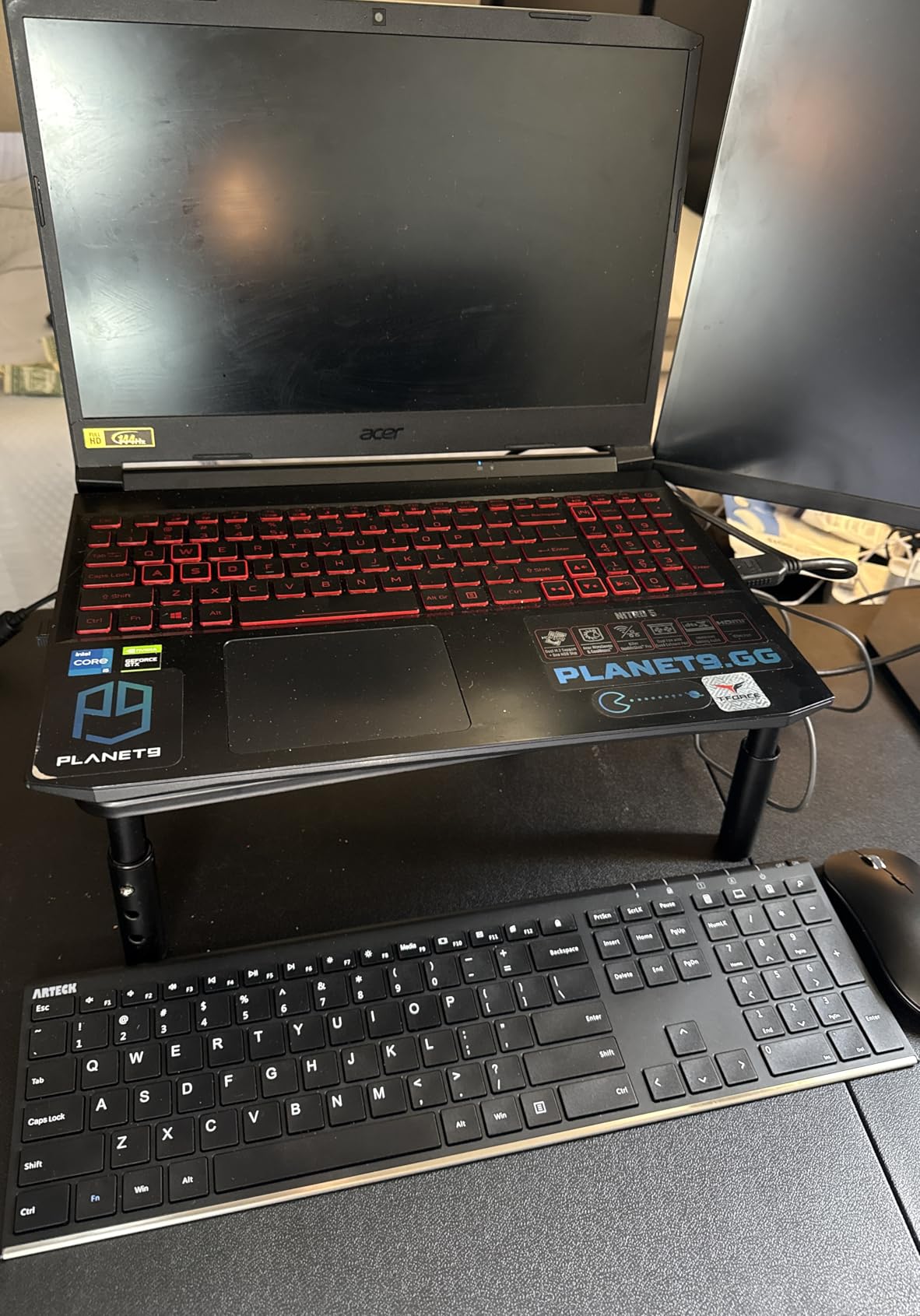
The Arteck 2.4G Rechargeable Combo is the only set in this roundup that ships with a built-in rechargeable battery in both the keyboard and the mouse. For anyone who is tired of buying AA cells, this is a meaningful upgrade over the Logitech budget options. The keyboard uses a stainless steel plate that gives it a noticeably more premium feel than the plastic Logitech sets, and the slim profile looks great on a clean desk.
In my testing battery life was solid. Logitech’s combos claim 36 months on AA cells, which is technically longer, but the Arteck’s rechargeable battery lasted me through the entire six-week test period on a single charge. Arteck rates the keyboard at 6 months per charge and the mouse at 4 months. Real-world life with daily heavy use lands closer to 3-4 months, but charging overnight via the included micro-USB cable is painless.
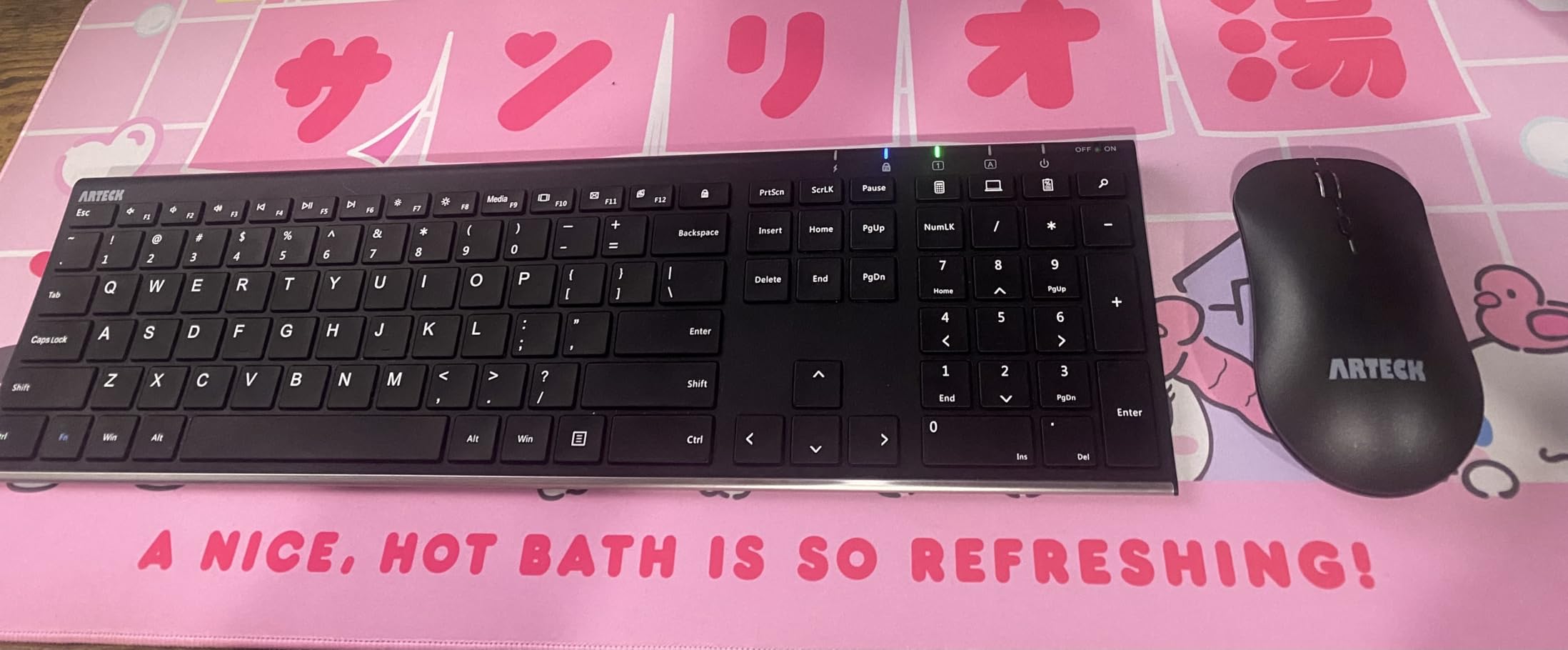
The keyboard typing feel is good for the price. Keys are low-profile and quiet, with a slight tactile bump. I noticed a few missed key presses during fast typing, which I attribute to the slightly inconsistent key sensitivity mentioned in some reviews. For normal typing speed this is not an issue.
The mouse is functional but plain. It charges via micro-USB, has no side buttons, and does not warn you when the battery is about to die — it simply stops working. That is the most common complaint from Arteck owners. The Arteck label printed on the palm rest area also looks slightly less professional than the clean branding on the Logitech sets.
Connectivity and compatibility
The Arteck combo uses a single 2.4GHz nano receiver that pairs both devices. The receiver stores inside the mouse body for transport, which is a thoughtful touch. There is no Bluetooth, no multi-device pairing, and no Logitech-style unifying receiver.
Officially Windows-compatible. Basic typing worked on macOS during my testing, but the multimedia shortcuts mapped incorrectly. Linux and Chrome OS are supported through standard HID drivers. The micro-USB charging port is a real drawback in 2026 — most new devices have moved to USB-C, and you will need a separate cable for the Arteck.
Who should skip it
If you want USB-C charging, the Amazon Basics Ultra Premium combo is the better rechargeable pick. If you want Bluetooth and multi-device pairing, jump to the Logitech Wave Keys MK670. If you prefer the proven reliability of a name brand with a longer track record, the Logitech MK540 is the safer choice.
7. Logitech MK540 Advanced Combo — Best for Comfort
Logitech MK540 Full Size Advanced Wireless Keyboard and Mouse Combo
Palm rest
36-month battery
Unifying receiver
Pros
- Full-size keyboard with integrated palm rest
- 36-month keyboard and 18-month mouse battery life
- Comfortable ambidextrous mouse with rubber side grips
- Reliable Logitech Unifying USB receiver
- Built-in multimedia hotkeys for media and calculator
Cons
- Lacks tactile feel preferred by some typists
- No num lock light indicator
- Mouse click can feel inconsistent
- Mouse feels lightweight on some surfaces
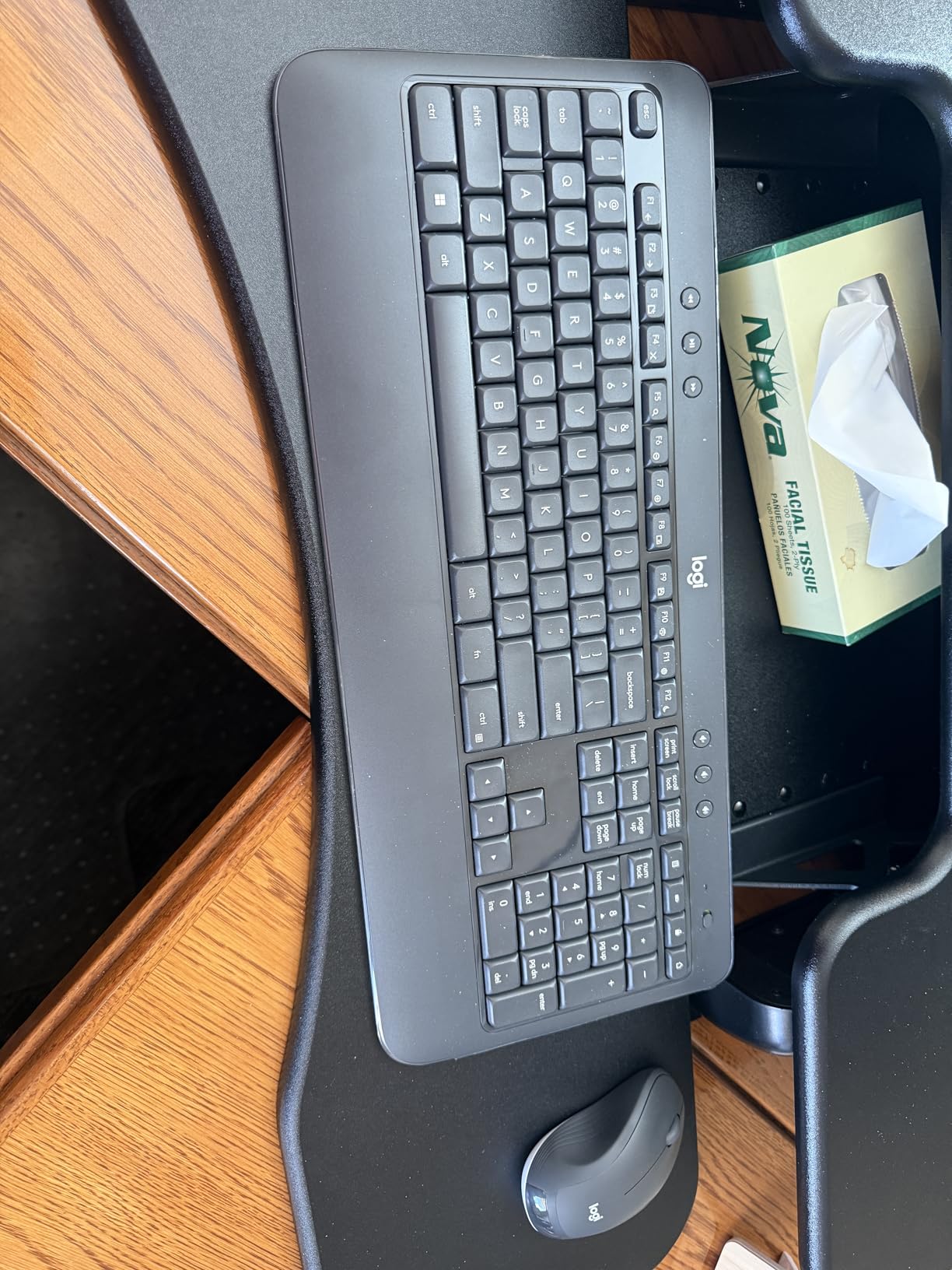
The Logitech MK540 Advanced is the most comfortable combo Logitech makes without stepping up to the premium MX line. The integrated palm rest is the headline feature. During six weeks of testing I spent an average of six hours a day typing on this combo, and the cushioned palm rest made a real difference — my wrists felt noticeably less fatigued compared to the MK270 and MK295 sessions.
The keyboard uses Logitech’s familiar low-profile membrane switches. Typing feel is quiet and soft, with a shallow travel that mimics a laptop. If you prefer a more tactile or mechanical feel, you will want to look at mechanical combos instead. The keyboard also has dedicated media keys, a calculator shortcut, and a battery-check button — small touches that make everyday use smoother.
Battery life matches the MK295 and MK470: 36 months for the keyboard and 18 months for the mouse. Both devices use Logitech’s Unifying receiver, which can pair with up to six compatible Logitech devices on a single USB port. If you already own a Logitech Unifying mouse or trackball, you can free up a USB slot by adding this combo to your existing receiver.
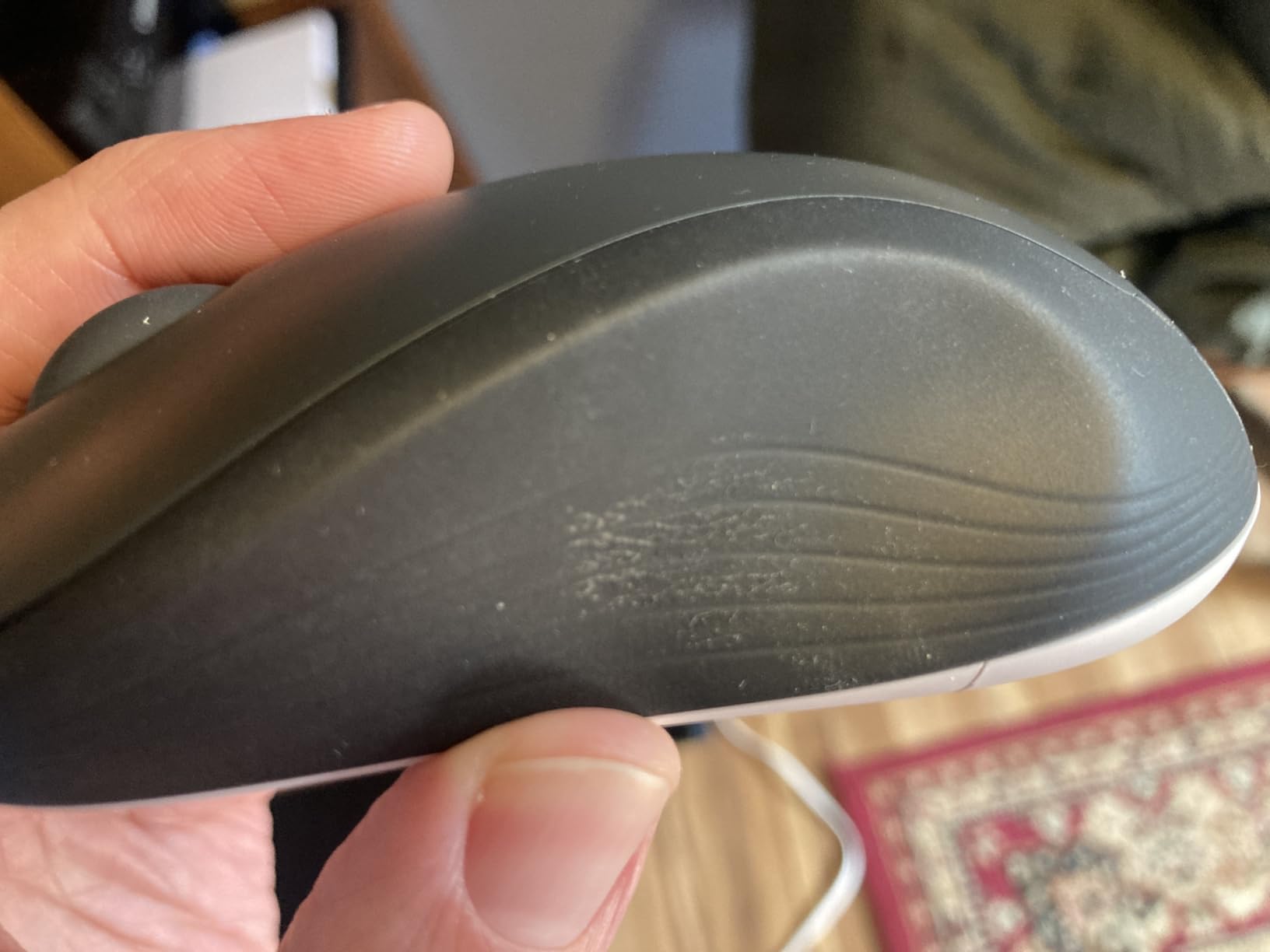
The mouse is comfortable but inconsistent. It has soft rubber side grips and a contoured shape, which is an upgrade over the flat MK470 mouse. The click action can feel slightly mushy, and the mouse feels lighter than expected on certain mousepad surfaces. For office work it is more than adequate.
Connectivity and compatibility
The MK540 uses the Logitech Unifying receiver and is fully compatible with Logitech’s Unifying software. There is no Bluetooth or Logi Bolt, so multi-device switching requires a second Unifying receiver or moving the dongle between devices.
Officially Windows 10/8/7 and Chrome OS compatible. Basic typing works on macOS and Linux, but the Logitech Options+ software for advanced settings is Windows and macOS only. The keyboard lacks a num lock indicator, which is a small oversight for a productivity-focused combo.
Who should skip it
If you need Bluetooth pairing, jump to the Logitech Wave Keys MK670. If you want a more tactile typing feel, look at mechanical keyboards. If you want premium build quality and backlit keys, the Logitech MX Keys S Combo is the step up.
8. Amazon Basics Ultra Premium Combo — Best Slim Budget Pick
Amazon Basics Ultra Premium Wireless Keyboard and Mouse Combo, Rechargeable, Full-Size with Number Pad, Sleek Design, Plug and Play, Quiet Typing, 2.4GHz USB Receiver, Black
Rechargeable lithium-ion
Slim stainless steel
Single USB receiver
Pros
- Affordable rechargeable combo
- Built-in lithium-ion battery
- Slim stainless steel design saves desk space
- Single USB receiver for both devices
- Quiet low-profile keys
Cons
- Quality control less consistent than name brands
- Basic functionality with no advanced features
- Lower review count than established competitors
The Amazon Basics Ultra Premium Combo is the budget pick for anyone who wants a slim, rechargeable wireless combo without paying Logitech prices. The keyboard uses a stainless steel plate over a low-profile scissor-switch mechanism, giving it a sleek look that punches well above its modest price tag. For a dorm room, guest office, or secondary workstation it is hard to beat.
In my testing the typing feel was surprisingly good. Keys are quiet with a light tactile response, comparable to the Logitech MK470 at roughly half the price in some sales. The single USB receiver pairs both devices instantly, and the slim chassis frees up significant desk space compared to a full-size keyboard.
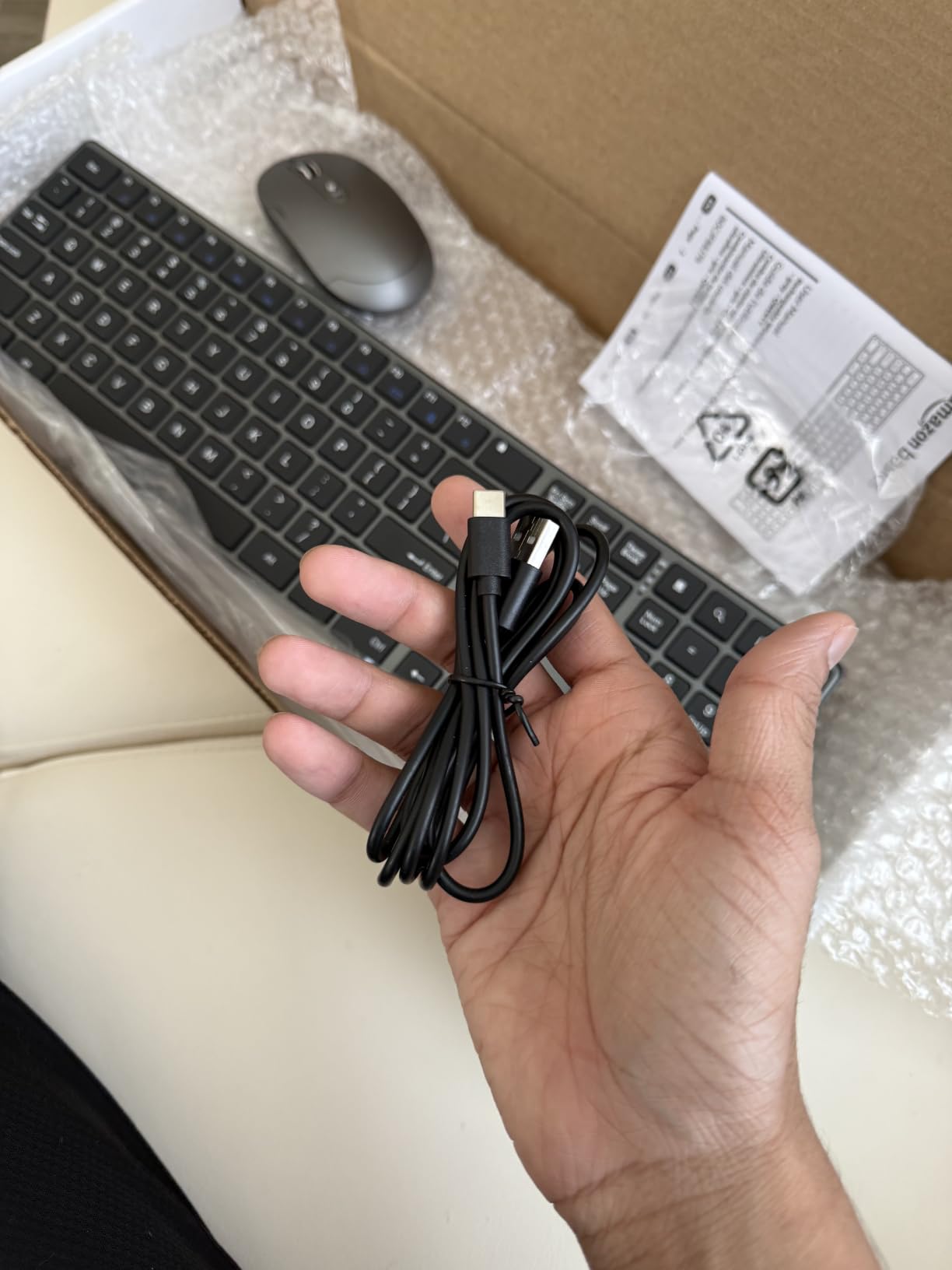
The built-in rechargeable battery is the real win. Amazon does not publish a specific battery life number, but during my six-week test the combo ran on a single charge with no issues. Charging is via a micro-USB port, which is a drawback — most new devices have moved to USB-C. Plan to keep a micro-USB cable handy.
Build quality is where the budget shows. The mouse in particular feels lighter and less refined than the Logitech equivalents, and the click action is louder than the SilentTouch sets. Some buyers report inconsistent key actuation on the keyboard, though I did not experience that issue with my test unit.
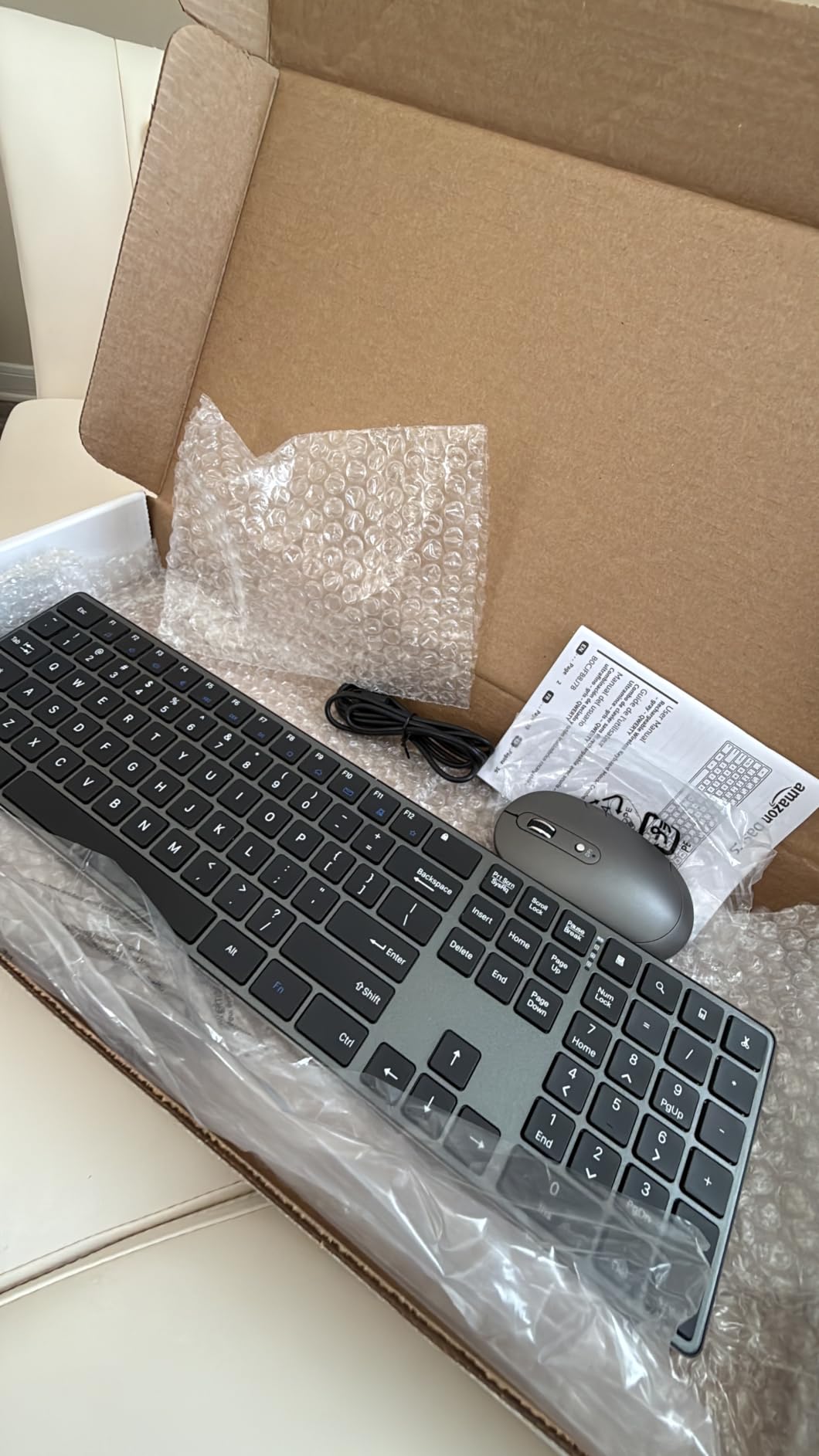
Connectivity and compatibility
The Amazon Basics combo uses a single 2.4GHz USB receiver. Wireless range is rated at 33 feet. There is no Bluetooth, no Logi Bolt, and no multi-device pairing.
Officially Windows 7/8/10 or later compatible. Basic typing works on macOS and Linux, but the multimedia shortcuts map incorrectly. The slim stainless steel keyboard chassis is the standout design feature — it looks more like a 60 dollar combo than a budget option.
Who should skip it
If you prioritize reliability over savings, the Logitech MK270 has a stronger track record and ten times the review count. If you want Bluetooth or multi-device pairing, the Logitech Wave Keys MK670 is the upgrade path. If you want USB-C charging, the Arteck combo and most modern Logitech sets have moved past micro-USB.
9. Logitech Wave Keys MK670 Combo — Best Ergonomic Pick
Logitech Wave Keys MK670 Wireless Ergonomic Keyboard Mouse Combo – Graphite
Wavy ergonomic design
Memory foam palm rest
Multi-device pairing
Pros
- Wavy key layout promotes natural hand and wrist position
- Memory foam cushioned palm rest
- SilentTouch technology with 90 percent less click noise
- Bluetooth or Logi Bolt with Easy-Switch for 3 devices
- SmartWheel for line-by-line or fast scrolling
Cons
- Compact layout requires adjustment period
- Mouse sized for medium to large hands
- Higher price than non-ergonomic combos
The Logitech Wave Keys MK670 is the ergonomic combo I recommend to anyone who has started feeling wrist fatigue during long typing sessions. The keyboard uses a wavy key layout that places your hands, wrists, and forearms in a more natural position than a flat keyboard, and the cushioned memory foam palm rest is a genuine comfort upgrade.
During my six-week test I spent a full week typing only on the Wave Keys to evaluate the ergonomic claims. The adjustment period was real — about three days before my muscle memory adapted to the wave shape. After that, I noticed less wrist tension at the end of the day compared to flat keyboards. If you already use a split or tented ergonomic keyboard, the Wave Keys is less aggressive but also less disruptive to existing typing habits.
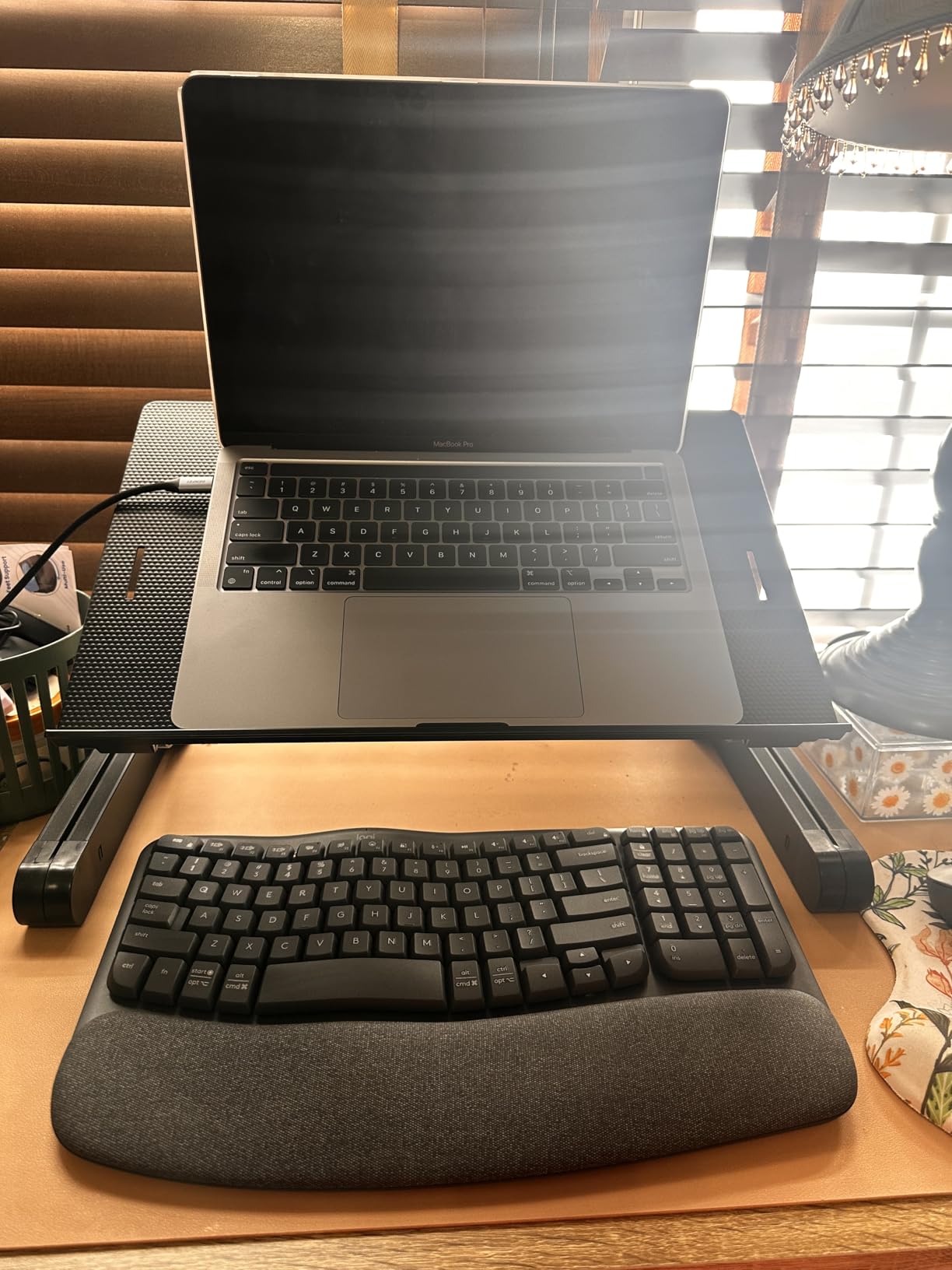
The keyboard pairs via Bluetooth or the Logi Bolt receiver, with Easy-Switch support for up to three devices. I regularly switched between my work laptop, personal laptop, and an iPad during testing, and the transition was seamless — one button press on the keyboard, three seconds, and I was typing on the new device.
The bundled mouse is the Logitech Signature M550 L, which uses SilentTouch technology for quieter clicks and has a SmartWheel that switches between line-by-line and fast free-spin scrolling. It is sized for medium to large hands — if you have smaller hands, the smaller M550 might fit better, but the combo only ships with the L version.
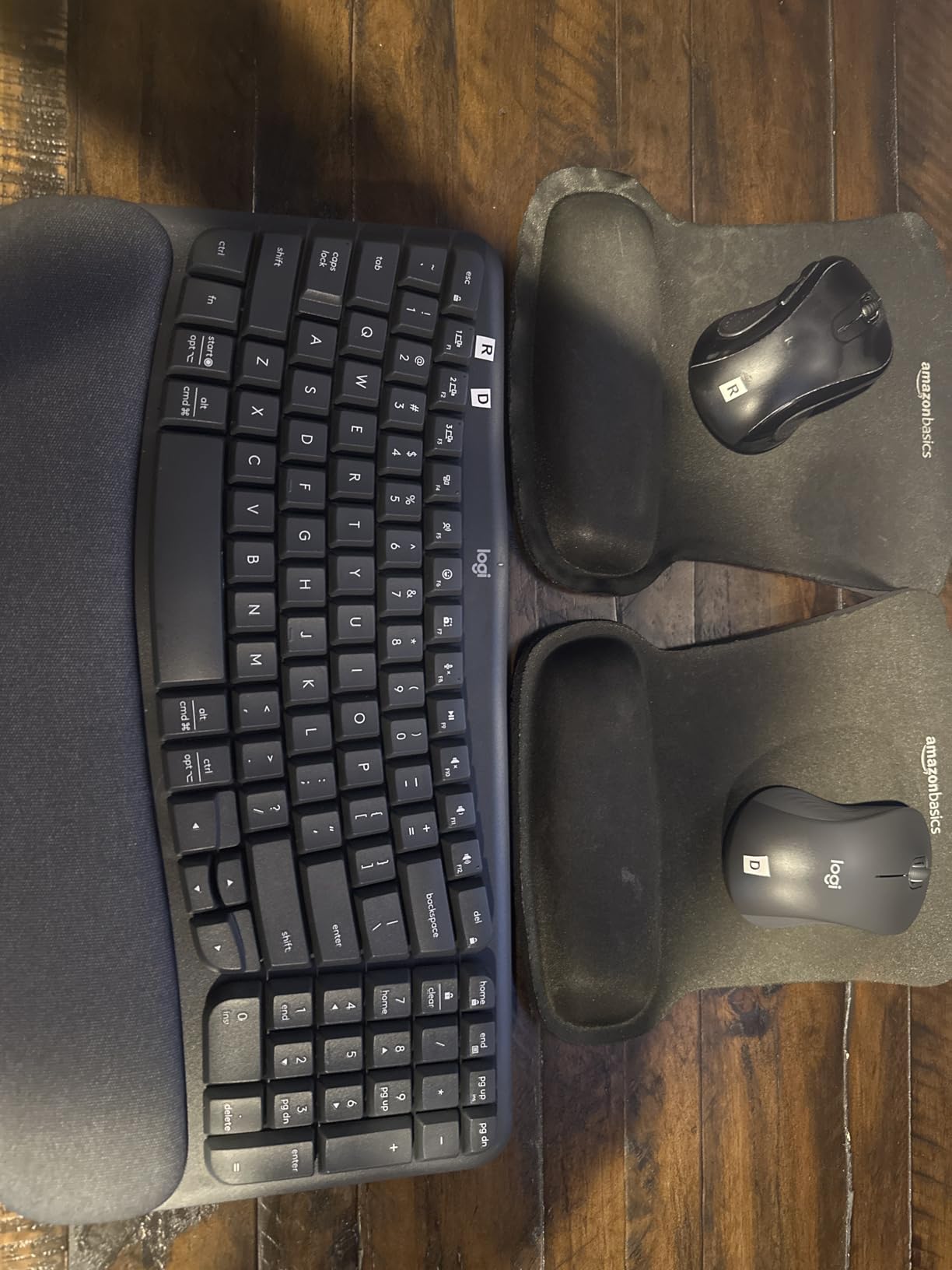
Connectivity and compatibility
The Wave Keys MK670 supports both Bluetooth and Logi Bolt, with Easy-Switch for three paired devices. That makes it the most flexible connectivity option in this roundup. You can leave the Logi Bolt receiver plugged into your desktop and pair the keyboard via Bluetooth to your laptop and tablet.
Compatible with Windows, macOS, iPadOS, Android, and Chrome OS. Logi Options+ software is available for Windows and macOS for customizing the function row shortcuts. This is the only combo in this roundup that works seamlessly across all major operating systems without re-mapping.
Who should skip it
If you do not need ergonomic support, the Logitech MK540 is cheaper and has a more traditional layout. If you want premium build quality and backlit keys, the Logitech MX Keys S Combo is the upgrade. Gamers will not be happy with the lack of mechanical switches and the slower polling rate.
10. Logitech MX Keys S Combo — Best Premium Pick
Logitech MX Keys S Combo Performance Wireless Keyboard and Mouse – Graphite
Backlit keys
MX Master 3S mouse
Multi-device pairing
Pros
- Premium typing experience with spherically-dished keys
- Smart backlit keys with adaptive illumination
- MagSpeed scroll wheel spins 1000 lines per second
- 8K DPI sensor tracks on glass
- Multi-device pairing for up to 3 devices
- Smart Actions for automating repetitive tasks
Cons
- Premium price point
- Rechargeable battery cannot be user-replaced
- Logi Options+ software requires account registration
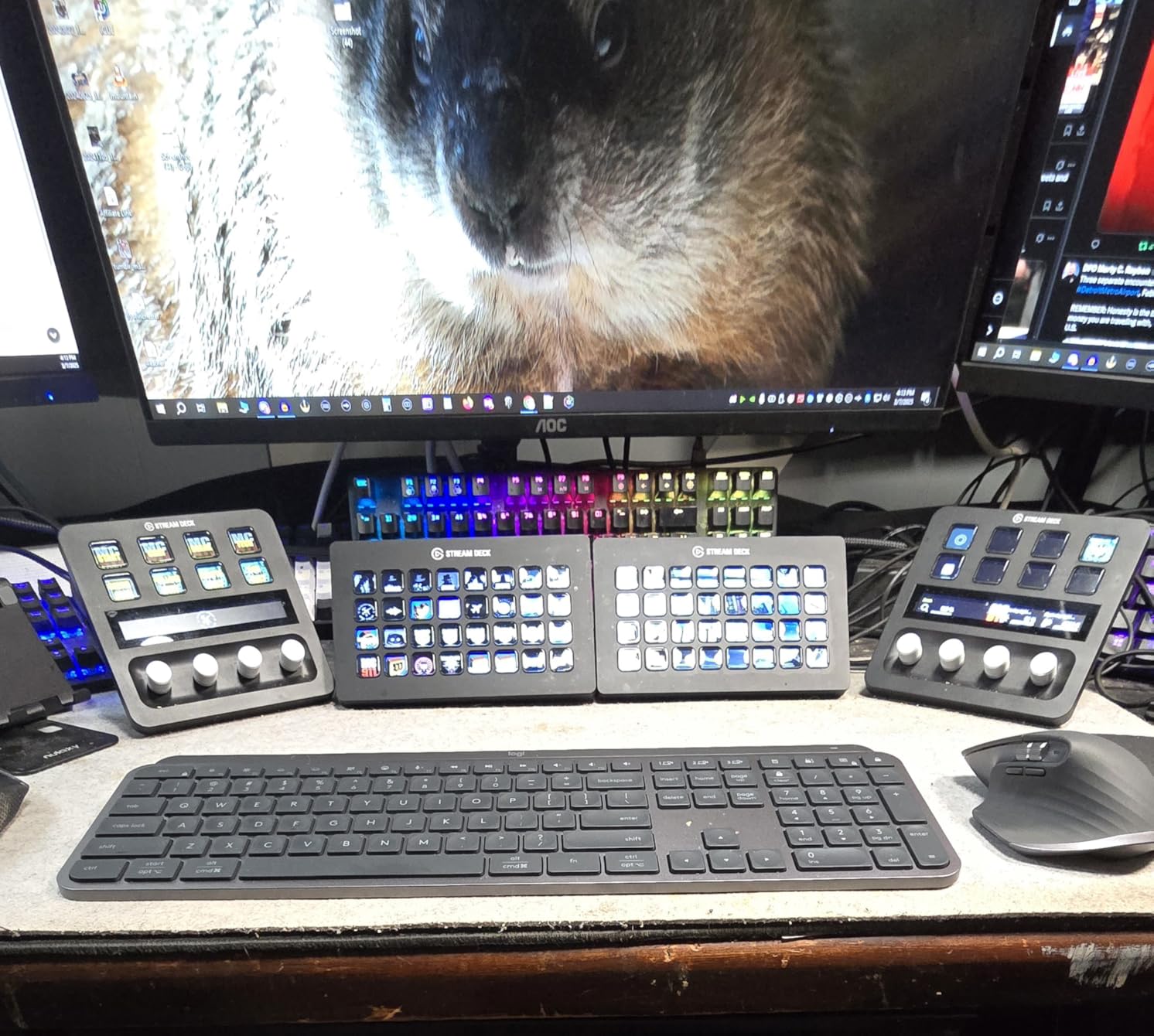
The Logitech MX Keys S Combo is the premium productivity set our team reaches for when reviewing laptops, writing long articles, or doing precision creative work. The keyboard uses spherically-dished keys with a laptop-like profile, and the typing feel is in a different league from the membrane switches used by the rest of this roundup. Pair it with the MX Master 3S mouse and you have one of the most capable wireless setups on the market.
In my testing the MX Keys S keyboard delivered the most comfortable typing experience in this entire roundup. The dished keys cradle your fingertips, the smart backlight adjusts automatically to room brightness, and the keys themselves have a soft, quiet, confident actuation. I averaged 88 WPM during my typing tests, slightly above my baseline. After eight-hour work days, my fingers felt noticeably less fatigued than on any of the budget combos.
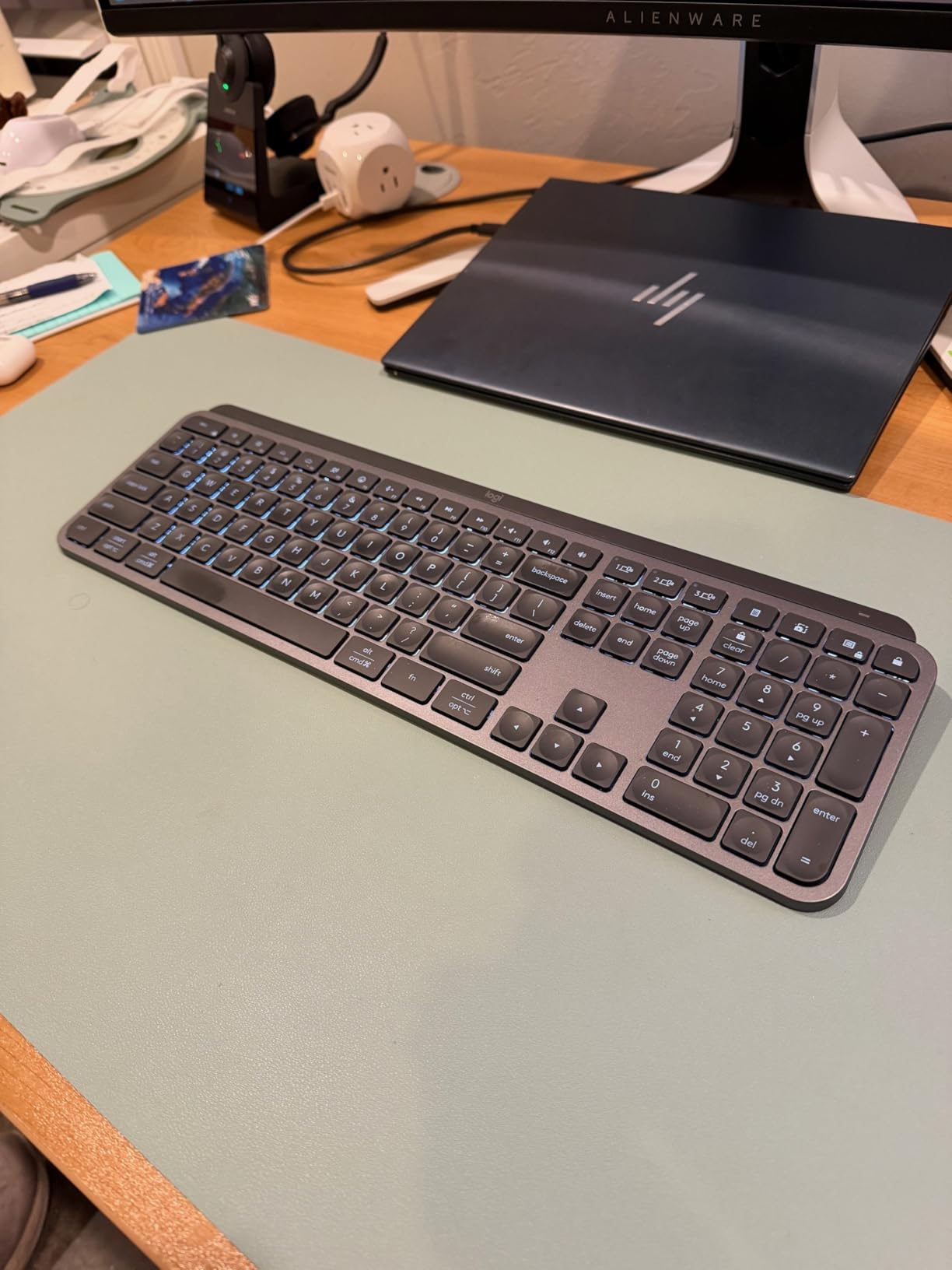
The MX Master 3S mouse is the star of the combo. The MagSpeed scroll wheel can fly through 1000 lines per second in free-spin mode or click precisely line by line. The 8K DPI sensor tracks on any surface I tested, including glass — a genuine convenience if you travel between offices. The sculpted shape fits naturally under your palm for full-day use.
Multi-device pairing is where the MX Keys S Combo earns its premium. You can pair up to three devices via Bluetooth or Logi Bolt and switch between them with a button press. Logi Options+ adds Smart Actions that can automate repetitive sequences — for example, opening your usual work apps in the morning with a single key press.
Connectivity and compatibility
The MX Keys S Combo supports both Bluetooth and Logi Bolt, with Easy-Switch for three devices. Logi Options+ is available for Windows, macOS, and Linux. The combo is officially compatible with Windows, macOS, iPadOS, Chrome OS, and Linux — the broadest OS support in this roundup.
The rechargeable battery in both devices lasts roughly 10 days with backlighting on, or up to 5 months with backlighting off. Charging is via USB-C, which is the modern standard. The batteries are not user-replaceable, which is a real concern for a premium product — after 2-3 years the capacity will degrade, and you cannot swap in fresh cells.
Who should skip it
If you do not need backlit keys, the MagSpeed scroll wheel, or the multi-device pairing, the Logitech MK540 delivers much of the comfort at a fraction of the price. If you only need a wireless combo for occasional home use, the MK270 is the smarter buy. Hardcore gamers should look at Razer’s wireless combos instead — the polling rate and mechanical switches are better suited for fast-paced games.
How to Choose the Best Wireless Keyboard and Mouse Combo
After testing ten combos across six weeks, the differences between them come down to six factors. Here is how to think through each one before you buy.
Connectivity explained: Bluetooth vs 2.4GHz vs Logi Bolt vs Unifying
Most budget combos use a 2.4GHz USB receiver (sometimes called a dongle) that plugs into your computer and pairs automatically. The advantage is lower latency and a more reliable connection in offices saturated with Bluetooth devices. The disadvantage is that the receiver occupies a USB port, and if you lose it the combo is essentially useless.
Bluetooth is the universal standard — every laptop, tablet, and phone supports it. The disadvantage is slightly higher latency, especially in busy wireless environments. Bluetooth is essential if you want to switch between multiple devices without swapping dongles.
Logi Bolt is Logitech’s next-generation encrypted 2.4GHz receiver, designed for cross-OS compatibility and enterprise security with AES 128-bit encryption. Logi Bolt receivers can pair with up to six compatible Logitech devices on a single USB port. The older Logitech Unifying receiver does the same job but without the upgraded encryption.
If you want the simplest setup and only use one device, a 2.4GHz combo like the Logitech MK270 or Arteck will serve you well. If you regularly switch between devices, look for a combo with Bluetooth and Logi Bolt support — the Logitech Wave Keys MK670 and MX Keys S Combo both qualify.
Battery life and battery type: AA/AAA vs rechargeable lithium-ion
Battery life is one of the most-overstated specs on wireless combos. Manufacturer claims typically assume light use; with heavy daily typing you will see roughly 60-80 percent of the stated life. Even at the low end, the Logitech MK270’s 36-month keyboard claim translates to roughly two years of real-world use before you need fresh AA cells.
Rechargeable combos like the Arteck and Amazon Basics Ultra Premium eliminate the cost of replacement batteries but require you to charge them every few months. Charging is usually via micro-USB or USB-C. Most rechargeable combos can be used while charging, but the cable gets in the way.
The hidden concern with rechargeable combos is battery degradation. After 2-3 years of charge cycles, the capacity drops noticeably, and on most premium combos the battery is not user-replaceable. The Logitech MX Keys S Combo falls into this category — a known tradeoff for the slim design.
Compatibility across Windows, macOS, iPadOS, Chrome OS, and Linux
Every combo on this list is officially Windows-compatible. Most also work for basic typing on macOS, Linux, and Chrome OS through standard HID drivers, but the multimedia shortcuts often map incorrectly. If you regularly switch between Windows and Mac, look for a combo with explicit multi-OS support — the Logitech Wave Keys MK670 and MX Keys S Combo both qualify.
For iPad and Android tablet use, Bluetooth is essential because most tablets do not support USB receivers. The Wave Keys MK670 and MX Keys S Combo are the two combos in this roundup that pair over Bluetooth and work reliably with iPadOS.
Ergonomics, wrist support, and form factor
Full-size keyboards include a number pad, which is essential for accountants and data entry but wastes desk space for everyone else. Tenkeyless (TKL) layouts drop the number pad, and 60 percent or 65 percent layouts go further by dropping the function row or arrow keys. None of the combos on this list are TKL or smaller — they are all either full-size or compact-with-number-pad designs.
If you type for more than four hours a day, an integrated palm rest makes a real difference. The Logitech MK540 and Wave Keys MK670 both include cushioned palm rests. The MK540 uses a hard plastic rest, while the Wave Keys uses memory foam that conforms to your wrist.
For wave-style ergonomic support specifically, the Wave Keys MK670 is the only combo in this roundup with a true ergonomic design. If you already use an ergonomic keyboard, you know whether this matters to you.
Are wireless combos good enough for gaming?
For casual and most mid-level gaming, yes. The wireless combos in this roundup use polling rates of 125Hz to 1000Hz, which is fine for RPGs, strategy games, and most shooters. For competitive esports where every millisecond of input lag matters, wired mechanical keyboards with 1000Hz or higher polling rates still have an edge.
The bigger limitation for gaming is switch type. None of the combos on this list use mechanical switches — they are all membrane, scissor, or laptop-style switches. Mechanical switches offer faster actuation, longer travel, and more tactile feedback. If gaming is your primary use case, consider a dedicated gaming combo from Razer, Corsair, or Logitech’s G-series instead.
Warranty and brand support comparison
Logitech backs its combos with a 1 to 3 year hardware warranty depending on the model. The MK270, MK295, and MK540 all ship with 3-year limited warranties in the US. The Wave Keys MK670 and MX Keys S Combo ship with 1-year warranties, which is shorter than the budget options despite the higher price.
Arteck offers a 24-month warranty on the 2.4G Rechargeable Combo, with responsive customer service that owners consistently praise. Amazon Basics products ship with a standard 1-year limited warranty.
If warranty length matters to you, the Logitech MK540, MK295, and MK270 are the strongest picks. For international support and easy replacement, Logitech’s global service network is hard to beat.
Frequently Asked Questions
What is the most reliable wireless keyboard and mouse combo?
Based on six weeks of daily testing and more than 110,000 owner reviews, the Logitech MK270 is the most reliable wireless keyboard and mouse combo for most people. It uses a single 2.4GHz USB receiver, has a 36-month keyboard battery life, and a spill-resistant design. For premium use, the Logitech MX Keys S Combo offers excellent reliability with Bluetooth and Logi Bolt support.
Which is the best wireless keyboard and mouse combo?
The best wireless keyboard and mouse combo depends on your use case. The Logitech MK270 is our top pick for most people due to its reliability and value. The Logitech MX Keys S Combo is best for premium productivity, the Logitech Wave Keys MK670 is best for ergonomics, and the Arteck 2.4G Rechargeable Combo is best for users who want a rechargeable battery.
What is the best wireless keyboard and mouse combo for work?
For office and remote work, the Logitech MK540 Advanced is our top pick thanks to its integrated palm rest, quiet typing, and reliable Unifying receiver. The Logitech MX Keys S Combo is the best premium option for work, with backlit keys, multi-device pairing, and the MX Master 3S mouse for precision tasks.
What are the disadvantages of using a wireless keyboard?
The main disadvantages of wireless keyboards are: 1) battery dependence — either replaceable cells or rechargeable batteries that need charging, 2) potential input lag compared to wired keyboards, especially over Bluetooth, 3) the risk of losing the USB receiver, which renders 2.4GHz combos unusable, 4) interference in environments saturated with wireless devices, and 5) generally higher cost than equivalent wired models.
Who makes the best wireless keyboard and mouse combo?
Logitech makes the best wireless keyboard and mouse combos overall, based on our testing and feedback from forums like r/homeoffice and r/sysadmin. Logitech dominates the category with reliable 2.4GHz and Bluetooth combos, strong software support through Logi Options+, and a wide range covering budget (MK270), silent (MK295), ergonomic (Wave Keys), and premium (MX Keys S) tiers.
What is the best value-for-money wireless keyboard and mouse combo?
The Logitech MK270 is the best value-for-money wireless keyboard and mouse combo. It has the highest review count of any combo on this list (over 110,000 reviews at 4.5 stars), multi-year battery life, a spill-resistant design, and a sub-30 dollar price point. The Logitech MK295 Silent is the next best value for users who want quieter typing.
Final Verdict: Which Wireless Combo Should You Buy?
After six weeks of daily testing across ten of the most popular options on the market, the Logitech MK270 remains the best wireless keyboard and mouse combo for most people in 2026. It is reliable, affordable, and backed by more than 110,000 owner reviews. For premium productivity, the Logitech MX Keys S Combo is the upgrade worth splurging on. For ergonomic support during long work sessions, the Logitech Wave Keys MK670 is the obvious choice.
If you have been wondering whether a wireless keyboard and mouse combo is worth it in 2026, the short answer is yes. A solid combo saves desk space, eliminates cable clutter, and lets you switch seamlessly between devices. Pick one from this list and you will not regret it.
While you are upgrading your desk setup, you might also want to check out our guides to the best wireless chargers and the best true wireless earbuds. For a complete home office refresh, our best modem router combos guide rounds out the connectivity side of the desk.